Direct Assignment vs Round Robin: Choosing the right routing method in Zoho Desk
Direct Assignment vs Round Robin: Choosing the right routing method in Zoho Desk
 This post is part of the "Desk Automation Series," Chapter 1. Through this series, we will help you choose the right automation type in Zoho Desk by comparing commonly confused automations through real scenarios and business processes, so you can clearly see what to use, when, and why.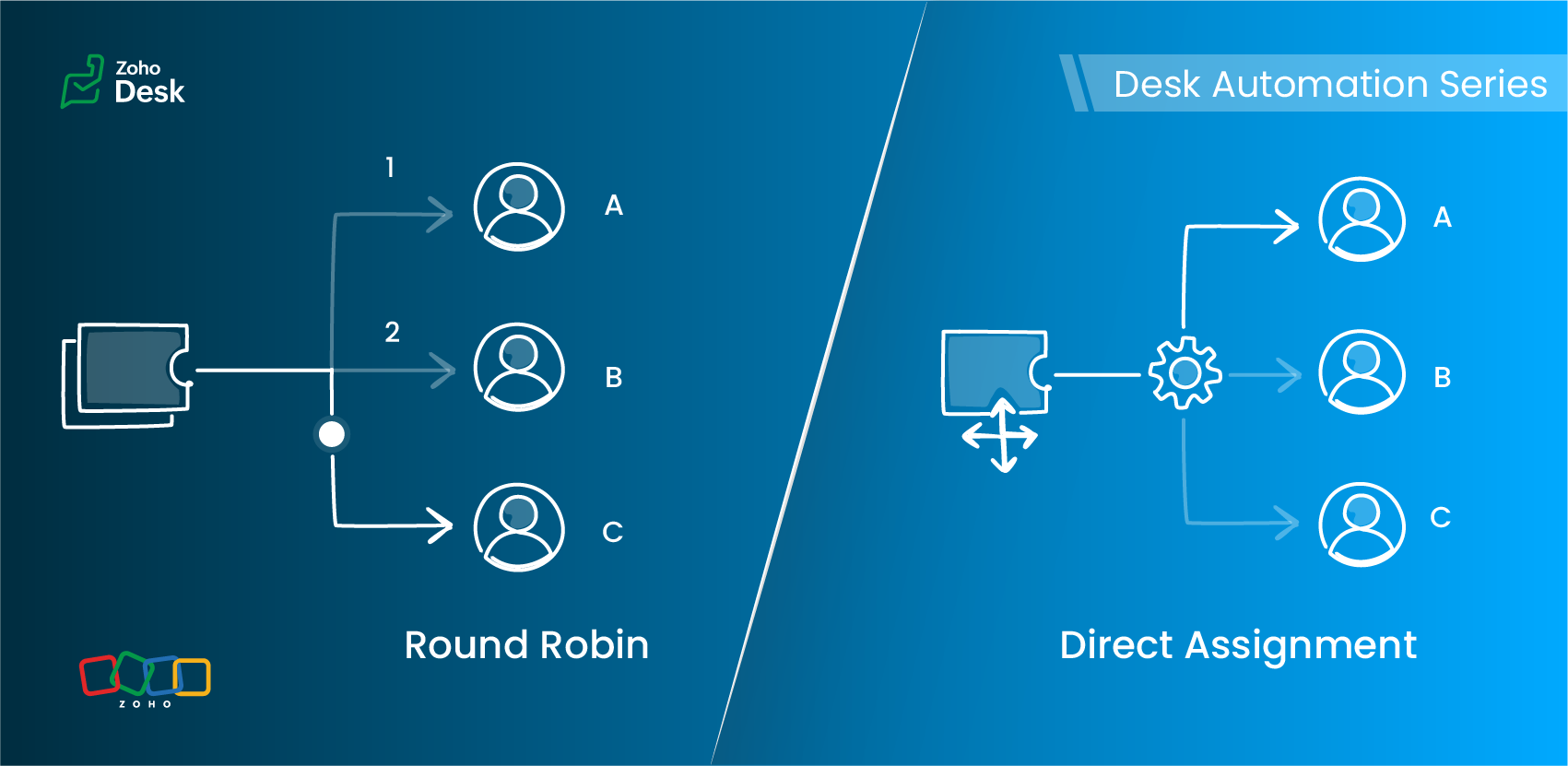
- Should this ticket always go to a specific owner?
- Or should it be automatically distributed across a team of agents in a specified pattern?
Understanding Assignment Rules
Zoho Desk offers two primary routing options under Assignment Rules:
- Direct Assignment
- Round Robin Assignment
Each serves a different need, depending on the structure of your support team and the type of tickets you handle.
Direct Assignment
When to use Direct Assignment
- A particular ticket type is always handled by the same person or team
- Ownership should remain consistent
- You want predictable, rule-based routing
- The responsibility for a category of tickets never changes
- Required to be re-assigned to a different agent
Direct Assignment keeps routing clear and ensures that the right team always receives what they are trained to handle.
Round Robin Assignment
Round Robin supports multiple distribution patterns
Round Robin type | How it works | Best for |
Load-based assignment | Tickets are routed to the agent with the least number of tickets in their queue until the configured capacity is reached. | Balancing agent queues efficiently to ensure faster response times. |
Skill-based assignment | Tickets are assigned to the agent whose skills match the most according to the criteria defined for the ticket. | Handling tickets that require specific language support, product knowledge, or domain expertise. |
Sequential-based assignment | Tickets are distributed among agents in a fixed sequence, following the alphabetical order of agent names. | Ensuring a predictable rotation and evenly distributing tickets among agents. |
Round Robin preferences
Key differences at a glance
Feature | Direct Assignment | Round Robin |
Primary purpose | Route tickets to a specific team | Distribute tickets equitably across agents |
Useful when | Responsibility for a ticket type is clearly defined | Ticket volume is high and needs balanced distribution |
Supports skill-based routing | No | Yes |
Supports capacity limits | No | Yes (Agent-level and department-level thresholds) |
Assignment frequency | Always assigned to the same agent or team | Varies based on the configured Round Robin type |
Control over assignment order | No | Yes (Sequence-based rotation) |
Handles workload balancing | No | Yes (Load-based assignment) |
Supports backlog management | No | Yes (Backlog assignment for queued tickets) |
Includes offline agents in assignment | No | Yes (Offline agents can be included in the assignment queue) |
Optimized for high ticket volume | Limited | Yes (Immediate assignment and backlog handling support continuous distribution) |
Choosing the right assignment method
Requirement | Direct Assignment | Round Robin |
A specific agent must always handle certain issues | ✓ | — |
Balanced distribution of tickets | — | ✓ |
Skill-specific routing | — | ✓ (Skill-based) |
Avoiding agent overload | — | ✓ (Load-based) |
Predictable rotation | — | ✓ (Sequential-based) |
Flexible assignment based on agent availability | — | ✓ |
A practical scenario
1. Billing and subscription changes
Use: Direct Assignment
2. Account suspension reviews
3. General how-to queries
Load-based assignment routes tickets to the least-loaded agent up to their set capacity, ensuring faster response times through efficient workload distribution.
4. High traffic during feature launches
Load-based assignment routes tickets to the agent with the fewest active tickets until the configured capacity is reached, helping distribute high volumes to prevent agent overload and support faster response times.
5. Advanced technical or API-related tickets
6. Product feedback review queue
7. Multilingual customer support
Use: Skill-based assignment
More everyday support examples
Scenario | Best-suited assignment method | Why |
Warranty claims in an electronics company | Direct Assignment | Tickets are routed to the team responsible for warranty operations. |
Appointment requests in a multi-specialty clinic | Direct Assignment for specialist bookings; Sequence-based assignment for general checkups | Specialist requests can be routed to a specific team, while general requests can be distributed among agents. |
System outage tickets in an IT helpdesk | Load-based assignment | Tickets are assigned to the agent with the fewest tickets in their queue, helping distribute workload and support faster first responses. |
Onboarding queries in a company | Sequential-based assignment | Tickets are distributed among agents in a fixed sequence, ensuring each agent receives tickets in turn. |
Marketing campaign inquiries in a SaaS company | Skill-based assignment | Tickets are assigned to agents whose skills match the required business expertise, such as Marketing. |
Best practices
- Use Direct Assignment for clear, consistent ownership.
- Apply Round Robin when distribution, fairness, or skills matter.
- Keep your criteria focused.
- Avoid using multiple Round Robin patterns for the same category.
- Review agent capacity and skills regularly.
- Test your rules with a sample set of tickets before enabling them.
Guidelines for quick selection
- Only routing is needed → Direct Assignment
- Balanced distribution is the goal → Load-based or Sequential-based assignment
- Specific skills required → Skill-based assignment
- Workload limits apply → Load-based assignment
- Predictable rotation needed → Sequential-based assignment
The verdict

Read more related articles:
Topic Participants
Amrita U
Sticky Posts
Zoho Desk Partners with Microsoft's M365 Copilot for seamless customer service experiences
Hello Zoho Desk users, We are happy to announce that Zoho Desk has partnered with Microsoft's M365 to empower customer service teams with enhanced capabilities and seamless experiences for agents. Microsoft announced their partnership during their keynoteWhatsApp pricing changes: Pay per message starting July 1, 2025
Starting July 1, 2025, WhatsApp is shifting from conversation-based pricing to per-message billing. That means every business-initiated message you send will count. Not just the first one in a 24-hour window. Pricing updates on the WhatsApp Business PlatformLive Webinar - Work smarter with Zoho Desk and Zoho Workplace integration
Hello customers! Zoho Desk and Zoho Workplace are coming together for a webinar on 14th May, 2024. Zoho Workplace is a suite of productivity apps for email, chat, docs, calls, and more at one single place. Zoho Desk is closely integrated with a few toolsApple iOS 17 and iPadOS 17 updates for Zoho Desk users
Hello Zoho Desk users! Apple recently announced the release of iOS 17 and iPad OS 17. These latest OS updates will help you stay productive and efficient, through interactive and seamless user experiences. Zoho Desk has incorporated the updates to helpZoho Desk Cheat Sheet For The Year-End
Check out these Zoho Desk best practices to end this year on a high and have a great one ahead! #1 Set Business (Holiday) Hours - If you have limited working hours, please make sure you restrict your business hours or set them as holidays for the coming days. Let your customers know when you will, and won't, be available. #2 Update the Annual Holiday List - Check the holidays for the new year and update the holiday schedule. Usually, holidays from the current year will be carried over for the next
Recent Topics
AI Bot and Advanced Automation for WhatsApp
Most small businesses "live" on WhatsApp, and while Bigin’s current integration is helpful, users need more automation to keep up with volume. We are requesting features based on our customer Feedbacks AI Bot: For auto-replying to FAQs. Keyword Triggers:Setting total budget hours for a specific project
Hi there, I work on a lot of projects that have fixed budget hours. Is there a way to enter the total budgeted hours so i can track progress and identify when hours have been exceeded. I see in the projects dashboard there is a greyed out text sayingClone entire dashboards
If users want to customize a dashboard that is used by other team members, they can't clone it in order to customize the copy. Instead they have to create the same dashboard again manually from scratch. Suggestion: Let users copy the entire dashboardIntroducing Formula Fields for performing dynamic calculations
Greetings, With the Formula Field, you can generate numerical calculations using provided functions and available fields, enabling you to derive dynamic data. You can utilize mathematical formulas to populate results based on the provided inputs. ThisGetting started with Zoho PDF Editor
Hello users, If you are new to Zoho PDF Editor or aren't sure of its full potential, then this article is for you. Zoho PDF Editor is a free online PDF editing tool, that allows you to upload and edit PDFs, insert text and images, add fillable and e-signatureMercury Bank Integration
Mercury Bank is a fintech company in the US that is quite popular with startups, e-com companies, and other businesses. https://docs.mercury.com/reference/welcome-to-mercury-api Unlike most traditional banks, they have a full-featured API that allowsZoho Projects - Cloning a task does not trigger task workflow when created
Hello! I have a Project where my team uses a set of tasks from a tasklist as templates, so we could simply clone it and drag it to another list in kanban view to avoid creating a new one from scratch. The process works well, but after cloning it the newPurchase Orders not in sequence
I am unable to sort by Purchase Order Numbers. I can only sort by date; however, the PO numbers aren't in the order they were entered. This was not the case prior to today.Date/time displayed in ZohoCRM does not match date/time of entries in ZohoForm
Hello there, we use a ZohoForm as a worksheet, i.e. users use it to track start time, break and stop time for every working day. The ZohoCRM org time zone is set on GM -4, so is the Time Zone in the Date&Time section in ZohoForm (see attachment). DespiteUpdate Existing Records greyed out in Free Version
Trying to update records from an Excel sheet, and not getting the option to update. Only option is to add as new accounts. All documentation I can see says update should be an option! Accounts, Leads, Contacts, all the same.Dynamically Populate Picklist Values from Another Module Using Client Script
I am working in Zoho CRM and trying to dynamically populate a picklist field in the Partners module using values stored in another custom module. I have two modules: 1. Partners Module Field: Partner_Type_Pick Field Type: Picklist 2. Partners_Type ModuleAdd zoho calendar to google calendar
Hi I keep seeing instructions on how to sync Zoho CRM calendar with google calendar but no instructions on how to view Zoho calendar in my google calendar.Zoho Community Digest : Jan 2026 | Part 1
Hello Everyone! Staying in the loop with Zoho's latest product updates and features across the vast Zoho Community Forums can be a real challenge. We get it. With over 50+ applications, each with its dedicated forum, it's easy to miss out on importantWorld date & time format
Hello, Is there a timeline to get the worldwide used date and time format ? I mean not the american one... I mean day month year, and 24 hours clock. RegardsNimble enhancements to WhatsApp for Business integration in Zoho CRM: Enjoy context and clarity in business messaging
Dear Customers, We hope you're well! WhatsApp for business is a renowned business messaging platform that takes your business closer to your customers; it gives your business the power of personalized outreach. Using the WhatsApp for Business integrationConditional layouts - support for multi-select picklists
Hi, The documentation for conditional layouts says the following: "Layout Rules cannot be used on the following field types: Auto Number Lookup Multi Select Lookup User Lookup Formula File Upload Multi Line" I have a custom module with a multi-pick listClient Script Not Working When Field is Set by Workflow
Problem Context: I have implemented a client script in the Cases module that automatically assigns commands based on the value of the Priority field. The script functions correctly when the Priority field is manually set by a user through the form. ObservedIntegration of CRM and Recruit
hi team, Is it possible to sync deals <> job openings from only 1 pipeline? My configuration of CRM has pipeline for each business unit, so I will have all data in the CRM system. body leasing and recruitment is one BU (hence 1 pipeline) - can I syncintegrating Zoho CRM vendors with Zoho projects
In most of our projects we collaborate with our Vendors. Being able to integrate only Accounts and not Vendors from CRM, is a huge limitation for our perspective and needs. We would really love to see this feature in the CRM-Projects integration.Zoho Creator Workshops 2026—Europe & UK | Coming to a city near you!
Hello everyone! We're excited to announce the Zoho Creator Workshop Series 2026, coming to cities across Europe and the United Kingdom this year! Whether you're looking to explore the intermediate-to-advanced capabilities of Creator or you're a seasonedNumber 9 envelopes for invoice printing
I email and print invoices. Being new to Zoho and coming from QB, we did both as we have a more traditional So in Zoho i want to do the same using Number 9 envelopes. These have both a return window and mail to windoow see attached image. Im just looking for best suggestions on how to get a ZOHO invoice to work, so I can mail my invoices...Zoho Books/Square integration, using 2 Square 'locations' with new Books 'locations'?
Hello! I saw some old threads about this but wasn't sure if there were any updates. Is there a way to integrate the Square locations feature with the Books locations feature? As in, transactions from separate Books locations go to separate Square locationsOpen Sans Font in Zoho Books is not Open Sans.
Font choice in customising PDF Templates is very limited, we cannot upload custom fonts, and to make things worse, the font names are not accurate. I selected Open Sans, and thought the system was bugging, but no, Open Sans is not Open Sans. The realAdd Reporting feature to display variance/change columns when comparing periods
When running reports to compare periods (for example, Profit and Loss comparing current year to previous), I would like to be able to display variance columns in both (a) amount or (b) percentage.Payroll and BAS ( Australian tax report format )
Hello , I am evaluating Zoho Books and I find the interface very intuitive and straight forward. My company is currently using Quickbooks Premier the Australian version. Before we can consider moving the service we would need to have the following addressed : 1.Payroll 2.BAS ( business activity statement ) for tax purposes 3.Some form of local backup and possible export of data to a widely accepted format. Regards Codrin MitinInvalid scope choice: Workdrive integration in CRM
Bug: There is an invalid option in the permission choices for Workdrive integration in CRM. If the entry "WorkDrive.teamfolder.CREATE" is selected, it will return a message indicating invalid OAuth scope scope does not exist.What's New - February 2026 | Zoho Backstage
February 2026 brings a major new addition and a collection of enhancements across Zoho Backstage. We thought about writing a long introduction, but the updates in this release make a strong case on their own. So we’ll skip the buildup and dive straightAttaching files to emails within CRM Deals.
Hello, We have recently started using the extension "Workdrive for CRM" (Related List) to view/store our documents for each Deal, instead of using Attachments. Overall it feels like a better way to go but the user experience is not so great when it comesOne Contact with Multiple Accounts with Portal enabled
I have a contact that manages different accounts, so he needs to see the invoices of all the companies he manage in Portal but I found it not possible.. any idea? I tried to set different customers with the same email contact with the portal enabled andAnyone worked out how to export or screengrab a full heatmap?
I'd love to be able to include a copy of a heatmap in a report but can't work out how to grab the whole thing as there doesn't appear to be an export function? Thanks in advance.Establishing Relationships among contacts/leads with Reciprocal
Is there any way to create a relationship between contacts and leads and be able to go into just one of the files and have it reciprocate the entry in the other file? For example, if I have two people say John and Jane Smith who are husband and wife.Placeholder for Agent Signature in Email Templates
Dear Zoho Team, I hope this message finds you well. We currently face a limitation when designing email templates in Zoho Desk. While we can create email templates and include a footer at the end, the agent signature is always appended by default at theCustom View and Custom Fields on Zoho Books
Hi, I have some custom fields on Estimates and Invoices. I also use Custom Views so I can have a lot of information at a glance. I want to include my custom fields as columns in my custom views of estimates / invoice, but it looks like is not possible.%PaymentLink%
Does not work. Software creates a BAD link. ....and yes payment options are turned on. Link on the invoice pdf once opened will work but this template is a joke.Can Zoho Marketing Automation send OTP codes via WhatsApp during user registration?
The flow I would like to implement is: A user signs up in the mobile app and enters their phone number. The system generates a one-time verification code (OTP). The OTP is sent to the user via WhatsApp message. The user enters the code in the app to confirmWhere to show Customization Field ?
Dear Sir, I have made some New Field in Item Field Customisation. Now I don't require that field in Estimate, Sales Orders etc. I just wants that field in Sales Invoice to Show/Hide... Is that possible ?What's New in Zoho Analytics - February 2026
Hello Users! We're back with another round of updates for Zoho Analytics. This month's release focuses on giving you greater flexibility in how you visualize, manage, and act on your data - with new features like custom visualizations, remote MCP server,Zoho Books (and other Finance Suite Apps) - Clickable Item Name on Invoices and Reports
Hi Zoho Books team, It would be really helpful if the Item Name on Reports were clicable to take me to the item. The same on Invoices, often I am looking at an invoice and I want to look at the deails of a product. A link here would be helpful to jumpDisplay actual mileage on an invoice
My users are creating expenses in Zoho expense. For example, they expense 10 miles and get paid 7 dollars (10 miles * IRS rate of .70). If I look at the expenses in Zoho Books, it does show them at 10 miles at .70 cent When I add these expense to an invoiceCan you create relationships BETWEEN contacts within the same module
I am setting up my CRM, and I want to have a way to connect contacts within the same module. Is there a way to do this? If not - how do I decide how to split up contacts to make connections? What are best practices for this? We have clients who needNext Page