Zoho One Tips & Tricks 03: Zoho Commerce integraties
Sinds een aantal maanden behoort Zoho Commerce tot Zoho One. Met deze app heb je de mogelijkheid om een webwinkel op te zetten en net zoals met alle andere Zoho-apps is het mogelijk om meerdere apps te integreren. Uiteraard is de vraag, waar begin je? En welke voordelen levert dit op?
Voordeel integraties:
Door deze apps te integreren leg je alvast de basis voor toekomstige activiteiten zoals nieuwe producten toevoegen, je salespipeline managen en je marketing-activiteiten uitvoeren. Zo hoef je niet meer op afzonderlijke apps dezelfde producten toe te voegen, je mailing op te stellen en behoud je het overzicht van je sales en inventaris.
Van alle apps die binnen Zoho One mogelijk zijn, adviseren wij om deze vijf apps als eerste te integreren met Zoho Commerce.
- Zoho CRM
- Zoho Inventory
- Zoho PageSense
- Zoho Markering Automation
- Zoho SalesIQ
Om te beginnen, ga naar Zoho Commerce.
1. Klik op "Settings"
2. Ga vervolgens naar "Integrations"

Zoho CRM:
Met Zoho CRM beschik je over de mogelijkheid om je verkoop te managen. Je kan de app gebruiken om producten en klanten van jouw winkel te synchroniseren in CRM en vice versa.
Voordelen van de integratie:
- Je vereenvoudig je salesproces. Voeg onder andere alle inschrijvingen van jouw online winkel rechtstreeks toe aan CRM,
- Stuur gepersonaliseerde sms-berichten naar jouw klanten wanneer hun bestelling is bevestigd, verzonden of afgeleverd
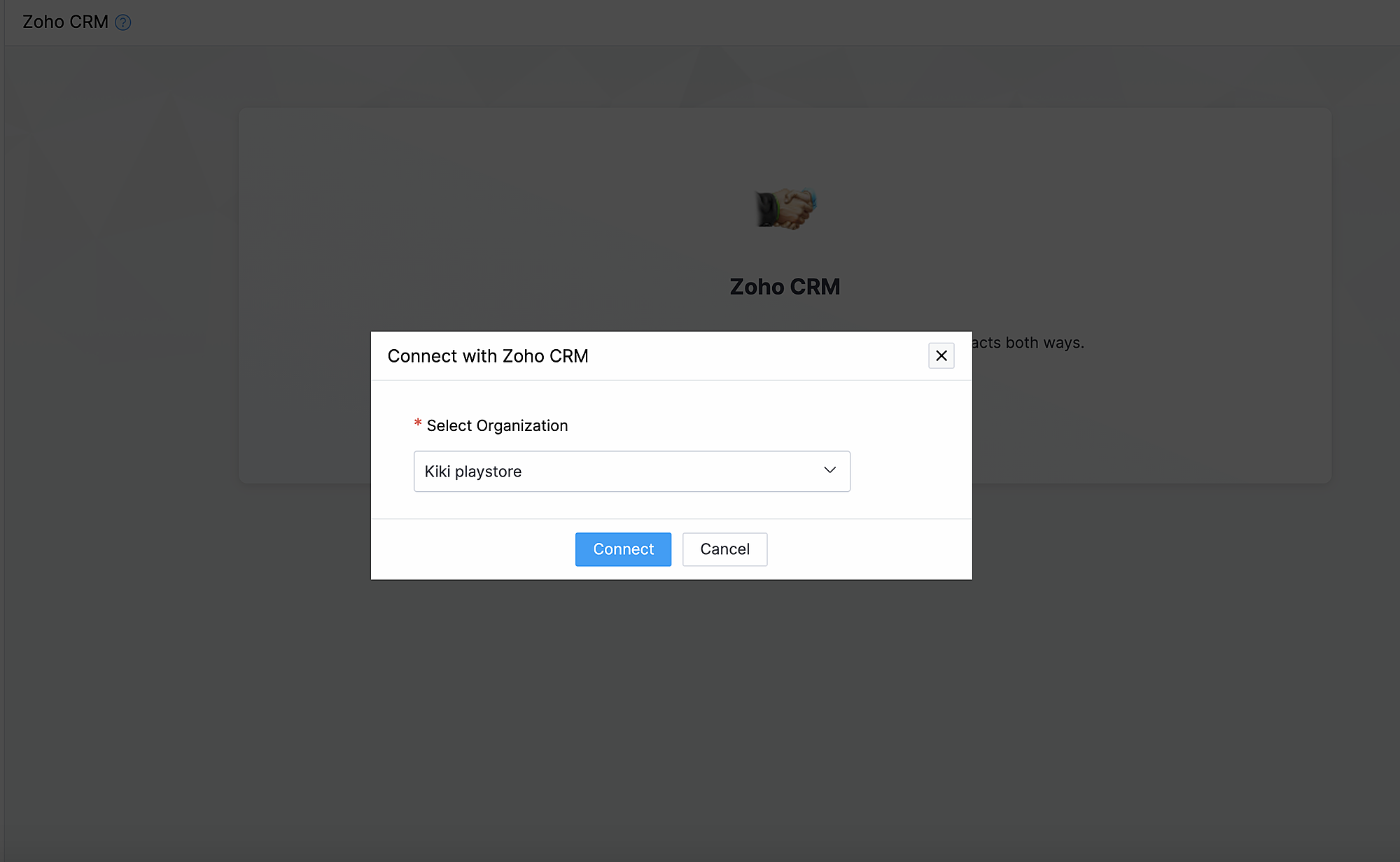
1. Ga naar instellingen, klik onder Integraties Zoho CRM.
2. Klik op Connect
3. Importeer contacten en producten van Zoho CRM en kies de organisatie van de dropdown.
Synchroniseer contacten.
Met deze functionaliteit synchroniseer je de contacten die je in Zoho CRM heb gemaakt met Zoho Commerce.
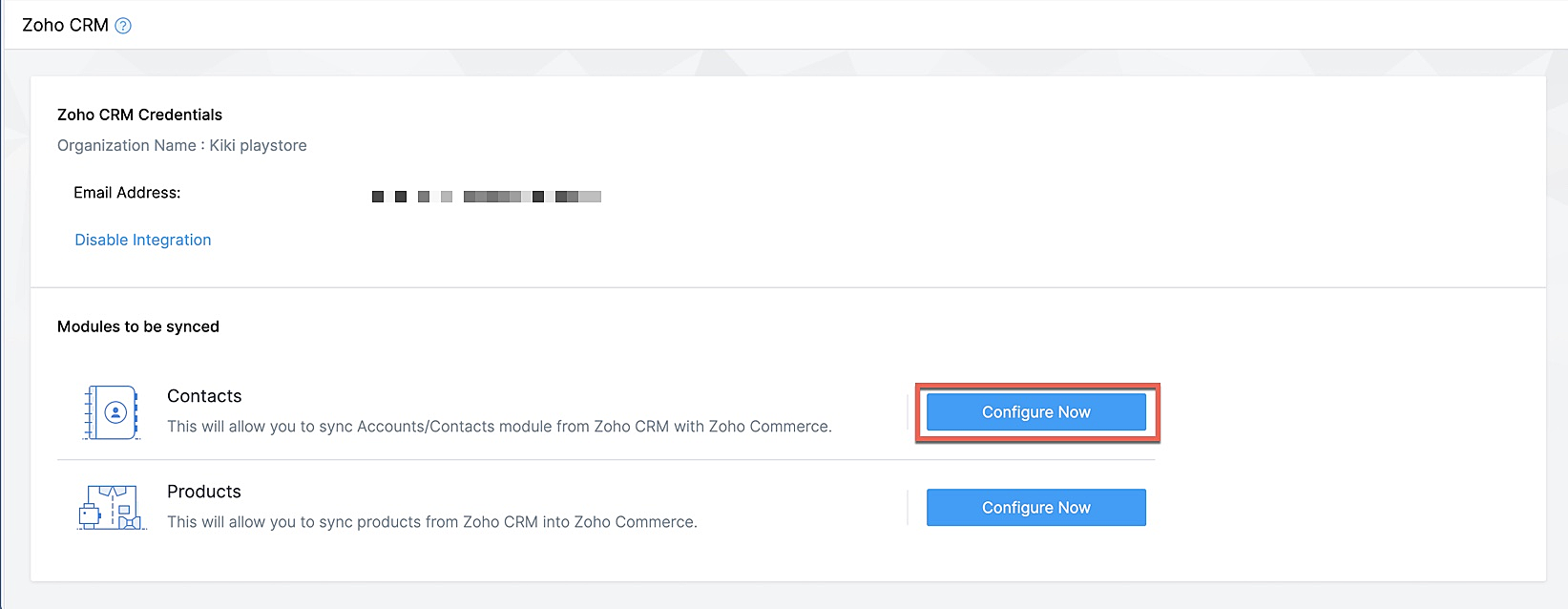
Klik op Configureer nu naast Contact
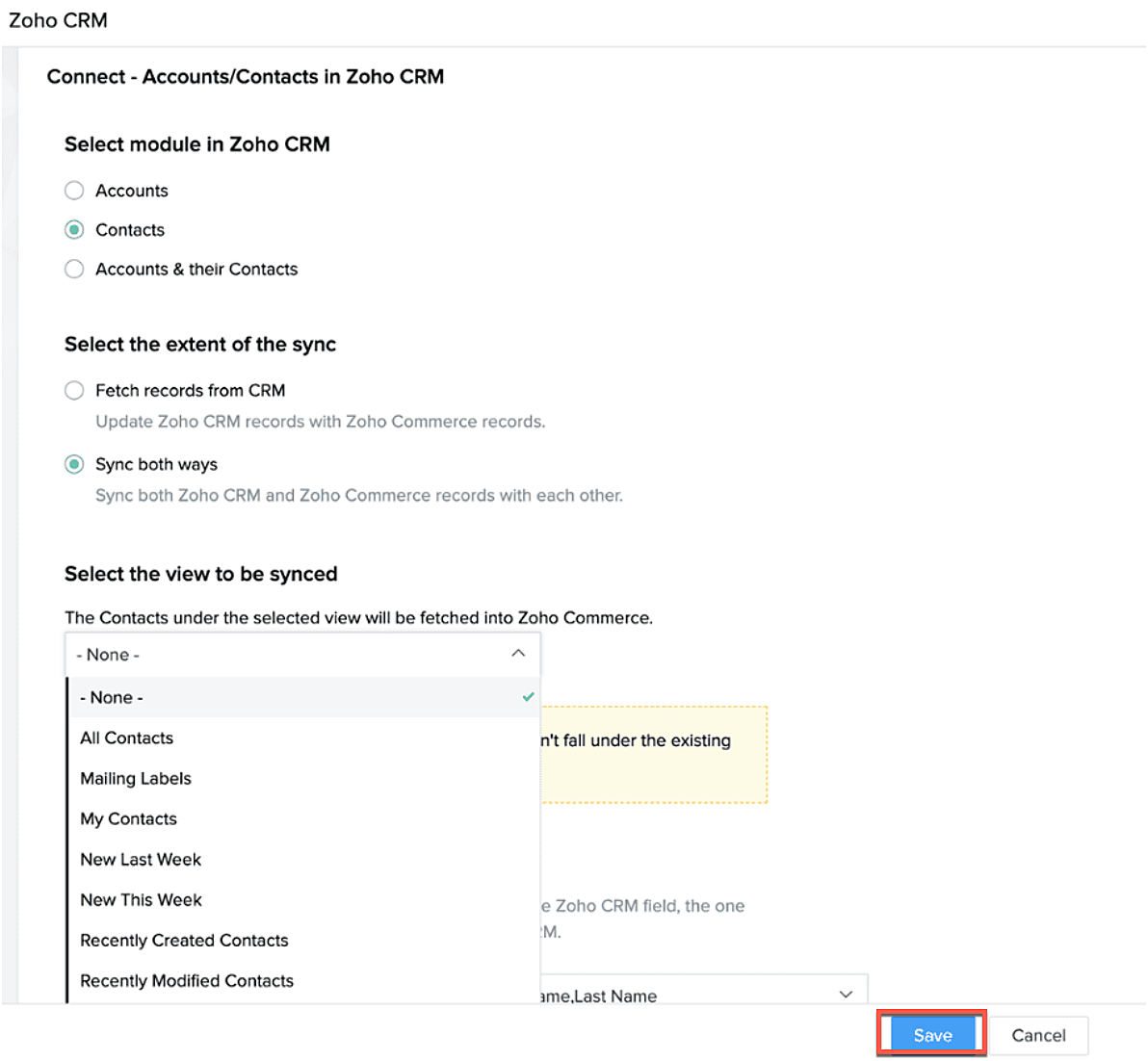
Selecteer de Zoho CRM module die je wilt synchroniseren
Kies tot hoever je wilt synchroniseren.
Selecteer de type CRM view die je wilt synchroniseren.
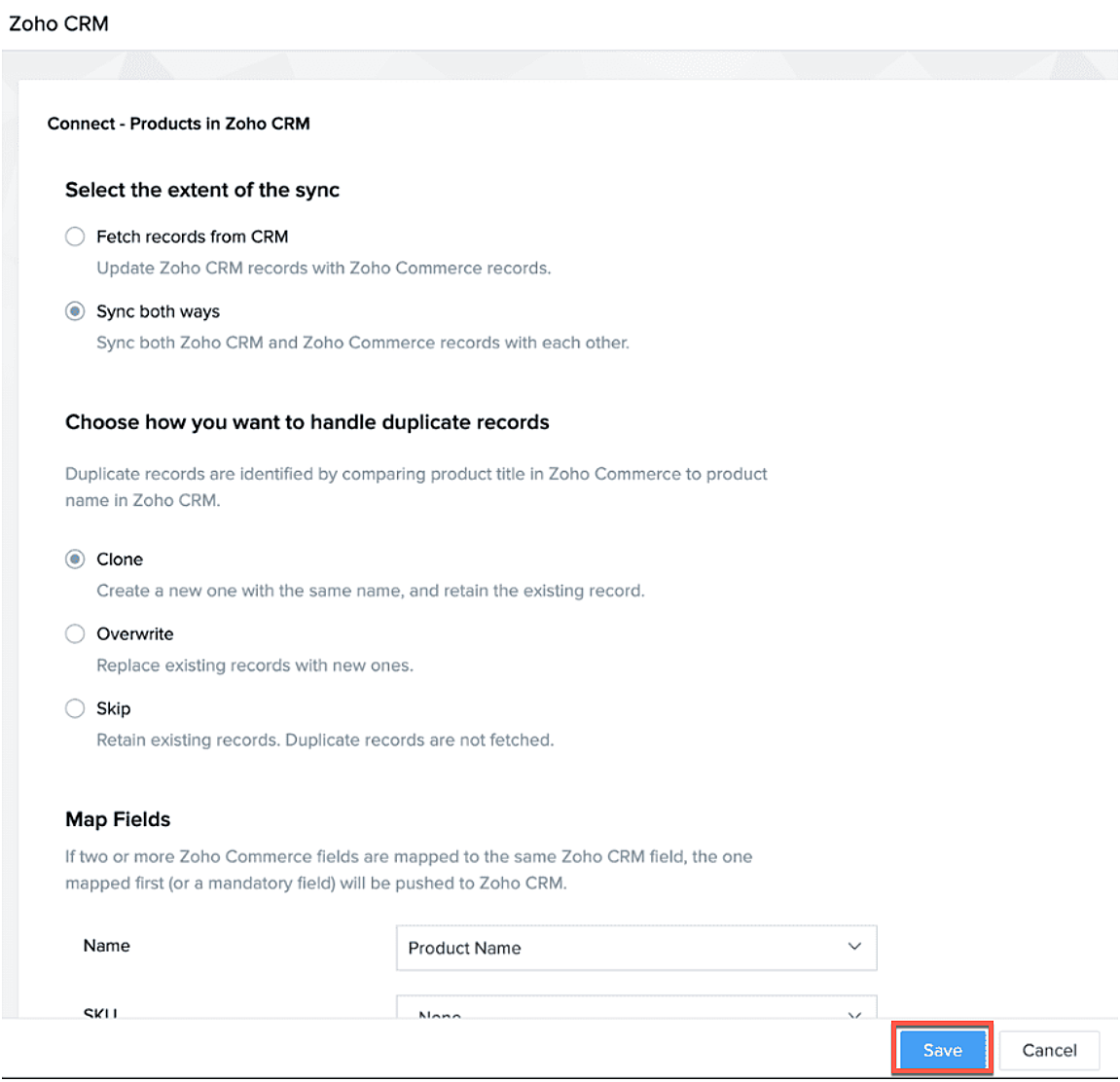
Producten synchroniseren.
Maak je producten in CRM of in Zoho Commerce? Synchroniseer het met elkaar zodat je ze niet twee keer hoef in te voeren. Klik op deze link om te lezen hoe je producten moet toevoegen in Zoho Commerce.
Klik op configureer producten.

Selecteer of je alleen je producten wilt ophalen of je van beide platformen wilt synchroniseren.
Selecteer of je het wilt klonen, overschrijven of na wilt bootsen.
Geef aan waar je het wilt plaatsen zodat Zoho Commerce de velden kan blijven synchroniseren.
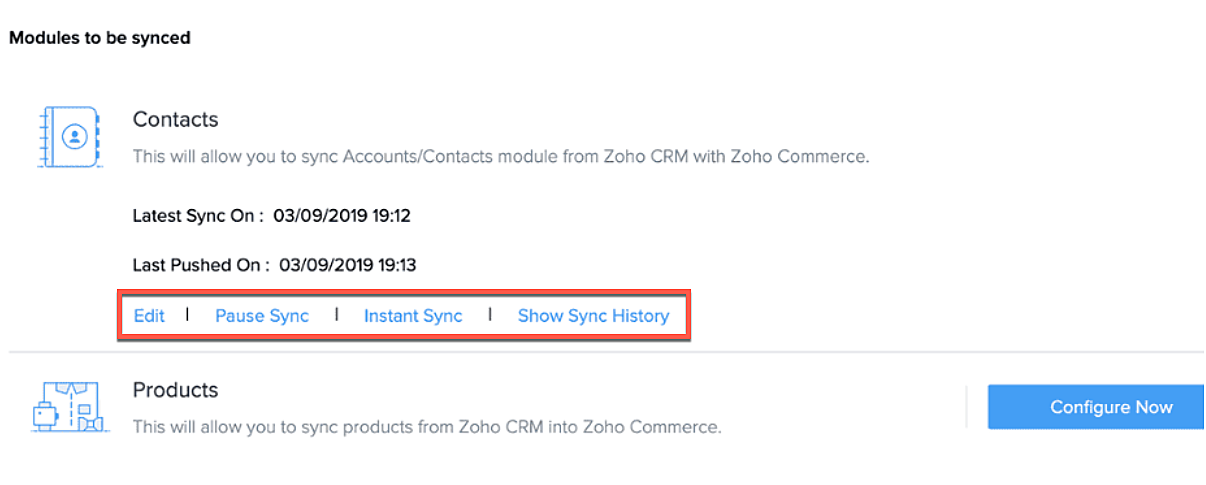
Na synchronisatie kan je de volgende acties uitvoeren.
- Aanpassen
- Pauseer sync
- Instant sync (Handmatig synchroniseren)
- Laat geschiedenis zien.
Formulieren
Je kan ook webformulieren koppelen vanuit Zoho CRM aan Zoho Commerce. Voeg vanuit de sitebuilder een formulier toe die je hebt gemaakt in Zoho CRM.
- Open sitebuilder
- Klik op +
- Selecteer "Forms"
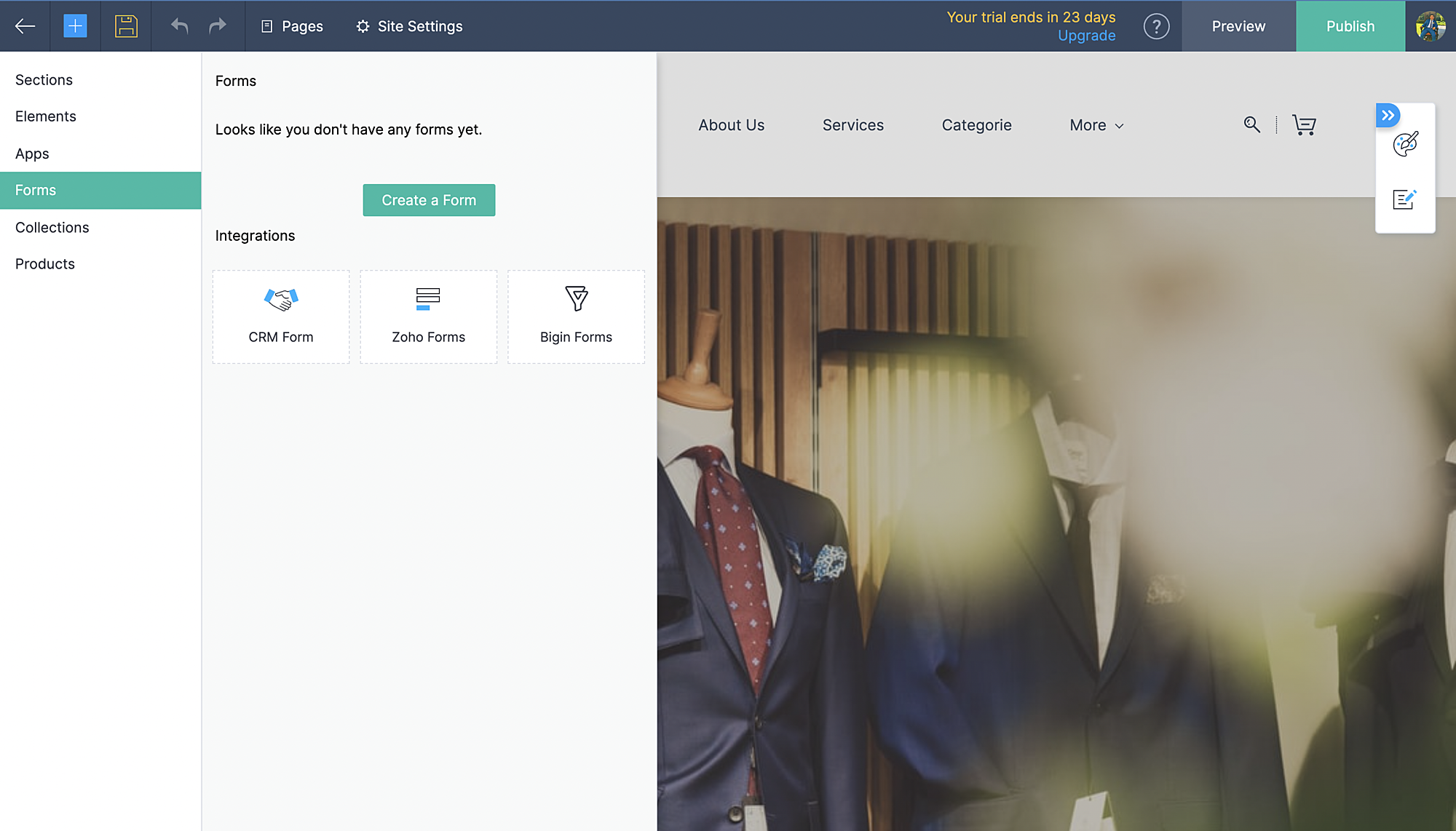
- Kies vervolgens CRM-form en selecteer de form die jij hebt ontworpen in CRM.
- Voeg formulier toe.
- De aanvraag komt vervolgens in je Leadmodule in CRM terug.
Zoho Inventory:
Met de integratie met Zoho Inventory kan je het voorraad- en voorraadbeheer van jouw online winkel naar een hoog niveau tillen. Gegevens van jouw Commerce-winkel worden gesynchroniseerd met je Inventory-account, zodat je naadloos tussen de twee kunt werken.
Voordelen van de integratie:
- Vergemakkelijk jouw voorraadbeheer en bijbehorende activiteiten.
- Houd zicht op leveranciers, retourzendingen en gedane betalingen
- Verruim de mogelijkheden van jouw online winkel
Ga naar instellingen, Zoho Inventory
Selecteer je bedrijf

Alle portal members en guest shoppers worden gesynchroniseerd naar contacten.
*Als je al Inventory gebruikt, selecteer je organisatie vanuit Zoho Commerce en start met je online shop.
Al je verkoop en rapporten worden gesynchroniseerd
Je organisatie profiel wordt geüpdate.
Zoho PaginaSense
Met Zoho PageSense beschik je over de mogelijkheden om de prestaties van je webwinkel te meten.. Zo kan je onder andere A/B tests uitvoeren op jouw winkel en jouw winkel optimaliseren voor verbeterde bezoekersconversies.
Voordelen van Integratie
- Voer A/B-tests uit en begrijp het gedrag van jouw publiek
- Creëer gepersonaliseerde variaties van jouw website voor jouw publiek
- Begrijp waar jouw bezoekers op klikken en optimaliseer jouw teksten en CTA-knoppen
- Creëer trechterexperimenten om te begrijpen waar jouw bezoekers afhaken
Vereisten
Je moet jouw winkel gepubliceerd hebben om de integratie te laten werken.
Ga naar instellingen, kies Zoho PageSense onder integraties
Klik op Access Portal, je wordt doorverwezen naar Zoho PageSense

Maak een portal door op Mijn Spaces te klikken rechts bovenin.
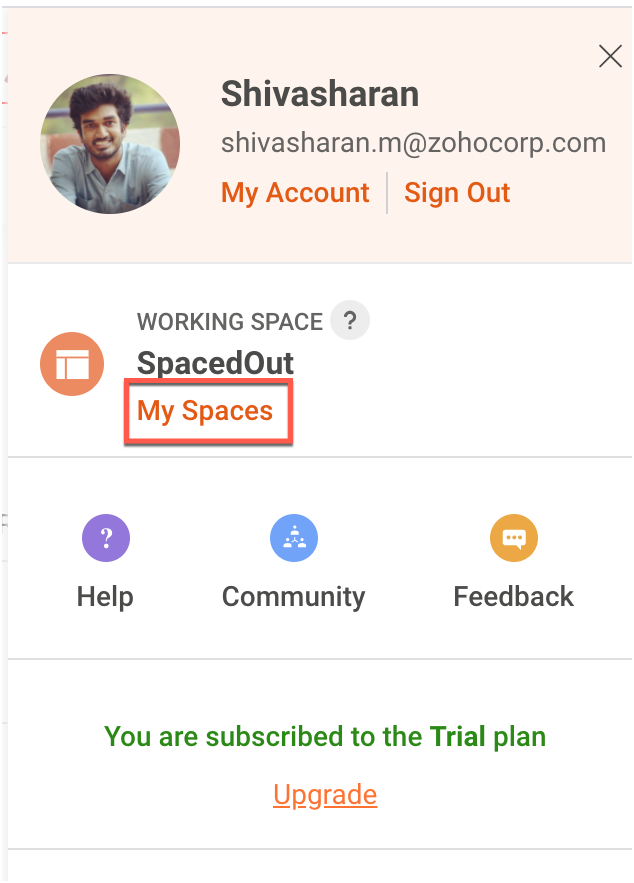
In Zoho Commerce selecteer je de Portal naam.
Maak een project of gebruik een bestaande project. (Klik op deze link om te leren hoe je een project aanmaakt.)
Maak een Funnel Experiment of gebruik een bestaande. (Klik op deze link om te leren hoe je een Funnel Experiment maakt.)
Klik op Connect.
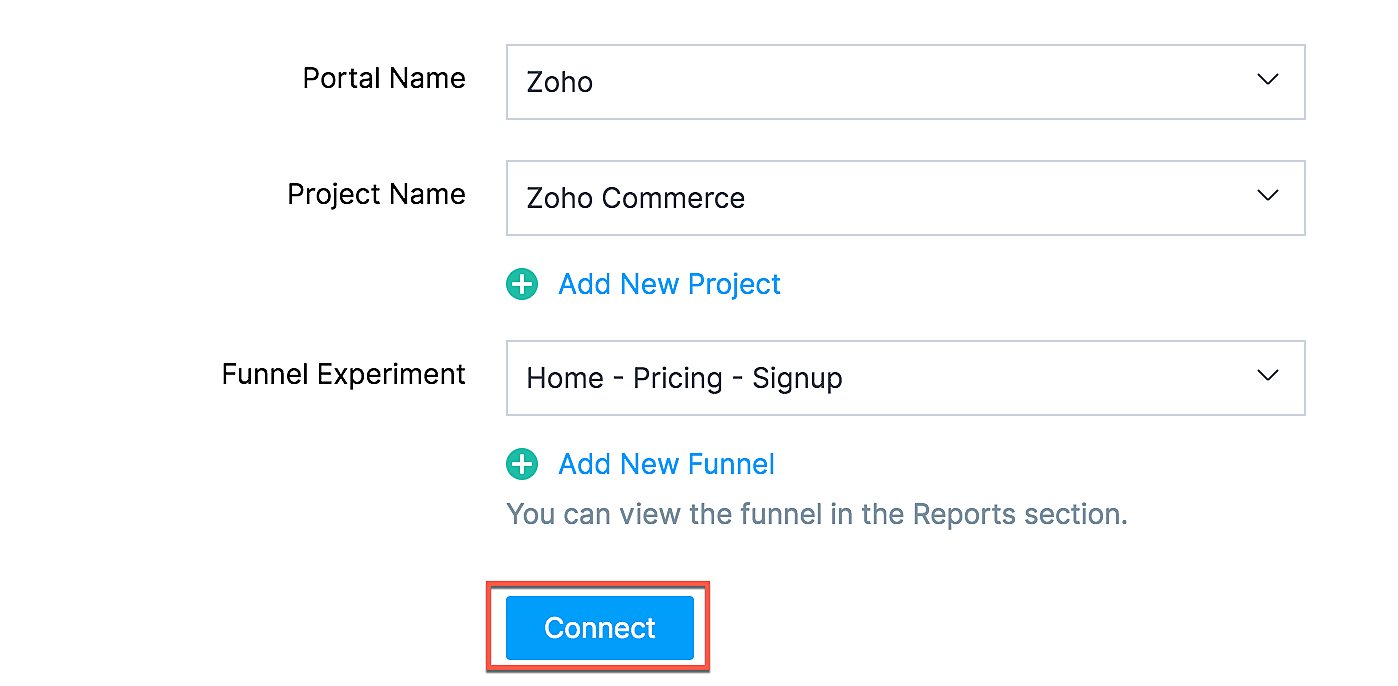
Als jij je selectie wilt wijzigen zoals een project of funnel experiment, klik dan op de beste optie en klik op Update.

Jouw Zoho Commerce is nu verbonden met je PageSense-account. Klik op Access Portal wanneer je integratie compleet is.
Marketing Automation
Automatiseer je jouw marketing activiteiten door je webwinkel te integreren met Zoho Marketing Automation
De voordelen van de integratie
- Bekijk winkelomzet, productdetails en klantinzichten op één pagina
- Stuur promotiecampagnes en creëer klantreizen
- Segmenteer leads op basis van hun activiteiten
- Initieer geautomatiseerde reeksen van opvolgingsberichten en actiesflows
Ga naar instellingen en selecteer Marketing Automation onder integraties.
Klik op Access Marketing Automation.
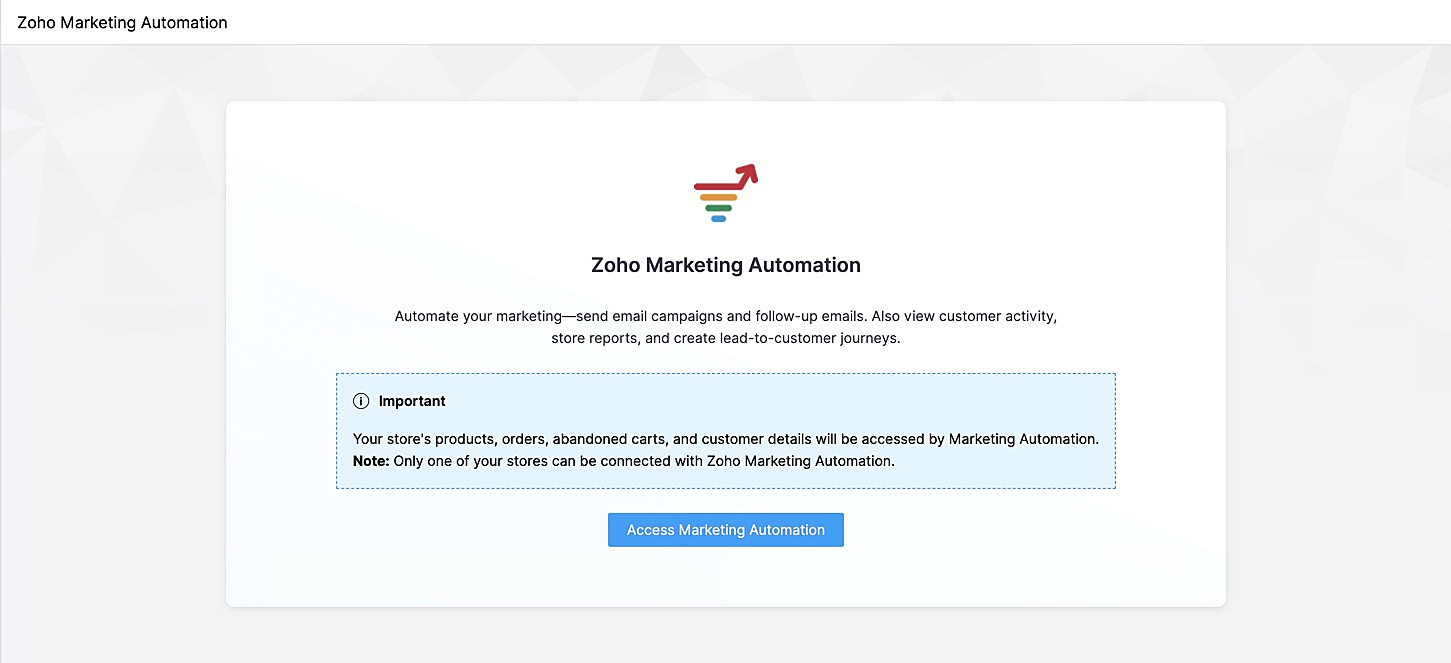
Je wordt naar Marketing Automation gebracht. Als je nog geen account hebt aangemaakt, ga je naar Engagement op het linker tabblad en klik je op Ecommerce.
Selecteer de winkel die je wilt koppelen en de mailinglijst waaraan je de klanten van jouw winkel wilt toevoegen en beheren. Maak een nieuwe mailinglijst aan als je er nog geen hebt gemaakt. Klik op deze link om te leren hoe je een mailinglijst moet maken.
Jouw winkel zal nu worden verbonden, en jouw producten, klanten, winkelwagen, en ordergegevens zullen worden gesynchroniseerd met Marketing Automation.
SalesIQ
Wil je direct in contact komen met je klanten? Met behulp van Zoho SalesIQ, kunt u een live chat widget toevoegen aan uw online winkel, en tevens de activiteit van uw bezoekers bijhouden.
Voordelen van integratie:
- Interactie met bezoekers via live chat
- Verhoog verkoopconversies met geprioriteerde bezoekers
- Bekijk activiteit, leg leads vast en geef bezoekers prioriteit voor outreach
Vereisten
Je moet jouw Zoho Commerce winkel hebben gepubliceerd om deze integratie te laten werken.
Hoe te integreren
1. Ga naar Instellingen in het linkerpaneel en klik op Zoho SalesIQ - Live Chat onder Integraties.
2. Zorg ervoor dat de Live Chat aan staat en click op "Connect"

3. Publiceer het op je website en controleer of de Live Chat aan staat. Die wordt rechtsonder weergegeven.
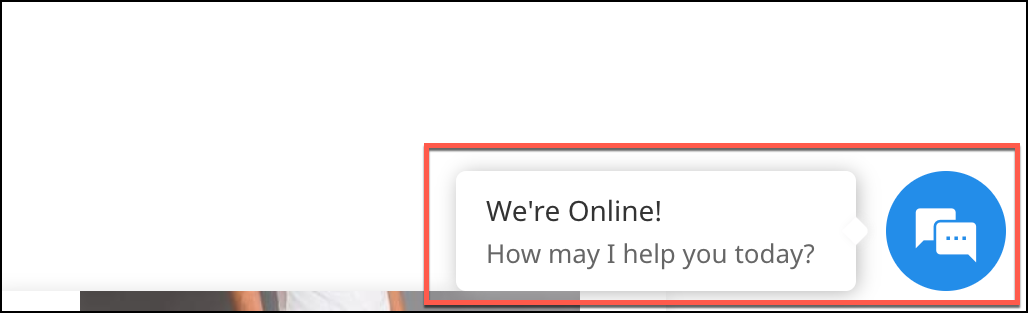
4. Verstuur een bericht. Dit wordt weergegeven in SalesIQ onder Chat history.

Heb jij een andere tips en tricks. Laat het weten.
Topic Participants
Theo Su
Sticky Posts
De nieuwe Zoho One is hier! Deel 1
Beste Community-leden, Zoho One, hét besturingssysteem voor bedrijven introduceert vandaag haar nieuwste update met maar liefst 5 nieuwe apps, 3 nieuwe services en 7 grote platform verbeteringen. Wij hebben gekeken naar hoe wij jullie verder kunnen helpen.Tips &Tricks: Jouw online boekingssysteem in 5 stappen!
1 Creëer een afsprakenkalender die past bij jouw branding Met Zoho Bookings behoud je de kleuren van jouw merk in alle applicaties. Je kan kiezen uit vier voorgedefinieerde thema's (Modern Web, Nieuwe Opmaak, Klassiek en Nieuw) met daarnaast opties omStart met Zoho One
Welkom op de community-pagina van Zoho One, hét besturingssysteem voor bedrijven. Op deze pagina geven wij een korte introductie over Zoho One. Daarnaast geven wij een aantal tips om te starten met deze besturingssysteem. Tegenwoordig zijn Cloud-oplossingen
Recent Topics
Why does Zoho’s diff viewer highlight parts of unchanged lines?
Hi everyone, I’ve noticed something odd in the Zoho editor’s diff view. When I delete a single line, the diff doesn’t just mark that line as removed. Instead, it highlights parts of the next line as if they changed, even though they are identical. Example:CRM x WorkDrive: File storage for new CRM signups is now powered by WorkDrive
Availability Editions: All DCs: All Release plan: Released for new signups in all DCs. It will be enabled for existing users in a phased manner in the upcoming months. Help documentation: Documents in Zoho CRM Manage folders in Documents tab Manage filesIntroducing Assemblies and Kits in Zoho Inventory
Hello customers, We’re excited to share a major revamp to Zoho Inventory that brings both clarity and flexibility to your inventory management experience! Presenting Assemblies and Kits We’re thrilled to introduce Assemblies and Kits, which replaces theAutomating Employee Birthday Notifications in Zoho Cliq
Have you ever missed a birthday and felt like the office Grinch? Fear not, the Cliq Developer Platform has got your back! With Zoho Cliq's Schedulers, you can be the office party-cipant who never forgets a single cake, balloon, or awkward rendition ofZoho Survey reminder settings are extremely confusing
Hi, I just want to set 3 reminders, one week apart from the first email out. Your form is too confusing and I don't understand. Can you simplify and be more specific regarding the language used on the form ?Add deluge function to shorten URLs
Zoho Social contains a nice feature to shorten URLs using zurl.co. It would be really helpful to have similar functionality in a Deluge call please, either as an inbuilt function or a standard integration. My Creator app sends an email with a personalisedform data load issue when saving as duplicate record is made
Hello. I have a form with a lookup when a value is selected the data from the corresponding record is filled into all of the fields in the form. But the form is loaded in such a state that if any value is changed it will take all of the values pre loadedRecurring Tasks and Reminders in Projects
Recurring tasks are tasks that are created once, and then recreated automatically after a designated time period. For example, the invoice for your billable tasks is due every week. You can set that task to recreate itself every week. Also, the futureUnable to remove the “Automatically Assigned” territory from existing records
Hello Zoho Community Team, We are currently using Territory Management in Zoho CRM and have encountered an issue with automatically assigned territories on Account records. Once any account is created the territory is assigned automatically, the AutomaticallyGoogle Fonts Integration in Pagesense Popup Editor
Hello Zoho Pagesense Team, We hope you're doing well. We’d like to submit a feature request to enhance Zoho Pagesense’s popup editor with Google Fonts support. Current Limitation: Currently, Pagesense offers a limited set of default fonts. Google FontsImproved Contact Sync flow in Google Integration with Zoho CRM
Hello Everyone, Your contact sync in Google integration just got revamped! We have redesigned the sync process to give users more control over what data flows into Google and ensure that this data flows effortlessly between Zoho CRM and Google. With thisImproved Functionality PO Bill SO Invoice
Hello, I need to enter over 100 items, it's frustrating to scroll a few item rows and wait for more to load, then scroll again. It would be nice to have buttons that scroll to the top or bottom with one click. Furthermore, these items I'm adding are VATWishes for 2026
Hello, and a happy new year 2026! Let's hope it's better for everyone. I'd like to share some thoughts on Zoho One and what could be useful in the short, medium, and long term. Some things are already there, but not applied to Zoho One. Others seem likeHow to Integrate Zoho Books with Xero (No Native Connection Available)
Hi everyone, I’m currently facing an issue with integrating Zoho Books invoices with Xero, as I’ve noticed Zoho does not provide a native integration with Xero at this time. I would like to ask: What are the common or recommended solutions for syncingerror while listing mails
I can't access email in any of my folders: Oops, an error occurred - retry produces the second error response: error while listing mails (cannot parse null string). I've signed in and out of Zoho, restarted my iMac.Ability to Edit YouTube Video Title, Description & Thumbnail After Publishing
Hi Zoho Social Team, How are you? We would like to request an enhancement to Zoho Social that enables users to edit YouTube video details after the video has already been published. Your team confirmed that while Zoho Social currently allows editing theCritical Issue: Tickets Opened for Zoho Support via the Zoho Help Portal Were Not Processed
Hi everyone, We want to bring to your attention a serious issue we’ve experienced with the Zoho support Help Portal. For more than a week, tickets submitted directly via the Help Portal were not being handled at all. At the same time no alert was postedHide/Show Subform Fields On User Input
Hello, Are there any future updates in Hide/Show Subform Fields "On User Input"?Cloning Item With Images Or The Option With Images
Hello, when I clone an item, I expect the images to carry over to the cloned item, however this is not the case in Inventory. Please make it possible for the images to get cloned or at least can we get a pop up asking if we want to clone the images asCustom validation in CRM schema
Validation rules in CRM layouts work nicely, good docs by @Kiran Karthik P https://help.zoho.com/portal/en/kb/crm/customize-crm-account/validation-rules/articles/create-validation-rules I'd prefer validating data input 'closer to the schema'Adding Default Module Image into mail merge field
As with most people finding their way to these forums i have a specific requirement that doesn't seem to be supported by Zoho I have created 2 custom modules to suit my purpose 1 is an inventory type module that lists aluminium extrusions, and all relevantIs it possible to roll up all Contact emails to the Account view?
Is there a way to track all emails associated with an Account in one single view? Currently, email history is visible when opening an individual Contact record. However, since multiple Contacts are often associated with a single Account, it would be beneficialFree Training - Explore What’s New in Zoho One 2025
Greetings! We hope you have all had a chance by now to get hands-on with the new features and updates released as part of ZO25. Yes, we understand that you may have questions and feedback. To ensure you gain a comprehensive understanding of these updates,Good news! Calendar in Zoho CRM gets a face lift
Dear Customers, We are delighted to unveil the revamped calendar UI in Zoho CRM. With a complete visual overhaul aligned with CRM for Everyone, the calendar now offers a more intuitive and flexible scheduling experience. What’s new? Distinguish activitiesQuick way to add a field in Chat Window
I want to add Company Field in chat window to lessen the irrelevant users in sending chat and set them in mind that we are dealing with companies. I request that it will be as easy as possible like just ticking it then typing the label then connectingHow to create a two way Sync with CRM Contacts Module?
Newbie creator here (but not to Zoho CRM). I want to create an app that operates on a sub-set of CRM Contacts - only those with a specific tag. I want the app records to mirror the tagged contacts in CRM. I would like it to update when the Creator appZoho Sheet for Desktop
Does Zoho plans to develop a Desktop version of Sheet that installs on the computer like was done with Writer?How to import data from PDF into Zoho Sheet
I am looking to import Consolidated Account Statement (https://www.camsonline.com/Investors/Statements/Consolidated-Account-Statement) into zoho sheet. Any help is appreciated. The pdf is received as attachment in the email, this document is passwordZoho Projects Android app: Integration with Microsoft Intune
Hello everyone! We’re excited to announce that Zoho Projects now integrates with Microsoft Intune, enabling enhanced security and enterprise app management. We have now added support for Microsoft Intune Mobile Application Management (MAM) policies throughCant't update custom field when custom field is external lookup in Zoho Books
Hello I use that : po = zoho.books.updateRecord("purchaseorders",XXXX,purchaseorder_id,updateCustomFieldseMap,"el_books_connection"); c_f_Map2 = Map(); c_f_Map2.put("label","EL ORDER ID"); c_f_Map2.put("value",el_order_id); c_f_List.add(c_f_Map2); updateCustomFieldseMapAbout Zoneminder (CCTV) and Zoho People
Hi team I would like to implement a CCTV service for our branches, with the aim of passively detecting both the entry and exit of personnel enrolled in Zoho Peeple, but my question is: It is possible to integrate Zoho People with Zoneminder, I understandAdmin asked me for Backend Details when I wanted to verify my ZeptoMail Account
Please provide the backend details where you will be adding the SMTP/API information of ZeptoMail Who knows what this means?Kaizen #223 - File Manager in CRM Widget Using ZRC Methods
Hello, CRM Wizards! Here is what we are improving this week with Kaizen. we will explore the new ZRC (Zoho Request Client) introduced in Widget SDK v1.5, and learn how to use it to build a Related List Widget that integrates with Zoho WorkDrive. It helpsSet connection link name from variable in invokeurl
Hi, guys. How to set in parameter "connection" a variable, instead of a string. connectionLinkName = manager.get('connectionLinkName').toString(); response = invokeurl [ url :"https://www.googleapis.com/calendar/v3/freeBusy" type :POST parameters:requestParams.toString()Possible to connect Zoho CRM's Sandbox with Zoho Creator's Sandbox?
We are making some big changes on our CRM so we are testing it out in CRM's Sandbox. We also have a Zoho Creator app that we need to test. Is it possible to connect Zoho CRM's Sandbox to Zoho Creator's Sandbox so that I can perform those tests?I Need Help Verifying Ownership of My Zoho Help Desk on Google Search Console
I added my Zoho desk portal to Google Search Console, but since i do not have access to the html code of my theme, i could not verify ownership of my portal on Google search console. I want you to help me place the html code given to me from Google searchTimeline Tracker
Hi Team, I am currently using Zoho Creator – Blueprint Workflows, and I would like to know if there is a way to track a timeline of the approval process within a Blueprint. Specifically, I am looking for details such as: Who submitted the record Who clickedPrimary / Other Billing Contacts
If you add an additional contact to a Zoho Billing Customer record, and then mark this new contact as the primary contact, will both the new primary and old primary still receive notifications? Can you stop notifications from going to the additional contactsIs it possible to enforce a single default task for all users in a Zoho Projects ?
In Zoho Projects, the Tasks module provides multiple views, including List, Gantt, and Kanban. Additionally, users can create and switch to their own custom views. During project review meetings, this flexibility creates confusion because different users[Free Webinar] Zoho Creator webinars - Learning Table and Creator Tech Connect Series in 2026
Hello everyone, Wishing you all a wonderful new year! May 2026 and the years ahead bring more opportunities, growth, and learning your way 🙂 We’re excited to kick off the 2026 edition of the Learning Table Series and Creator Tech Connect Series ! LearningNext Page