Announcing new features in Trident for macOS (v.1.18.0)
Hello everyone!
Trident for macOS is here with interesting features and enhancements to elevate your workplace communication and productivity. Let's take a quick look at them.
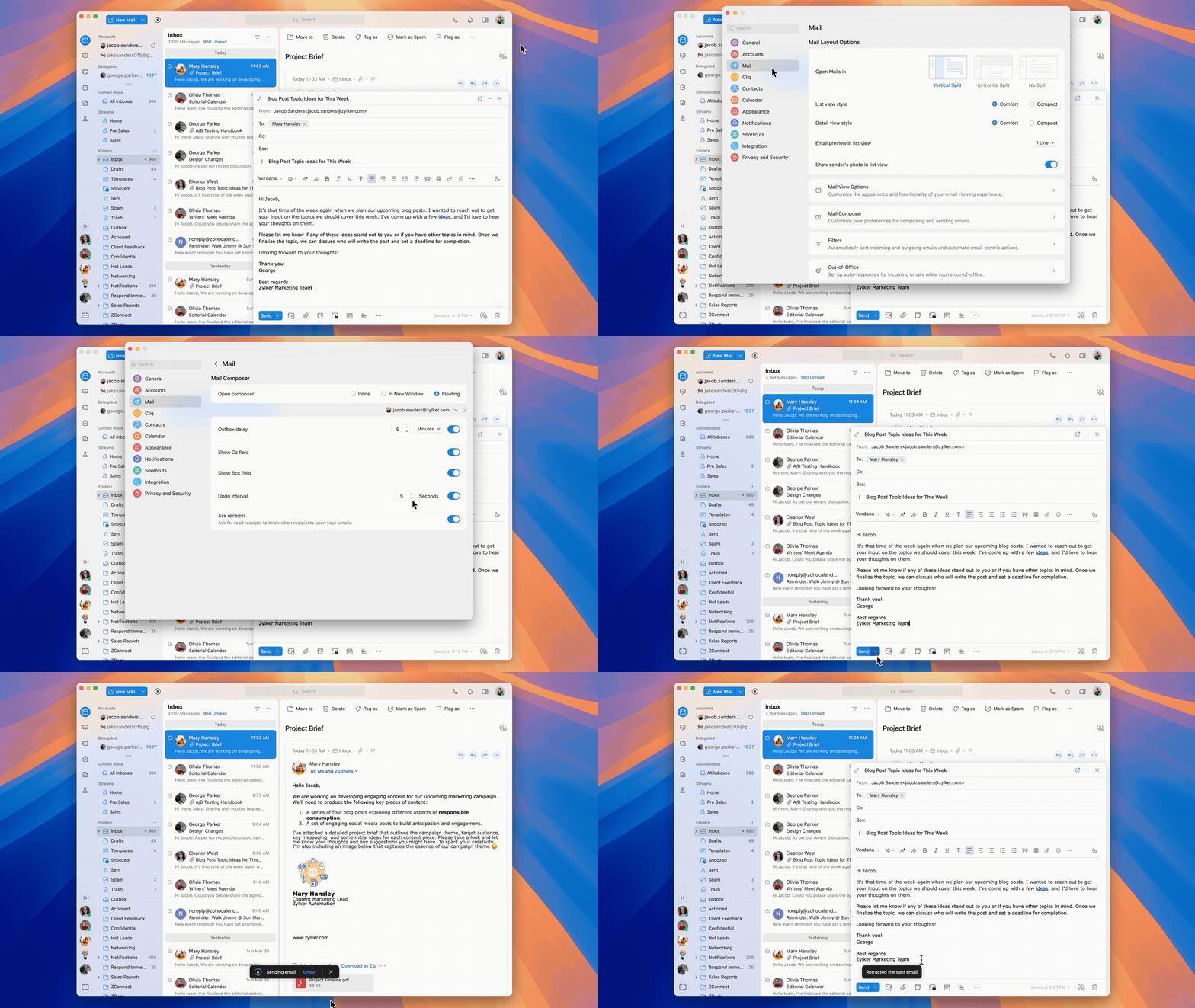
Retract sent emails.
Whether you've missed adding an important attachment or made a typo, with the Undo Interval setting, you can now cancel sending the email within the set timeframe.
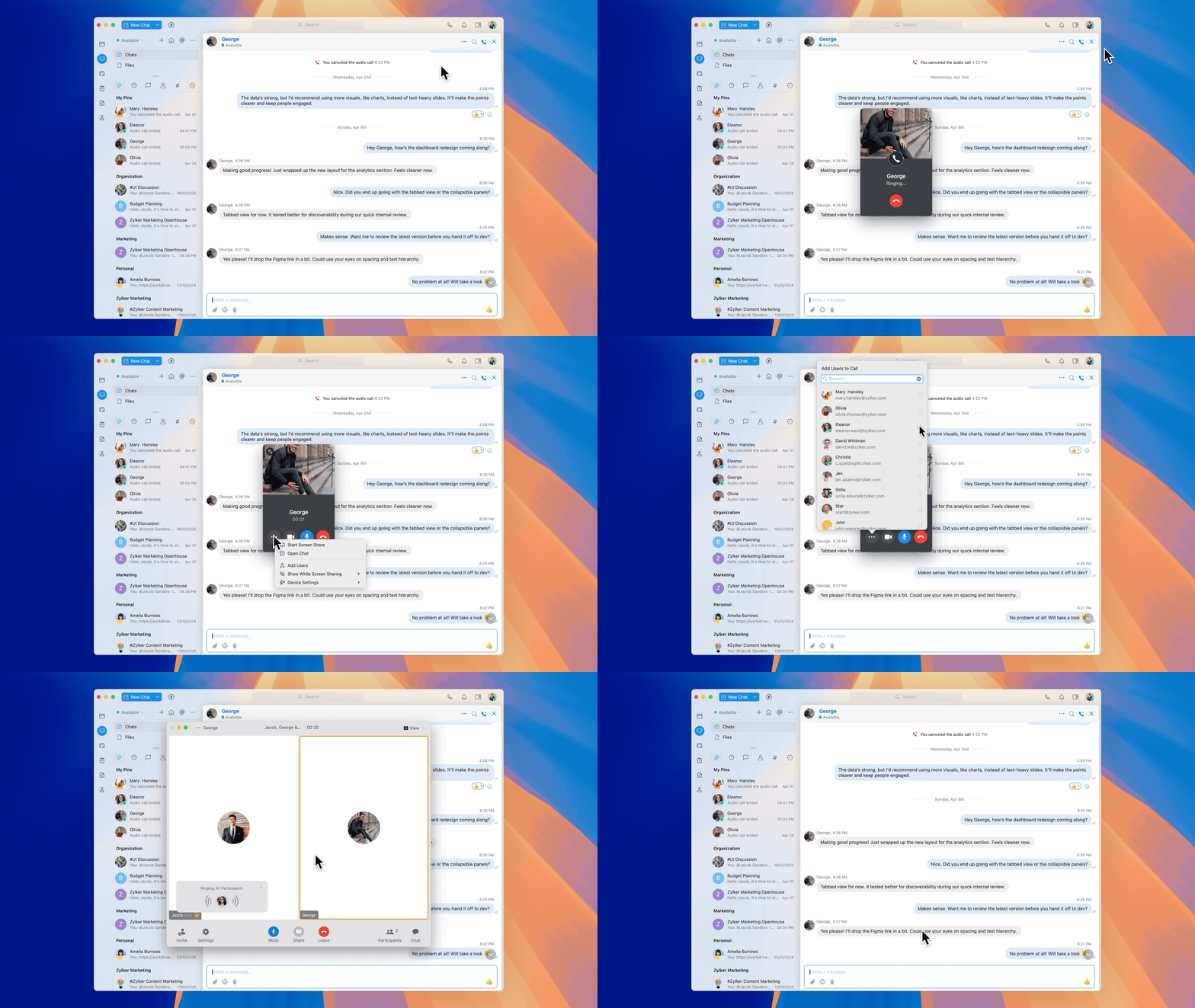
Convert one-on-one calls to meetings.
Loop the right people into the conversation for real-time collaboration. You can add users to an ongoing one-on-one audio, video, or screen share call and convert that call into a meeting.
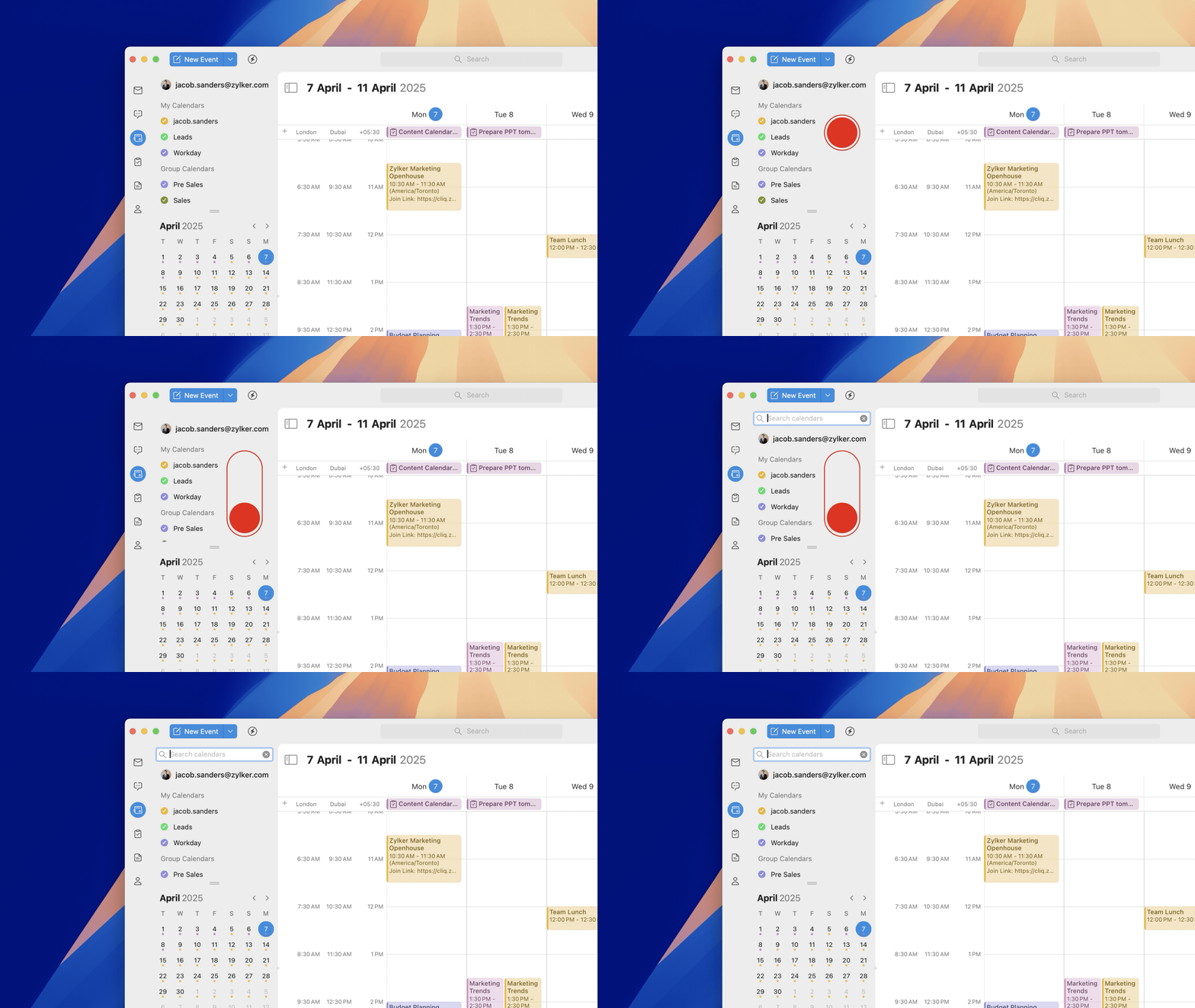
Search your calendars.
Trident’s unified calendar includes all of your calendars in one view. To search for a specific calendar, swipe down on the left pane to reveal the search bar, then enter the calendar name to find it.
Other enhancements.
- The chatbox has been optimized for faster performance.
- The UI of tags added to tasks has now been enhanced.
- WorkDrive attachments added to tasks in the Zoho Mail web app can now be previewed under its designated section in Trident.
- The pinned chat folders can now be expanded and collapsed.
- You will now be notified when someone reacts to your messages.
To leverage these new features in Trident, update the app to the latest version by following the steps below:
- Open Trident.
- In the system menu bar, click Trident.
- Select Check for Updates from the menu list.

Don't have the app yet? Download it from the website and experience a smarter way to work.
Give these features a spin, and let us know your feedback and suggestions in the comments section below. You can also reach us at trident@zohosupport.com.
To submit your feedback directly through the app, follow the steps below:
- Open Trident.
- From the system menu bar, click Help.
- Select Send Feedback.
- In the feedback window, enter the necessary details under Subject and Feedback Content.
- When you're ready, click Submit.

We look forward to hearing from you!
Until next time,
Sneha
Sneha