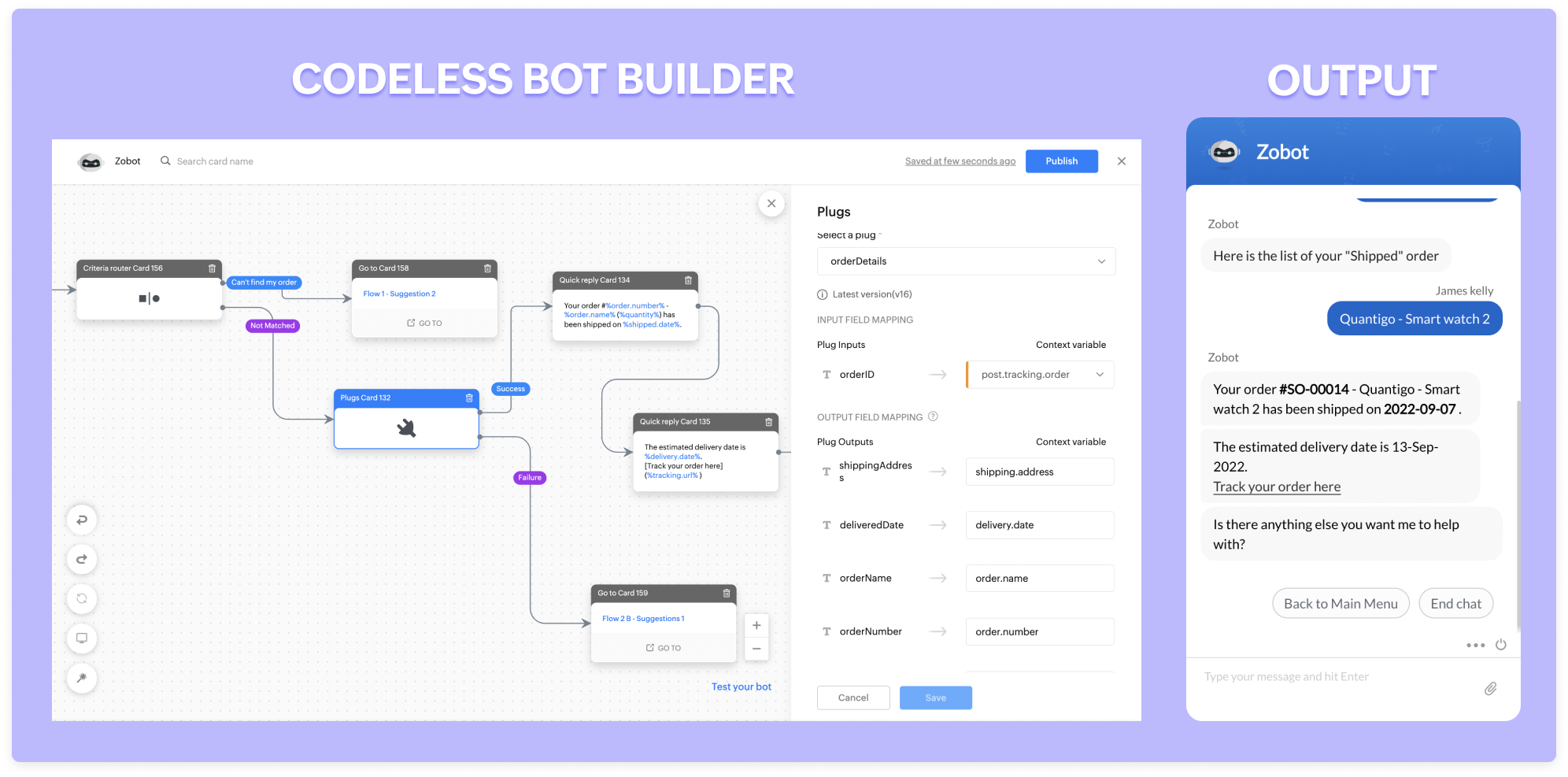
5 powerful ways to boost e-commerce customer engagement with Zobot

5 powerful ways to boost e-commerce customer engagement with Zobot

E-commerce has been a game changer for the past decade. It has drastically influenced the way people purchase. This pandemic broke all the existing rules by embracing automation and making the customer experience more personalized. Chatbots play a crucial role in automation as it focuses on conversational marketing. Over the last two years, chatbots in the e-commerce business have become popular due to their 2-way communication with customers. If you're looking to find out how chatbots help the e-commerce business, look no further. This post will help you to explore how to use SalesIQ's chatbot (Zobot) in different ways and increase sales and retention. 
 
Emerging trends in e-commerce:
  •  Personalized way of marketing and engagement. 
  •  Making the shopping experience more flexible. 
  •  Providing instant support 
With the increased demands and competition, you have to find a way to meet your customers' expectations and needs. Zobot provides a strong engagement strategy as it acts as a new channel to drive more sales by recommendation, instant support, and more. In addition, it leverages the concept of conversational commerce. Now that we know how the trends have evolved let's explore how to use Zobot and engage in a smart way. 
 
Providing personalized suggestions and offers:
 
Visitors/customers may find it difficult or feel lost as there are countless options for similar products. Even though there is a way to sort and filter, it's still hard to decide. So, providing personalized suggestions based on their visitors' interests and tastes would help them avoid confusion and focus on what they really want. 
 
However, personalization requires data. Zobot can help to capture information about visitors' interests and preferences from recent purchases, chats, activities, and more. Then, you can provide a personalized recommendation to your visitors using the Criteria router and link cards. 
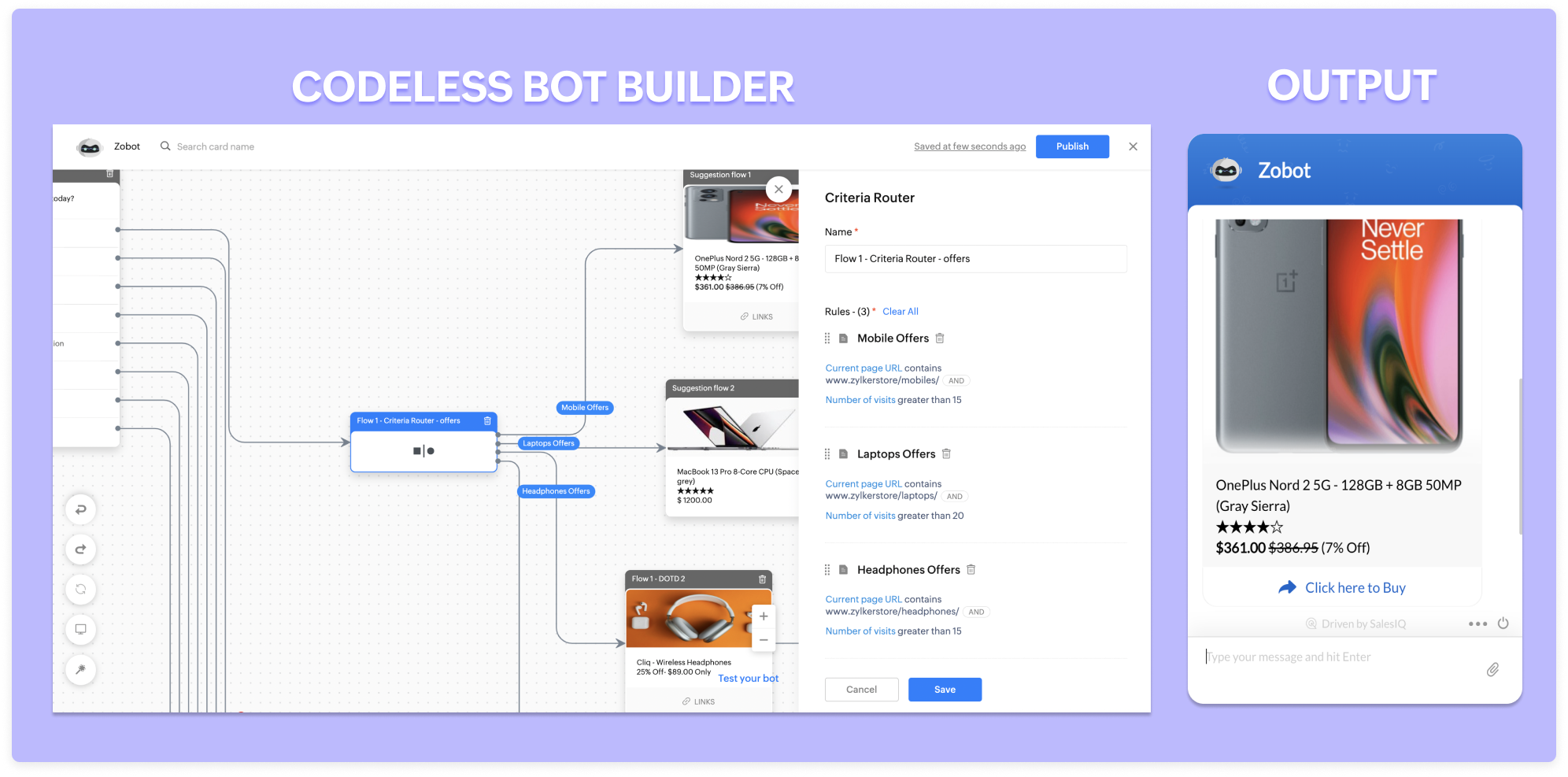


Similarly, you can provide customized offers to your visitors based on their recent activities on the site, CRM lead score, location, and more. For example, suppose a visitor is visiting one particular product more than ten times. In that case, you can give them 5% to 10% off and convert them. 
 
Available 24/7:
 
A recent survey states that around 46% of customers would like to talk to an expert before making a purchase. That's because the concept of buying has changed completely. In the olden days, we would go to a store, see the product, feel it, question it, and finally make a purchase. But it's entirely upside down with online shopping. Zobots can help visitors talk with your operators instantly at any time based on the operator's availability. 
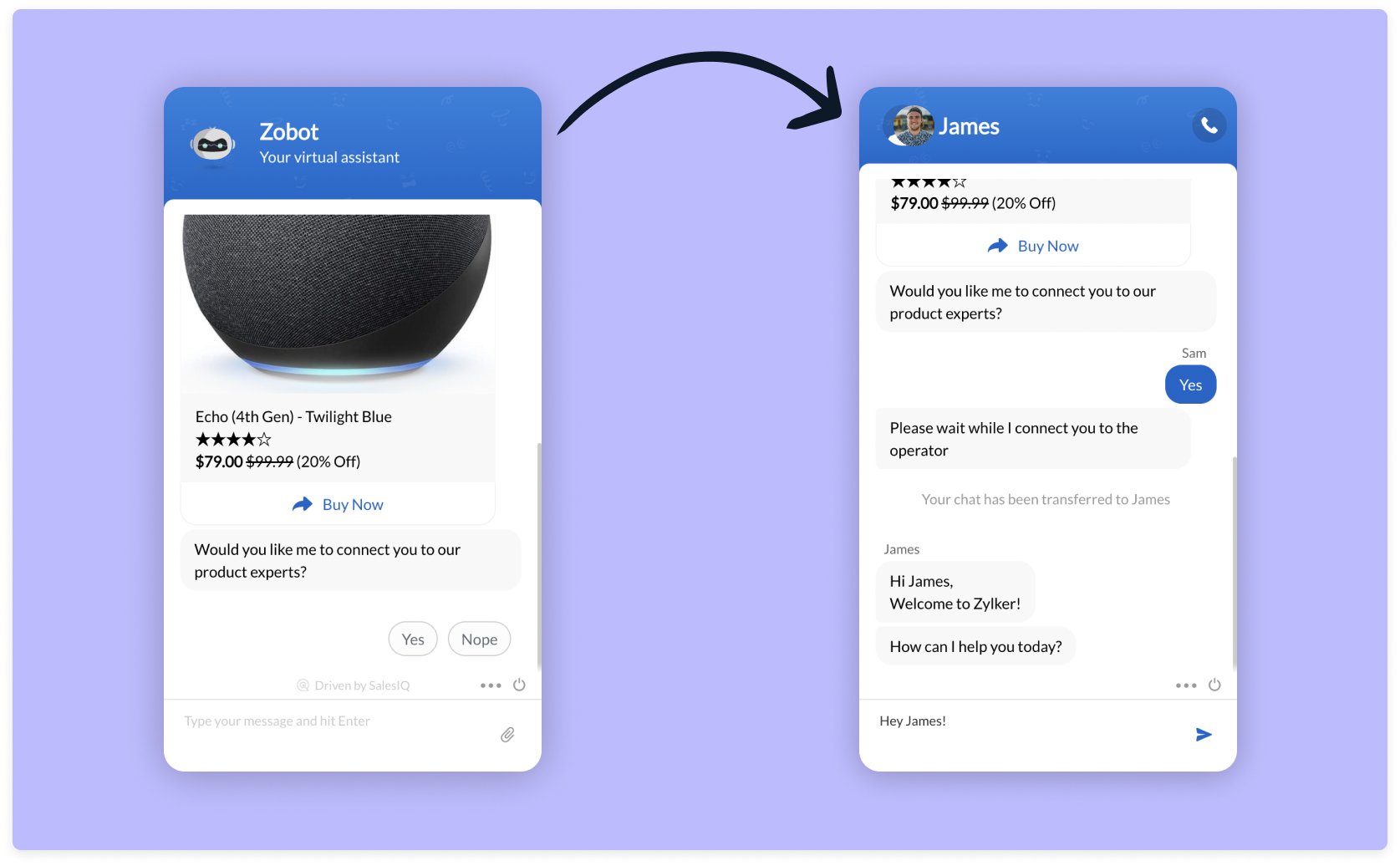


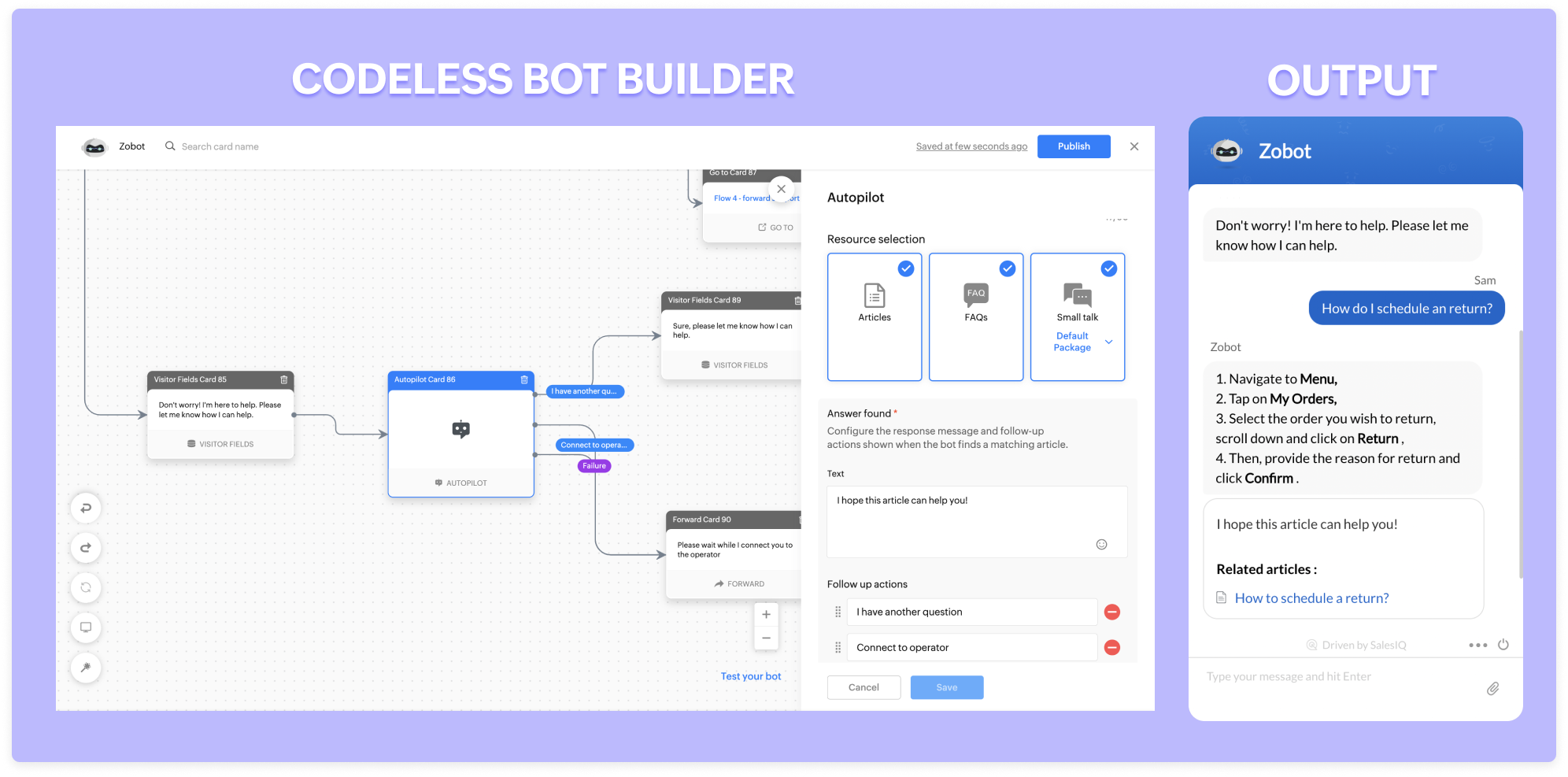
Zobot can stay available 24/7 throughout the year. They will assist and engage with every single visitor simultaneously without missing anyone. They go an extra mile and take messages for you when operators are unavailable. With our new addition, the autopilot (NLP functionality), lets Zobot answer all the general, routine questions and save your operators time for only complex problems. 


Recover abandonment carts:
 
One of the significant problems in the e-commerce business is cart abandonment during checkouts. The possible reasons might be, 
  1. Additional costs such as taxes, shipping charges
  2. Lack of information (Return policy/estimated delivery date)
  3. Complicated checkout process
  4. Inadequate payment methods
  5. Less pricing availability 
These are not the only reasons for cart abandonment. People often get distracted easily and forget about the cart. Zobots can help with three to four problems listed above. They can proactively remind visitors about the cart and necessary details when visiting again. You can go a step ahead and offer some discounts while checking out. This way, visitors are likely to end up checking out their cart.
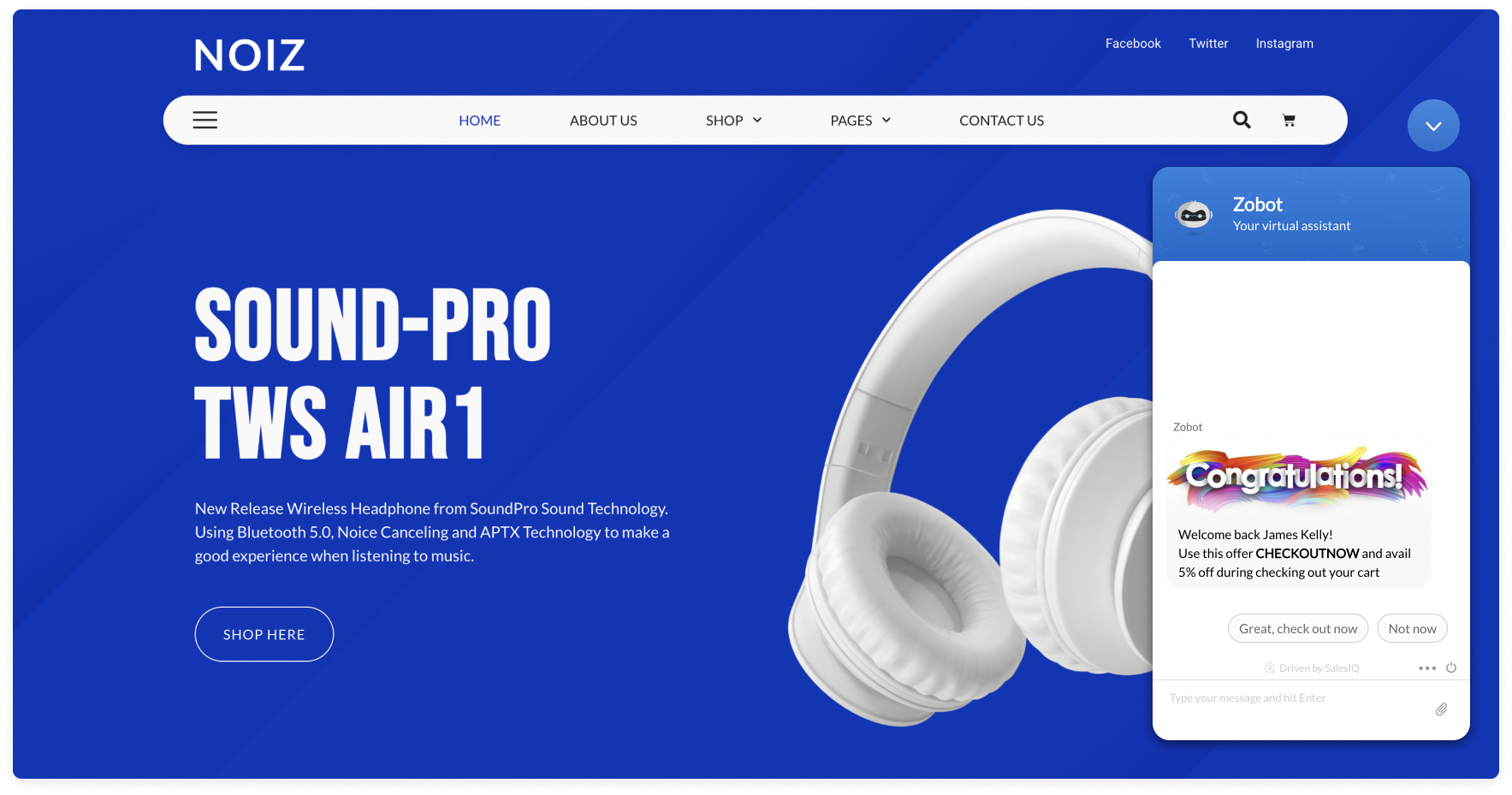


With the Plugs in the Codeless bot builder, you can check if there is any product listed on their cart and if yes, you can trigger a reminder to your visitors. 

Manage your orders:
 
Zobot comes in handy for managing orders. They can pull information about your order status and help track your orders by providing tracking URLs. Furthermore, they can change the shipping/billing address, request to postpone delivery dates, and even cancel/return the orders (if your service supports them). 


If your wish-listed or interested product goes out of stock, Zobot will notify you when the stock is available during your visits. 
 
Other advantages:
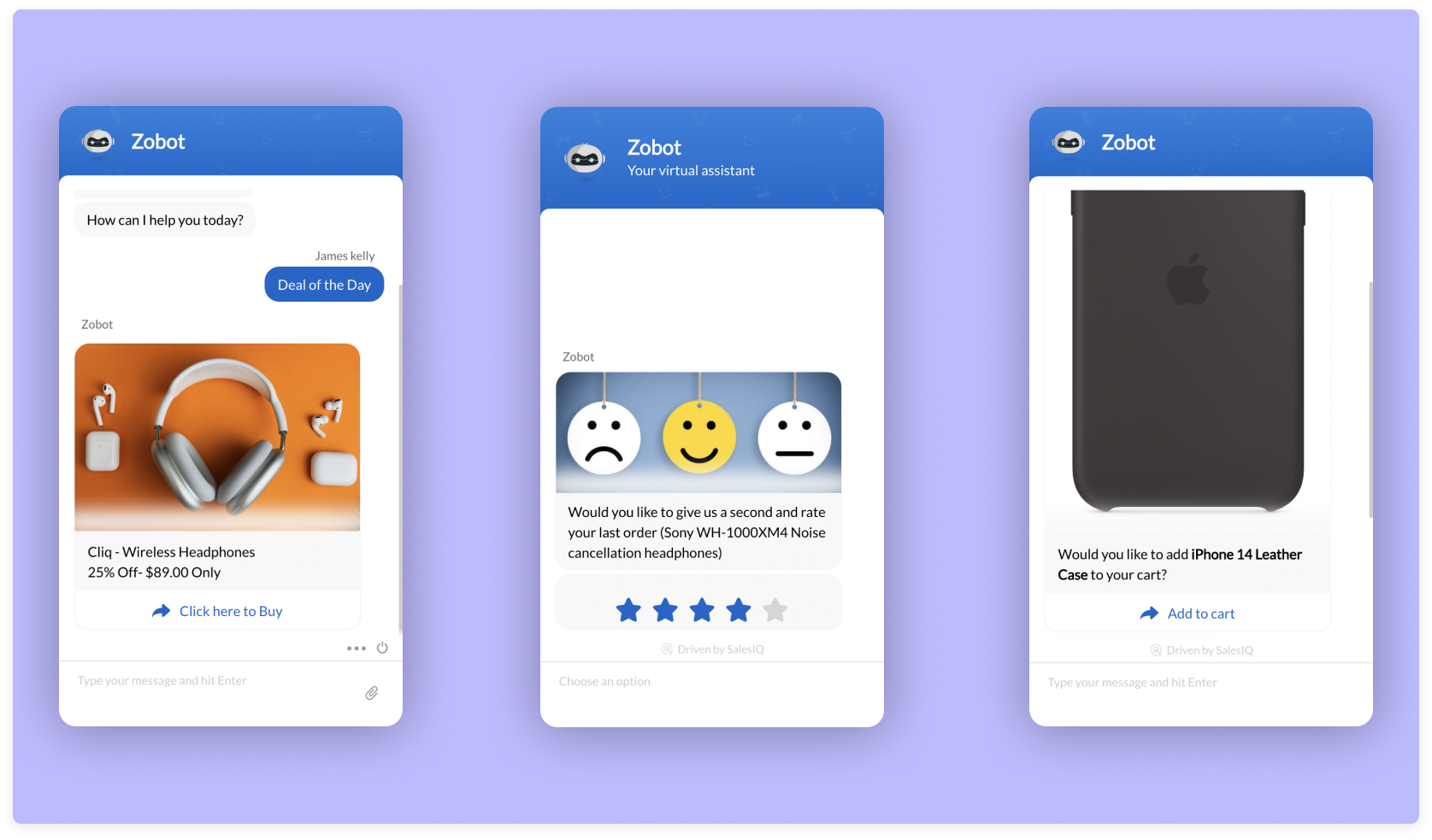
  •  Zobots are great at collecting feedback. Using a feedback widget, you can set them to capture product ratings and reviews within seconds.    
  • They act as an excellent way to showcase your offers and deals! You can even set them proactively and let your visitors know about your great deals. 
  • They can be also help in up-selling. For example, they can recommend mobile cases when you buy a phone. 
Here is a webinar recording exclusively for building zobot for e-commerce businesses.  Use Zobots, engage with your visitors in a smart way, and power up your e-commerce business. 

Regards, 
Sasidar Thandapani


    • Recent Topics

    • How to create a two way Sync with CRM Contacts Module?

      Newbie creator here (but not to Zoho CRM). I want to create an app that operates on a sub-set of CRM Contacts - only those with a specific tag. I want the app records to mirror the tagged contacts in CRM. I would like it to update when the Creator app
    • Hide/Show Subform Fields On User Input

      Hello, Are there any future updates in Hide/Show Subform Fields "On User Input"?
    • Zoho Sheet for Desktop

      Does Zoho plans to develop a Desktop version of Sheet that installs on the computer like was done with Writer?
    • Allow Manual Popup Canvas Size Control

      Hello Zoho PageSense Team, We hope you're doing well. We would like to request an enhancement to the PageSense popup editor regarding popup sizing. Current Limitation: Currently, the size (width and height) of a popup is strictly controlled by the selected
    • Where is the settings option in zoho writer?

      hi, my zoho writer on windows has menu fonts too large. where do i find the settings to change this option? my screen resolution is correct and other apps/softwares in windows have no issues. regards
    • How to set page defaults in zoho writer?

      hi, everytime i open the zoho writer i have to change the default page settings to - A4 from letter, margins to narrow and header and footer to 0. I cannot set this as default as that option is grayed out! so I am unable to click it. I saved the document
    • Develop and publish a Zoho Recruit extension on the marketplace

      Hi, I'd like to develop a new extension for Zoho Recruit. I've started to use Zoho Developers creating a Zoho CRM extension. But when I try to create a new extension here https://sigma.zoho.com/workspace/testtesttestest/apps/new I d'ont see the option of Zoho Recruit (only CRM, Desk, Projects...). I do see extensions for Zoho Recruit in the marketplace. How would I go about to create one if the option is not available in sigma ? Cheers, Rémi.
    • Critical Issue: Tickets Opened for Zoho Support via the Zoho Help Portal Were Not Processed

      Hi everyone, We want to bring to your attention a serious issue we’ve experienced with the Zoho support Help Portal. For more than a week, tickets submitted directly via the Help Portal were not being handled at all. At the same time no alert was posted
    • How to import data from PDF into Zoho Sheet

      I am looking to import Consolidated Account Statement (https://www.camsonline.com/Investors/Statements/Consolidated-Account-Statement) into zoho sheet. Any help is appreciated. The pdf is received as attachment in the email, this document is password
    • Zoho Projects Android app: Integration with Microsoft Intune

      Hello everyone! We’re excited to announce that Zoho Projects now integrates with Microsoft Intune, enabling enhanced security and enterprise app management. We have now added support for Microsoft Intune Mobile Application Management (MAM) policies through
    • Cant't update custom field when custom field is external lookup in Zoho Books

      Hello I use that : po = zoho.books.updateRecord("purchaseorders",XXXX,purchaseorder_id,updateCustomFieldseMap,"el_books_connection"); c_f_Map2 = Map(); c_f_Map2.put("label","EL ORDER ID"); c_f_Map2.put("value",el_order_id); c_f_List.add(c_f_Map2); updateCustomFieldseMap
    • Wrapping up 2025 on a high note: CRM Release Highlights of the year

      Dear Customers, 2025 was an eventful year for us at Zoho CRM. We’ve had releases of all sizes and impact, and we are excited to look back, break it down, and rediscover them with you! Before we rewind—we’d like to take a minute and sincerely thank you
    • About Zoneminder (CCTV) and Zoho People

      Hi team I would like to implement a CCTV service for our branches, with the aim of passively detecting both the entry and exit of personnel enrolled in Zoho Peeple, but my question is: It is possible to integrate Zoho People with Zoneminder, I understand
    • Introducing the Zoho Projects Learning Space

      Every product has its learning curve, and sometimes having a guided path makes the learning experience smoother. With that goal, we introduce a dedicated learning space for Zoho Projects, a platform where you can explore lessons, learn at your own pace,
    • Create CRM Deal from Books Quote and Auto Update Deal Stage

      I want to set up an automation where, whenever a Quote is created in Zoho Books, a Deal is automatically created in Zoho CRM with the Quote amount, customer details, and some custom fields from Zoho Books. Additionally, when the Sales Order is converted
    • How to show branch instead of org name on invoice template?

      Not sure why invoices are showing the org name not the branch name? I can insert the branch name using the ${ORGANIZATION.BRANCHNAME} placeholder, but then it isn't bold text anymore. Any other ideas?
    • Admin asked me for Backend Details when I wanted to verify my ZeptoMail Account

      Please provide the backend details where you will be adding the SMTP/API information of ZeptoMail Who knows what this means?
    • Unable to remove the “Automatically Assigned” territory from existing records

      Hello Zoho Community Team, We are currently using Territory Management in Zoho CRM and have encountered an issue with automatically assigned territories on Account records. Once any account is created the territory is assigned automatically, the Automatically
    • Kaizen #223 - File Manager in CRM Widget Using ZRC Methods

      Hello, CRM Wizards! Here is what we are improving this week with Kaizen. we will explore the new ZRC (Zoho Request Client) introduced in Widget SDK v1.5, and learn how to use it to build a Related List Widget that integrates with Zoho WorkDrive. It helps
    • Set connection link name from variable in invokeurl

      Hi, guys. How to set in parameter "connection" a variable, instead of a string. connectionLinkName = manager.get('connectionLinkName').toString(); response = invokeurl [ url :"https://www.googleapis.com/calendar/v3/freeBusy" type :POST parameters:requestParams.toString()
    • Possible to connect Zoho CRM's Sandbox with Zoho Creator's Sandbox?

      We are making some big changes on our CRM so we are testing it out in CRM's Sandbox. We also have a Zoho Creator app that we need to test. Is it possible to connect Zoho CRM's Sandbox to Zoho Creator's Sandbox so that I can perform those tests?
    • I Need Help Verifying Ownership of My Zoho Help Desk on Google Search Console

      I added my Zoho desk portal to Google Search Console, but since i do not have access to the html code of my theme, i could not verify ownership of my portal on Google search console. I want you to help me place the html code given to me from Google search
    • Timeline Tracker

      Hi Team, I am currently using Zoho Creator – Blueprint Workflows, and I would like to know if there is a way to track a timeline of the approval process within a Blueprint. Specifically, I am looking for details such as: Who submitted the record Who clicked
    • Primary / Other Billing Contacts

      If you add an additional contact to a Zoho Billing Customer record, and then mark this new contact as the primary contact, will both the new primary and old primary still receive notifications? Can you stop notifications from going to the additional contacts
    • Missing Import Options

      Hello, do I miss something or is there no space import option inside of this application? In ClickUp, you can import from every common application. We don't want to go through every page and export them one by one. That wastes time. We want to centralize
    • CRM x WorkDrive: File storage for new CRM signups is now powered by WorkDrive

      Availability Editions: All DCs: All Release plan: Released for new signups in all DCs. It will be enabled for existing users in a phased manner in the upcoming months. Help documentation: Documents in Zoho CRM Manage folders in Documents tab Manage files
    • Is it possible to enforce a single default task for all users in a Zoho Projects ?

      In Zoho Projects, the Tasks module provides multiple views, including List, Gantt, and Kanban. Additionally, users can create and switch to their own custom views. During project review meetings, this flexibility creates confusion because different users
    • [Free Webinar] Zoho Creator webinars - Learning Table and Creator Tech Connect Series in 2026

      Hello everyone, Wishing you all a wonderful new year! May 2026 and the years ahead bring more opportunities, growth, and learning your way 🙂 We’re excited to kick off the 2026 edition of the Learning Table Series and Creator Tech Connect Series ! Learning
    • Reply and react to comments

      Hi everyone! We're excited to bring to you a couple of new features that'll make your sprint process simpler. A cloud application brings with it an array of social media features that can be efficiently used in your organizational setup. As an agile scrum
    • Restrict Users access to login into CRM?

      I’m wanting my employees to be able to utilize the Zoho CRM Lookup field within Zoho Forms. For them to use lookup field in Zoho Forms it is my understanding that they need to be licensed for Forms and the CRM. However, I don’t want them to be able to
    • Module Customisation - Lookup function not available

      Good evening, Within my business, I can have multiple customers, who have multiple mobile assets. When I set these assets up, I enter information such as vehicle registration, Vehicle identification number (VIN), Unit number, YOM, in addition to others.
    • zoho click, and nord VPN

      Unfortunately, we've been having problems with Zoho Click, where essentially the line cuts off after about a minute's worth of conversation every time we are on VPN. Is there a way we can change this within the settings so it does not cut the line off
    • Zoho Calender

      a) does the clanender in zoho project allow you to see the name of the event in the celnder view, it currently says either "Task (1) or "Milestoen (1)" b) Alternatively does the calender in Zoho project integrate with zoho calender?
    • Matching ZOHO Payments in Banking

      Our company has recently integrated ZOHO Payments into our system. This seemed really convenient at first because our customers could pay their account balance by clicking on a link imbedded in the emailed invoice. Unfortunately, we can't figure out how
    • Team Gamification

      Would love to motivate, engage and encourage our team with our social media posts. Would like to include Gamification features of Social Media in Zoho Social or Marketing Automation. And also bring in Social Advocacy tools/tracking/management to these,
    • Power up your Kiosk Studio with Real-Time Data Capture, Client Scripts & More!

      Hello Everyone, We’re thrilled to announce a powerful set of enhancements to Kiosk Studio in Zoho CRM. These new updates give you more flexibility, faster record handling, and real-time data capture, making your Kiosk flows smarter and more efficient
    • New Enhancements to Zoho CRM and Zoho Creator Integration

      Hello Everyone, We’ve rolled out enhancements to the Zoho Creator and Zoho CRM integration to align with recent updates made to the Zoho Creator platform. With enhancements to both the UI and functionality, This update also tightens access control by
    • Work Type - Limitation

      Hello, I'm setting up work types and have noticed, a limitation on the parts area to 10 lines. Can this be increased to 20 or greater? In addition to this, when I attempt to add the work type to a work order, the correct labour hours doesn't flow through.
    • Emails sent through Bigin are not posting in IMAP Sent folder

      I have set up my email to work from within Bigin using IMAP.  I am using IMAP so I can sync my email across multiple devices - phone / laptop / desktop / iPad / etc.  I want all my emails to populate my email client (outlook & iphone email) whether or
    • Adding Default Module Image into mail merge field

      As with most people finding their way to these forums i have a specific requirement that doesn't seem to be supported by Zoho I have created 2 custom modules to suit my purpose 1 is an inventory type module that lists aluminium extrusions, and all relevant
    • Next Page