Announcing New Features in Trident for macOS (v.1.2.0)
Hello Community,
Trident for macOS has quite a few new features that will improve your business email communication. Let's take a quick look at them.
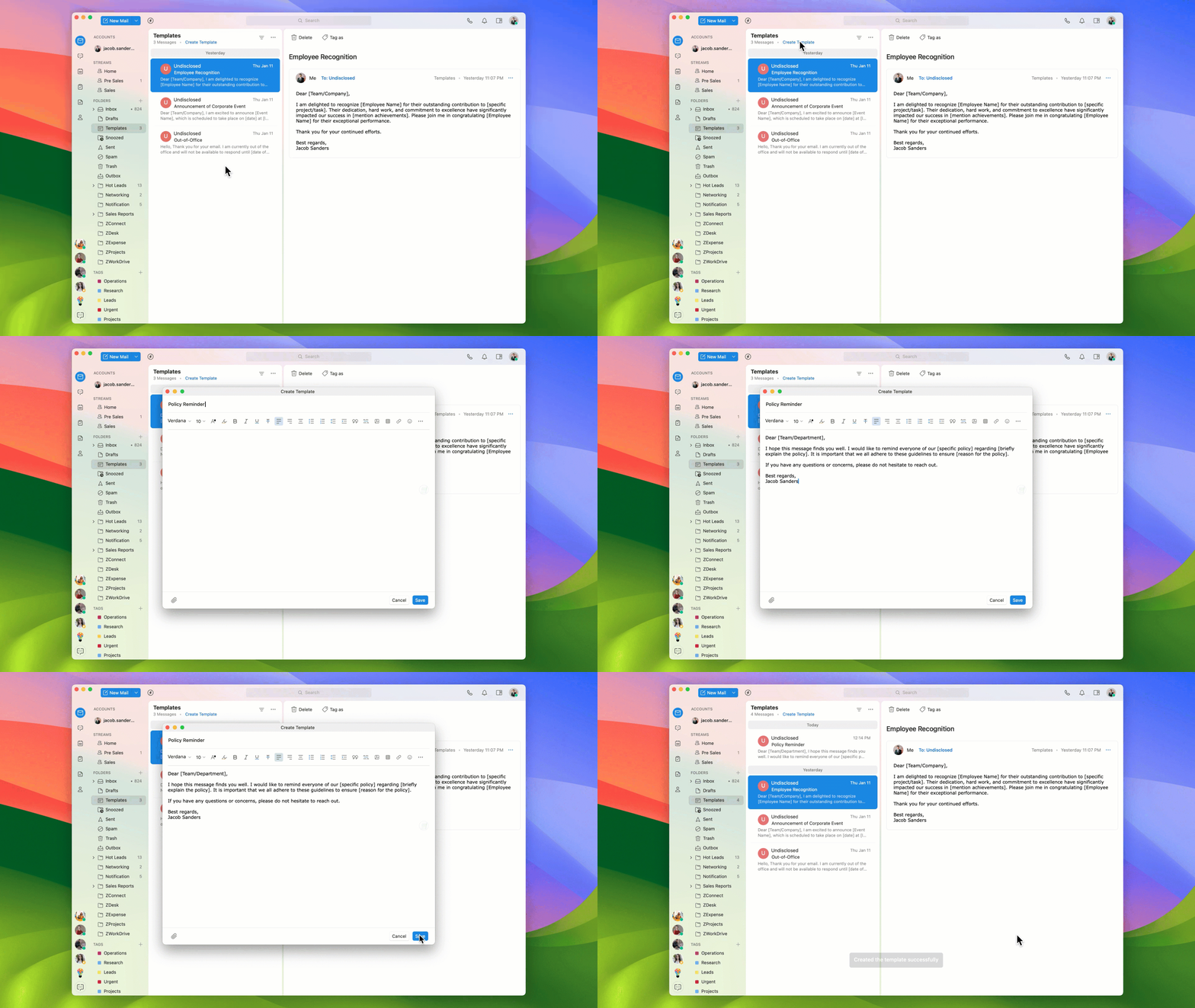
Creating templates
Earlier, you could save email drafts as templates in Trident. With the current update, you can create templates right from the "Templates" folder. These pre-written messages will help you save time and amplify professional communication.
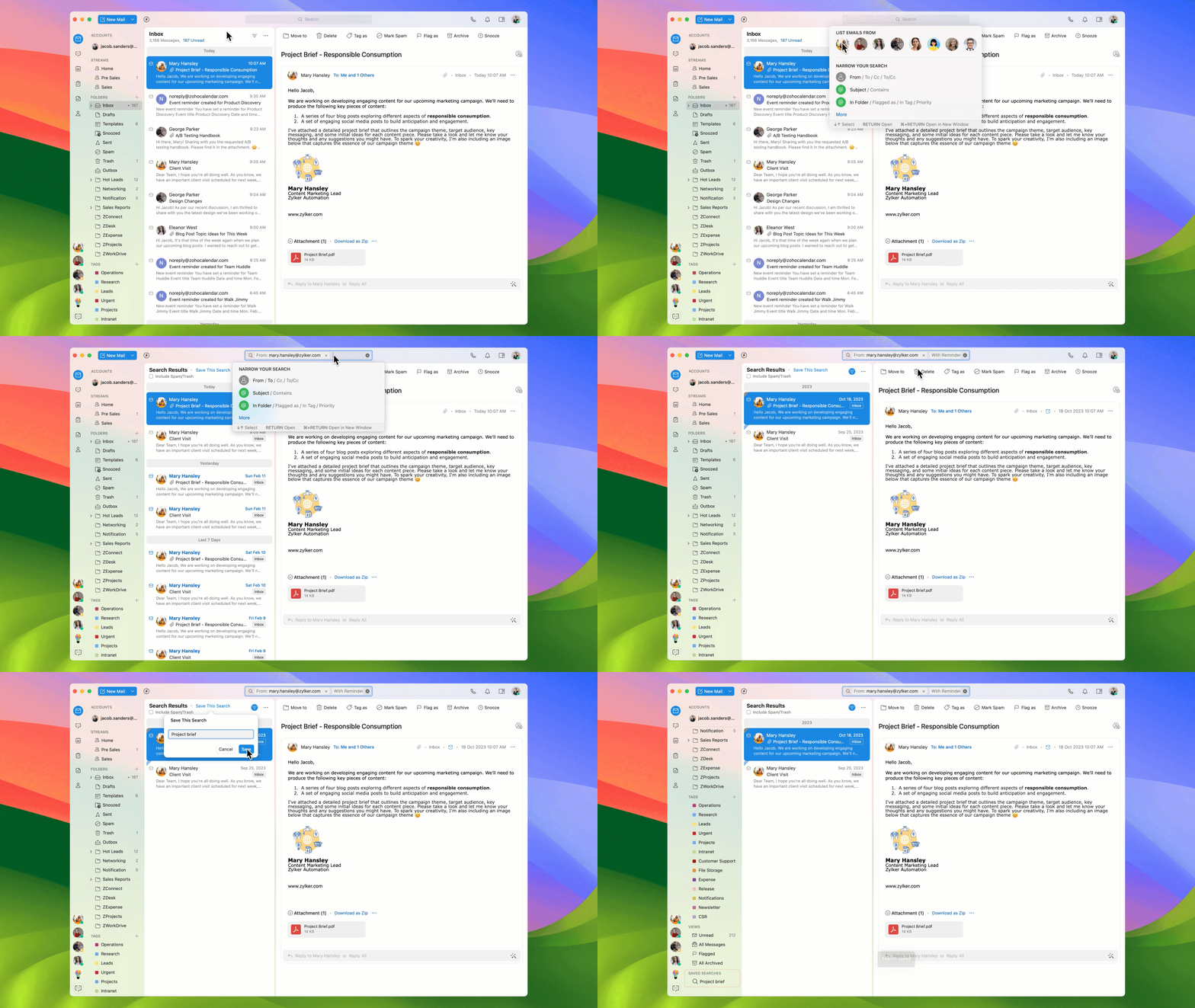
Saving searches
If you use certain search keywords repeatedly, you can now save the search and access the emails that match those keywords without searching for them each time. Every time you click open a saved search, a new search will be performed, and the results will include the newer emails, as well.
Customizing offline sync setting
One of Trident's hallmark features is its offline capability. When the offline Mail setting is enabled, you'll be able to access and manage your email accounts even without internet connectivity. With the new "Offline Sync Frequency" setting, you can now decide whether Trident syncs all the data offline every 15 or 30 minutes.

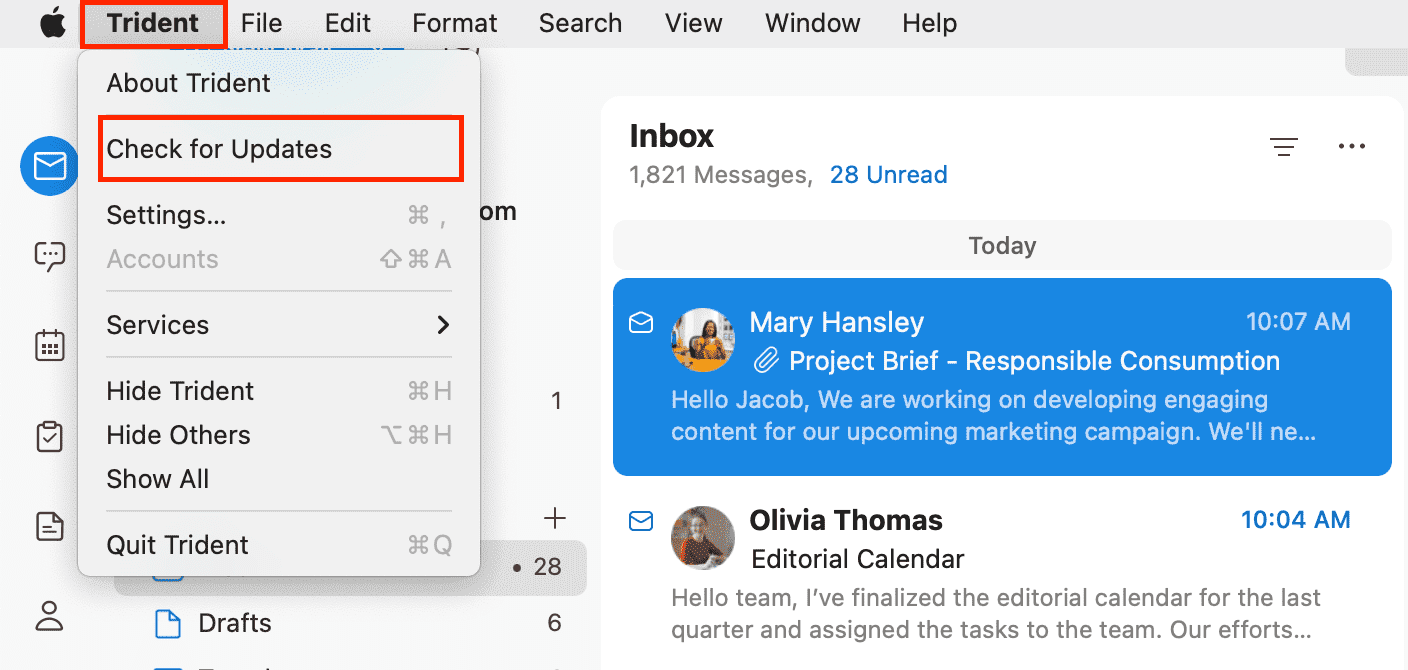
To leverage these new features in Trident, update the app to the latest version by following the steps below:
From the system menu bar, click Trident.
Select Check for Updates from the menu list.
Do give these features a spin, and let us know your experience and suggestions by submitting feedback from within the app. You can also reach us at trident@zohosupport.com.
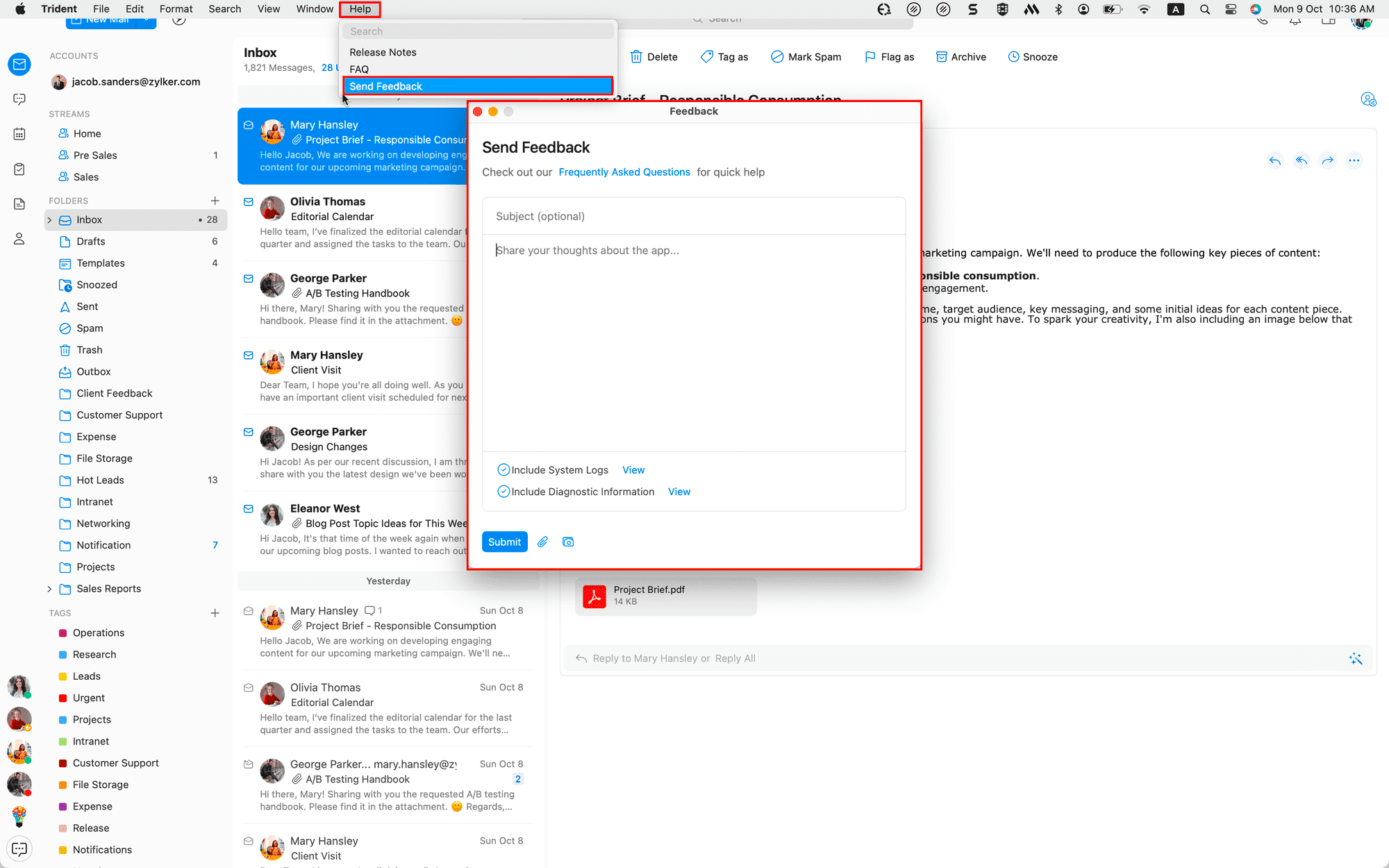
To submit your feedback directly through the app, follow the steps below:
From the system menu bar, click Help.
Select Send Feedback.
In the feedback window, enter the necessary details under Subject and Feedback Content.
Once ready, click Submit.
We look forward to hearing from you!