Function #48: Manage fixed installment payments using Zoho Books

Hello everyone, and welcome back to our series!
Businesses offer installment payment options to their customers, particularly for expensive purchases, to ease the financial burden on them. By breaking down the total cost into smaller, more manageable payments, businesses can attract a wider audience who may not be able to afford large upfront payments. This approach not only increases the likelihood of making more sales, but also helps to spread revenue over time, improve cash flow, enhance customer satisfaction and loyalty, and provide a competitive advantage in the market.
We receive numerous requests from our users regarding the handling of these installment scenarios. We heard you loud and clear. Today, we are excited to share a solution that utilizes custom functions to manage installment payments in Zoho Books.
Let's take the example of Mr. John Hector, who wants to buy a 75-inch TV from Zylker Electronics, priced at a hefty $2,300. He is finding it difficult to pay the entire amount upfront. Therefore, Zylker Electronics offers him the option to pay in installments. They mutually decide that John will spread the payment over 5 months, committing to monthly installments of $460 until he settles the entire purchase amount. Let's delve into how this process can be efficiently managed within Zoho Books using custom functions.
Firstly, Zylker Electronics should create a sale invoice of $2,300 in their Zoho Books organization. While creating it, they should input the start date of the installment and the number of installments in two custom fields. For instance, if the sale was made on 01.04.2024 and Mr. John agreed to pay in 5 installments starting on 10.05.2024, the start date should be entered as 10.05.2024, and the number of installments as 5.
Two custom functions will come into play: one to generate the retainer invoices to collect the installment payments and another to apply the retainer payments to the sale invoice.
Based on the number of installments entered the function will determine the amount to be charged as monthly installments.
Installment amount = Total Amount Payable / No of installments = $2300 / 5 = $460.
On the specified start date, the first function will create and send the retainer invoice for the first installment. Once the payment for this installment is recorded, the second function will apply it to the sale invoice, reducing the balance accordingly. The process repeats each month, generating and sending retainer invoices for subsequent installments until all 5 are completed. Each retainer invoice will be for $460 and due on the 10th of every month for 5 consecutive months. As each retainer invoice is paid, the second function will automatically apply it to the sale invoice, thereby recognizing the income.
Prerequisites:
1. Create a Connection named "zbooks" to successfully execute the scheduler. You can watch the GIF attached below to know how to create the connection.

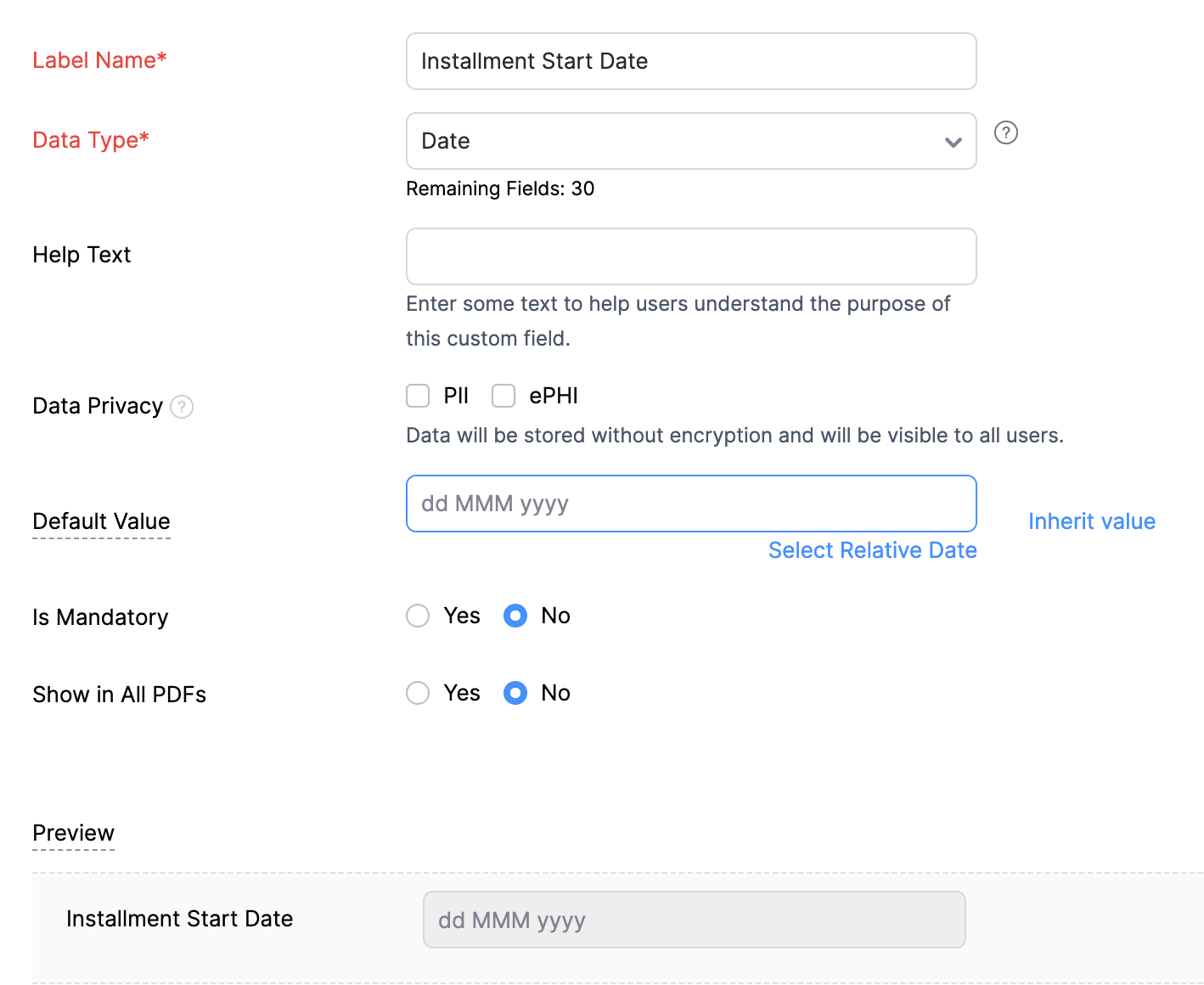
2. Create a Date-type custom field called "Installment Start Date" for the Invoices. This field will be used to input the starting date for installment payments.
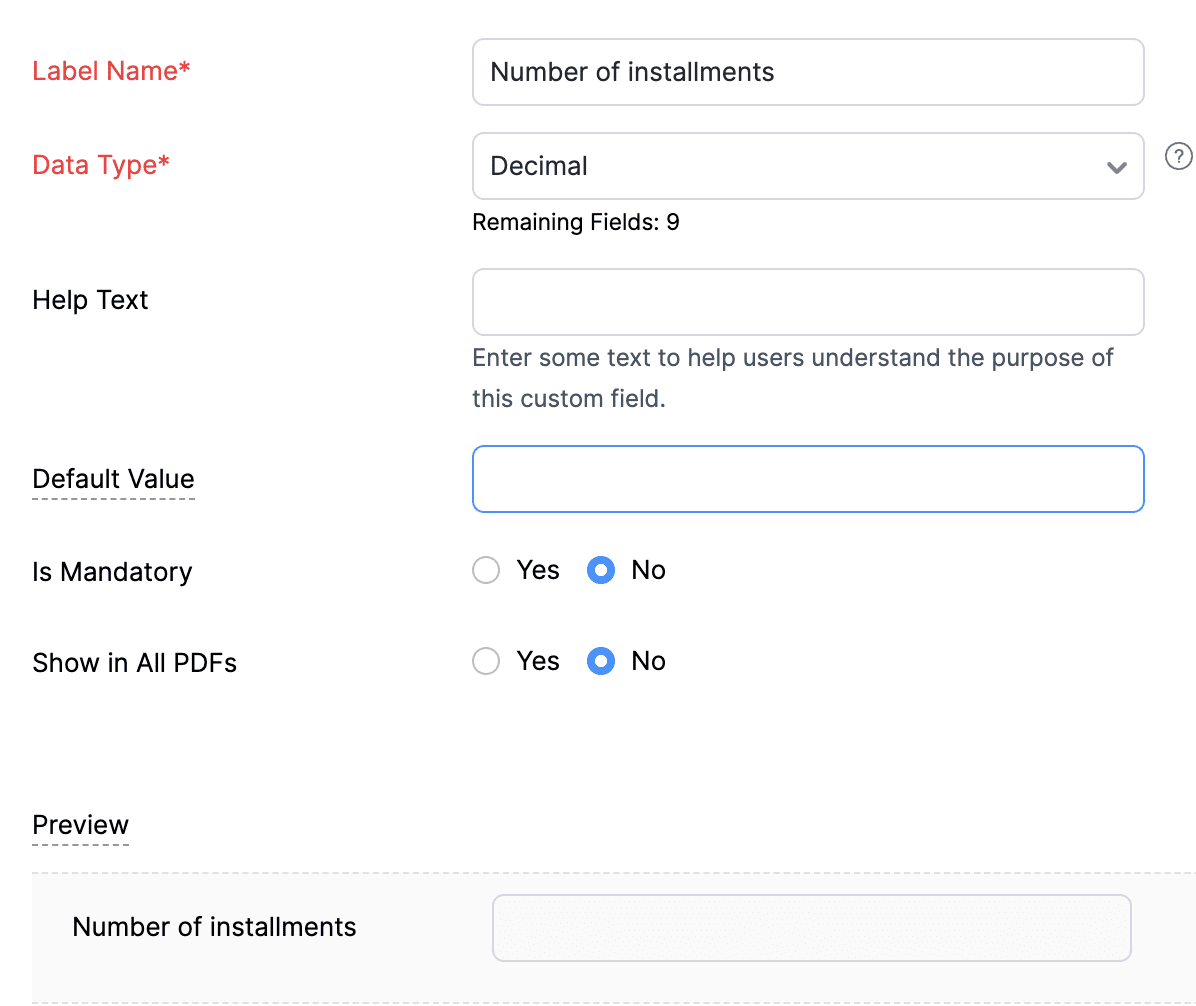
3. Create a Decimal-type custom field called "Number of installments" for the Invoices. Here, you'll specify the agreed-upon number of installments. Using this information and the total invoice amount, the function will determine the monthly installment amount.
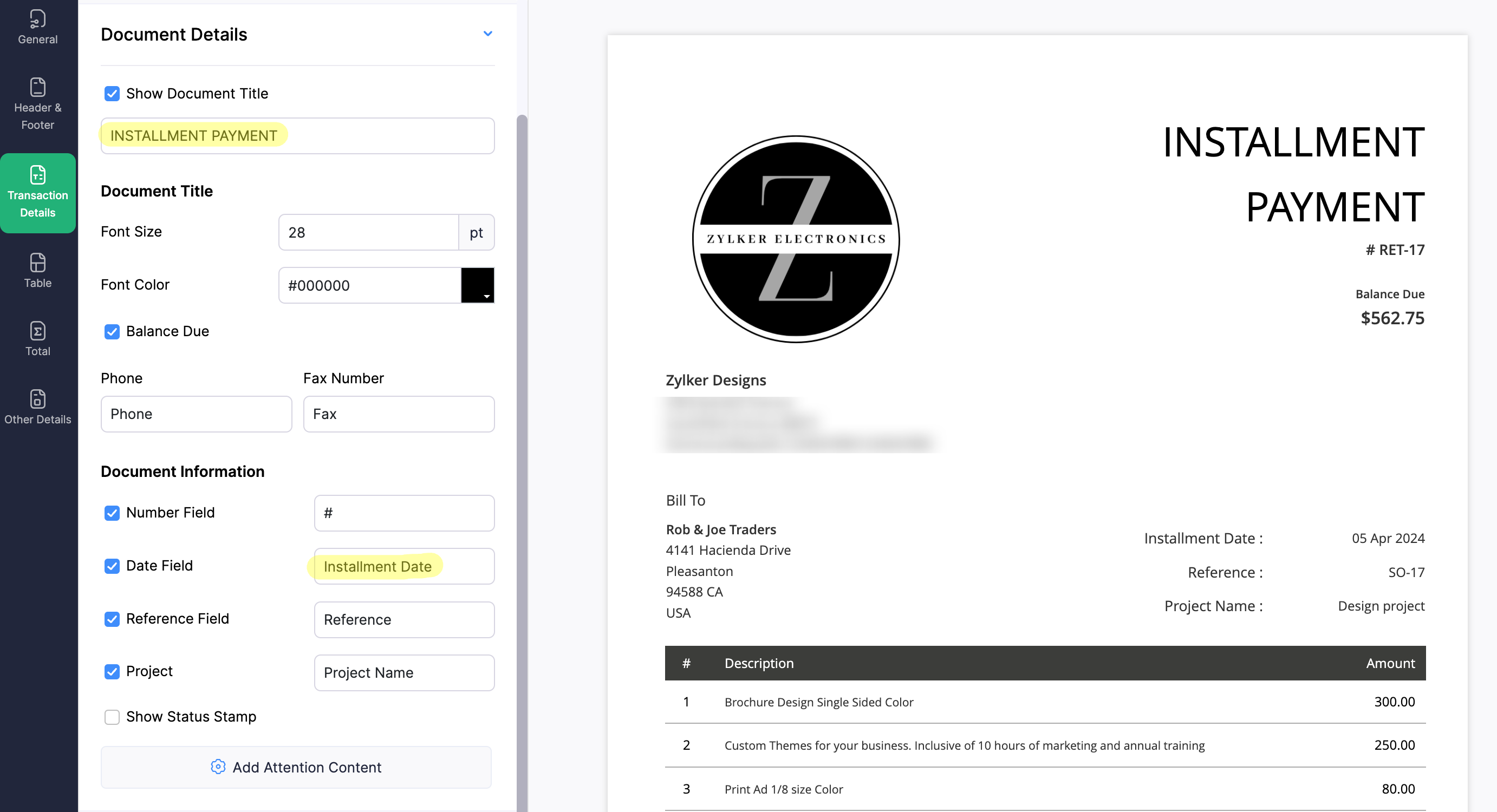
4. Create a new Retainer Invoice template with the document title "Installment Payment". Then, copy the template ID (You can get the ID from the URL of the webpage) and substitute it into line 26 of the first function. This ensures that all the retainers sent for collecting installment amounts are correctly labeled.
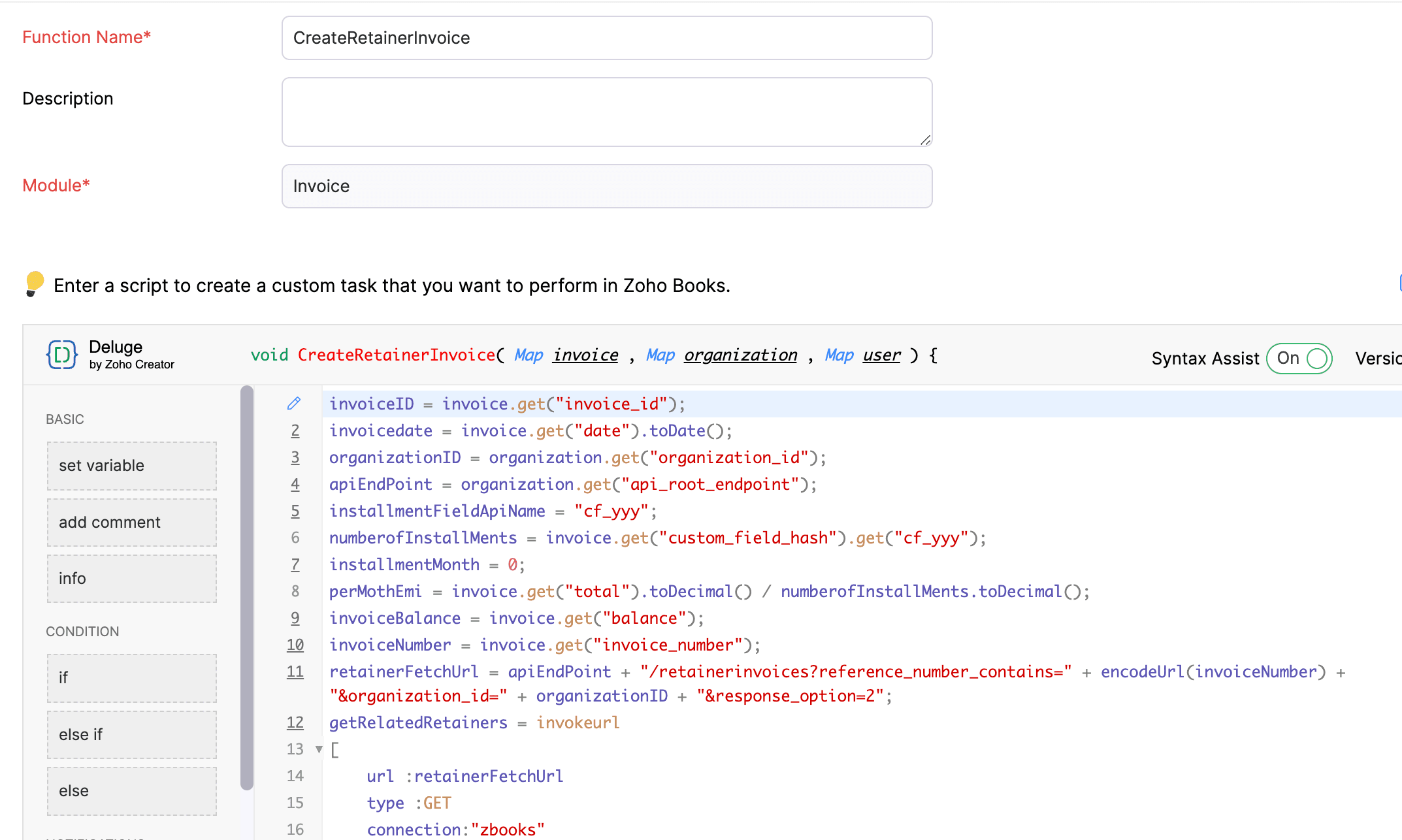
(1) Custom Function to create Retainer Invoices:
Navigate to Settings -> Automation -> Workflow Actions -> Custom Functions -> +New Custom Function -> Module -> Select Invoice -> Add the function code from this GitHub Link -> Save.
(2) Workflow Rule to create Retainer Invoices:
Go to Settings -> Automation -> Workflow Rules -> +New Workflow Rule and set up the workflow rule as shown below:-


In the final step of this workflow rule, associate the custom function you created and then hit Save.
(3) Custom Function to apply installment payments to the sale invoice:
Navigate to Settings -> Automation -> Workflow Actions -> Custom Functions -> +New Custom Function- > Module -> Select Retainer Invoice -> Add the function code from this GitHub Link -> Save.

(4) Workflow Rule to apply installment payments:
Go to Settings -> Automation -> Workflow Rules -> +New Workflow Rule and set up the workflow rule as shown below:-
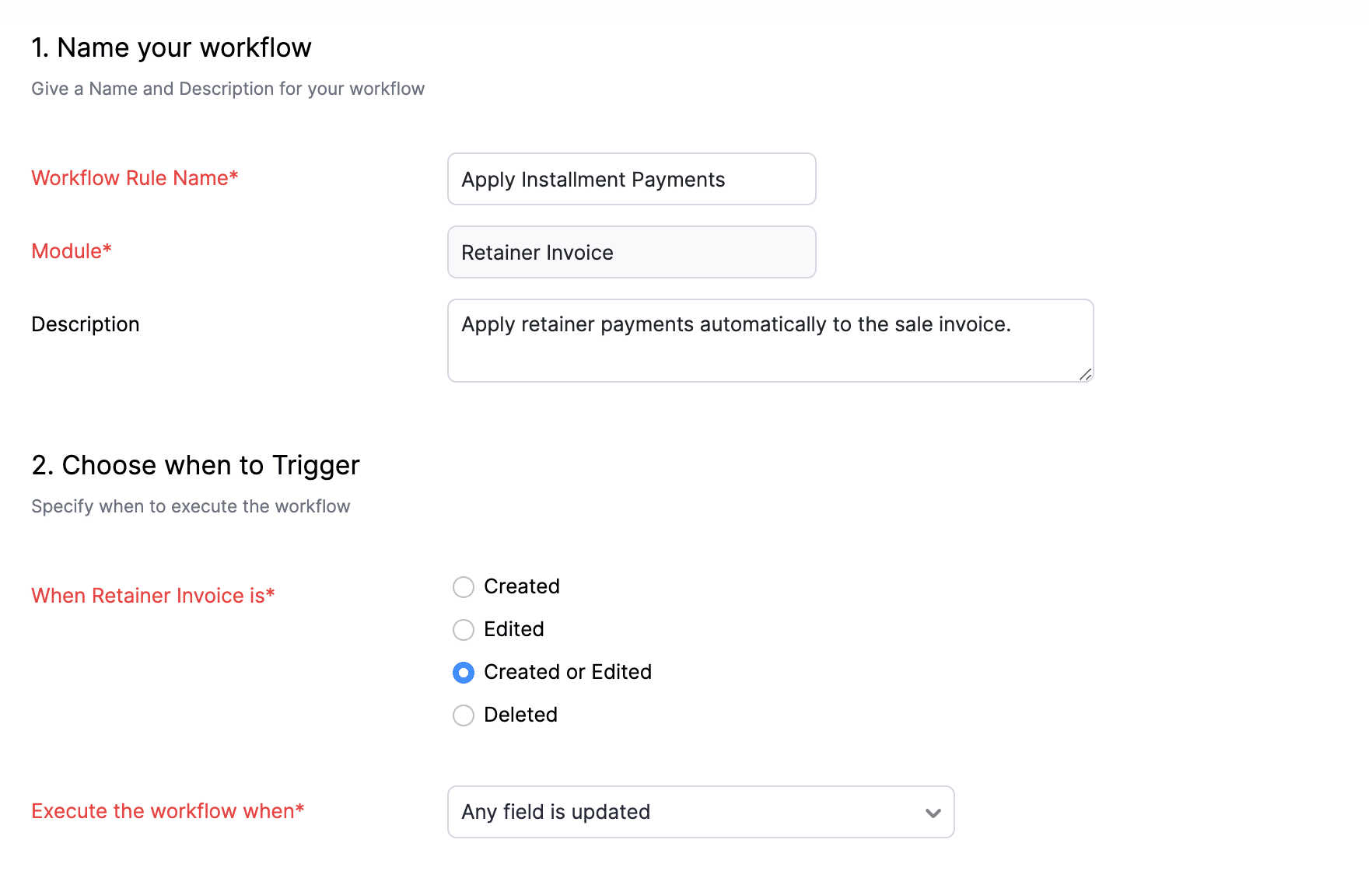
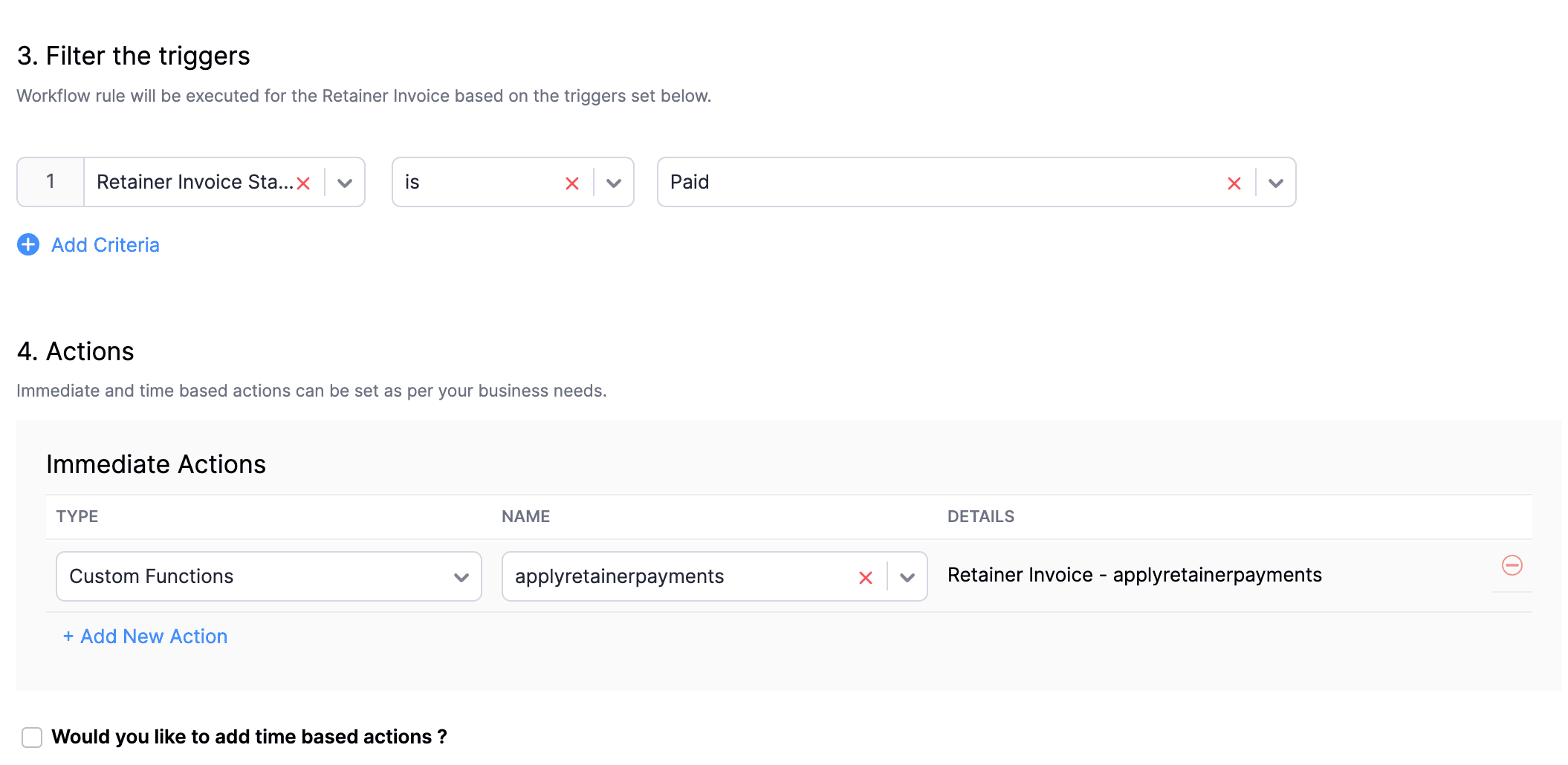
In the final step of this workflow rule, associate the custom function you created and then hit Save.
We really hope that today's functions help you streamline the process of handling installments in Zoho Books. If you need any assistance in customizing the functions to better suit your needs, please do not hesitate to contact us at support[at]zohobooks[dot]com. We are always happy to help you.
Also, for those looking to collect varying percentages of the invoice total as installments, stay tuned!
Regards,
Shireen Farhana
Zoho Books
Topic Participants
Shireen Farhana
Dmitry Solovyev
Dylan Cleppe
Julio Cazaroto
Maj
Sticky Posts
Introducing Invoice Consolidation for Offline Subscriptions
Hello Folks, Glad to announce the feature of Invoice Consolidation for Offline Subscriptions. If you are having multiple subscriptions for your customers, now, you can send a single consolidated invoice for all the Offline Subscriptions that are getting renewed on the same date. Advantage? Customers will be receiving single invoice instead of multiple invoices upon renewal. Also reduces your efforts in follow-up with your customers for payment collections. For Example: If Customer has SubscriptionNew feature: Create back-dated subscriptions
Hello from the Zoho Subscriptions team. :) We’re happy to announce that today marks the launch of a much-awaited feature: creating back-dated subscriptions! From here on out, whenever you create a new subscription with an activation date that is earlier than the present date, you’ll no longer get an error. Instead, you'll be creating a back-dated subscription. This means that the subscription started at that earlier point in time. The next billing date will be calculated automatically based onAnnouncement Regarding Notification Emails
Hello Everyone! This announcement is regarding the admin notification emails which you've been receiving from the email address "support@zohosubscriptions.com". From the 1st of October, 06:00 GMT, the emails with the following subjects will be sent from "no-reply@zohosubscriptions.com". Unable to send invoice for the profile - {profile_name} Unable to process auto payments. If you have set up any filters or workflow in your email account, please add "no-reply@zohosubscriptions.com” and “support@zohosubscriptions.com”Zoho Subscriptions plugin for WordPress
Zoho Subscriptions plugin for WordPress allows you to easily embed your plan specific checkout page in an iframe with just a few mouse clicks and without a single line of code. How can WordPress Zoho Subscriptions Plugin boost your productivity? It's now easier to embed Zoho Subscriptions checkout page in your WordPress site. Forget the old method of logging in to Zoho Subscriptions, copying a URL and scripting to make adjustments. All this can be done automatically through this plugin. A great timeIndian GST organisation Migration Guide
With respect to the new GST regime releasing on July 1, 2017in India, Zoho Subscriptions Indian edition is also gearing up to make your business GST Ready. This article focuses on how to get your existing organisation in Zoho Subscriptions to migrate to the new GST regime. Note: Any organisation created on or after July 1, 2017 will already be GST ready. You wouldn't have to migrate your organisation. Migrating your existing organisation to support GST To migrate your existing organisation to
Recent Topics
Zoho CRM Web form page URL
Hi there, I am getting quite a bit of spam through my Zoho CRM Web form and want to restrict the URLs it is submittable from. I can see that I can add Location URLs but I need to be able to just add a domain so can I enter mydomain.com/* to cover allReceiving too many Spam Leads. Why?
I am receiving so many junk leads from web forms created by zoho's platform. The junk queries are increasing day by day and are affecting our business. I am continuously following up with zoho team from the past one year but not getting any satisfactoryMail Merge is not working properly as far as the AUTOMATE section is concerned
Hi there, I created a Mail Merge template for the Deal module. I would like Deal owners to mail merge their Deal records, download the Mail Merge document as a Word doc and make a few changes before sending it to the customer. Thing is, neither the "MergeCanvas Detail View Related List Sorting
Hello, I am having an issue finding a way to sort a related list within a canvas detail view. I have sorted the related list on the page layout associated with the canvas view, but that does not transfer to the canvas view. What am I missing?project name field issue- n8n
Hey guys, I have a question. I want to create a new product using the workflow. The problem is with the product name field; I don't know how to fill it in. The workflow starts with retrieving information from the leads table, retrieving links to scrapeCritical:- Eneble TDS filing for 26Q from the zoho book
We currently extract TDS data from Zoho Books and manually input it into a separate TDS software to generate the FUV file and file returns. Previously, while using Tally, we benefited from an integrated feature that seamlessly recorded transactions andHow to track repeat customers?
I own a food business and every order is entered into Zoho with: a unique Customer ID total order amount date of order With this information, I want to be able to see a list of my "best" customers. In other words, descending lists arranged according to:Zoho Books - Breaking A Working App
We've been using Zoho for many years now. Across all apps, entering phone numbers in standard formats was enabled in all apps. These formats are: xxx.yyy.zzzz xxx-yyy-zzzz (xxx) yyy-zzzz and we were able also to add extension numbers in these formats:Build data protection into your support
At Zoho, privacy is our principle. Every Zoho product is built with privacy as the foundation and the finishing touch, guiding every decision we make. Security, privacy, and compliance are woven into the software development lifecycle, starting from howConditional formatting: before/after "today" not available
When setting conditional formatting, it only allows me to set a specific calendar date when choosing "Before" or "After" conditions. Typing "today" returns the error "Value must be of type date". Is there a workaround? Thanks for any help!Display Client Name in Zoho Creator Client Portal Dashboard
Hello Zoho Creator Team, We hope you are doing well. Zoho Creator recently introduced the option to set a client’s display name in the Client Portal settings, which is very helpful for providing a personalized portal experience. However, there is currentlyCustomizable UI components in pages | Theme builder
Anyone know when these roadmap items are scheduled for release? They were originally scheduled for Q4 2025. https://www.zoho.com/creator/product-roadmap.htmlAmazon.in FBA multiple warehouse integration with Zoho Inventory
My organisation subscribed to Zoho One looking at the opportunity to integrate Amazon.in with Inventory. But during the configuration, we understood the integration has severe limitations when it involves multiple warehouses in the same Organisation.Feature Request - Set Default Values for Meetings
Hi Zoho CRM Team, It would be very useful if we could set default values for meeting parameters. For example, if you always wanted Reminder 1 Day before. Currently you need to remember to choose it for every meeting. Also being able to use merge tagsAbility for admin to access or make changes in zoho form without asking for ownership
Currently in zoho form only form owner can make the changes in the form and if someone else has to make changes then we have to transfer the ownership to them and even admin also cant access it . So i think admin must have the ability or option to accessIssue with WhatsApp Template Approval and Marketing Message Limit in Zoho Bigin
We are facing issues while creating and using WhatsApp message templates through Zoho Bigin, and we request your clarification and support regarding the same. 1. Utility Template Approval Issue Until December, we were able to create WhatsApp templatesZoho CRM Calendar View
Hello Zoho team, We need desperately a calendar view next to list, kandan and other views. I think it should be easy to implement as you already have the logic from Projects and also from Kanban View in CRM. In calendar view when we set it up - we chooseCamera
I can sign on to a meeting and see the other participants, but my screen is dark. The instructions for Zoho "Camera Settings" say "click on lock icon in address bar," but I don't see that icon! Suggestions?What is Workqueue and how to hide it?
Hi, My CRM suddenly have this "Workqueue", may I ask how to set the permission of this tab?Batch/lot # and Storage bin location
Hi I want to ask for a feature on Zoho inventory I own a warehouse and I've gone through different management software solutions with no luck until I found Zoho, it has been a game changer for my business with up to the minute information, I'm extremely happy with it. It's almost perfect. And I say Almost because the only thing missing for me (and I'm sure I'm not alone) is the need of being able to identify the lot number of my inventory and where it is located in the warehouse. Due to the natureAdding Sender Address with Basic Plan
According to the knowledge base, I should be able to add Sender addresses with the Basic Plan. But whenever I try to add an email, it takes me to a search window and I cannot find any emails in the list. Even mine, which is the admin. email.Conditional Field Visibility in Bigin CRM
I would like to request support for conditional field visibility within Bigin CRM. This feature should allow administrators to configure show/hide rules for fields based on predefined criteria (e.g., field values, picklist selections, stage changes,Bill automation in Zoho Books
Hi I am looking for 3rd-party options for bill automation in zoho which are economical and preferably have accurate scanning. What options do I have? Zoho's native scanning is a bit priceyReporting Tags
We've been using reporting tags for years (before itemizing was available) and now we are finding reporting these tags are impossible to track. Reports have changed in the customization and our columns of reporting tags no longer show up. We do not useConsumption based inventory
I am currently using Zoho Books for my hospitality business, which includes lodging and restaurant services. We purchase many items in bulk for storage and consumption as needed. I'd like these items to be recorded as inventory when purchased and categorizedSmarter Access Control: Role-Based Access vs. Responsibility-Based Profiles
Every business has roles, responsibilities, and workflows. While roles help define structure, responsibilities within those roles are rarely the same. As your team grows, some members need access to only a specific set of features. Others require visibilityPartner with HDFC And Sbi Bank.
Hdfc and sbi both are very popular bank if zoho books become partner with this banks then many of the zoho books users will benefit premium features of partnered banks.API in E-Invoice/GST portal
Hi, Do I have to change the api in gst/e-invoice portal as I use zoho e books for my e-invoicing. If yes, please confirm the process.Member role in zoho meeting
does a user with member role can see other users in the organizationHow to post more than 4 Images on Instagram?
Hi I read several articles to the topic od how to post more than 4 images on instagram, but i can't figure out how it works. I can't find the content editor and i installesd the z share extension for google chrome. Could someone please help me? ThanClone Recurring Expenses
Our bookkeeping practices make extensive use of the "clone" feature for bills, expenses, invoices, etc. This cuts down significantly on both the amount of typing that needs to be done manually and, more importantly, the mental overhead of choosing theZoho Books - How to Invoke a Custom Function in Schedulers
We have multiple schedulers that send emails to customers in batches. Currently, we are maintaining the same code across several schedulers. Is it possible to use a custom function inside a scheduler script? If yes, how can we invoke the custom functionSpecial characters (like â, â, æ) breaking when input in a field (encoding issue)
Hey everyone, We are currently dealing with a probably encoding issue when we populate a field (mostly but not exclusively, 'Last Name' for Leads and Contracts). If the user manually inputs special characters (like ä, â, á etc.) from Scandinavian languages,Set Custom Icon for Custom Modules in new Zoho CRM UI
Notes badge as a quick action in the list view
Hello all, We are introducing the Notes badge in the list view of all modules as a quick action you can perform for each record, in addition to the existing Activity badge. With this enhancement, users will have quick visibility into the notes associatedIs Zoho Live Chat compatible with WordPress CMS?
Hello, I have a website called www.jjrlab.com and I'm interested in using Zoho Chat on it. Does it support WordPress CMS? Thanks.Introducing spam detection for webforms: An additional layer of protection to keep your Zoho CRM clean and secure
Greetings all, One of the most highly anticipated feature launches—Spam Detection in webforms—has finally arrived! Webforms are a vital tool for record generation, but they're also vulnerable to submissions from unauthenticated or malicious sources, whichBring your CRM and Desk app inside SalesIQ with widgets
Have you ever been confused and frustrated with multiple open tabs and switching back and forth from SalesIQ to other apps to perform your business-specific operations? How effective would it be to have all the required tools and data of the apps youSpeak Your Customers' Language: SalesIQ's chatbots now support 30 languages 🤖
We're unveiling some major upgrades to our chatbot that are set to revolutionize your experience! Now SalesIQ support 30 languages for both Zobot and Answer bot. By speaking your customers' language, you can enhance engagement, improve customer satisfaction,Repeat Column merge in ZOHO writer columns doesn't allow to set max columns per row
I'm using ZOHO writer to merge data from a ZOHO CRM subform and I want it to make a table. We're using Insert Table for Column Repeat, because this is what we need. (Name of column (Teamname) and underneath that a list of names of teammembers). It worksNext Page