Narrative 15: Blueprint - Automate, guide, and transform your support processes
Behind the scenes of a successful ticketing system: BTS Series
Narrative 15: Blueprint - Automate, guide, and transform your support processes
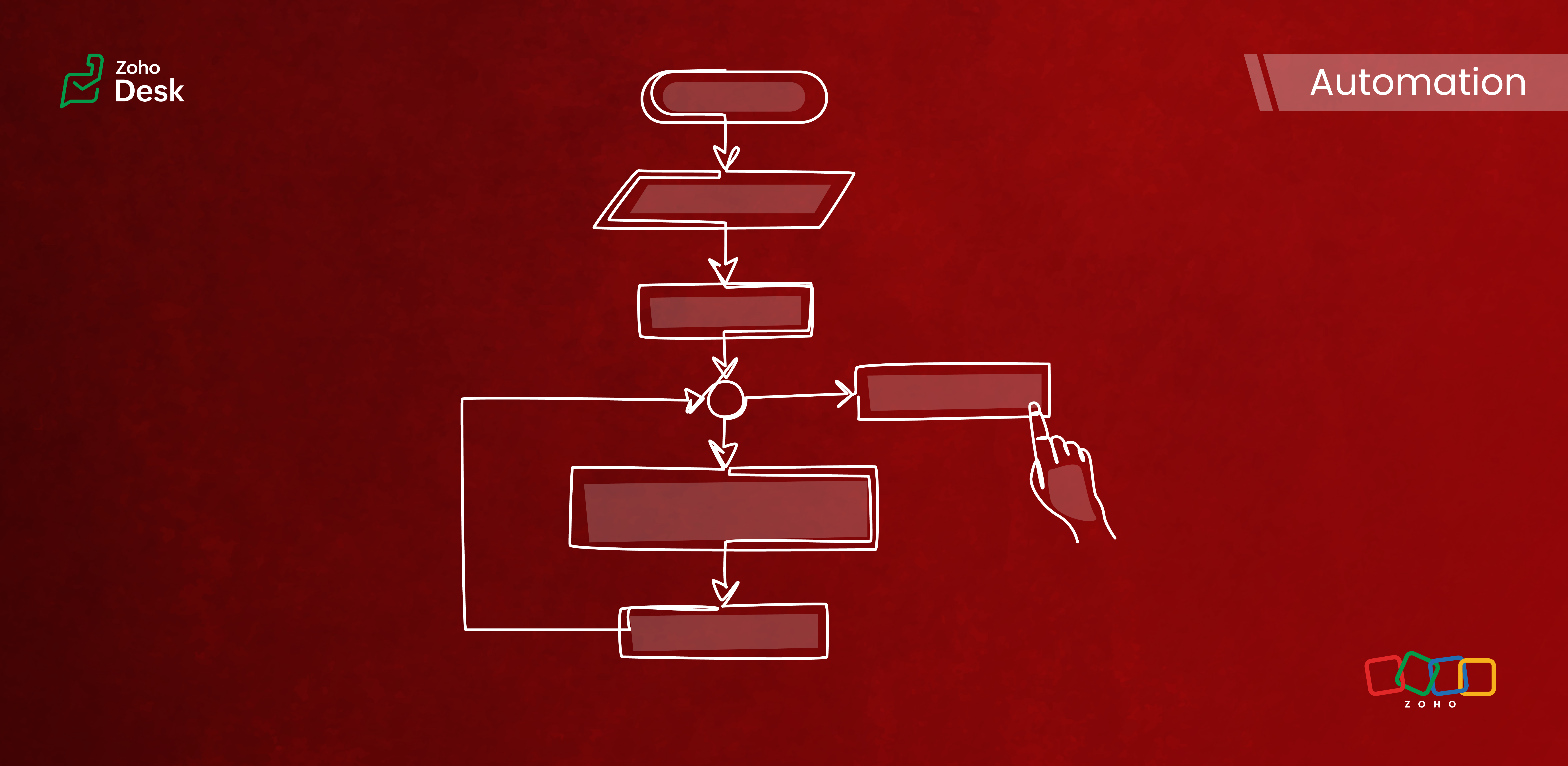
Components of a Blueprint
In Zoho Desk Blueprints, "stages" represent distinct steps or milestones in a business process, while "transitions" define the movement and conditions required to progress from one stage to another.
Stages
Stages are the specific checkpoints or states that a support ticket or record passes through in a process, such as "Assigned," "In Progress," "Awaiting Response," or "Closed." Each stage captures the ticket's status at a given point in time and provides visibility into the process's progress.
Transitions
Transitions are the actions, criteria, and intermediate checkpoints required to move a ticket from one stage to another. A transition can enforce checks, require specific actions, or mandate that fields be completed before advancing to the next stage. Transitions can also be configured to trigger automations, send notifications, or assign ticket owners.
- The criteria for when the transition is allowed
- The actions to perform during the transition (updating fields, completing checklists, sending messages)
- Transition ownership (who can act)
- Automated actions are triggered upon execution
Highlights
Enabling Strict Mode ensures that agents strictly follow ticket processes. When activated, all other actions in the ticket interface are disabled, allowing agents to perform ticket-related actions exclusively through the transition bar.
Admins can now selectively set which actions and fields are required during a transition. The introduction of the Configure Mandatory option enhances this capability to provide greater control and flexibility in customizing Blueprints for various groups of agents and refining specific aspects of the support process.
Admins can now effortlessly prioritize and reorder transitions with a simple drag-and-drop feature. This allows them to easily arrange the sequence of transitions in a Blueprint to determine how they are presented to agents. In the past, this process required agents to delete and re-add transitions in the desired order, which was time-consuming and labor-intensive.
The number of Points and Transitions permitted in a blueprint dictates the complexity of the internal processes you can design for your team. We have increased the number of pointers and transitions to allow you to incorporate greater complexity into your support operations as needed.
When developing a Blueprint, you may find the need to rename a State or modify its Status Type after it has already been linked to the blueprint. This was not an option previously, but we've now made it possible. You can now change the Status Type and rename states associated with a blueprint.
Key Features
- Design sequential ticket workflows with defined states and transitions.
- Assign transition ownership to agents or departments.
- Control ticket progression by restricting actions until necessary steps are completed.
- Automate notifications, field updates, task assignments, and custom functions during and after transitions.
- Use a Blueprints dashboard to track the number of tickets in each stage, SLA violations, bottlenecks, and overall process efficiency.

Commonly automated business processes
- Quote management
- Task management
- Library book lending
- Hospital management
- Converting leads to customers
- Order cycles
- Support request handling and escalations
- Recruitment
- Deal follow-up
Takeaway
Creating a Blueprint involves specifying the states (ticket statuses), transitions (actions to move between states), and, if needed, criteria to apply the Blueprint only to specific tickets. It provides structured guidance to agents and makes help desk operations more efficient and consistent across teams.
Please stay tuned for more in the Desk behind-the-scenes series.
Regards,
Kavya Rao
The Zoho Desk Team
Also, read:
Behind the scenes of a successful ticketing system (BTS Series)
- Narrative 14: The magic bazaar of Desk
- Narrative 13: Importing your data
- Narrative 12: Sandbox - Testing without the risk
- Narrative 11: Are your customers happy?
- Narrative 10: Assignment Rules - Streamlining Ticket Management
- Narrative 9 - GC—Meaningful conversations that benefit your customers
- Narrative 8 - Intelligent in-app support that's instantly available anytime and anywhere
- Narrative 7 - The importance of data sharing
- Narrative 6 - The impact of rebranding
- Narrative 5 - The essential role of SLAs
- Narrative 4 - Exploring the support channels
- Narrative 3 - Comprehending user management
- Narrative 2 - Understanding organizational departments
- Narrative 1 - The significance of a business account
Topic Participants
Kavya Rao Addepalli
Recent Topics
Where is the scheduled report in New UI?
Hi Team, Seems there is not such a field in New UI, hence I have to switch to old UI to handle request..Building a Simple Raspberry Pi + Keypad IoT PoC with Zoho Flow
I want to share a simple IoT PoC I recently built that connects a Raspberry Pi to Zoho Flow and Zoho Creator. The goal was to send PIN input data from a hardware keypad to Zoho and trigger a servo and buzzer for visual/audible feedback. This can serveWhat's New in Zoho Billing | January 2026
Excited about the latest enhancements in Zoho Billing? Our January updates bring an intelligent AI assistant, smarter subscription management, and improved tax compliance, saving you time and reducing manual work. Dive into the details below to see howIs there a way to sell in a practical method multiple subscriptions of the same product? i.e. domain names
In evaluating Zoho Billing, a hurdle to adopting it is that Zoho Billing does not seem designed to support businesses that sell multiple subscriptions of the same product. In our case, we need to sell and manage several domain names per client. Am I rightUpdate P_Leave: code: 7052 "Employee_ID": "Enter Employee ID"
Hi, Zoho People - Update Leaves Can someone assist? ------------------------------------------------------------------------------------------ col = Collection(); col.insert("recordid":id); col.insert("Date_Check_Approval":zoho.currentdate); info zoho.people.update("P_Leave",col.toMap());Can't change form's original name in URL
Hi all, I have been duplicating + editing forms for jobs regarding the same department to maintain formatting + styling. The issue I've not run into is because I've duplicated it from an existing form, the URL doesn't seem to want to update with the newCan't rename groups on Mac desktop app
I'm working on an up-to-date Mac with a freshly downloaded Notebook app. I'm trying to rename a group within a notebook. Here I have, left to right, a note, a group, and a note. I select the group. On the top left, I select Action. On the dropdown, "Rename"Strange behavior in CRM Number Field – Characters allowed but not "e"?
Hi everyone, Has anyone faced this strange issue in Zoho CRM? In a Number field, it is possible to type some characters, but the character "e" cannot be entered. This was really surprising to me. Normally, a number field should restrict all charactersBest Way to Manage Approvals Within Blueprint Stages?
Hi, I am working on a requirement involving Blueprint and approval logic in Zoho CRM and would appreciate some guidance. I understand that approval processes do not trigger when a record is currently within a blueprint, which makes it challenging to implementMarketing Tip #25: Grow your social presence with a simple posting routine
Consistency is one of the biggest growth drivers on social media. Regular content keeps your store visible and helps customers remember you. Even 3–4 posts a week can build momentum over time. The easiest way to stay consistent is to stop trying to createHow to update "Lead Status" to more than 100 records
Hello Zoho CRM, How do I update "Lead Status" to more than 100 records at once? To give you a background, these leads were uploaded or Imported at once but the lead status record was incorrectly chosen. So since there was a way to quickly add records in the system no matter how many they are, we are also wondering if there is a quicker way to update these records to the correct "Lead Status". I hope our concern makes sense and that there will be a fix for it. All the best, JonathanBring your own credentials (BYOC) for connections in Zoho Creator
Hello everyone, We're excited to announce an important step forward in how integrations and authentications work in Zoho Creator. Zoho Creator is a versatile platform for integrations, enabling you to connect with thousands of third-party services usingProject Management Bulletin: March, 2026
We are passionate about equipping our users with efficient solutions that help them run their businesses successfully. Our collective efforts over the past 2 years have culminated in the launch of Sprints 3.0— built with reliable features, impactful integrations,Composite items inside of composite items; bill of materials needed
Hi Zoho and Everyone, I am evaluating whether Zoho Inventory will work for my small business. I grow and harvest herbs and spices but also get from wholesalers. I use all these items to make herbal teas, but also sell them as individual items on my Shopify store and Etsy. I discovered the composite item bundling and am wondering if I could get some assistance since there is no bill of materials: Our herbal company's best selling tea is a sleepytime tea. Sleepytime Tea can be purchased in three weightsAutomation Series: Sync Task Status with Zoho Desk Tickets
In Zoho Projects, you can automatically close and reopen an associated Zoho Desk ticket when the status of a task is changed. This syncs the current state of the task with the support ticket without manual updates. For instance, a support team handlingAuto-Generate Line Numbers in Item Table Using HTML & CSS Counters (Zoho Books & Zoho Inventory Custom Templates)
<div> <style> /* Start counter from 0 inside tbody */ tbody#lineitem { counter-reset: rowNumber; } /* Increment counter for each row */ tbody#lineitem tr { counter-increment: rowNumber; } /* Show counter value in first column */ tbody#lineitem tr td:first-child::beforeDoes zoho inventory need Enterprise or Premium subsrciption to make Widgets.
We have Zoho One Enterprise and yet we can't create widgets on inventory.Zoho CAMPAIGNS working hours
Hi I use Campaigns Automation workflows to automate follow-ups to my Leads. I discovered this weekend that emails are being sent out on Sundays. How do I limit my Campaigns outgoing emails to business working hours? This is very important! Thanks, DDepositing funds to account
Hello, I have been using Quickbooks for many years but am considering moving to Zoho Books so I am currently running through various workflows and am working on the Invoicing aspect. In QB, the process is to create an invoice, receive payment and thenCreate Receipt of a Donation (not a sale)
We are a non-profit organization that receives general donations. How do I create a receipt of payment for the donor and categorize the payment as a Gift? I tried the method of creating an invoice; however that automatically created a "Sales" transactionFunction #2: Create a Deal in Zoho CRM when an Estimate is created in Zoho Books
For those who use Zoho CRM integrated with Zoho Books, here's a nifty function that helps you optimize your sales process by adding a Deal in Zoho CRM whenever an estimate is created in Zoho Books. Custom Function: To create the custom function, go toNew Custom View -Sorting the Custom fields
While creating a New Custom View in invoice , Customers, Bills ,expense etc , the sorting of custom fields are not available , a query function "order by / sort by " may also be included in Define new criteria module which will be more beneficial toGrouping Undeposited Funds to Move to other accounts
In the bank option it would be nice to check what transactions in undeposited funds I want to move to other accounts. Then while checking this it can accumulate totals and created whats essentially a deposit slip. Once the transaction is moved it shouldSync your CRM Tasks with Zoho Projects
Zoho Projects integration with Zoho CRM helps you manage your tasks more efficiently. You can create all project related activities right inside your CRM using this integration. Create new portal or associate an existing portal, add projects to the portal,Zoho CRM strips whitespace in text fields
When editing field text with multiple spaces: CRM - both UI and API trim / compress the whitespace to a single space when saving: Is this known / expected / documented behaviour?Custom Button makes scroll bar go down in report
I have a report with a Custom button called Completed. A colleague mentionned to me that when he pressed this custom button it scrolled down the page which is annoying since he want to stay at the same space on the repoort. There is no reload linked toQuickbooks Integrations Stopped Working
All of our Quickbooks integrations have stopped working. I am checking in to see if: a) this is a known issue b) if anyone else is having this issue. As usual, Zoho support is unavailable.Incorrect Functioning of Time Logs API (Version 3)
We need to fetch the list of time logs for each task for our company internal usage. We are trying to achieve it by using the next endpoint: https://projects.zoho.com/api-docs#bulk-time-logs#get-all-project-time-logs Firstly, in the documentation theDynamic image in form works in the app but not on the customer portal.
img = frm_Fichas[ID == input.Nombre].Foto; imgno = Nophoto[ID2 = 1].Image; if(len(img) > 1) { img = img.replaceAll("/sharedBy/appLinkName/",zoho.appuri); img = img.replaceAll("viewLinkName","Fichas_de_personal_public"); img = img.replaceAll("fieldName","Foto");Uplifted homepage experience
Editions: All editions. Availability update: 17th February 2026: All editions in the CA and SA DC | JP DC (Free, Standard and Professional editions) 23 February 2026: JP (All Editions) | AU, CN (Free, Standard, Professional editions) 27 February 2026:Approval Workflow for Purchase Orders Abrir
The requirement is , that all purchase orders greater than or equal to 5000 go through an approval process from certain people, but within books I only see that the approvers can be by levels or any approver but we cannot enter a rule like these. CanWeTravel + Zoho CRM Integration - Has Anyone Built a Connector or Extension?
Hi all, I'm exploring options for integrating Zoho CRM with WeTravel (booking & payment platform for tour operators). Zapier seems to be the common method but seems limited. I'm wondering if anyone in the community has developed a more comprehensive solution,Option in pipeline deal to select which hotel or branch or store if client has more than one local store
Hi, I would like to know if there is an option in the deal pipeline to select which hotel, branch, or store a deal is related to—if the company has more than one location. For example, I have a client that owns several hotels under the same company, andUndo article like/dislike
It seems to be not possible to undo your like/dislike for an article. Would be great if you can. Kind regards, HelenNested notebooks
Dear Sir/Madam, I would like to know if it is possible to nest notebooks. It would be very helpful when there are too many, as it would improve organization. Thank you for your response. Best regards.Tax in Quote
Each row item in a quote has a tax value. At the total numbers at the bottom, there is also a Tax entry. If you select tax in both of the (line item, and the total), the tax doubles. My assumption is that the Tax total should be totalling the tax fromDynamically Fetching Lookup Field Display Value
I have an audit trail form, Audit_Changes, that tracks old vs new values across different forms. For lookup fields, the old/new value is the ID, but I also need the display value. What's a best practice for dynamically fetching the display value of theStop Scrolling, Start Asking: Meet Zia for Your Files
Hey everyone 👋 The era of 'scrolling and searching' is officially over. Whether it's a dense legal contract or a long meeting recording, searching for specific details is a massive time-sink. We think you should be able to interact with your files, notHow do I open MSG files in Microsoft Word?
If you want to open MSG files in Microsoft Word is not natively supported, as MSG is an email file format created by Microsoft Outlook. However, there are professional approaches to access MSG content in Word. First, open the MSG file in Outlook and copyUnable to charge GST on shipping/packing & Forwarding charges in INDIA
Currently, tax rates only apply to items. It does not apply tax to any shipping or packing & forwarding charges that may be on the order as well. However, these charges are taxable under GST in India. Please add the ability to apply tax to these charges.Next Page