Hello Everyone,
We are nearing the completion of enabling the Next Gen UI for users as announced in this
post. The Next Gen UI introduces CRM For everyone with an improved workspace experience housing features like Teamspaces, Team Modules, enhanced views, Connected records, Connected workflows, and more collaboration tools.
Now, we are here to announce that we've planned to sunset the older UI version of CRM on July 15, 2026. This post gives a detail view of how we plan to approach this.
Quick Summary of What we've done so far
Zoho CRM's Next Gen UI was rolled out to users in three phases based on org size with all users now in the Next Gen UI and an option to revert to the old UI if required.
- Phase 1 : Small standalone orgs and bundle accounts below 50 users
- Phase 2 : All orgs with below 50 users
- Phase 3 : Large orgs with more than 50 users
Read on to get the details of how the old UI will be removed and what you can do for a smooth transition for customers.
When will Zoho CRM's old UI be removed?
Zoho CRM's old UI will be removed after July 15, 2026 in two phases :
- Free, Standard and Professional : 15 July to 17 July
- Enterprise, Ultimate and Bundles : 21 July to 24 July
After that date, all users will be automatically moved to the Next Gen UI. You don't have to wait, you can make the switch at any time before then, and we recommend doing so early so you have time to get comfortable with the new experience.
What your users will see
We'll keep you informed along the way with in-product banners. Here's what to expect:
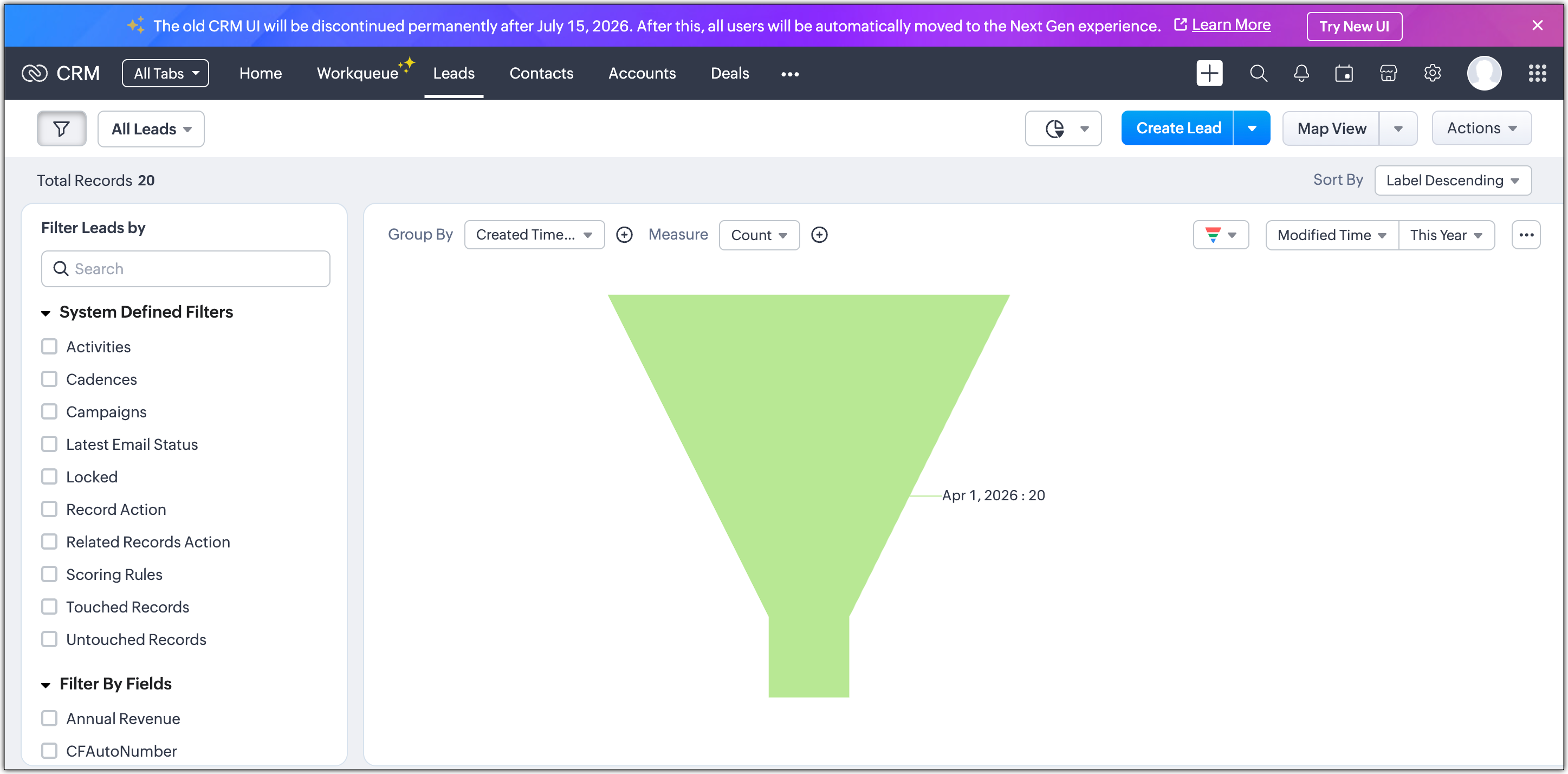
- Sunset announcement banner : From the last week of May, all users will see a banner in the old UI letting them know about the July 15 sunset date.
- Reminder banners : We've planned to show some reminder banners that is set to appear between May 26 and July 13, both in the old UI and the Next Gen UI.
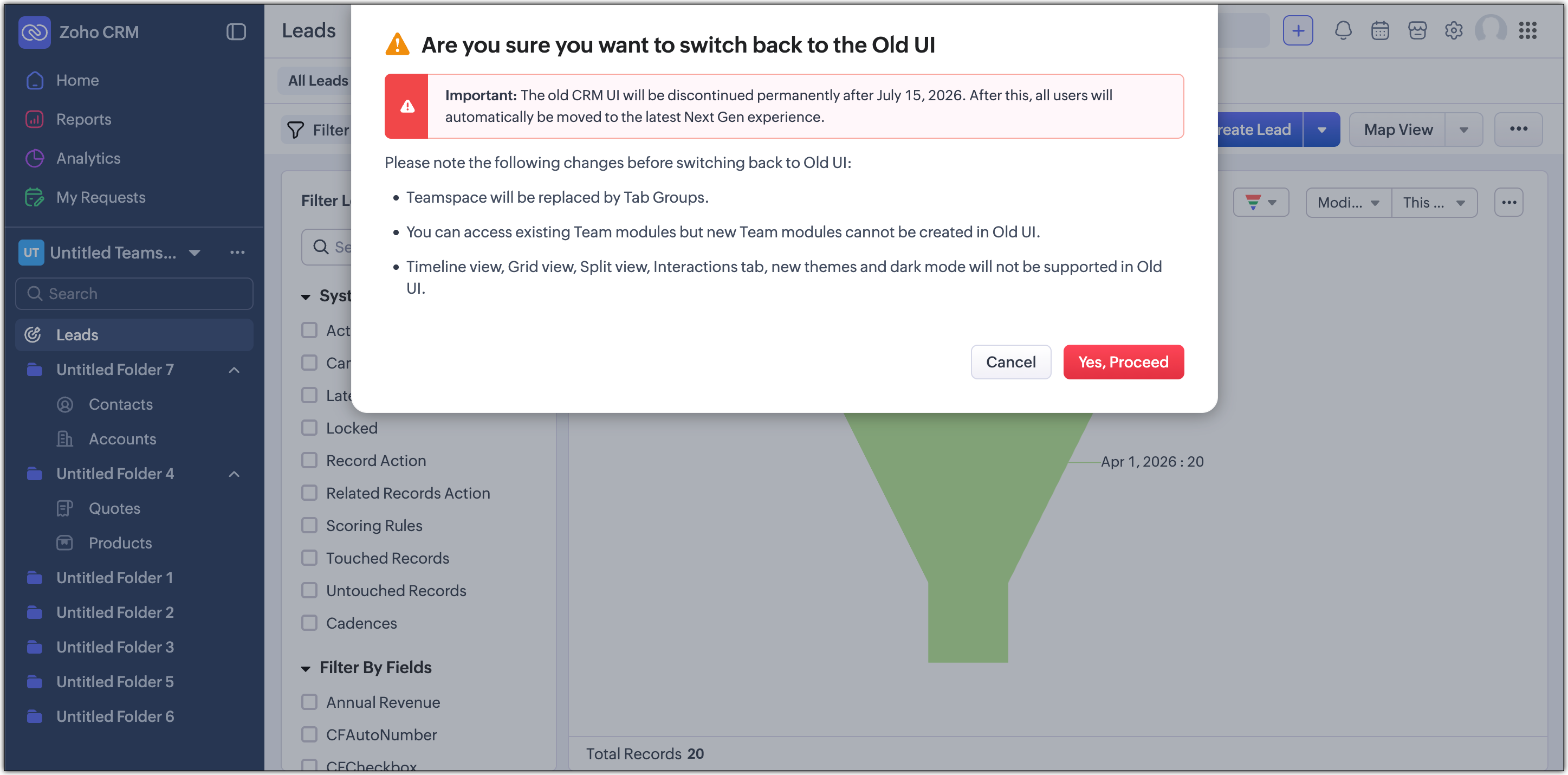
- Reminder in the Switch-back pop-up : If users switch back to the old UI after landing on the Next Gen UI, they'll see a confirmation pop-up that also mentions the sunset date.
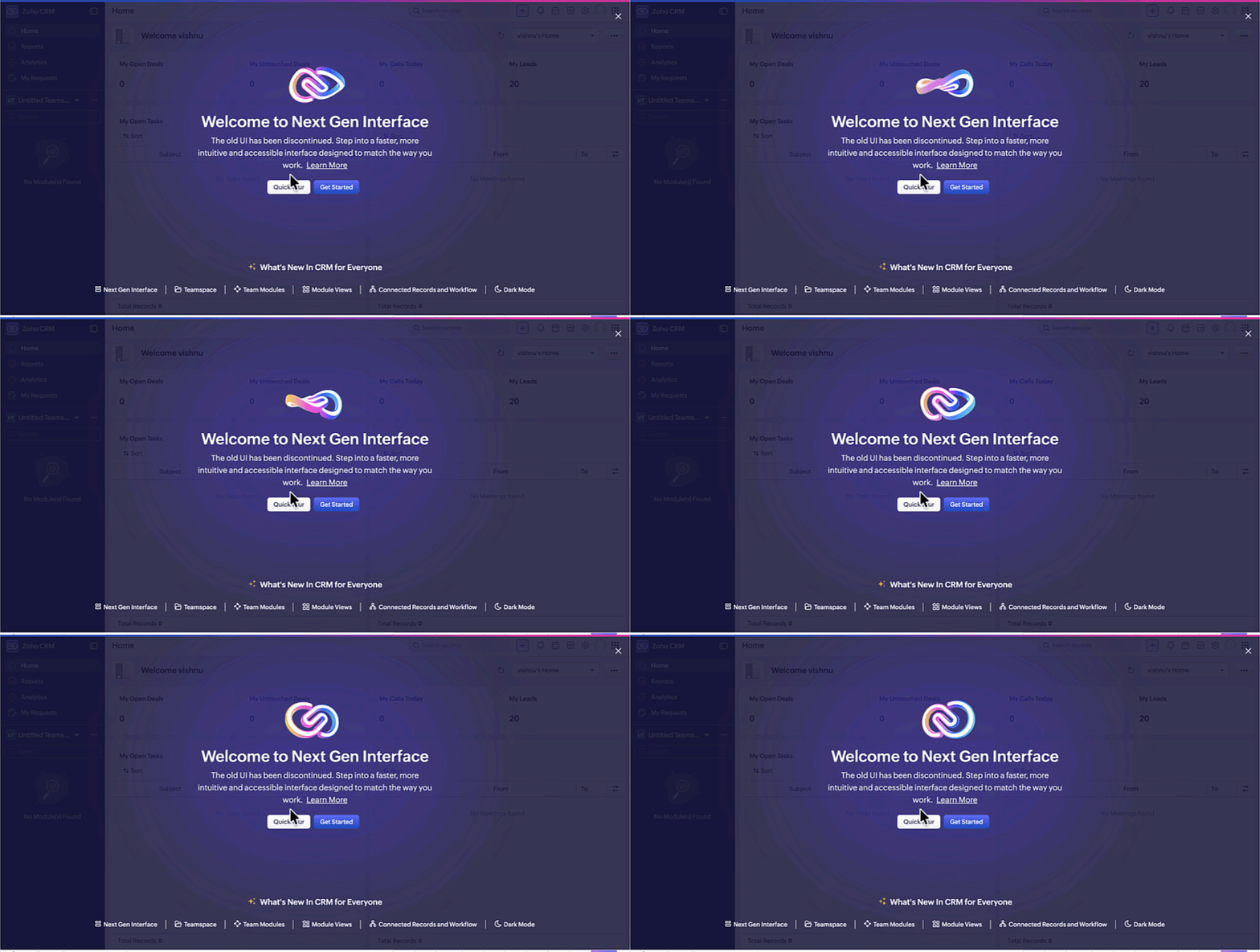
- Final banner : Users who are moved to the Next Gen UI after July 15 will see the below banner to help them get started.
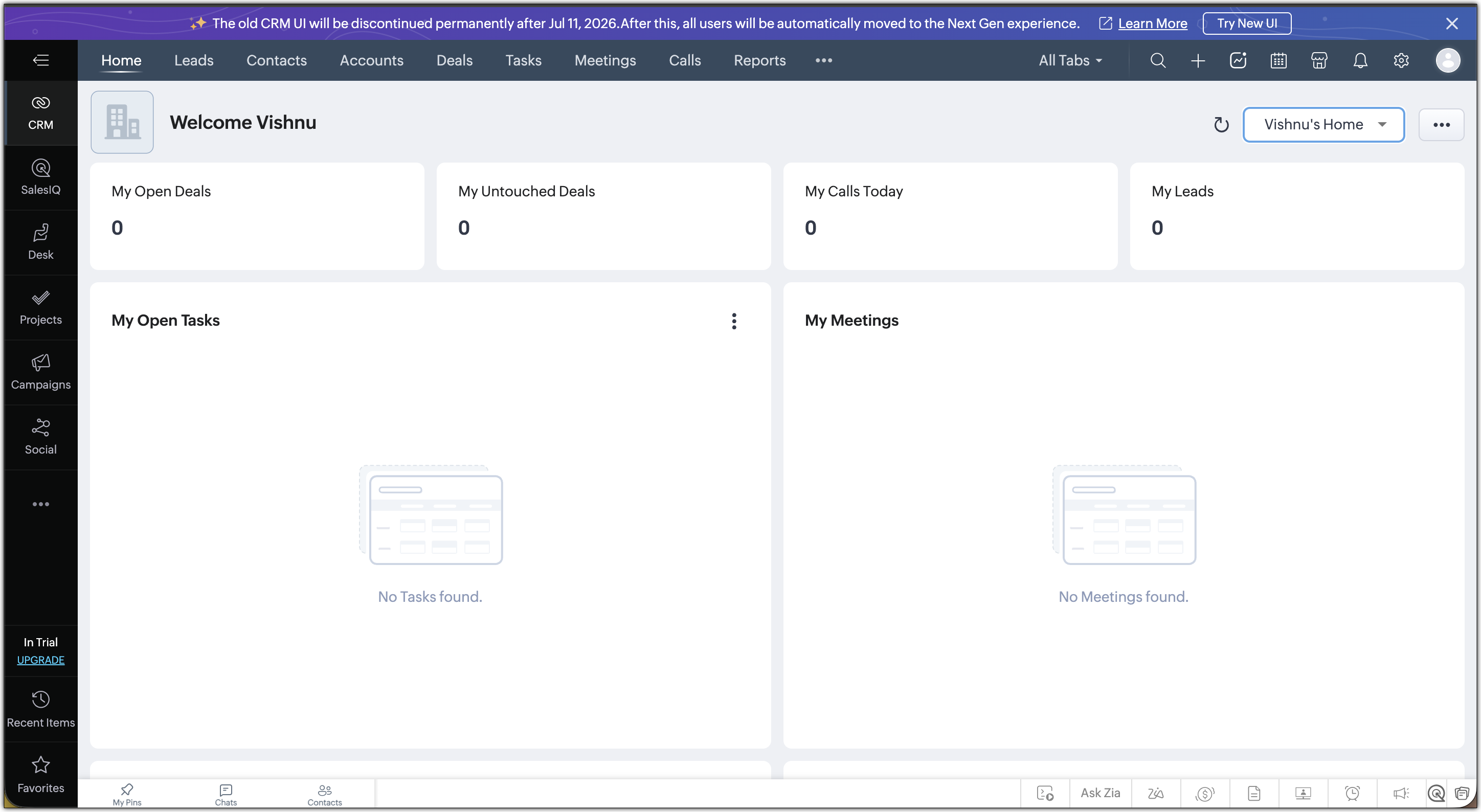
For Zoho One users, your banner will look like :
For CRMPlus users, your banner will look like :
What you should do
You don't need to do anything for the switch to happen because it's automatic. But here's what we'd suggest to make the transition as smooth as possible for you :
- Switch your org to the Next Gen UI early : This gives you and your team time to explore the new interface before the deadline.
- Refer to our resources : Take a look at the resource section below to learn more about CRM For Everyone and the Nextgen UI.
- Reach out if you need help : If you have questions or want guidance, contact us at support@zohocrm.com.
What's new in the Next Gen UI
Here's a quick overview of what you will gain when you move over:
- Teamspaces : A dedicated space for each team to manage their own modules
- Team Module : Create modules for your team to manage their own processes.
- Module views : View your module data in Split, Grid, Chart and Timeline views for better visualization.
- Connected records and Connected workflows : Link records across modules and automate actions across teams.
- Zoho Projects integration with CRM Teamspace :Bring projects directly into your Teamspace to track execution and collaborate on tasks alongside your CRM records.
- Interactions tab : Get a single consolidated view of all customer touchpoints.
- Dark mode : A comfortable viewing experience for extended use in low-light environments.
Please reach out to us if you have any questions and we will get back to you at the earliest.
Best Regards,
Serena Woolridge
Recent Topics
Backorder process review - Automating Removal of Sales Order from "On Hold" When PO is Received
Hello Zoho Inventory Team, Currently, sales orders in On Hold status are released only when the bill for the purchase order is created. In our workflow, it would be much more efficient if the sales order could automatically move out of On Hold as soon
Cliq iOS can't see shared screen
Hello, I had this morning a video call with a colleague. She is using Cliq Desktop MacOS and wanted to share her screen with me. I'm on iPad. I noticed, while she shared her screen, I could only see her video, but not the shared screen... Does Cliq iOS is able to display shared screen, or is it somewhere else to be found ? Regards
Which Is the best online store to buy office furniture in Australia ?
The most important part of your office is the office furniture. Your office is not complete when you have not put the required furniture in place. You need a furniture in your office so that you and your employees have desks, tables, and chairs which
Add "Product Code" as available column and search criteria for Assemblies
Hi Zoho Community. For product (item) assemblies, it would be helpful to be able to create a custom view search criteria that limits the view by product code or perhaps product category. Currently, Product Code is not an available option to display as
What's New - July 2026 | Zoho Backstage
Hello everyone, We hope you’re having an expectation-exceeding event experience! We’ve been hard at work bringing you a bunch of enhancements designed to make event management even easier. Let’s take a look at what’s new in Zoho Backstage. Export delivery
Zoho Mail Does Not Integrate with Analytics
Hello everyone, Just wanted to make a quick post about the problem with zoho mail. Currently it does not connect to Zoho Analytics, which I think is crazy considering both of these applications have existed for a long period of time. Even zoho voice a
Delete Field that is used in a Zoho Flow connection
I'm trying to delete a Field used in a Webhook created by Zoho Flow with CRM Connection and i get the following alert: When going to the alert i get to the following issue, can't edit it since its been deployed by a pluggin But yes i have here the prompted
Zoho Books | Product updates | August 2026
Hello users, July has been an exciting month for Zoho Books! This month, we're excited to introduce HTML PDF Templates, Placeholders as Pills, expanded approval workflows for Sales Returns and Journals, and significant compliance updates across the India,
Q3 USA ZUG Meetups - Build AI Agents with Zoho
Hi everyone! What if you could build your own AI agent from scratch in just one session? That's exactly what we're going to do at the upcoming ZUG Meetups across the United States, where you'll get hands-on experience with Zia Agents and explore how AI
Data Export is forcing Creation/Modified date just like reports
The data export now forces you to select a created or modified date. There is not an All-Time option. This severely cripples the whole function of data export for audit purposes. If the data export (or reports for that matter), requires a date, there
Default ticket template in helpcenter
Hello, I have a web form and a ticket template created. How can I make that my default ticket template? If an user clicks New ticket or create a ticket, I want that template to be the default one. Thank you for the time and info.
Zia Agents looks promising, but I still cannot deploy my first agent or connect WhatsApp after weeks of support tickets
Hi Everyone, I am posting here because I am stuck and need practical help from someone who has successfully deployed a Zia Agent with WhatsApp. Zia Agents looks like a very promising product. I have watched the platform expand quickly, and I have noticed
Valid characters for use in email addresses using Zoho's apps/APIs
We have found an issue with the + sign character in zoho subs - we are allowed to create a customer with an email address that has a plus sign but the API doesn't allow the + so the billing portal is not created. We are going to prevent users from using
Why cant i see the Campaigns module in my Zoho app
I am on the ZOHO CRM Standard edition. I can clearly see and use the Campaign module when viewing the ZOHO CRM desktop. When I switch to my phone, the Campaign Module does not show. I have gone through all the settings I can think of, but I still can't
Feature Request – Per-Channel Pre-Chat Form Controls
We'd like the ability to enable/disable the pre-chat form on a per-channel basis, rather than having a single global setting. On the website widget, asking for name and email before chat starts makes sense. On WhatsApp, however, email isn't necessary
Remove the mandatory Name Card buttons (or at least make them optional)
Please remove the mandatory Name Card buttons (or at least make them optional) A recent change to the Name Card in Zoho SalesIQ (currently affecting WhatsApp) introduced mandatory buttons before a visitor can provide their name. I believe this change
Copy + Paste in Notes: Text color and text background are not retained
I've recently started using Zoho Notebook as an Evernote replacement. When copying and pasting text within Zoho Notes, I notice that the formatting of the text (text color and background color) is not retained when pasting. Only the attributes "Bold"
Need to show discount before total after subtotal
Need to show discount before total after subtotal on my estimate template (see attachment)
Google Ads Data is Publicly available in Zoho CRM
We recently discovered that ALL of the following Google Ads fields are visible to all users in our CRM that have access to either Leads or Contacts modules. Not only is this troubling and inconvenient, it should be unacceptable. It also creates a mess
Zoho Books bill pay option not available with zoho one
Why isn't Zoho Books bill pay add-on not available for Zoho one customers not even as a purchasable option. I think this is very inconvenient for companies wanting to use this feature all in one system
Bounce rates
Where can I see my bounce rates for: 1. Each email I send out, and 2. in total?
¿Puedo migrar mi sitio desde WordPress a Zoho? ¿Zoho admite herramientas con código personalizado?
¡Hola comunidad! Estoy evaluando la posibilidad de migrar mi sitio web https://calculadoradenotas.cl/ desde WordPress a una solución Zoho, y tengo algunas dudas técnicas que espero puedan aclararme. Mi sitio no es solo informativo: es una herramienta
Add a Parameter to the ZOHO CRM Deluge sendmail to denote priority (defaulting to normal if unspecified)
Hello! There is a similar thread for Creator out there that is 2 years old, but I'd like to raise it in the ZOHO CRM category as well. Would you kindly update the existing Deluge sendmail function to allow a priority parameter? The parameter should allow
Set Custom Icon for Custom Modules in new Zoho CRM UI
Email outbox is now available in the sandbox
Hello all! Testing emails without visibility has always been a blind spot in the sandbox. With the new Outbox, that gap is closed. You can now view and verify every email triggered from your sandbox, whether it’s through workflows, approvals, or mass
Transform your line of items into line items: ICR can now record your table values as subform values
Enhancement in Zoho CRM Dear Customers, We hope you're well! Zia Vision’s ICR capability can now recognize, extract, and store tabulated values in your subforms. An ideal example is a university application form. It has printed fields and handwritten
is it possible to add more than one Whatsapp Phone Number to be integrated to Zoho CRM?
so I have successfully added one Whatsapp number like this from this User Interface it seems I can't add a new Whatsapp Number. I need to add a new Whatsapp Number so I can control the lead assignment if a chat sent to Whatsapp Phone Number 1 then assign
Add the ability to Hide Pages in Page Rules
Hi, We have Field Rules to show and hide fields and we have page Rules, but we can't hide a page in Page Rules so it isn't completed before the previous page (And then have the Deny Rules to prevent submitting without both pages completed), we can only
Calendar Year View?
Is there a way I can view the calendar in year view? Maybe create a page with a view like this?
Automation Series: Auto-update Project End Date When a Task is Rescheduled
When a project is planned, tasks are scheduled within the projects timeline. Any delay in the predecessor tasks can delay dependent tasks, which can in turn impact the project timeline. Unless the project is manually rescheduled, the end date might not
What is a realistic turnaround time for account review for ZeptoMail?
On signing up it said 2-3 business days. I am on business-day 6 and have had zero contact of any kind. No follow-up questions, no approval or decline. Attempts to "leave a message" or use the "Contact Us" form have just vanished without a trace. It still
Zoho Social | Instagram Integration in Zoho Desk
Good day Zoho team! I have a question. If we link the Instagram business account to our Facebook page, and we integrate the Facebook to Social in Zoho Desk, the "Messages" from Facebook will be converted into Ticket right? Does it also convert the Instagram
Rich-text fields in Zoho CRM
Moderation Update: During the initial release of Rich Text fields, it was supported only in the Enterprise and Ultimate editions. We have gradually extended Rich Text fields to all the paid editions of Zoho CRM. Hello everyone, We're thrilled to announce
Tip #52: Practical uses of Zia Search in Zoho Sprints
If your agile team uses multiple Zoho apps, your team members might often find themselves switching between those apps looking for related information. When the data you're looking for is spread across different workspaces within Zoho environment, rely
New field in Zoho Forms: Validate structured data with the Regex field
Have you ever received form submissions where the information looked almost correct but wasn't quite in the format you expected? Maybe an employee ID was missing a character. A PAN number was entered in lowercase. A license number had an extra space.
Import Excel from email into CRM
I receive a daily Excel file by email and I would like to have it automatically imported into a custom Zoho CRM module. Do you think there's anything that can be done? My first idea was searching for a native option in CRM, such as "send an email to a
Approve records efficiently: Useful enhancements to My Jobs module and Approval process in Zoho CRM
Dear Customers, As you might know, approval process is a process automation tool that allows you to automate approvals in your organization and My Jobs is where you approve requests from a single point of view. Here's how you'd go about it: You’d add
Zoho Connect is now even smarter and more personalized
Hello everyone, We’re excited to introduce new features and enhancements to help you personalize the employee experience, connect workplace knowledge with AI, and create more engaging dashboards. Deliver relevant dashboards with Audience With Audience,
Stop Zoho Projects From Automatically Adding Client Users
I have a custom function that creates a Zoho Project for every Quote attached to a Deal when it moves to Closed Won. Everything works fine, except for the fact that connecting a Zoho Project to the CRM automatically takes the Contact associated with the
Global "Search" in FSM
I'm missing the global Search function like in CRM. This should save us a lot of time. We don't now upfront if the customer is a Contact or a Company. So now we have to guess in what module to start a search/filter. Also looking up an address, phone number,
Next Page