Introducing Zoho POS for the Kingdom of Saudi Arabia
Hey everyone,
We are excited to kick-start December with a completely personalized edition of POS for retail businesses in Saudi Arabia to help run your operations with ease. It offers four different subscription plans—Free, Standard, Professional, and Premium—which are equipped with a wide range of features for businesses with varied needs and requirements.
What's new in the Saudi Arabic edition
Access the product in Arabic
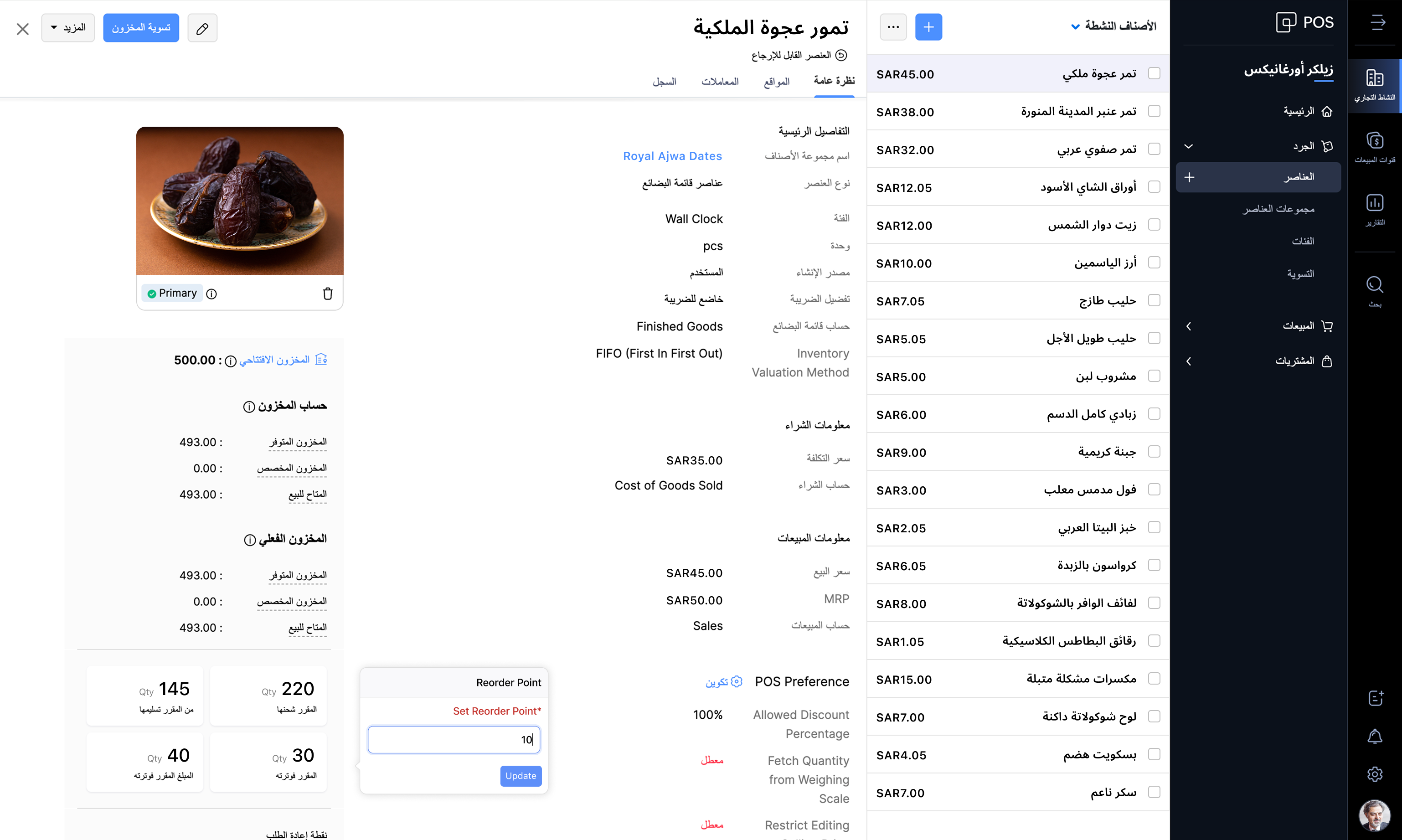
Zoho POS supports the Arabic language along with English, making it easy for businesses to manage operations in the backend and also at the checkout counter. The Windows app also comes with 17 different languages, such as Arabic, English, French, Portuguese, Hindi, Urdu, and so on, personalizing the experience of the salesperson at the point of sale.
Web application
Windows application

Billing made easy
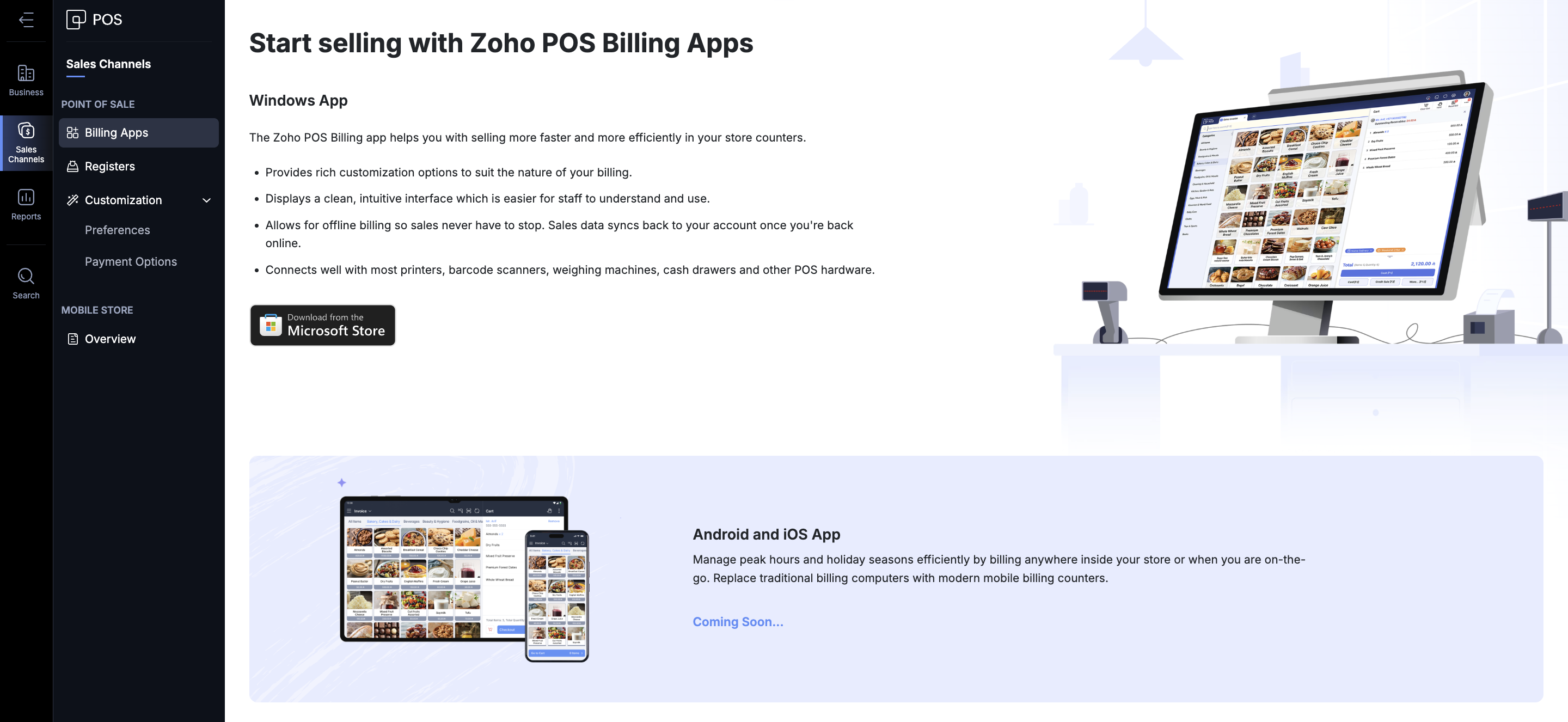
Zoho POS offers various ways in which you can process a sale. You get the Zoho POS app for the Windows operating system, mobile apps for Android and iOS (coming soon), to help speed up sales at the store. You can create invoices, sales orders, process refunds and exchanges, accept payments, and record each transaction. The total sales carried out during a specific time (session) can also be monitored and tracked from the Windows application. The app can be integrated with your hardware components such as scales, cash drawer, pole displays, and printers. Even in the event of an internet disruption, Zoho POS continues to work for you and saves bills offline. Once the internet connection is restored, the data gets synchronized with the web application, ensuring smooth operation at all times.
Stay VAT compliant
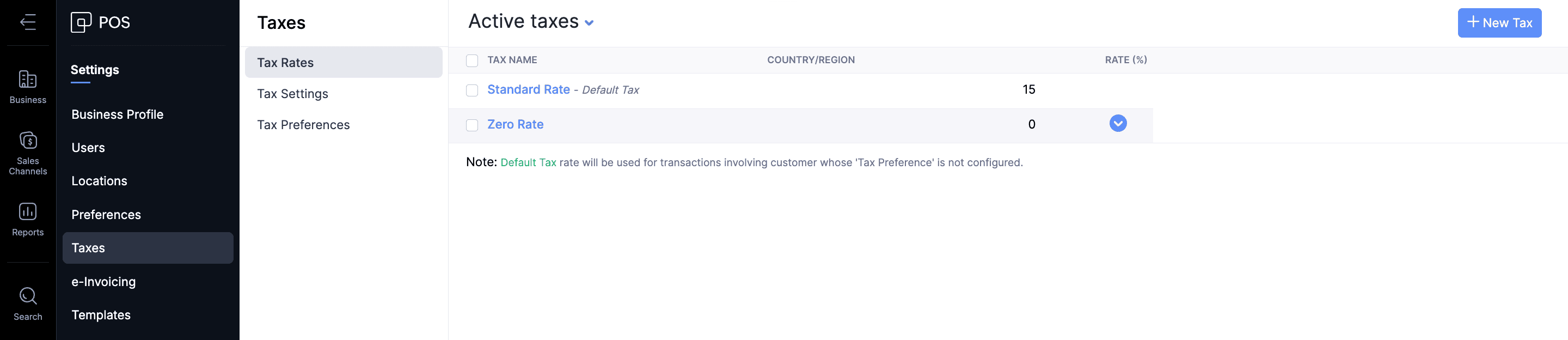
The Value Added Taxes applicable to the products and services offered by businesses can be seamlessly integrated with your sales process in Zoho POS. All tax rate categories, such as standard-rated, zero-rated, and exempt supplies, can be incorporated for the items in Zoho POS, ensuring that your business stays compliant with the regulations.
Create ZATCA-compliant invoices
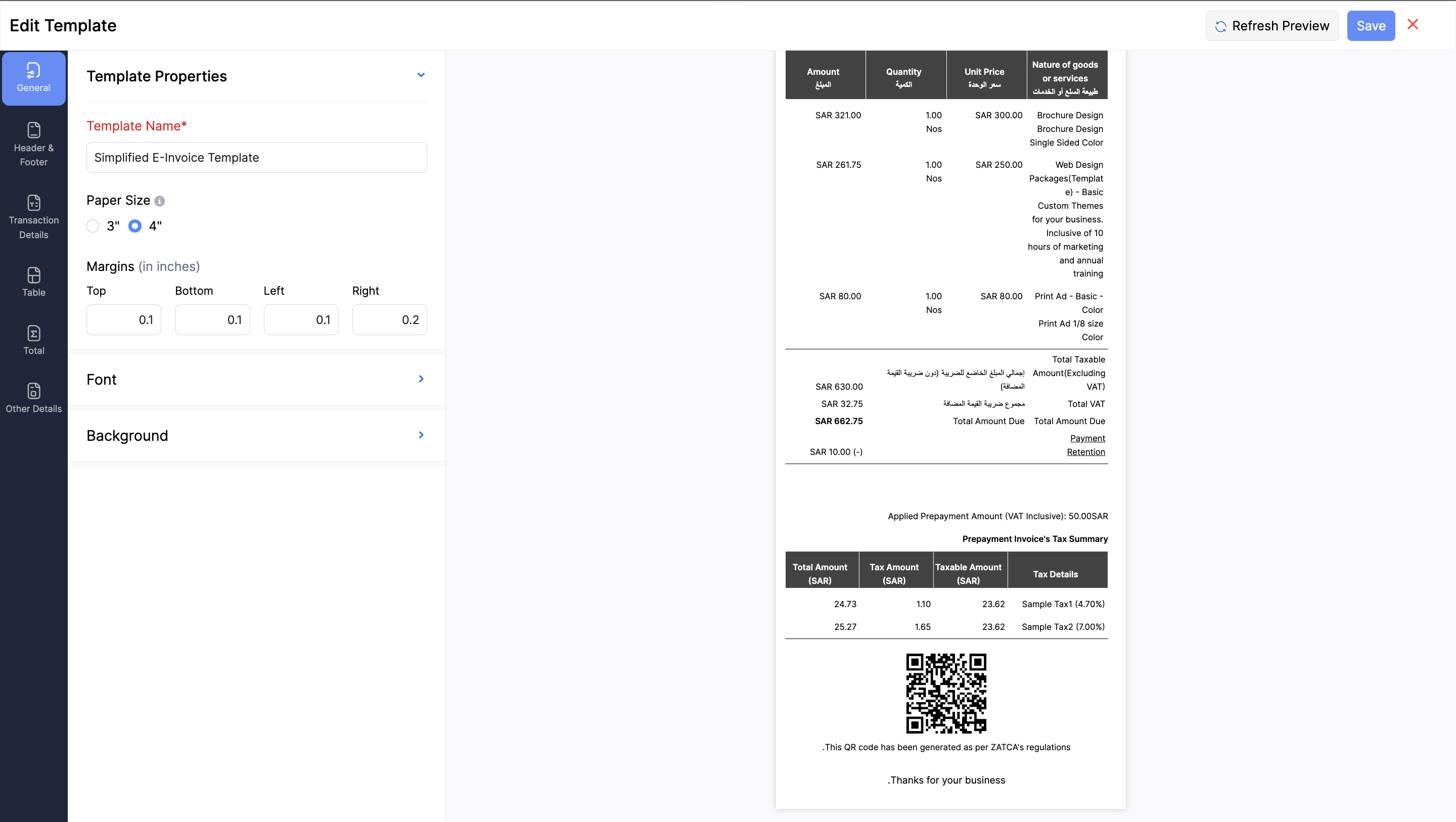
As part of ZATCA's Phase 1 regulations, it's mandatory for businesses serving customers in Saudi Arabia to generate an e-invoice at the point of sale. It should contain all the key information, such as: Retailer’s name, Retailer’s VAT Registration Number (TRN), Invoice date and time, Total invoice amount (including VAT), and the Total VAT amount. Zoho POS is equipped with everything you need to stay compliant with these regulations by helping you generate e-invoices in Arabic, with QR codes that contain all necessary information.
Monitor your business performance anytime, anywhere
For any business, monitoring key performance indicators is important to understand and make crucial decisions regarding various processes involved in your business. This becomes tricky when you are on the move. We aim to address that difficulty with the help of the Business Manager app for Zoho POS, which lets you track all the important business metrics from the palm of your hand, wherever you are. The web application also comes with in-depth reports and dashboards to stay on top of sales, inventory, payments, purchases, and so on.

Expand and manage multiple locations
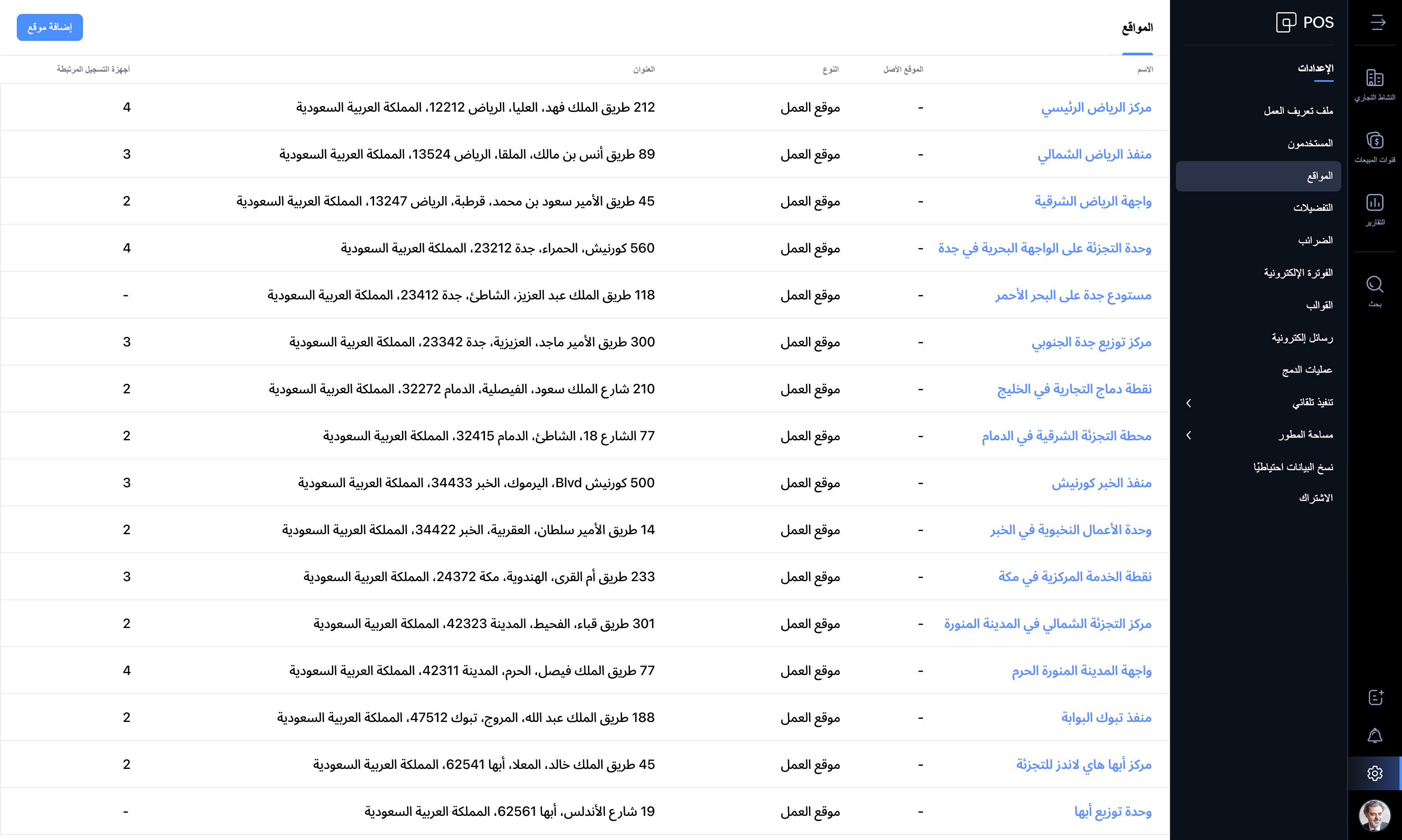
Businesses of all sizes can make the best use of Zoho POS, and the best part is that it grows with your business. When you have businesses in multiple locations, Zoho POS acts as the central hub, managing the inventory, purchases, and sales. You can create multiple locations, and the stocks can be adjusted seamlessly across all locations.
Zoho POS offers everything you need to manage your retail store operations seamlessly. We're updating the product every month with features and enhancements for continuous improvement. Check out Zoho POS's release notes.
Get started with your 15-day trial today.
Have questions? Reach us at support-gcc@zohopos.com
Thank you!
Topic Participants
Arun Kumar V
Recent Topics
Introducing Data Bars: Graphically represent changes in data within the cells
Conditional formatting has helped millions of spreadsheet users analyze and highlight their data more efficiently. In addition to the classic rules, color scales, and icon sets available in Zoho Sheet, you can now apply Data Bars, a convenient methodDefault Font Size in Desk
How do I set my default font size in Desk? It takes me about 45 minutes to find the place to set it, then, when I sign out of Zoho and log back in, it's back to font 10 again. Seems like this would be simple, but like everything with Zoho, it's buriedTip #19 - Create checkbox tracker in your spreadsheet
Hello Sheet users! We are here with yet another tip to help you get the most out of Zoho Sheet. Spreadsheets can be used to handle a variety of tasks, but ever tried using checkboxes to track the progress of your action items dynamically? Here's a sampleTip #20 - Three things you probably didn't know you can do with picklists
Hello Zoho Sheet users! We’re back with another quick tip to help you make your spreadsheets smarter. Picklists are a great tool to maintain consistency in your spreadsheet. Manually entering data is time-consuming and often leaves typos and irregularPer Level Approval for admins
We need Process admins like Zoho CRM in Zoho Books for per stage approval Currently in books, admins only have the option for Final Approval But for example, in cases like when an employee is on leave, we can't just approval one level we only have optionFeature enhancement: Highlight rows based on a cell value
Hello Sheet users, We're excited to announce a new feature enhacement, shaped directly by your valuable feedback! As you might know, conditional formatting is a great tool for anyone dealing with large data sets. Previously, if you’ve ever wanted to drawUpdating custom fields in Zoho Projects
Hi I am wondering if anyone has experience with custom fields in Zoho Projects. I am struggling to update the field using either deluge or the api endpoint. My code is: //custom_Map = map(); custom_Map = {"UDF_DOUBLE_1":"0.27"}; update_Map = map(); update_Map.put("custom_fields",custom_Map.toList());Markdown for Desk?
Hi, my company wants to use markdown for formatting text in Desk (in all modules there, especially Tickets and Helpcenter). Zoho already offers use of markdown in several products (see https://help.zoho.com/portal/en/kb/backstage/microsite-guide/formatting-with-markdown/articles/formatting-with-markdo)Change Currency symbol
I would like to change the way our currency displays when printed on quotes, invoices and purchase orders. Currently, we have Australian Dollars AUD as our Home Currency. The only two symbol choices available for this currency are "AU $" or "AUD". I wouldCalendar not working
Are we the only ones. On any browser we cannot click on any of our calendar appointments and get them to open. They just make the browser loop. WE have reached out and have been told they are working on it. The office staff are really stuck. The pointWhatsApp Message Template Quick Reply Buttons
Hello, I created my first Message Template to overcome the 24-hr messaging window and it was approved by WhatsApp/Meta. When I go to Meta, I also see that template brought from Zoho Desk, and used it via Zoho Desk IM. However, I notice that when in Meta'sAccount in Quick View Filter
I have a report that I often run against a specific Account. Every time, I have to go into the edit menu and change the Advanced Filter. I would prefer to use the Quick View Filter, but it does not allow me to use the one and only field that makes anySet Display for Numbers/Currency/etc with Client Script/Customization in Canvas List Page
Is it possible to set a display mask for a number/currency field using Client Script or customization? I have custom fields that I would like to keep the decimal places for calculation purposes, but do not need them displayed to the user. So 101.3568136.143.188.51 blocked by spamcop
Zoho mailserver seems to be blocked by spamcop. Cant send mail to my customer. Not sure what to do.🚀 WorkDrive 5.0: Evolving from a file sharing app to an intelligent content management platform: Phase 2
Hello everyone, WorkDrive's primary focus has always been to provide an intelligent and secure content management platform, simplify collaboration, and be the central repository of files for all Zoho apps. In our previous announcement, we unveiled thei keep see there is a connetion issue connecting 3rd party api on zoho when using zia
hi there , i have set up open ai api to zoho zia (copied and pasted to zoho zia) but I keep getting notificaiton "there is a connetion issue connecting 3rd party api on zoho" when using zia on top when click zia and try to type in word thereDeleting Fields in CRM Deletes Views in Analytics
Hey friends! I'm having some issues when we modify some fields within ZohoCRM. There are times where we need to sunset a field and eventually completely remove it. In these instances, it seems like a lot of views are removed in Analytics. This rangesZoho Desk Android and iOS app update: Access multilingual templates on the IM module
Hello everyone! We have introduced multilingual templates on the IM module of the Zoho Desk mobile app allowing you to send IM template messages in translated versions. iOS: Android: Please update the app to the latest version directly from the App Store/Does Zoho offer a full WhatsApp Marketing Platform (like WATI / GallaBox)?
lm exploring WhatsApp marketing and I’d like to understand what options are available within the Zoho ecosystem. Currently, I see: Zoho SalesIQ has a broadcast option, but it seems very limited — for example, it doesn’t support uploading contacts viaCustom buttons
Getting Error "You can only create 10 custom buttons per module" ! I already have more than 10 for 1 module before trying to create another. Is this a new restriction brought about by the all knowing what's best for businesses Zoho guru ? It would beThe Social Wall: October 2025
Hello everyone, As we head toward the end of the year, we’re bringing you a few updates to help give your social media efforts a strong finish. This month, we’re rolling out new enhancements across both the web and mobile app. Post Preview Have you everClient Script | Update - Support for List Page (Canvas) and Notes
Hello everyone! We are glad to announce two exciting updates in Client Script. Client Script support for List Page (Canvas) Client Script support for Notes These open the door to more dynamic and interactive customizations! 1. Client Script support forPincode Based Pricing
We want to give extra discount to customers within city limits because our shipping and packing costs are less. My proposal is assign list of pincodes to price list and assign the price list to customers whenever they sign up with pincodes. Also showfeature question: lookup field in Projects task layout
Hello, Below we have interface to configure a custom task layout, however, we need a lookup field to let pickup data from other apps, such as Zoho CRM Products module, is that possible or already in your roadmap? or a workaround to achieve it? Thanks in advance.What's New in Zoho Analytics - October 2025
Hello Users! We're are back with a fresh set of updates and enhancements to make data analysis faster and more insightful. Take a quick look at what’s new and see how these updates can power up your reports and dashboards. Explore What's New! ExtremeZoho Analytics & SQL Server - Live connect
Below are the steps I did Created a fresh database and table in my own virtual server Created a new data source connection with live connect I was able to select the tables and created the data source successfully I am getting the error when I try toExplore the Redesigned Quotes Module in Zoho Billing
Dear users, We’re excited to introduce a refreshed look for the Quotes details page in Zoho Billing! This update brings you a more efficient user interface experience without changing your existing workflow. We've enhanced layouts with organized tabs,Latest updates in Zoho Meeting | Create departments, Share PDF files
Hello all, You can now create departments to group team members within your organization. This will make it easier for you to organize department-level meetings and invite members. In webinars, use the Share material feature to share PDF files directlyUnify All Zoho Video Meeting Experiences into One Standardized Platform
Hi Zoho Team, We would like to share an important user experience concern regarding the current state of video meeting functionality across the Zoho ecosystem. The Problem Within Zoho, there are multiple ways to initiate or schedule a video meeting: ZohoImport VAT Kenya
Hi. I am quite lost on how to account for VAT when importing. We are an import and distribution company and when importing we get a customs entry with VAT which we pay and claim for this VAT as we do our monthly sales. My question is how to record this[Free Webinar] Product Updates: Quick Catch-Up Session - Part I - Creator Tech Connect
Hello Everyone! We welcome you all to the upcoming free webinar on the Creator Tech Connect Series. The Creator Tech Connect series is a free monthly webinar featuring deep-dive technical sessions designed for developers, administrators, and app builders.Project expenses in Zoho Books
Just the way timesheet is used to calculate labour cost for a particular project, how do i record other expenses against a project such as materials and consumables used for the project? So that under report, I can view the total amount expended on eachBlueprint status change
I want to change the Blueprint status of a workflow. The status is completed automatically when I added the record through API call. But I want to make it active, I don't see any options for this. Even if I draw transition from any stage , it is not visibleWhat is going on with GMail extension.
Suddenly, it is popping up and saying "Please wait while we work our magic... 10%" and it sits there. Yesterday I waited for an entire hour call and it never got further. Today, it's not resolved. Is there a fix I can do? I've tried all the typicalMarketing Tip #6: Cross-sell with related products
Don’t let customers stop at just one product. Suggesting related or complementary items improves the shopping experience and increases order value. Try this today: Use the Item Recommendations feature in Zoho Commerce and add two to three suggested itemsi cannot use <b></b> to bold the message in Creator C6!!!!???What?
Dear experts and friends, Now Creator 6 blocking us from using <b></b> Anyone facing this issue? I faced it on Creator C6 Previously, it used to work. Now failed to work. Faint~ Seek guidance from everyone on how to bold the message. The super simpleZoho Writer - Option to Export as .zdoc format
I've noticed that it's not possible to export a Zoho Writer Document in the .zdoc format. Isn't zdoc, Zoho Writer's own format? My use case is that I sometimes need to create quite complex documents with floating elements, which sometimes need to become[Announcement] Enhanced Merge APIs of Zoho Writer for automating document generation using Zoho Apps data
Hi users, With the record_id parameter in Zoho Writer's Merge APIs, fields related to the given record id is automatically fetched from the Zoho app. You don't have to spend time manually mapping the records and fields in the Deluge code. Here is a samplePin multiple columns and adjust column widths in CRM subforms
Hello all, Subforms act as secondary forms or tables in which you can associate multiple line items to a primary record and thereby ensure more structured and comprehensive data organization. We've made some recent enhancements to subforms. Here's what's[Webinar] Automate sales and presales workflows with Writer
Sales involves sharing a wide range of documents with customers across the presales, sales, and post-sales stages: NDAs, quotes, invoices, sales orders, and delivery paperwork. Generating and managing these documents manually slows down the overall salesNext Page