Announcing new features in Trident for Mac (1.37.0)
Hello everyone!
We’re excited to introduce the latest updates to Trident, which are designed to take workplace communication to the next level.
Let’s dive into the details.
Import EML archives directly into Trident.
You can now import EML archives into Trident alongside the existing PST import support. To reflect this, the setting previously known as “PST Files” has been renamed to 'Import Email Files'. EML files must be provided as ZIP or TGZ archives, and once imported, they appear under the 'On my Mac' section without consuming any mailbox storage.

Schedule Cliq meetings in Trident.
You can now plan your meetings in seconds by scheduling Cliq audio and video meetings directly from Trident, right where you’re already working.

Create calendar events with Cliq meetings.
Skip the extra setup when scheduling meetings with Cliq (audio and video), now available as a conference platform for calendar events. This lets you start meetings instantly from the event card, while participants can join via the auto-generated meeting link.

To leverage these new features in Trident, update the app to the latest version by following the steps below:
1. Open Trident.
2. In the system menu bar, click Trident.
3. Select Check for Updates from the menu list.

Don’t have the app yet? Download it from the website and experience a smarter way to work.
Give these features a spin, and let us know your feedback and suggestions in the comments section below. You can also reach us at trident@zohosupport.com.
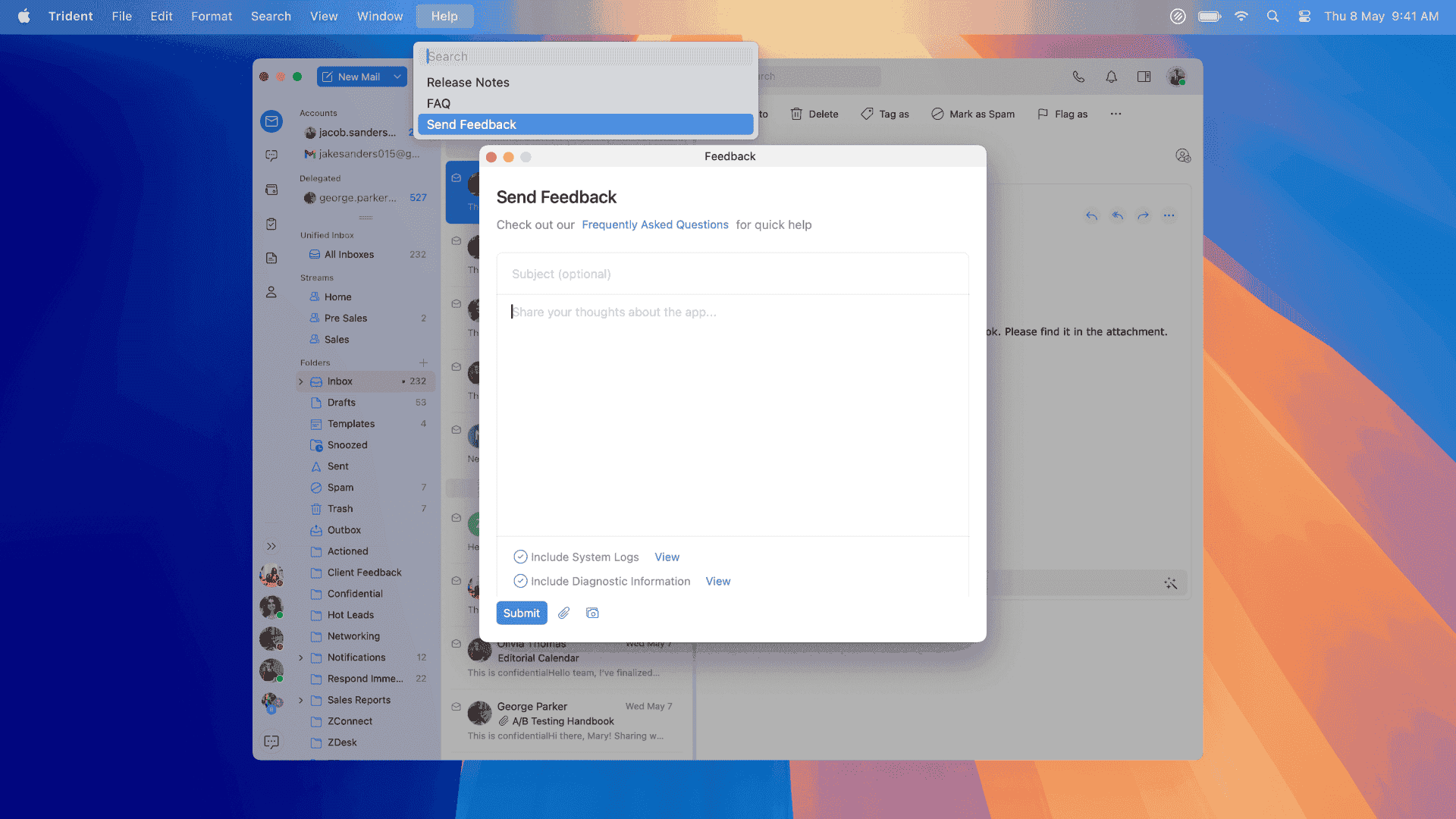
To submit your feedback directly through the app, follow the steps below:
1. Open Trident.
2. From the system menu bar, click Help.
3. Select Send Feedback.
4. In the feedback window, enter the necessary details under Subject and Feedback Content.
5. When you're ready, click Submit.
We look forward to hearing from you!
Until next time,
Sneha