The Social Wall: January 2026

Hello everyone,
We’re back with the first edition of The Social Wall of 2026. There’s a lot planned for the year ahead, and we’re starting with a few useful features and improvements released in January to help you get started.
We’re back with the first edition of The Social Wall of 2026. There’s a lot planned for the year ahead, and we’re starting with a few useful features and improvements released in January to help you get started.
Create a GBP in Social
You can now create your Google Business Profile directly from Zoho Social in just a few easy steps. Google Business Profile is a free tool that helps your business appear on Google Search and Google Maps when people look for products or services you offer. It shows your key details like your name, location, and contact information, making it easier for customers to find and reach you. Add your business details, pin your location, and upload images, and your profile is ready. If you already have a GBP account, simply connect it to Zoho Social and get started right away.

Managing time zone
Managing time zones can be challenging when you’re publishing for multiple brands or working with teams across regions. In Zoho Social, you can choose how your time zone is set so your posts go out at the right time.
You can select from four time zone options:
- Zoho Account Time Zone – Uses the time zone set in your Zoho account. All Zoho apps you use will follow the same time zone.
- Browser Time Zone – Uses the time zone of the device or browser you’re currently on. It updates automatically if you change locations.
- Brand Time Zone – Lets you set a separate time zone for each brand. All posts, schedules, and reports for that brand follow its own time zone.
- Custom Time Zone – Allows you to manually choose any time zone you prefer. This is useful when you want to align posts with your audience’s peak engagement times.
By choosing the right time zone setting, Zoho Social helps you plan, schedule, and publish content more accurately and consistently.

Reacting to Facebook and LinkedIn posts
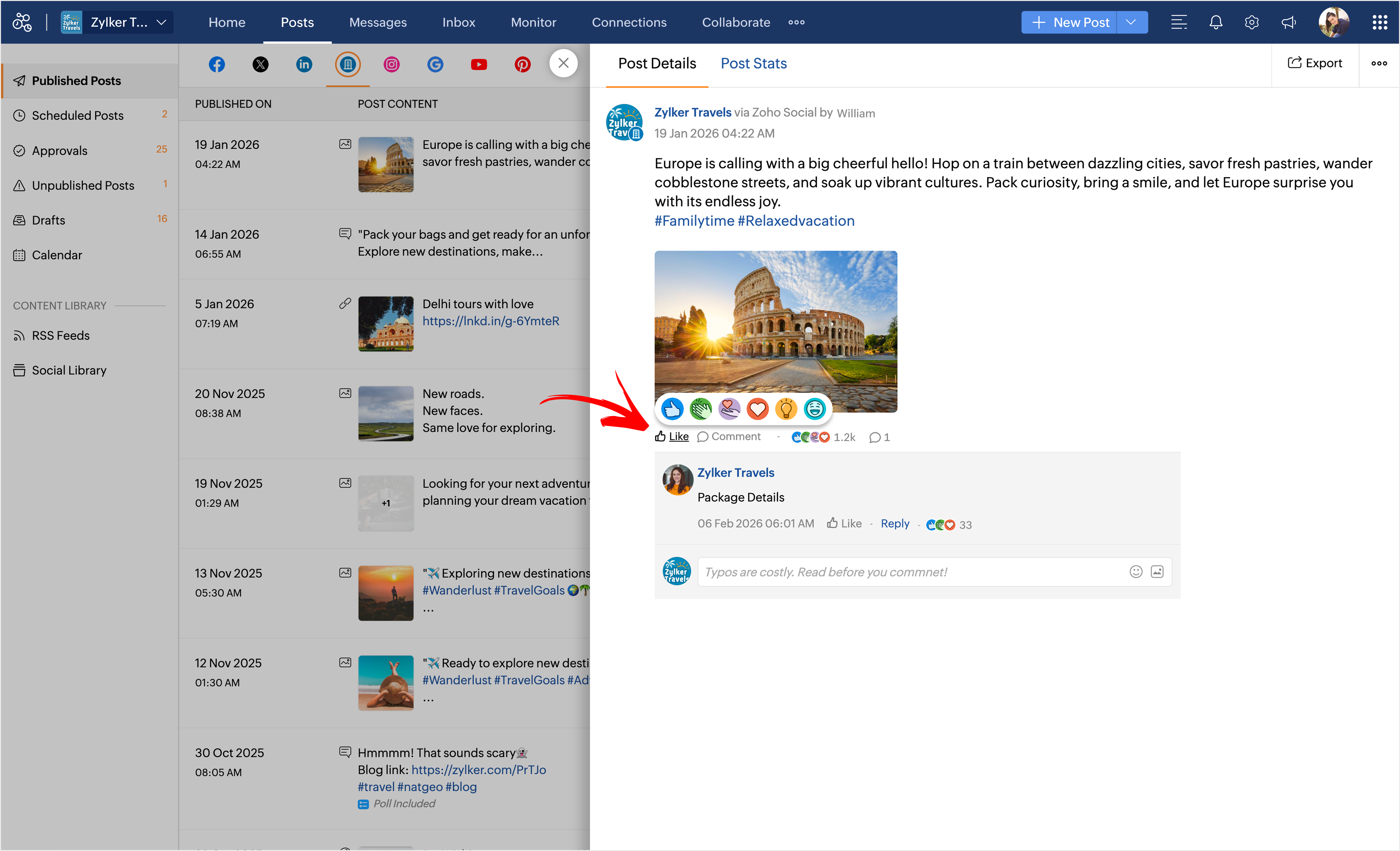
Reactions let people express more than just a “Like”; they play a big role in engagement. In Zoho Social, you can now view reaction counts for posts and comments on Facebook and LinkedIn.
For Facebook, you can see reactions on both posts and comments. For LinkedIn, you can view reactions and also react to posts and comments directly from Zoho Social.
Wherever a Facebook or LinkedIn post or comment appears in detailed view, you’ll be able to see the available reactions. You can also click on the reaction count to see who reacted and which reaction they used.
We hope these updates are useful to you. Stay tuned for more features coming your way.
Thank you!