Onboarding - Preferences
Configure and manage onboarding workflows, including candidate onboarding, employee onboarding, and offer/appointment letter processes. These settings help standardize hiring and ensure a smooth transition from candidate to employee.
The Onboarding Configuration page allows you to:
- Enable or disable onboarding flows
- Enable or disable offer and appointment letter workflows
Enable or Disable Onboarding Flows
You can enable or disable any one of the onboarding flows based on your organizational preferences.

At least one onboarding flow must be enabled.
To enable or disable onboarding flow:
- Navigate to Settings > Onboarding > Configuration > Preferences.
- Click the toggle button next to the onboarding flow that you want to enable or disable.
You cannot disable the onboarding flow in which you have in progress records. For example, if you have initiated onboarding process for several candidates, you cannot disable the related onboarding flow in Zoho People.
Set up Onboarding Flows
To set up the onboarding flow for your organization, refer to:
- Candidate Onboarding Flow
A pre-onboarding flow designed for new hires who have cleared the interview and will be joining your organization. This onboarding flow is initiated before the candidate joins the organization. Candidate onboarding is facilitated through a portal and your new hires will not have access to Zoho People. - Employee Onboarding Flow
An onboarding flow is designed for your new hires who have joined the organization. This onboarding flow is initiated from their date of joining the organization. Your new hire will have access to Zoho People where Employee Onboarding is facilitated.
To learn more about onboarding, refer to Onboarding Service Overview.Enable or Disable Offer and Appointment Letters
Enable or disable the offer and appointment letters feature based on your organizational preference
To enable or disable offer and appointment letters:
Navigate to Settings > Onboarding > Configuration > Preferences
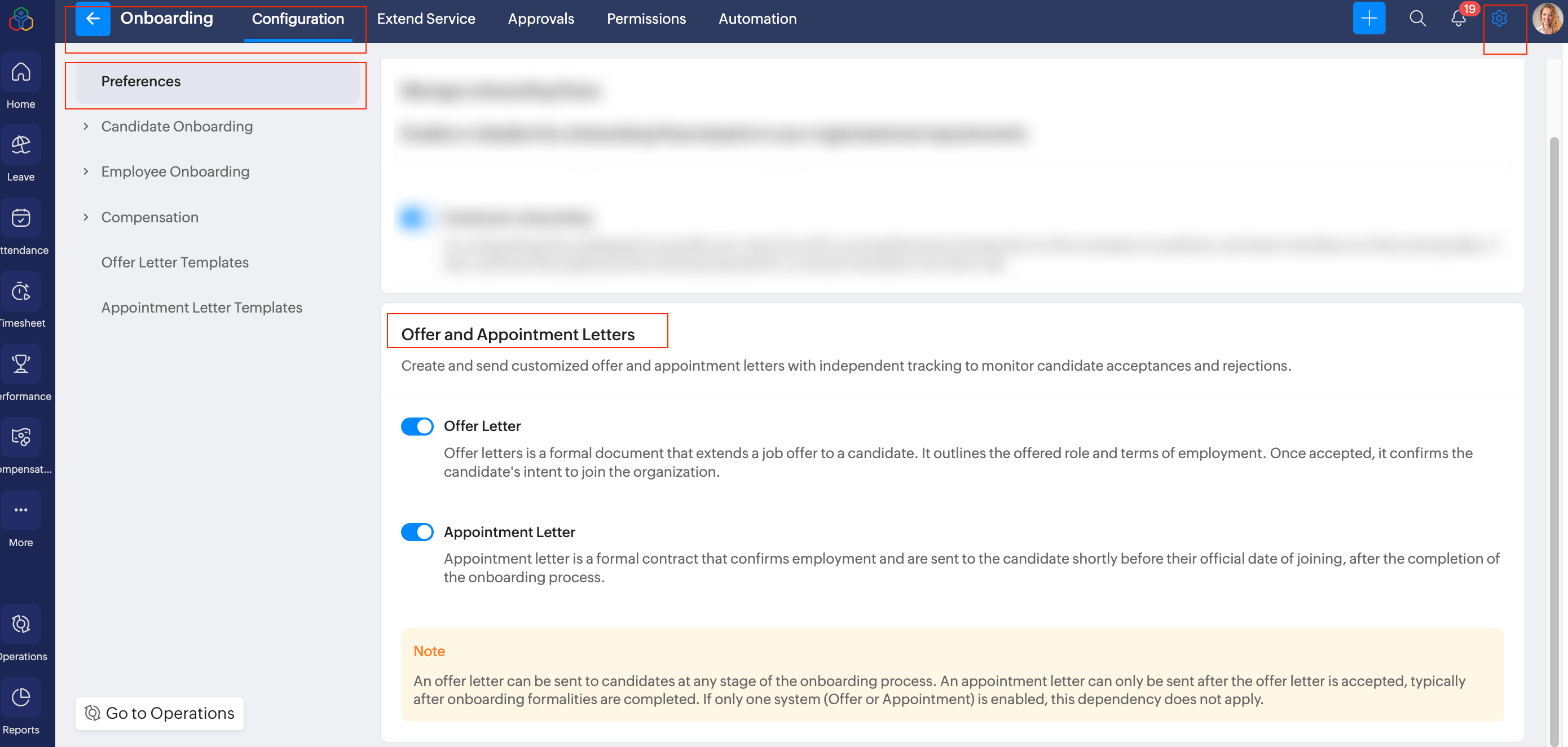
- Offer Letter
Offer letters is a formal document that extends a job offer to a candidate. It outlines the offered role and terms of employment. Once accepted, it confirms the candidate's intent to join the organization. - Appointment Letter
Appointment letter is a formal contract that confirms employment and are sent to the candidate shortly before their official date of joining, after the completion of the onboarding process.
To configure offer and appointment letter, refer to Offer and Appointment Management in Zoho People.

Note:
An offer letter can be sent to candidates at any stage of the onboarding process. An appointment letter can only be sent after the offer letter is accepted, typically after onboarding formalities are completed. If only one system (Offer or Appointment) is enabled, this dependency does not apply.