Viewing and managing posts
The Posts tab helps you view, organize, and manage all your social media posts from a single place. You will be able to access the following in the posts tab
- Published Posts
- Scheduled Posts
- Approvals
- Unpublished Posts
- Drafts
- Calendar
Published Posts
In the Published Posts section, you can view all the posts that have been successfully published across your connected social media channels. Each post displays details such as the publishing date and time, the post content, and the performance of the post, such as Engagement Rate and Interactions. You can also use filters to quickly find and analyze your published content.
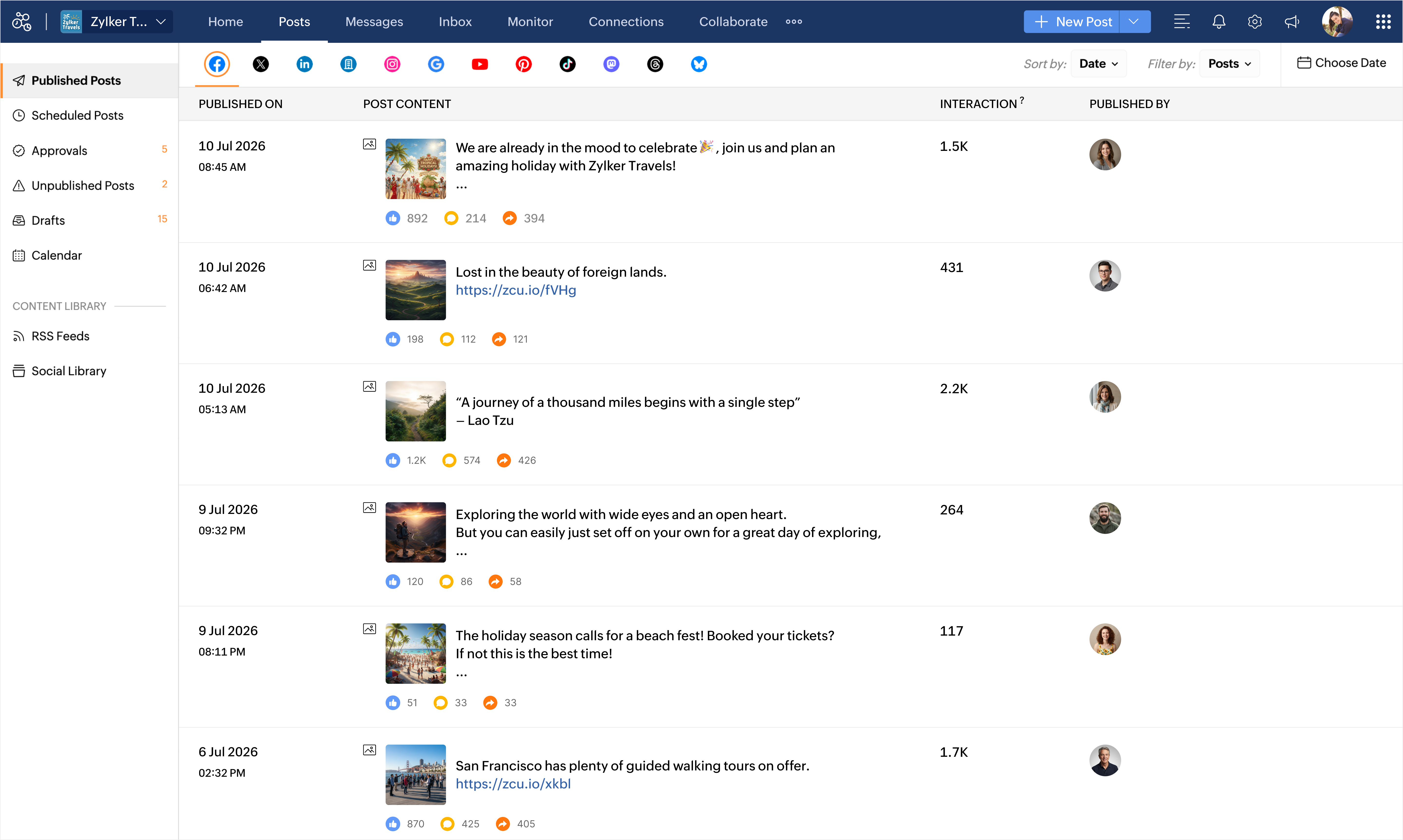
Sort posts
You can sort your posts using the following options
- Date - Filter your posts for a specific time period by selecting a custom date range.
- Likes - Displays posts from the highest to the lowest number of likes.
- Comments - Displays posts from the highest to the lowest number of comments.

Note: You will be able to view Likes and comments data for a maximum of 400 days.
The sort-by option is available for posts published on the following social channels
- X
- LinkedIn Profile
- LinkedIn Page
- YouTube
- Threads
- Bluesky
Scheduled Posts
The Scheduled Posts section displays all the posts that are scheduled to be published in the future. You can view the scheduled date and time, the selected social channels, and the post content. Depending on your permissions, you can edit the post, reschedule it, publish it immediately, discuss it with your team using the Collaborate tab, or delete it before it is published.
Approvals
The Approvals section lets you manage posts that are part of your approval workflow. Here, you can view posts approval status and assigned reviewers. Users with the required permissions can review, approve, reject, or provide feedback on posts before they are published.
Unpublished Posts
The Unpublished Posts section displays posts that could not be published successfully. Publishing failures can occur for reasons such as disconnected social media accounts, expired authentication and so on. You can review the reason for the failure, resolve the issue, and then edit, reschedule, or publish the post again.
Drafts
The Drafts section contains posts that have been saved but not yet scheduled or published. Drafts allow you to continue working on your content at any time. Depending on your permissions, you can edit the content, discuss it with your team, schedule it for publishing, or publish it when it's ready.
Learn more about editing drafts
Calendar
The Calendar provides a visual overview of your publishing schedule across all connected social media channels. You can view your published and scheduled posts by day, week, or month, making it easier to plan your content calendar.
Note:
- Users without publishing permissions can view post previews and discuss posts in the Collaborate tab, but they can't edit, schedule, or publish posts. By default, Brand Admins and Portal Admins can edit and publish all scheduled posts.