| Field type |
Description |
Possible values in the data source |
Rendered as |
Notes
|
| Plain Text |
The value of the field is placed as a string in the document. |
“test” |
“test” |
Select the field in the document and format the text using the editor. |
| Multi-line Text |
Text spanning multiple lines is handled as multi-line data |
“test
input” |
“test
input” |
|
| Checkbox |
The checkbox appears checked or unchecked depending on the data source value. |
TRUE | true | Yes | 1 for checked
FALSE | false | No | 0 for unchecked |
☑ | ☐ |
|
| Image |
Image fields in the data source are merged directly into the document as image elements |
URL of the image src |
 |
You can set aspect ratio and size for the image in the editor. |
| Link |
The URL in the data source is placed as a clickable link in the document. |
http://zoho.com/writer |
http://zoho.com/writer |
Click on the value column to create dynamic links with other merge fields. |
| Rich text |
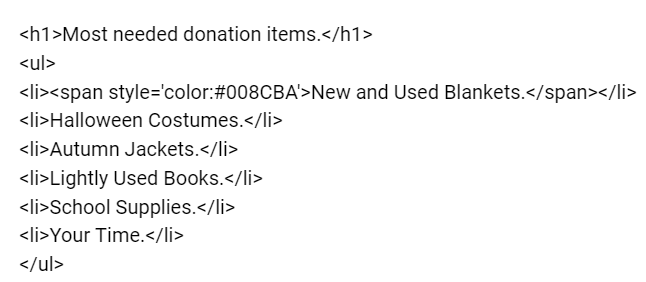
HTML values of the data source are rendered in the document. |
 |
 |
|
| Number |
Numeric values can be placed in the document. |
100.234 |
100
100.23 |
Click "Format" column to set the desired format for the numbers. |
| Email | Phone |
An email id or a phone number can be inserted in the document. |
director@catsye.com
044 6744 7000 |
director@catsye.com
044 6744 7000 |
|
| Date |
The value of the field is represented as a formatted date in the document. |
24/04/2020 |
24/04/2020
or
24 April 2020 |
Refer help to learn how to configure the date fields. |
| Image List |
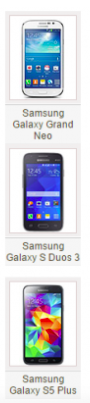
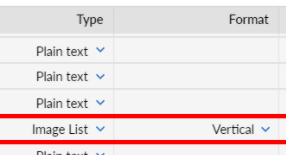
Comma separated image URLs can be placed horizontally or vertically as an image list. |
[imageurl1,imageurl2,imageurl3] |
 |
 |
| List |
A comma separated value in the data source can be added as it is or as a vertical bullet list. |
item 1, item 2, item 3 |
Comma separated list: item 1, item 2, item 3
or
Vertical list:
|
|
| Embed |
The URL value in the data source is embedded in the document as an iframe. |
http://mysite.com/profile/ UserID |
 |
Click on the value column to make the URL dynamic by placing merge fields in the URL. |
| Barcode |
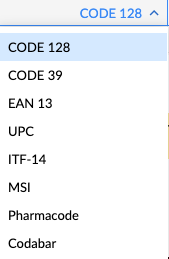
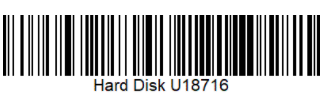
The value can be merged as a Barcode based on the selected code.
 |
|
 |
|
| QR Code |
A high-quality QR code can be added based on the specific field value.
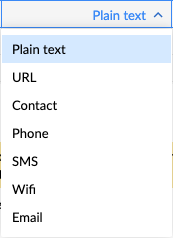 |
QR code data can be a plain text, a web link, a text message, an email, or a business card. |
 |
|
| Map |
Convert addresses and location latitude or longitude in the data source to an embeddable map of the location post merge. |
10 Downing Street, Westminster,London,SW1A |
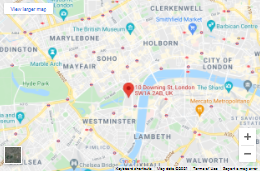 |
When the merged document is printed, the embedded Google Maps link is converted to an embedded image. |
|
AutoNumber
|
Autonumber automatically increments for each record
|
|
|
Ex Generating invoices with multiple line items per customer with each row having serial number automatically assigned
|