Narrative 3 - Comprehending User Management
Behind the scenes of a successful ticketing system - BTS Series
Narrative 3 - Comprehending User Management
Managing Agents
Tasks
- Replying to tickets and tracking them.
- Answering customer calls.
- Offering live chat support or connecting with customers on social media platforms.
- Preparing a knowledge base of troubleshooting solutions for quick reference.
Actions
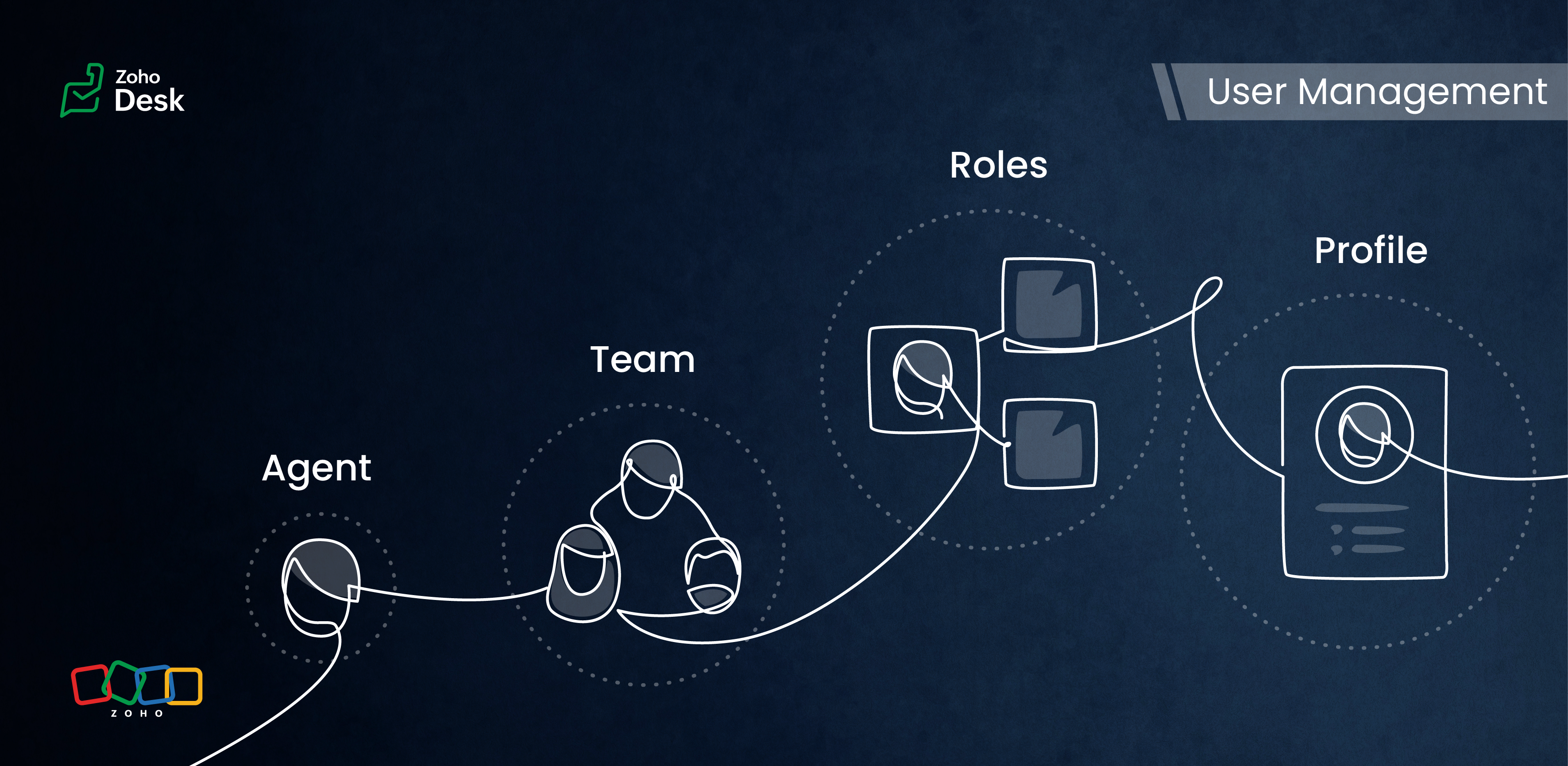
Inviting your team as agents in Zoho Desk with the correct permissions and access roles is the first step to getting them on board with the ticketing system. Each agent is assigned a role and a corresponding profile. The role follows the organisation’s hierarchy and can be set up in the Zoho Desk account. This defines access to the data in Desk. The profile, meanwhile, determines which features can be accessed and what actions a user can take in the Desk account.
Managing Teams
Teams consist of agents who allocate tasks based on traits, such as skills, job roles, locations, interests, and expertise. The makeup of these teams can change depending on business needs and support processes. They often include sub-teams and individual agents with specific roles.
Teams are essential for managing daily operations well. They help handle tickets and divide up tasks, events, and calls by routing them to the proper associates.
For example, a specialized team can include agents with extensive experience in meeting the needs of enterprise-level business customers. This dedicated team can manage all aspects of customer support, from onboarding and implementation to ongoing assistance after implementation. This ensures that inquiries from enterprise customers are addressed with skill and care.
By using team-based support services, organizations can ensure that their customers receive quick and focused responses.They can also provide tailored solutions that meet customers' specific needs and challenges. This approach improves the overall customer experience by promoting quick communication and delivering effective resolutions.

- Teams are designated for specific departments, meaning that only agents affiliated with a given department can join its teams.
- A team may include up to 100 agents and can comprise a maximum of 50 sub-teams or 20 roles.
- Every department is allowed to have up to 60 teams.
- Teams can encompass agents, sub-teams, agents assigned to a particular role, and the associates of those agents.
- It’s not required for every agent to be part of a team, and agents are permitted to belong to multiple teams, whether within the same or across different departments.
Roles & Profiles
Roles refer to the specific functions or responsibilities assigned to users within the system. They determine the level of access and the types of actions an agent can perform.
For example, a support manager needs access to all the tickets that their team agents work on, while support representatives typically only need access to their own tickets and, at times, their peers' tickets.
Profiles group agents with similar access levels and permissions. They define the settings and configurations that apply to each role. For example, a profile for agents might allow them to view all tickets but restrict access to sensitive customer data.
The system predefines the profiles listed, and they cannot be modified directly. However, you can adjust the permissions associated with these profiles to suit your needs better.
- Support Administrator
- Agent
- Light Agent
Conclusion
User management helps organize workflows by clarifying responsibilities and allowing users to concentrate on their tasks. By managing agents and teams and defining roles and profiles, you can make sure that sensitive information is only available to those who need it.
Overall, effectively managing roles and profiles in a ticketing system improves both security and operational efficiency.
Please stay tuned for more Desk behind-the-scenes series.
Regards,
Kavya Rao
The Zoho Desk Team

Also read:
Behind the scenes of a successful ticketing system (BTS Series)
- Narrative 1 - The significance of a business account
- Narrative 2 - Understanding Organizational Departments
The Wheels of Ticketing Series
- Eighth Insight - Oversee module relationships with Lookups
- Seventh Insight - Organize your data using Modules
- Sixth Insight - The Hidden C in Data
- Fifth Insight - Maximize the role of Departments
- Fourth Insight - The power of Multi-Layouts
- Third Insight - The Importance of Data Segregation
- Second Insight - Let's talk Layouts
- First Insight - Find your Fields
Topic Participants
Kavya Rao Addepalli
Recent Topics
Workdrive backup and default storage selection
Hi community, I have been informed by Zoho that workdrive will be the default storage mechanism for crm and projects. These 2 Apps seem to have different design on how they interact with workdrive for storage. 1. Crm: seems to have files saves at theSync your CRM Tasks with Zoho Projects
Zoho Projects integration with Zoho CRM helps you manage your tasks more efficiently. You can create all project related activities right inside your CRM using this integration. Create new portal or associate an existing portal, add projects to the portal,Tax in Quote
Each row item in a quote has a tax value. At the total numbers at the bottom, there is also a Tax entry. If you select tax in both of the (line item, and the total), the tax doubles. My assumption is that the Tax total should be totalling the tax fromZoho vault filling in a form it's not supposed to fill in
Hey there, I have a problem with ZOHO Vault autofill. In a software package, we have these options: For some reason zoho vault always replaces what's in the top option and fills a 2fa password in there, and then saves that value.. Meaning whatever wasZoho Booking Integration with Desk
Just wanting to share something in case it helps someone else who may run into a similar use case as we did. Issue: Currently, the Zoho Booking integration with desk will drop a comment into the ticket when a customer books a time, however it won't changeLet us view and export the full price books data from CRM
I quote out of CRM, some of my clients have specialised pricing for specific products - therefore we use Price Books to manage these special prices. I can only see the breakdown of the products listed in the price book and the specialised pricing forWorkDrive issues with Windows Explorer Not Responding
We are using WorkDrive to collaborate on editing video content. We have a lot of files and quite a few are a few gigs. Recently anytime I try and work with the files Explorer freezes for a couple minutes whether it's dragging the files into Premiere orSyncing calendar with Google Calendar doesn't work when events are sent to auto repeat
Hi... The ZOHO CRM -- GOOGLE CALENDAR sync is broken. If I create a single event on either side, sync works, but if I create an event with auto repeat on either side it doesn't work. Furthermore, events created before the sync don't show up in the calendar.Organization wide Account and Contacts Visibility/Sharing Capabilities?
Has anyone figured out a way to make visibility or sharing of Accounts and Contacts to be available across the entire organization without having to have every individual user edit their Sharing permissions? For our sales folks they need to be able toWhen Does WorkDrive integrate with Books?
When Does WorkDrive integrate with Books?Quickbooks Integrations Stopped Working
All of our Quickbooks integrations have stopped working. I am checking in to see if: a) this is a known issue b) if anyone else is having this issue. As usual, Zoho support is unavailable.Notification of Interaction Assignment
If a user is assigned an interaction, they should be notified via email. These are almost useless because if I assign an interaction for someone to respond to, they dont know that I assigned it to them without me telling them or them logging in and discoveringCountries List Global Set- Complete with Phone Country Code and Continent.
Dear Zoho Team I saw your recent addition to the Global Sets regarding the Countries list and states. While working on it, why didn't you also add things like Continent and Phone Country Code? Also, some ISO codes from some Countries/regions are misCustom Display Field for Lookup Dropdowns in Zoho CRM
Could Zoho CRM support changing the display field in lookup dropdowns, like Zoho Creator does? This would make it much easier to select the right record by showing a more useful field instead of only the default one. It would improve speed, clarity, andMessage as bot
I would like to be able to send a Cliq message truly as a bot. the current implementation of this function, while it sends the message as a bot it sends that message inside a chat from the user how authenticated the flow cliq connection instead of directlyCustom Button makes scroll bar go down in report
I have a report with a Custom button called Completed. A colleague mentionned to me that when he pressed this custom button it scrolled down the page which is annoying since he want to stay at the same space on the repoort. There is no reload linked toCRM x WorkDrive: We're rolling out the WorkDrive-powered file storage experience for existing users
Release plan: Gradual rollout to customers without file storage add-ons, in this order: 1. Standalone CRM 2. CRM Plus and Zoho One DCs: All | Editions: All Available now for: - Standalone CRM accounts in Free and Standard editions without file storageSee a list of all records enrolled in a cadence?
I am looking for a way to see a list of all leads or contact currently enrolled in a cadence. I do not see any way to do this through the cadence UI.Books <-> CRM synchronisation with custom Fields
Hello, We are synchronising Books Customers with CRM Accounts. In CRM Accounts I set up last year a "segments" multiselect field shown below In Books, I set up a custom multi-select field with the same value as in the CRM And set up the synchronisation inside Books. Want to synchronise the Books Segments with the CRM Segments, but the later doesn't exist, and another non-existing is there ?! First, I don't understand where the field Segmentation is coming from. Second, I set CRM Segmentation to syncTrouble with using Apostrophe in Name of Customers and Vendors
We have had an ongoing issue with how the system recognizes an apostrophe in the name of customers and vendors. The search will not return any results for a name that includes the mark; ie one of our vendors names is "L'Heritage" and when entering theRecording overpayment?
So a customer just overpaid me and how do I record this? I can't enter an amount that is higher than the invoice amount. Eg. Invoice is $195 and he sent $200. He's a reccuring customer so is there a way to record so that he has a $5 advance for future invoice?Introducing the New Zoho Assist Quick Support Plugin
We are thrilled to announce the new Zoho Assist Quick Support Plugin, the upgraded and enhanced version of the Zoho Assist Customer Plugin. This new plugin allows organizations and IT administrators to deploy it directly onto their customers’ devices,Automate your signing workflows with Zoho Sign + n8n
Hello! We're excited to announce that Zoho Sign is now available as a community node on n8n, a popular open-source workflow automation platform used by tens of thousands of teams worldwide. n8n lets you connect apps, APIs, and services through a visualAsk the Experts 27: Onboarding and managing agents
Hello everyone, We are back with our Ask the Experts (ATE) series for 2026. This year, we bring experts to help you address customer support challenges using Zoho Desk. For our first ATE, we are getting into the human side of customer support. "EveryRetainer invoice in Zoho Finance modlue
Hello, Is there a way of creating retainer invoices in the Zoho Finance module? If not can I request this is considered for future updates please.Spotlight #27: Embed visual collaboration Spaces in your presentations using the Vani add-on
Hello everyone! This month’s spotlight feature is the Vani add-on for Zoho Show. Every time you pause your presentation to open another tab or pull up supporting material, you lose a bit of momentum. At Zoho Show, we design features that keep everythingCRM
Is anyone else experiencing this issue? Our company is not moving out of using Gmail's web app. It just has more features and is a better email program than Zoho Mail. Gmail has an extension (Zoho CRM for Gmail) that we're using but we've found some seriousGood news! Calendar in Zoho CRM gets a face lift
Dear Customers, We are delighted to unveil the revamped calendar UI in Zoho CRM. With a complete visual overhaul aligned with CRM for Everyone, the calendar now offers a more intuitive and flexible scheduling experience. What’s new? Distinguish activitiesGlobal Search / Command Palette in Live App
Zoho Creator applications can contain many forms, reports, pages, and dashboards. While navigation inside the app is smooth, users still need to move through multiple menus or screens to find specific records or open particular modules. Currently, inNew 2026 Application Themes
Love the new themes - shame you can't get a little more granular with the colours, ie 3 different colours so one for the dropdown menu background. Also, I did have our logo above the application name but it appears you can't change logo placement positionSmarter appointment allocation with round-robin distribution
Greetings from the Zoho Bookings team! We’re excited to introduce the Appointment Distribution feature, a new way to decide how appointments are assigned among users. By default, appointments are distributed evenly across all event types, but this enhancementA2P 10DLC Opt-in Rejection Issue with Zoho Creator Public Form
Hi everyone, I’m working on an A2P 10DLC SMS campaign and running into repeated rejections due to opt-in issues. I’m using Zoho Creator for the registration flow. The form is public (no login required). Users enter their phone number and there is an uncheckedMake Quick Edits to Images Before Attaching
Hello everyone, We have enhanced how attachments are handled in tickets to help agents preview and share files more efficiently in Zoho Desk. Agents can preview image attachments before adding them to tickets and edit them using attachment annotator.3/18 オンライン勉強会のお知らせ Zoho ワークアウト (無料)
ユーザーの皆さま、こんにちは。コミュニティチームの中野です。 3月開催のZoho ワークアウトの開催が決定しましたのでご案内します。 今回はZoomにて、オンライン開催します。 ▶︎参加登録はこちら(無料) https://us02web.zoom.us/meeting/register/BoNTN7zYR8OvOPGShqBY0A ━━━━━━━━━━━━━━━━━━━━━━━━ Zoho ワークアウトとは? Zoho ユーザー同士で交流しながら、サービスに関する疑問や不明点の解消を目指すイベントです。Incorrect Functioning of Time Logs API (Version 3)
We need to fetch the list of time logs for each task for our company internal usage. We are trying to achieve it by using the next endpoint: https://projects.zoho.com/api-docs#bulk-time-logs#get-all-project-time-logs Firstly, in the documentation theExtend color coding to custom picklist fields
Objectively, Projects has the best UI of any Zoho app — clean, intuitive, and never feels bloated. Big props to whoever owns the design. Feature request: color coding for custom picklist field values in field customization. You've already done it in twoNew in Office Integrator: In-sheet text translation
Hi users, We're pleased to introduce translation capability in the spreadsheet editor in Zoho Office Integrator. This allows you to translate the text in your spreadsheet's cells into 70+ languages from within your web app. Office Integrator's spreadsheetWhat is the best way to convert MSG file to Word format?
The best way to convert MSG files to Word format is by using a reliable and professional tool Aryson MSG file Converter. Manual methods are often time-consuming and may not preserve email formatting, attachments, or metadata accurately. In contrast, ArysonStreamline email communication with Out of Office configuration
Managing user communication effectively is the key to ensuring timely responses and consistent messaging. However, when users are unavailable, the absence of an Out of Office response can lead to delays and missed expectations. Managing these settingsChanging settings for auto logoff
I've noticed that when I haven't used Cliq for a while, I have to re-enter my password. That is really clumsy, especially if you have a complicated password. Because it won't be filled in automatically. Is there a way to change that behaviour? We areNext Page