Zoho One Tips & Tricks 03: Zoho Commerce integraties
Sinds een aantal maanden behoort Zoho Commerce tot Zoho One. Met deze app heb je de mogelijkheid om een webwinkel op te zetten en net zoals met alle andere Zoho-apps is het mogelijk om meerdere apps te integreren. Uiteraard is de vraag, waar begin je? En welke voordelen levert dit op?
Voordeel integraties:
Door deze apps te integreren leg je alvast de basis voor toekomstige activiteiten zoals nieuwe producten toevoegen, je salespipeline managen en je marketing-activiteiten uitvoeren. Zo hoef je niet meer op afzonderlijke apps dezelfde producten toe te voegen, je mailing op te stellen en behoud je het overzicht van je sales en inventaris.
Van alle apps die binnen Zoho One mogelijk zijn, adviseren wij om deze vijf apps als eerste te integreren met Zoho Commerce.
- Zoho CRM
- Zoho Inventory
- Zoho PageSense
- Zoho Markering Automation
- Zoho SalesIQ
Om te beginnen, ga naar Zoho Commerce.
1. Klik op "Settings"
2. Ga vervolgens naar "Integrations"

Zoho CRM:
Met Zoho CRM beschik je over de mogelijkheid om je verkoop te managen. Je kan de app gebruiken om producten en klanten van jouw winkel te synchroniseren in CRM en vice versa.
Voordelen van de integratie:
- Je vereenvoudig je salesproces. Voeg onder andere alle inschrijvingen van jouw online winkel rechtstreeks toe aan CRM,
- Stuur gepersonaliseerde sms-berichten naar jouw klanten wanneer hun bestelling is bevestigd, verzonden of afgeleverd
1. Ga naar instellingen, klik onder Integraties Zoho CRM.
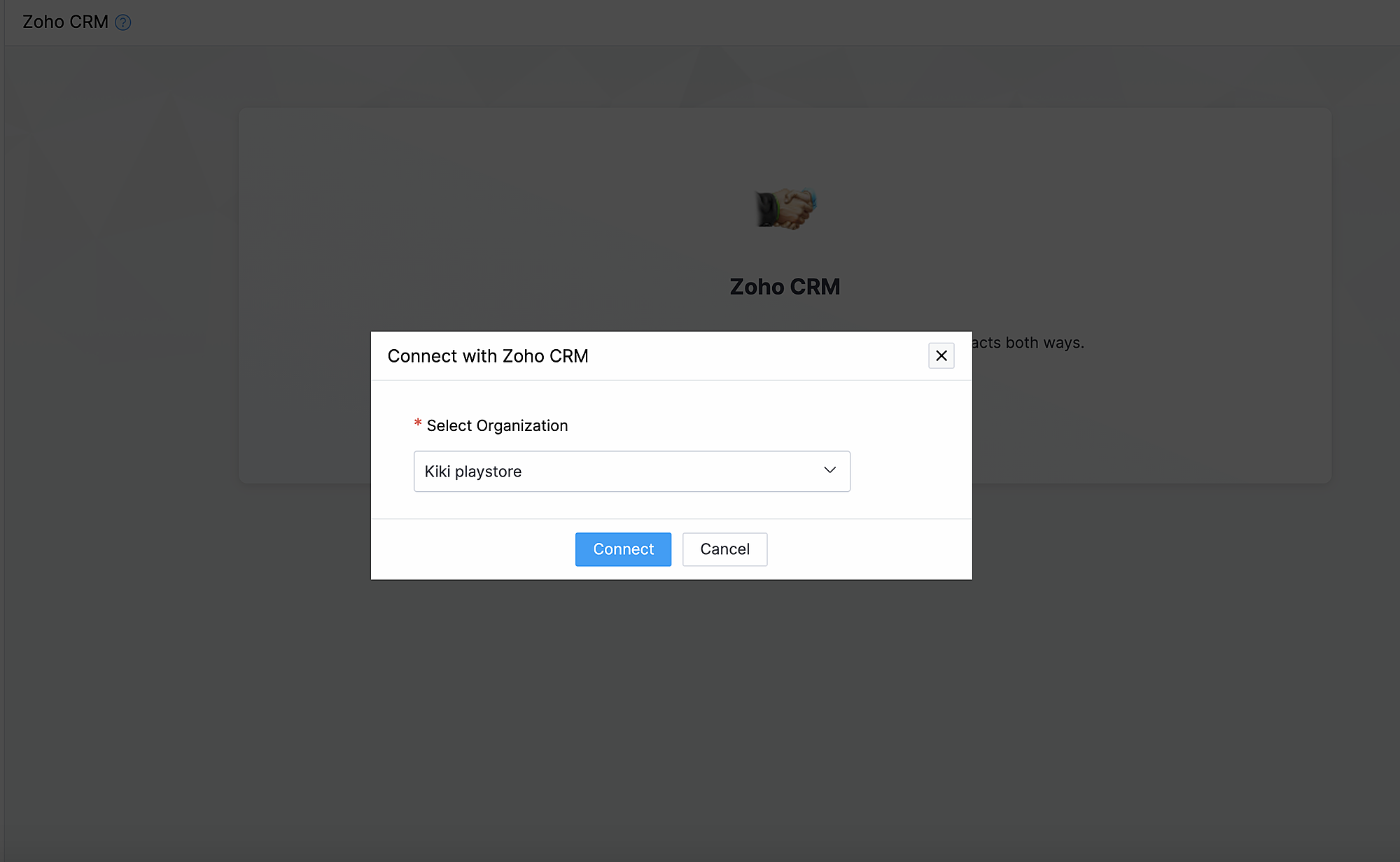
2. Klik op Connect
3. Importeer contacten en producten van Zoho CRM en kies de organisatie van de dropdown.
Synchroniseer contacten.
Met deze functionaliteit synchroniseer je de contacten die je in Zoho CRM heb gemaakt met Zoho Commerce.
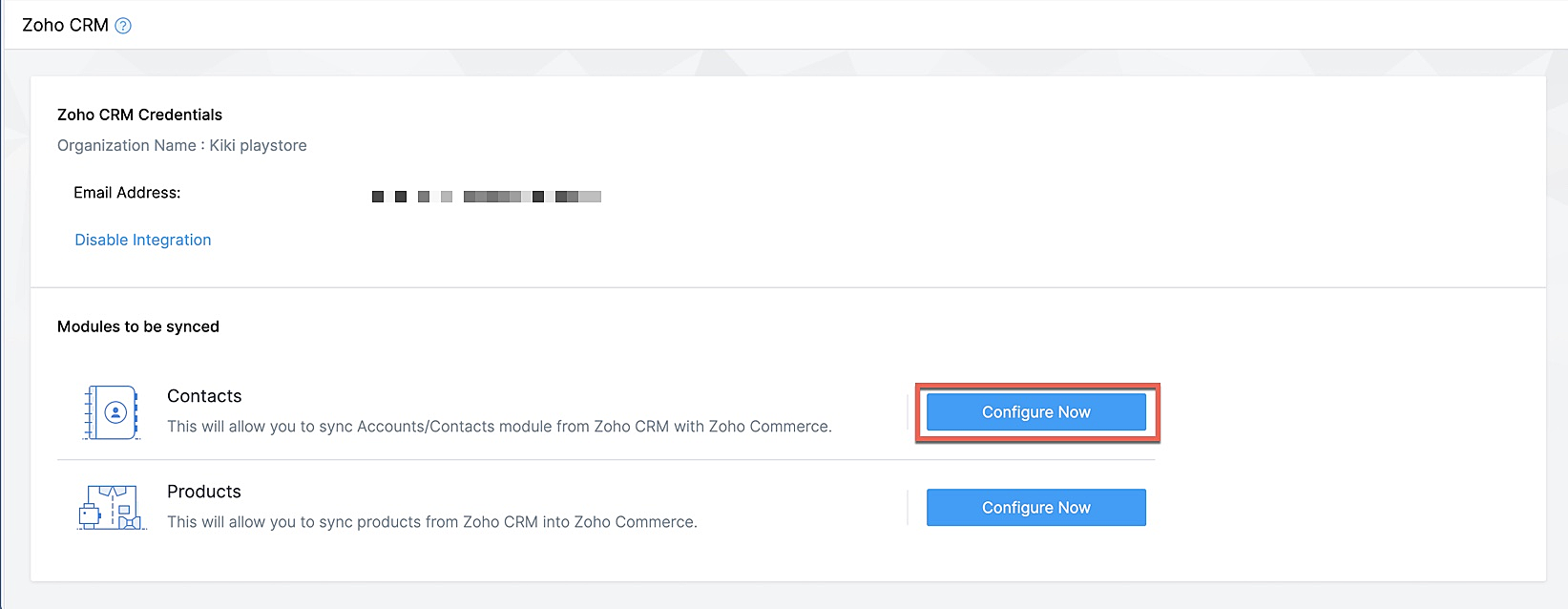
Klik op Configureer nu naast Contact
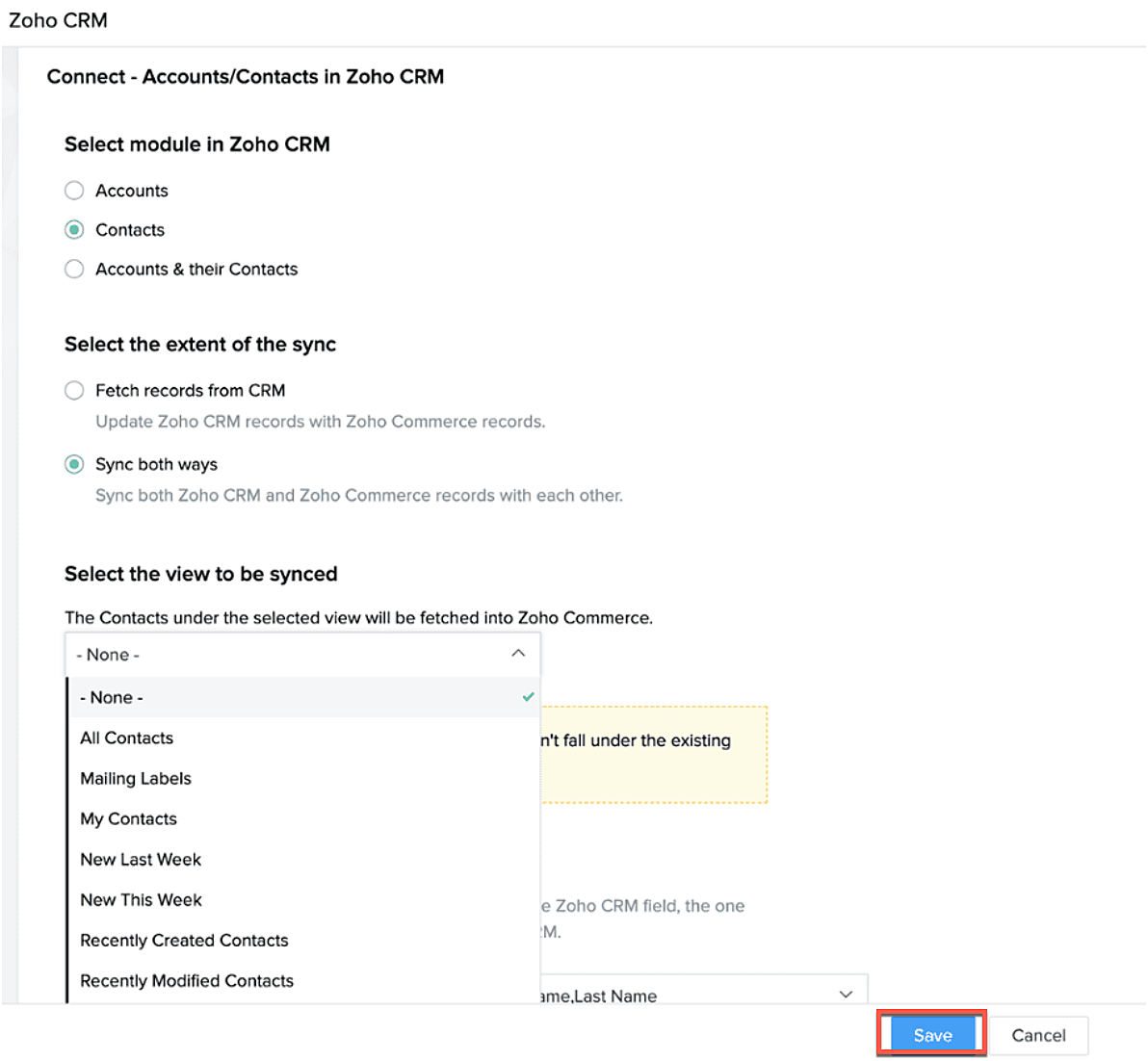
Selecteer de Zoho CRM module die je wilt synchroniseren
Kies tot hoever je wilt synchroniseren.
Selecteer de type CRM view die je wilt synchroniseren.
Producten synchroniseren.
Maak je producten in CRM of in Zoho Commerce? Synchroniseer het met elkaar zodat je ze niet twee keer hoef in te voeren. Klik op deze link om te lezen hoe je producten moet toevoegen in Zoho Commerce.
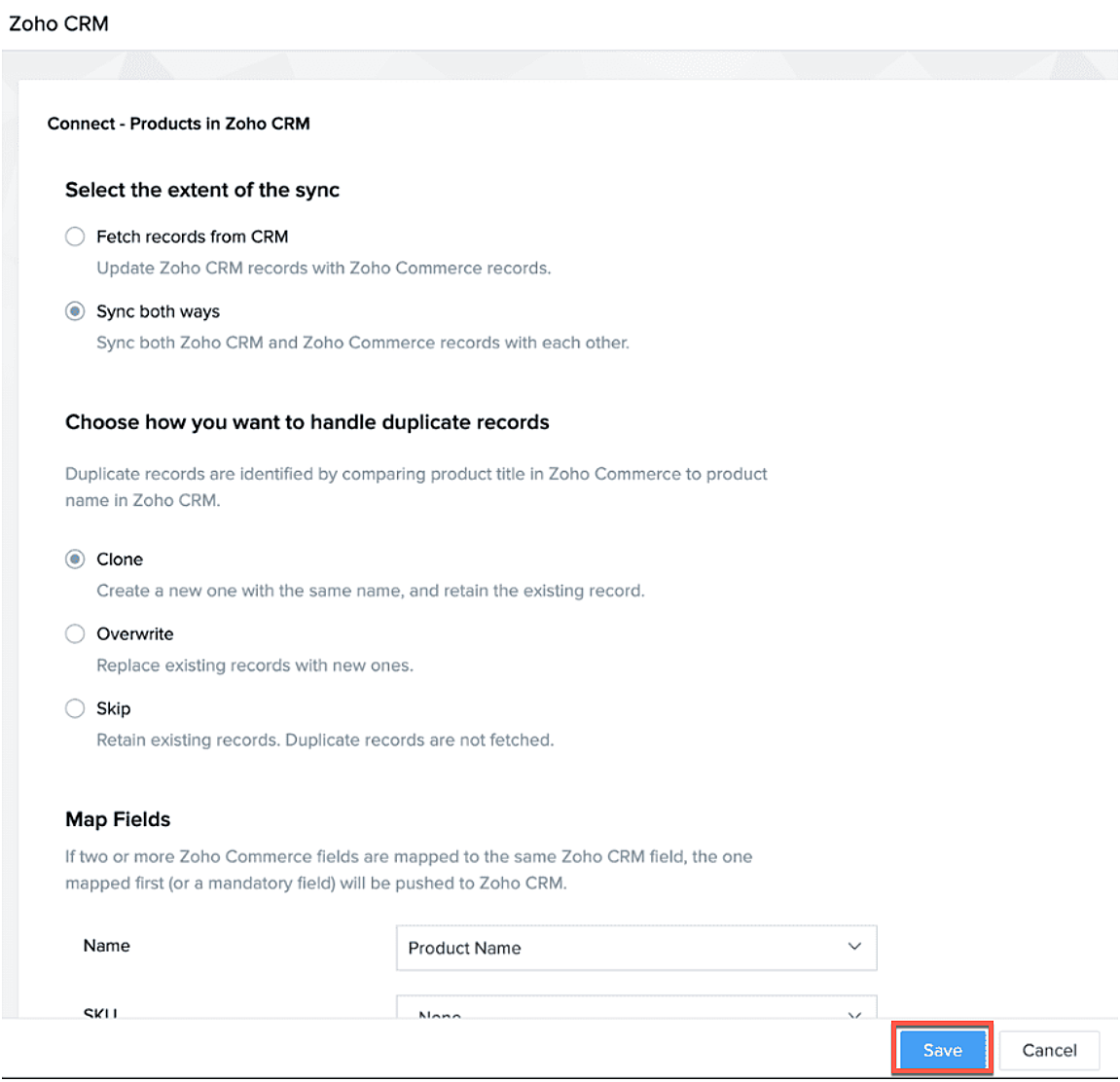
Klik op configureer producten.

Selecteer of je alleen je producten wilt ophalen of je van beide platformen wilt synchroniseren.
Selecteer of je het wilt klonen, overschrijven of na wilt bootsen.
Geef aan waar je het wilt plaatsen zodat Zoho Commerce de velden kan blijven synchroniseren.
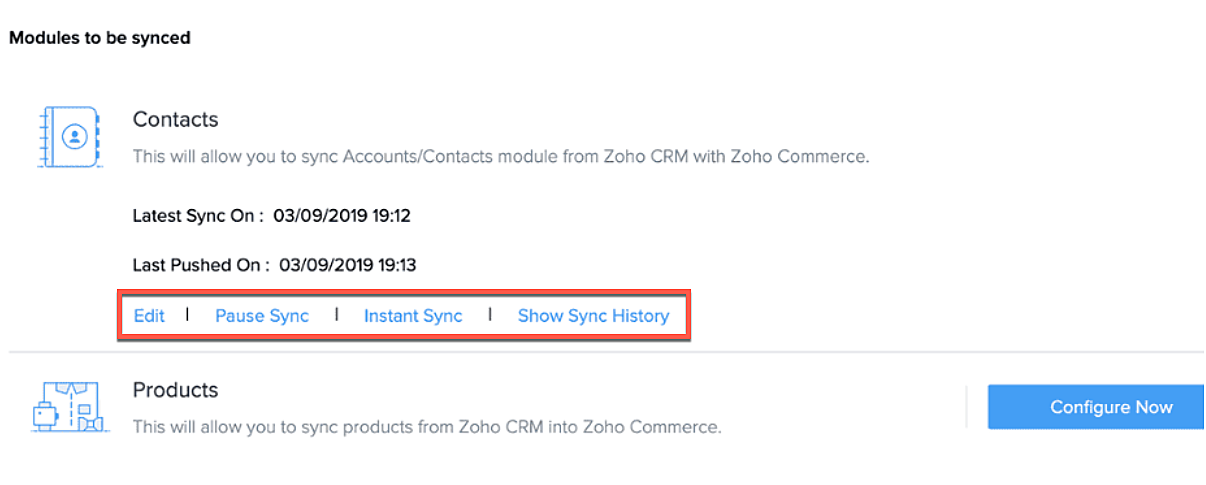
Na synchronisatie kan je de volgende acties uitvoeren.
- Aanpassen
- Pauseer sync
- Instant sync (Handmatig synchroniseren)
- Laat geschiedenis zien.
Formulieren
Je kan ook webformulieren koppelen vanuit Zoho CRM aan Zoho Commerce. Voeg vanuit de sitebuilder een formulier toe die je hebt gemaakt in Zoho CRM.
- Open sitebuilder
- Klik op +
- Selecteer "Forms"
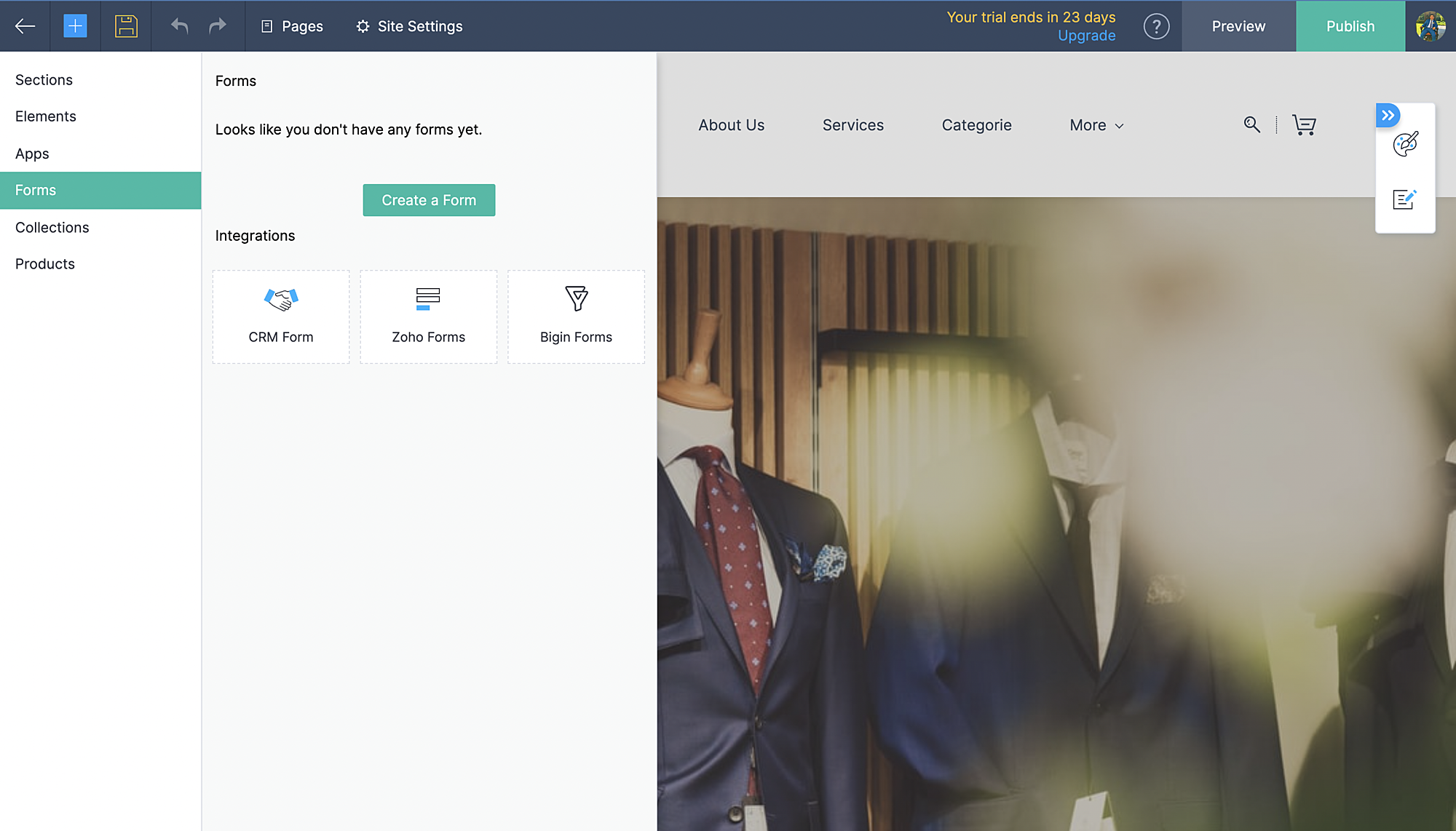
- Kies vervolgens CRM-form en selecteer de form die jij hebt ontworpen in CRM.
- Voeg formulier toe.
- De aanvraag komt vervolgens in je Leadmodule in CRM terug.
Zoho Inventory:
Met de integratie met Zoho Inventory kan je het voorraad- en voorraadbeheer van jouw online winkel naar een hoog niveau tillen. Gegevens van jouw Commerce-winkel worden gesynchroniseerd met je Inventory-account, zodat je naadloos tussen de twee kunt werken.
Voordelen van de integratie:
- Vergemakkelijk jouw voorraadbeheer en bijbehorende activiteiten.
- Houd zicht op leveranciers, retourzendingen en gedane betalingen
- Verruim de mogelijkheden van jouw online winkel
Ga naar instellingen, Zoho Inventory
Selecteer je bedrijf

Alle portal members en guest shoppers worden gesynchroniseerd naar contacten.
*Als je al Inventory gebruikt, selecteer je organisatie vanuit Zoho Commerce en start met je online shop.
Al je verkoop en rapporten worden gesynchroniseerd
Je organisatie profiel wordt geüpdate.
Zoho PaginaSense
Met Zoho PageSense beschik je over de mogelijkheden om de prestaties van je webwinkel te meten.. Zo kan je onder andere A/B tests uitvoeren op jouw winkel en jouw winkel optimaliseren voor verbeterde bezoekersconversies.
Voordelen van Integratie
- Voer A/B-tests uit en begrijp het gedrag van jouw publiek
- Creëer gepersonaliseerde variaties van jouw website voor jouw publiek
- Begrijp waar jouw bezoekers op klikken en optimaliseer jouw teksten en CTA-knoppen
- Creëer trechterexperimenten om te begrijpen waar jouw bezoekers afhaken
Vereisten
Je moet jouw winkel gepubliceerd hebben om de integratie te laten werken.
Ga naar instellingen, kies Zoho PageSense onder integraties
Klik op Access Portal, je wordt doorverwezen naar Zoho PageSense

Maak een portal door op Mijn Spaces te klikken rechts bovenin.
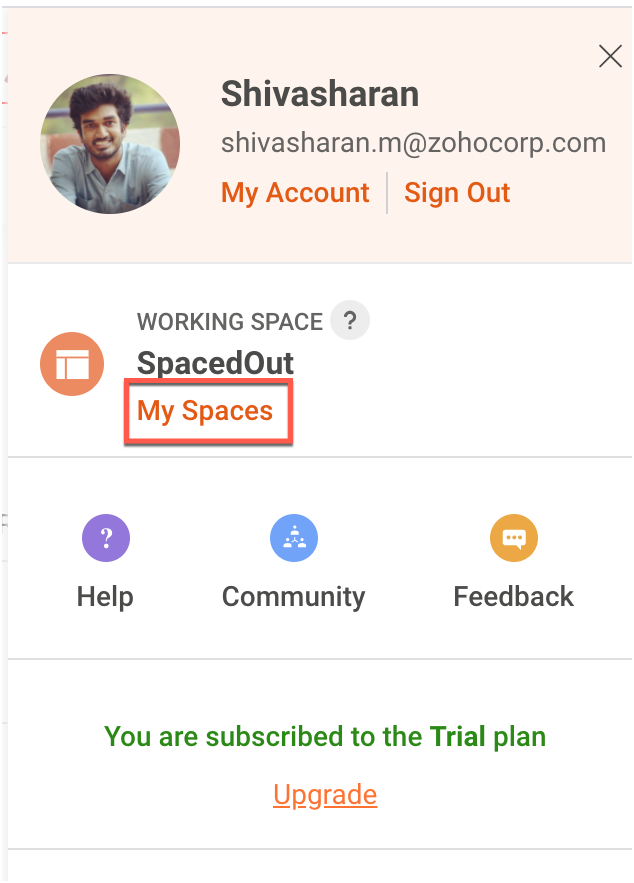
In Zoho Commerce selecteer je de Portal naam.
Maak een project of gebruik een bestaande project. (Klik op deze link om te leren hoe je een project aanmaakt.)
Maak een Funnel Experiment of gebruik een bestaande. (Klik op deze link om te leren hoe je een Funnel Experiment maakt.)
Klik op Connect.
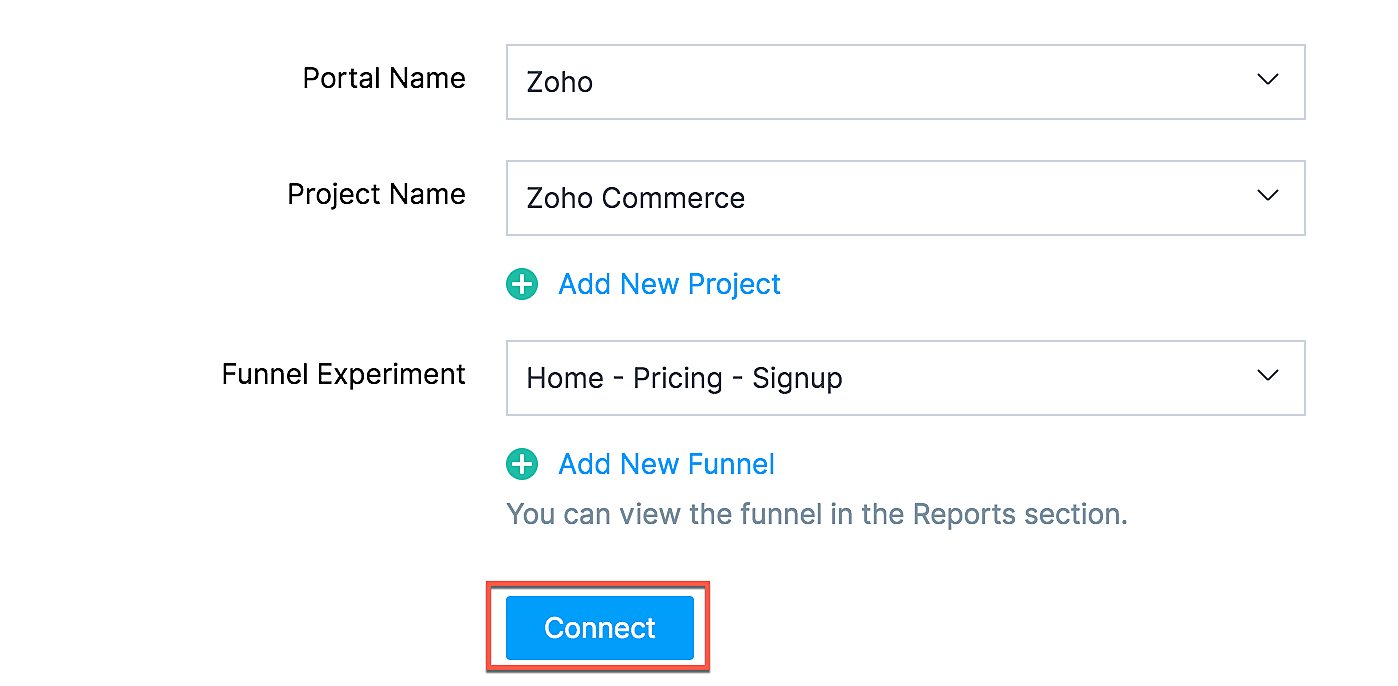
Als jij je selectie wilt wijzigen zoals een project of funnel experiment, klik dan op de beste optie en klik op Update.

Jouw Zoho Commerce is nu verbonden met je PageSense-account. Klik op Access Portal wanneer je integratie compleet is.
Marketing Automation
Automatiseer je jouw marketing activiteiten door je webwinkel te integreren met Zoho Marketing Automation
De voordelen van de integratie
- Bekijk winkelomzet, productdetails en klantinzichten op één pagina
- Stuur promotiecampagnes en creëer klantreizen
- Segmenteer leads op basis van hun activiteiten
- Initieer geautomatiseerde reeksen van opvolgingsberichten en actiesflows
Ga naar instellingen en selecteer Marketing Automation onder integraties.
Klik op Access Marketing Automation.
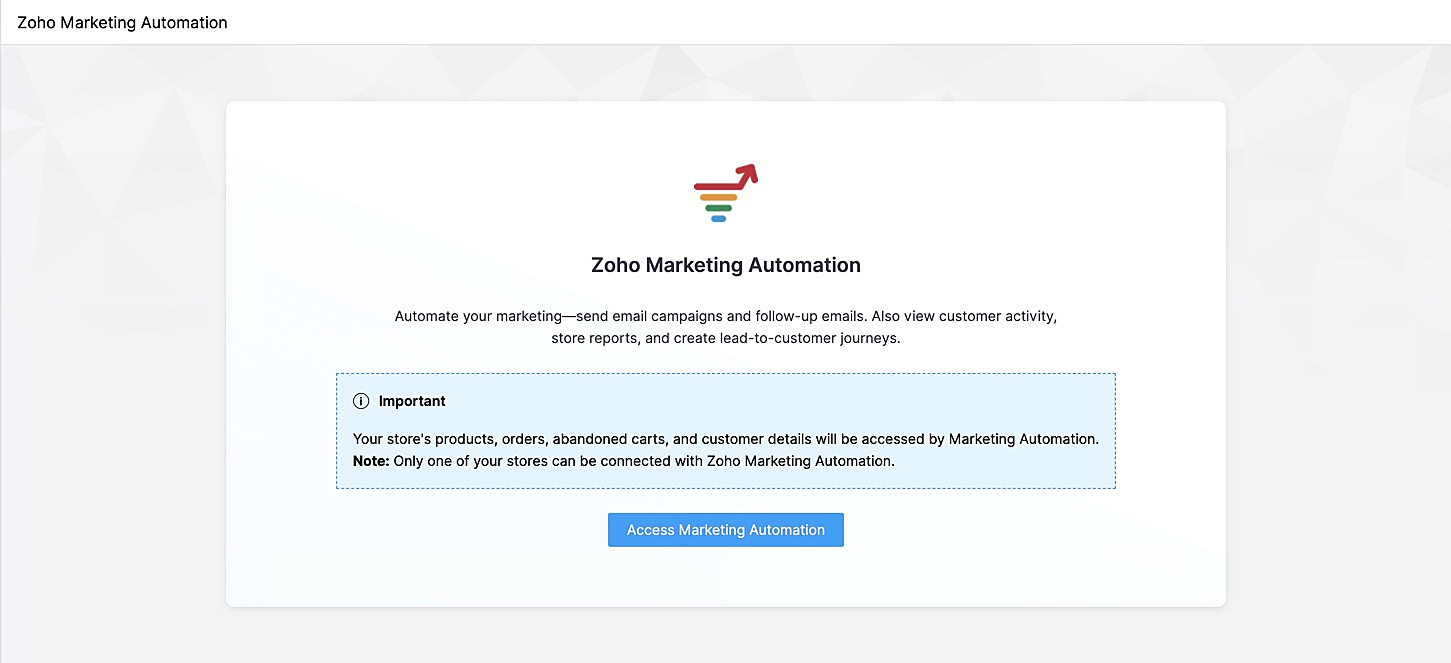
Je wordt naar Marketing Automation gebracht. Als je nog geen account hebt aangemaakt, ga je naar Engagement op het linker tabblad en klik je op Ecommerce.
Selecteer de winkel die je wilt koppelen en de mailinglijst waaraan je de klanten van jouw winkel wilt toevoegen en beheren. Maak een nieuwe mailinglijst aan als je er nog geen hebt gemaakt. Klik op deze link om te leren hoe je een mailinglijst moet maken.
Jouw winkel zal nu worden verbonden, en jouw producten, klanten, winkelwagen, en ordergegevens zullen worden gesynchroniseerd met Marketing Automation.
SalesIQ
Wil je direct in contact komen met je klanten? Met behulp van Zoho SalesIQ, kunt u een live chat widget toevoegen aan uw online winkel, en tevens de activiteit van uw bezoekers bijhouden.
Voordelen van integratie:
- Interactie met bezoekers via live chat
- Verhoog verkoopconversies met geprioriteerde bezoekers
- Bekijk activiteit, leg leads vast en geef bezoekers prioriteit voor outreach
Vereisten
Je moet jouw Zoho Commerce winkel hebben gepubliceerd om deze integratie te laten werken.
Hoe te integreren
1. Ga naar Instellingen in het linkerpaneel en klik op Zoho SalesIQ - Live Chat onder Integraties.
2. Zorg ervoor dat de Live Chat aan staat en click op "Connect"

3. Publiceer het op je website en controleer of de Live Chat aan staat. Die wordt rechtsonder weergegeven.
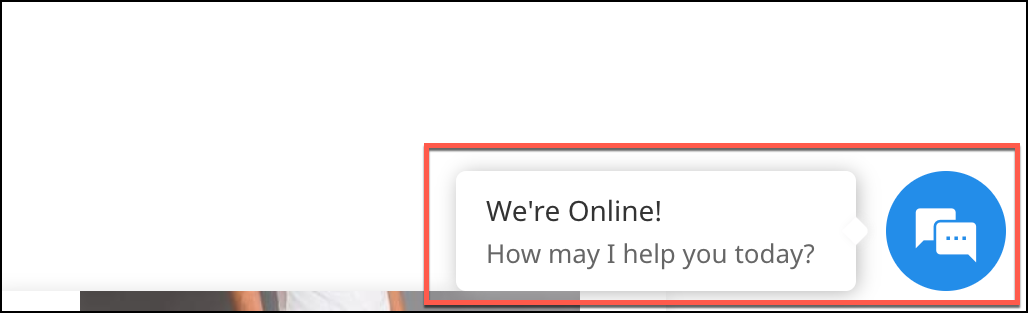
4. Verstuur een bericht. Dit wordt weergegeven in SalesIQ onder Chat history.

Heb jij een andere tips en tricks. Laat het weten.
Topic Participants
Theo Su
Sticky Posts
De nieuwe Zoho One is hier! Deel 1
Beste Community-leden, Zoho One, hét besturingssysteem voor bedrijven introduceert vandaag haar nieuwste update met maar liefst 5 nieuwe apps, 3 nieuwe services en 7 grote platform verbeteringen. Wij hebben gekeken naar hoe wij jullie verder kunnen helpen.Tips &Tricks: Jouw online boekingssysteem in 5 stappen!
1 Creëer een afsprakenkalender die past bij jouw branding Met Zoho Bookings behoud je de kleuren van jouw merk in alle applicaties. Je kan kiezen uit vier voorgedefinieerde thema's (Modern Web, Nieuwe Opmaak, Klassiek en Nieuw) met daarnaast opties omStart met Zoho One
Welkom op de community-pagina van Zoho One, hét besturingssysteem voor bedrijven. Op deze pagina geven wij een korte introductie over Zoho One. Daarnaast geven wij een aantal tips om te starten met deze besturingssysteem. Tegenwoordig zijn Cloud-oplossingen
Recent Topics
Set Custom Icon for Custom Modules in new Zoho CRM UI
All new Address Field in Zoho CRM: maintain structured and accurate address inputs
The address field will be available exclusively for IN DC users. We'll keep you updated on the DC-specific rollout soon. It's currently available for all new sign-ups and for existing Zoho CRM orgs which are in the Professional edition. Latest updateis there any way to change the "chat with us now" to custom message?
is there any way to change the "chat with us now" to custom message? I want to change this textNotes badge as a quick action in the list view
Hello all, We are introducing the Notes badge in the list view of all modules as a quick action you can perform for each record, in addition to the existing Activity badge. With this enhancement, users will have quick visibility into the notes associatedIs Zoho Live Chat compatible with WordPress CMS?
Hello, I have a website called www.jjrlab.com and I'm interested in using Zoho Chat on it. Does it support WordPress CMS? Thanks.Introducing spam detection for webforms: An additional layer of protection to keep your Zoho CRM clean and secure
Greetings all, One of the most highly anticipated feature launches—Spam Detection in webforms—has finally arrived! Webforms are a vital tool for record generation, but they're also vulnerable to submissions from unauthenticated or malicious sources, whichBring your CRM and Desk app inside SalesIQ with widgets
Have you ever been confused and frustrated with multiple open tabs and switching back and forth from SalesIQ to other apps to perform your business-specific operations? How effective would it be to have all the required tools and data of the apps youSpeak Your Customers' Language: SalesIQ's chatbots now support 30 languages 🤖
We're unveiling some major upgrades to our chatbot that are set to revolutionize your experience! Now SalesIQ support 30 languages for both Zobot and Answer bot. By speaking your customers' language, you can enhance engagement, improve customer satisfaction,Repeat Column merge in ZOHO writer columns doesn't allow to set max columns per row
I'm using ZOHO writer to merge data from a ZOHO CRM subform and I want it to make a table. We're using Insert Table for Column Repeat, because this is what we need. (Name of column (Teamname) and underneath that a list of names of teammembers). It worksPersisting email signals to contact timeline?
Hello there. Regarding the email signals that are logged when a contact opens an email, am I correct that these signals are not logged to a contact's timeline? Ideally, I would like to have this context available for future follow-ups, if the contactTrouble with using Apostrophe in Name of Customers and Vendors
We have had an ongoing issue with how the system recognizes an apostrophe in the name of customers and vendors. The search will not return any results for a name that includes the mark; ie one of our vendors names is "L'Heritage" and when entering theReally want the field "Company" in the activities module!
Hi team! Something we are really missing is able to see the field Company when working in the activities module. We have a lot of tasks and need to see what company it's related to. It's really annoying to not be able to see it.🙈 Thx!Upcoming update to Google Drive integration in Zoho Creator
Hello everyone, We're writing to inform you about an upcoming update to how Zoho Creator integrates with Google Drive. In Zoho Creator, during actions like importing files to create an app or attaching files to fields, you can choose files directly fromChanging Account Type in Chart of Accounts
Does anyone know how to change/edit the account type for an Account name in Chart of Accounts. Zoho will not let me do this for some reasonManaging Scheduled Replies
Communication is most effective when the intended message reaches the right person at the right time. However, this can be challenging when communication occurs across different time zones. By scheduling replies, businesses can ensure that responses reachShow price book list price
When using price books, once you add products to the price book in the Products related list you can display the Unit price which is the default list price; however, there is no option to show the price book list price. To see the price book list priceAllow Attaching Quartz Recordings to Existing Zoho Support Tickets
Hi Zoho Team, We would like to request an enhancement to how Zoho Quartz recordings integrate with Zoho Support tickets. Current Behavior: At the moment, each Quartz recording automatically creates a new support ticket. However, in many real-world scenarios:Issue with open-rate reporting in Zoho Campaigns
Hello, Since yesterday I’ve been experiencing an issue with the open-rate reports in Zoho Campaigns. The campaigns I send appear in the reports as if none of the emails have been opened, even though I know they have. To verify this, I replicated the campaignCan I hide empty Contact fields from view?
Some contacts have a lot of empty fields, others are mostly filled. Is there a way I can hide/show empty fields without changing the actual Layout? I would like to de-clutter my view, and also be able to add information later as I am able. I would beManage user roles and profiles from the Bigin app (iOS and macOS)
Hello everyone! We're happy to announce that you can manage user roles and profiles from the Bigin mobile app. The Users & Controls section has three subsections: Users, Profiles, and Roles. Users Employees who belong to your Bigin organization are calledSupport Bots and Automations in External Channels
Hello Zoho Cliq Team, How are you? We actively use Zoho Cliq for collaboration, including with our external developers. For this purpose, external channels are a key tool since they work seamlessly within the same interface as all of our other channelsZoho Books Sandbox environment
Hello. Is there a free sandbox environment for the developers using Zoho Books API? I am working on the Zoho Books add-on and currently not ready to buy a premium service - maybe later when my add-on will start to bring money. Right now I just need aForm to PDF template
I am looking to create a Form and when information is inputted, it will merge it into a PDF template we already have. There could be multiple lines in the form and each line inputs information into a new page of a PDF template.Writing SQL Queries - After Comma Auto Suggesting Column
When writing SQL Queries, does anyone else get super annoyed that after you type a comma and try to return to a new line it is automatically suggest a new column, so hitting return just inputs this suggested column instead of going to a new line? AnyonePlease verify my account
Hi, We have just launched our website and received media coverage in our country. Hundreds of users are signing up for our platform every day. We would like to send them a welcome email, but we are unable to do so because our ZeptoMail account has notSubject character limit increase
We have an occasional user case where subject lines exceed 500 characters which is the ZeptoMail imposed limit. While I understand long subject lines are not "best practice", these are particular notification emails with specific information for clientAccount blocked
Yesterday I got my Zeptomail account blocked due to too many hard bounces. My account is used exclusively for sending transactional emails (eg. your order has been shipped, a form has been filled, etc) and the sudden blocking impacted hundreds of websitesNested notebooks
Dear Sir/Madam, I would like to know if it is possible to nest notebooks. It would be very helpful when there are too many, as it would improve organization. Thank you for your response. Best regards.Cannot see correct DNS config for mail after moving domain to another provider
I have moved my domain from one provider to another and after that zoho mail stopped working (expected). Problem is, zoho mail admin panel still shows (10 hours after move) that all records are correct while I haven't changed anything in my domain DNSProactive Alert for Existing Open Tickets per Contact / Account
Hello Zoho Desk Team, Greetings, and hope you’re doing well. We would like to submit a feature request aimed at improving agent awareness and efficiency when handling tickets in Zoho Desk. Use case When an agent opens a ticket (new or existing), it isAdd the ability to Hide Pages in Page Rules
Hi, We have Field Rules to show and hide fields and we have page Rules, but we can't hide a page in Page Rules so it isn't completed before the previous page (And then have the Deny Rules to prevent submitting without both pages completed), we can onlyTicket resolution field - can you add links, video, and images?
Seems like the ticket resolution fields is just a text field. Any plans to add the ability to add links, images...the same functionality in the problem description box? I would like to send the customer a link to a KB article, a link to our Wiki, embedTicket Resolution - Add rich formatting, screenshots and attachments
The resolution field only allows plain text at the moment. Many of our resolutions involve posting screenshots as evidence, it would be great for us to be able to have rich text formatting, be able to paste screenshots and add attachments in the solutionDeprecation Notice: OpenAI Assistants API will be shut down on August 26, 2026
I recieved this email from openAI what does it means for us that are using the integration and what should we do? Earlier this year, we shared our plan to deprecate the Assistants API once the Responses API reached feature parity. With the launch of Conversations,CRUD actions for Resources via API
Hello, is it possible to perform CRUD actions through the API for Resources? We want to create a sync from Zoho CRM Car record to Bookings resources to create availabilities for Car bookings. For Test drives, not only the sales person needs to be available,Kaizen #140 - Integrating Blog feed scraping service into Zoho CRM Dashboard
Howdy Tech Wizards! Welcome to a fresh week of kaizen. This week, we will look at how to create a dashboard widget that displays the most recent blog post of your preferred products/services, updated daily at a specific time. We will leverage the potentialConvert Lead Automation Trigger
Currently, there is only a convert lead action available in workflow rules and blueprints. Also, there is a Convert Lead button available but it doesn't trigger any automations. Once the lead is converted to a Contact/Account the dataset that can be fetchedI'm getting this error when I try to link an email to a deal inside the Zohomail Zoho CRM extension.
When I click "Yes, associate," the system displays an "Oops!! Something went wrong" error message. I have attached a screenshot of the issue for reference.Zoho Sheet - Desktop App or Offline
Since Zoho Docs is now available as a desktop app and offline, when is a realistic ETA for Sheet to have the same functionality?I am surprised this was not laucned at the same time as Docs.ZOHO add-in issue
I cannot connect ZOHO from my Outlook. I am getting this error.Next Page