Bienvenue à Zoho FSM : l'optimisation des opérations locales qui offre une expérience de service impeccable

Nous sommes ravis de vous présenter Zoho FSM, la plateforme de gestion des services terrain de bout en bout.
Les solutions de gestion des services locaux s'adressent aux organisations qui effectuent des activités d'installation, de réparation et de maintenance chez le client. Ces derniers doivent gérer efficacement les ressources et l'expérience client pour offrir la meilleure satisfaction client possible. Cela nécessite une conception assidue, une supervision constante et des opérations efficaces.
Une journée typique dans le domaine des interventions commence par une demande d'un client. Ils reçoivent de nombreuses demandes dont le degré de priorité varie. Il incombe aux agents d'établir des programmes qui tiennent compte du temps préféré des clients et des engagements en cours des agents. Afin d'exécuter leur travail efficacement, ils doivent disposer de toutes les informations nécessaires, telles que le lieu, le type de service, les pièces, les outils et l'équipement nécessaire. Les gestionnaires doivent également être au courant du travail effectué et, enfin, un système de facturation et de paiement adéquat leur permet d'achever le service.
De nombreux prestataires de services s'efforcent de gérer efficacement la productivité de leurs agents. Les outils existants répondent rarement à leurs besoins, ce qui les oblige à utiliser plusieurs logiciels ce qui n'est pas optimale. Il est donc indispensable de disposer d'une solution FSM robuste.
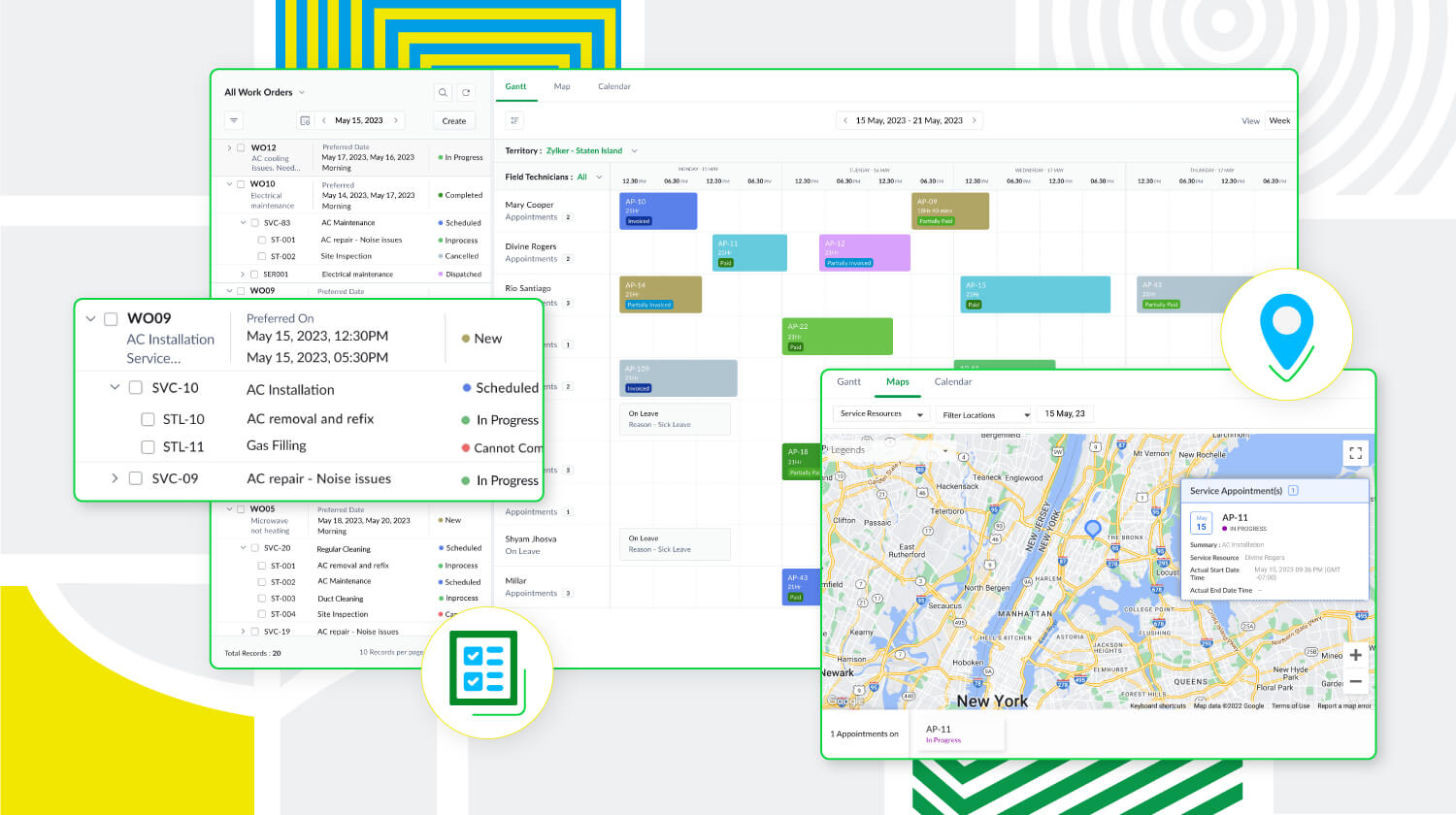
Zoho FSM est une puissante plateforme de gestion des services locaux dotée d'une gamme de fonctions visant à améliorer les différents éléments de votre travail. Elle prend en charge la gestion des bons de travail, des clients, la planification, la gestion de la main-d'œuvre, la facturation, les paiements et la gestion des stocks. De plus, Zoho FSM est conçue pour s'adapter à diverses industries grâce à des éléments de personnalisation et à des capacités d'intégration.
Principaux atouts de Zoho FSM
Gestion de l'ensemble des opérations au sein d'une seule plateforme
De la demande de service initiale à la facturation, sans oublier la création de bons de travail et la répartition des ressources, Zoho FSM simplifie ces processus afin d'optimiser les opérations. Il est possible de créer des devis et de les envoyer par la poste au client pour approbation. Au cours de la planification, suivez la présence des agents locaux et triez-les en fonction de leurs compétences afin d'envoyer la bonne personne pour le travail à accomplir. Avec Zoho FSM, vous pouvez également diviser les services complexes en tâches plus petites pour faciliter la planification. En ce qui concerne la facturation, elle se fait en quelques clics. Zoho FSM prend également en charge plusieurs devises, des passerelles de paiement en ligne, et plus encore.
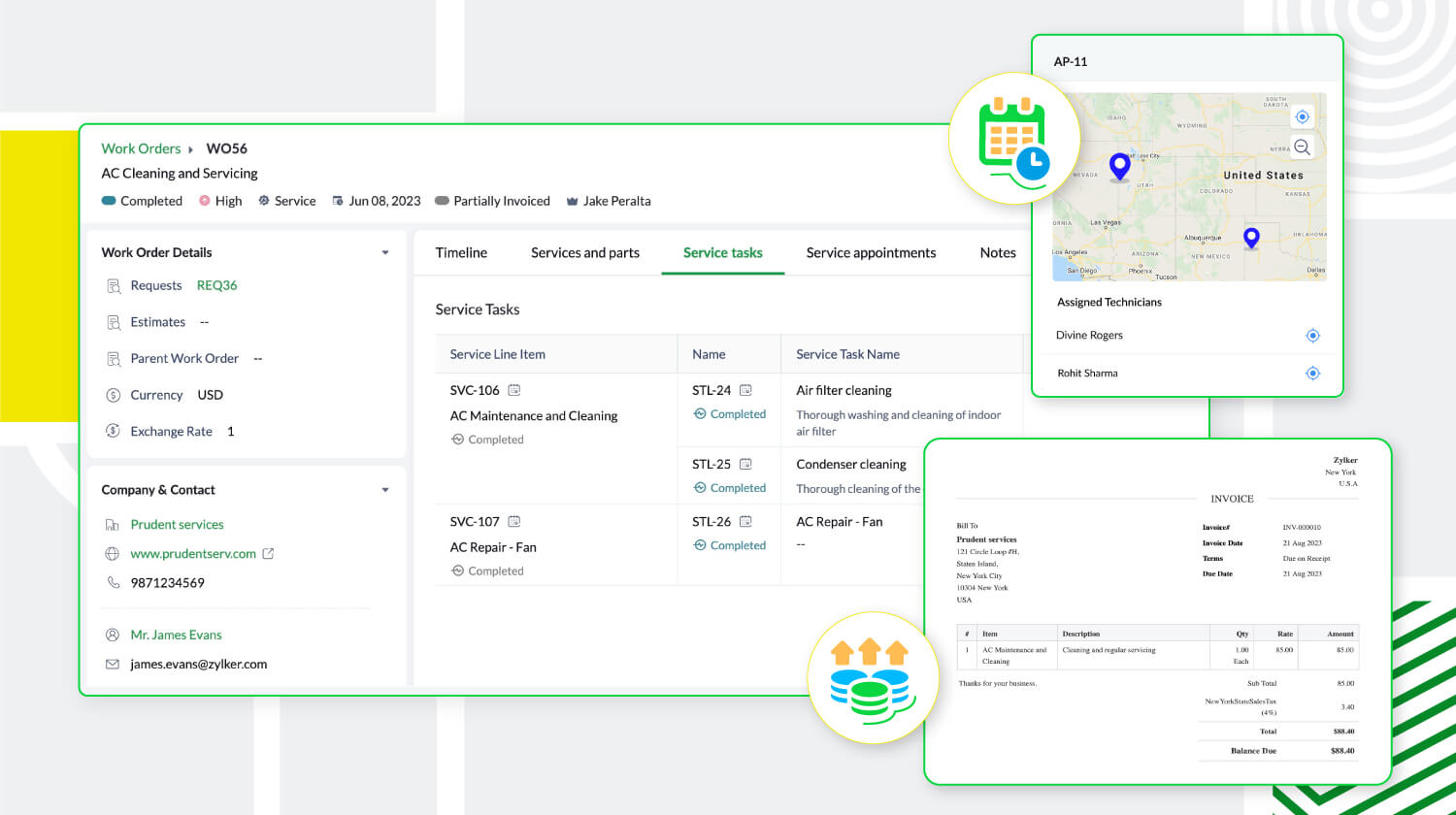
Une communication et collaboration efficace
Les canaux sécurisés de communication et de collaboration avec les agents en déplacement sont essentiels pour toute entreprise de services extérieurs. Zoho FSM y répond avec son application mobile qui permet aux agents de tenir l'équipe au courant de leur emplacement, de leur journal de bord, de leurs feuilles de temps et de leurs pauses, même lorsqu'ils sont en déplacement. L'application fournit également aux agents toute l'information sur le client et le service demandé. Elle leur permet également d'ajouter des notes et des photos du lieu d'intervention. Pour une communication efficace avec le client, des mises à jour automatiques s'affichent à chaque étape du processus de service. Une fois le travail terminé, les agents peuvent envoyer des rapports de service et recevoir les commentaires des clients via l'application mobile.
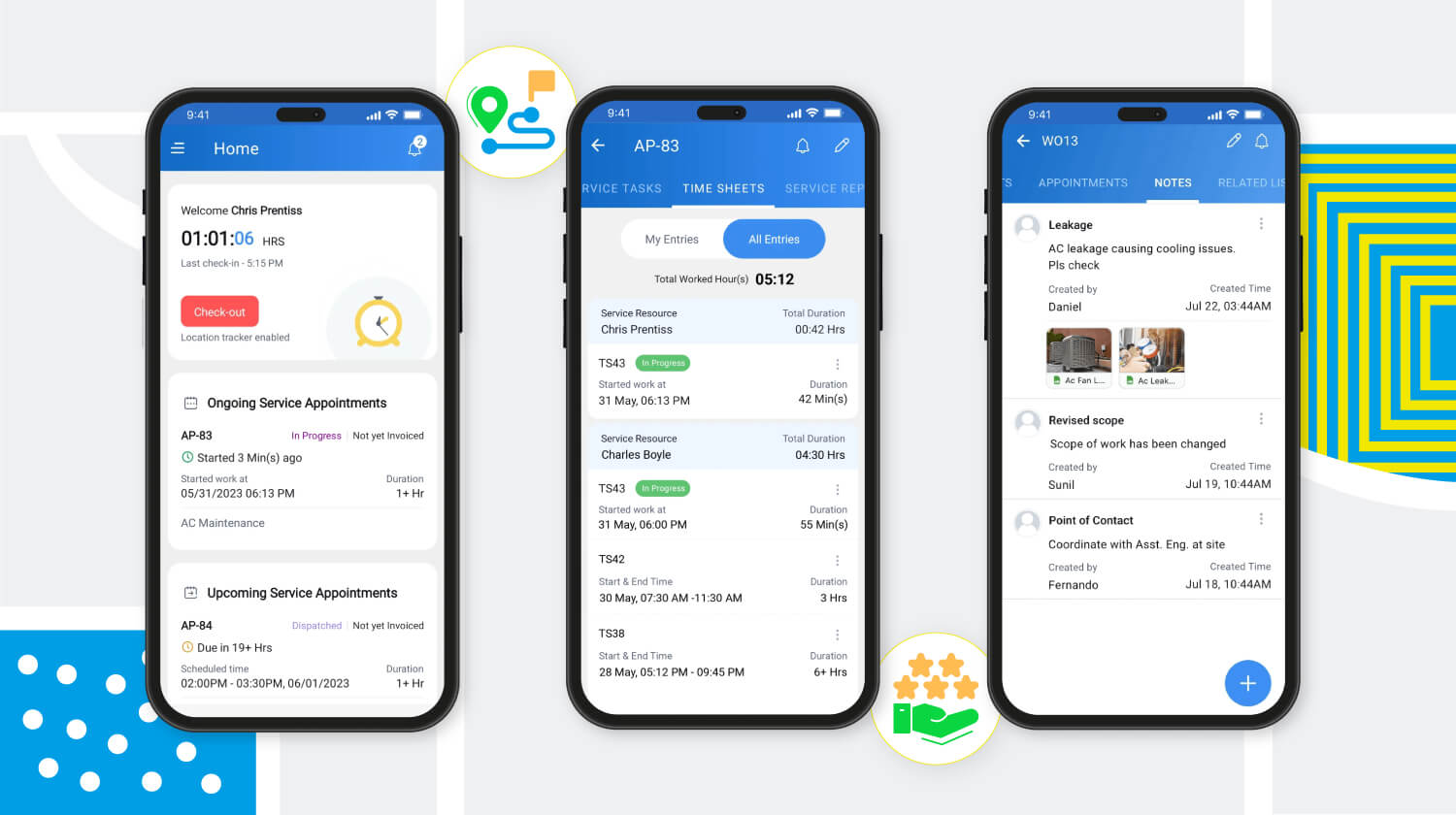
Meilleure productivité grâce à une meilleure gestion de la main-d'œuvre
Zoho FSM offre une solution multi-utilisateurs qui facilite la gestion d'équipes larges et diversifiées. Des profils uniques avec différents niveaux d'accès créent une plateforme sécurisée permettant à l'équipe de travailler à son plein potentiel. Les profils d'utilisateurs par défaut sont des "Agents de centre d'appel", "Dispatchers", "Agents locaux", "Agents locaux restreints" et "Administrateurs". Zoho FSM permet également de créer des profils personnalisés avec des niveaux d'accès modifiés pour s'adapter à la structure organisationnelle.
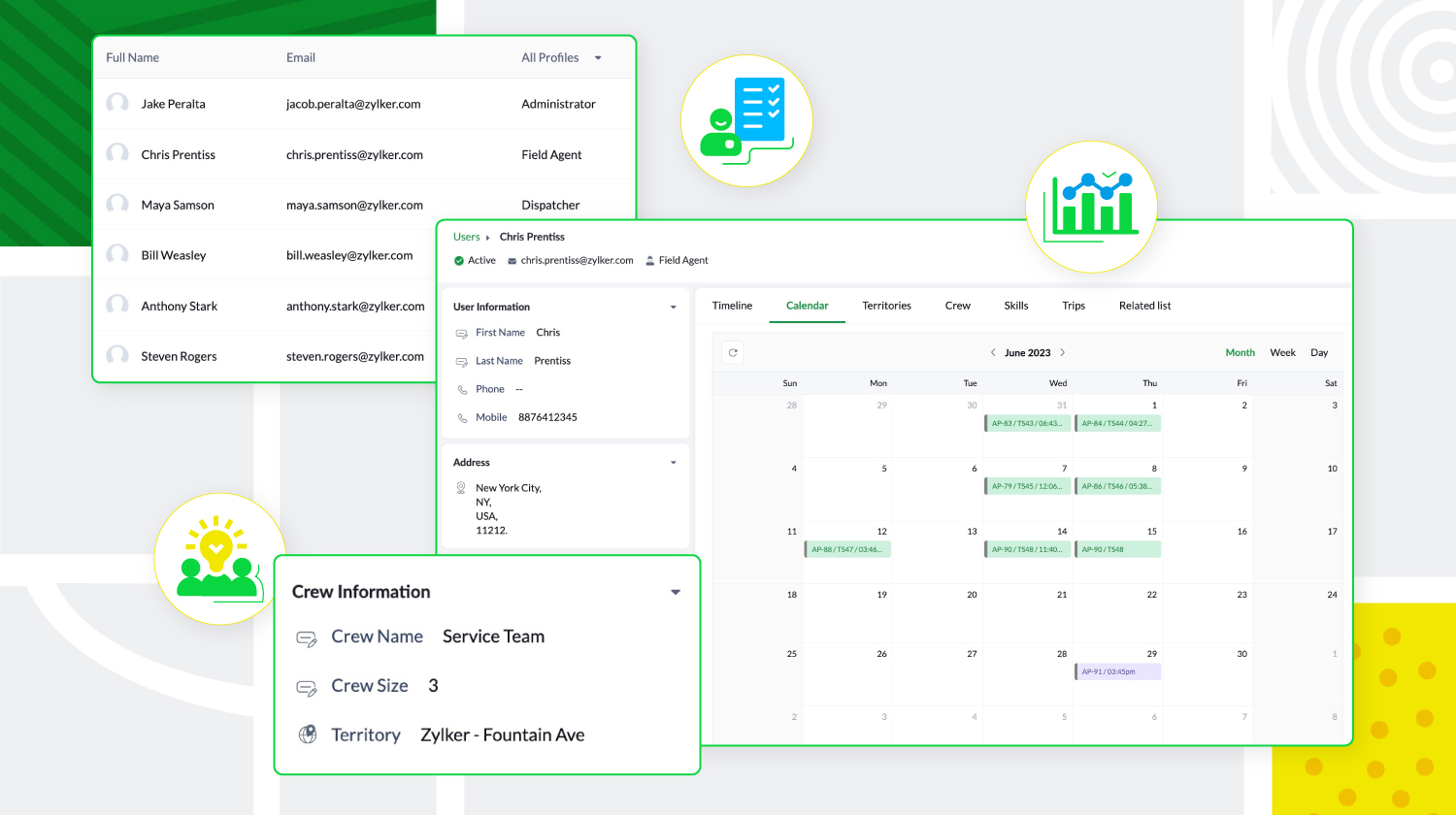
De plus, les agents locaux peuvent être triés en fonction de leur expertise et de leur présence géographique, et regroupés pour former des équipes. Zoho FSM donne aussi un aperçu des tâches quotidiennes des utilisateurs, de leurs déplacements et de leurs congés, ce qui permet aux agents de créer des calendriers sans conflit.
Personnalisation et optimisation de Zoho FSM
Zoho FSM comporte des composantes de personnalisation qui permettent de personnaliser l'expérience et d'ajouter des éléments fonctionnels. Il supporte l'automatisation, avec des règles de workflow qui déclenchent des actions. Il permet d'automatiser les notifications e-mail, les mises à jour de champs, développer des fonctions personnalisées, afin de communiquer et de collaborer avec des applications tierces.
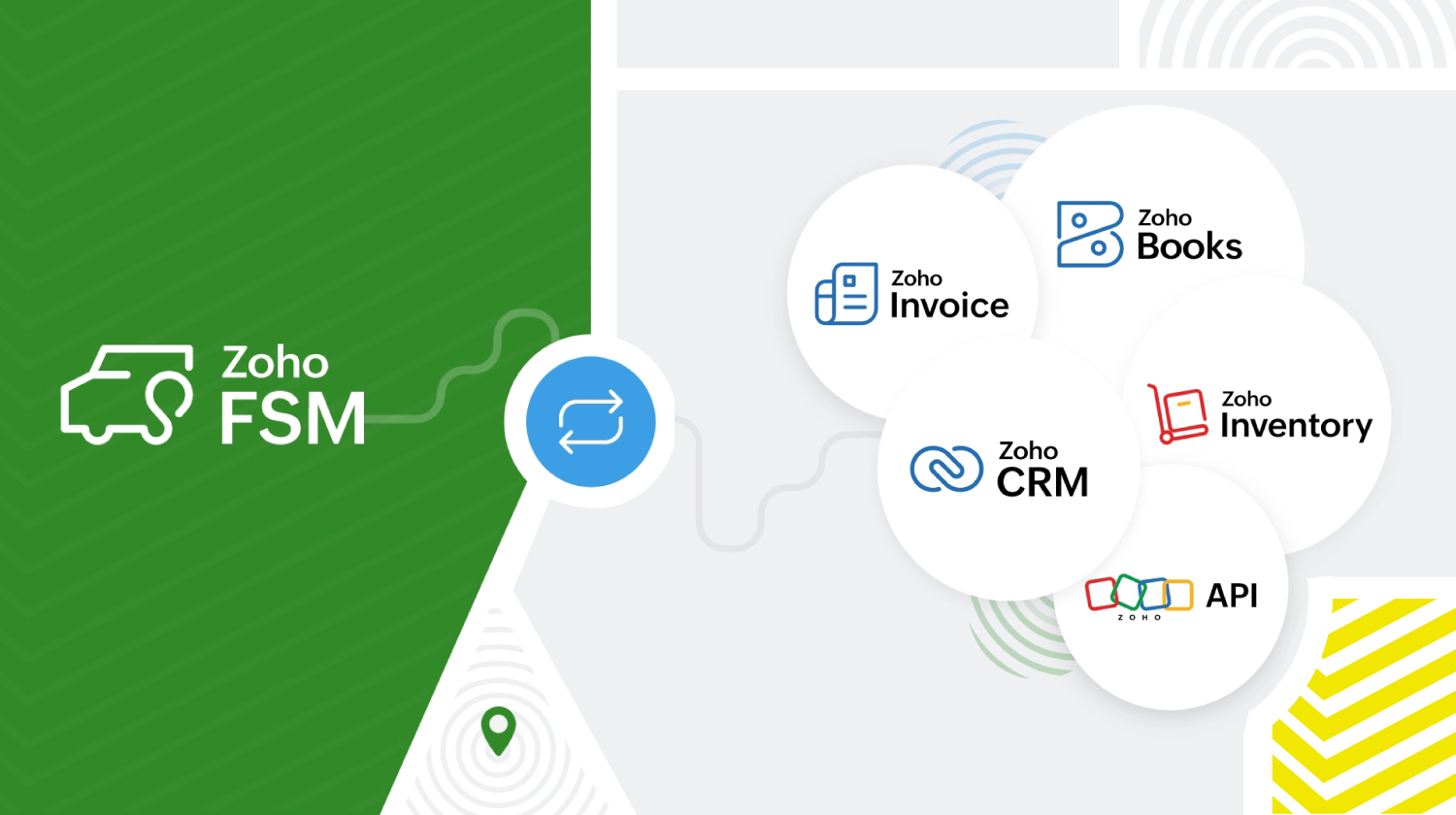
Zoho FSM s'intègre à d'autres applications Zoho et tierces pour que l'organisation fonctionne de manière optimale. Zoho FSM associé à Zoho Invoice s'occupe de la facturation. L'extension Zoho FSM pour Zoho CRM permet de fusionner les ventes et le service local. Il est possible de consulter les enregistrements FSM de façon contextuelle dans Zoho CRM et de créer de nouvelles demandes, de nouveaux bons de travail et de nouveaux actifs à partir de divers modules CRM.
L'intégration de Zoho Inventory permet d'identifier et de suivre les stocks dans plusieurs entrepôts, ce qui garantit que les agents disposent toujours des bonnes pièces pour le travail à effectuer. De plus, les API REST fournies par Zoho FSM facilitent l'intégration avec des applications tierces.
Zoho FSM propose une tarification flexible basée sur le nombre de consultations que vous créez chaque mois.
Essayez Zoho FSM dès aujourd'hui.
Pour plus d'informations, consultez https://www.zoho.com/fsm/
L'équipe Zoho France
Topic Participants
Kinjal Lodaya
Info Uni Net
Anthony PETOT
Florence Barbier
Josee Boulanger
Sticky Posts
Les Zoholics sont de retour !
Bonjour à tous, Nous avons (encore une fois) une bonne nouvelle à vous partager : nous allons enfin pouvoir nous rencontrer ! Et pas dans n'importe quel contexte, mais lors de notre conférence annuelle : les Zoholics ! Mais que sont les Zoholics me direz-vousNovembre : un résumé de ce qui s'est passé le mois dernier sur Community
Bonjour à tous, L'année 2021 arrive presque à sa fin, mais nous continuons à avoir de nombreuses actualités à vous partager. En voici un résumé ! Nous avons eu notre première session "Ask The Experts" sur notre nouvelle version Zoho One 2021 et vousAoût : Un résumé de ce qui s'est passé le mois dernier sur Community
Bonjour à tous, Et bonne rentrée ! Comme chaque mois voici un résumé de ce qui s'est passé sur Community et dans l'actualité de Zoho en général. La grande nouvelle de mois d'Août est l'arrivée de la fonction Canvas : le premier studio de conception pourJuillet : Un résumé de ce qui s'est passé le mois dernier sur Community
Bonjour à tous, Le premier mois de l'été se termine, et si certain profitent d'un repos bien mérité, sur Community on continue à en apprendre toujours plus sur nos produits Zoho. Notre série sur Zoho CRM se réinvente avec la découverte de notre fonctionCommunity Digest - Résumé de mai 2021
Bonjour à tous, Que s'est il passé en Mai sur notre page Community France ? En plus de nos articles Trucs et Astuces, vous avez été nombreux a réagir, nous poser des questions ou encore publier vos propres conseils ! Vos les différents sujets abordés
Recent Topics
What's new in Zoho Sheet: Simplify data entry and collaboration
Hello, Zoho Sheet community! Last year, our team was focused on research and development so we could deliver updates that enhance your spreadsheet experience. This year, we’re excited to deliver those enhancements—but we'll be rolling them out incrementallyNueva edición de "Ask The Expert" en Español Zoho Community
¡Hola Comunidad! ¿Te gustaría obtener respuestas en directo sobre Zoho CRM, Zoho Desk u otra solución dentro de nuestro paquete de CX (Experiencia del Cliente? Uno de nuestros expertos estará disponible para responder a todas tus preguntas durante nuestraAutomation Series: Auto-Notify External Users on Issue Closure
Hello Folks! In Zoho Projects, you can notify external issue reporters via email when an issue is marked as Closed. This helps the users avoid manual follow-ups and keeps the reporter updated. In this post, we’ll walk through a simple setup using a WebIssue with open-rate reporting in Zoho Campaigns
Hello, Since yesterday I’ve been experiencing an issue with the open-rate reports in Zoho Campaigns. The campaigns I send appear in the reports as if none of the emails have been opened, even though I know they have. To verify this, I replicated the campaignTurn chat conversations into real action with Integration Blocks in Guided Conversations
When a Guided Conversation fails, it's usually not because the logic is wrong. They fail because the conversation stops moving. A customer starts a chat with a clear goal: report an issue, check a status, or confirm something. At first, the flow doesBasic Mass Update deluge schedule not working
I'm trying to create a schedule that will 'reset' a single field to 0 every morning - so that another schedule can repopulate with the day's calculation. I thought this would be fairly simple but I can't work out why this is failing : 1) I'm based inSpecial characters (like â, â, æ) breaking when input in a field (encoding issue)
Hey everyone, We are currently dealing with a probably encoding issue when we populate a field (mostly but not exclusively, 'Last Name' for Leads and Contracts). If the user manually inputs special characters (like ä, â, á etc.) from Scandinavian languages,click to call feature
I've Zoho CRM and in that i want click to call feature.We Asked, Zoho Delivered: The New Early Access Program is Here
For years, the Zoho Creator community has requested a more transparent and participatory approach to beta testing and feature previews. Today, I'm thrilled to highlight that Zoho has delivered exactly what we asked for with the launch of the Early AccessFrom Zoho CRM to Paper : Design & Print Data Directly using Canvas Print View
Hello Everyone, We are excited to announce a new addition to your Canvas in Zoho CRM - Print View. Canvas print view helps you transform your custom CRM layouts into print-ready documents, so you can bring your digital data to the physical world withCan the Product Image on the Quote Template be enlarged
Hello, I am editing the Quote Template and added ${Products.Product Image} to the line item and the image comes up but it is very tiny. Is there anyway that you can resize this to be larger? Any help would be great! ThanksAnalytics <-> Invoice Connection DELETED by Zoho
Hi All, I am reaching out today because of a big issue we have at the moment with Zoho Analytics and Zoho Invoice. Our organization relies on Zoho Analytics for most of our reporting (operationnal teams). A few days ago we observed a sync issue with theCreating Parent Child relationship in Accounts
We have customers with multiple locations, I setup the HQ as an account, then I setup the different sites marking the HQ as the parent to that location. If I then do a Deal for one of the locations, is there a way to show by looking at the parent accountLearner transcript Challenges.
Currently i am working on a Learner Transcript app for my employer using Zoho Creator. The app is expected to accept assessment inputs from tutors, go through an approval process and upon call up, displays all assessments associated with a learner inClient and Vendor Portal
Some clients like keeping tabs on the developments and hence would like to be notified of the progress. Continuous updates can be tedious and time-consuming. Zoho Sprints has now introduced a Client and Vendor Portal where you can add client users and#7 Tip of the week: Delegating approvals in Zoho People
With Zoho People, absences need not keep employees waiting with their approval requests. When you are not available at work, you can delegate approvals that come your way to your fellow workmate and let them take care of your approvals temporarily. Learn more!Admin Tip: Manage sub-domain emails using sub-domain stripping
As an admin, you may need separate domains for different departments such as sales, support, and marketing. While this approach offers flexibility, creating and managing multiple domains can quickly become overwhelming, especially since each domain requiresBring Zoho Shifts Capabilities into Zoho People Shift Module
Hello Zoho People Product Team, After a deep review of the Zoho People Shift module and a direct comparison with Zoho Shifts, we would like to raise a feature request and serious concern regarding the current state of shift management in Zoho People.Quick Copy Column Name
Please add the ability to quickly copy the name of a column in a Table or Query View. When you right-click the column there should be an option to copy the name, or if you left-click the column and use the Ctrl+C keyboard shortcut it should copy theAbility to Edit YouTube Video Title, Description & Thumbnail After Publishing
Hi Zoho Social Team, How are you? We would like to request an enhancement to Zoho Social that enables users to edit YouTube video details after the video has already been published. Your team confirmed that while Zoho Social currently allows editing theHow do I remove a data source from Zoho Analytics?
I am unable to find a delte option on a datasource that i put in the system as an error. On teh web it refers to a setup icon but I do not see that on my interface?Add Employee Availability Functionality to Zoho People Shift Module
Hello Zoho People Product Team, Greetings and hope you are doing well. We would like to submit a feature request to enhance the Zoho People Shift module by adding employee availability management, similar to the functionality available in Zoho Shifts.Bigin, more powerful than ever on iOS 26, iPadOS 26, macOS Tahoe, and watchOS 26.
Hot on the heels of Apple’s latest OS updates, we’ve rolled out several enhancements and features designed to help you get the most from your Apple devices. Enjoy a refined user experience with smoother navigation and a more content-focused Liquid GlassReally want the field "Company" in the activities module!
Hi team! Something we are really missing is able to see the field Company when working in the activities module. We have a lot of tasks and need to see what company it's related to. It's really annoying to not be able to see it.🙈 Thx!Delay in rendering Zoho Recruit - Careers in the ZappyWorks
I click on the Careers link (https://zappyworks.zohorecruit.com/jobs/Careers) on the ZappyWorks website expecting to see the job openings. The site redirects me to Zoho Recruit, but after the redirect, the page just stays blank for several seconds. I'mIs Desk Down?
Across department - always an error. [Status Mode] - error [Table View and the rest] - workingHow do I change the wording of the tile of SignForm?
When my user opens a SignForm url, the title that is presented is always "SignForm signer Information" and a form is displayed asking for the username and email address. This can be confusing to the end user. How can I change the title at least (Or atHow to link tickets to a Vendor/Vendor Contact (not Customer) for Accounting Department?
Hi all, We’re configuring our Accounting department to handle tickets from both customers and vendors (our independent contractors). Right now, ticket association seems to be built around linking a ticket to a Customer / Customer Contact, but for vendor-originatedProblem with CRM Connection not Refreshing Token
I've setup a connection with Zoom in the CRM. I'm using this connection to automate some registrations, so my team doesn't have to manually create them in both the CRM and Zoom. Connection works great in my function until the token expires. It does not refresh and I have to manually revoke the connection and connect it again. I've chatted with Zoho about this and after emailing me that it couldn't be done I asked for specifics on why and they responded. "The connection is CRM is not a feature toAutomatic Matching from Bank Statements / Feeds
Is it possible to have transactions from a feed or bank statement automatically match when certain criteria are met? My use case, which is pretty broadly applicable, is e-commerce transactions for merchant services accounts (clearing accounts). In theseClone Recurring Expenses
Our bookkeeping practices make extensive use of the "clone" feature for bills, expenses, invoices, etc. This cuts down significantly on both the amount of typing that needs to be done manually and, more importantly, the mental overhead of choosing theUnify Overlapping Functionalities Across Zoho Products
Hi Zoho One Team, We would like to raise a concern about the current overlap of core functionalities across various Zoho applications. While Zoho offers a rich suite of tools, many applications include similar or identical features—such as shift management,Automation #7 - Auto-update Email Content to a Ticket
This is a monthly series where we pick some common use cases that have been either discussed or most asked about in our community and explain how they can be achieved using one of the automation capabilities in Zoho Desk. Email is one of the most commonlyTicket to article and Ticket to template
Hello! I would like to know if it is possible (and how) to do the following actions: 1. To generate an article from a ticket (reply + original message) 2. Easy convert an answer to an email templateIs there API Doc for Zoho Survey?
Hi everyone, Is there API doc for Zoho Survey? Currently evaluating a solution - use case to automate survey administration especially for internal use. But after a brief search, I couldn't find API doc for this. So I thought I should ask here. ThanWindows Desktop App - request to add minimization/startup options
Support Team, Can you submit the following request to your development team? Here is what would be optimal in my opinion from UX perspective: 1) In the "Application Menu", add a menu item to Exit the app, as well as an alt-key shortcut for these menusKaizen #225 - Making Query-based Custom Related Lists Actionable with Lookups and Links
Hello everyone! Welcome back to another post in the Kaizen series! This week, we will discuss an exciting enhancement in Queries in Zoho CRM. In Kaizen #190, we discussed how Queries bridge gaps where native related lists fall short and power custom relatedWebDAV / FTP / SFTP protocols for syncing
I believe the Zoho for Desktop app is built using a proprietary protocol. For the growing number of people using services such as odrive to sync multiple accounts from various providers (Google, Dropbox, Box, OneDrive, etc.) it would be really helpfulCRM x WorkDrive: We're rolling out the WorkDrive-powered file storage experience for existing users
Release plan: Gradual rollout to customers without file storage add-ons, in this order: 1. Standalone CRM 2. CRM Plus and Zoho One DCs: All | Editions: All Available now for: - Standalone CRM accounts in Free and Standard editions without file storageNon-responsive views in Mobile Browser (iPad)
Has anyone noticed that the creator applications when viewed in a mobile browser (iPad) lost its responsiveness? It now appears very small font size and need to zoom into to read contents. Obviously this make use by field staff quite difficult. This is not at all a good move, as lots of my users are depending on accessing the app in mobile devices (iPads), and very challenging and frustrating.Next Page