Introducing Schedules for smarter availability management
Greetings from the Zoho Bookings team!
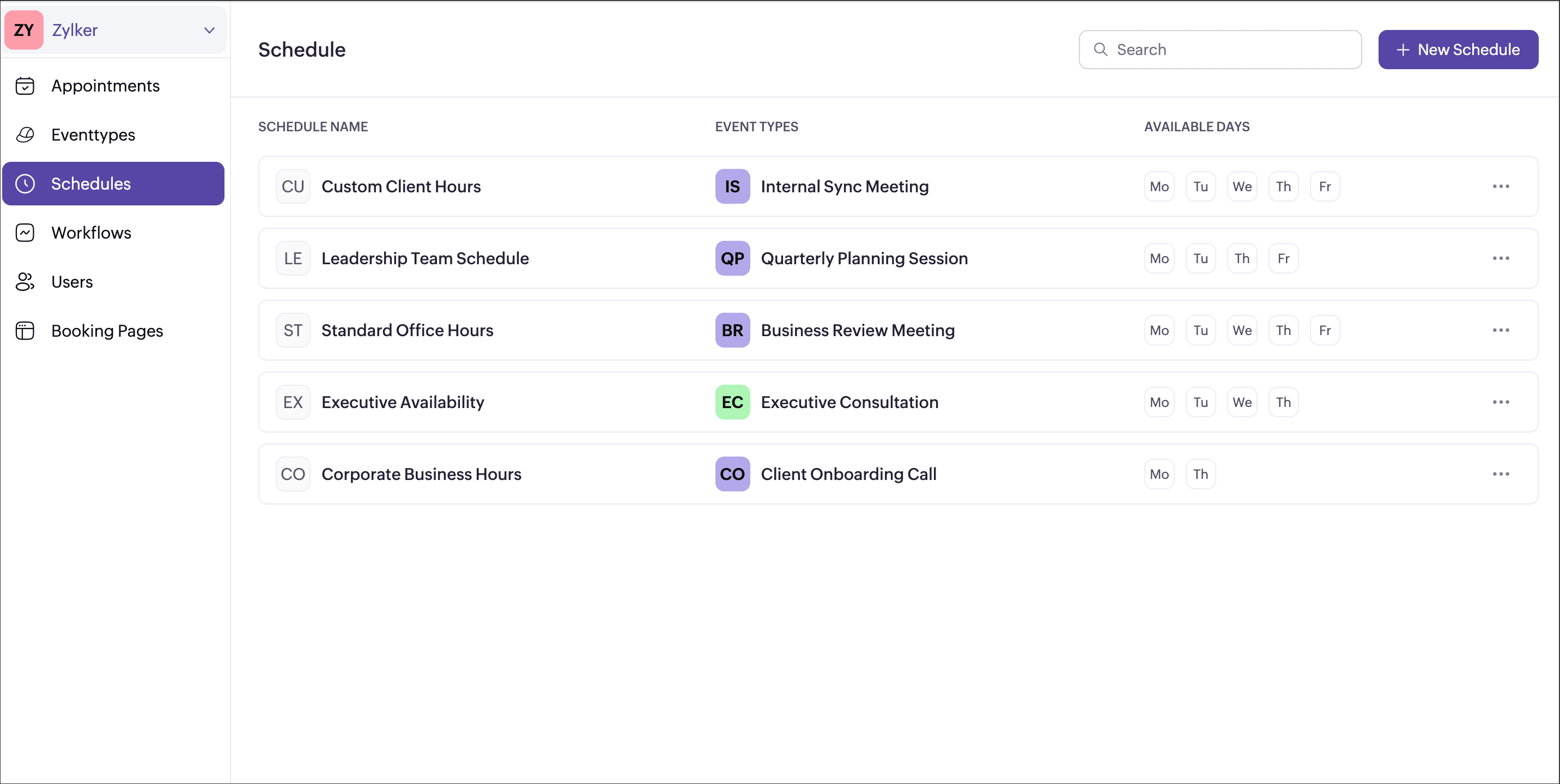
We’re excited to introduce Schedules, a powerful enhancement to manage availability across your workspace. Schedules are reusable working-hour templates that help you define and maintain consistent availability across multiple event types, while still giving you the flexibility to handle exceptions such as holidays or any extended working hours.
With Schedules, admins can define available hours once and reuse them across multiple event types, making availability management simpler, consistent, and scalable.
What’s new?
Create a common working hour template at the workspace level.
Assign it to multiple or all event types in one go.
Any updates to the schedule automatically reflect across assigned event types.
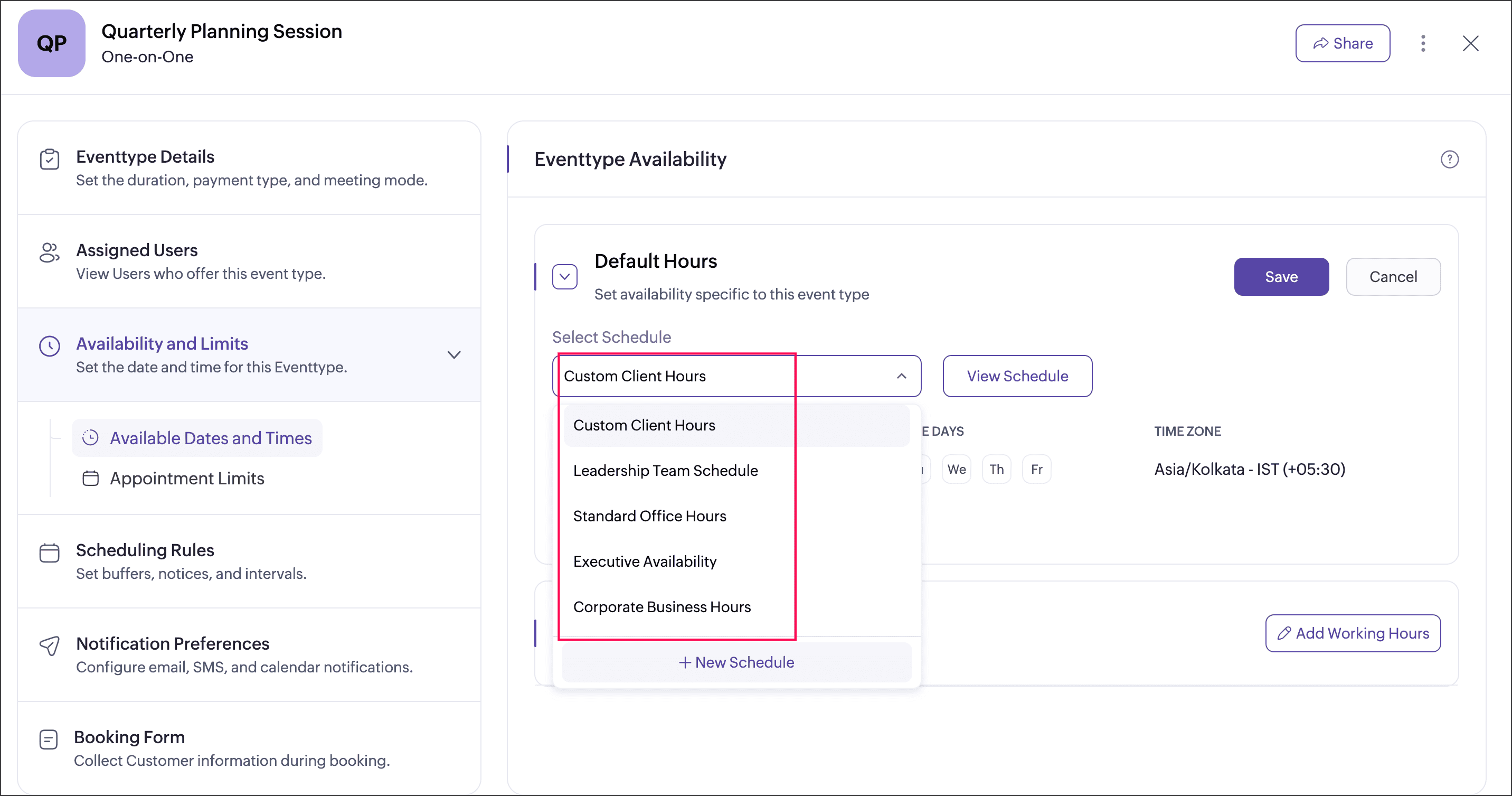
Event type can be assigned with the schedule that has been created at the workspace level, or the event type can be set to follow user working hours.
User-specific hours let you define custom availability for multiple users within an event type, and you can choose whether to apply or ignore these hours by enabling or disabling the Override user-specific hours option.
Each event type can be associated with a single schedule at a time.
Date Overrides
Date overrides let you make temporary exceptions to a regular schedule without changing the defined working hours. You can use them to add additional availability or mark unavailability for specific dates or date ranges. For more precise control, you can choose a custom range to define specific chunks of hours on a particular day. For example, making an event type available from 10 AM to 12 PM and again from 4 PM to 6 PM on the same day for special sessions.
Date overrides let you make temporary exceptions to a regular schedule without changing the defined working hours. You can use them to add additional availability or mark unavailability for specific dates or date ranges. For more precise control, you can choose a custom range to define specific chunks of hours on a particular day. For example, making an event type available from 10 AM to 12 PM and again from 4 PM to 6 PM on the same day for special sessions.
Why this matters
- Maintain consistent availability across your workspace
- Reduce repetitive schedule setup
- Support complex real-world scenarios like team-based bookings and shared resources
- Keep control centralized while allowing necessary flexibility
Availability
This feature is available to all users on paid plans. Admins can create schedule for every workspace, while users can view their assigned schedules under My Space → Availability.
We believe schedule will make managing availability simpler, cleaner, and more scalable especially for growing teams. Have questions or feedback? Drop a comment below or write to us at support@zohobookings.com. We’d love to hear from you!
We believe schedule will make managing availability simpler, cleaner, and more scalable especially for growing teams. Have questions or feedback? Drop a comment below or write to us at support@zohobookings.com. We’d love to hear from you!
Regards,
The Zoho Bookings Team