Key Enhancements to User Management in Zoho Creator | Zoho Creator Help
Hello everyone,
We're rolling out a major enhancement to the Users tab in Zoho Creator in order to bring stronger governance, security, and user management to the platform. With these new capabilities, organizations can achieve more structured access control and smoother collaboration.
Until now, giving someone administrative privileges meant opening up control across all apps in the account, and the account itself. We're now introducing a new role called app admin, which gives users administrative control over select apps only.
What's more, we're introducing the Create Application privilege, a new setting that lets users create apps of their own. They automatically become the app admin of each app they create.
Now, let's take a deeper look at what's new:
App admin
App admin is a new application-level role. A user assigned as app admin gets full administrative control over the applications they're assigned to. The key difference when compared to adminstrator is that the app admin will not have account-level admintrative privileges.
App admins can manage the application's users, run backups, publish components, manage APIs, view audit trail and logs, deploy across environments, and more. All of this is limited to their assigned applications.
Super admin and admins can assign the app admin in three ways:
- While adding a new user, from the App Admin sub-tab
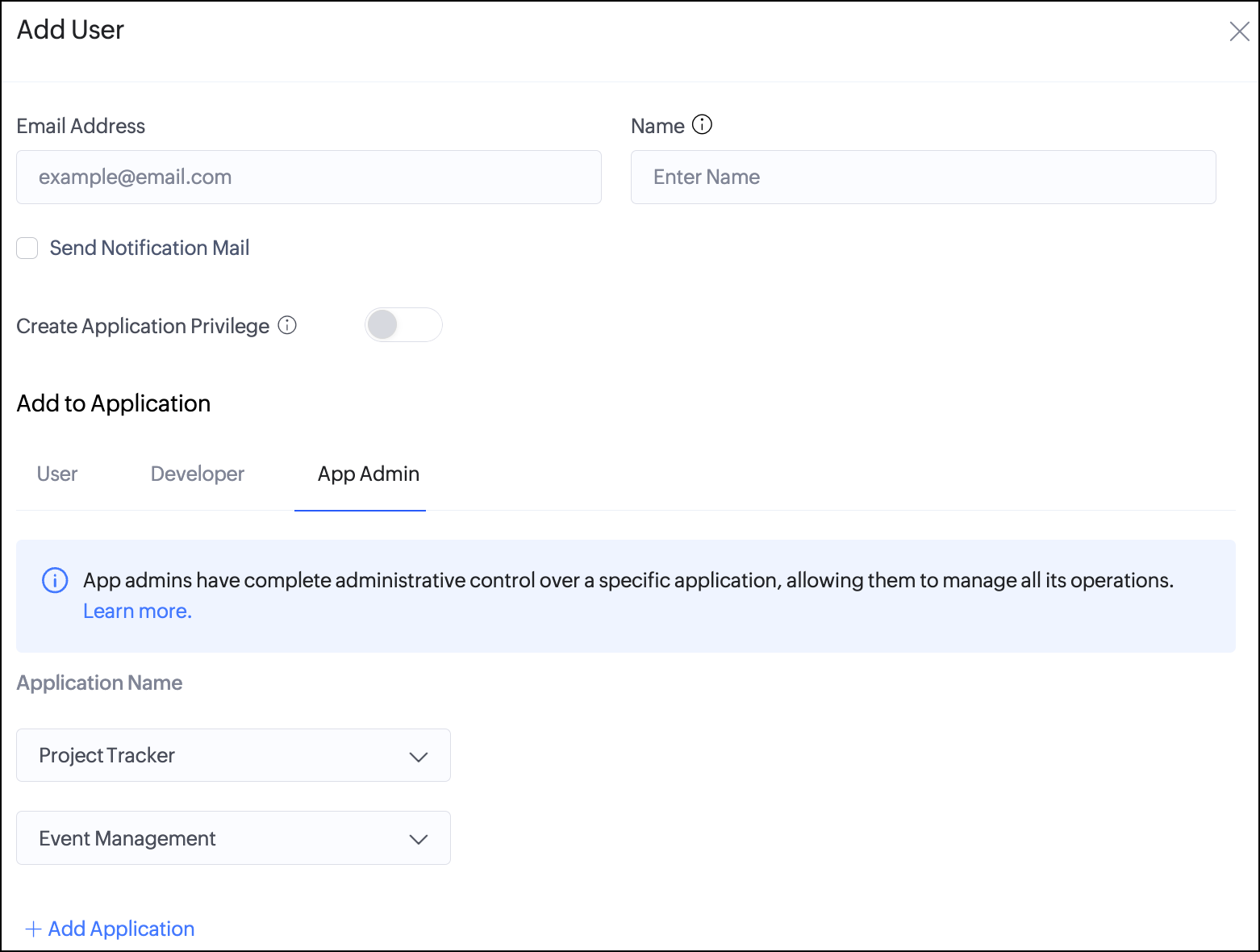
- From an existing user's detail view in the Users section

- From an application's Summary, using Add App Admin option

Note: An application can have multiple app admins.
Create Application privilege
The Create Application privilege lets a user create new apps on their own. Once it's enabled, these users will see the Create Application button under the Applications section.
Every app they create makes them its app admin for that app alone. Their permissions in other existing apps doesn't change. If they're a developer in one app and a user in another, they stay a developer and a user in those.
Both a new user and an existing user can be granted this privilege. You'll find the toggle in the pane that opens when you add a new user, or when you click an existing user from the Users listing.

Super admins and admins retain ultimate control. They can see every app created, adjust or remove a user's app admin access, and turn the privilege off at any time.
Note: The Create Application privilege and the app admin role are independent. Turning off the privilege stops the user from creating new apps, but they remain app admin of the apps they already created.
A quick example
Consider a company where the IT team manages the Zoho Creator account and every department needs apps of its own. Instead of routing each request through IT, the admin turns on the Create Application privilege for the HR lead. She builds an onboarding app and becomes its app admin automatically. From there, she manages its users, publishes updates, and makes backups, all without touching anything outside her app. Other teams, like Finance and Operations, get the same setup for their respective apps. This allows the IT team to delegate app creation while retaining the governance of the Creator account.
Quick app share
To make sharing apps easier, you can now do it right from the Solutions section. Click Share on any application card in the Solutions section, or from the top bar while you're in edit mode or live mode, and pick the people you want from your organization. Then choose whether to assign them as a User, Developer, or App admin, set their permissions, and click Share. This eliminates the need to go through the Users tab first.


Super admins and admins can assign all three user types. App admins can share the apps they administer as user or developer, but they can't assign another app admin.
Export users
You can now export your users at two levels: for the whole account from the Users tab, or for a single application from its Summary. Filters let you narrow the export by user type and permissions, and the account-level export supports multiple applications and different combinations of access criteria. So you can pull exactly the list you need - for example, every developer across three apps, for audits, reviews, or recordkeeping.
From the Users tab:

From the Application Summary:

Things to know
- App admins can assign only existing users in your organization. New users must first be added by a super admin or admin.
- App admins cannot add users to the organization, assign or remove the app admin role, or grant the Create Application privilege.
- Removing app admin access doesn't remove the user from the organization or from their other apps.
For detailed steps, refer to our help documentation:
Availability
- Available on all plans of Zoho Creator C6
- Available across all data centers
- Only super admins and admins can assign the app admin role or grant the Create Application privilege
Rollout
Available to all users from October 16, 2026.
We hope this enhanced user management gives your organization the right balance of flexibility for teams and control for admins.
We'll back with more updates, so stay tuned!
Regards,
The Zoho Creator Team
The Zoho Creator Team