Introducing Card Forms!
Hello form builders,
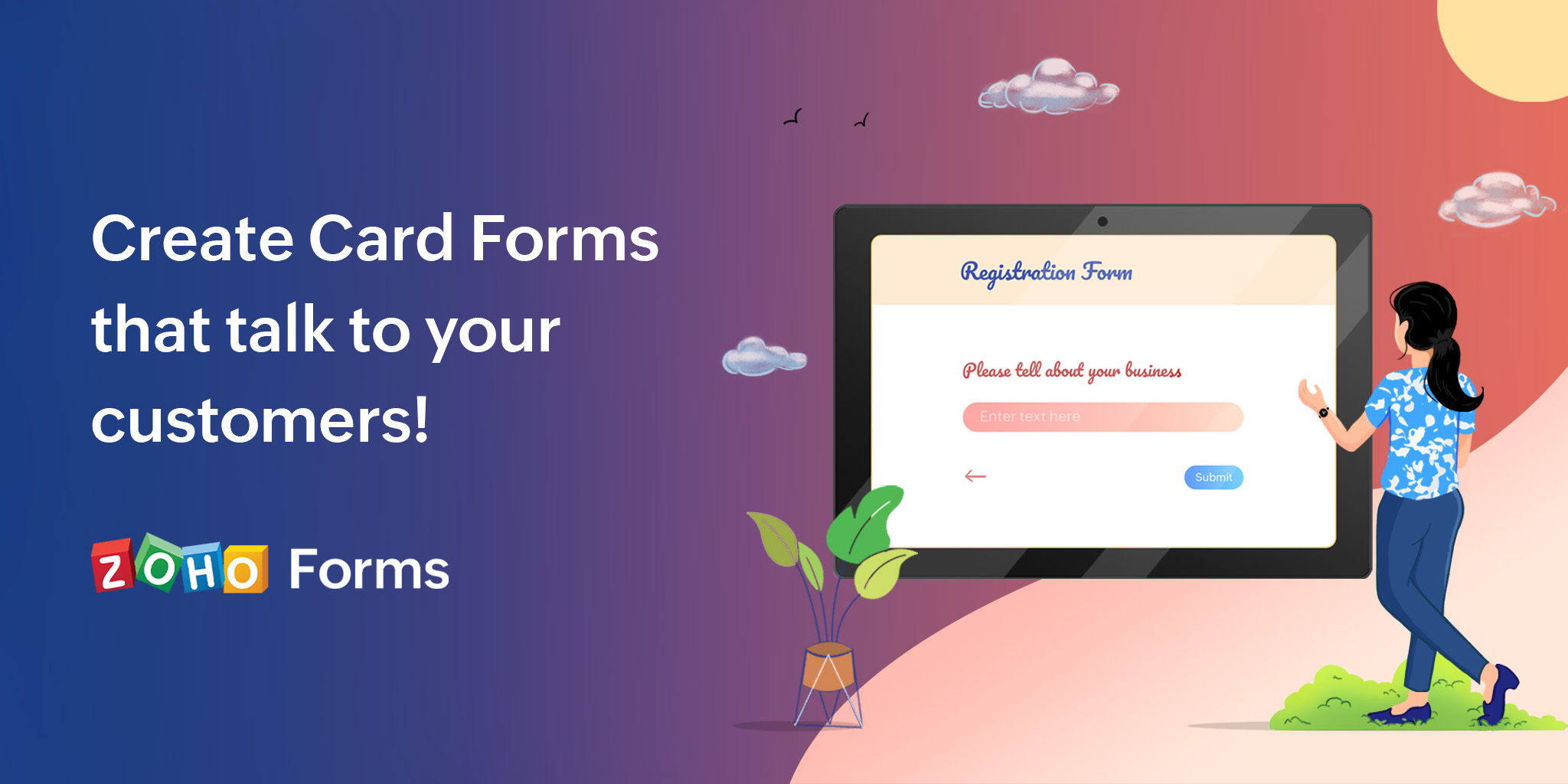
Zoho Forms is now introducing an elegant, free-flowing fluid design of Card forms that will give your forms a visually appealing look, while avoiding any visual clutter for users who are attempting to answer multiple questions at once.
Zoho Forms offers 2 Form Types: Standard and Card
A Standard form has multiple fields on it asking questions all in one page (unless you have a multi-page form), whereas a Card form has only one field per page of your form.
By displaying only one question at a time, Card Forms can spruce up and make your form's interface more user friendly and engaging.
Advantages of Card Forms
- Displaying one field at a time to the users reduces the cognitive load on their eyes and distraction.
- Lets users focus on each question and its answer, resulting in more pertinent responses.
- Card forms make it easier for the users to fix their errors one at a time, making it more convenient to submit the form.
- The user experiences a sense of progression as they move on to the next step, which makes form-filling a satisfying experience.

A Card Form has 3 major components:
- Welcome Page which is exclusively available in Card forms, serves to introduce your motto behind the form before you begin asking questions.
- Questions, one at a time to avoid any visual clutter on your form with a progress bar to indicate the progress through the form.
- Thank You Page where respondents will be taken to after hitting the Submit button on reaching the last question. The Thank You page automatically matches the theme you choose for your Card form.
When you try to create a new form from scratch in your Zoho Forms account, you will find the option to choose the Card Form Type as shown below.
Like a regular Standard Form, you can simply drag and drop fields from the left pane onto your form builder. Each field you add will appear on a separate page.
The form properties will look slightly different from your standard form properties.
You will also have a simplified theme builder specifically designed for Card forms. You can customize your form and play around with custom backgrounds, fonts, effects, and more, or pick a theme from the pre-designed themes available in the Themes Gallery.
The font size you select is dynamically adjusted for all text on your form, including the button text, resulting in a responsive form.
Card Forms have animation effects with subtle movements that are particularly useful when you want to provide visual confirmation of user action, require mandatory fields to be filled out, or highlight error messages as the user navigates through the form to capture the user's attention.
The respondents will have previous and next buttons on each page to navigate through your form, as well as have a side panel (a Fields Pane) that lets them jump between questions on the form.
Know more about Card Forms.
Using Standard or Card form type is a completely personal choice depending on your business objectives. For instance, if you have a long application form which respondents are likely to fill out on a desktop, you could choose the Standard form type and if you have a simple and short form, such as a feedback form, it would be a great choice to go for a Card form.
Over to you...
Try Card Forms today and we'd love to hear how they helped you expand your target audience. If you need assistance with building card forms or have any questions or feedback to share, feel free to leave a comment below or drop us an email at support@zohoforms.com.
Cheers,
Samhita
Topic Participants
Samhita Munukutla
Frank Luchetta
Dilip Kumar Chandra Bose
waikikse
Vipul Vipul Divecha
Sticky Posts
DKIM Now Mandatory - Changes to Zoho Forms Email Policies
Hello Zoho Forms Users, This post is to inform you about an important update regarding the authentication of all email domains in your Zoho Forms account. This year, we are doubling down on our commitment to deliver a secure, seamless, and empoweringCloudflare Turnstile is now available in Zoho Forms!
Hello form builders! We have added a new layer of protection to help you keep your forms free from bots. Instead of forcing users to prove they are human, Cloudflare Turnstile quietly checks browser signals in the background. Your real users glide through,This festive season, offer discounts with coupon code support in Stripe Checkout
Hello form builders! It’s the festive season, the perfect time to spread joy and great deals! Now, with Zoho Forms’ latest enhancement for Stripe Checkout, you can do exactly that with coupon codes! Your payment forms integrated with Stripe Checkout canNew in Zoho Forms: Google reCAPTCHA v3 for smarter spam protection
Hello form builders, Spam submissions are one of the biggest challenges when you share your forms online. They not only clutter your data but can also waste valuable time. To help you combat this without making life harder for genuine respondents, we’reNew in Zoho Forms: Inline OTP Verification
Hello form builders, We are excited to announce the launch of Inline OTP Verification in Zoho Forms, a smarter way to ensure the authenticity of the contact details you collect. Until now, OTP Verification in Zoho Forms worked as a pre-access step: respondents
Nederlandse Hulpbronnen

Recent Topics
This user is not allowed to add in Zoho. Please contact support-as@zohocorp.com for further details
Hello, Just signed up to ZOHO on a friend's recommendation. Got the TXT part (verified my domain), but whenever I try to add ANY user, I get the error: This user is not allowed to add in Zoho. Please contact support-as@zohocorp.com for further details I have emailed as well and writing here as well because when I searched, I saw many people faced the same issue and instead of email, they got a faster response here. My domain is: raisingreaderspk . com Hope this can be resolved. Thank youGetting Project Template List using the REST API
I am trying to confirm that I can use the REST API to create a project using a project template. The API documentation indicates this is possible by providing the Template ID, but it is not clear at all how to get a list of available Project TemplatesHow to display the CONTACT ID in the Contact page
Hi, I've seen this conversation below and it is exactly the same question I'm raising now, but unfortunately the last message is not solved https://help.zoho.com/portal/community/topic/show-contact-id-while-editing-contact-form I need to show the ContactId and I don't know how to do this. The last message included in the conversaton shows the way but not it is not completed. "I am sorry by default we do not have the option to show the record ID for the contacts in the field in a record. When youHow to change margins in templates
Hi, I'm new to Zoho Campaigns, and am trying to figure out how to adjust the margins within an email template. The default margins make the text go all the way to the edges of the page. Please advise.Create Canvas list view templates from images powered by Zia
Currently available for all paid editions of Zoho CRM in the US, EU, IN, JP & CN DCs. Designing a personalized CRM interface just got even easier. In today’s fast-evolving digital landscape, AI is transforming the way we work by automating complex tasksPainfully Slow Zoho mail
Since yesterday Zoho Mail seems to have starting functioning very slowly and having a few bugs. It's slow to open mails, slow to send, slow to change between email accounts. Sometimes clicking on a particular folder (eg Sent folder) stops working and"Wrong password or login" Problem to configure Zoho on MAIL App on my Macbook
Hi, I'm having problems to configure my e-mail on my MAIL App(Macbook pro). My e-mail is hari@trespontoum.net Actually was working perfectly, and still working on my Iphone. My MAIL App prompt me that my login or password is wrong. I tried to change 3"User already exist in your org"
Hello, I've just read a discussion about this issue, which didn't solve my problem. I'm trying to add the following emails: sales@kiss-my-boutique.co.uk returns@kiss-my-boutique.co.uk orders@kiss-my-boutique.co.uk I'm getting an error message each time I try and add them. None of them are primary or secondary emails and none of them have been created as users before. I know this as when I try and login and do 'forgot my password' all I get is an error message saying 'user invalid'. Please advise.Operation Not Permitted
Hi, I have problem in adding user after verifying the domain but it seems like error appeared which is "operation not permitted". For your information, I had delete other domain before did it.Email forwarding setup fails
I'm trying to set up email forwarding from my Zoho email to my gmail address. I followed the directions to set up email forwarding here: https://www.zoho.com/mail/help/email-forwarding.html. I did only steps 1-6. After doing this, rather than settingPassing the CRM
Hi, I am hoping someone can help. I have a zoho form that has a CRM lookup field. I was hoping to send this to my publicly to clients via a text message and the form then attaches the signed form back to the custom module. This work absolutely fine whenShopify store email issues- Not getting emails
Hi We have migrated from Microsoft outlook to Zoho back in March, we have a shopify store, the domain is hosted on namesilo, not shopify, I have seen some people here complaining about not getting emails from customers who fill out the contact form onHow do I fix this? Unable to send message; Reason:554 5.1.8 Email Outgoing Blocked.
How do I fix this? Unable to send message; Reason:554 5.1.8 Email Outgoing Blocked.Invoice Discount Account
Is there a way to change the account used for Discounts applied to an invoice? The current Discount account (ZB native account) type is an "Income" type. I would like to change it to "Other Income", but that is not possible, I am assuming because it containsNeed Inactive accounts to be visible in Reports in Zoho Books
I N=need Inactive accounts to be visible in Reports in Zoho Books to do recons of the accounts but when i see the same they are not visible in the Accountant - Account Transactions reportAPI Support for Creating Invoices with Batch-Tracked Items
Hi Zoho Community, I am working on an integration where we create invoices in ERPNext and push them to Zoho Books. I need to send batch-tracked items (batch numbers) when creating invoices. I could not find any reference in the Zoho Books API documentation.javax.mail.authenticationfailedexception 535 authentication failed
Hi, I am facing 535 authentication failed error when trying to send email from zoho desktop as well as in webmail. Can you suggest to fix this issue,. Regards, RekhaPhantom Opening Balance
While experimenting w/ creating a composite item, Zoho added funds to Petty Cash and added Bank Account equal to previous day's balance. I'm unable to undo the adding of funds. Attaching screenshots of both bank account and petty cash transactions.Importing customer comments and multiple shipto addresses
I am evaluating Zoho Books and have most of my data imported with two exceptions: (1) Import customer comments - in my current system I have several comments of different types, and I need to bring these into Zoho. Preferably Books customer records, butDetailed Account Reports - Add Running Balance
When one clicks into an account from a report (say P/L or Balance Sheet), the default reports have the Debit, Credit, and then the Amount. The Amount column (last one) is duplicate information. It would be far better and fit more peoples' use cases ifHow to Billed from two different GST Numbers
How to Billed from two different GST Numbers. Suppose ABC & Co had GST registration in Delhi and Haryana and Zoho account is created with Delhi GST Registration number. Now i also want to issue invoice from Haryana GST Registration number. How can i proceed ?Payment system for donations management
I manage an organization where we receive donations from payers. Hence, there is no need to first create invoices and then create payments received against the invoices. What are the recommended best practices to do this in ZohoBooks?Zoho IP blocked by SpamHaus
ERROR CODE :550 - 5.7.0 Your server IP address is in the SpamHaus SBL-XBL database, byeIMAP Communication Problems - IMAP Down Again
We are experiencing the same problems over the last week or so that were supposedly 'solved' according to this thread. Zoho Imap Down Again This is affecting attempts to use IMAP on multiple ISPs and users so is definitely narrowed down to Zoho problems.Can't login to Zoho mail
I'm logged into Zoho but when I try to go in zoho mail I get: Invalid request! The input passed is invalid or the URL is invoked without valid parameters. Please check your input and try again. I just set up my mx records and stuff with namecheap a fewHotmail is STILL blocking the zoho mail IP
Greetings, as I already mentioned in my last message, my Zoho IP has been blocked by Hotmail for more than 15 days. Although someone said that the issue was "solved," it still isn't, and this amount of time seems neither normal for a "serious" company,Keyboard shortcut M key
I'm trying to customize my keyboard shortcuts and assign the "m" key. But it says the key is already assigned. I've looked through all my shortcuts and can't see any assigned "m". When I select an email and press the M key, nothing happens. What is theManage customer access across multi-brand help centers
Hello everyone! Managing customer's access across multiple brands has been streamlined with the ability to invite, reinvite, approve, reject, and deactivate contacts individually for each help center brand . This enhancement gives administrators preciseWhite Label certificate
Hi all, About 72 hours ago, we fulfilled all steps for white labeling (CNAME to point to mail.cs.zohohost.eu), but since then the configuration page is now stuck at "generating certificate" since 3 days. When I execute an NSLOOKUP mail.webfoundry.be itUnusual activity detected from this IP. Please try again after some time
When i try to create new addresses on my account i am getting this error, it has been 24 hours now and i am still getting this error can anyone helpDeluge Events/search API works in user environment but not in sandbox – why?
I am creating an Extension for Zoho CRM using Zoho Sigma Platform I’m using the following Deluge code to search Events in Zoho CRM based on Start_DateTime: criteria = "(Start_DateTime:greater_than:2025-12-20T00:00:00+00:00)"; url = "crm/v8/Events/search?criteria="How to add a new domain in my account?
Probably zoho has the worst UI in the market. Cannot add a new domain to manage a new email address.Create static subforms in Zoho CRM: streamline data entry with pre-defined values
Last modified on (9 July, 2025): This feature was available in early access and is currently being rolled out to customers in phases. Currently available for users in the the AU, CA, and SA DCs. It will be enabled for the remaining DCs in the next coupleAbility for admin to access or make changes in zoho form without asking for ownership
Currently in zoho form only form owner can make the changes in the form and if someone else has to make changes then we have to transfer the ownership to them and even admin also cant access it . So i think admin must have the ability or option to accessWhy does Zoho’s diff viewer highlight parts of unchanged lines?
Hi everyone, I’ve noticed something odd in the Zoho editor’s diff view. When I delete a single line, the diff doesn’t just mark that line as removed. Instead, it highlights parts of the next line as if they changed, even though they are identical. Example:Report sorting not working
I make extensive use of Summary reports and Pivot Tables. Most of these reports are structured such that I have several columns of "information" data that I want displayed, followed by one or more "Data" summarizations. For example, I have the followingNotes Not Saving
Hello, My notes are continuously not saving. I make sure to save them, I know the process to save them. It is not operator error. I go back into a Leads profile a while later and do not see the previous notes that I have made. I then have to go back and do unnecessary research that would have been in the notes in the first place. Not a good experience and it is frustrating. Slows me down and makes me do unnecessary work. Please resolve. As a quick heads up, deleting cookies is not a fixHow to convert MBOX to PDF
I have a my zoho mail data stored in MBOX format how can i convert it into PDF?New Enhancements in Wizards
Dear All, Wizards help you break a long form into a series of smaller forms on different screens, making it less overwhelming. We are thrilled to introduce a couple of enhancements to wizards in Zoho CRM: Enhancements for conditional rules in WizardsMicrosoft Teams now available as an online meeting provider
Hello everyone, We're pleased to announce that Zoho CRM now supports Microsoft Teams as an online meeting provider—alongside the other providers already available. Admins can enable Microsoft Teams directly from the Preferences tab under the MeetingsNext Page