Psychiatrists: Create Fantastic Appointment Scheduling Sites
Gone are the days where clients used to call a psychiatrist's practice to book an appointment. Today, where everyone is on the internet, most of them prefer to schedule an appointment online which is a much easier way of doing it.
Having an appointment scheduling site will also allow you to focus more on your job rather than spend time on managing the appointments which will in turn increase your productivity.
Also, you need to have an appointment scheduling site that is inviting and pleasing to your clients. This will help you compete with other practices who have a similar way of managing appointments online.
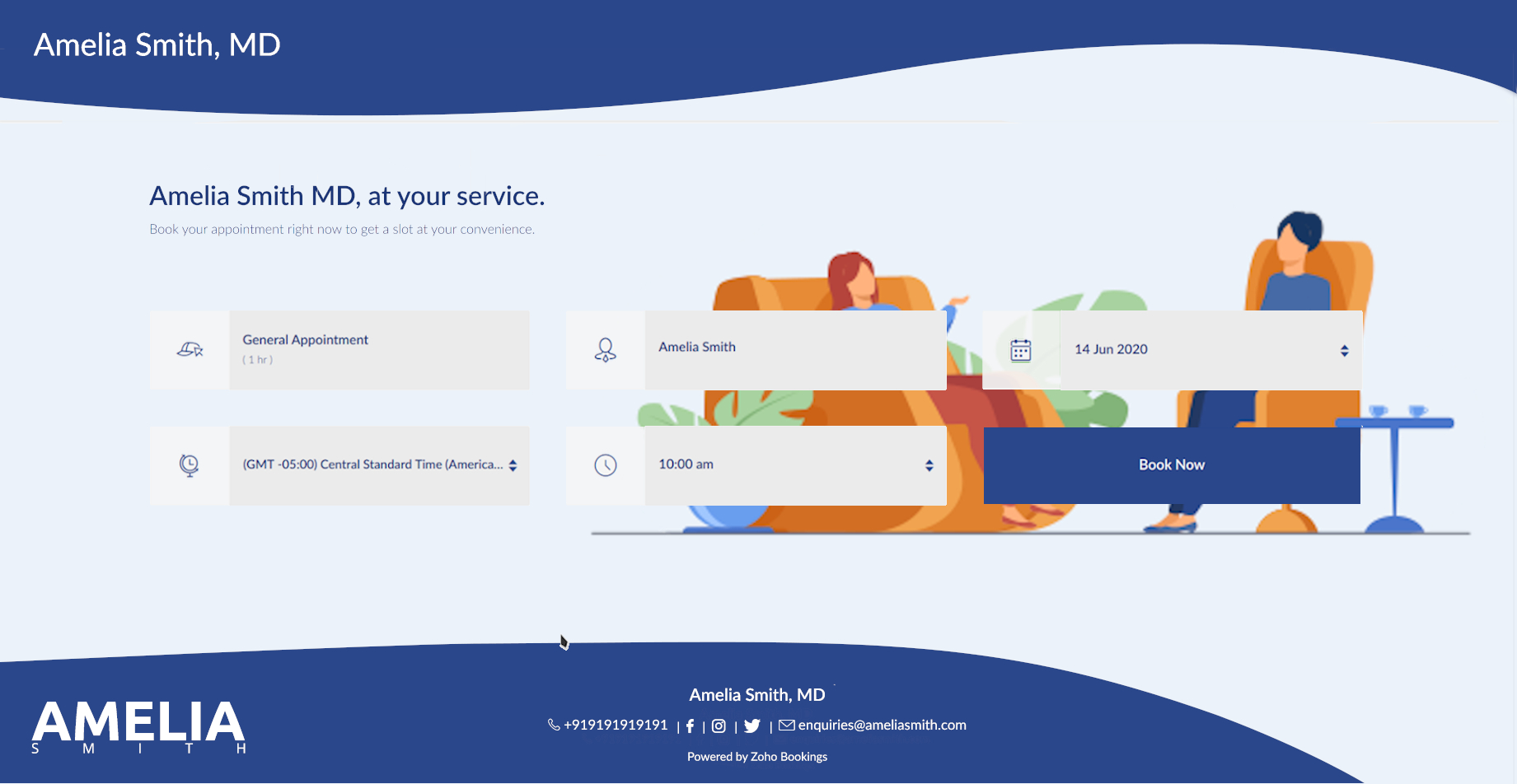
In this guide, we will have a brief look as to how you can do that for yourself without spending too much time and effort for something as important as this.
Do you really need an attractive appointment scheduling site for your company?
Psychiatrists provide a service to their customers that is intangible. Therefore, businesses that offer services like these need other ways to show their excellence in service quality.
In today's age, where every business has an online presence to stay relevant, you need to have one as well to compete with those in your industry. This is crucial as many even lose clients to those who make themselves more attractive to these clients on the internet.
Hence, in order to communicate to your clients about your quality in service and stay ahead of the competition in doing so, you need an attractive appointment scheduling site so that you show your business in the best way possible.
Certain rules and guidelines need to be followed while doing this. But why?
Every industry has certain designs and colors associated with them because that helps others communicate the feel of the products or services of that industry. Similarly, psychiatrists also need to follow a certain design language to help make the client feel safe and confident while deciding to obtain your service.
This is important because using a wrong design on your booking page can sometimes be disastrous to your business.
Additionally, you will also end up losing customers to your competition who have a more accommodating online presence than you. Therefore, doing every step the right way will help you make sure that you are in your best form on the internet. Be it the Motel Industry, Digital Marketing Agencies, Accountants or any other industry for that matter, having an attractive and good-looking appointment scheduling website can only work wonders for your business.
This guide gives an overview of what you need to know when designing your scheduling appointment page in your industry. If you need directions for every step of the process, we have a guide made for that very purpose.
All right, so, how should you go about making an appointment scheduling site?

As a psychiatrist, you cannot effectively show your service visually on your booking page.
Instead, your focus should be on how the client should feel when they are on your booking page. A pleasant and calming theme will help with this. Additionally, you can also provide any information on the booking page that the client should know about before scheduling an appointment with your practice.
This way you can make sure that the client has everything that they need right from the site without having to look elsewhere for it. This makes it convenient for them and they will appreciate such a thought from your site to do so.
The best place to start is your background image.
You need to get an understanding of how your booking page will look like at the end to get going with designing. To assist with this, you should search for ideas from other websites or booking pages from your industry.
While you can choose whatever color you want, we will encourage you to choose a color that makes reading the text on top of it easier.
White or whitish colors are typically the best options in this respect. This allows us to hold the reader's focus to the text rather than to the design, while at the same time complementing it, which is what we want on our website.
If you would rather go with a darker color in nature, make sure that the color allows the text to be read easily on top, which should have a contrasting color.
You can also go with an image if you like. Try to pick an image that has lots of whitish shades that dominate the photo for the reasons we have just been talking about, if that is the option you would like to go ahead with.
Let us assume that, for the purposes of this tutorial, you choose white as the primary color. Now that we are going to use one color in the color scheme that we have defined; we have got to include another color that can be included with white.
The benefit of having a color based on white in a color scheme is that it can be used in combination with virtually all colors. How would we choose the second one for our scheme as there are too many colors to choose from?
Another look at some of the popular websites or pages to book can help. You may also check on the internet for paint combinations for your primary color and choose one that looks pleasant and soothing. Many companies have a color scheme that they use for their websites on a regular basis and that is where you need to choose the color. Given the combination of these two colors, try looking for a background image that incorporates these very well.
That is because it gives your booking page a rather pleasant and appealing feel as this color scheme is heavily used on all elements of your booking page. An exception to this is that if you do have a website that uses a certain color scheme, it would be easier to stick to it precisely if the organization exclusively follows the design language.
You can even use photos which you have from your practice. If not, pictures from websites such as Shutterstock and 123rf can be checked for pictures provided for this particular reason or you can also look for royalty-free pictures from other websites.
Make sure that the picture you choose is not too cluttered with topics, because on the booking page you can see clearly the text that will fall across it. If you want to add the logo to the background in place of the website's default logo on the top left corner, please keep in mind that for this purpose you may need to use applications such as Canva or advanced resources such as Photoshop.
Now that you have finalized your background picture, let us go through next color customization.
What about the other things on your site, then?
We had already discussed that the color scheme used in the page would be used on other elements as well. That is such that when it comes to visual design we are going to make sure the backdrop and the components go together.
When adding the same for both the text and the buttons, make sure the right color is applied which contrasts with the color below. For example, if the background color on the screen where the text is being filled is white, then the other color you have chosen in your color scheme will be the text color.
In addition, one should always ensure that the company logo used on the booking page also matches in well against the background for the same purposes.
Check the website after both of these have been completed by clicking the Go To button at the very end of the customization options to test if all is the way you need it.
Depending on this, you may then determine whether anything you have applied to the website needs to be changed or modified so it appears better than before.
The text on your site is probably the most powerful part.
The text on your booking page primarily consists of two lines and can be used according to your needs.
While others will use this to show phrases used to advertise their brand, others will use it to include specific instructions that should be taken into consideration while making appointments.
So when you book the appointments with your practice, your text on the page is really down to what your clients need to see. This space can also be used for subtle marketing using creative words.
Make sure customers understand the text clearly and quickly, and be knowledgeable of what they need to understand before scheduling their appointments.
Additionally, editing the picture will allow you to add it to the background content should you want to display additional text other than those two sections. For this scenario, make sure that the text is not applied to the image where the buttons overlap, and you can avoid the buttons on the booking page.
Keep in mind that the document's color will match the color you are using on the other text-based components to make sure the template is legible and consistent.
Is that everything that you need to do? Not quite!
Look at the top of the article to see how you have done what you desired. You can also ask others for opinions about your work, so you can get a different perspective on it.
We will recommend that you keep reviewing your page for any updates you make so that you can make further adjustments while continuing through the editing method.
Overall, you need to be sure that your booking page is not too cluttered, that it is beautifully appealing, and that it is readable to anyone who could use it very clearly. You should also ensure that all relevant details are provided with which the consumer should be informed before scheduling an appointment with your meeting room.
We hope that this guide has helped you! If in case you have any questions regarding this guide, let us know in the comments below.
Image Credits:
Topic Participants
Akarsh Madhav
Recent Topics
How to Calculate MTTR (Mean Time to Resolve)
We want to calculate MTTR (Mean Time to Resolve) in our Zoho Analytics report under Tickets. Currently, we are using the following fields: Ticket ID Ticket Created Time Ticket Closed Time Ticket On Hold Time We are planning to calculate MTTR (in days)How to export project tasks, including the comments
Hi, how can I export the project tasks, whereby I can also see the comments associated to a specific task? The use-case is that often we use comments to discuss or update a task related ideas. I would like to export the tasks, where we can also see theDoes Zoho Sheet Supports https://n8n.io ?
Does Zoho Sheet Supports https://n8n.io ? If not, can we take this as an idea and deploy in future please? ThanksBigin Android app update: User management
Hello everyone! In the most recent Bigin Android app update, we have brought in support for the 'Users and Controls' section. You can now manage the users in your organization within the mobile app. There are three tabs in the 'Users and Controls' section:Share records with your customers and let them track their statuses in real time.
Greetings, I hope everyone is doing well! We're excited to introduce the external sharing feature for pipeline records. This new enhancement enables you to share pipeline records with your customers via a shareable link and thereby track the status ofLive webinar: Discover Zoho Show: A complete walkthrough
Hello everyone, We’re excited to invite you to our upcoming live webinar, Discover Zoho Show: A Complete Walkthrough. Whether you’re just getting started with Show or eager to explore advanced capabilities, this session will show you useful tips and featuresDeal Stage component/widget/whatever it is... event
Deal Stages I am trying to access the event and value of this component. I can do it by changing the Stage field but users can also change a Deal Stage via this component and I need to be able to capture both values. Clicking on 'Verbal' for instance,Create advanced slideshows with hybrid reports using Zoho Projects Plus
Are your quarterly meetings coming up? It’s time to pull up metrics, generate reports, and juggle between slides yet again. While this may be easier for smaller projects, large organizations that run multiple projects may experience the pressure whenAdd an option to disable ZIA suggestions
Currently, ZIA in Zoho Inventory automatically provides suggestions, such as sending order confirmation emails. However, there is no way to disable this feature. In our case, orders are automatically created by customers, and we’ve built a custom workflowFormula field with IF statement based on picklist field and string output to copy/paste in multi-line field via function
Hello there, I am working on a formula field based on a 3-item picklist field (i.e. *empty value*, 'Progress payment', 'Letter of credit'). Depending on the picked item, the formula field shall give a specific multi-line string (say 'XXX' in case of 'ProgressUnified Directory : How to Access ?
I signed in to Zoho One this morning and was met with the pop up about the upgraded directory (yay!) I watched the video and pressed "Get Started" ... and it took me back to the standard interface. How do I actually access the new portal/directory ?Zoho CRMの流入元について
Zoho CRMとZoho formsを連携し、 formsで作成したフォームをサイトに埋め込み運用中です。 UTMパラメータの取得をformsを行い、Zoho CRMの見込み客タブにカスタム項目で反映される状況になっています。 広告に関してはUTMパラメータで取得できているため問題ないのですが、オーガニック流入でフォーム送信の場合も計測したいです。メールやGoogle、Yahoo、directなどの流入元のチャネルが反映されるようにしたいのですが、どのように設定したら良いでしょうか。 また、Error While Sign in on Zoho Work Drive
Dear Team, I hope this email finds you well. I have recently created a Zoho account and started using it. But while I am trying to log in to Zoho work drive it won't log me in its crashing every time I try it. I have tried it on android app, phone browserChoosing a portal option and the "Unified customer portal"?
I am trialling Zoho to replace various existing systems, one of which is a customer portal. Our portal allows clients to add and edit bookings, complete forms, manage their subscriptions and edit some CRM info. I am trying to understand how I might bestTranslation support expanded for Modules, Subforms and Related Lists
Hello Everyone! The translation feature enables organizations to translate certain values in their CRM interface into different languages. Previously, the only values that could be translated were picklist values and field names. However, we have extendedUnified task view
Possible to enable the unified task view in Trident, that is currently available in Mail?Bigin, more powerful than ever on iOS 26, iPadOS 26, macOS Tahoe, and watchOS 26.
Hot on the heels of Apple’s latest OS updates, we’ve rolled out several enhancements and features designed to help you get the most from your Apple devices. Enjoy a refined user experience with smoother navigation and a more content-focused Liquid GlassImporting data into Assets
So we have a module in Zoho CRM called customers equipments. It links to customers modules, accounts (if needed) and products. I made a sample export and created extra fields in zoho fsm assets module. The import fails. Could not find a matching parentAllow instruction field in Job Sheets
Hello, I would like to know if it is possible to have an instruction field (multi line text) in a job sheet or if there is a workaround to be able to do it. Currently we are pretty limited in terms of fields in job sheets which makes it a bit of a struggleStreamlining Work Order Automation with Zoho Projects, Writer & WorkDrive
Hello Community, Here is the first post in 'Integration & Automation' Series. Use Case :: Create, Merge, Sign & Store Documents in Zoho WorkDrive. Scenario :: You have a standard Work Order template created in Zoho Writer. When a task status is chosenThe dimensions of multilingual power
Hola, saludos de Zoho Desk. Bonjour, salutations de Zoho Desk. Hallo, Grüße von Zoho Desk. Ciao, saluti da Zoho Desk. Olá, saudações da Zoho Desk. வணக்கம், Zoho Desk இலிருந்து வாழ்த்துகள். 你好,来自 Zoho Desk 的问候。 مرحباً، تحيات من Zoho Desk. नमस्ते, ZohoMulti-line address lines
How can I enter and migrate the following 123 state street Suite 2 Into a contact address. For Salesforce imports, a CR between the information works. The ZOHO migration tool just ignores it. Plus, I can't seem to even enter it on the standard entry screen.Accessing Zoho Forms
Hi all, We're having trouble giving me access to our company's Zoho Forms account. I can log in to a Forms account that I can see was set up a year ago, but can't see any shared forms. I can log into Zoho CRM and see our company information there withoutArchiving Contacts
How do I archive a list of contacts, or individual contacts?Cost of good field
Is there a way we can have cost of good sold as a field added to the back end of the invoicing procedure and available in reports?How to add image to items list in Invoice or Estimate?
Hello! I have just started using Zoho Invoice to create estimates and, possibly to switch from our current CRM/ERP Vendor to Zoho. I have a small company that is installing CCTV systems and Alarm systems. My question is, can I add images of my "items" to item list in Zoho Invoice and Estimates and their description? I would like to show my clients the image of items in our estimates so they can decide if they like these items. And I tell you, often they choose more expensive products just becauseIssue with the Permission to Zoho Form
I am getting an error by signing in to zoho form as it is stated that i don't have permission to access this is admin accountCRM templates
Hello everyone, In my company we use Zoho campaigns where we set up all newsletters and we use Zoho CRM for transactional emails. I have created some templates in Zoho campaigns but from my understanding i cannot use those in Zoho CRM, right?Pending Sales Order Reports
Pending sale order report is available for any single customer, Individual report is available after 3-4 clicks but consolidated list is needed to know the status each item. please help me.Zoho Mail SMTP IP addresses
We are using Zoho Mail and needs to whitelist IP for some redirections from your service to another e-mails. You can provide IP address list for Zohomail SMTP servers?Zoho Campaigns - Why do contacts have owners?
When searching for contacts in Zoho Campaigns I am sometimes caught out when I don't select the filter option "Inactive users". So it appears that I have some contacts missing, until I realise that I need to select that option. Campaigns Support haveemail forwarding not working
Your email forwarding service does not work. I received the confirmation email and completed the confirmation, after that nothing and nothing since no matter what I have tried. Shame as everything else was smooth. I spose it's harder to run one of these web based internet mail services than you guys thought!!! can you fix the email forwarding asap PLEASE!Google Ads Conversions Not Being Tracked in Zoho CRM
We have 3 different conversions created in our Google Ads Account. Only one of the 3 conversion types is tracking in Zoho CRM. Our forms are Elementor Forms that are mapped into Zoho CRM. It apprears to me that all leads are showing up in Zoho CRM, butEnable Locations for Expense
Hi, please enable Locations (ex Branches) for Zoho Expense so that there is consistency between this app and Zoho Books. Thanks in advance.in the Zoho Creator i have File Upload field get the file on submission of the form Get the File and upload to Zoho Books
in the Zoho Creator i have File Upload field get the file on submission of the form Get the File and upload to Zoho Books . how I get the file From zoho creator and upload to Zoho Books . using Api response = invokeUrl [ url: "https://www.zohoapis.com/creator/v2.1/data/hh/l130/report/All_Customer_Payments/"+input.IDGenerate a link for Zoho Sign we can copy and use in a separate email
Please consider adding functionality that would all a user to copy a reminder link so that we can include it in a personalized email instead of sending a Zoho reminder. Or, allow us to customize the reminder email. Use Case: We have clients we need toRate Limiting in Zoho Flow (OpenAI API)
Hi Everyone, We are facing some issues when using Zoho Flow as we have a deluge script running which is making external calls to OpenAI endpoint. Sometimes the response takes more than 30 seconds meaning the script will timeout. We want to implement aPlacing a condition before converting the LEAD
Hi, I need some assistance with Lead conversion. I need to place certain conditions before allowing the user to convert the lead. For example: up until the certain status's doesn't equal "green" don't allow to convert lead. I tried creating this usingit is possible to open a widget via deluge script function
I have one function that is workflow action I call my fucntion I need to call the internal widget it is possible to open or it have to please tell me the solutionCreator - Portal Custom Domain
I will pay $100 in crypto to anyone who can actually get my Creator Custom Domain to function (actually tell me how you got yours to). Domain verifies, Nothing. I've been fighting it a week, multiple chats to customer service. Clearly I'm doing something wrong. Some datapoints Domain name itself unimportant, can be a string of numbers. I need to know what registrars are working for you because GoDaddy does NOT. Do I need hosting? I've tried both ways and nothing works. I pushed through CloudflareNext Page