When moments in customer support get "spooky"

When moments in customer support get "spooky"

It’s Halloween again!
Halloween is celebrated with spooky symbols and meanings based on history and traditions, with each region adding its own special touch. While we were kids, we would dress up in costumes along with friends, attend parties, and enjoy the thrills of the season. Growing older, our perspectives and the way we celebrate might may have changed. Now, we might find ourselves watching children enjoy their spooky fun or simply relaxing.
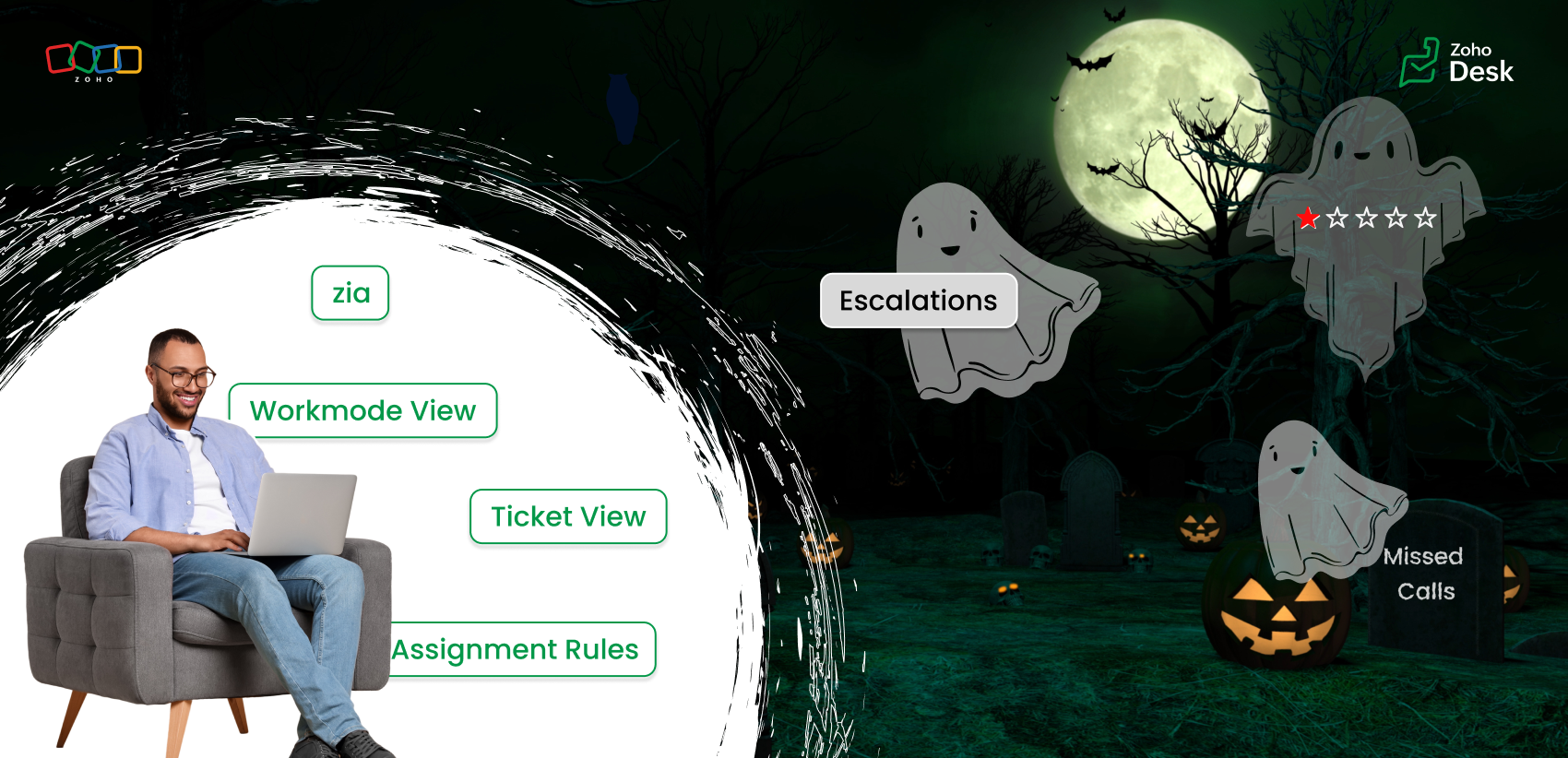
But for those working in customer support, Halloween can reveal different kinds of “spooky” moments. Some moments at work can feel just as haunting as the Halloween characters that test patience, empathy, and presence of mind. This Halloween, let’s talk about how we can turn moments of horror in customer support into delightful experiences.

The “spooks” of customer support  

Overflowing tickets

When you sign in to your Zoho Desk account, you might immediately have more tickets than you can handle. Too many tickets can make you miss your first-response time, drop your metrics, and soon you’re buried under an endless stream of unresolved tickets.

Falling resolution rates

As the workload piles up, your average resolution time can slip. Despite your best efforts, the gap between customer expectations and your responses continues to widen.

Tone gone wrong

With an overwhelming number of tickets, we might rush to reply quickly, which can make the emails sound curt or emotionless. We end up sounding rude or robotic without intending to. The lack of warmth can turn a neutral interaction into a negative experience.

Disappointing feedback

After all this, you work hard to respond to your customers and close all the tickets, aiming to solve their problems, yet the customer leaves a negative rating or an unhappy emoji. These negative rating can affect our CSAT scores leading to a more chilling experience than a Halloween scare.

Endless escalations

You’ve given your best, but tickets keep escalating one after another. Encountering one frustration after another while juggling deadlines is enough to make any support agent feel haunted by unfinished work.

Self-service pages

Imagine the customer's frustration when they're trying to find an answer, but the outdated knowledge base goes unpublished because it is outdated. What could have been resolved turns into a frustrated ticket.

Let's see how we can turn those spooky moments into spectacular ones.
Every “horror moment” in support can be transformed into an opportunity for excellence with the right tools, automation, and teamwork.

Organize your tickets

The prediction tools in Zoho Desk help you identify the high-priority tickets and learn from ticket history in less time. Zia can also detect anomalies and notify your team of tickets that require attention. The summary tools help you understand tickets and conversations quickly.
Use the default views and create custom views to categorize your tickets based on their assigned priority levels and due dates. Use various views under Workmodes to resolve tickets based on status, priority, and SLAs. The ticket notifications also help you view details where your name is tagged (@ mentions), unread, and flagged messages. These will help you resolve tickets quicker, leading to happy customers.

Assignment rules

Assignment rules help you distribute tickets evenly among agents so that one or two agents do not feel overwhelmed. Sharing the workload with fellow agents helps your team respond faster and serve customers more efficiently. The agent collision feature alerts you if two agents are working on the same ticket, thus avoiding duplicate efforts.

Workflow rules

Automate notifications for customer tickets or complaints. A simple response and acknowledgment can reassure customers that their issue is abeing ddressed to offer resolution.

Define service level agreements (SLAs)

Establish clear response and resolution times based on your business hours and ticket priorities. SLAs help you address the most urgent cases while maintaining service quality and consistency.

Update your availability status

Under profile, set your status for each support channel in Zoho Desk. When you’re online, you’ll be notified of new chats or emails to ensure nothing goes unnoticed.

Keep knowledge base (KB) articles updated

Set expiration dates for your help articles so you’re notified when it’s time to review or update them. Updating your knowledge base with the current information helps customers find the right answers faster, reducing ticket load.

Use Zia

Zia can help you sense the tone of the customers' emails. If you miss noticing the customer's emotions, Zia Insights and Zia Reply Assistance are at your service with emoticons and quick references to respond effectively. Zia insights give you an analysis of the customer's tone as well as the topics they discussed. You can also view the customer's CSAT ratings under their contact info.

Every one of these small steps can turn potential “frights” into smooth, positive experiences, both for you and your customers. The spooky moment in customer support can fade away with Zoho Desk's automation tools, AI-powered sentiment analysis, and unified knowledge base. This Halloween, while we celebrate with costumes and candy, let’s also celebrate the courage, creativity, and care of every customer support professional who turns the fright of a long queue into customer delights.
Wish you a happy Halloween! 🎃
Wishes from the Zoho Desk team 

    • Sticky Posts

    • Register for Zoho Desk Beta Community

      With the start of the year, we have decided to take a small step in making the life of our customers a little easier. We now have easy access to all our upcoming features and a faster way to request for beta access. We open betas for some of our features
    • Share your Zoho Desk story with us!

      Tell us how you use Zoho Desk for your business and inspire others with your story. Be it a simple workflow rule that helps you navigate complex processes or a macro that saves your team a lot of time; share it here and help the community learn and grow with shared knowledge. 
    • Tip #1: Learn to pick the right channels

      Mail, live chat, telephony, social media, web forms—there are so many support channels out there. Trying to pick the right channels to offer your customers can get pretty confusing. Emails are most useful when the customer wants to put things on record. However, escalated or complicated issues should not be resolved over email because it's slow and impersonal.  When you need immediate responses, live chat is more suitable. It's also quick and convenient, so it's the go-to channel for small issues. 
    • Welcome to Zoho Desk Community - Say hello here!

      Hello everyone! Though we have been here for a while, it’s time to formally establish the Zoho Desk Community; we’re really happy to have you all here! This can be the place where you take a moment to introduce yourself to the rest of the community. We’d love to hear all about you, what you do, what company or industry you work for, how you use Zoho Desk and anything else that you will like to share! Here’s a little about me. I am Chinmayee. I have been associated with Zoho since 2014. I joined here
    • Webinar 1: Blueprint for Customer Service

      With the launch of a host of new features in Zoho Desk, we thought it’ll be great to have a few webinars to help our customers make the most of them. We’re starting off with our most talked about feature, Blueprint in Zoho Desk. You can register for the Blueprint webinar here: The webinar will be delivered by our in-house product experts. This is a good opportunity to ask questions to our experts and understand how Blueprint can help you automate your service processes. We look forward to seeing
    • Recent Topics

    • Zoho Creator Calendar - Sorting Events

      Hi, I have a calendar view to hold the schedule for a group of engineers. I have created a formula field to show the combination of fields I want visible as the title of the event, but I need to be able to sort the list by something other than the event
    • Upcoming Update: Disposition Sync for Indeed

      We’re updating our Indeed integration to support Disposition Sync, improving how candidate application statuses are communicated. This change is scheduled to go live on 15 June, 2026. What’s changing? Once enabled, this allows candidate application statuses
    • Joining Two Tables on Multiple Ids

      Hello all, I'm guessing there is an obvious solution for this, but definitely not an expert in sql. On our Deals module, we have two user lookup fields. In Analytics, those fields have the user's ids in those table rows, and I'm trying to create a query
    • auto update of item purchase cost

      Would be nice if, when entering bills, the price of the item varied from the stored item price, we could have a user dialogue "Update item price" | "yes / no". Simple, but saves a lot of additional work !
    • Journeys - How to set up a webhook that triggers when a contact meets the goal criteria?

      Hi there, I'm setting up a journey on Marketing Automation. The main goal of the journey is to get the leads to reply our emails. Is there a way to trigger a webhook when that goal is met? The webhook would then trigger a notification. Is that possible?
    • Latest updates in Zoho Meeting | Personal Meeting Rooms and Zoho Meeting Annotator

      Hello everyone, We’re excited to share a few updates for Zoho Meeting. Here's what we've been working on lately: Introducing Personal Meeting Rooms - Tailored for private discussions, this secure meeting space is yours alone, accessible via a unique link.
    • New in WorkDrive: Organize your storage using Data Templates

      Organizations generate huge volumes of data day in and out. From financial reports, client details, and resumes to promotional images, product videos, and more. The list is endless. When you have so much data to manage, you need to classify your documents and structure them in a way that makes them more accessible.  This is exactly what WorkDrive's Data Templates lets you do! You can create Data Templates, add meta data as custom fields, and associate those fields with files and folders based on
    • Emoji support in workdrive

      Hello, We are using emojis in our filenames and folder to help visually find relevant data. Currently Workdrive is stripping out emojis and the rest of the filename (along with the suffix), making the file unreadable when they are synchronized with desktop.
    • New UI for Writer - Disappointed

      I've been enjoying Zoho Writer as a new user for about 6 months, and I really like it. One of my favorite things about it is the menu bar, which you can hide or leave out while still seeing most of your page because it is off to the left. I think this
    • The reason I switched away from Zoho Notebook

      My main reason for switching to Zoho was driven by three core principles: moving away from US-based products, keeping my data within India as much as possible, and supporting Indian companies. With that intent, I’ve been actively de-Googling my digital
    • Introducing the enhanced Zoho People integration

      We're excited to announce an enhancement to the integration between Zoho Recruit and Zoho People, designed to streamline your data management processes and boost efficiency across your recruitment and HR workflows. With this latest update, you can now
    • Zia should track how customer relationships evolve over time

      Here's a feature idea that I've been thinking about The Problem Zia is great at analyzing individual interactions email sentiment, call transcription, best time to contact. But here's what it can't do: tell you how a relationship has evolved over time.
    • Add an option to disable ZIA suggestions

      Currently, ZIA in Zoho Inventory automatically provides suggestions, such as sending order confirmation emails. However, there is no way to disable this feature. In our case, orders are automatically created by customers, and we’ve built a custom workflow
    • Filter our rejected quote items from the inventory quote template

      Hello, I am trying to have rejections at the line level on my quotes so I can track what items are often removed, I do not want to claim the whole quote as lost just the individual items for better data tracking. However I cannot figure out how to filter
    • Error AS101 when adding new email alias

      Hi, I am trying to add apple@(mydomain).com The error AS101 is shown while I try to add the alias.
    • Gamescope is leveling upto Motivator for Zoho CRM

      Hello,   As you are aware, we recently made Motivator for Zoho CRM available for Zoho One, CRMPlus and CRM Ultimate editions. Since Motivator has all the features of Gamescope and even more advanced gamification, we are planning to EOL Gamescope on 30th
    • Print JV of an Expenses in ZohoBooks

      When an expense is created in Zoho Books, the related journal entry can be viewed at the bottom of the expense record. However, when printing the expense, the journal entry is not included in the printed document, and there does not appear to be an option
    • Kiosk waiting for completion breaks previous field updates from occurring, yet timeline of record show changes

      hi 1) I set to statuses on a Get record . 2) Next i run a function and capture the result i.e. wait for completion 3) Then a Screen The record's timeline show the status changes. Yet the record has not changed. I can repeat this. I had another route in
    • Write-Off multiple invoices and tax calculation

      Good evening, I have many invoices which are long overdue and I do not expect them to be paid. I believe I should write them off. I did some tests and I have some questions:  - I cannot find a way to write off several invoices together. How can I do that,
    • Partner with HDFC And Sbi Bank.

      Hdfc and sbi both are very popular bank if zoho books become partner with this banks then many of the zoho books users will benefit premium features of partnered banks.
    • Print shipping label on Zebra Label printer from ZOHO Creator deluge

      Hi All, Allow me to guide you through the process of printing a shipping label from ZOHO Creator to a Zebra label printer (ZD421D). Step 1: To start, configure the SendFileToPrinter API, which enables the transmission of a file to a Zebra Link-OS printer.
    • Zoho Books Placeholder: Inventory Counts

      I was hoping to figure out how to find the placeholders for inventory counts by item. We use Location based inventory tracking, so I dont know if that affects things. I want my PDF and Printed PICK LISTS to show the Quantity Available to Pick. I have
    • Can't delete shared mailbox emails from mobile app

      I have the mobile app on iOS and cannot seem to find a way to delete an email from a shared mailbox. Is there something I'm missing here? Michael
    • Simple Custom Function to Update Candidate status

      Hi folks, We are currently using Zoho Recruit and have sources from where candidates are applying. Currently all candidates are being set to 'Associated' when they apply via 3rd party sources but that is not useful for us under our business process. I
    • Zoho FSM Work Order Creation Failure

      Hello FSM team and Latha, This automation is built in Zoho Creator and is triggered when a “New Repair Order” is created or updated through form submission. Once the form is submitted, the script automatically retrieves the related customer and company
    • A method for renaming tab titles in Creator to display more relevant information

      Hi Zoho Devs, Updates: Rules Export File attached; you can now import this into Tab Modifier instead of manually entering the rules yourself) 2022-06-08: Updated rules so that crm.zoho.com tabs are not affected; uploaded new .json import file 2022-06-09:
    • Options on the New Auto Logged In User Profile for the Name Field

      Hi, I love the new function, but when used it automatically formats the record and therefore the export with comma separated values, so id you enable First Name & Last Name it puts "First Name, Last Name" rather than just "First Name Last Name". Could
    • Zoho Practice Roadmap

      Hi - interested to understand the roadmap for this product. I think a number of people are watching to see if this is receiving investment prior to exploring more - but it appears to be very quiet on the development front.
    • CRITICAL DOWNTIME IN ZOHO PRACTICE!! NO RESPONSE FROM SUPPORT TEAMS

      Dear Team, We are randomly unable to login to Zoho Practice since this morning. All our team members are reporting this issue. Work has come to a grinding halt and we are not getting any support or answers. This is a highly serious matter of concern for
    • Tip 49#: Obtaining global reports in Zoho Sprints

      Zoho Sprints comes with data analysis capabilities like reports and dashboards that enable the project teams to introspect quantifiable information. These reports and dashboards are project specific. Recently, a user contacted us regarding a requirement
    • Clone entire dashboards

      If users want to customize a dashboard that is used by other team members, they can't clone it in order to customize the copy. Instead they have to create the same dashboard again manually from scratch. Suggestion: Let users copy the entire dashboard
    • Zoho Cliq REST APIs v3 : A complete guide to what's changed and why 

      APIs are not just consumed by a developer with numerous automations and a series of open browser tabs. They are parsed by LLMs, fed into agent pipelines, and auto-completed by AI coding assistants that have zero tolerance for inconsistency. A verb tucked
    • Allow native Webhooks to authenticate via Connections

      Allow native Webhooks to authenticate via Connections (Basic Auth) instead of plaintext custom headers Summary Please allow native Webhooks (Workflow Rules > Instant Actions > Webhooks) to authenticate against the destination endpoint using the existing
    • Zoho desk extension update custom field

      Hi all, I'm trying to update a custom field in my zohodesk extension. But the documentation is fairly unclear. The custom field is named "testveld". The api name is cf_testveld I'm trying to update it like this: ZOHODESK.set('ticketForm.cf_testveld',
    • Introducing Custom Columns in Forecasts in Zoho CRM

      Release Plan: Enabling in Phased Manner, Enabled for JP DC Hello all, Forecasts in Zoho CRM help sales representatives, managers, and business stakeholders evaluate performance and plan future sales activities. While standard metrics such as Target, Achieved
    • Zoho Expense Auto Tracking Sync Fails "Request Timed out"

      I am testing this feature to move away from MileIQ who significantly raised their prices. It seems to be tracking but it is not syncing unless I manually perform a resync under "Drives pending Sync". I am not sure what would be causing this, as some drives
    • Zoho projects dependancies is a joke

      About to cancel our Zoho One subscription because Zoho Projects is a mess. Can't build a proper progream in it because the dependancies doesn't work properly. Can't believe this software is promoter as a project program when one can't even build a proper
    • How to show product cards in your chatbot

      Hey everyone, If you are using Guided Conversations to help customers find products, you have probably run into this problem: the bot gives customers a list of options, but they still have no idea which one to pick. There will be no images, no specs,
    • Zoho Team Inbox - roadmap

      Hi, would be good to understand the Teaminbox roadmap, in particular: 1. API / Zoho Deluge connections. We have a process where the each email needs to be either tagged or assigned daily. It would be great if we could automate a 5pm alert for any exemptions
    • Zoho Projects Coming to CRM Teamspaces

      Availability: The US DC Standard Edition is now available. It will be rolled out to customer accounts in all DCs in phased manner. Hello all, You are probably already familiar with Teamspaces, the dedicated workspaces where teams organize the CRM modules
    • Next Page