Zoho Desk - Nouveautés 2023

Bonjour à tous,
Comme vous le savez, Zoho cherche en permanence à vous proposer des logiciels complets et au plus proche de vos attentes. C'est pourquoi toute l'équipe Zoho Desk est fière de vous présenter la nouvelle version de votre logiciel de service client, pleine d'améliorations et de nouveautés pour vous permettre de proposer le meilleur suivi client possible ! Découvrez ci dessous la liste de nos nouveautés :
Messagerie instantanée
La plateforme de messagerie instantanée de Zoho Desk permet aux clients de joindre votre entreprise via WhatsApp, Telegram, LINE et WeChat.
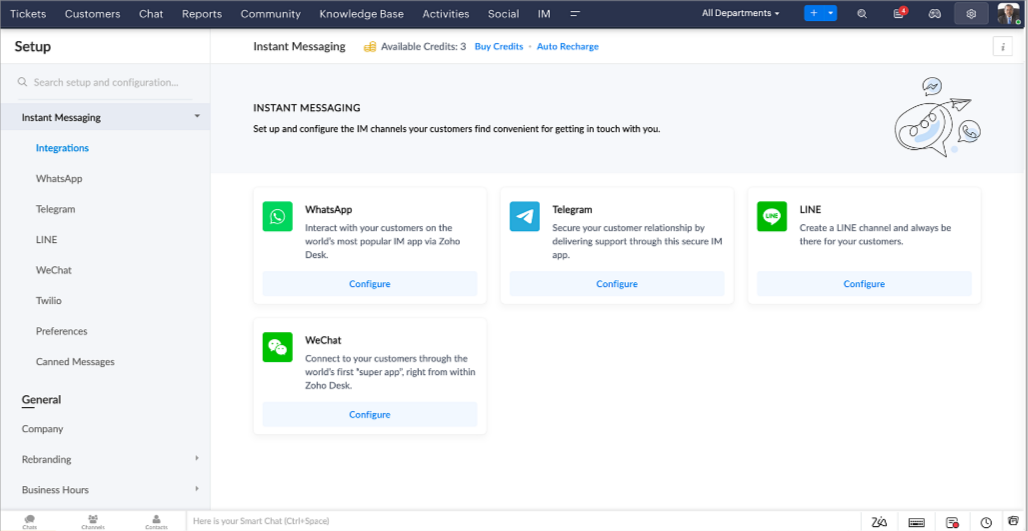
Zoho Desk vous avertit des chats entrants en temps réel afin que vous puissiez vous connecter avec les clients à partir de l'interface. Dans ce même temps, vous pouvez :
- Suivre le contact du client, les informations du ticket, l'historique des conversations inter-canaux et les détails de la pièce jointe dans la fenêtre de chat du client pour un contexte immédiat.
- Accéder et joindre des articles de la base de connaissances directement depuis la section de saisie, utiliser des réponses prédéfinies et ajouter des émojis.
- Participez à plusieurs chats simultanément sur plusieurs canaux sans changer d'onglet.
- Attribuez des conversations à vos coéquipiers.
- Convertissez les conversations en tickets pour un suivi simplifié
Et pour les fans d'automatisation, pas de panique ! Les flux de travail, les Blueprints, les règles d'affectation et les accords sur le niveau de service, sont aussi applicables pour les tickets créés à partir de la messagerie instantanée. Il est également possible de définir des réponses automatiques lorsque vous êtes absent.
Vous pouvez faire en sorte que les clients puissent vous contacter facilement en installant des QR codes dans vos magasins ou en intégrant notre bouton "Contactez-nous", sur votre site web. Ils peuvent même vous joindre par le biais d'une recherche directe d'entreprise sur une plateforme de messagerie instantanée comme Telegram.
Conversations guidées et mixtes
Comme vous le savez, la plupart des questions n'ont pas de réponses simples. Elles nécessitent souvent un suivi, et beaucoup de contexte, avant de trouver une solution. C'est là que les conversations guidées interviennent : une plateforme de libre-service proactive, en low code, qui simplifie la résolution des questions complexes de vos clients.
Choisissez parmi une série de questions ou de réponses prédéfinies pour créer un flux et guider les clients, et à tout moment, vous pouvez les diriger vers une interaction humaine. Cette mixité entre les bots et agents du service client permet une grande flexibilité et augmente le nombre de tickets résolus.
Voici comment nous avons utilisé les conversations guidées pour Zoholics (notre conférence annuelle d'utilisateurs) :
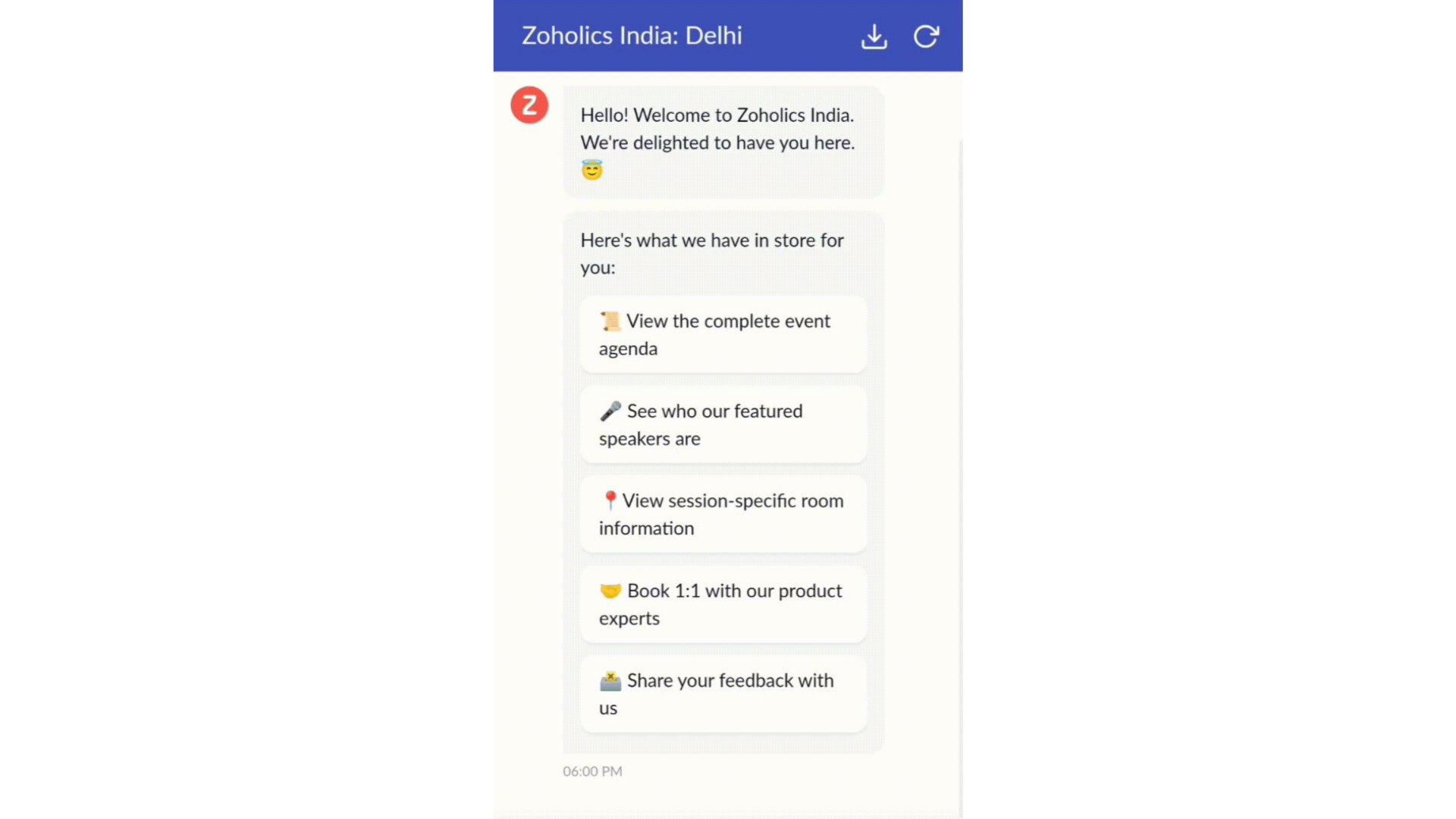
- Constructeur par glisser-déposer
Construisez votre flux de conversations guidées à l'aide de blocs de réponse, tels que du texte, des images, une devise, une date et une heure ... Pour construire ce flux, il suffit de glisser-déposer des blocs, d'ajouter des variables ou des espaces dynamiques, et de connecter ces blocs pour créer un chemin d'étapes.
- Des Webhooks pour une intégration transparente
En configurant les blocs de Webhooks, vous pouvez construire votre flux de conversation pour interagir avec les processus de Zoho Desk, mais aussi d'autres services Zoho ou des applications tierces. Par exemple, si l'utilisateur est déjà votre contact, le bloc Webhook récupérera ses informations directement dans votre CRM, plutôt que de lui demander de les fournir à chaque fois.
Vous pouvez enfin prévisualiser et mettre en œuvre votre flux final en l'associant à votre centre d'aide ASAP sur votre site web, vos pages de renvoi et vos applications mobiles.
Une expérience améliorée
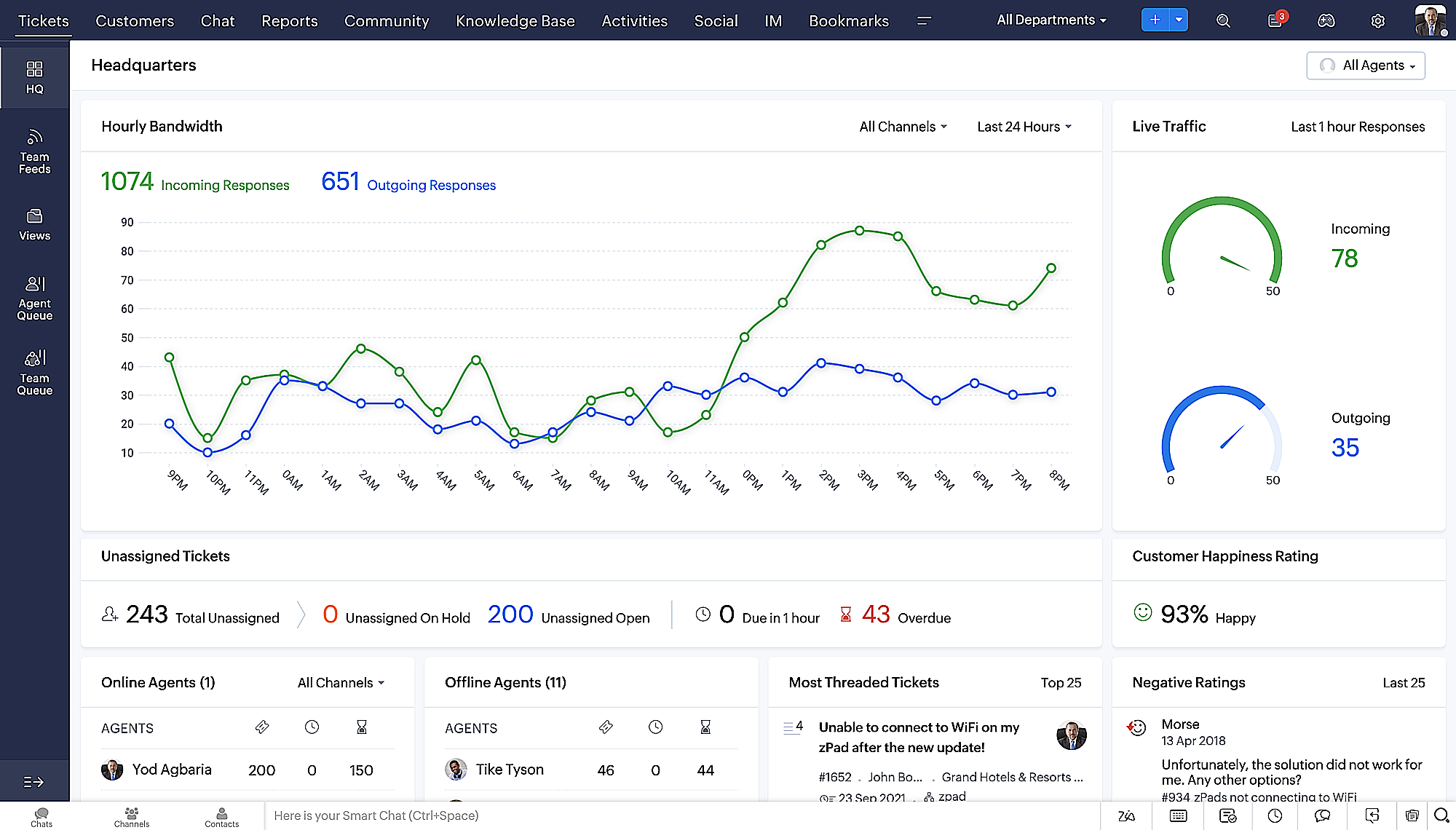
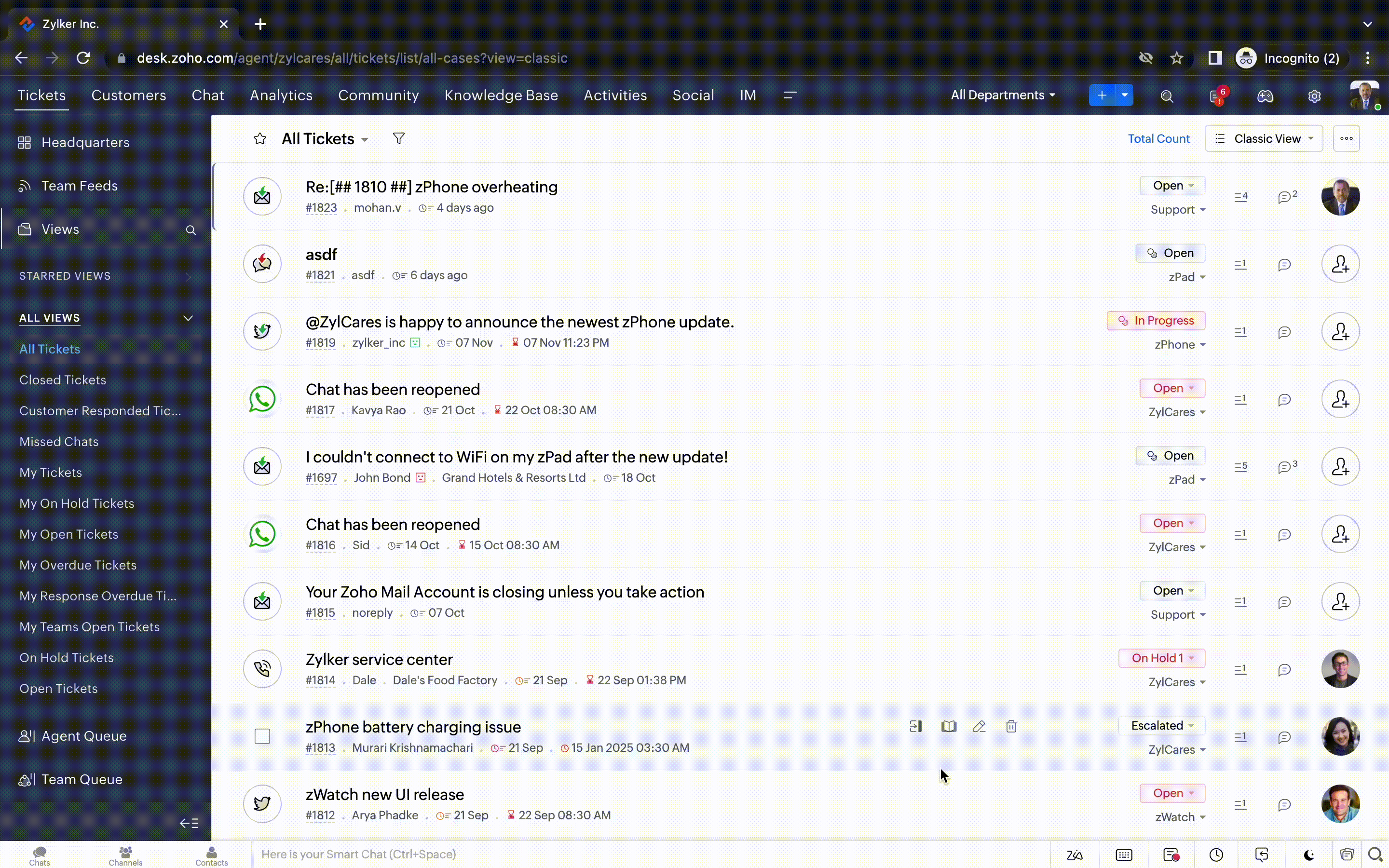
On ne saurait trop insister sur l'importance pour les équipes de support client d'avoir un accès rapide aux informations clients. Nous avons donc optimisé notre interface utilisateur et facilité la navigation entre les différents écrans pour faciliter cette recherche. Nous avons également revu certaines mises en page pour vous donner une image globale de vos clients et de vos tickets sur une interface unique.
- Une vue d'ensemble, avec une disposition des données plus poussée et une apparence générale remaniée
- Vue détaillée des tickets avec des fils de discussion par code couleur pour une navigation plus facile entre les conversations et les commentaires

- Vue détaillée des contacts avec boutons d'ajout rapide, section des tickets en attente et aperçu des tickets

- Vue de la file d'attente des tickets avec des options de menu déroulant, pour donner des mises à jour sans ouvrir la vue détaillée des tickets
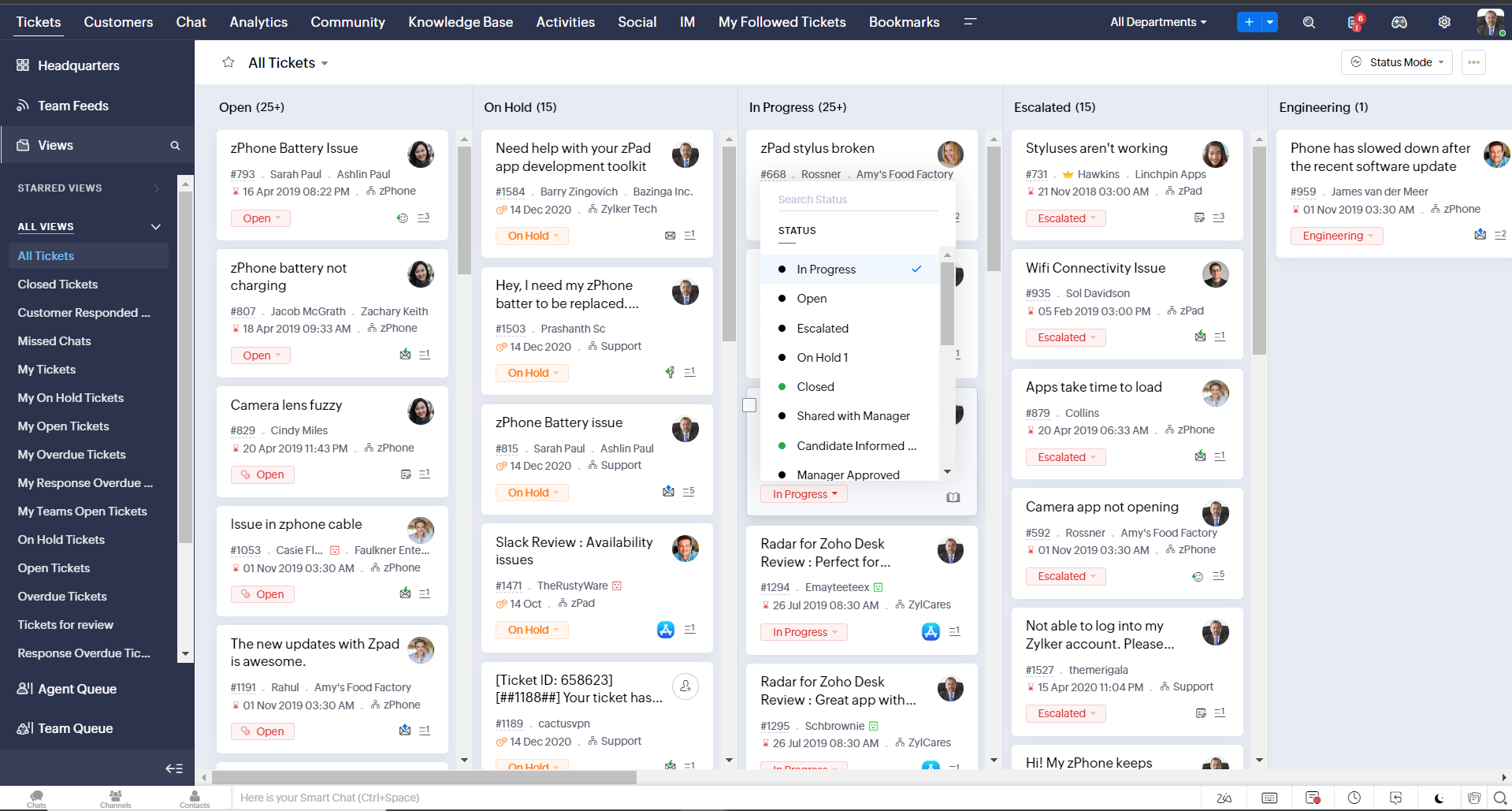
- Une nouvelle option "marquer comme lu/non lu" dans la vue de la liste des tickets, et une liste déroulante consolidée des modes de travail dans le module des tickets
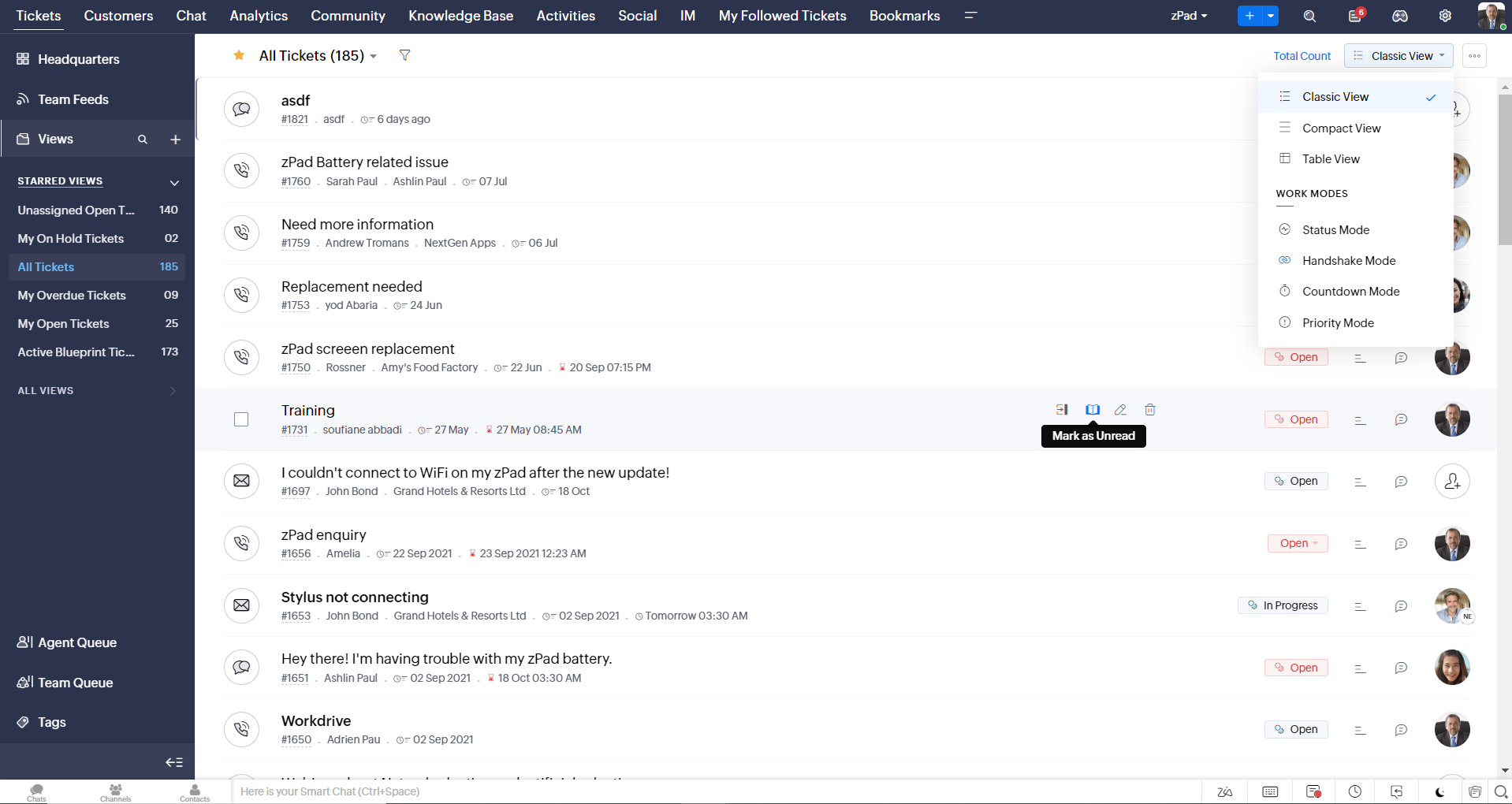
- Défilement infini pour un repérage plus rapide des tickets et ne pas se perdre entre des dizaines de pages
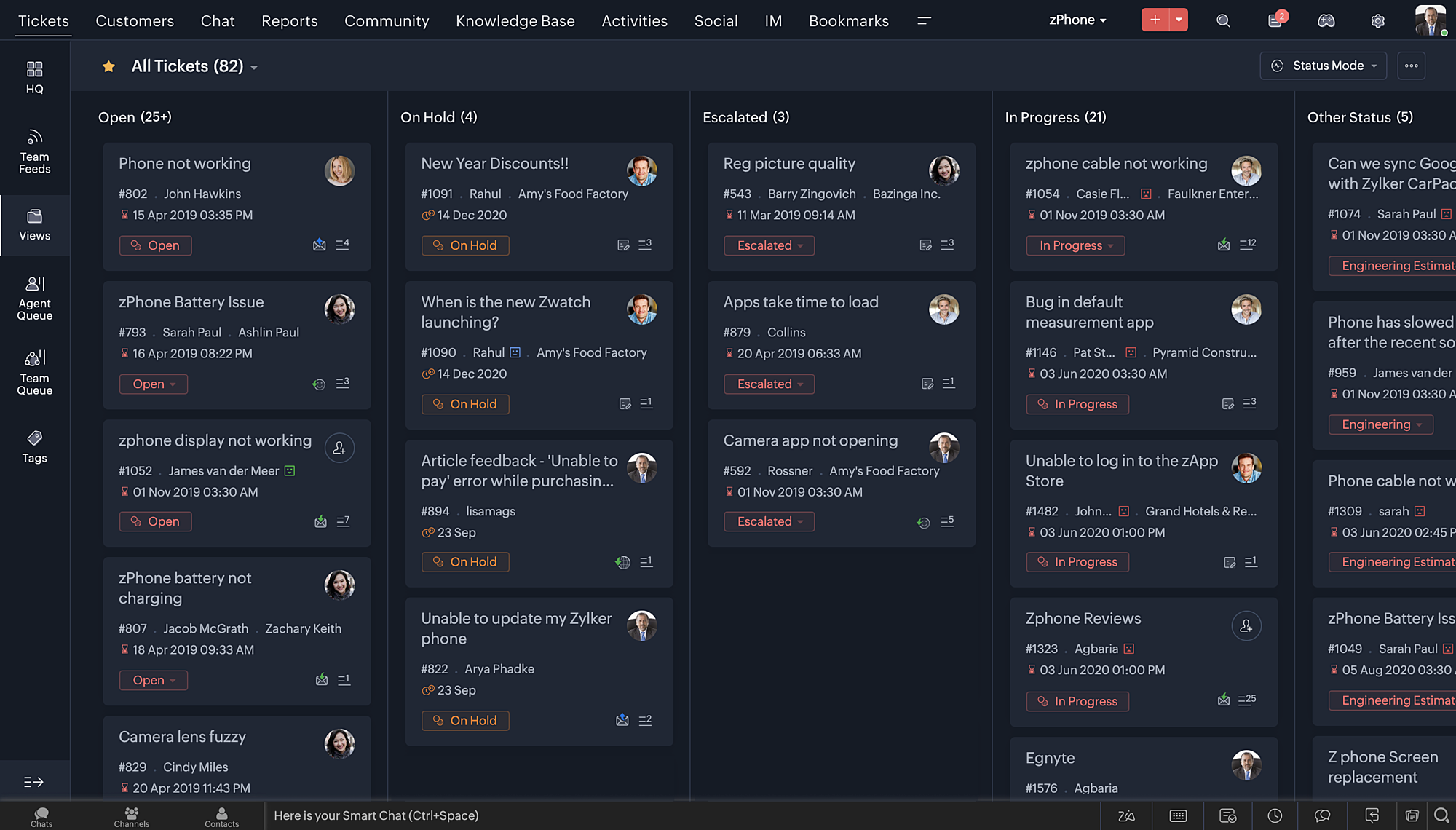
Nouvelles options de personnalisation pour les utilisateurs :
- Mode sombre pour une expérience de visualisation et de lecture confortable
- De nouveaux thèmes pour visualiser votre bureau dans votre couleur préférée
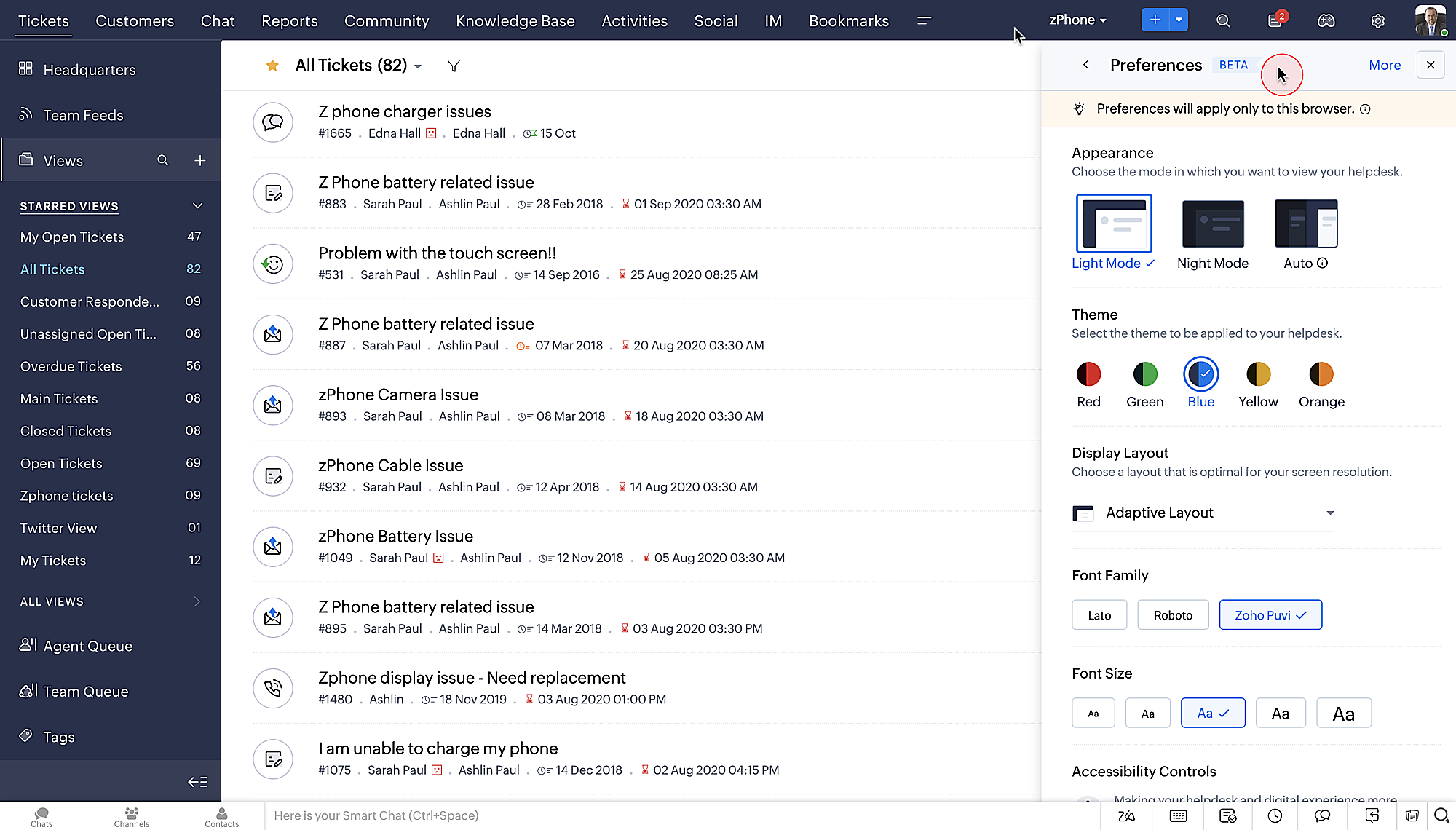
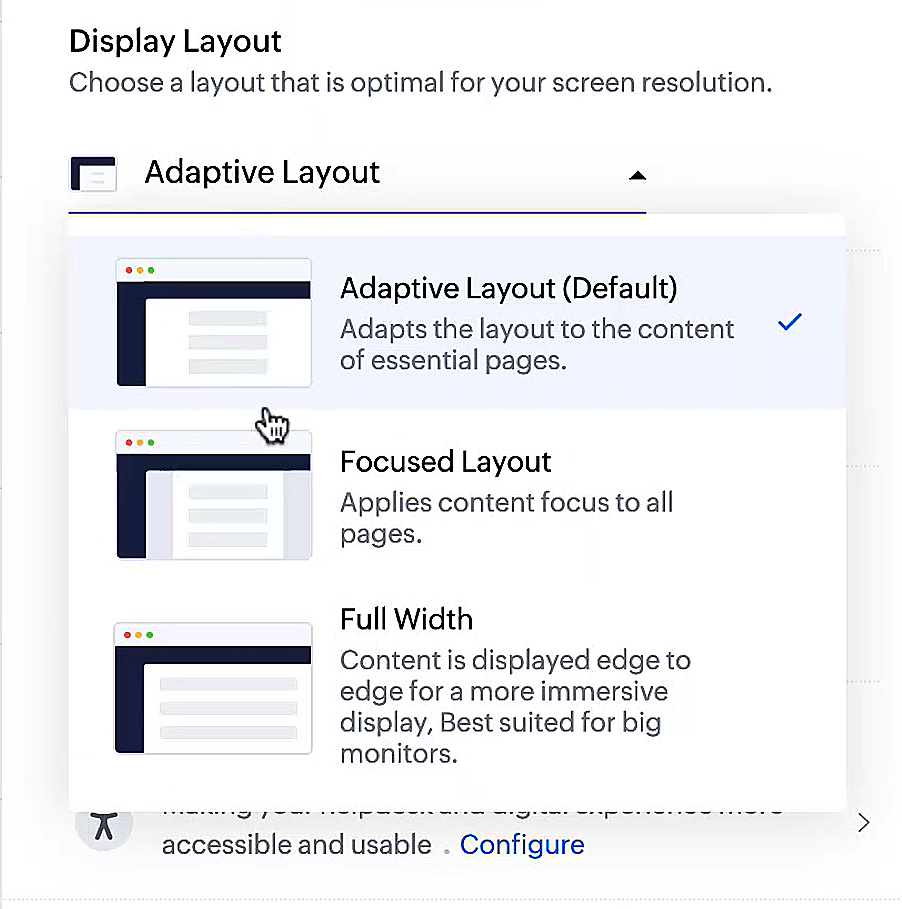
- Des mises en page d'affichage qui vous permettent de choisir la façon dont votre contenu vous est présenté.
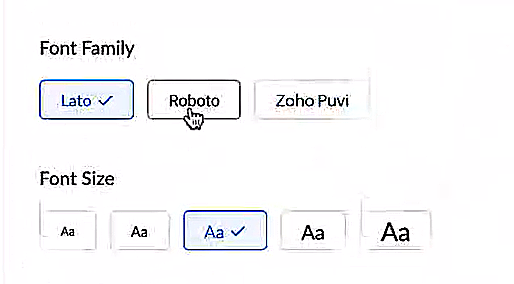
- De nouveaux types et tailles de police pour que votre texte corresponde exactement à vos préférences.
Une plus grande accessibilité
Nous avons ajouté plusieurs options pour répondre à vos besoins en matière de vision, de motricité et d'apprentissage pour proposer un outil adapté à tous. Mettre en évidence les informations essentielles comme l'ID et/ou le propriétaire du ticket et les détails de contact dans une couleur différente.
- Souligner les liens pour augmenter la visibilité de ceux qui sont cliquables.
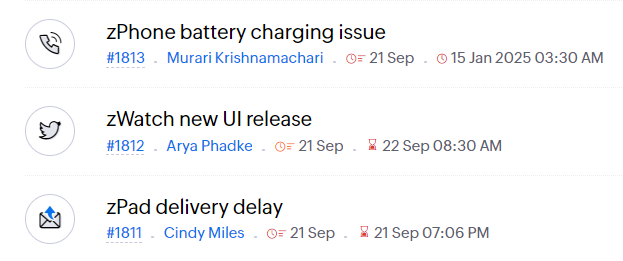
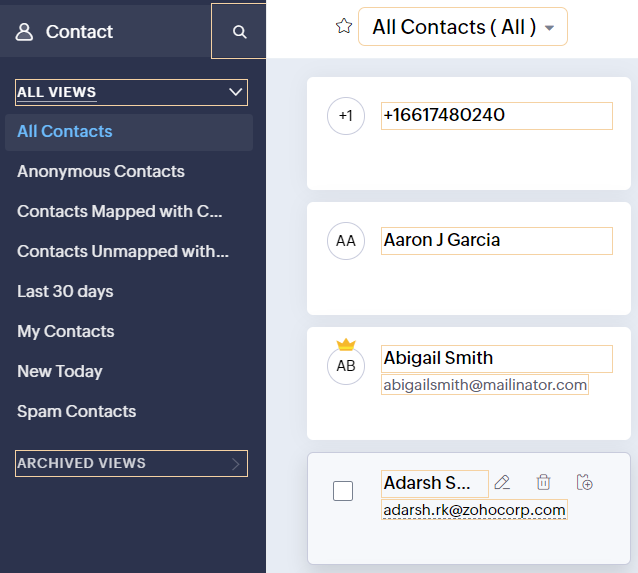
- Souligner la zone d'intérêt et le lien pour les mettre en avant
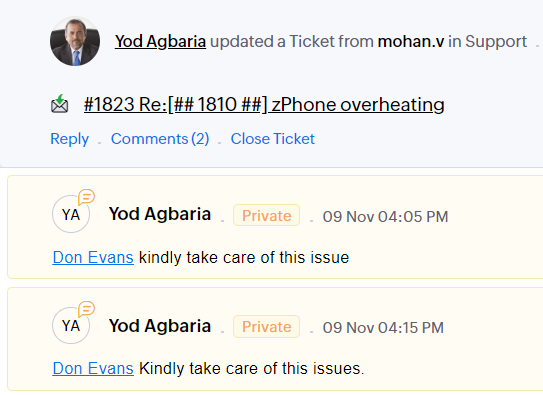
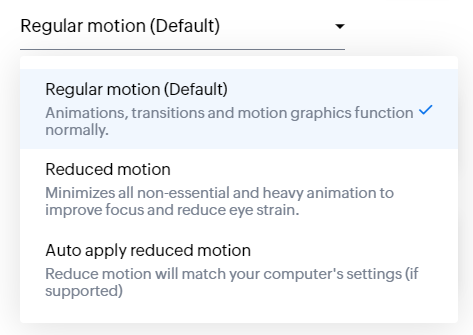
- Les "contrôles d'animation" optimisent les animations et les transitions dans l'ensemble de votre service d'assistance
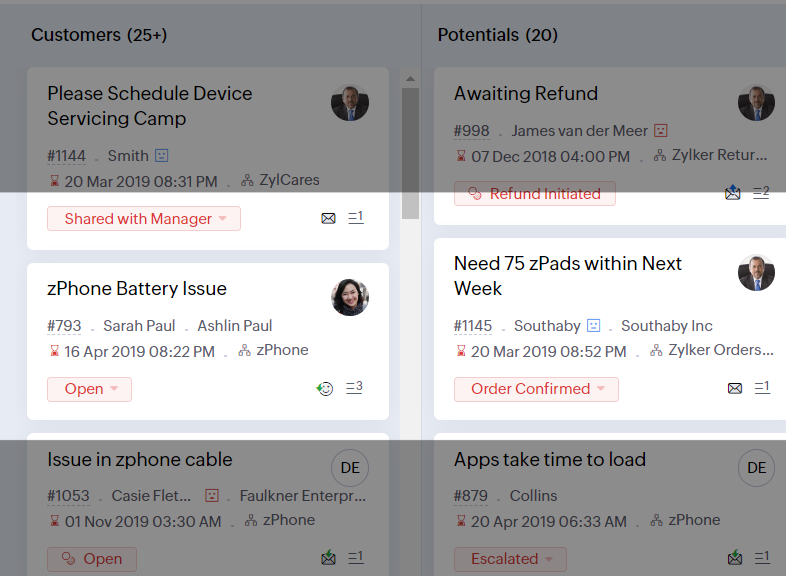
- Reading Mask élimine les distractions en masquant le texte que vous n'êtes pas en train de lire
- Il est également possible de zoomer sur un contenu et d'ajuster la taille de la police pour que la page soit facile à lire
Avec toutes les nouvelles fonctionnalités de l'édition Zoho Desk 2023, les entreprises ont maintenant plus de pouvoir pour rendre à la fois leurs agents et clients plus heureux.
Nous aimerions savoir ce que vous pensez de ces nouvelles fonctionnalités ! Partagez vos réactions dans nos commentaires ou sur les réseaux sociaux. Nouveau sur Zoho Desk ? Vous pouvez vous inscrire à l'essai gratuit ici.
Topic Participants
Florence Barbier
Didier Pare
Kinjal Lodaya
Sticky Posts
Desk - Astuce #5 : Déplacer les tickets entre les départements
Bonjour à tous, Il n'est pas rare que vos clients créent des tickets dans un département qui n'a pas l'expertise requise pour les traiter. Vous devez transférer ces tickets vers le département concerné, afin qu'ils ne passent pas à travers les maillesZoho Desk - Nouveautés 2023
Bonjour à tous, Comme vous le savez, Zoho cherche en permanence à vous proposer des logiciels complets et au plus proche de vos attentes. C'est pourquoi toute l'équipe Zoho Desk est fière de vous présenter la nouvelle version de votre logiciel de serviceDesk : Le cycle de vie d'un ticket - Introduction
Voici une nouvelle série en 3 chapitres, dans laquelle nous allons vous dévoiler comment Zoho gère l'intégralité de son service client sur Zoho Desk. Zoho compte plus de 60 millions d'utilisateurs à travers le monde et offre plus de 50 différentes solutions.Zoho Desk - Chapitre 1 : Anticipez vos besoins
Bonjour à tous, Continuons notre série de la rentrée et découvrons comment Zoho gère 60 millions de clients grâce à Zoho Desk. Contrairement à ce que l'on peut penser le cycle de vie d'un ticket commence bien avant qu'il arrive dans notre logiciel client.Desk Astuce #6 : Ajouter plusieurs comptes réseaux sociaux
Bonjour à tous, Découvrons dans cet article comment vous pouvez ajouter plusieurs pages d'un meme réseau social dans Zoho Desk. Pour cela suivez les étapes suivantes : Connectez-vous à Zoho Desk avec les privilèges d'administrateur. Cliquez sur les paramètres
Recent Topics
Automated Task reminder
First question: If a task does not have a reminder set, will it still send an email notification that the task is due today? If not, how can I set up an automated reminder to send the task owner an email that it is due on a certain date?Zoho Support - contract notifications
Hi, I have a few questions about using Zoho support. Is there a way to add custom contract notifications like (90 days before expiry send notification e-mail to agent and customer, then another 60 days before expiry and another 30 days.). And is it possibleKaizen #230 - Smart Discount-Based Quote Approvals Using CRM Functions and Approval Process
Hello everyone! Welcome back to the Kaizen series! Discount approvals are a standard part of sales governance. Most organizations need something like this: Discount % Required Action < 10% Auto-approve 10–19.99% Sales Manager approval ≥ 20% VP Sales approvalHow to create a new Batch and update Stock via Inventory?
Hi everyone, We are building an automation where a user enters batch details (Batch Number, Mfg Date, Expiry, and Quantity) into a Custom Module. I need this to trigger an API call to Zoho Inventory to: Create the new batch for the item. Increase theOAuth2 Scope Error - Incorrectly defaulting to CRM instead of Analytics.
Hello Zoho Team, I am trying to connect n8n to Zoho Analytics API V2 for a simple automation project. Despite using the correct Analytics-specific scopes, my OAuth handshake is failing with a CRM-related error. The Problem: The authorization screen shows:Archive Option in Conversation View
Hello, I have a suggestion\request to add an "Archive Thread" button in conversation view of Zoho Mail. The best suggestion I have is to put an "Archive Thread" button next to the "Label Entire Thread" button in conversation view. Most users don't justIs it possible to create a meeting in Zoho Crm which automatically creates a Google Meet link?
We are using Google's own "Zoho CRM for Google" integration and also Zoho's "Google Apps Sync" tools, but none of them provide us with the ability to create a meeting in Zoho CRM that then adds a Google Meet link into the meeting. Is this something thatTrigger a Workflow Function if an Attachment (Related List) has been added
Hello, I have a Case Module with a related list which is Attachment. I want to trigger a workflow if I added an attachment. I've seen some topics about this in zoho community that was posted few months ago and based on the answers, there is no triggerHow can I link Products in a Deal Subform to the Products Module
Hello, I have a pricing subform on our Deals page and use a lookup field to associate a product with each line. I want to be able to look at a product page within the Products module and see a list of the deals connected to that product. I have this workingEmail Field Validation Incorrectly Rejects RFC-Compliant Addresses (Forward Slashes)
I've encountered a validation issue with Zoho Creator's Email field that rejects RFC-compliant email addresses containing forward slashes, and I'm hoping the Zoho team can address this in a future update. The Issue When entering an email address containingCall result pop up on call when call ends
I’d like to be able to create a pop up that appears after a call has finished that allows me to select the Call Result. I'm using RingCentral. I have seen from a previous, now locked, thread on Zoho Cares that this capability has been implemented, butZOHO.CRM.UI.Record.open not working properly
I have a Zoho CRM Widget and in it I have a block where it will open the blocks Meeting like below block.addEventListener("click", () => { ZOHO.CRM.UI.Record.open({ Entity: "Events", RecordID: meeting.id }).catch(err => { console.error("Open record failed:",Payment system for donations management
I manage an organization where we receive donations from payers. Hence, there is no need to first create invoices and then create payments received against the invoices. What are the recommended best practices to do this in ZohoBooks?Recording the deducted TDS on advance received from Customer (Zoho Books India)
Hi, How can we record the tds that has been deducted by my customer for the advance that he has paid to me. 1) My customer has paid Rs 10000 to me as advance (Rs 9800 as cash and deducted Rs 200 as TDS). I am not able to record the tds that has been deductedChanging Account Type in Chart of Accounts
Does anyone know how to change/edit the account type for an Account name in Chart of Accounts. Zoho will not let me do this for some reasonBulk bank rule creatioin
Hi team, I am exploring Option to create a multiple bank rule. Could please suggest the option to implement this?Zoho books aide
Bonjour, je rencontre un problème avec Zoho Books. J’ai effectué une demande de support via l’interface prévue à cet effet, mais je n’ai jamais de retour. Je ne reçois ni email de confirmation, ni information concernant la prise en charge de ma demande,Smart Data, Smarter Contracts — Ensuring Consistency Between Metadata and Documents
In contract management, data accuracy is not just a nice-to-have—it is essential. A single mismatch between what your system shows and what is written in the contract can ripple into approval delays, compliance risks, and broken trust in your data. ImagineJoin Zoho Meeting only via Web browser and not with Zoho Meeting App
Dear Zoho team, according to the documentation [1], Zoho Meeting only offers web view for Chrome and Firefox on a desktop. For other browsers and devices, participants can only join a Zoho Meaning with the Zoho Meeting App installed. This is a big hurdleManage control over Microsoft Office 365 integrations with profile-based sync permissions
Greetings all, Previously, all users in Zoho CRM had access to enable Microsoft integrations (Calendar, Contacts, and Tasks) in their accounts, regardless of their profile type. Users with administrator profiles can now manage profile-based permissionsinability to use different primary address on invoice per location
my company operates in two different locations with different email address. The problems then is the inability to edit the primary to suite the invoice for the second location.Analytics & Reporting Improvements + Export Bug
Hello, I would like to raise several important product suggestions and issues regarding Zoho Expense: 1. Filter in Admin View → Analytics → Expense Details → Receipt Is it possible to add a filter that allows us to prioritize or sort reports that haveAI Search and Record Retrieval Inside Zoho Creator – Is This Possible?
Is it possible to integrate an AI assistant into Zoho Creator that can intelligently search, retrieve, and analyze records within the application’s forms and reports? Can AI access and query existing Creator data securely using Deluge or APIs to provideI have a requirement to integrate Zoho Books with Zoho Projects at both project and task levels.
Currently, when i create transactions in Zoho Books (Expenses, Invoices, Bills), we can only map them at the project level. However, our requirement is to: Map records at both project and task levels Sync these transactions back to Zoho Projects underScheduled AU Data Center Database Version Upgrade for Zoho Forms
Dear Zoho Forms' users, We would like to update you on a scheduled AU Data Center database version upgrade for Zoho Forms. Find the schedule below: Migration window: Sunday, 22nd February 2026 12.00 AM to 12.30 AM AEDT This migration is a part of ourCannot get code to work with v2.mergeAndStore!
Please can someone help me pass subform items into a repeating mail merge table row using v2.mergeAndStore? I have a mail merge template created in Writer and stored in Workdrive. This template is referenced by a custom CRM function which merges all ofHotmail is blocking the zoho mail IP
Greetings, Since last Tuesday (5 days ago today) I wrote to Zoho support and I still haven't received a single response (Ticket ID: 2056917). Is this how you treat people who pay for your email service? I am making this public so that those who want toZoho Bookings and Survey Integration through Flow
I am trying to set up flows where once an appointment is marked as completed in Zoho Bookings, the applicable survey form would be sent to the customer. Problem is, I cannot customise flows wherein if Consultation A is completed, Survey Form A would beZoho CRM Community Digest - December 2025 | Part 2
Hello Everyone! During the final weeks of December, Zoho CRM introduced updates that not only enhanced product capabilities but also offered deeper guidance through Kaizen posts. This section highlights what was released and shared in the last two weeksCRUD actions for Resources via API
Hello, is it possible to perform CRUD actions through the API for Resources? We want to create a sync from Zoho CRM Car record to Bookings resources to create availabilities for Car bookings. For Test drives, not only the sales person needs to be available,Kaizen #186 : Client Script Support for Subforms
Hello everyone! Welcome back to another exciting Kaizen post on Client Script! In this edition, we’re taking a closer look at Client Script Support for Subforms with the help of the following scenario. " Zylker, a manufacturing company, uses the "Orders"オンライン勉強会のお知らせ Zoho ワークアウト (2/19 参加無料)
ユーザーの皆さま、こんにちは。コミュニティチームの中野です。 2月開催のZoho ワークアウトについてお知らせします。 今回はZoomにて、オンライン開催します。 ▶︎参加登録はこちら(無料) https://us02web.zoom.us/meeting/register/6AyVUxp6QDmMQiDGXGkxPA ━━━━━━━━━━━━━━━━━━━━━━━━ Zoho ワークアウトとは? Zoho ユーザー同士で交流しながら、サービスに関する疑問や不明点の解消を目指すイベント「Zohodoubts about customer happiness in zoho desk
Good afternoon, Desk community. The reason for my message is that I have a question regarding the customer satisfaction surveys we can ask our clients to rate our service. I know that in Desk, you can activate Customer Happiness to send a survey to theCOQL API in JS Widget only pulling 200 records
Hello! We've been building a custom homepage widget using the Zoho JS SDK, and it seems that this https://help.zwidgets.com/help/latest/ZOHO.CRM.API.html#.coql only allows 200 records. I thought the limit was 2000 for COQL queries, but am I mistaken?Standard Description Field - Can I change label or add dd tooltip
Is there a way fo you guys to allow the customer to change the label name for the description field in the customer portal when submitting tickets. Or at least allow us to add a tooltip to clarify what description we need from them. I know I can create my own separate multi line description field but if I do that, it doesn't have the nice toolbar with Bold, Italic, Underline, color, font, indent, etc. Can you please allow us to add a tooltip to the zoho standard description field?Introducing parent-child ticketing in Zoho Desk [Early access]
Hello Zoho Desk users! We have introduced the parent-child ticketing system to help customer service teams ensure efficient resolution of issues involving multiple, related tickets. You can now combine repetitive and interconnected tickets into parent-childCompensation | Salary Packages - Hourly Wage Needed
The US Bureau of Labor Statistics says 55.7% of all workers in the US are paid by the hour. I don't know how that compares to the rest of the world, but I would think that this alone would justify the need for having an hourly-based salary package option.Customizing Helpcenter texts
I’m customizing the Zoho Desk Help Center and I’d like to change the wording of the standard widgets – for example, the text in the “Submit Ticket” banner that appears in the footer, or other built-in widget labels and messages. So far, I haven’t foundAbility to Edit Ticket Subject when Splitting a Ticket
Often someone will make an additional or new request within an existing ticket that requires we split the ticket. The annoying part is that the new ticket maintains the subject of the original ticket after the split so when the new ticket email notificationAutomatically Update Form Attachment Service with Newly added Fields
Hi, When I have a Form Setup and connected to a 3rd Party Service such as OneDrive for Form Attachments, when I later add a new Upload Field I have to remove and redo the entire 3rd Party Setup from scratch. This needs to be improved, such as when newNext Page