Automation Series: Auto-Notify External Users on Issue Closure
Hello Folks!
In Zoho Projects, you can notify external issue reporters via email when an issue is marked as Closed. This helps the users avoid manual follow-ups and keeps the reporter updated.
In this post, we’ll walk through a simple setup using a Web to Issue Form, and a Custom function written in Deluge to send an email when the issue is closed.
Use-case
In a scenario where an external auditor raises a compliance issue during a project review, using Web to Issue Form, you can capture the auditor’s Email ID, Issue Type, and the Project Phase.
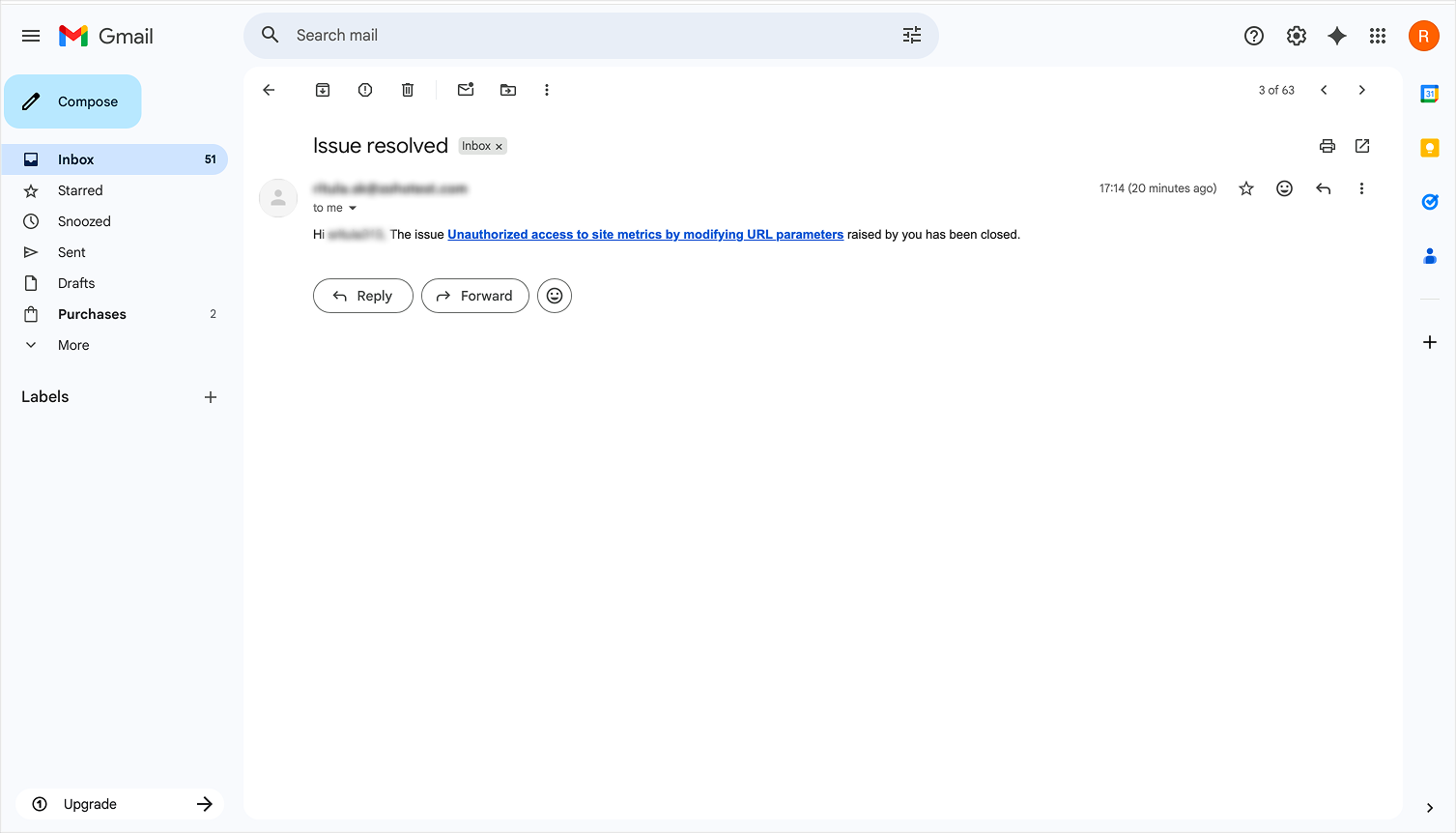
Once the form is submitted, an issue is created under the Issues tab and a team member works on resolving it. When the issue status is updated as Closed, an email is automatically triggered to the auditor using a custom function. This way, the auditor is notified as soon as the issue is fixed.
To configure this flow,
1. Navigate to the upper-right corner of the page and click  → Issue Tracker → Web to Issue Form and then click Add Web to Issue Form.
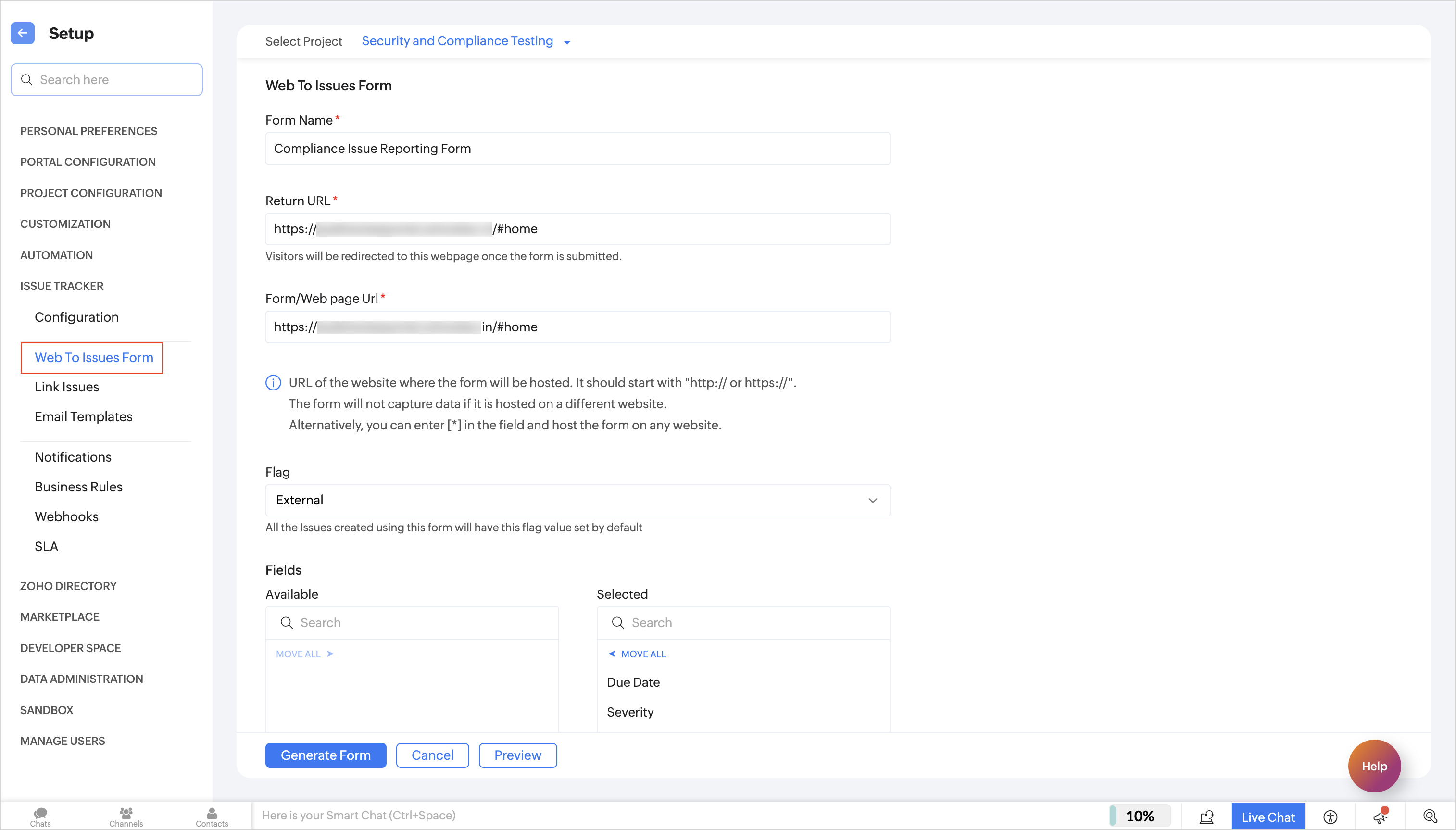
2. Enter the form details, select the fields you want to capture, and generate the form. Copy the generated code and embed it on your website.
3. When an external user submits the form, an issue is automatically created in Zoho Projects.
4. Set a Business Rule after creating a custom status named On Status Update. When the issue status is marked as Closed, this rule will be executed automatically.
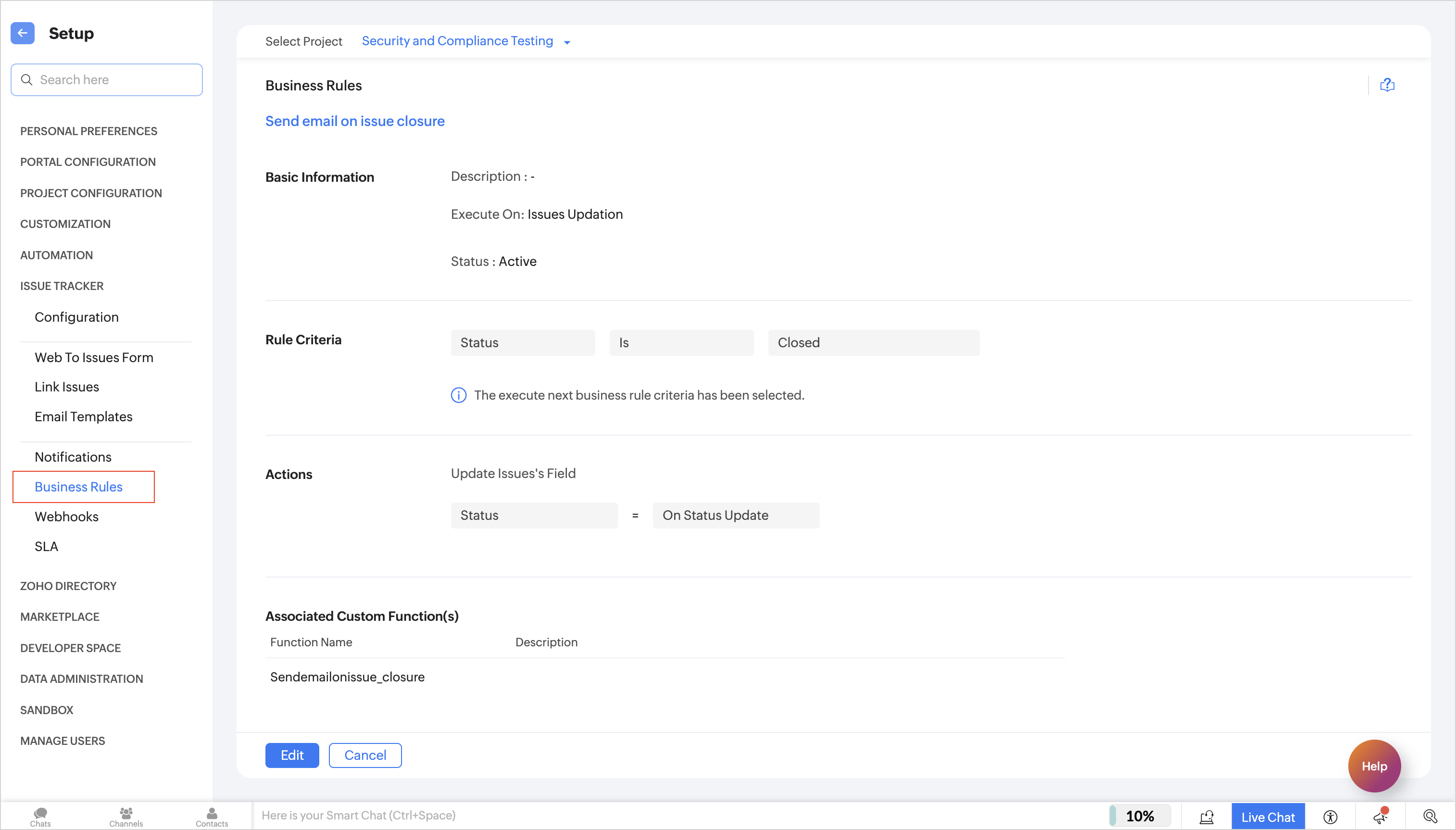
5. Next, navigate to → Developer Space → Custom Functions. Under the Issues tab, create a new custom function and add the following Deluge script to send an email to the reporter.
 Ensure that the portal URL aligns with your data centre. If not, the links generated by the system may not work as expected.
- issueURL = "https://projects.zoho.com/portal/" + portalName + "#buginfo/" + projectId + "/" +issueId;
- sendmail
- [
- from : zoho.loginuserid
- to : email
- subject : "Issue resolved"
- message : "Hi "+name+", The issue <b><a href="+issueURL+">"+title+"</a></b> raised by you has been closed."
- ]
6. Customise the email subject or message if needed, and save the function. Add the arguments as shown below:

7. After mapping the arguments, save the function and enter the Issue ID when prompted. This custom function will execute automatically whenever an issue is marked as Closed, and an email will be sent to the external reporter.
With this automation in place, external reporters can stay informed without any manual follow-ups, helping the team maintain clear and timely communication.
If you have any questions, feel free to drop a comment below or reach out to us at support@zohoprojects.com.