Zoho Projects: Quarterly Updates | Q1 2023
Dear Users,
We released a number of new features in the first quarter of 2023. Here is an update on some of our prominent features.
Project Workflow Rules
Create condition based rules to trigger field updates, custom functions, webhooks, and email alerts for projects. Rules can be set to work with or without a matching condition and users can update multiple fields automatically. Learn More.

Project Custom Functions
Use Custom Functions to automate project activities. Associate the functions with Workflow Rules to define the trigger conditions. These functions are user defined and the scripts can be written using Deluge. Learn More.

Project Webhooks
Webhooks allow users to send notifications to third party apps for project updates. Webhooks can be associated with Workflow Rules and triggered using the user defined criteria. Learn More.

Project Email Alerts & Templates
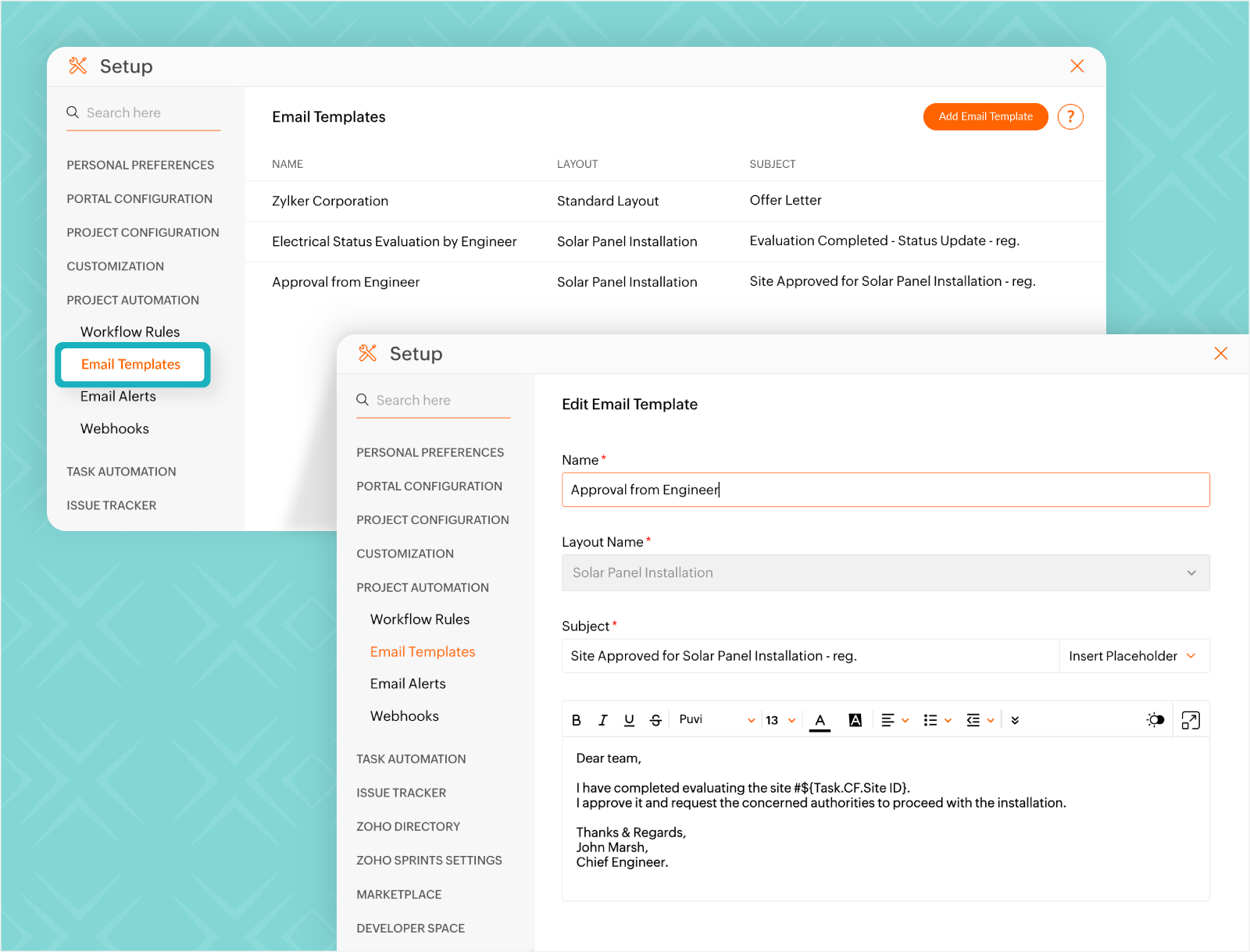
Customize your email alerts with templates and send them when matching trigger or events occur. The alerts can be associated with Workflow Rules and are sent out when the rule condition is met. Learn More.
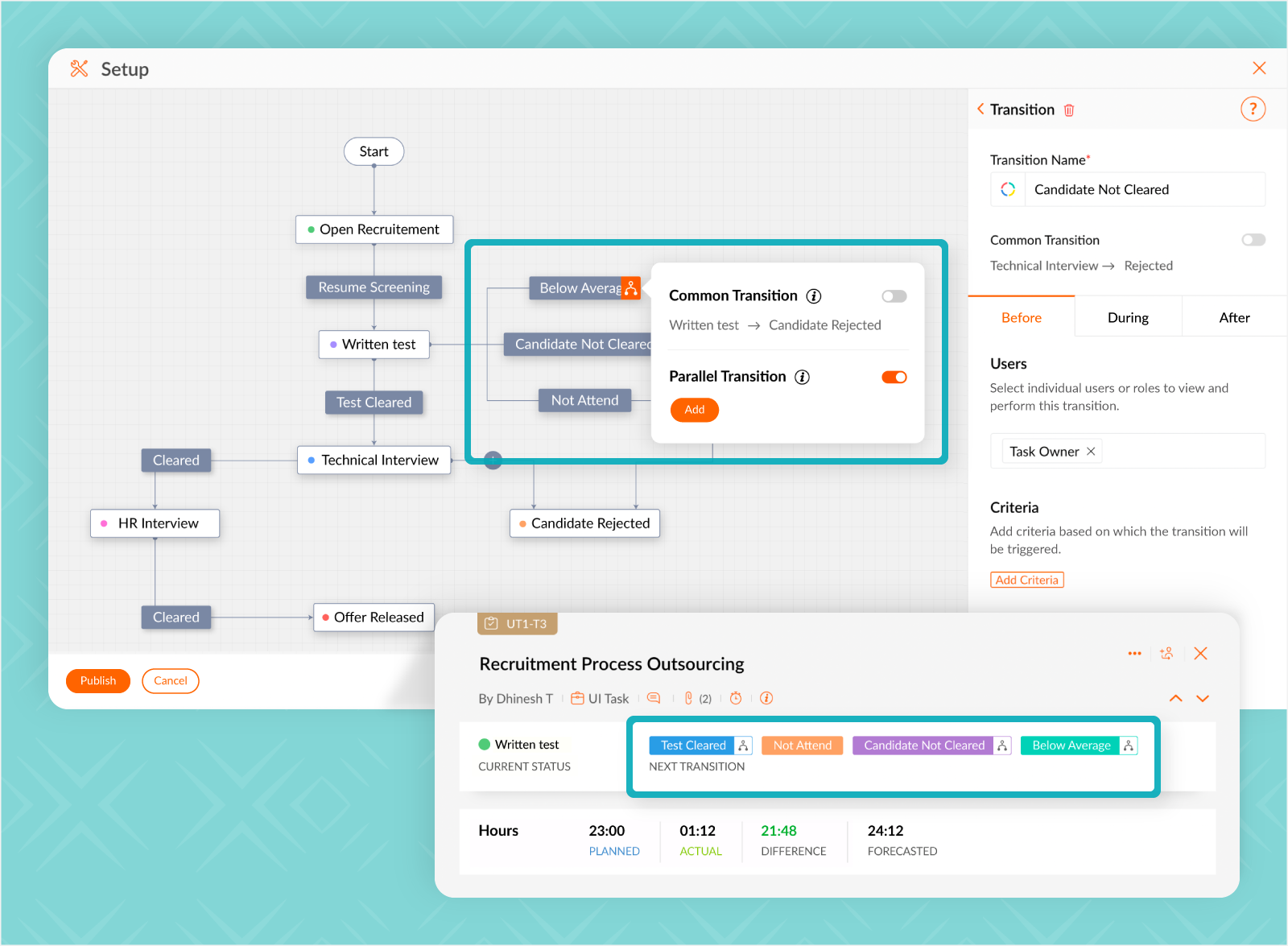
Parallel Transitions
Create multiple transitions between two stages in your blueprint and ensure all the inputs that are needed for a given task to progress are obtained. Task status will not change unless all the transitions have been executed. Learn More.
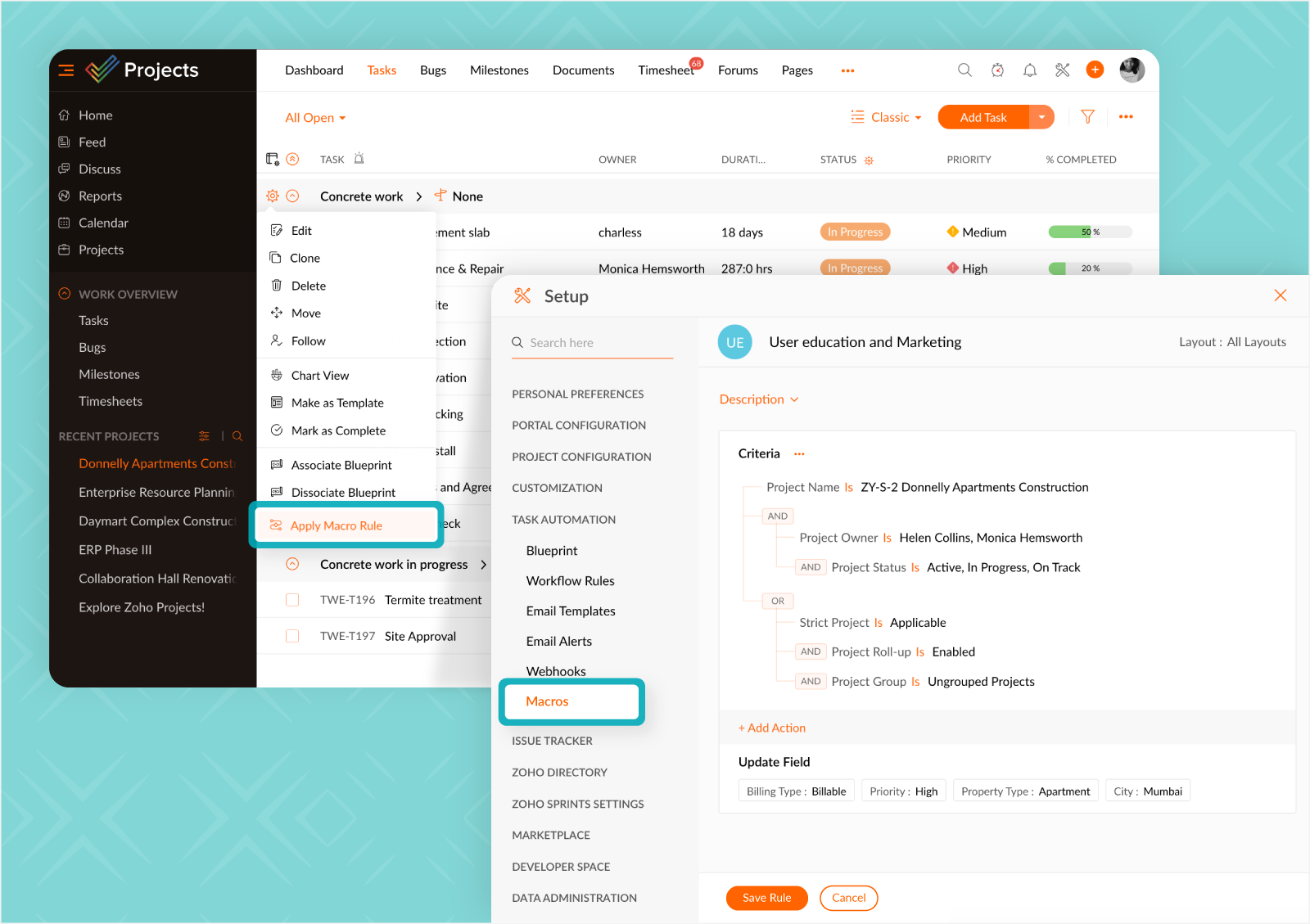
Macro Rules
Macro rules allow users to trigger updates when matching criteria is met. These are user driven rules and need to be executed manually. Macro rules can also be used to update fields across multiple projects. Learn More.
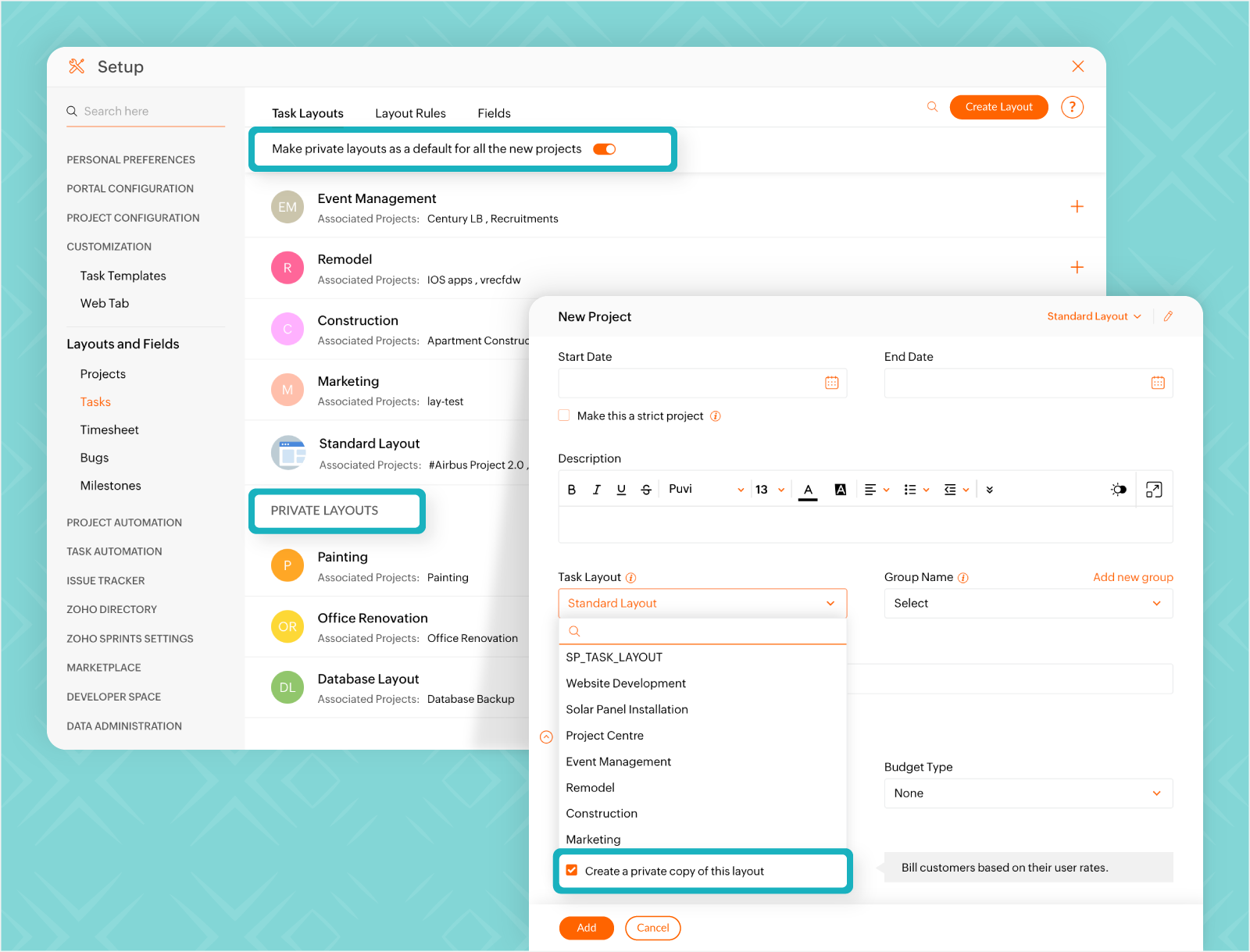
Private Task Layouts
Create layouts that can only be accessed by users who are part of the projects associated with it. This offers control over who can access the data in the fields. Private layouts can be created by cloning any existing layout. Learn More.
Read-Only Profiles
Add users with Read-Only access to the portal. These users will only have view access and cannot add, edit, or delete any data in the portal. Learn More.

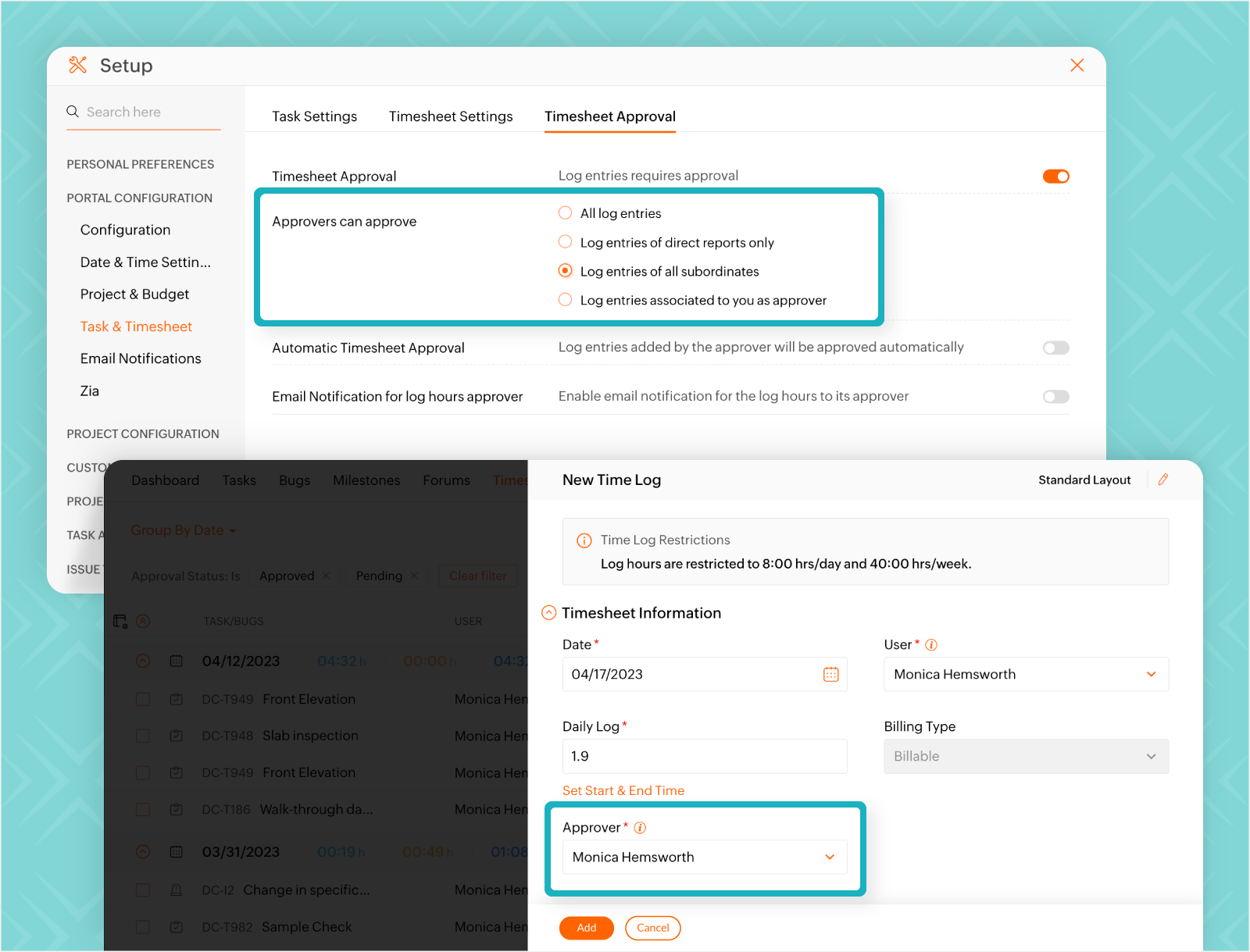
Timesheet Approver
Set a default approver for timesheets. For all subsequent time logs, the approver will be automatically selected in the New Time Log form. Learn More.
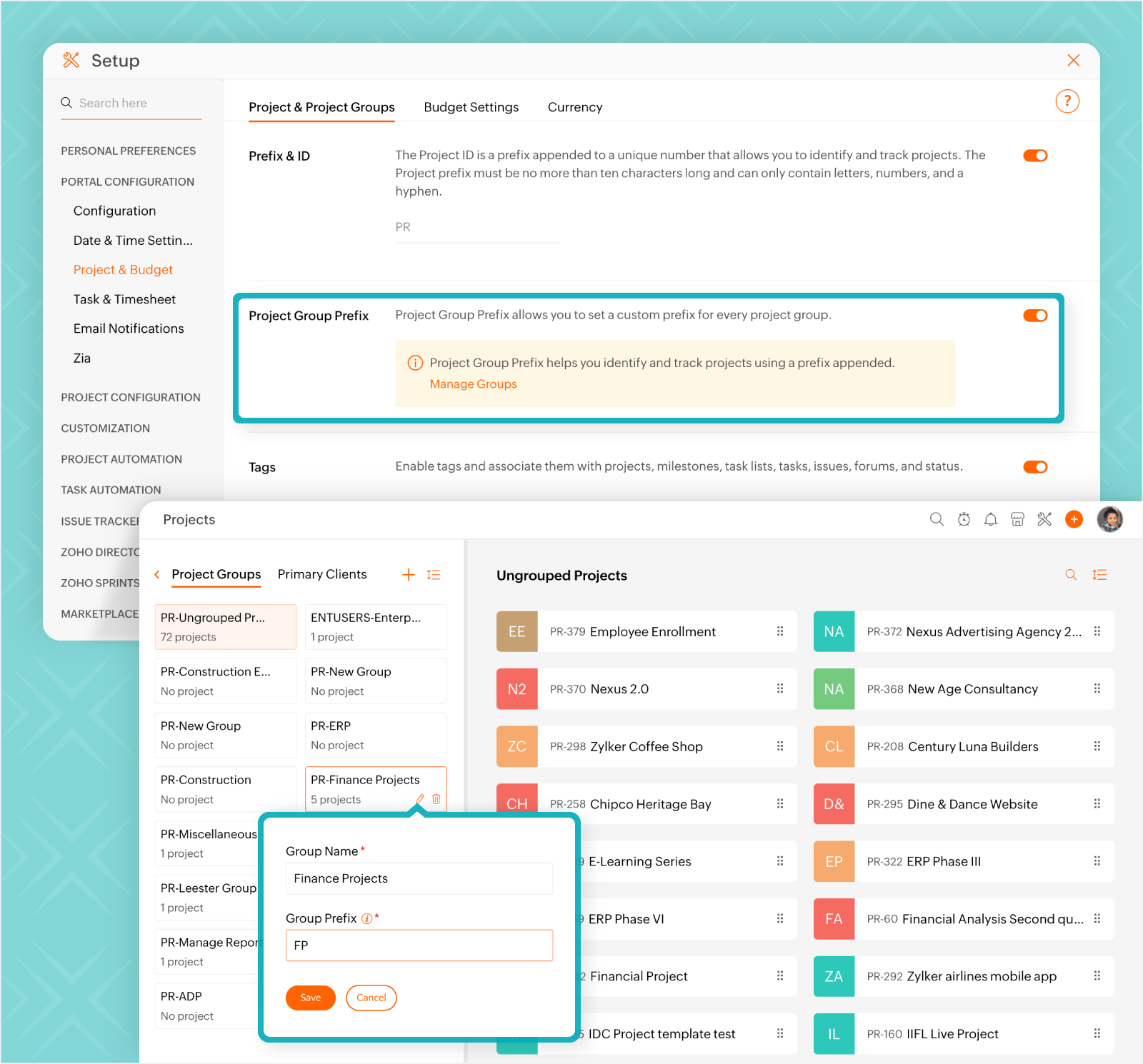
Project Group Prefix
Assign a prefix to a project group. All projects associated with the group will have the prefix added to the name. Learn More.
Please check out the What's New page to stay updated on our feature releases.