Add Claude in Zoho Cliq
This guide walks you through exactly how to do it, step by step, with all the code you'll need.
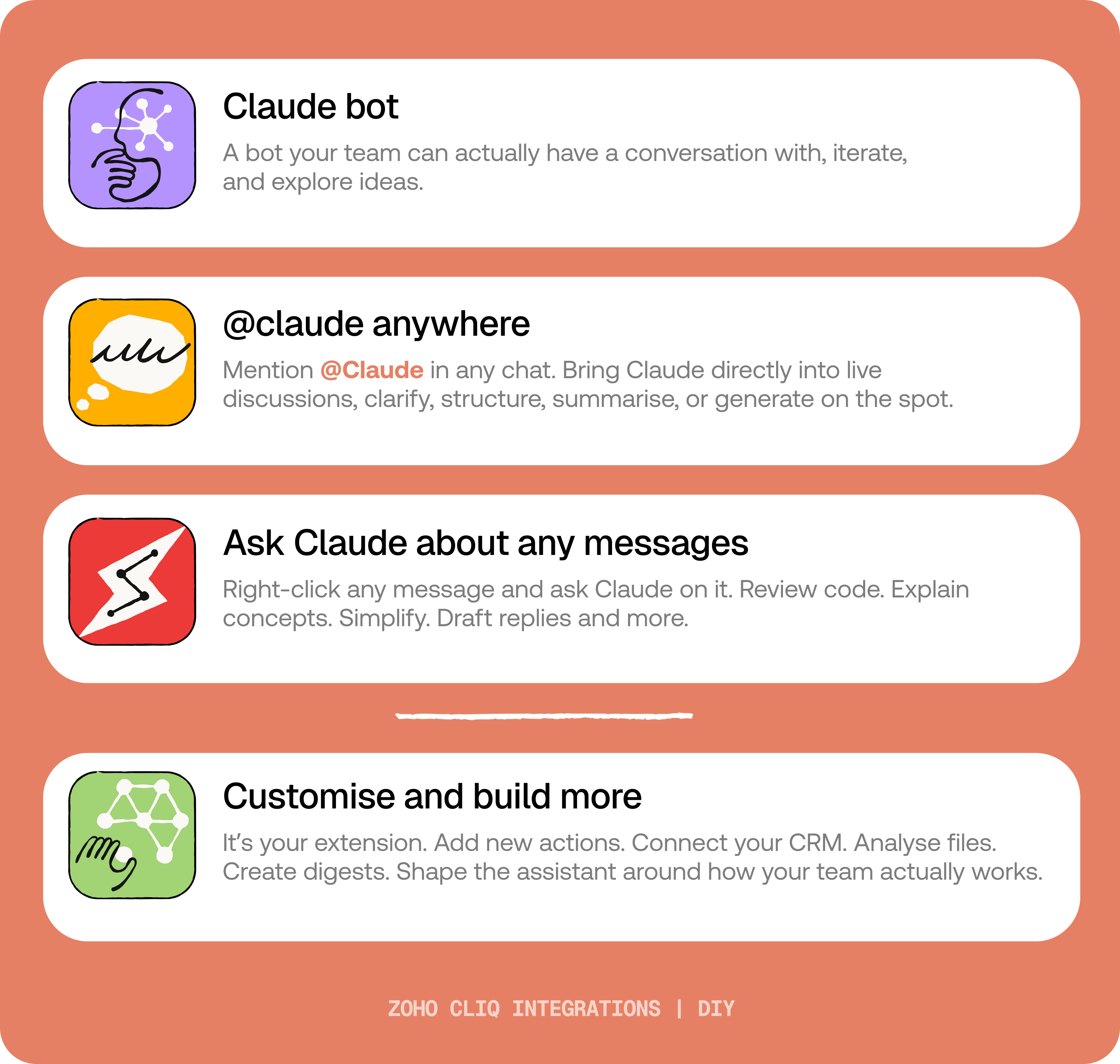
By the end of this guide, you’ll have:
- A Claude bot inside Zoho Cliq to have real back-and-forth conversations.
- The ability to @mention Claude in any channel and reply to a message and ask Claude to act on it.
- A message action to act on messages in Cliq by Claude. Additionally, pre-built actions to review code, generate mind maps, draft a reply for the selected message, or explain it like you’re new.
 Before you start:
1. A Zoho Cliq account with Developer access.
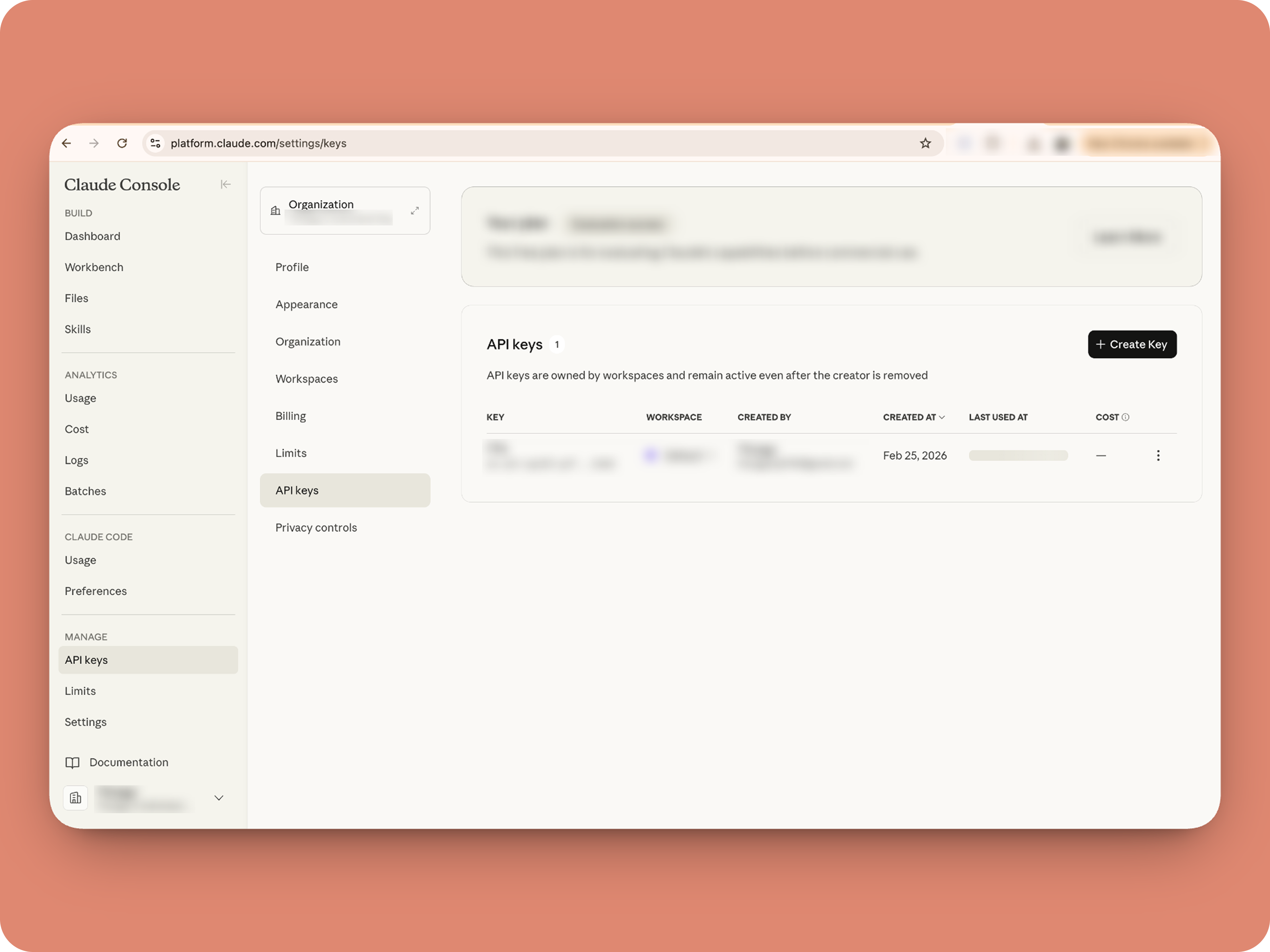
2. An Anthropic API key
3. Basic comfort with Deluge (optional — all code is provided 😉)
A. How to get an Anthropic API key?

B. Create a Connection
1. Go to the Connections module (in Bots & Tools) → Create Connection
2. Add a Connection name, for eg. "readmessageandfile"
3. Select:
ZohoCliq.Attachments.READ
ZohoCliq.Messages.READ
4. Create
Click Create, then authorize the connection. Copy the connection name, you'll paste it into the handlers in the next steps.
How to start
Go to Zoho Cliq → Settings → Bots & Tools
Claude Bot:
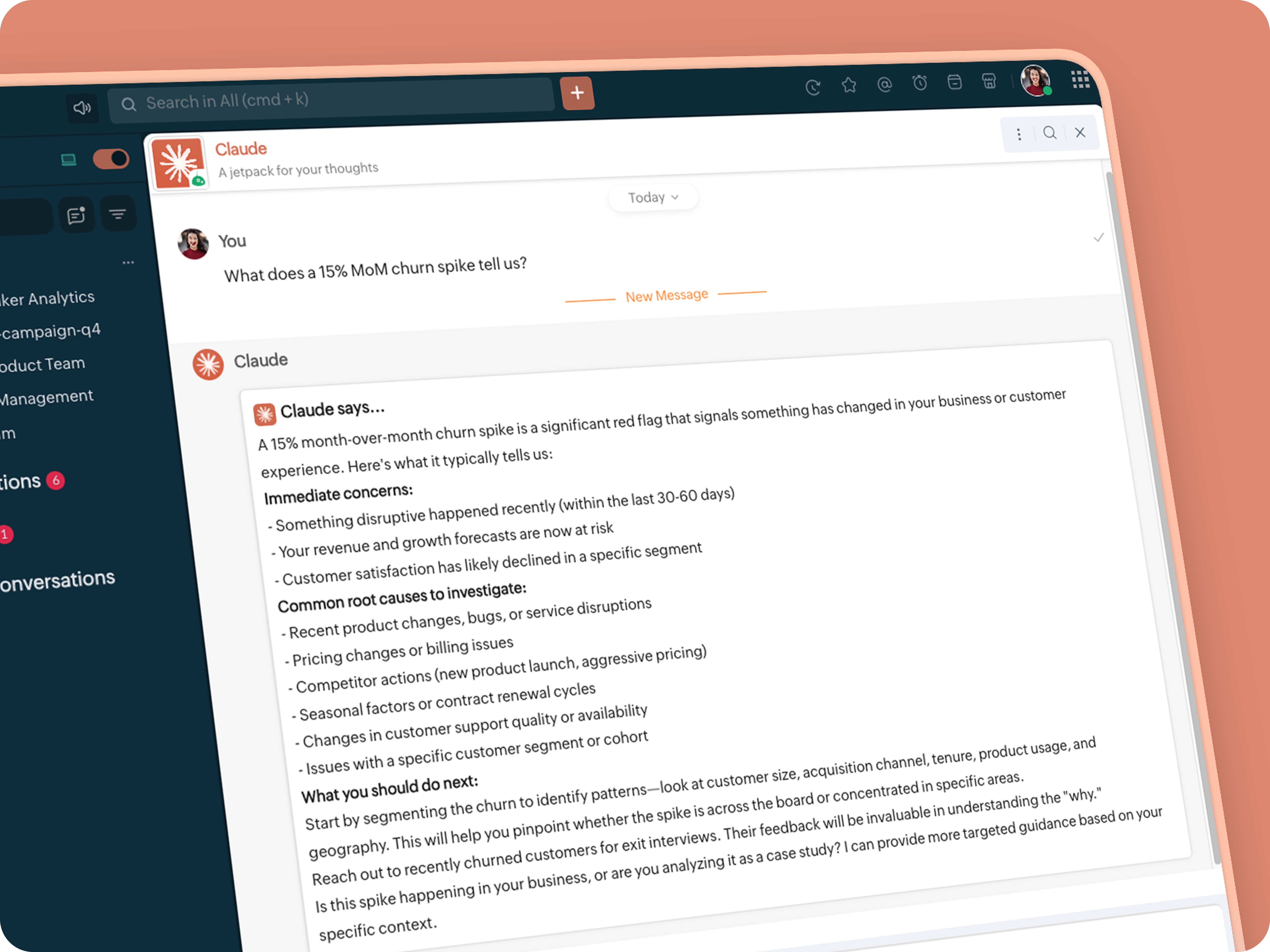
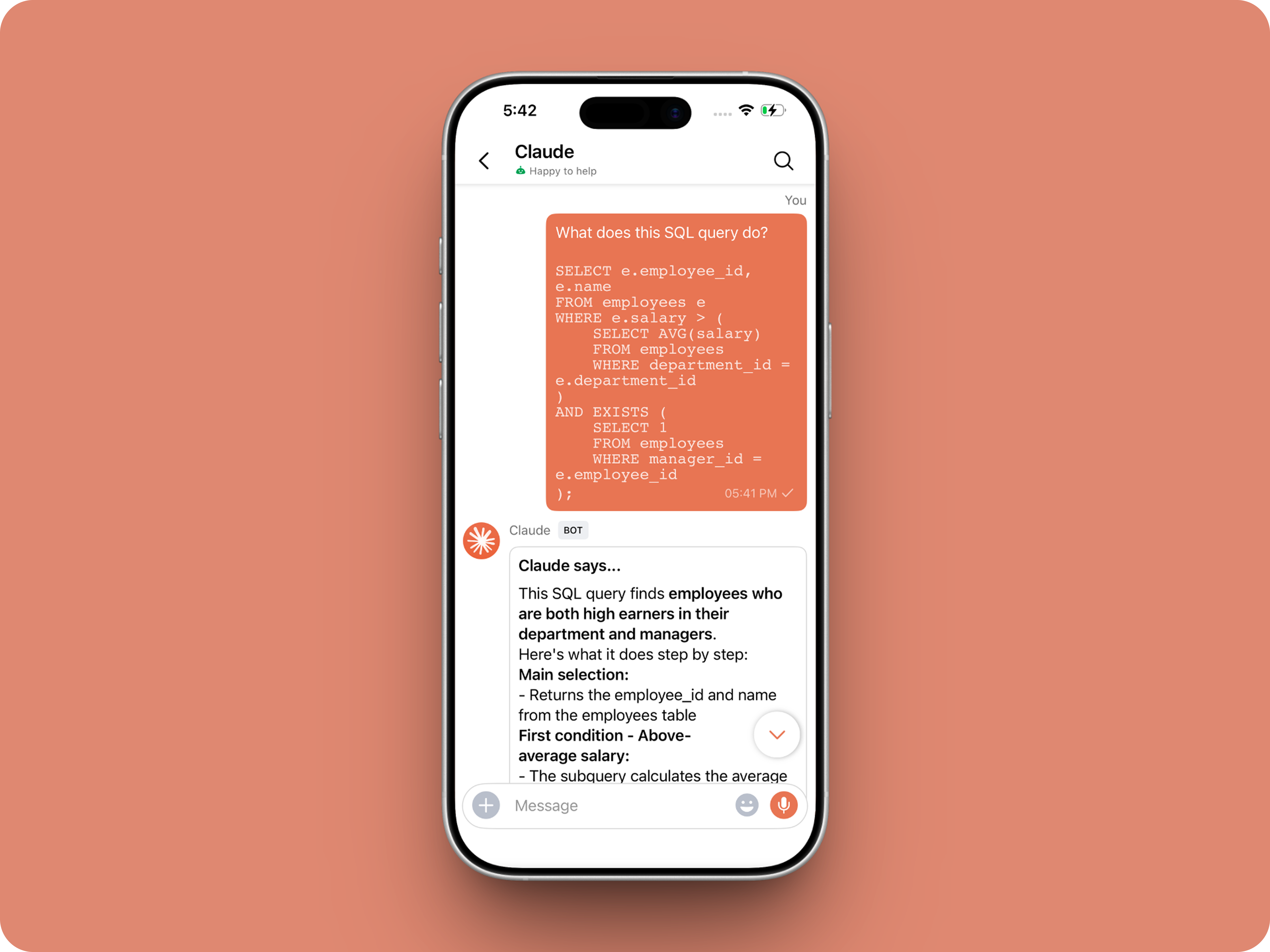
Go to Bots → Create Bot.
Name it Claude and give it any description of choice.
First, let's create a Message handler to handle the conversations first.
Click edit code and copy paste the below code in it (follow along the comments to understand what each part does)
One API endpoint. That's all.
Both the bot and the message action use the same single Anthropic endpoint: POST /v1/messages. The only thing that changes between them is the system prompt and what you put in the messages array. Once you understand that, the rest is just assembly.
Explore API docs →
Message Handler: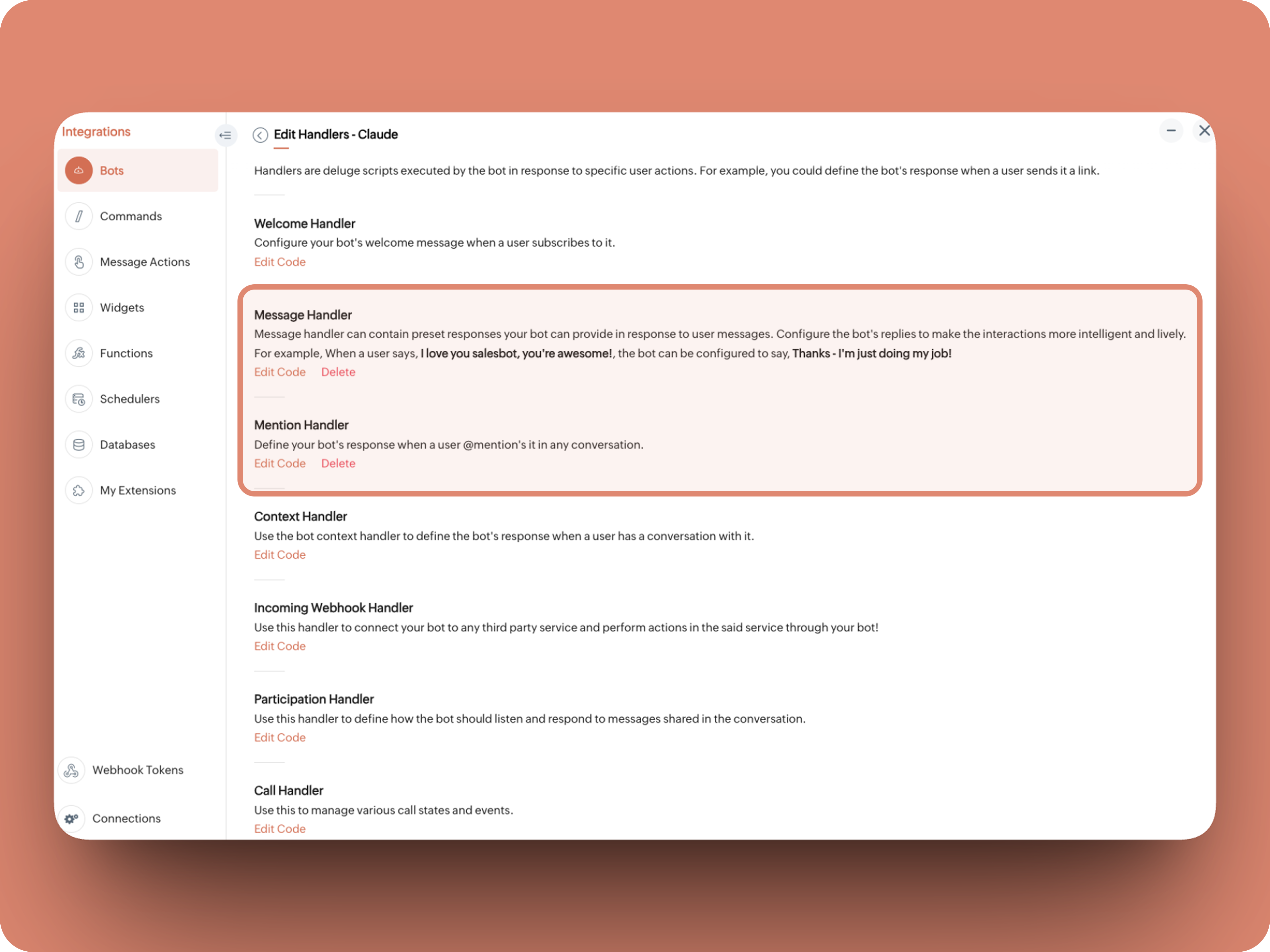
What does this do: Fetches last 10 (customizable - but keep message limit small ( around 10–15 to avoid token overuse)) chat messages for additional context and enables natural chat conversations
- info environment;
- botUniqueName = "BOT-UNIQUE-NAME";
- // Replace with your bot unique name
- cliqBaseUrl = environment.get("base_url");
- fetchRecentMessages = invokeurl
- [
- url :cliqBaseUrl + "/api/v2/chats/" + chat.get("id") + "/messages?limit=10"
- type :GET
- connection:"CONNECTION-NAME"
- //Read below how to create a connection, and paste here:
- ];
- info fetchRecentMessages;
- contentList = list();
- contentList.add({"role":"user","content":"Act as a conversational assistant. Reply to the message below in a friendly, informative, and well-organized way.\n\nGuidelines:\n- Respond only to the message provided.\n- Do not use memory or external context.\n- Be warm but professional.\n- Be clear and structured (use short paragraphs or bullet points if helpful).\n- Provide helpful details or clarification where useful.\n- If something is unclear, ask a polite follow-up question.\n- If action is needed, suggest a simple next step.\n- Do not include meta commentary.\n- Output only the reply.\n\n\nSTRICTLY USE * FOR BOLD, AND NEVER ** FOR BOLD MARKDOWN."});
- allMessages = fetchRecentMessages.get("data");
- for each data in allMessages
- {
- type = data.get("type");
- if(type == "card" || type == "text")
- {
- getMessage = data.get("content").get("text").replaceAll("\n"," ");
- senderID = data.get("sender").get("id");
- if(senderID.startsWith("b-"))
- {
- contentList.add({"role":"assistant","content":getMessage});
- }
- else
- {
- contentList.add({"role":"user","content":getMessage});
- }
- }
- }
- info contentList;
- // Set up API headers
- apiHeaders = Map();
- apiHeaders.put("anthropic-version","2023-06-01");
- apiHeaders.put("Content-type","application/json");
- apiHeaders.put("X-Api-Key","INSERT-API-KEY-HERE");
- // Don't forget your API key!
- model = "claude-sonnet-4-5-20250929";
- requestPayload = {"max_tokens":1024,"messages":contentList,"model":model};
- // Make API call to Claude
- claudeApiResponse = invokeurl
- [
- url :"https://api.anthropic.com/v1/messages"
- type :POST
- parameters:requestPayload + ""
- headers:apiHeaders
- detailed:true
- ];
- info claudeApiResponse;
- if(claudeApiResponse.get("responseCode") == 200)
- {
- responseBody = claudeApiResponse.get("responseText");
- parsedResponse = responseBody.toMap();
- claudeMessage = parsedResponse.get("content").get(0).get("text").replaceAll("\n\n","\n").remove("---").remove("#");
- if(claudeMessage.length() > 4000)
- {
- claudeMessage = claudeMessage.subString(0,4000) + "...";
- }
- info "Claude's Response: " + claudeMessage;
- }
- else
- {
- responseBody = claudeApiResponse.get("responseText");
- parsedResponse = responseBody.toMap();
- claudeMessage = "*" + parsedResponse.get("error").get("type") + "* \n" + parsedResponse.get("error").get("message");
- info "API Error: " + claudeApiResponse;
- }
- responseContent = {"text":claudeMessage,"card":{"title":"Claude says...","icon":"https://uxwing.com/wp-content/themes/uxwing/download/brands-and-social-media/claude-ai-icon.png"}};
- info responseContent;
- info zoho.cliq.postToBot(botUniqueName,responseContent);
- return Map();
⚙️ Replace These Placeholders
BOT-UNIQUE-NAME (ⓘ How to find it?)
CONNECTION-NAME
INSERT-API-KEY-HERE
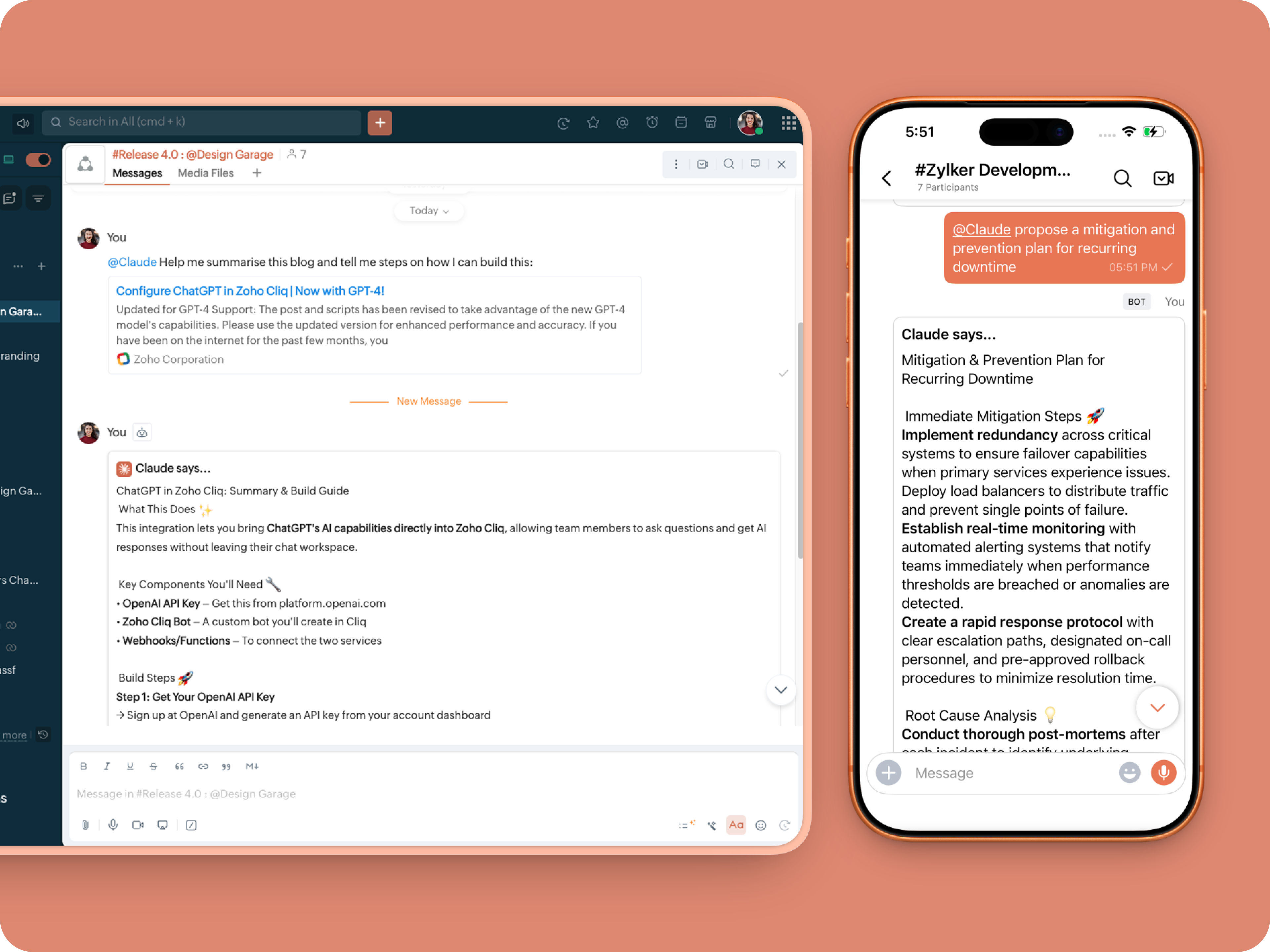
What does this do: This is to allow Claude to be @mentioned in any chat.
- userMessageText = "";
- fileAction = false;
- repliedMessage = false;
- if(message_details.get("message").containKey("replied_message"))
- {
- repliedMessage = true;
- replyMessageID = message_details.get("message").get("replied_message").get("id");
- messageType = message_details.get("message").get("replied_message").get("type");
- if(messageType == "text" || messageType == "card")
- {
- userMessageText = message_details.get("message").get("replied_message").get("text");
- }
- else
- {
- fileType = message_details.get("message").get("replied_message").get("file").get("type");
- if(fileType != "application/pdf")
- {
- return {"type":"banner","text":"Only PDF files are supported for this action","status":"failure"};
- }
- else
- {
- fileAction = true;
- }
- }
- }
- promptInstruction = "\"### Instructions ⓘ \nProvide a human-digestible, highly organized response (300-500 characters). Break down your output into bite-sized paragraphs and use bolding to guide the reader's eye. *Strictly avoid tables.* Use plenty of white space and only ### headings for a clean look. \n\n ### Formatting Protocol • \n - Bold: *text* \n - Italic: _text_ \n - Strike: ~text~ \n - Underline: __underline__ \n - Headers: ### Title \n - Quote: \"quote\" \n - Blockquote: > text \n - Bullets: Use • or → for lists \n - Emojis: Use ✨, 🚀, or 💡 to highlight key takeaways \n - Separator: --- \n\n ### and replace ** to *";
- userPrompt = "";
- if(message.trim().length() > 0)
- {
- userPrompt = "Action: " + message + "\n\n\n" + userMessageText + "\n\n\n" + promptInstruction;
- }
- else
- {
- userPrompt = "Action: " + userMessageText + "\n\n\n" + promptInstruction;
- }
- // Set up API headers
- apiHeaders = Map();
- apiHeaders.put("anthropic-version","2023-06-01");
- apiHeaders.put("Content-type","application/json");
- apiHeaders.put("ENTER-APIKEY-HERE");
- // Don't forget your API key!
- // Check if message is text-only or contains a file
- if(!fileAction)
- {
- // Handle text-only message
- requestPayload = {"max_tokens":1024,"messages":{{"content":userPrompt,"role":"user"}},"model":"claude-sonnet-4-5-20250929"};
- }
- else
- {
- // Handle message with file attachment
- uploadedFile = invokeurl
- [
- url :message_details.get("message").get("replied_message").get("file").get("url")
- type :GET
- connection:"ENTER-CONNECTION-NAME"
- ];
- info uploadedFile;
- // uploadedFile = message.get("content").get("file").get("name");
- base64EncodedFile = zoho.encryption.base64Encode(uploadedFile);
- if(message_details.get("message").get("replied_message").containKey("comment"))
- {
- comment = message_details.get("message").get("replied_message").get("comment");
- userPrompt = userPrompt + "\n" + comment;
- }
- else
- {
- userPrompt = userPrompt;
- }
- mediaType = "application/pdf";
- requestPayload = {"max_tokens":1024,"messages":{{"role":"user","content":{{"type":"document","source":{"type":"base64","media_type":mediaType,"data":base64EncodedFile}},{"type":"text","text":userPrompt}}}},"model":"claude-sonnet-4-5-20250929"};
- }
- info requestPayload;
- // Make API call to Claude
- claudeApiResponse = invokeurl
- [
- url :"https://api.anthropic.com/v1/messages"
- type :POST
- parameters:requestPayload + ""
- headers:apiHeaders
- detailed:true
- ];
- info claudeApiResponse;
- // Extract the actual text response
- if(claudeApiResponse.get("responseCode") == 200)
- {
- responseBody = claudeApiResponse.get("responseText");
- parsedResponse = responseBody.toMap();
- claudeMessage = parsedResponse.get("content").get(0).get("text").replaceAll("\n\n","\n").remove("---").remove("#");
- if(claudeMessage.length() > 4000)
- {
- claudeMessage = claudeMessage.subString(0,4000) + "...";
- }
- info "Claude's Response: " + claudeMessage;
- }
- else
- {
- responseBody = claudeApiResponse.get("responseText");
- parsedResponse = responseBody.toMap();
- claudeMessage = "*" + parsedResponse.get("error").get("type") + "* \n" + parsedResponse.get("error").get("message");
- info "API Error: " + claudeApiResponse;
- }
- responseContent = {"text":claudeMessage,"card":{"title":"Claude says...","icon":"https://uxwing.com/wp-content/themes/uxwing/download/brands-and-social-media/claude-ai-icon.png"}};
- info responseContent;
- if(repliedMessage)
- {
- responseContent.put("reply_to",replyMessageID);
- }
- info zoho.cliq.postToChat(chat.get("id"),responseContent);
- return Map();
Message Action
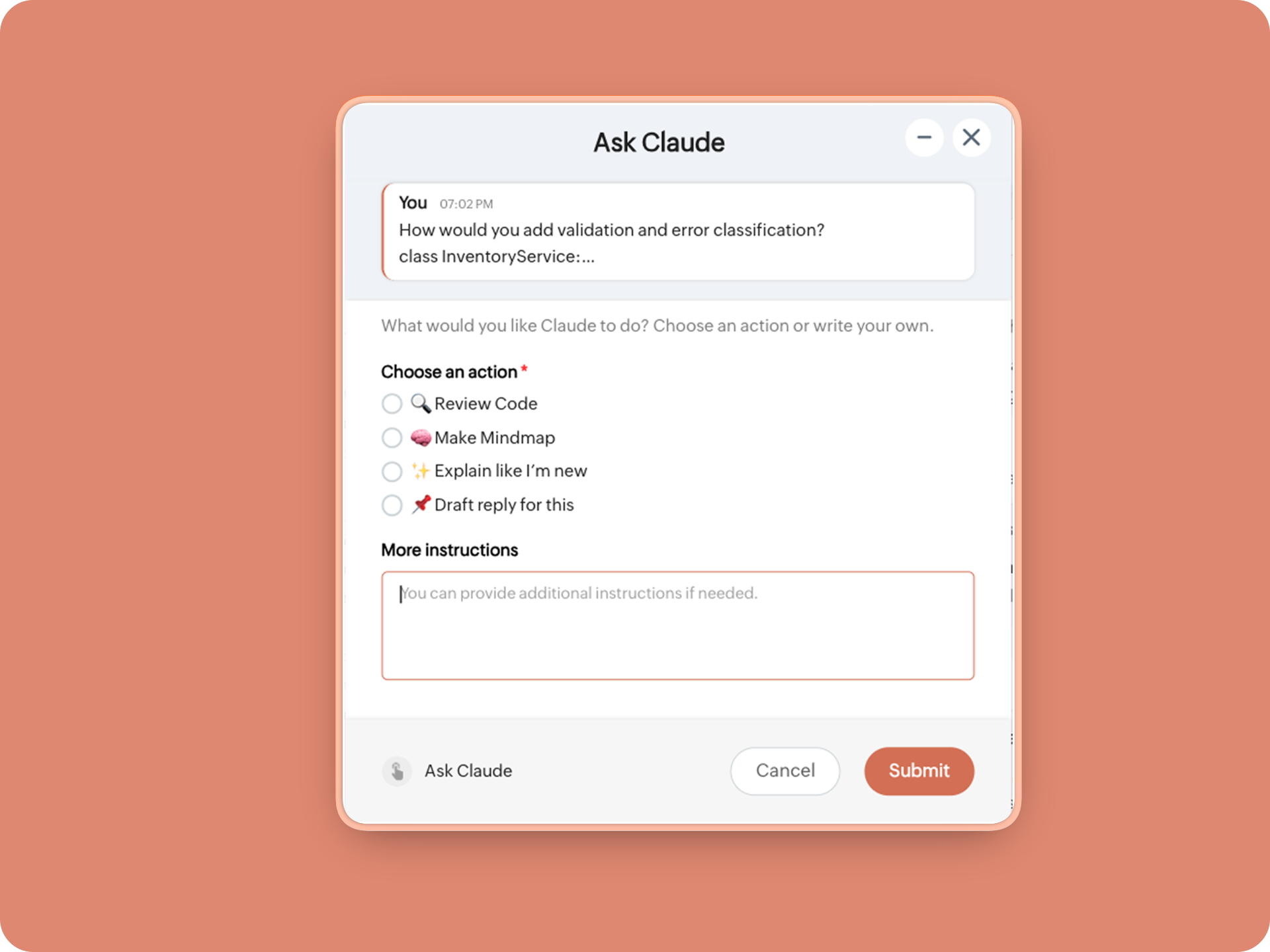
What does it do: Allow Claude to act on any message or file.
 ⓘ For files, we've extended this to only PDF file formats for now to keep implementation predictable and to avoid unsupported file formats
What we're adding:
1. When executed on any message, a form opens to prompt:
A. 🔍 Review code
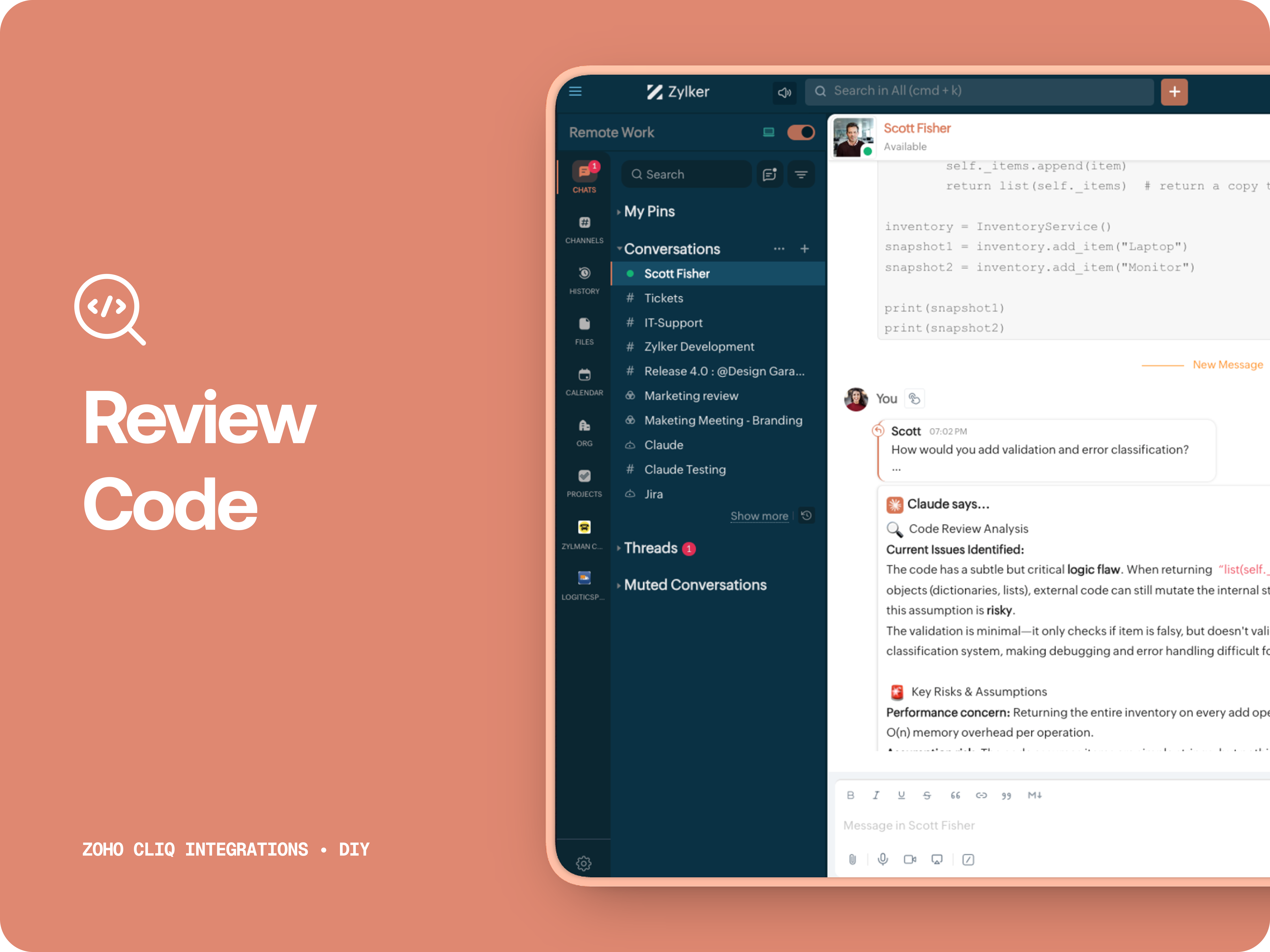
Claude teaches you what it is, why it matters, how it works, an analogy or common mistakes for any concept.
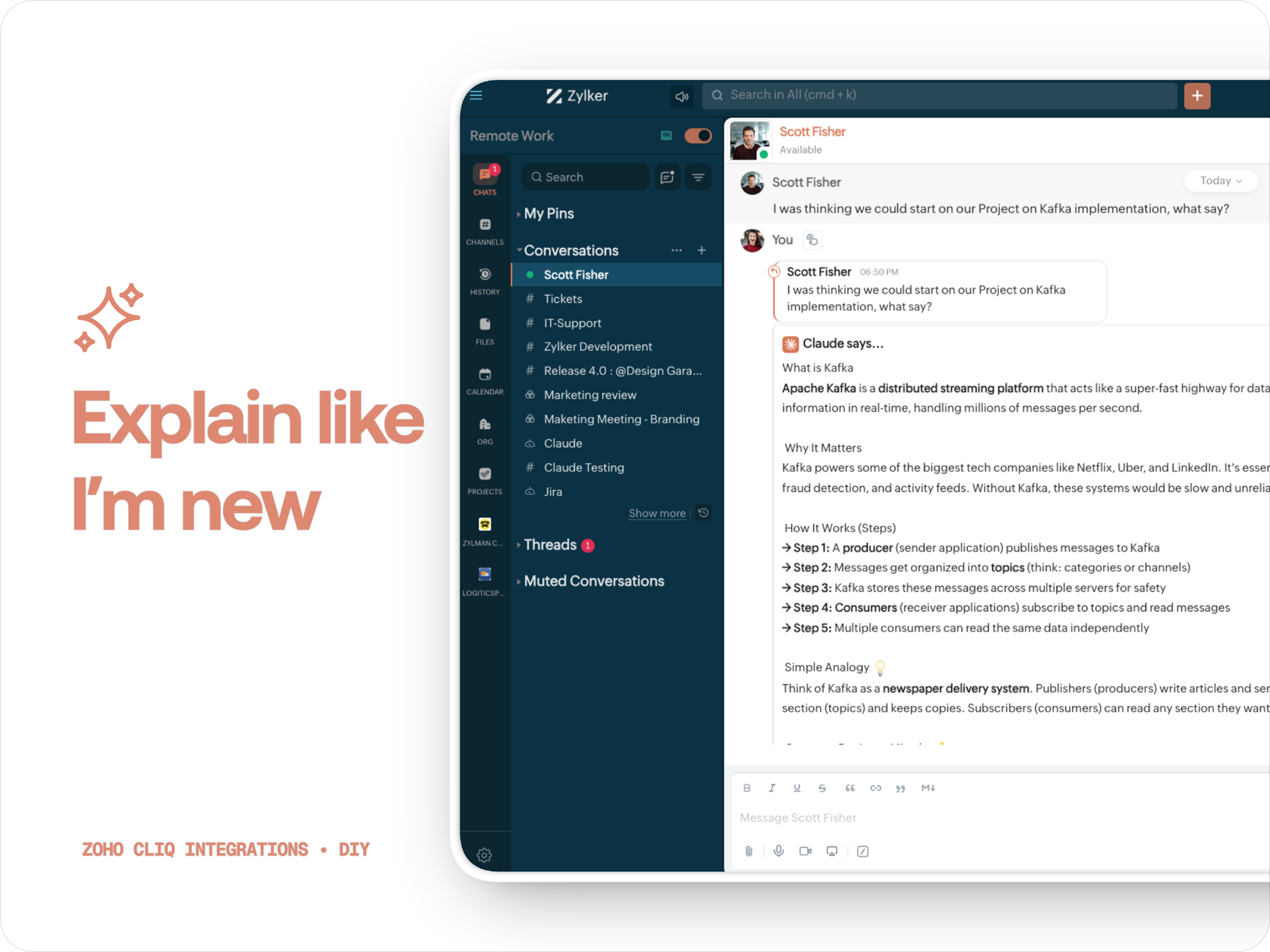
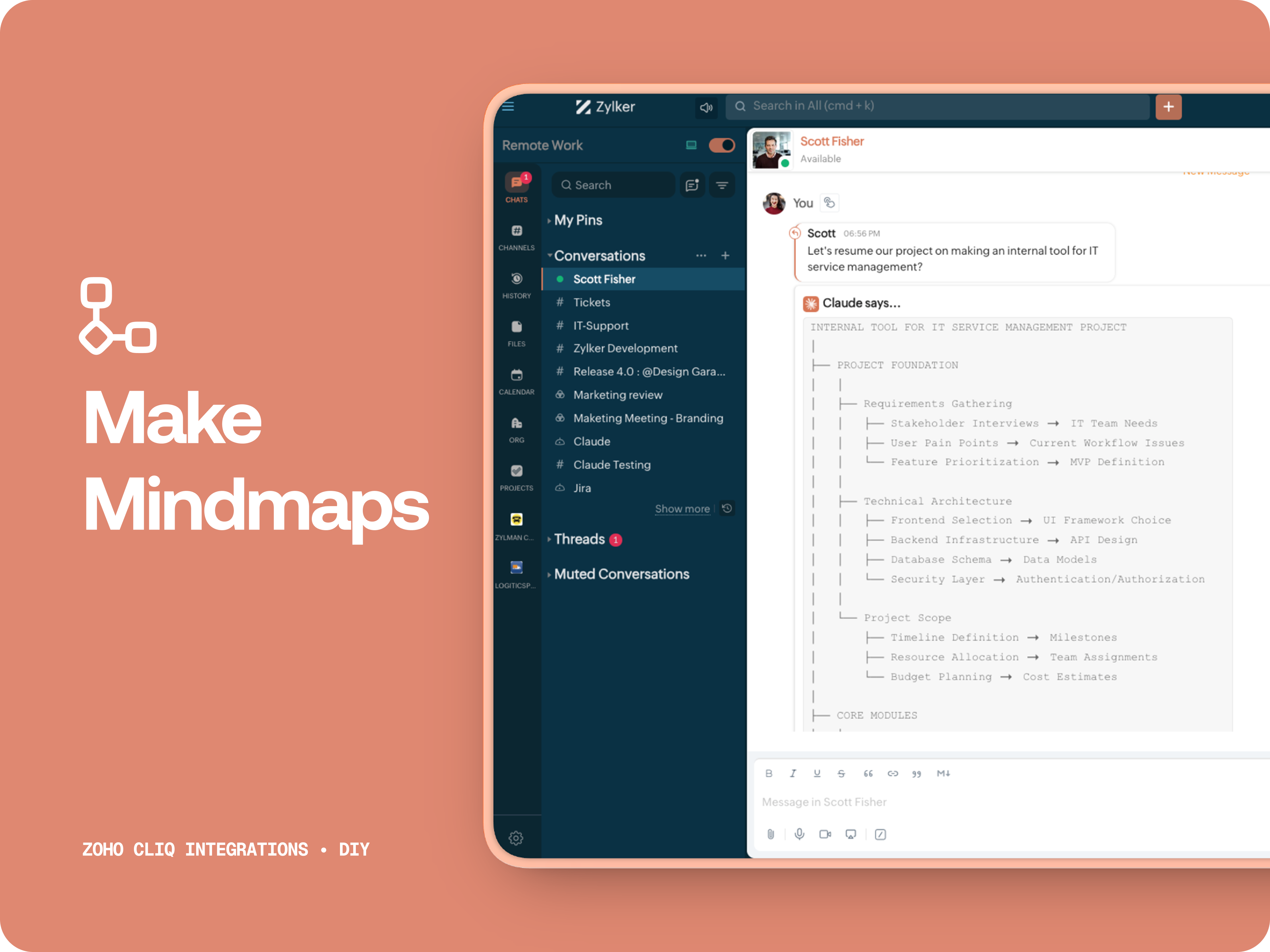
C. 🧠 Make Mindmap
Converts content into a structured ASCII flow chart for explaining system designs, feature breakdowns or general product thinking.
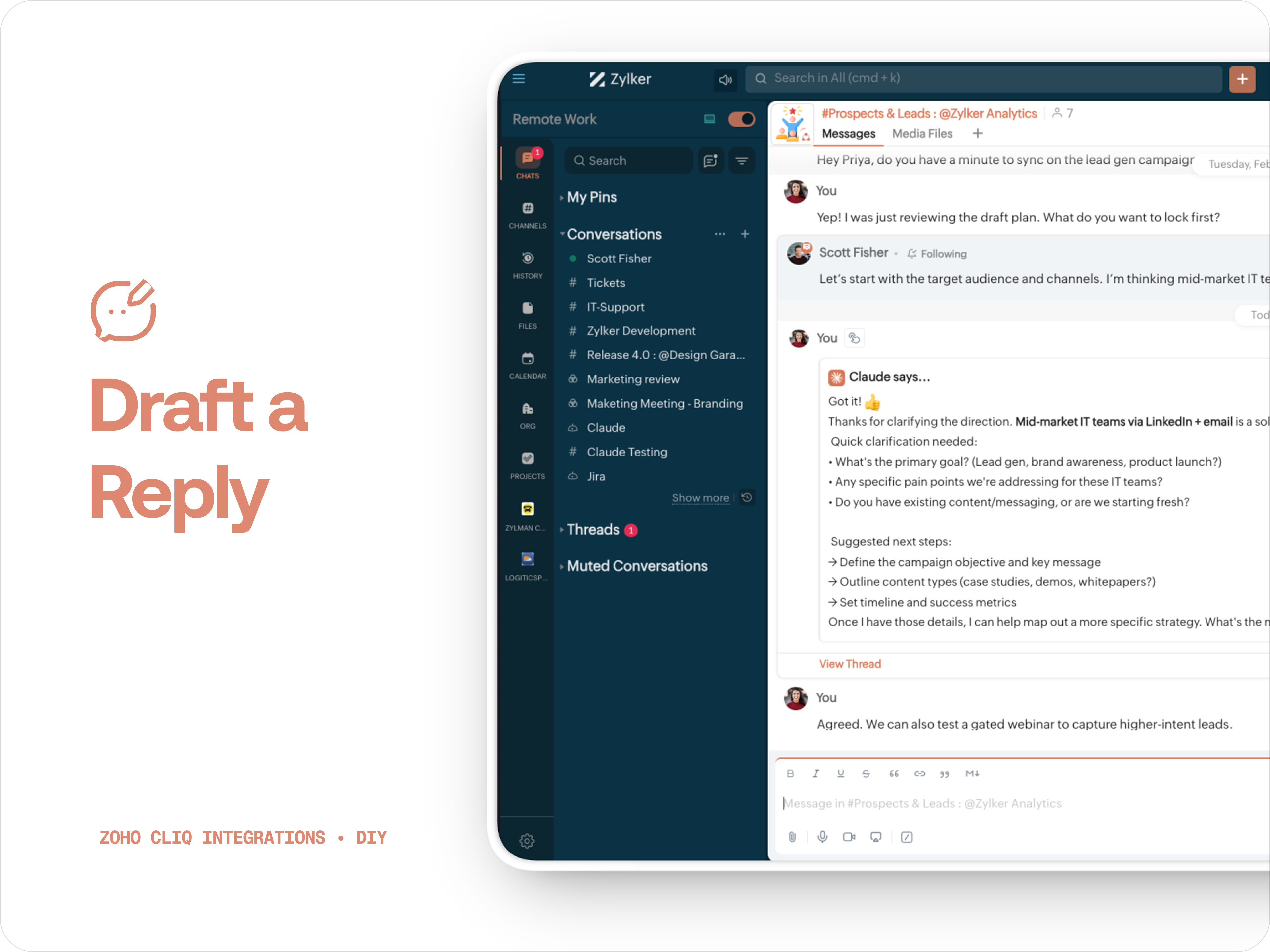
D. 📌 Draft a reply
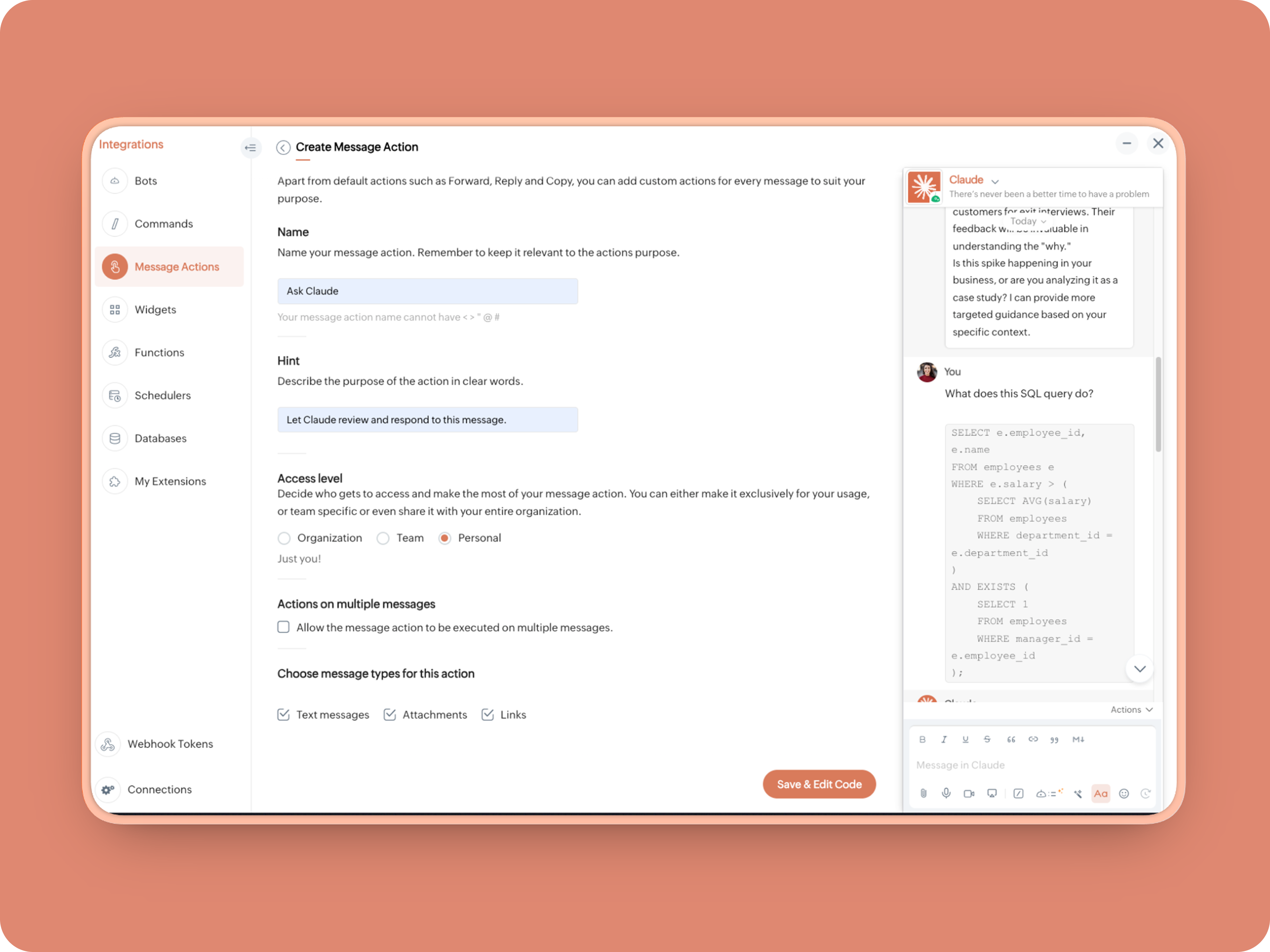
How to create:
1. Create a Message Action, name it Ask Claude and give any description of your choice.
- info message;
- returnForm = false;
- if(message.get("type") == "file")
- {
- fileType = message.get("content").get("file").get("type");
- if(fileType != "application/pdf")
- {
- return {"type":"banner","text":"Only PDF files are supported for this action","status":"failure"};
- }
- }
- inputs = list();
- inputs.add({"label":"Choose an action","name":"action","mandatory":true,"type":"radio","options":{{"value":"reviewcode","label":"🔍 Review Code"},{"value":"explainthis","label":"🧠 Make Mindmap"},{"value":"ExplainlikeImnew","label":"✨ Explain like I’m new"},{"value":"Draftreplyforthis","label":"📌 Draft reply for this"}}});
- inputs.add({"label":"More instructions","name":"additionalInstructions","placeholder":"You can provide additional instructions if needed.","min_length":"0","max_length":"500","mandatory":false,"type":"textarea"});
- return {"type":"form","title":"Ask Claude","hint":"What would you like Claude to do? Choose an action or write your own.","name":"INSERT-FUNCTION-NAME","button_label":"Submit","inputs":inputs,"action":{"type":"invoke.function","name":"INSERT-FUNCTION-NAME"}};
Form Function:
1.Go to Functions → Name your function (Eg. askclaude) and add description
2. Select Form function
3. Create
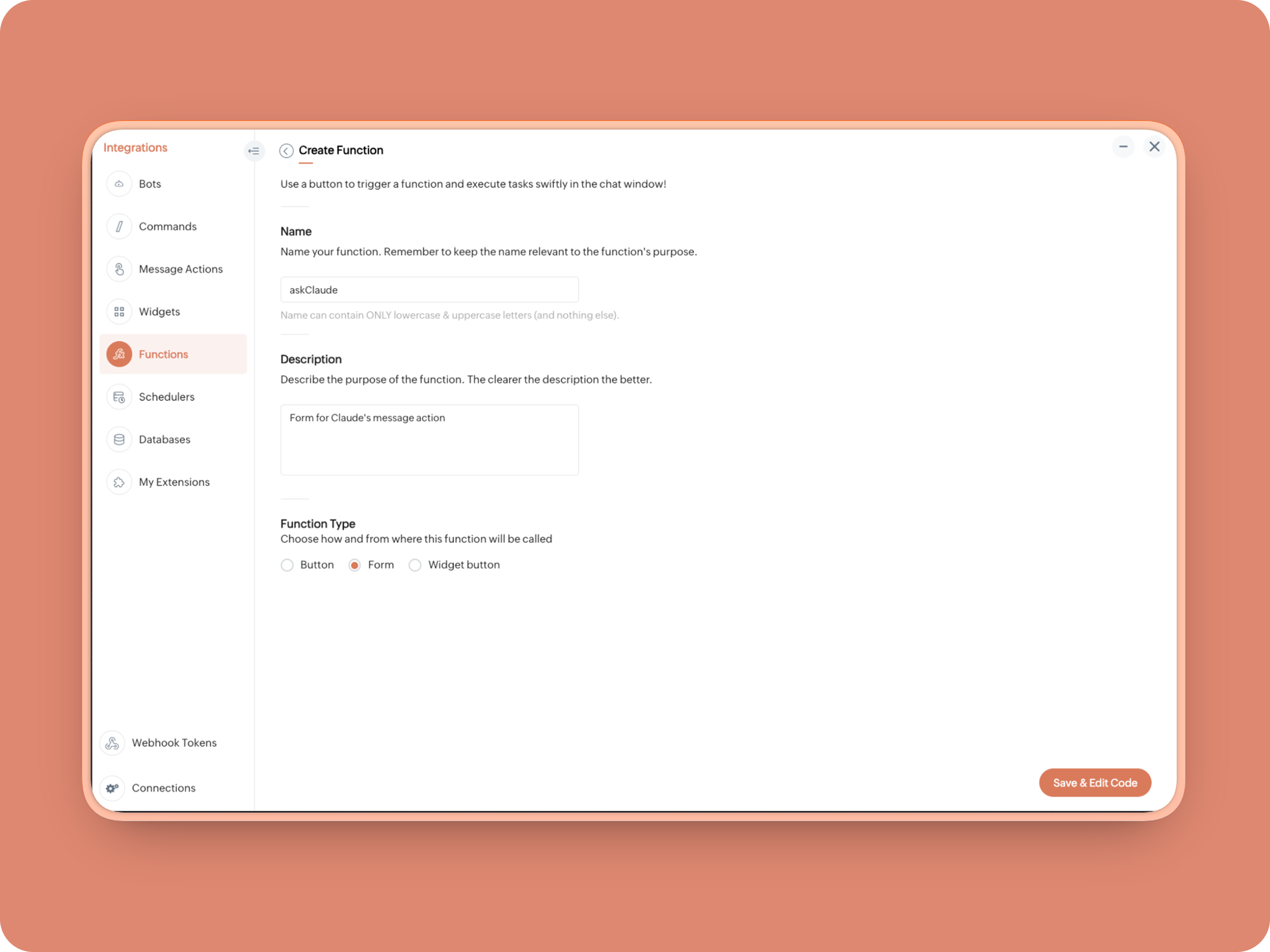
Once created, in the Form Submit Handler, paste this code:
- info form;
- info message;
- // Set up API headers
- apiHeaders = Map();
- apiHeaders.put("anthropic-version","2023-06-01");
- apiHeaders.put("Content-type","application/json");
- apiHeaders.put("ENTER-APIKEY-HERE");
- // Don't forget your API key!
- actionType = form.get("values").get("action").get("value");
- promptInstruction = "\"### Instructions ⓘ \nProvide a human-digestible, highly organized response (250-300 characters). Break down your output into bite-sized paragraphs and use bolding to guide the reader's eye. *Strictly avoid tables.* Use plenty of white space and only ### headings for a clean look. \n\n ### Formatting Protocol • \n - Bold: *text* \n - Italic: _text_ \n - Strike: ~text~ \n - Underline: __underline__ \n - Headers: ### Title \n - Quote: \"quote\" \n - Blockquote: > text \n - Bullets: Use • or → for lists \n - Emojis: Use ✨, 🚀, or 💡 to highlight key takeaways \n - Separator: --- \n\n ### and replace all ** to *";
- if(actionType == "reviewcode")
- {
- userPrompt = "🔍 You are a senior engineer. \nReview this code: \n• List bugs or logical errors \n• Note assumptions and risks \n• Suggest improvements \n• Provide corrected code \n• Explain why your version is better\n\n\n" + promptInstruction;
- }
- else if(actionType == "explainthis")
- {
- userPrompt = "🧠 You are a systems thinker. \n•Convert the input into a visual flow chart using plain text. \n•Strict Output Rules \n•Output ONLY inside a triple backtick code block \n•Do NOT use Mermaid \n•Do NOT write paragraphs \n•Do NOT explain anything \n•Do NOT use bullet lists outside structure \n•Use ASCII connectors to form a real flow chart \n•Use arrows (→, ↓, ↳, ├──, └──) to show relationships \n•Maintain clear hierarchy and spacing \n•One single root at the top \n•Logical directional flow (top → down) \n•Structure Requirements \n•Root node at top \n•First-level branches below \n•Subpoints indented \n•Cross-links if relevant \n•Clean spacing \n•No duplicated nodes \n•Required Format Example \n•MAIN IDEA \n•Branch 1 -> Subpoint -> Subpoint \n•Branch 2 -> Subpoint ->Subpoint \n•Branch 3 -> Subpoint -> Subpoint\n\n\n" + promptInstruction;
- }
- else if(actionType == "ExplainlikeImnew")
- {
- userPrompt = "✨ You are a teacher for beginners. \nExplain: \n• What it is \n• Why it matters \n• How it works (steps) \n• A simple analogy \n• One common beginner mistake\n\n\n" + promptInstruction;
- }
- else if(actionType == "Draftreplyforthis")
- {
- userPrompt = "📌 You are a professional responder. \nReply to this message: \n• Directly address main point \n• Ask for clarification if needed \n• Suggest next steps \n• Keep it concise and clear \n• Make sure message in a buisness casual tone, consise, human written.\n\n\n" + promptInstruction;
- }
- if(form.get("values").get("additionalInstructions").length() > 0)
- {
- userPrompt = userPrompt + "\n" + form.get("values").get("additionalInstructions");
- }
- // Check if message is text-only or contains a file
- if(message.get("type") == "text" || message.get("type") == "card")
- {
- // Handle text-only message
- userMessageText = message.get("text");
- requestPayload = {"max_tokens":1024,"messages":{{"content":userPrompt + "\n\n" + userMessageText,"role":"user"}},"model":"claude-sonnet-4-5-20250929"};
- }
- else
- {
- // Handle message with file attachment
- uploadedFile = invokeurl
- [
- url :"https://cliq.zoho" + environment.get("tld") + "/api/v2/files/" + message.get("content").get("file").get("id")
- type :GET
- connection:"ENTER-CONNECTION-NAME"
- ];
- info uploadedFile;
- base64EncodedFile = zoho.encryption.base64Encode(uploadedFile);
- if(message.get("content").containKey("comment"))
- {
- comment = message.get("content").get("comment");
- userPrompt = userPrompt + "\n" + comment;
- }
- else
- {
- userPrompt = userPrompt;
- }
- mediaType = message.get("content").get("file").get("type");
- mediaType = "application/pdf";
- requestPayload = {"max_tokens":1024,"messages":{{"role":"user","content":{{"type":"document","source":{"type":"base64","media_type":mediaType,"data":base64EncodedFile}},{"type":"text","text":userPrompt}}}},"model":"claude-sonnet-4-5-20250929"};
- }
- info requestPayload;
- // Make API call to Claude
- claudeApiResponse = invokeurl
- [
- url :"https://api.anthropic.com/v1/messages"
- type :POST
- parameters:requestPayload + ""
- headers:apiHeaders
- detailed:true
- ];
- // info claudeApiResponse;
- // Extract the actual text response
- if(claudeApiResponse.get("responseCode") == 200)
- {
- responseBody = claudeApiResponse.get("responseText");
- parsedResponse = responseBody.toMap();
- claudeMessage = parsedResponse.get("content").get(0).get("text").replaceAll("\n\n","\n").remove("---").remove("#");
- if(claudeMessage.length() > 4000)
- {
- claudeMessage = claudeMessage.subString(0,4000) + "...";
- }
- info "Claude's Response: " + claudeMessage;
- }
- else
- {
- responseBody = claudeApiResponse.get("responseText");
- parsedResponse = responseBody.toMap();
- claudeMessage = "*" + parsedResponse.get("error").get("type") + "* \n" + parsedResponse.get("error").get("message");
- info "API Error: " + claudeApiResponse;
- }
- responseContent = {"text":claudeMessage,"card":{"title":"Claude says...","icon":"https://uxwing.com/wp-content/themes/uxwing/download/brands-and-social-media/claude-ai-icon.png"},"reply_to":message.get("id")};
- info responseContent;
- info zoho.cliq.postToChat(chat.get("id"),responseContent);
- return Map();
When triggered: Opens a form → User selects an action → Adds additional instructions → Submits → Claude processes the selected message
What you built today is just the foundation.
Shape it around how your team actually works. Extend it to turn discussions into action items, review PRs before they’re merged, generate standup updates, extract tasks automatically, or create knowledge snippets from resolved threads.
Start with one real pain point. Solve it well. Then layer more intelligence on top.
The structure is already there. The possibilities are yours.
🔗 Explore Zoho Cliq: Developer Platform
🔗 Explore Anthropic API Docs
Topic Participants
Riya Raghunath
Sticky Posts
Cliq Bots - Post message to a bot using the command line!
If you had read our post on how to post a message to a channel in a simple one-line command, then this sure is a piece of cake for you guys! For those of you, who are reading this for the first time, don't worry! Just read on. This post is all about howAdd Claude in Zoho Cliq
Let’s add a real AI assistant powered by Claude to your workspace this week, that your team can chat with, ask questions, and act on conversations to run AI actions on. This guide walks you through exactly how to do it, step by step, with all the codeAutomating Employee Birthday Notifications in Zoho Cliq
Have you ever missed a birthday and felt like the office Grinch? Fear not, the Cliq Developer Platform has got your back! With Zoho Cliq's Schedulers, you can be the office party-cipant who never forgets a single cake, balloon, or awkward rendition ofAutomate attendance tracking with Zoho Cliq Developer Platform
I wish remote work were permanently mandated so we could join work calls from a movie theatre or even while skydiving! But wait, it's time to wake up! The alarm has snoozed twice, and your team has already logged on for the day. Keeping tabs on attendanceCustomer payment alerts in Zoho Cliq
For businesses that depend on cash flow, payment updates are essential for operational decision-making and go beyond simple accounting entries. The sales team needs to be notified when invoices are cleared so that upcoming orders can be released. In contrast,
Recent Topics
P & L Sub-categorized accounts
How can I show sub-categorized Income and Expense accounts on the P & L report?Report showing Bill Details with Project and Sales Invoice Number
Hi There, I am hoping that someone can help, I am looking for report that can show the bill and expense details along with project its as assigned to and the invoice number that the sales has been raised in. The goal is I can filter a customer/projectAdvanced Payment for Inventory Items with serial numbers
Hello, We sell equipment that we track the unique serial numbers on using Sales Orders. We can charge the customers an advanced payment, then the balance on delivery. We cannot figure out a way to do this in Books/Inventory: - Cannot part invoice a SOIs it possible to restrict ZCRM user to see only custom views created by administrator
I have segmented data in my CRM and I want to allow different users to be able to see only parts of it based on some criteria. I've tried to create and share a custom view, but then there is always an option for user to see all open lead for example.Issues Logging into ZOHO
Hello, one of my coworkers is having issues logging into ZOHO, she has requested a code when entering and the email is correct but she has not received the code. can you help us with this?Google Fonts Integration in Pagesense Popup Editor
Hello Zoho Pagesense Team, We hope you're doing well. We’d like to submit a feature request to enhance Zoho Pagesense’s popup editor with Google Fonts support. Current Limitation: Currently, Pagesense offers a limited set of default fonts. Google FontsAdd Popup Rejection Metrics to Reports
Hello Zoho PageSense Team, We would like to request improved reporting for popup interactions. Current Limitation: PageSense currently provides conversion data, but there is no clear visibility into: Popup rejections Popup closes (✕ button clicks) DismissalsAbility to Reset / Reinitialize Popup Cookies
Hello Zoho PageSense Team, We would like to request the ability to manually reset popup cookies. Current Limitation: At the moment, it is not possible to initiate a new popup cookie from the our side. Visitors who rejected or closed a popup will not seeControl Popup Cookie Expiration Duration
Hello Zoho PageSense Team, We would like to request an enhancement related to popup cookie management. Current Limitation: Currently, PageSense popup cookies remain active for 365 days, and this duration cannot be modified by us. If a visitor closes orClone / Export Popup Design Across PageSense Projects
Hello Zoho PageSense Team, We hope you’re doing well. We would like to request an enhancement that allows popup designs to be reused across different PageSense projects. Problem Statement: Currently, Zoho PageSense allows popups to be duplicated onlyAre there settings for hyperlinks?
Clicking a hyperlinked cell in Sheet creates this little pop-up with the actual hyperlink inside. Is it possible to have a 1-click link where if you click the cell it opens the link directly with no pop-up?Automatically include all ticket attachments in the ticket resolution email
Hello Zoho Community, We are implementing Zoho Desk in a real customer-facing production environment and have run into a limitation that is becoming a blocking requirement for our clients. The problem When a ticket is closed or resolved, Zoho Desk sendsKeep Zoho People Feature Requests in the Zoho People Forum
Hello Zoho People Product Team, Greetings. We would like to submit a feature request regarding the handling of feature requests themselves, specifically for Zoho People. Issue: Feature Requests Being Moved to Zoho One Zoho People feature requests areCan I write a check in Zoho Books with no associated bill?
This currently does not seem possible, and I have a client that desperately needs this function if I am able to convert them with Quickbooks. Thank you in advance for your reply.Finding text within a ticket: Expand All or Search this Ticket
The auto-collapse feature within a ticket is nice for screen scrolling, however it makes it difficult to find text within the ticket if the email is collapsed. In fact you cannot find text if it is collapsed. I would like to propose a feature that allowsBooks & Desk. Client mapping
Hi, I’ve been using Zoho Books for several years and am now looking to improve my customer service. I'm experimenting with Zoho Desk and want to sync and map my client data from Zoho Books. However, it seems that mapping requires both contacts to haveString handling
If I cut a currency string from a quote and try and paste it into the Deal "Amount", it will fail unless I manually delete any commas. Dollar signs are no problem, but comma's seem to fail. Please correct this Input Validation error.Allow Stripe Credit Card and Stripe ACH payment methods to be enabled separately on an invoice.
I need to be able to pick at the invoice level whether Stripe Credit Card and/or Stripe ACH payment methods are available. Currently, I'm not able to select from the two Stripe payment methods individually on an invoice. However, there are some largerFeature Request - Allow Customers To Pick Meeting Duration
Hi Bookings Team, It would be great if there was an option to allow customers to pick a duration based on a max and minimum amount of time defined by me and in increments defined by me. For example, I have some slots which are available for customersYouTube Live streaming? how to? Zoom has this feature, built-in. Can't find it on zoho meetings.
YouTube Live streaming? how to? Zoom has this feature, built-in. Can't find it on zoho meetings.Feature Request - A Way To Search Item Groups
Hi Inventory Team, I can't find any way to filter or search by fields of Item Groups. It would be great to see that functionality added. I have a use case where a single product might come from 5 or more suppliers and each supplier's item is an Item inFeature Reqeust - Include MPN In Selectable FIelds
I have noticed that the MPN is not available to show in the list view of Items. Please consider adding it as EAN, UPC and ISBN are all available, so it doesn't make much sense to exclude this similar option. Thanks for considering my feedback.Feature Request - Option To Hide Default System Fields on Items
Hi Zoho Inventory Team, As far as I know it is not possible to hid some of the defult system fields on Items, such as UPC, MPN, EAN, ISBN. A good use case is that in many cases ISBN is not relevant and it would be an improved user experience if we couldCampaigns does not work!
I am running into so many problems trying to use Zoho Campaigns, that I am seriously considering dropping the app from my (shrinking) list of Zoho applications I actually use. Apart from having to fight the software trying to create a design and email,Feature Request - Make Available "Alias Name" Field In Item List View
Hi Zoho Inventory Team, I have noticed that the "Alias Name" field does not appear on the list of selectable columns in the Customise Columns feature in the Items module. This would be very useful to see for businesses who are using the Alias Name fieldproduct name field issue-n8n
Hey guys, I have a question. I want to create a new product using the workflow. The problem is with the product name field; I don't know how to fill it in. The workflow starts with retrieving information from the leads table, retrieving links to scrapeHow to filter Packages in zoho inventory api
Hi Team, I want to perform some tasks in a schedular on the packages which are in "Shipped" state. I tried to use filter_by in my api call but in return I get response as {"code":-1,"message":"Given filter is not configured"} My Api request is as followsCRM
Is anyone else experiencing this issue? Our company is not moving out of using Gmail's web app. It just has more features and is a better email program than Zoho Mail. Gmail has an extension (Zoho CRM for Gmail) that we're using but we've found some seriousSyncing with Google calendar, Tasks and Events
Is it possible to sync Zoho CRM calendar, task and events with Google Calendar's tasks and events. With the increasing adoption by many major tool suppliers to sync seamlessly with Google's offerings (for instance I use the excellent Any.do task planningHow can i view "Child" Accounts?
It can be very useful in our field of business to know the parent-child account relationship. However, there seems to be a shortcoming in the parent account view: no child account list. How can we view the child accounts per each account?Easily perform calculations using dates with the new DATEDIF function
Hey Zoho Writer users! We've enhanced Zoho Writer's formula capabilities with the new DATEDIF function. This allows you to calculate the difference between dates in days, months, and years. Function syntax: =DATEDIF(start_date, end_date, unit) Inputs:Adding Comments Using Workflows - How to Change User Attributed
We have worklflows in Desk where a comment is added to a ticket based on certain criteria. It seems that the comment added is always attributed to the user who last edited the workflow. This does not make sense for us because: - It's misleading to otherAdd Attachment Support to Zoho Flow Mailhook / Email Trigger Module
Dear Zoho Support Team, We hope you are well. We would like to kindly request a feature enhancement for the Mailhook module in Zoho Flow. Currently, the email trigger in Zoho Flow provides access to the message body, subject, from address, and to address,Conect chat of salesiq with zoho cliq
Is there any way to answer from zoho cliq the chat of salesiq initiated by customers?Les dernières avancées en saisie de données et collaboration
Après une année dédiée à la recherche et au développement, notre équipe est prête à dévoiler des améliorations majeures pour Zoho Sheet. Ces nouveautés seront lancées par étapes afin d’en assurer une prise en main optimale. Nous commençons avec des fonctionnalitésRich Text For Notes in Zoho CRM
Hello everyone, As you know, notes are essential for recording information and ensuring smooth communication across your records. With our latest update, you can now use Rich Text formatting to organize and structure your notes more efficiently. By usingImplement Meeting Polls in Zoho Bookings
Dear Zoho Bookings Support Team, We'd like to propose a feature enhancement related to appointment scheduling within Zoho Bookings. Current Functionality: Zoho Bookings excels at streamlining individual appointment scheduling. Users can set availabilityService Account Admin for API Calls and System Actions
Hello, I would like to request the addition of a Service Account Admin option in Zoho product. This feature would allow API calls and system actions to be performed on behalf of the system, rather than an active user. Current Issue: At present, API callsPlease can the open tasks be shown in each customer account at the top.
Hi there This has happened before, where the open tasks are no longer visible at the top of the page for each customer in the CRM. They have gone missing previously and were reinstated when I asked so I think it's just after an update that this featureHow to Customize Task Creation to Send a Custom Alert Using JavaScript in Zoho CRM?
Hello Zoho CRM Community, I’m looking to customize Zoho CRM to send a custom alert whenever a task is created. I understand that Zoho CRM supports client scripts using JavaScript, and I would like to leverage this feature to implement the alert functionality.Next Page