Design & Print Data Directly using Canvas Print View
Hello Everyone,
We are excited to announce a new addition to your Canvas in Zoho CRM - Print View. Canvas print view helps you transform your custom CRM layouts into print-ready documents, so you can bring your digital data to the physical world with ease.
Whether you’re printing labels for shipping, creating personalized forms, or need to document one particular record's information, this feature gives you the control and flexibility to design, customize, and print right from your CRM.
What can you do with Print View?
With Canvas Print View, you can print out a single record's data or a few selected records' data or even the total number of records per page onto physical sheets directly from your CRM account to your hands. Simply :
- Design a custom layout using Canvas by pulling details automatically from your CRM modules
- Generate a clean, printable sheet of mailing labels
- Print information out on standard paper sizes like A4 or Letter from your selected module,
- Automatically display cutting lines to guide separation for
- Save time and reduce manual errors without leaving your CRM
Scenario 1: Print Shipping labels from your CRM Account
Imagine you’re running a shipping or courier service, and you manage all your customer data within Zoho CRM. Your team needs to generate address labels for daily deliveries. You can use the print view to :
- Create a custom mailing label layout using Canvas and get customer contact details automatically from your contact module.
- Generate a clean, printable sheet of mailing labels
- Choose to display cutting lines to guide label separation
- Finally, print them out on standard paper sizes like A4, Letter from your selected module
And, Voila! Your team now has all the address labels they need for daily deliveries.
Look at the GIF below to understand how Canvas Print View works for print mailing labels.
Scenario 2 : Print Service Report Forms in an Auto-shop Repair Firm
Say, you run an automobile service centre, and you use Zoho CRM to track customer vehicles, service requests, complaints, and repair details. After completing a repair job, the technician updates the service record in CRM with details such as the vehicle model, service type, parts replaced, labour cost, and total cost.
Using the Print View feature in Canvas, the service centre generates a Service Report that includes:
- Customer name, email, and phone number
- Service number and Service date
- Vehicle Name, Complaint, and Feedback
Now, you can hand this printed report to the customer as proof of service where both the technician and the customer can be signed for acknowledgment and stored in the customer’s file as part of their service history. This is any day better than giving customers a rough invoice or verbal update, and encourages repeat visits for future services.
The GIF below will help you understand how Canvas Print View works for such scenarios.
Other examples where you can use this feature
Similarly, you can use the Print View feature of Canvas to create printable sheets for other scenarios, such as :
- Create academic course sheets, promotion letters and more automatically from the courses module,
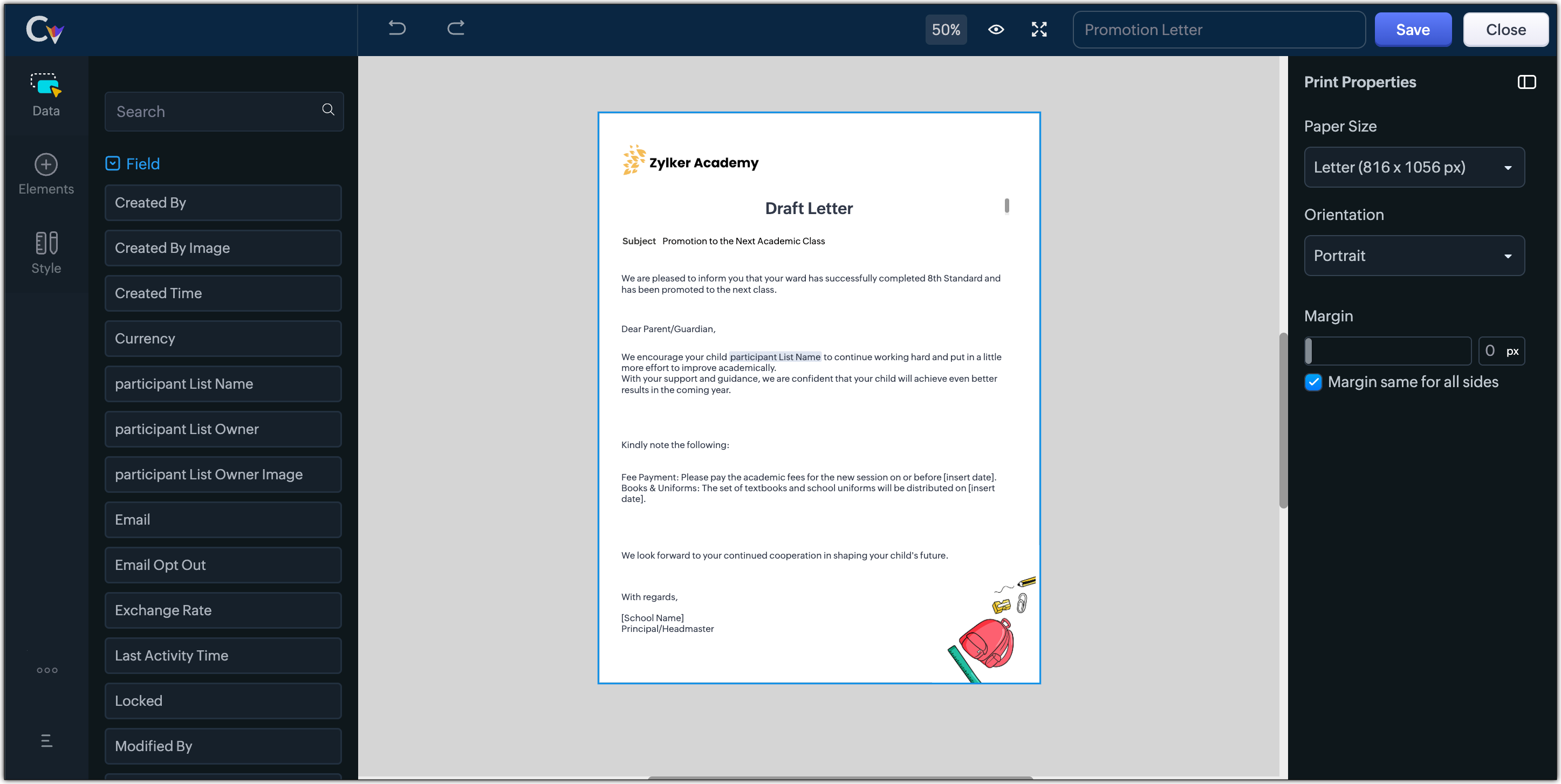
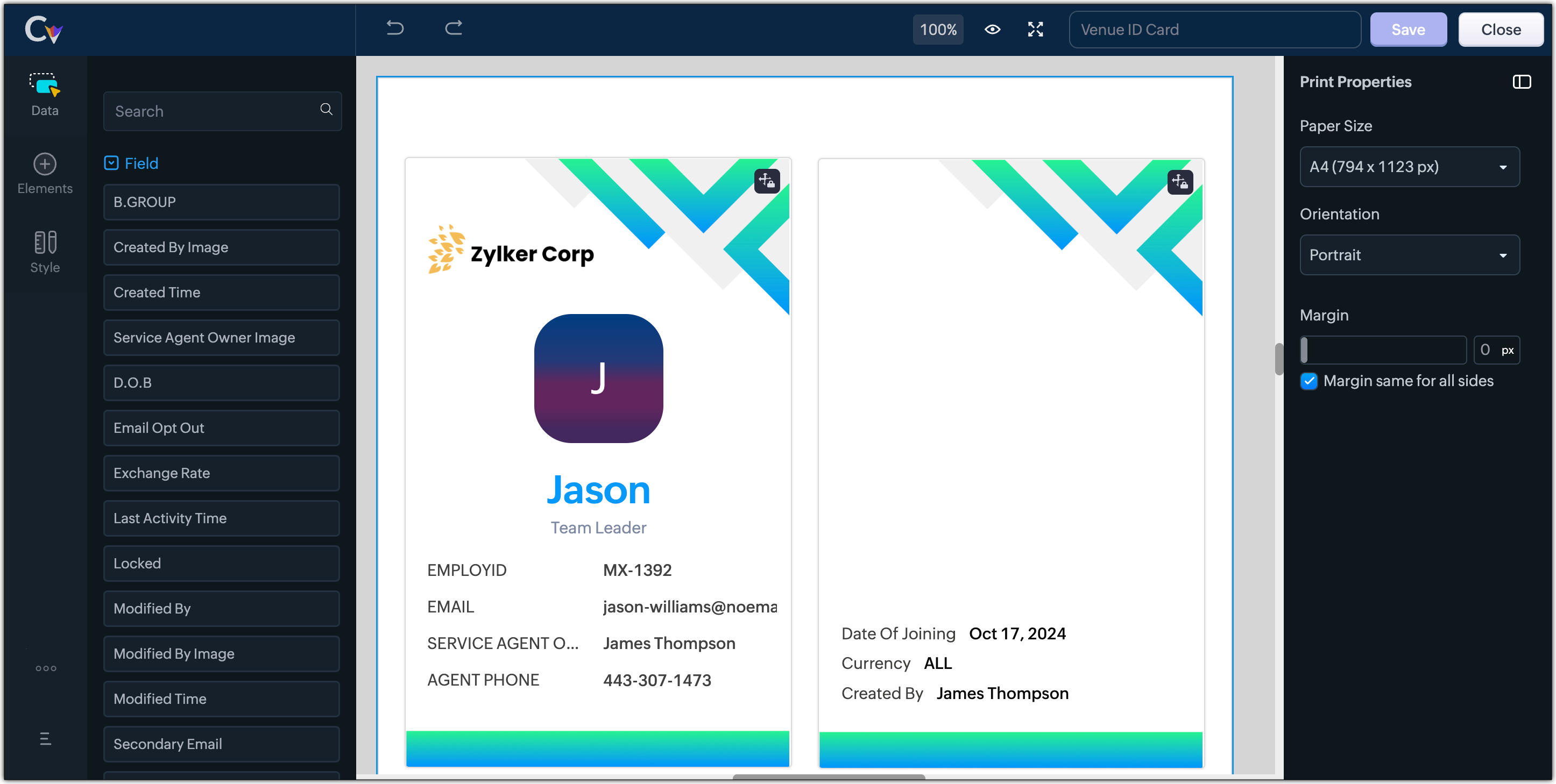
- Resume, id card, or other identification forms for marketing activities or related events,
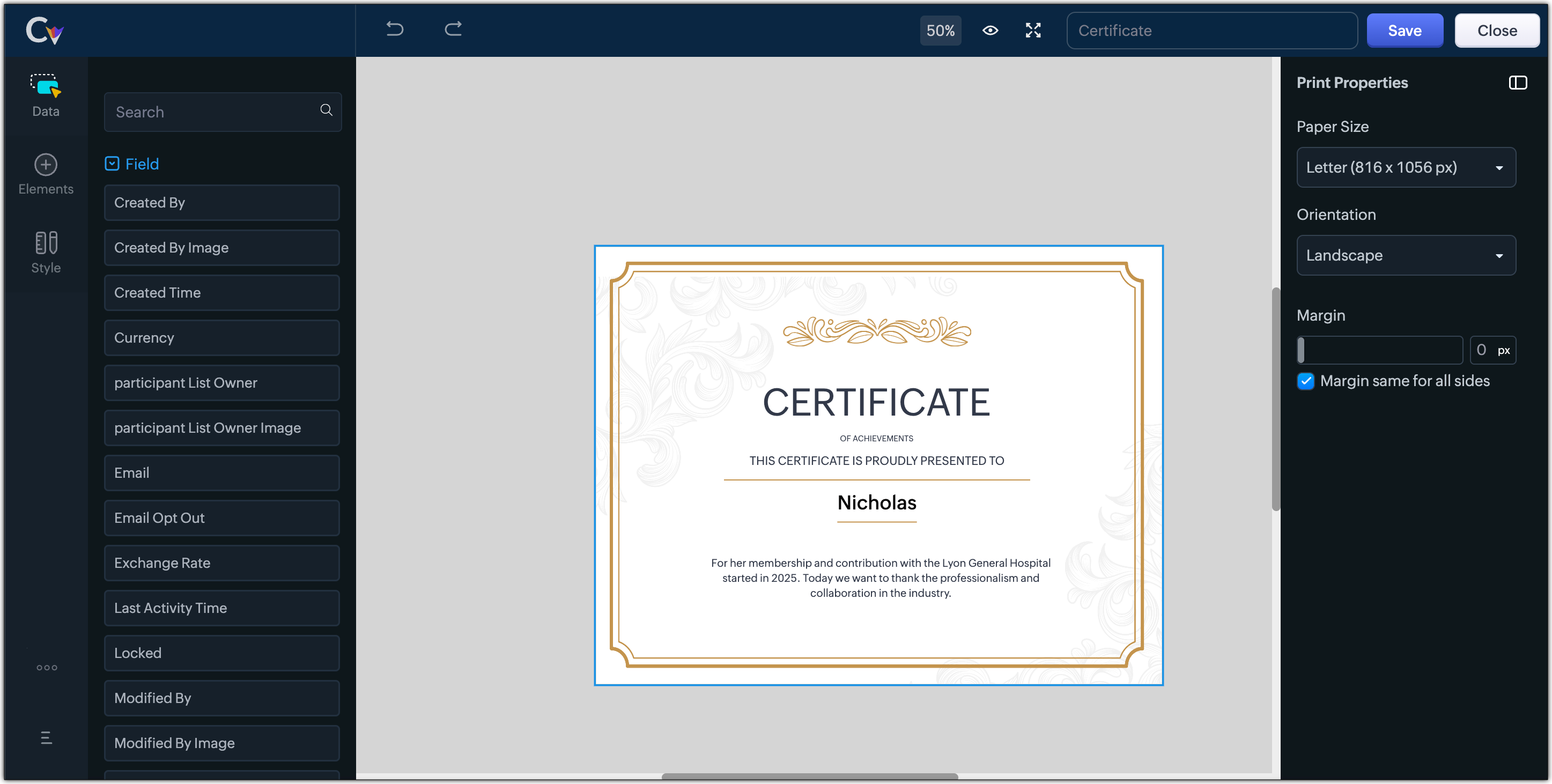
- Certificates, contracts, agreements, or guarantees that need to be manually attested by customers
Customization Options to print Mailing labels
Canvas Print View offers a wide range of customization options to help you design exactly how you want to print out your mailing labels. The options available are :
- Paper Sizes: Choose from Mailing Label formats based on your printing needs
- Orientation: Switch between Portrait or Landscape mode to suit your layout design
- Margins: Define precise margins for your printout or apply the same margin on all sides with a single click
- Print record in :
- Choose to print the mailing labels per page or in a list or in a Grid.
- To print mailing labels per page, users can choose the same margin for all sides and align center options.
- To print mailing labels in a list, users can choose the same margin for all sides, align center and cutting lines options.
- To print mailing labels in a grid, users can choose the same margin for all sides, align center, auto width, and cutting lines options.


Note :
- Align Center : Aligns your content to the center of the page or adjust freely
- Auto Width : Enable this setting to fit content dynamically within the layout
- Cutting Lines : Add visible cutting guides to clearly separate labels or sections on the page
Customization Options to print A4 or Letter format information
The customization options available for printing information in A4 or Letter paper sizes are :
- Margins: Define precise margins for your printout or apply the same margin on all sides with a single click.
- Print record in : Choose to print the information per page or in a list.
- To print information per page, users can only choose to apply the same margin for all sides.
- To print mailing labels in a list, users can choose to apply the same margin for all sides and enable cutting lines to guide separation.


Availability : This feature is available to all users except for IN DC users. It will be opened up for the Indian data centre users shortly.
No more exporting, formatting, or jumping between tools to generate print-ready documents. Canvas Print View can be your print-buddy that can let you tailor documents to suit your business requirements.
Head over to your Canvas builder, select the Print View option, and start creating beautifully customized templates that work on paper just as well as on screen.
Feel free to comment below if you need any assistance from us!
Thanks & Regards
Serena Woolridge
Topic Participants
Serena Woolridge
Andres
Emily Verger
Zohoboy
Ishwarya SG
Sticky Posts
Good news! Calendar in Zoho CRM gets a face lift
Dear Customers, We are delighted to unveil the revamped calendar UI in Zoho CRM. With a complete visual overhaul aligned with CRM for Everyone, the calendar now offers a more intuitive and flexible scheduling experience. What’s new? Distinguish activitiesVoC in Zoho CRM is now data savvy: Explore response drilldown, summary components and participation in CRM criteria
VoC has all the goods when it comes to customer intelligence—which is why we're constantly enhancing it. We recently added the following: A customer drilldown component that shows you the list of prospects and customers behind a chart's attribute ExpandedWrapping up 2025 on a high note: CRM Release Highlights of the year
Dear Customers, 2025 was an eventful year for us at Zoho CRM. We’ve had releases of all sizes and impact, and we are excited to look back, break it down, and rediscover them with you! Before we rewind—we’d like to take a minute and sincerely thank youPresenting ABM for Zoho CRM: Expand and retain your customers with precision
Picture this scenario: You're a growing SaaS company ready to launch a powerful business suite, and are looking to gain traction and momentum. But as a business with a tight budget, you know acquiring new customers is slow, expensive, and often deliversCreate and populate a record in an instant: Introducing zero-shot field prompting to Zia's ICR
A couple of months ago, we upgraded our in-house AI image detection and validation tool, Zia Vision, with intelligent character recognition (ICR). By training Zia with sample images, you could create and enrich CRM records with data extracted from standard
Recent Topics
日本語フォントの選択肢拡充についての要望
日本語フォントの選択肢がとても少ないと感じたことはありませんか? 多くのアプリ(たとえば Invoice)ではフォントが1種類しかなく、正直あまり使いやすい・見た目が良いとも言えません。 そろそろ、もっと多くの日本語フォントを追加してほしい、そしてすべてのアプリで同じフォント選択肢を使えるようにしてほしいと、私たちユーザーが声を上げる時期だと思います。 ご存じのとおり、現状ではアプリごとにフォント周りの仕様にほとんど一貫性がありません。 みなさん、一緒に要望を出していきましょう!Does anyone know how to setup Zoho Desk or Zoho CRM as a custom outgoing/incoming Call Centre?
I need to setup a call center so I can setup agents to make phone calls across Canada to market our services. I am trying to figure out the most reliable and cost efficient way to do this? I am currently paying for two phone services and neither seemDisplay actual mileage on an invoice
My users are creating expenses in Zoho expense. For example, they expense 10 miles and get paid 7 dollars (10 miles * IRS rate of .70). If I look at the expenses in Zoho Books, it does show them at 10 miles at .70 cent When I add these expense to an invoicePrevent Unapproved Quotes from Exporting to Zoho CRM Finance Module
Is it possible to prevent unapproved quotes in Zoho Books from being exported from Zoho Finance module inside Zoho CRM?Default font size for printing is too big
A recent issue in printing e mails is that the default font size is huge. This happens in both Edge and Firefox. In order to get what I would call a "normal" printout of an e mail it is necessary to go into the printer preferences / options and set the scale to 75%, otherwise a short e mail with signature and logos etc printed at 100% can take 3 or 4 pages. The annoying thing is that it is necessary to do this each time a printout is to be made as a change in scale only applies to that particularRequest for Auto PO - Min–Max based Automated Purchase Feature
Dear Zoho POS Team, I’m writing to request a feature enhancement that would significantly streamline inventory management for businesses using Zoho POS — particularly supermarkets, FMCG retail, and multi-store operations like ours. Feature Requested:Export Invoices to XML file
Namaste! ZOHO suite of Apps is awesome and we as Partner, would like to use and implement the app´s from the Financial suite like ZOHO Invoice, but, in Portugal, we can only use certified Invoice Software and for this reason, we need to develop/customize on top of ZOHO Invoice to create an XML file with specific information and after this, go to the government and certified the software. As soon as we have for example, ZOHO CRM integrated with ZOHO Invoice up and running, our business opportunitiesissue with deluge script
i used chat gpt to build this script and I am getting 2 errors which I cannot figure out how to fix: void monthly_sales_order_generation() { try { // ---------------- CONFIG ------------------- analytics_url_1 = "https://analytics.zoho.com/api/<workspaceID>/report/<reportID1>/data";Introducing LinkedIn Apply Connect for Zoho Recruit
Attract up to 3x more qualified candidates and hire more efficiently with LinkedIn Apply Connect. Let candidates fill-in job applications without any redirections, gain deeper insights with applicant highlights within Zoho Recruit, and keep candidatesRecruit paid support?
Hi all, Could anyone who has paid support package advise if it provides value for money with regards to support response times? Exploring the idea as unfortunately when we have faced issues with Recruit it has been a 7+ day timescale from reporting toTicket Status email
Good day, This was discussed in the past, but it would be helpful if we could have the system assign a custom response to a status. We have various statuses for tickets, e.g. "closed due to no response", or "Pending Status", it would be helpful for theFuture Orders - Due Date
Hi In my role, I can receive tickets where the work required is requested months in advance. Using a Future Orders option, which I believe was setup under the On Hold status type, hides the Due Date, in all views/ticket etc. Whilst I understand the reasoningIntroducing Withdrawal Reasons for Offers
We’re excited to introduce a new enhancement to the Offer module that brings more clarity and accountability to every withdrawn offer. The Withdrawal Reason update ensures that each withdrawal — manual or automatic — is backed by a clear explanation,Zoho Creator customer portal users
Hi, I'm in a Zoho One subscription with our company. I'm running a project now that involves creating a Zoho Creater application and using the Zoho Creator Customer Portal. At most we need 25 customer portal users. In our Zoho One plan we only get 3GPS tracking only or Check out facility
Dear Team, Zoho CRM is quite robust CRM but till date i was waiting for the feature of having GPS tracking of Sales employees which is a common demand by all customers for thier field sales executives. We cover them by saying that CRM provides CheckinAppraisals on Employee Information Profile
Is it possible to show completed appraisals on each employee's "Employee Information" page? I would presume at the bottom - similar to the "Related Lists" concept in Zoho CRM. Obviously view access would be limited to employee and appropriate other rolesKaizen #220: Actions API - Webhooks APIs - Part 2
Hello all!! Welcome back to the follow-up Kaizen post of Kaizen #219: Actions API - Webhooks APIs - Part 1. In the previous week, we covered how to configure a basic Webhook and how to include Headers, Body, and URL Parameters using both the POST WebhookStandard Payment Term is not pulled from account to quotation
Hey Team There seems to be something off. I do have "Net 30" as my default payment term in Zoho Books for my customers. If, from the customer overview or quote section, I create a new Quotation, the payment terms field stays blank and doesn't get theManage your invoices from Bigin's mobile app (iOS)
Hello everyone! We're happy to announce that users can now integrate Zoho Books with the latest version of Bigin's iOS app. Zoho Books can be integrated with Bigin only via the web application. Users can view the Zoho Books tab in the detail pages ofSystematic SPF alignment issues with Zoho subdomains
Analysis Period: August 19 - September 1, 2025 PROBLEM SUMMARY Multiple Zoho services are causing systematic SPF authentication failures in DMARC reports from major email providers (Google, Microsoft, Zoho). While emails are successfully delivered dueAccessibility controls and multilingual captcha authorization for Help Center users
Hello everyone, As part of our ongoing effort to improve user experience, we are excited about the accessibility controls and predefined accessibility personas added in the Help Center, similar to what is already available in Zoho Desk. Help Center usersZoho Sign + Zoho CRM : la solution pour simplifier vos accords de vente
La conclusion d’un contrat de vente nécessite de nombreuses étapes : préparation de documents, validations successives et collecte des signatures. Les équipes commerciales passent souvent par plusieurs cycles de collaboration et de révision, tout en assurantItem/service subtotal
Just discovered & really pleased that we can drag to re-order the line items in Sales orders & Invoices, a very nice feature which doesn't seem to be documented? It would be nice to be able to insert a subtotal as a line item to complete this great featureSend email template "permission denied to access the api"
Hello, Per the title, I'm trying to send a Zoho CRM Email template based on the advice given here: https://help.zoho.com/portal/en/community/topic/specify-an-email-template-when-sending-emails-in-custom-functions (I'd prefer to send right from Delugehow to Solve Conflict Invoices in Zoho POS
Hello Team, I am facing a repeated issue in Zoho POS while saving a sale that contains service-based items. My products are intentionally created as Service (Non-Inventory) items because I do not want to track stock for them. However, every time I tryCopy, Paste, Highlighted text
when i copy paste text it gets highlighted. Fix this. WTF is with this black highlight ? Fix copy pasting. Some people pay for using this mail service.Pricing Strategies: #6 Common Mistakes while Configuring Pricing
"Why does this month's billing feel messy again?" That was the exact line Priya muttered while staring at the spreadsheet full of edited pricing, one-off discounts and mismatched subscription details. Her business was growing, but the pricing machinePublish to LinkedIn via API
Hi, Is it possible to publish a job opening to LinkedIn (paid job slots) if creating a job opening via api / deluge function? Or is the user required to manually publish via the job boards process? Many Thanks AdrianFSM - Associating and selecting Contacts based on Service Addresses
Hi FSM team, I've come across an FSM limitation I wanted to share for improvement. I'm currently configuring FSM for a client who provides heating system install and maintenance services. The are often sub contracted by building management companies toDo Unpublished Products in Shopify Sync to Zoho POS?
Will an unpublished product in Shopify sync to Zoho POS? I would like to know how Zoho POS handles products that are in draft/unpublished status in Shopify.Problem in Zoho POS frontend ERP.
We are facing some difficulties in our billing and inventory processes and require your support to resolve them at the earliest. Customer Advance Payments We receive advance payments from customers for upcoming sales. Please guide us on how to recordCategorize Items with Item Headers
Hello customers, Did you ever want to classify items based on specific categories to help your customers understand your invoice better? With the new Item Header feature, you can easily categorize items in your invoices and estimates and give them a common title. Item Headers are available in the Invoices, the Recurring Invoices and the Estimates module. It can be carried forward from estimates to invoices at the time of converting the estimates. To add an item header: Go to the Estimates, InvoicesDiscount on the transaction level in POS
"Is it possible to apply a discount on the total bill before tax in Zoho POS?" I want to apply a discount on the total transaction amount in Zoho POS, but the discount should be calculated before the taxes are applied. Is there an option to do this inCreate Tasklist with Tasklist Template using API v3
In the old API, we could mention the parameter 'task_template_id' when creating a tasklist via API to apply a tasklist template: https://www.zoho.com/projects/help/rest-api/tasklists-api.html#create-tasklist In API v3 there does not seem to be a way toSend Automated WhatsApp Messages and Leverage the Improved WhatsApp Templates
Greetings, I hope all of you are doing well. We're excited to announce a major upgrade to Bigin's WhatsApp integration that brings more flexibility, interactivity, and automation to your customer messaging. WhatsApp message automation You can now useJobs at multiple locations
Hi A lot of times we have same job open at multiple locations. So I would like an option where we can create a job and choose multiple locations. Currently we have to create individual jobs for each location. If we can create one job and mention multipleTag Adding Option in Kanban Card Customization Bigin CRM Mobile App
I would like to request an option to add and display tags on Kanban cards in the Bigin CRM mobile app. This feature would make it easier to categorize deals and quickly identify priorities while working on the go.Empowered Custom Views: Cross-Module Criteria Now Supported in Zoho CRM
Hello everyone, We’re excited to introduce cross-module criteria support in custom views! Custom views provide personalized perspectives on your data and that you can save for future use. You can share these views with all users or specific individualsAssociating a Candidate to a Job Listing
Hello, I am trying to use Zoho Forms embedded on my website for candidates to apply for a job opening. I want the form then to tie directly with zoho recruit and have the candidate be automatically inputed into Recruit as well as associated with the specificWhatsApp Voice Message Sending Option in Bigin CRM
I would like to request a feature that allows users to send WhatsApp voice messages directly from Bigin CRM. This would help improve communication efficiency and make it easier for teams to respond quickly to customer inquiries.Next Page