How to avoid unsubscribes
In short: people unsubscribe when your email stops feeling relevant or shows up too often. Cut your unsubscribe rate by sending targeted, useful content to segmented lists, letting people choose their own frequency with a preference center, and pruning contacts who’ve gone quiet. Base "quiet" on clicks and conversions, not opens — opens are no longer reliable.
Mailing-list hygiene and your email sending practices have a big impact on your unsubscribe rate. People opt out when they’re no longer interested, so to reduce that, focus on two things:
-
Contact engagement — learn whether your contacts are interested in your emails, and what else they’d like to hear about.
-
Mailing-list pruning — regular cleanup keeps you from emailing uninterested people who might unsubscribe (or complain) at any time.
Zoho Campaigns gives you plenty of tools to reduce unsubscribes. Here’s what to do — and what to avoid.
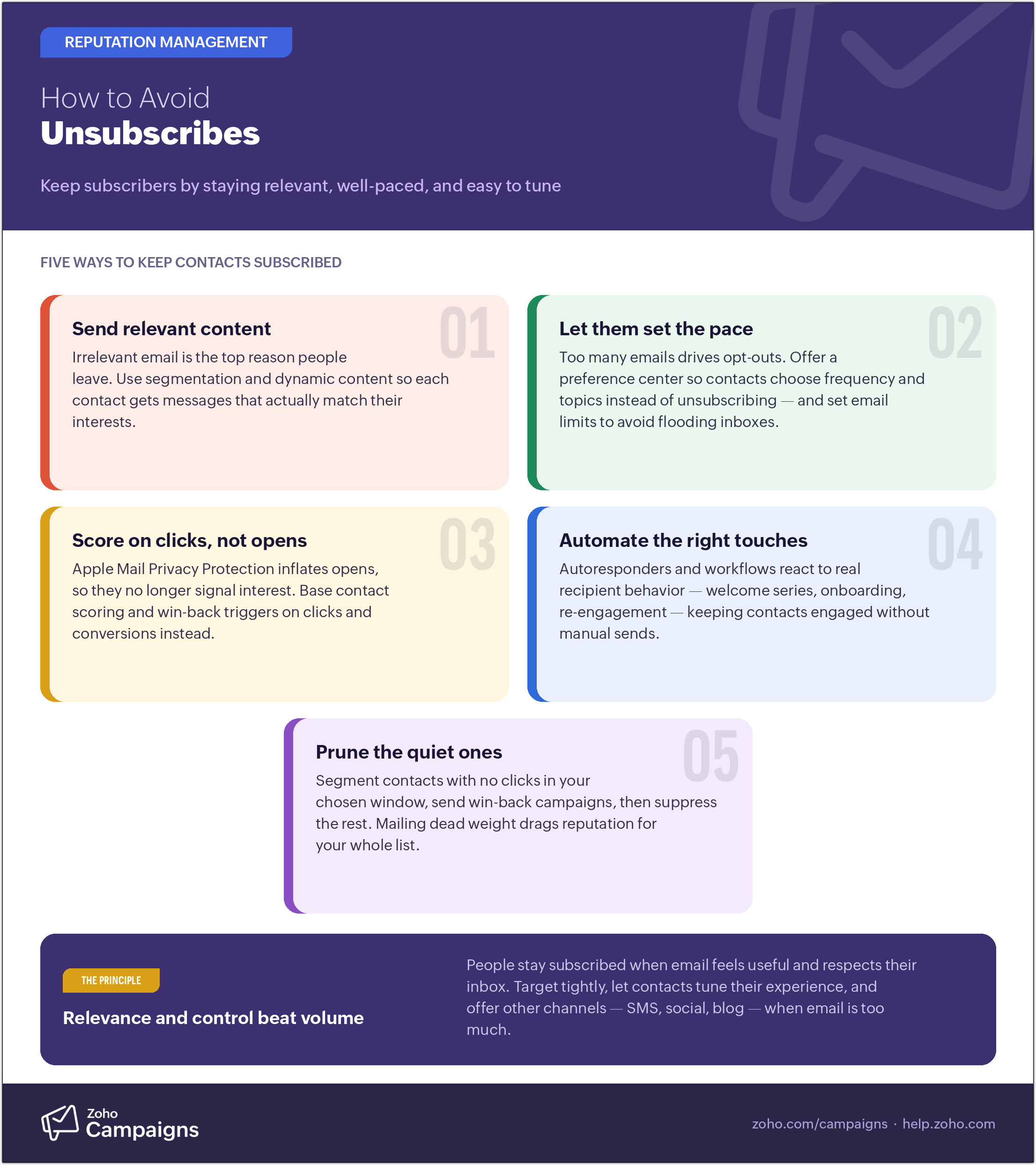 Avoiding unsubscribes – An infographic.
Contact engagement
Targeting contacts by their interests draws on:
-
Email content
-
List segmentation
-
Contact scoring and classification
-
Automating contact engagement
-
Customizing email scheduling
Email content
Content is central to engagement. A large share of unsubscribes come from irrelevant email. Dynamic content lets you personalize each message so it appeals to the specific recipient. The single biggest lever, though, is relevance plus the right frequency — so pair good content with the preference center and segmentation below.
List segmentation
Segmentation lets you group contacts by interest and send each group the emails they’re most likely to want to read. Learn how segmentation boosts email deliverability, and how to segment your mailing list.
Contact scoring and classification
Contacts who stop engaging are likely to unsubscribe soon, so score them and send win-back (re-engagement) campaigns to keep the ones who are still interested. With Zoho Campaigns’ Contact Scoring, you can assign scores and classify contacts by how they respond.
Automating contact engagement
Zoho Campaigns’ workflows helps you engage the right way at the right time. Workflow automation categorizes contacts by their behavior and details, then takes actions automatically. Learn more about workflows.
Customizing email scheduling
Sending when your contacts are most likely to engage helps. Zoho Campaigns can schedule a campaign around each recipient’s likely engagement time; learn how when you create and schedule a campaign. Because send-time features historically leaned on open data, validate their effect using click rate rather than opens.
Set email limits
Sending too often is one of the top reasons people unsubscribe, so cap how frequently any contact hears from you. Learn how to set email limits so you don’t flood inboxes.
Offer a preference center
Often a contact doesn’t want to leave entirely — they just want fewer emails or different topics. A preference center lets them choose frequency and content instead of unsubscribing, which turns a would-be opt-out into a lighter subscription. It also gives you first-party interest data you can segment on — increasingly valuable now that opens aren’t trustworthy.
Other platforms of communication
If contacts are leaving because their inbox feels flooded, ask whether they’d rather get your content elsewhere — SMS, RSS, social media, or your blog. Meeting people on their preferred channel keeps the relationship alive without adding to inbox fatigue.
Mailing-list pruning
Segment contacts who’ve gone quiet (no clicks or conversions over your chosen window) and send them win-back campaigns. Keep the ones who re-engage and remove or suppress the rest. This isn’t just about tidiness: mailing a large block of people who never engage drags down your sender reputation for everyone, so pruning protects deliverability for the contacts who do want your email. With Manage Consent, you can track and re-target inactive contacts.