Best Practices for Zoho Forms - Zoho CRM integration
1. Check if changing the properties of a field integrated in Zoho CRM will affect the integration
For example, if a mapped field is marked mandatory in Zoho CRM, ensure that the corresponding form field is marked mandatory in Zoho Forms so that the user enters data into the form field and the integration does not fail.
2. Choose to receive an email alert if the integration fails
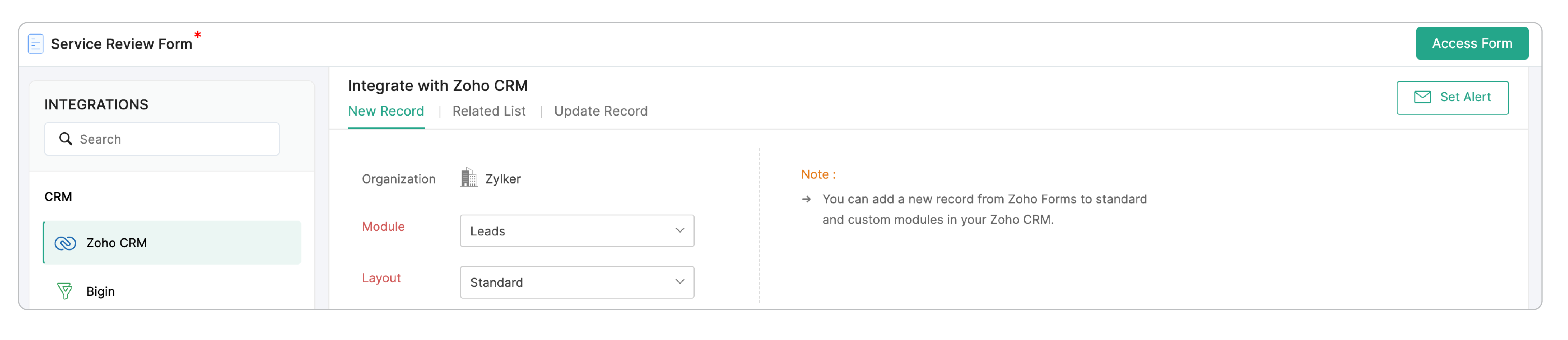
An email alert will be triggered on the first occurrence of integration failure every 24 hours. Once you have successfully integrated,
click Set Alert in the top-right corner and configure the email alert template.
3. If you have been using the Field Alias Settings in Zoho Forms to prefill your form fields with data from Zoho CRM, use the Zoho CRM field instead

4. Add a tag to the records pushed via this integration for easy reference
The tag value can vary based on the respondent's input (captured using form fields), or you can include a tag with a specific value for all the entries received via a form.
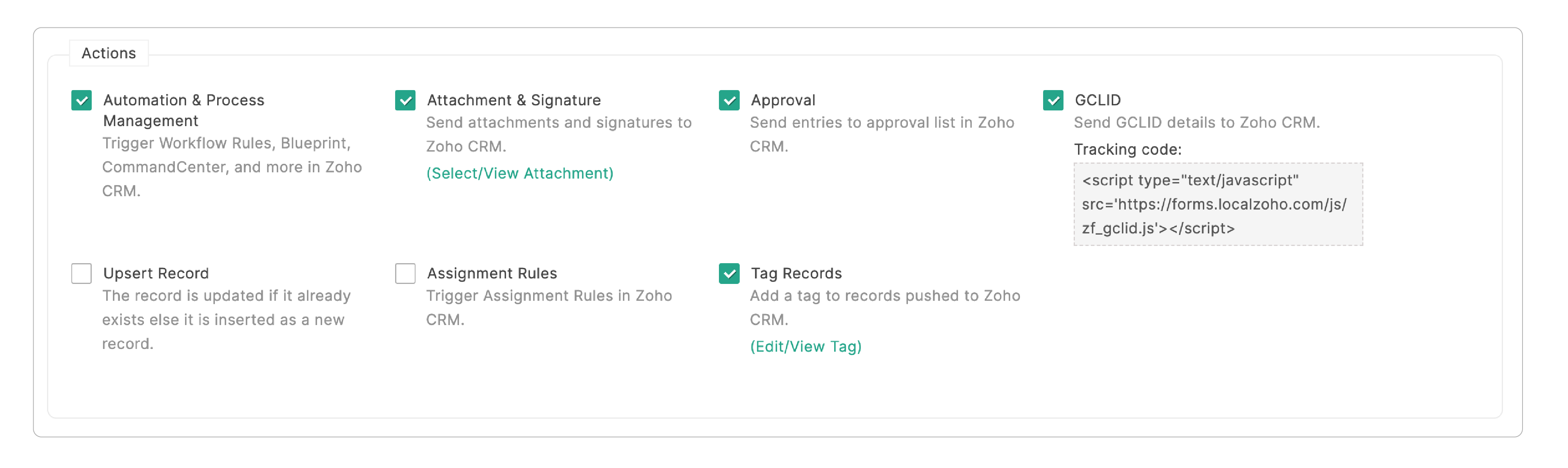
For example, in a form where the lead chooses the reason for approaching you, the options might be "Free demo", "Registering for more info", and "Enable free account". If the user chooses the option "Free demo", this answer is passed as a tag to the record.
5. Do not overwrite empty values while updating records
This option avoids overwriting existing field values in Zoho CRM with empty field values from Zoho Forms while updating a record.