Narrative 13: Import - Data mapping
Behind the scenes of a successful ticketing system: BTS Series
Narrative 13: Importing your data
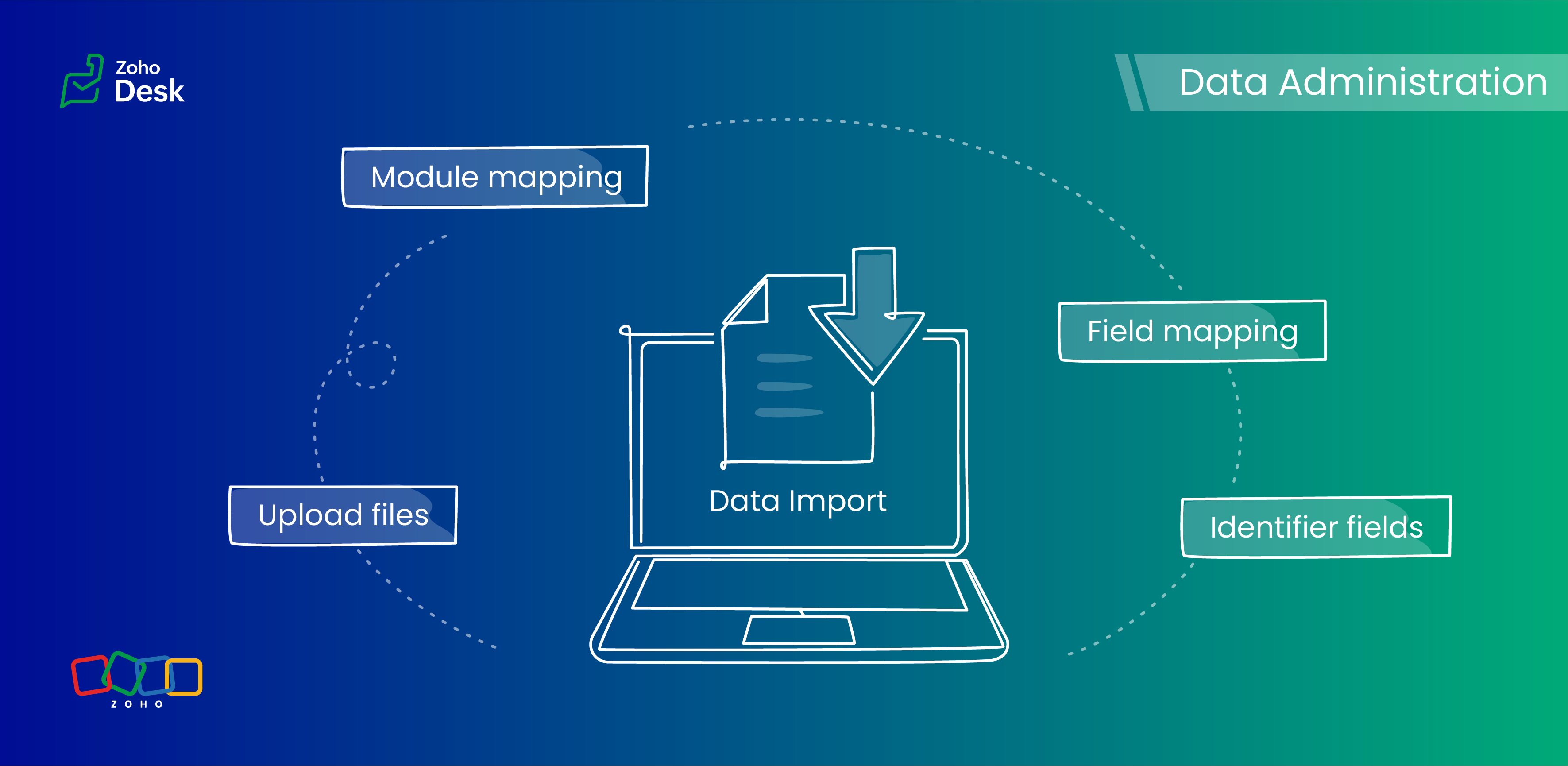
Zoho Desk provides robust functionality for importing your data. The system intelligently automates the mapping of modules and fields to reduce the risk of data loss and maintain data integrity. Users have the advantage of verifying the field mappings in advance, thus adding an extra layer of security to the import process.
This capability is essential not only for clarity but also in mitigating the challenges associated with user adoption. For instance, clients can be accurately mapped to the "Contact name" field, while company names align with the "Account name" field to maintain an organized database, which helps ensure user trust in the system.
Related knowledge base article: Importing data into Zoho Desk

Prerequisites
- Users can upload a .csv file or a .zip file containing multiple .csv files.
- The .zip file must be named, for example, Contacts.zip, Accounts.zip, etc.
What are Identifier Fields?
Modules | Unique Identifier Fields |
Accounts | Account ID Account External ID Account Name |
Contacts | Contact ID Contact External ID Last Name First Name Phone Number Mobile |
Tickets | Ticket ID Ticket External ID Ticket Number |
Products | Product ID Product External ID Product Name |
Tasks | TaskId Task External ID |
Calls | Call ID Call External ID |
Events | Event ID Event External ID |
Article Translation | Translation: External ID Translation ID |
Custom Modules | Record External ID Custom Module Name |
Points to remember:
- These fields help find matching records.
- If multiple records match the value, the first matching record will be selected automatically.
- This can lead to unexpected matches or data being updated in the wrong record if you're not careful.
Background:
- Some users expressed a preference for matching Contacts by Last Name instead of Email, highlighting the importance of flexibility in their workflow.
- Other users approached matching through the use of a custom field, emphasizing the need for tailored solutions to fit their unique requirements.
- We also heard from many users who requested that the functionality be enhanced by updating existing records with the relevant entity's Zoho Desk ID to streamline their processes and improve data accuracy.
Working with the Identifier Field
When importing data into Zoho Desk, the Identifier Field is important because it helps identify existing records and avoid duplicate entries.
Commonly used identifier fields
- Find By is used to identify an existing record during the import process.
- Map By is utilized to link a child record to a parent record, for instance, by linking a Contact to a Ticket.
Improvements in user experience
Transparent process and status tracking
We’ve implemented a straightforward, step-by-step process for data imports, complete with real-time status updates for each stage. This transparency enables users to monitor import progress and understand the current state of the process.
Unique identifiers for entity mapping
New fields have been introduced to help users identify if a parent entity already exists when importing related child entities. For example, users can seamlessly map a contact to an existing account in Zoho Desk to streamline the import process while minimizing the risk of duplicate entries.
Enhanced error handling and log accessibility
We’ve made significant improvements in error handling by allowing users to download detailed error logs right from the history page in case of import failures. This enhancement provides users with greater insight into any issues and facilitates faster troubleshooting and resolution.
Support for custom modules
The import UI has been revamped to support custom modules, providing users with greater flexibility and customization options. This enables a more personalized and efficient data import experience.
Coming up soon
Custom unique fields
Identifying key data points, such as a Customer ID in the Contact Module, ensures that every customer has a distinct reference, which streamlines ticket management and resolution. By establishing these fields as identifiers, support agents can quickly access and update customer records, enhancing response times and accuracy.
External ID fields
Integration with various systems often generates External ID fields, such as CRM ID, Invoice ID, and Bug ID. Utilizingthese fields as identifiers enables agents to cross-reference relevant records seamlessly. When records need to be updated or retrieved from different systems, these unique identifiers are crucial in maintaining data consistency across platforms.
Composite identifier fields
Often, relying solely on a single identifier may not be sufficient to pinpoint a customer accurately or a record.Implementing multiple fields as composite identifiers can enhance data integrity and accuracy. For example, considering both the Last Name and Email of a contact can significantly reduce errors in data retrieval and ensure that support inquiries are directed and resolved correctly.
Wrapping up
Using these features positions support teams to operate more effectively and improve overall customer interactions. For instance, a large corporation merging client data from multiple legacy systems into Zoho Desk modules will benefit significantly from automatic field mapping to ensure that contact and account names are accurately aligned. This attention to detail not only improves the user experience but also enhances overall data integrity during the merging process.
Please stay tuned for more in the Desk behind-the-scenes series.
Regards,
Kavya Rao
The Zoho Desk Team

Also, read:
Behind the scenes of a successful ticketing system (BTS Series)
- Narrative 12: Sandbox - Testing without the risk
- Narrative 11: Are your customers happy?
- Narrative 10: Assignment Rules - Streamlining Ticket Management
- Narrative 9 - GC—Meaningful conversations that benefit your customers
- Narrative 8 - Intelligent in-app support that's instantly available anytime and anywhere
- Narrative 7 - The importance of data sharing
- Narrative 6 - The impact of rebranding
- Narrative 5 - The essential role of SLAs
- Narrative 4 - Exploring the support channels
- Narrative 3 - Comprehending user management
- Narrative 2 - Understanding organizational departments
- Narrative 1 - The significance of a business account
Topic Participants
Kavya Rao Addepalli
Recent Topics
Zoho CRM strips whitespace in text fields
When editing field text with multiple spaces: CRM - both UI and API trim / compress the whitespace to a single space when saving: Is this known / expected / documented behaviour?WorkDrive API returning empty response even after placing file in Team Folder
Hi everyone, I am trying to fetch a file from Zoho WorkDrive using a Deluge standalone function in Zoho People. The API call executes successfully using a configured connection, but the response is coming back empty. I have verified the following: TheCustom Button makes scroll bar go down in report
I have a report with a Custom button called Completed. A colleague mentionned to me that when he pressed this custom button it scrolled down the page which is annoying since he want to stay at the same space on the repoort. There is no reload linked toQuickbooks Integrations Stopped Working
All of our Quickbooks integrations have stopped working. I am checking in to see if: a) this is a known issue b) if anyone else is having this issue. As usual, Zoho support is unavailable.sync two zoho crm
Hello everyone. Is it possible to sync 2 zoho crm? what would be the easiest way? I am thinking of Flow. I have a Custom Module that I would like to share with my client. We both use zoho crm. Regards.CRM x WorkDrive: We're rolling out the WorkDrive-powered file storage experience for existing users
Release plan: Gradual rollout to customers without file storage add-ons, in this order: 1. Standalone CRM 2. CRM Plus and Zoho One DCs: All | Editions: All Available now for: - Standalone CRM accounts in Free and Standard editions without file storageIncorrect Functioning of Time Logs API (Version 3)
We need to fetch the list of time logs for each task for our company internal usage. We are trying to achieve it by using the next endpoint: https://projects.zoho.com/api-docs#bulk-time-logs#get-all-project-time-logs Firstly, in the documentation theZoho CRM Queries Now Support Databases and Cloud Data Sources
Hello everyone! We're thrilled to announce a major enhancement to the Queries feature in Zoho CRM! Queries now support a broader range of external data sources, allowing you to fetch live data and combine it with CRM records, all using a unified querySalesforceに添付ファイルを格納したい
お世話になっております。 Salesforceに添付ファイルを格納したく、カスタムオブジェクトに連携し、 「ファイルのアップロード」項目を設けました。 実際、エラーもなく送信出来たのですが、実際生成されたカスタムオブジェクトのレコードを見ると、どこにも添付ファイルがありません。仕様として、この添付ファイルはSalesforceのどこに格納されるのでしょうか? 今回作りたいフォームは、複数の書類を添付するため、Zohoformのファイルアップロード項目「本人確認書類」「源泉徴収票」などの項目を、Salesforce側にも設けた「本人確認書類」「源泉徴収票」という各項目にURLリンクとして紐づけたいと思っておりました。Dynamic image in form works in the app but not on the customer portal.
img = frm_Fichas[ID == input.Nombre].Foto; imgno = Nophoto[ID2 = 1].Image; if(len(img) > 1) { img = img.replaceAll("/sharedBy/appLinkName/",zoho.appuri); img = img.replaceAll("viewLinkName","Fichas_de_personal_public"); img = img.replaceAll("fieldName","Foto");Is it possible to retrieve function (Deluge) code from Zoho CRM externally?
Hi Everyone, Is it possible to fetch or retrieve the Deluge function code from Zoho CRM using an external method (API or any other approach)? I would like to know if there is any way to access or extract the function script outside of Zoho CRM, or ifUplifted homepage experience
Editions: All editions. Availability update: 17th February 2026: All editions in the CA and SA DC | JP DC (Free, Standard and Professional editions) 23 February 2026: JP (All Editions) | AU, CN (Free, Standard, Professional editions) 27 February 2026:Approval Workflow for Purchase Orders Abrir
The requirement is , that all purchase orders greater than or equal to 5000 go through an approval process from certain people, but within books I only see that the approvers can be by levels or any approver but we cannot enter a rule like these. CanWeTravel + Zoho CRM Integration - Has Anyone Built a Connector or Extension?
Hi all, I'm exploring options for integrating Zoho CRM with WeTravel (booking & payment platform for tour operators). Zapier seems to be the common method but seems limited. I'm wondering if anyone in the community has developed a more comprehensive solution,Option in pipeline deal to select which hotel or branch or store if client has more than one local store
Hi, I would like to know if there is an option in the deal pipeline to select which hotel, branch, or store a deal is related to—if the company has more than one location. For example, I have a client that owns several hotels under the same company, andUndo article like/dislike
It seems to be not possible to undo your like/dislike for an article. Would be great if you can. Kind regards, HelenNested notebooks
Dear Sir/Madam, I would like to know if it is possible to nest notebooks. It would be very helpful when there are too many, as it would improve organization. Thank you for your response. Best regards.Tax in Quote
Each row item in a quote has a tax value. At the total numbers at the bottom, there is also a Tax entry. If you select tax in both of the (line item, and the total), the tax doubles. My assumption is that the Tax total should be totalling the tax fromIssue with "Send Email" from Quotes not loading Email Template data
Hi everyone, I'm currently experiencing an issue when using the "Send Email" option from a Quote record in Zoho CRM. What’s happening: When I go to the Quotes module and select a record, then click Send Email, the attached file (Quote) correctly pullsDynamically Fetching Lookup Field Display Value
I have an audit trail form, Audit_Changes, that tracks old vs new values across different forms. For lookup fields, the old/new value is the ID, but I also need the display value. What's a best practice for dynamically fetching the display value of theStop Scrolling, Start Asking: Meet Zia for Your Files
Hey everyone 👋 The era of 'scrolling and searching' is officially over. Whether it's a dense legal contract or a long meeting recording, searching for specific details is a massive time-sink. We think you should be able to interact with your files, notIntroducing a smarter, faster, and more flexible charting experience
Hello Zoho Sheet users, We're delighted to share the latest news about a major update to charts in Zoho Sheet! The new version supports dynamic data ranges, granular styling options, faster loading, and other interesting enhancements that allow you toHow to create a new Batch and update Stock via Inventory?
Hi everyone, We are building an automation where a user enters batch details (Batch Number, Mfg Date, Expiry, and Quantity) into a Custom Module. I need this to trigger an API call to Zoho Inventory to: Create the new batch for the item. Increase theHow do I open MSG files in Microsoft Word?
If you want to open MSG files in Microsoft Word is not natively supported, as MSG is an email file format created by Microsoft Outlook. However, there are professional approaches to access MSG content in Word. First, open the MSG file in Outlook and copyUnable to charge GST on shipping/packing & Forwarding charges in INDIA
Currently, tax rates only apply to items. It does not apply tax to any shipping or packing & forwarding charges that may be on the order as well. However, these charges are taxable under GST in India. Please add the ability to apply tax to these charges.How to add packing & forwarding charge in purchase order & quotation???
Hello Zoho Team I have just started using Zoho for my company and I wanted to make purchase order. My supplier charges fix 2% as packing & forwarding on Total amount of material and then they charge me tax. For example, Material 1 = 100 Rs Material 2How to create a boxplot chart in Zoho Analytics?
Hi, I'm looking forward to making a boxplot in Zoho Analytics, either with all my data or with a time segmentation. No documentation or YouTube video explaining that was found. I guess this is a feature gap. How feasible would it be to add this to Analytics?What are the create bill API line item requiered fields
While the following documentation says that the line items array is requiered it doesn't say what if any files are requiered in the array. Does anyone know? API documentation: https://www.zoho.com/inventory/api/v1/bills/#create-a-bill I'm trying to addWorkDrive issues with Windows Explorer Not Responding
We are using WorkDrive to collaborate on editing video content. We have a lot of files and quite a few are a few gigs. Recently anytime I try and work with the files Explorer freezes for a couple minutes whether it's dragging the files into Premiere orConnecting Zoho Inventory to ShipStation
we are looking for someone to help connect via API shipStation with Zoho inventory. Any ideas? Thanks. UriWhere is the settings option in zoho writer?
hi, my zoho writer on windows has menu fonts too large. where do i find the settings to change this option? my screen resolution is correct and other apps/softwares in windows have no issues. regardsUsing IMAP configuration for shared email inboxes
Our customer service team utilizes shared email boxes to allow multiple people to view and handle incoming customer requests. For example, the customer sends an email to info@xxxx.com and multiple people can view it and handle the request. How can I configureWhen Does WorkDrive integrate with Books?
When Does WorkDrive integrate with Books?POP mailbox limits
If I am accessing a remote POP mail server using Zoho Mail is there a mailbox quota for the account or is it all related to my mail account storage limits?Warranty Service and Repair in Zoho FSM
Hi There, We are a retail store that sells products and also performs installations and repairs. Our field technicians handle this work. Some repairs are covered by manufacturers, who reimburse us for both parts and labour. In these cases, we performZoho Sheet for Desktop
Does Zoho plans to develop a Desktop version of Sheet that installs on the computer like was done with Writer?WhatsApp phone number migration
Hi @Gowri V and @Pheranda Nongpiur, Thanks for implementing the promised enhancements to the integration between Zoho CRM and WhatsApp. The previous discussion has been locked, so I'm opening this new one. I am copying below a specificWebDAV support
I need WebDAV support so that I can upload/download (and modify) documents from my local file system. Is anything planned in his direction?Suggestions for Improved Table Management and Dashboard Filter Controls in Zoho Analytics
Dear Zoho Analytics Community, I hope you are doing well. I would like to share a few suggestions based on issues I am currently experiencing while working with visualizations and dashboards. Firstly, when I create a new visualization using the Sales-OrderSPF: HELO does not publish an SPF Record
I am using Zoho mail. Completed all of the required prerequisites from the dashboard to avoid any issues with mail delivery. But when checking on mail-tester.com getting the following error. Can anyone help me solve this?Next Page