Orchestrating project workflow with e-signatures
Dear users,
Your business can have robust task, issue, and resource management systems but it still silently bleeds time and money as documents stay stuck at stakeholder approval. Document signatures introduce indefinite wait times, and nobody inside the project knows what state they are in. Plus, promises from verbal agreements and offline chats introduce chaos into project management.
Zoho Sign allows businesses to send documents to relevant project stakeholders, obtain and record approvals and rejections, and track status in real time. Let's see how you can streamline approvals, sign-offs in Zoho Projects and also assign accountability and traceability among stakeholders.
Formalizing sign-offs
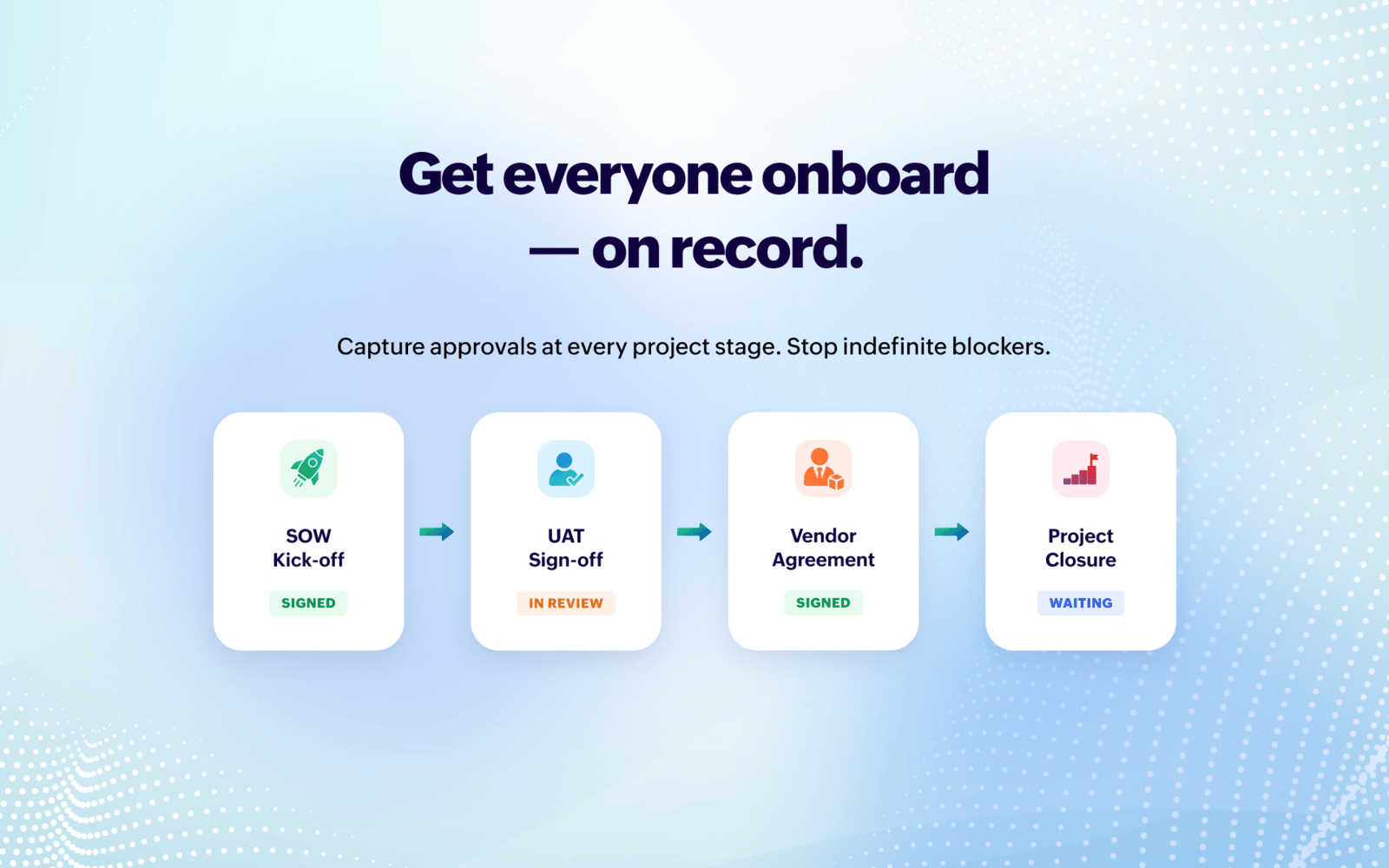
Every project stage has documents that need to be signed-off. An SOW unsigned for two weeks means an underutilized team. A stuck UAT sign-off holds up releasing resources. And delayed SLA handovers cause ambiguities in support.
Zoho Projects can send documents to designated stakeholders at marked project stages and capture their actions. Once the necessary approvals have been provided, the project can proceed to the next stages. Approvals now stop being indefinite blockers.
Visibility and tracking
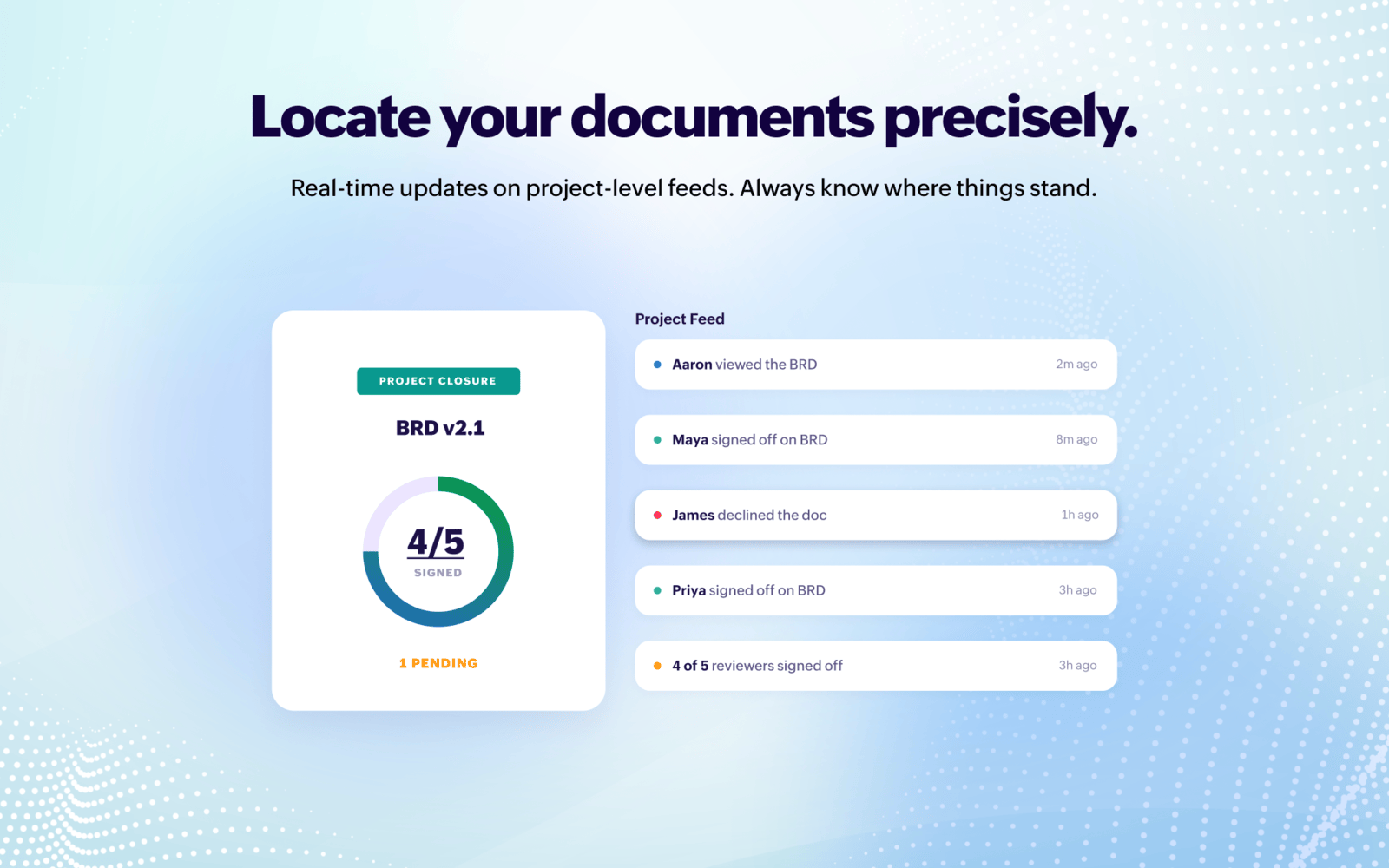
Project owners are mostly in the dark with respect to the status of documents that need signing. Zoho Sign can send real-time updates for approvals or sign-off tasks like – "BRD has been viewed by Aaron", "James has declined the CR", "4 out of 5 reviewers signed-off project closure". These real-time updates populated on project-level feeds can assist in monitoring real-time progress.
Change control

Despite meticulous planning, scope changes hamper project progress greatly. Client requests a change in scope, and PM sends an invoice after completing it. Client backs out not having agreed to the cost. In such scenarios, e-signing can help both parties come to a common ground before commencing any work. Plus, Zoho Sign's conditional fields can calculate additional budgets or change in timeline or scope to keep stakeholders aware of what's changing and ease the signing process.
Compliance and audit
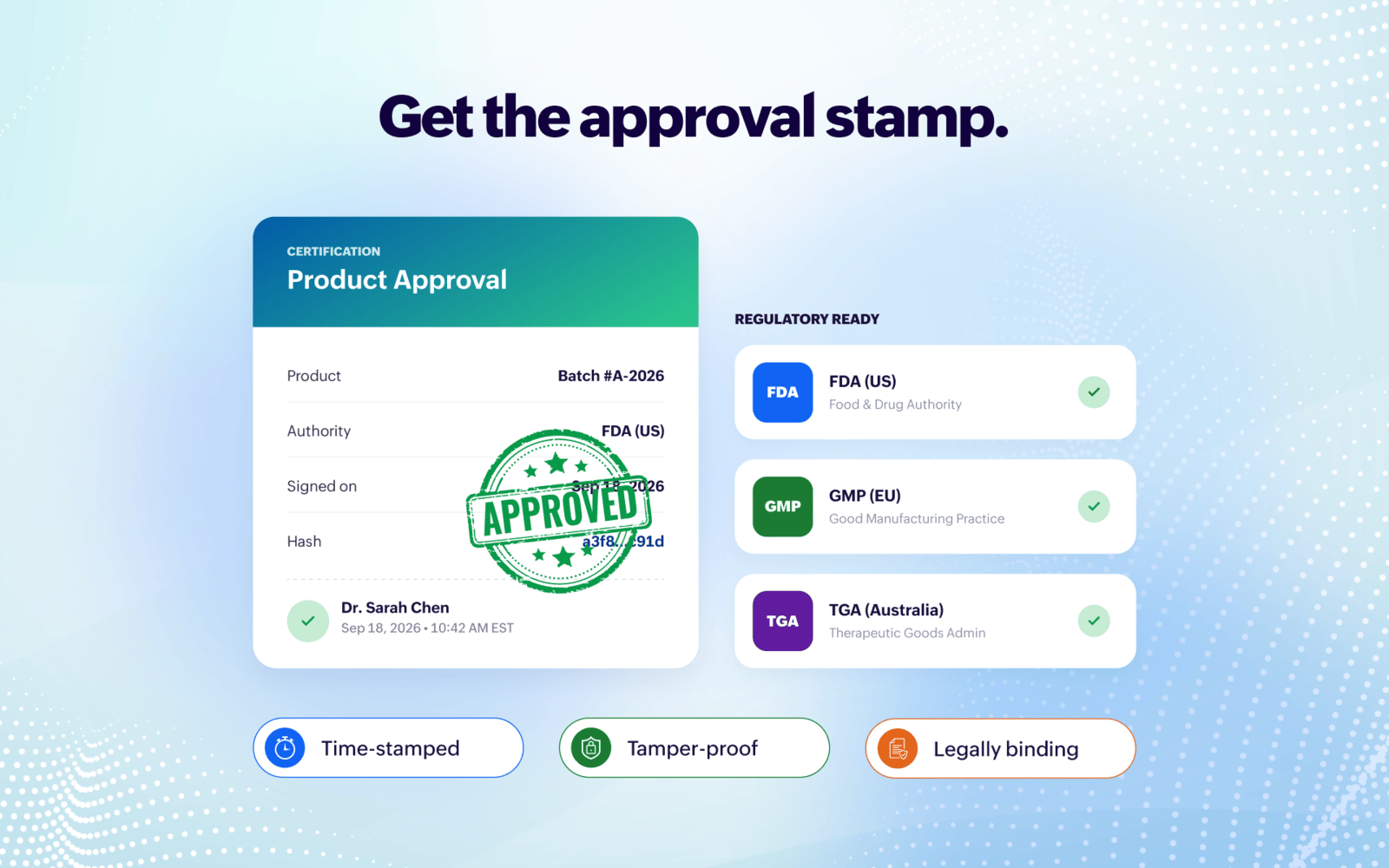
Products like food, manufactured goods, medicines, cosmetics, etc., require time-stamped, tamper-proof, and legally binding signatures from authorities. Regulatory frameworks like the FDA (Food and Drug Administration, US), GMP (Good Manufacturing Practice, EU), TGA (Therapeutic Goods Administration, Australia), etc., can deny approvals to clinical trials or research work without proper sign-offs. Businesses can employ task dependencies in Zoho Projects to commence work only when their processes are verified by their appropriate regional authorities.
Project orchestration

E-sign events can help projects transition into appropriate stages. A signed SOW can move a project from "Pending Approval" to "Active" and it is visible to the entire team. An approved SOW can trigger a blueprint transition and auto-assign tasks. A rejected document can create an issue along with the reason. A project closure can trigger invoices, and so on. Such automations can cut down manual work significantly for a project owner.

Pro Tip: You can set up WhatsApp or Zoho Cliq notifications and automate following up stakeholders for signatures. You can work with one of our partners to build a Zoho Sigma extension or a Zia agent that can create, track, notify, follow up e-signatures and regulate project progress seamlessly for your clients
The Zoho Projects-Zoho Sign extension
Zoho Sign can blend into the project workflow and introduce clarity into processes. The Zoho Sign extension for Zoho Projects helps send documents from tasks and issues for e-signatures. It also allows viewing document status from inside tasks and issues.
Think e-signatures have a major role to play or need a custom implementation for a seamless project workflow for your business? Write to us at support@zohoprojects.com and we shall talk.
Read up on our previous editions:
#4 Bridging the gap between support and project delivery
#3 Powering up Zoho CRM and project intelligence
#2 Build an approval management system with custom modules
#1 Effective project and task customization with CodeX
Best,
Zoho Projects Team
Topic Participants
Prakash Khanna R
Sticky Posts
Automation Series: Automate Project File Uploads from Zoho WorkDrive
Project documents are often prepared before development begins. When files such as product requirements, design files, guidelines, or plans are stored in a shared folder in Zoho WorkDrive, teams can automate copying them to the corresponding project teamNew Updates in Zoho Projects
Creating projects and keeping reports up to date are part of everyday project management. With the latest updates to Zoho Projects, you can now create projects from requirement documents or prompts using an AI agent and sync project data with Zoho AnalyticsAutomation Series: Restrict Task Updates Outside Planned Dates
When a project follows the waterfall methodology, it is important to execute the tasks in a sequential order in which they are planned. Deviating from the initial plan may cause disparity between the project scope and the outcome. Codex Script in ZohoDYK 14: Create Tasks with AI
Did you know AI can suggest tasks within your Zoho Projects portal? Breaking a project into clear, actionable work items takes time and manual effort. Especially when the same team handles both planning and execution. AI task suggestions in Zoho ProjectsIntroducing CodeX Scripts for Custom Modules
When a project involves processes beyond the usual modules such as tasks and issues, teams often create Custom Modules to keep information organized in a way that fits their workflow. Once those records become part of the process, there may also be specific
Recent Topics
WorkDrive Desktop Sync Is Being Deprecated: Move to WorkDrive TrueSync for a Smarter Experience
Hi everyone, We are excited to share a better, smarter way to access and manage your files directly from your computer! We’re transitioning from our legacy Desktop Sync app to WorkDrive TrueSync, designed to give you faster performance,greater flexibility,Zoho Desk API returning 403 SCOPE_MISMATCH for Ticket Search API
Hello Zoho Support Team, We are experiencing an authorization issue with the Zoho Desk Ticket Search API. Our integration was working correctly yesterday, but we are now receiving the following error when calling the Search Tickets endpoint: API: GETSet connection link name from variable in invokeurl
Hi, guys. How to set in parameter "connection" a variable, instead of a string. connectionLinkName = manager.get('connectionLinkName').toString(); response = invokeurl [ url :"https://www.googleapis.com/calendar/v3/freeBusy" type :POST parameters:requestParams.toString()Introducing the Zoho Campaigns MCP server
Hello everyone, We are pleased to announce that Zoho Campaigns is now available in Zoho MCP. You can now connect your Zoho Campaigns organization to AI tools such as Claude, ChatGPT, GitHub Copilot in VS Code, and Cursor, and manage your email marketingSubForm Custom Sort - Deluge Workflows
I have been experimenting with the Custom Order function of Subforms, it works beautifully within the subform itself and retains the sorting order. However, I need to be able to iterate through the records in Deluge using the sort order (The usage caseHow to embed Google Analytics GA4 tracking on a standalone Public Page (outside Customer Portal)?
Hi, Is there an official or recommended way to embed Google Analytics (GA4) tracking directly onto a standalone public Zoho Creator Page (outside of a Customer Portal)? I’m considering using an invisible Custom JS Widget as a workaround, but I’d loveBank feeds automation is broken - requires manual intervention and authentication
Yodlee supports Australian Open Banking CDR protocols natively, but Zoho Books' implementation is still triggering legacy screen-scraping MFA blocks on CBA and other business banking accounts. When will Zoho update its Australian bank feed pipeline toCannot Access Subform Display Order in Deluge
As highlighted in this community post, we still have to deal with the significant limitation of not being able to access the user-sorted order of subform rows through Deluge. This creates a major disconnect between the UI capabilities and backend automation,Process FOR loop for subform items in the order of the manual sorting
Hi Guys, I have searched everywhere and tried everything, but I still not able to resolve one particular challenge. I have a subform in my Invoice with rows for each item. I made it so that we can change the order of the items manually. I need to be ableAugmenting subform capabilities
Greetings, everyone! Finally, the day has come for us to announce some of the most anticipated, requested, and exciting updates to subforms in Zoho Creator. As you're aware, subforms are an integral part of Creator forms, as they help in establishingBuild appointment scheduling into your vibe-coded apps with Zoho Bookings
Exploring vibe coding? Wondering how an app built with AI can handle appointment scheduling? Join our upcoming live webinar to discover how Zoho Bookings APIs can help connect applications to scheduling capabilities. Here's what we'll explore: • ShowIs there a way to make Reason For Loss field mandatory at Closed Lost stage?
Hi guys, Reason For Loss system picklist appears on Verify Details page but it is not mandatory so as a result, AEs tend to omit it (leave at default value -None-). Is there a way to make it mandatory at Closed Lost? I tried layout rule but this fieldCannot reorder fields in Page Layout in Expenses and Purchase Requests
It is very inconvenient that the custom fields in Page Layout cannot be re-ordered. The only way is to remove the fields and re-create them; however, it is impractical. This would affect the reports and dashboards we are having. Not able to re-order theRequest for Zoho Desk Version and Module Details
Kindly help us confirm the version of Zoho Desk currently being used in our portal, along with the module/edition name. We require this information urgently for our internal documentation.How to customize the displayed name of contacts in Trident?
Hello, For work purposes, I sort different customers into different folders, and I also change their display names in Contacts so I can easily recognize them later. However, Trident doesn’t seem to support this. Even after I edit a contact’s name in Contacts,User and mailbox reports in Zoho Mail: Review account status, storage, and login activity of users
Administrators often need answers to questions such as which users have never logged in, whose storage is almost full, or which mailboxes are accessed through POP or IMAP. The User and Mailbox reports in the Zoho Mail Admin Console provide these detailsZOHO CRM APP - SALESINBOX
Is it possible to access SALESINBOX in the CRM MOBILE APPUnbundle feature for composite items
We receive composite items from our vendors and sell them either individually or create other composite items out of them. So, there is a lot of bundling and unbundling involved with our composite items. Previously, this feature was supported in formTip #96 – See more of the remote screen with Virtual Monitor – 'Insider Insights'
Hello Zoho Assist Community! Say you're supporting a device that has no monitor attached, like a server in a closet or a kiosk PC. You connect, and the screen is tiny, blurry, or distorted. Text overlaps and windows end up in odd places. TroubleshootingUnderstanding transactional channels in Zoho CPaaS
Every interaction with a business creates an opportunity to communicate.Whether it's welcoming a new user, confirming a payment, sharing an order update, or verifying a login, timely communication keeps users informed and connected. But how do businessesAutoscan Settings
I saw that autoscan is now included in my plan which is great however when I import pdf invoices from my main supplier which contain inventory lines and some also include shipping charges the autoscan doesn't match any of the items and also misses theHow to resubscribe to email after using unsubscribe link in Zoho
I was testing the unsubscribe link feature from our contacts module in ZohoCRM and I sent my personal email a version of an email template with the default embedded unsubscribe link to see if it would utilize the "Email Opt Out" field to track un-subscription.WhatsApp Calling Integration via Zoho Desk
Dear Zoho Desk Team, I would like to request a feature that allows users to call WhatsApp numbers directly via Zoho Desk. This integration would enable sending and receiving calls to and from WhatsApp numbers over the internet, without the need for traditional[ZohoDesk] Improve Status View with a new editeble kanban view
A kanban view with more information about the ticket and the contact who created the ticket would be valueble. I would like to edit the fields with the ones i like to see at one glance. Like in CRM where you can edit the canvas view, i would like to editNo access to contact categories in Zoho Mail Apps
I have set up a number of contact categories for my organization. When I compose an email using a web browser these categories are visible. When I compose an email using your Android or iOS Apps no contact categories are visible. Is this expected? IfZoho Plug In
Is there anyone out there who is able to use it? I have seen lots of problems posted, unable to get any satisfactory suppport at the moment! I would be really appreciate hearing from users that have it installed and working, my team are loosing belief it will ever work. Be great to hear from those that have a more positive experienceOutlook to Zoho sync
I am the admin for our company and I have (1) single user that is having difficulties with her emails syncing. I have found where the problem is, but I don't know 100% if what is happening is how the plug-in works or if it's a setup issue. My boss createdCant' find the CRM plug in for outlook
I want to be able to tag emails that I have received into accounts. But I can't find the plug in for out look in the other apps section. Where can I download it from?Problems with Zoho CRM Microsoft Outlook Plug-In (Add-On)
I am having problems with the Zoho CRM Microsoft Outlook Plug-In. I was able to install and setup the Plug-In correctly I believe in Microsoft Outlook, but contacts are now being created in Zoho CRM when an email is sent from MS Outlook. A contact is created and appears under Contacts in Zoho CRM but no other information is populated in the fields; for instance only the name is there (for instance "rfairley" ) which matches the beginning of their email address; but no phone numbers. Also, otherzoho for outlook
it would be woderfull to be able to add an email to a case, just as it is possible to add an email to a potential VincentMail Addon issue
Hi, I am trying to make the mail add on feature work without clutter. The issues is that all emails from the contact are being listed in every opportunity that contact is involved in/ linked to. I want to filter out the emails that are not relevant to the opportunity. It is ok to have all the mails of a contact under in the contact module. But under the opportunity it shall show only the relevant emails. Is there a way i could do this? Atleast if I could manually assign or amend the listed emailsEliminate duplicate tickets in one department using Email Deduplication
Hello everyone, A department can have multiple email addresses designed for different purposes for example, support@zpad.com and help@zpad.com. When a customer sends an email or thread response to both addresses, or includes both in the To, CC, or BCC"Pinning" a Note
It would be really helpful to have a way to "Pin" a note to the top of the notes section. This is really important when you have something important about someone and do not want the note to get buried farther and farther down the note stream. For instance:Feature Request - Copy Reschedule Link
Hi Bookings Team, I had a client contact me today, to let me know that she can't make a meeting she booked this week. I can't remember if I included a reschedule link in email notifications, but I was thinking that it would be great if I could just openIssue While Rescheduling Interviews in Zoho Recruit
Dear Zoho Support Team, We are facing an issue with the Interview Rescheduling functionality in Zoho Recruit integrated with Microsoft Teams. Problem Description When an interview is rescheduled through Zoho Recruit: The new interview is created successfullyEnhancement Request for Job Publishing Management in Zoho Recruit
Provide a centralized view to Publish/Unpublish job openings across: - Job Portals - Career Portal - Employee Referral Portal Add filters to view job openings based on: Published to Career Portal Published to Employee Referral Portal Published to specificMass Update Option for Changing Work Order Owner
Hello FSM Team/Mr. Abid, We would like to inquire if there is an option to mass update or bulk change the Owner of Work Orders in Zoho FSM. Current Situation: At the moment, the Owner of a Work Order can only be changed individually, which becomes time-consumingCategorize Items with Item Headers
Hello customers, Did you ever want to classify items based on specific categories to help your customers understand your invoice better? With the new Item Header feature, you can easily categorize items in your invoices and estimates and give them a common title. Item Headers are available in the Invoices, the Recurring Invoices and the Estimates module. It can be carried forward from estimates to invoices at the time of converting the estimates. To add an item header: Go to the Estimates, InvoicesCareers Site & Job Openings
Hello, It would be good to have a section in the careers site with past and inactive jobs. On that note, active jobs to automatically move to this section once the target date in the job opening is reached. At the moment, Recruit administrator will haveTeamInbox - Configure Email Sending Delay
Hello, The feature in Zoho Mail to automatically DELAY a sent message by X minutes is a wonderful feature to catch mistakes before they are sent out. Is this possible with TeamInbox? If not, is it on the roadmap to add it in? ThanksNext Page