Account recovery using trusted Zoho applications
We know forgetting your password can be frustrating. So to make account recovery even simpler and more seamless, we're introducing recovery through Zoho mobile apps; in addition to the existing OTP options using email address or mobile number.
Please note that you need to set up recovery using Zoho apps beforehand to use and this can be used only for password reset, to reset MFA you need to use backup verification code.
How does it work?
When you have forgotten your password and want to recover (sign in) to your account,
- Select Forget password on the Zoho sign-in page.
- You'll be prompted to enter the last password you remember. If you don't recall it, select Continue to reset password.
- You will be presented with options based on the Account Recovery options you have set up. For example,
- Verify via email address
- Verify via mobile number
- Verify via Zoho app
- Select Verify via Zoho app and select your preferred Zoho app for push notification.
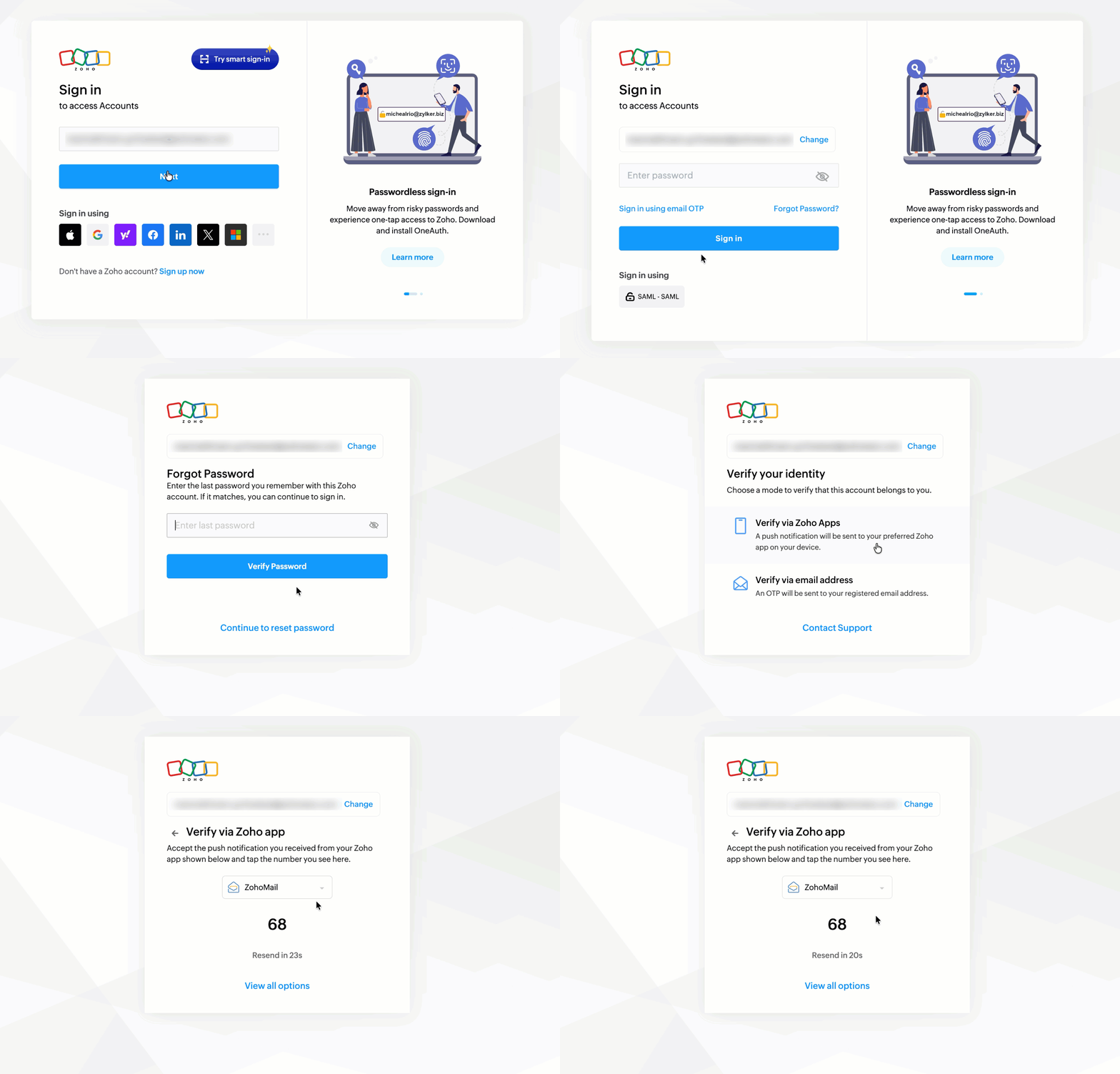
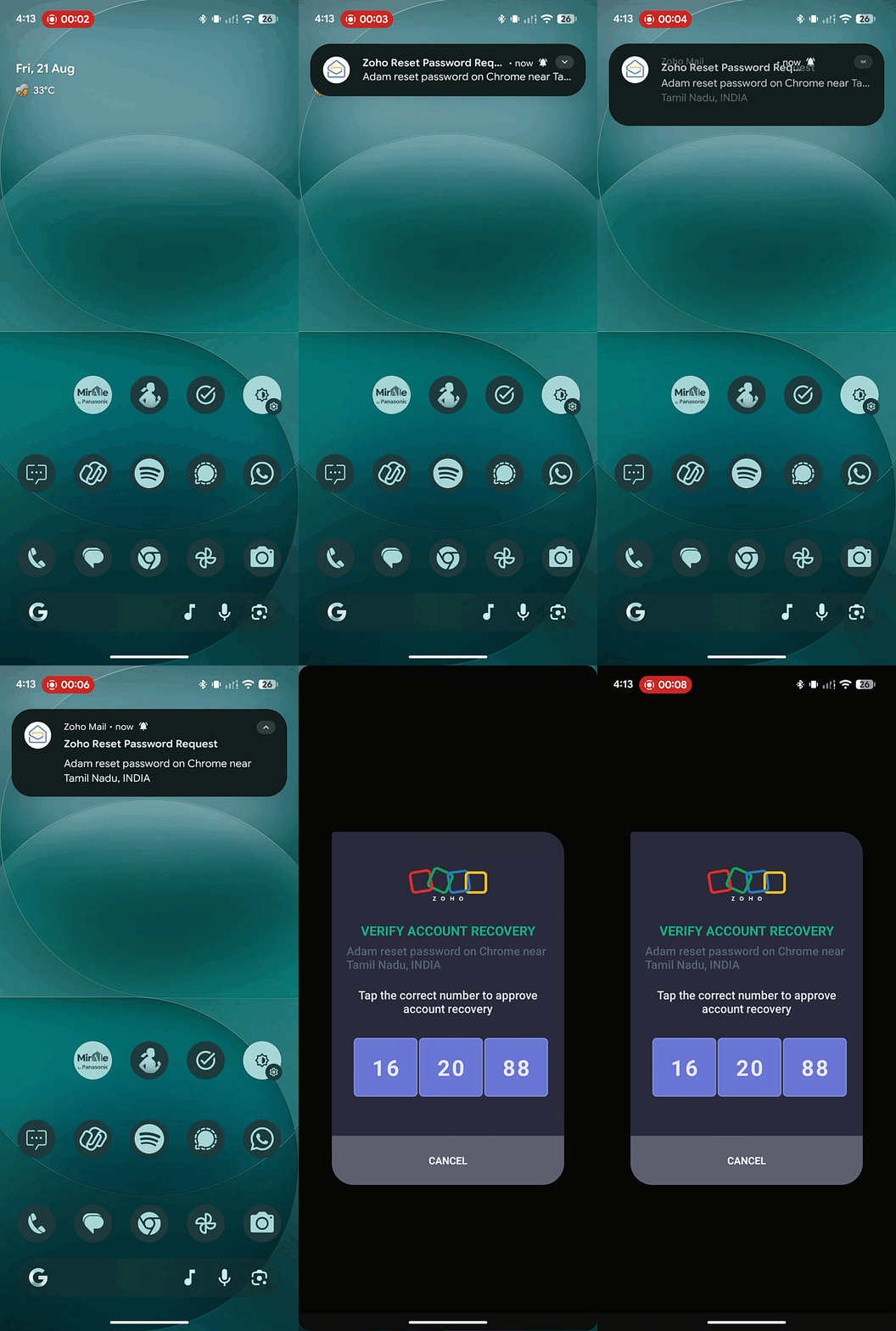
- A push notification will be sent to the mobile app of your choice. You can approve it using the displayed number on the screen to verify your identity during recovery.
How to set it up?
You can learn how to set up account recovery using Zoho mobile apps to enable it today. Please note that this feature is in early stages, and only the following list of apps and respective platforms are supported as of now.
Supported Apps | IOS | Android |
Zoho CRM | ✅ | ✅ |
Zoho Campaigns | ✅ | ✅ |
Zoho Mail | ✅ | ✅ |
Zoho Bigin | ✅ | ✅ |
Zoho Desk | ⏳ | ⏳ |
Zoho Notebook | ⏳ | ⏳ |
Zoho Cliq | ⏳ | ⏳ |
⏳ - Support is in progress
We will be bringing this to more of our apps soon.
Tired of recovering passwords? There's a better way.
You can set up passkey or go passwordless with Zoho OneAuth to go completely password free, while making your account more secure.
If you have an doubts, please feel free to reach out to us through support@zohoaccounts.com.