Wat is er nieuw in Zoho Desk 2023
Beste Community leden,
Hoeveel je ook van je klanten en je werk houdt, als klantenservice medewerker zul je zeker een aantal zware dagen tegenkomen. We hebben het dan over de dagen dat je een paar keer op de snooze-knop drukt, koffie morst op je favoriete shirt en op je werk inlogt om een stapel ongeopende support tickets in je wachtrij te vinden. Het is logisch dat je naast goede ook slechte dagen hebt. Soms, tijdens die sombere klantenservice diensten, is "Dank u voor uw hulp" wat je op de been houdt.
Klantenservice medewerkers spelen zo'n belangrijke rol in de tevredenheid van de klant dat sommige bedrijven de rol hebben geherdefinieerd tot "customer happiness agent". Als agent speel je een directe rol om ervoor te zorgen dat klanten een geweldige ervaring hebben met je bedrijf. En bij Zoho Desk hebben we het onze missie gemaakt om jou - als "geluksbrenger" - de klant tevreden te houden!
Sinds het begin staat tevredenheid (zowel van jou als van je klanten) centraal bij alles wat we bij Zoho Desk doen. Immers, een tevreden werknemer zorgt voor meer tevreden klanten en uiteindelijk voor een gezonder bedrijf.
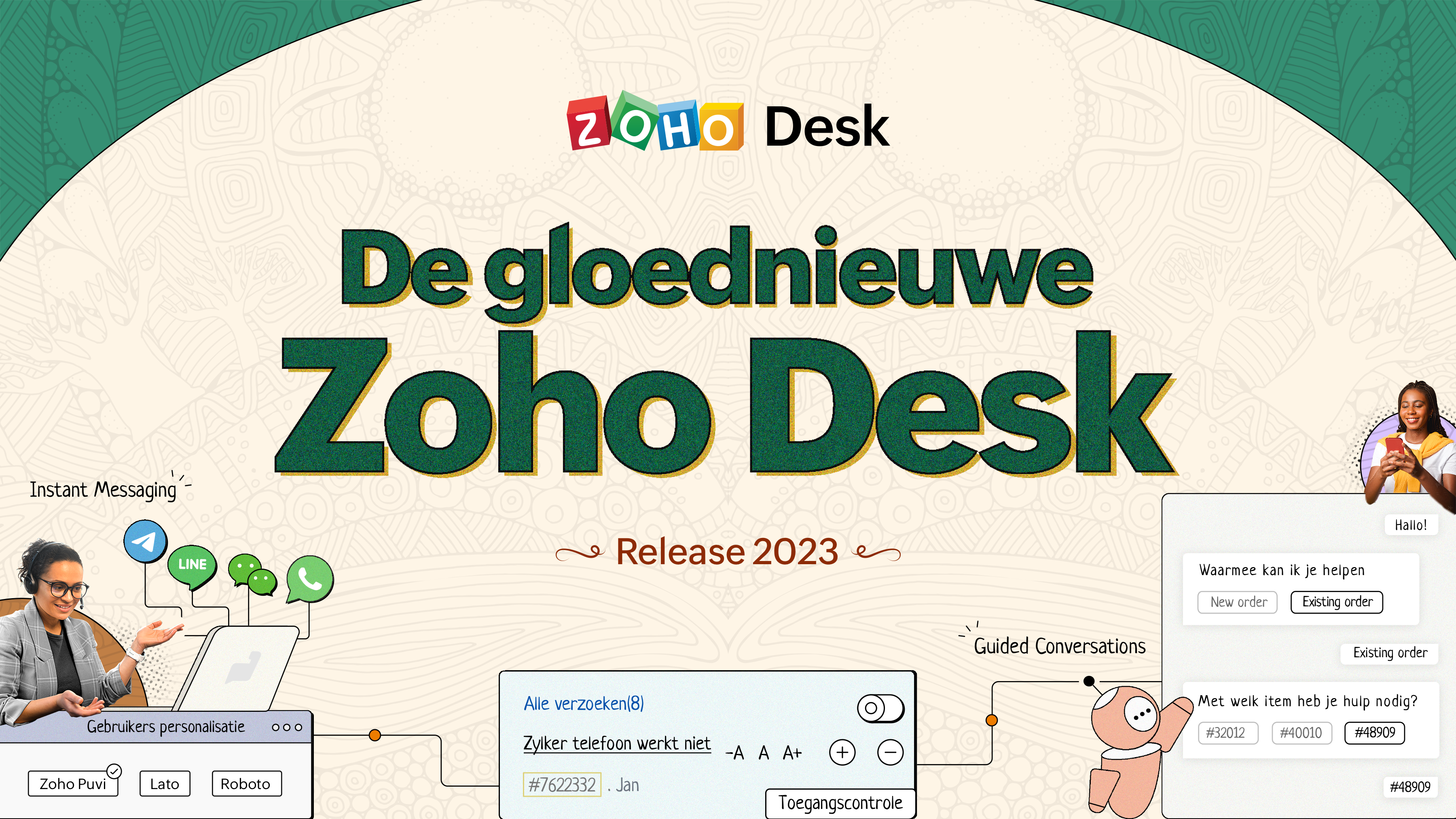
De nieuwe Zoho Desk release versterkt de omnichannel communicatie, customer self-service en agent experience. Lees verder voor meer informatie over alles waar we mee bezig zijn geweest.
Instant messaging
We zijn verheugd om een nieuwe manier van interactie met je klanten in Zoho Desk te onthullen. Met het Instant Messaging (IM) platform voor Zoho Desk kunnen klanten je bedrijf bereiken via WhatsApp, Telegram, LINE en WeChat. Aangezien de meeste van je klanten deze platforms al gebruiken voor communicatie, is het alleen maar logisch om ze daar te helpen. We hebben alle tools die je al kent gecombineerd met onze uitgebreide IM-module, samen met enkele nieuwe functies die zijn ontworpen om de productiviteit te maximaliseren.
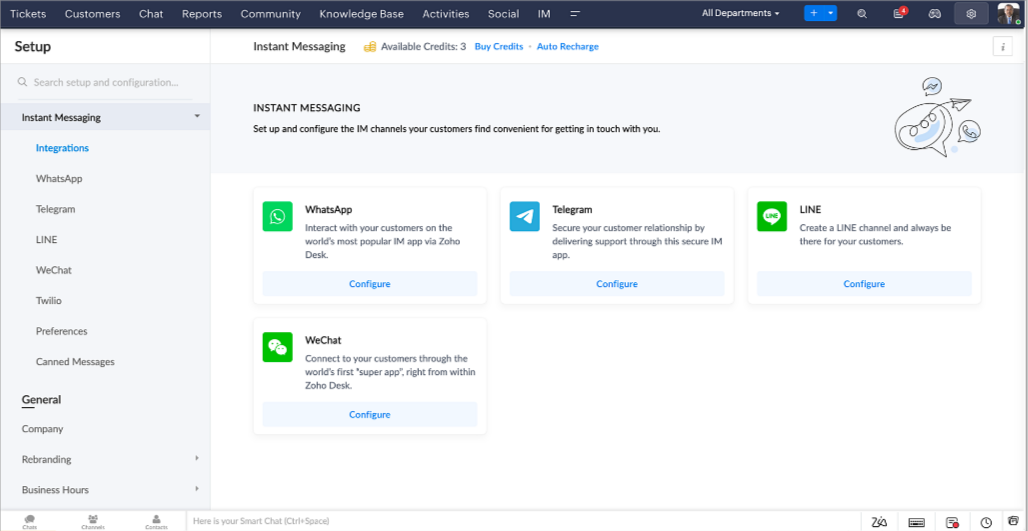
Zoho Desk geeft je een melding in realtime voor inkomende chats, zodat je gemakkelijk contact kunt leggen met klanten vanuit de interface die je al gebruikt. Daarbij kun je nu:
- Klantcontact, ticket informatie, cross-channel gespreksgeschiedenis en bijlage gegevens binnen het chatvenster van de klant volgen voor directe context.
- Kennisbank artikelen openen en toevoegen vanuit het invoergedeelte, vooraf opgestelde antwoorden gebruiken voor snelle oplossingen en emoji's toevoegen voor extra personalisering.
- Neem deel aan meerdere chats tegelijk in verschillende kanalen zonder van tabblad te hoeven wisselen.
- Wijs gesprekken toe aan je teamgenoten.
- Converteer gesprekken in tickets om ze gemakkelijk te kunnen volgen tot ze zijn opgelost.
Hoe zit het met automatisering? Je hebt het! Automatisering, zoals workflows, Blueprints, toewijzingsregels en SLA's, en meer die mogelijk zijn voor tickets aangemaakt vanuit andere kanalen zijn mogelijk voor tickets aangemaakt vanuit je instant messaging kanalen. Je kunt ook automatische reacties instellen voor de tijden dat je afwezig bent of je klanten op oneven uren berichten sturen.
Je kunt het voor klanten gemakkelijk maken om contact met je op te nemen door QR-codes te installeren bij fysieke verkooppunten of door onze eenvoudig te implementeren knop Bericht ons op je website te embedden. Ze kunnen je zelfs bereiken via direct zakelijk zoeken op het IM-platform zoals Telegram.
Guided Conversations (GC)
We zijn erg enthousiast over de introductie van Guided Conversations (GC), het resultaat van de inzet van ons productteam om je de beste zelfbedieningsopties te bieden.
Als klantenservice professional weet je dat de meeste vragen geen eenvoudige antwoorden hebben. Ze vereisen vaak vervolgvragen en veel context voordat er een oplossing komt. Daar komt GC om de hoek kijken. Het is een proactief, low-code, self-service platform dat het pad naar antwoorden voor complexe vragen van je klanten vereenvoudigt. Kies uit een reeks vooraf gedefinieerde vervolgvragen of antwoorden om een GC-flow te creëren die klanten systematisch naar de best mogelijke oplossingen leidt. Je kunt GC bouwen met functionaliteiten die specifiek zijn voor je publiek. Bovendien kun je op elk moment tijdens het gesprek je klanten doorverwijzen naar menselijke interactie, en dan zo nodig terugschakelen.
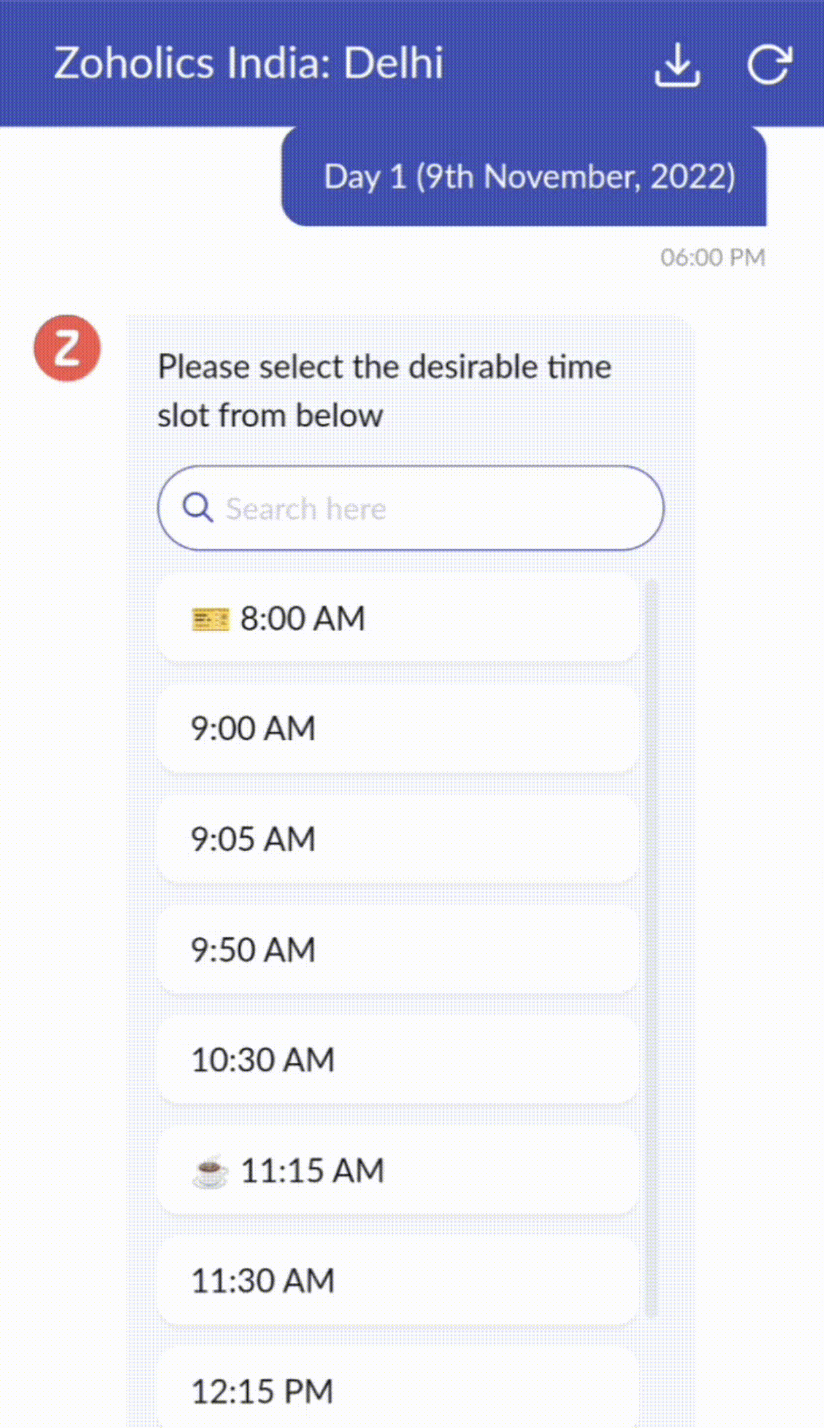
Guided Conversations kunnen worden gebruikt in verschillende situaties, zoals bij het boeken, bestellen, terugvragen of het verzamelen van informatie voor creditcard verwerking of verzekeringen. De mogelijkheden zijn eindeloos. Hier zie je hoe we Guided Conversations hebben gebruikt voor Zoholics, ons jaarlijkse gebruikersconferentie.
Drag-and-drop bouwer
Bouw je GC-flow met behulp van een reeks reactieformaten of -blokken, zoals tekst, afbeeldingen, valuta, datum en tijd, schuifregelaar, keuze, overslaan en opnieuw beginnen. Om een GC-flow te bouwen, sleep je gewoon blokken, voeg je variabelen of dynamische plaatshouders toe en verbind je paden om de volgorde van gebeurtenissen te bepalen, afhankelijk van de keuze van een gebruiker in elke engagement fase.
Webhooks voor naadloze integratie
Door Webhook-blokken te configureren, kun je je conversatiestroom zo samenstellen dat er interactie is met Zoho Desk-processen, andere Zoho-services of applicaties van derden. Als de gebruiker bijvoorbeeld al je contactpersoon is, haalt het Webhook-blok zijn informatie rechtstreeks op uit uw CRM, in plaats van hem te vragen deze elke keer te verstrekken.
Integreer GC overal waar klanten toegang hebben.
Bekijk en implementeer je uiteindelijke flow door deze te koppelen aan uw ASAP helpcentrum op je website, landingspagina's en mobiele apps.
We kunnen niet wachten om de unieke flows te zien die je maakt met Zoho Desk's Guided Conversations!
Verbeterde ervaring
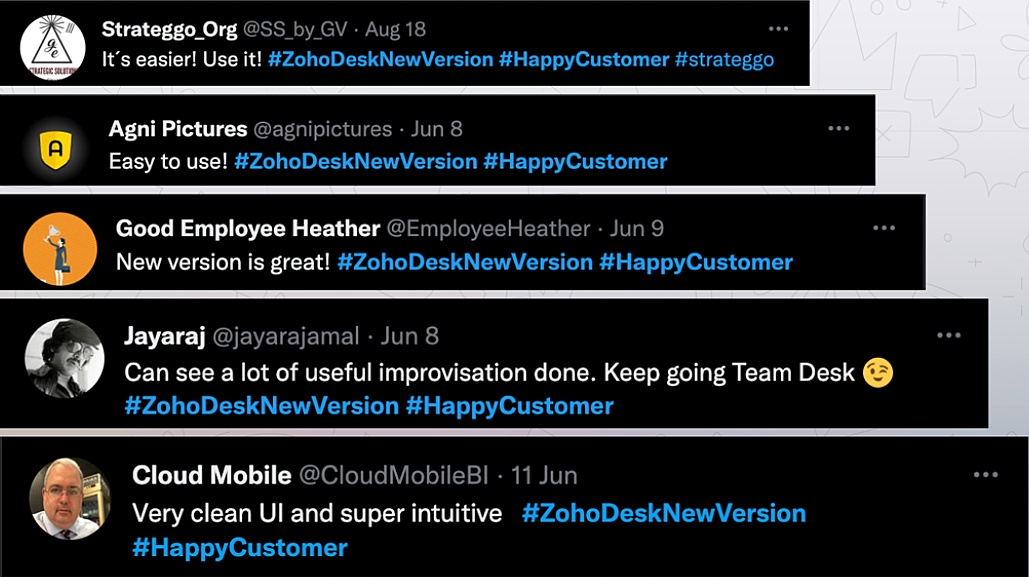
Misschien heb je de Try New Version-optie in Zoho Desk al opgemerkt en zelfs onze vernieuwde gebruikersinterface (UI) geprobeerd, die we eerder dit jaar hebben geïntroduceerd. Dit is onderdeel van onze inspanningen om Zoho Desk logischer en visueel aantrekkelijker te maken om je de beste werkervaring te geven - omdat we weten dat een ingewikkelde helpdesk ervoor kan zorgen dat acht uur aanvoelt als 20 uur.
Wat is er veranderd?
Betere UI, meer context en eenvoudigere navigatie
Wij geloven dat goed ontworpen software weinig tot geen instructies nodig heeft. Daarom hebben we de gebruikersinterface aantrekkelijker, samenhangender en begrijpelijker gemaakt. Die presenteert gegevens beter, geeft meer context en is gemakkelijker te navigeren.
Het belang van snelle toegang tot relevante informatie voor klantenservice teams kan niet genoeg worden benadrukt. We hebben onze UI geoptimaliseerd en het navigeren door verschillende schermen om de juiste informatie te vinden eenvoudiger gemaakt. We hebben ook enkele schermen een make-over gegeven om je een holistisch beeld te geven van je klanten en tickets op één enkele interface. Weet je nog hoe graag we je context geven? Bekijk onze nieuwe look in:
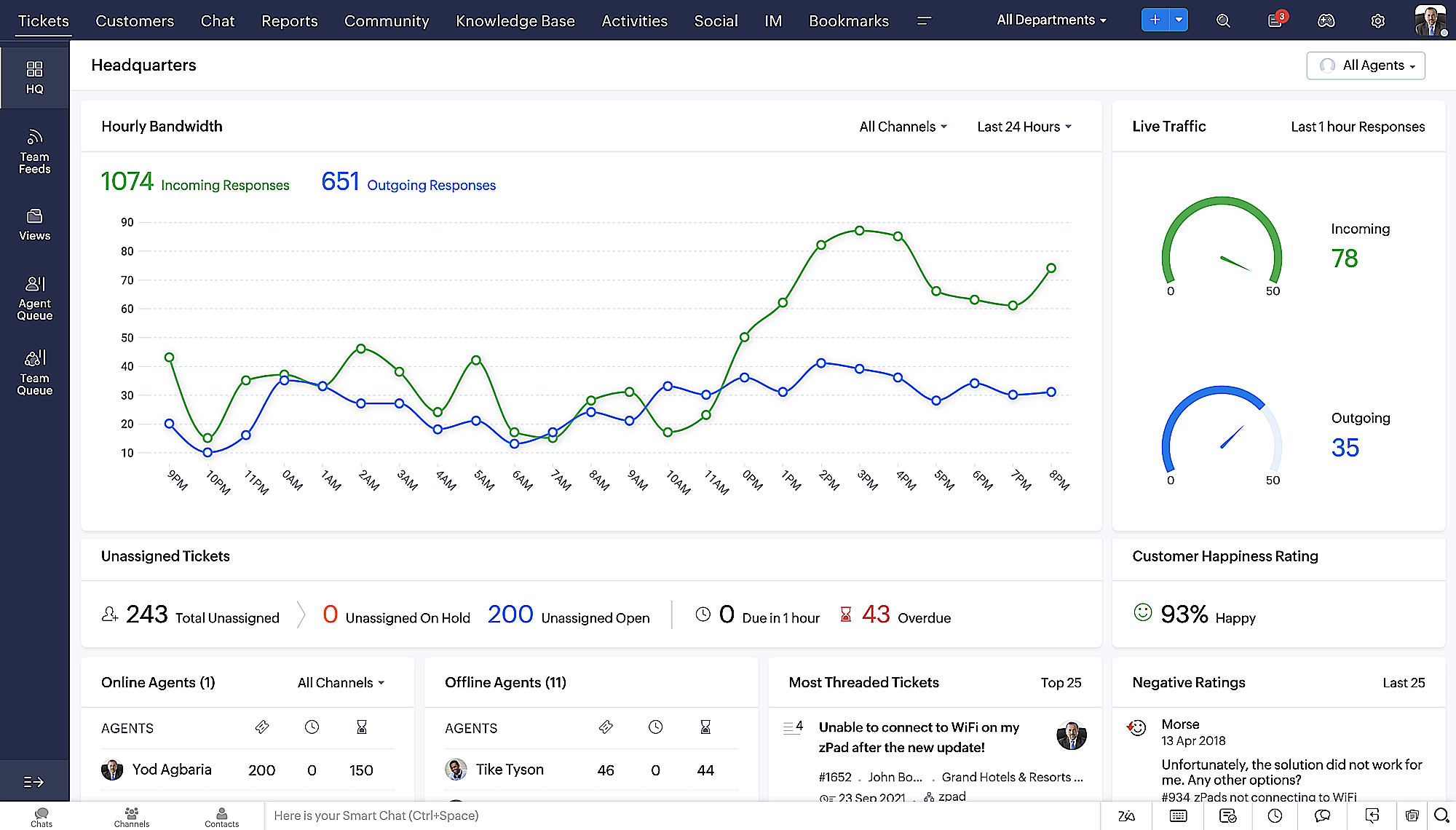
- Laatste Hoofdkwartier weergave met een verfijnde gegevensindeling en vernieuwde algemene look.
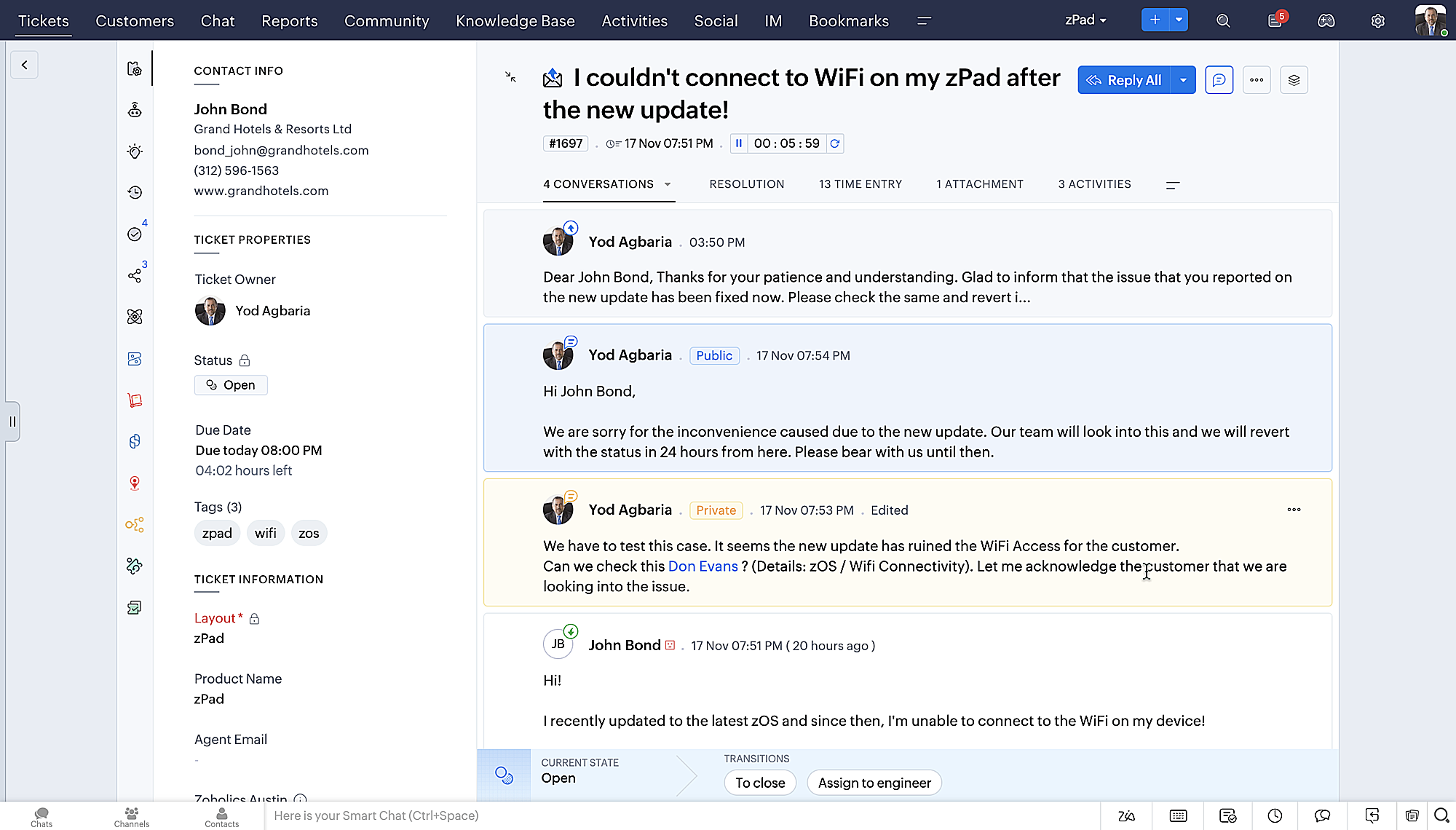
- Gedetailleerde ticketweergave met kleurgecodeerde threads voor eenvoudigere navigatie tussen gesprekken en opmerkingen.
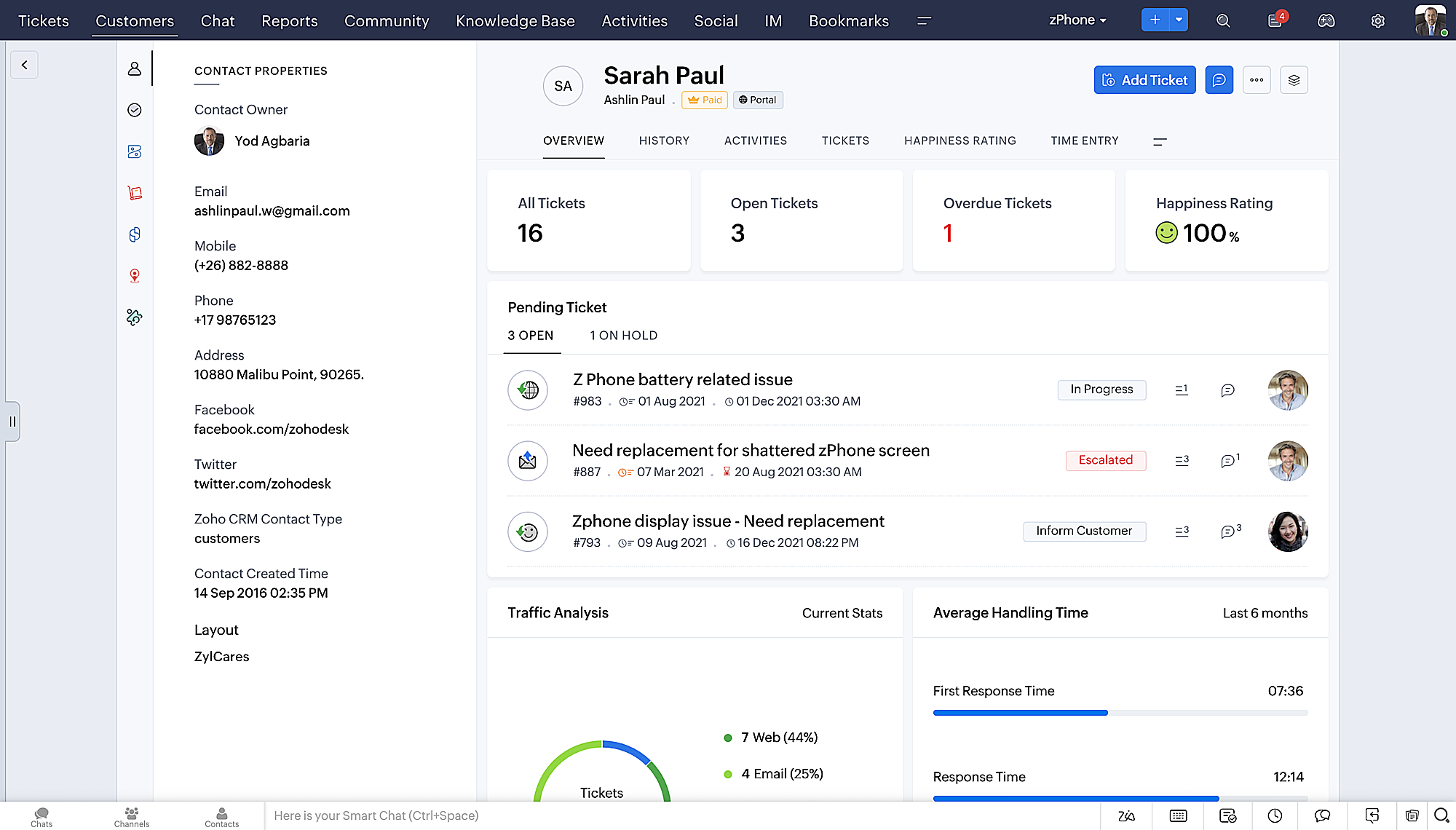
- Gedetailleerde Contactweergave met knoppen voor snel toevoegen, een sectie Wachtende tickets en een overzicht van Ticketinzichten.
- Ticket Queue View met drop-down statusopties, zodat je snel updates kunt geven zonder Ticket Detail View te openen.
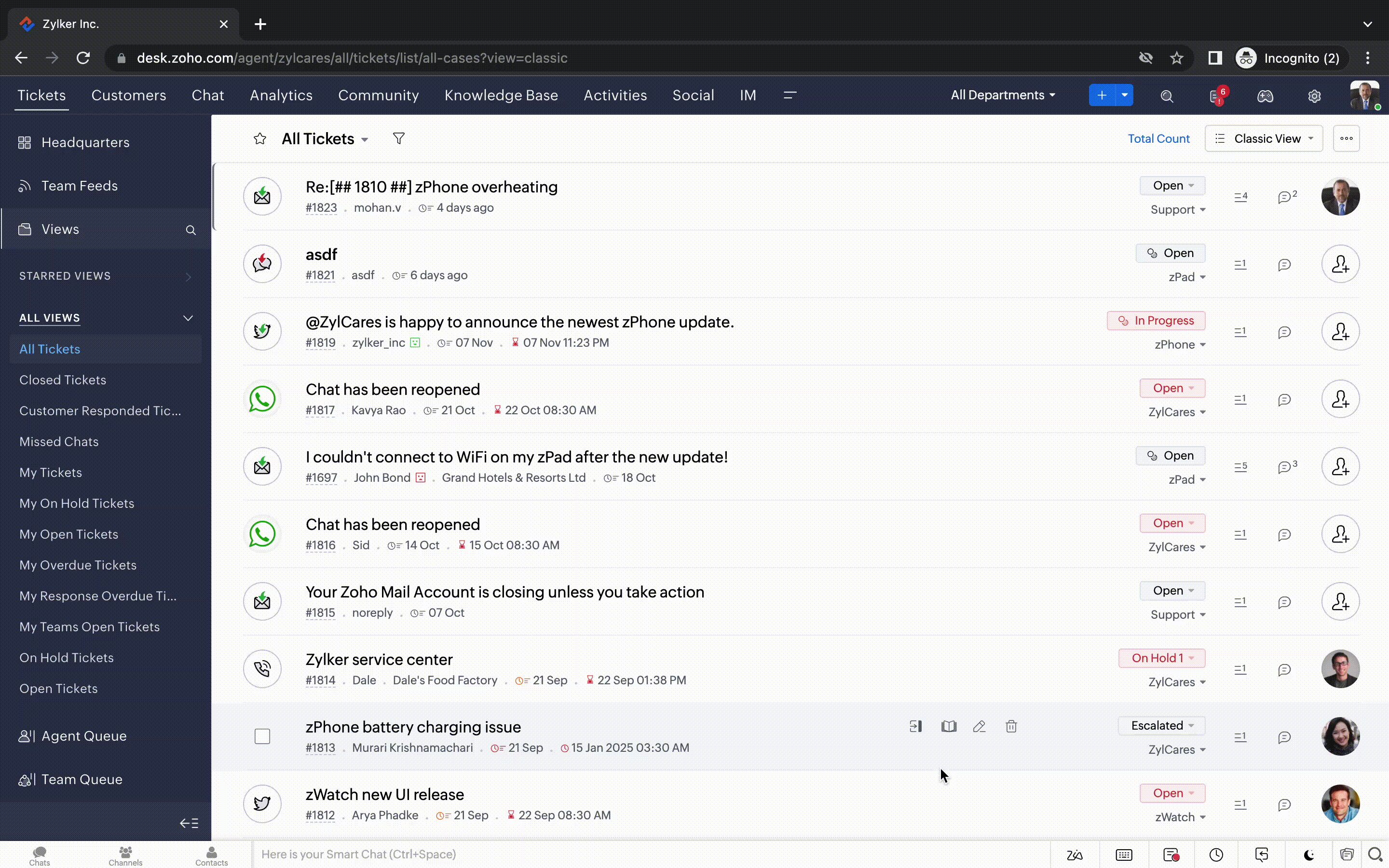
- Een nieuwe optie markeren als gelezen/ongelezen in de ticket lijstweergave, en een geconsolideerde vervolgkeuzelijst Werkmodi in de hele module Tickets.
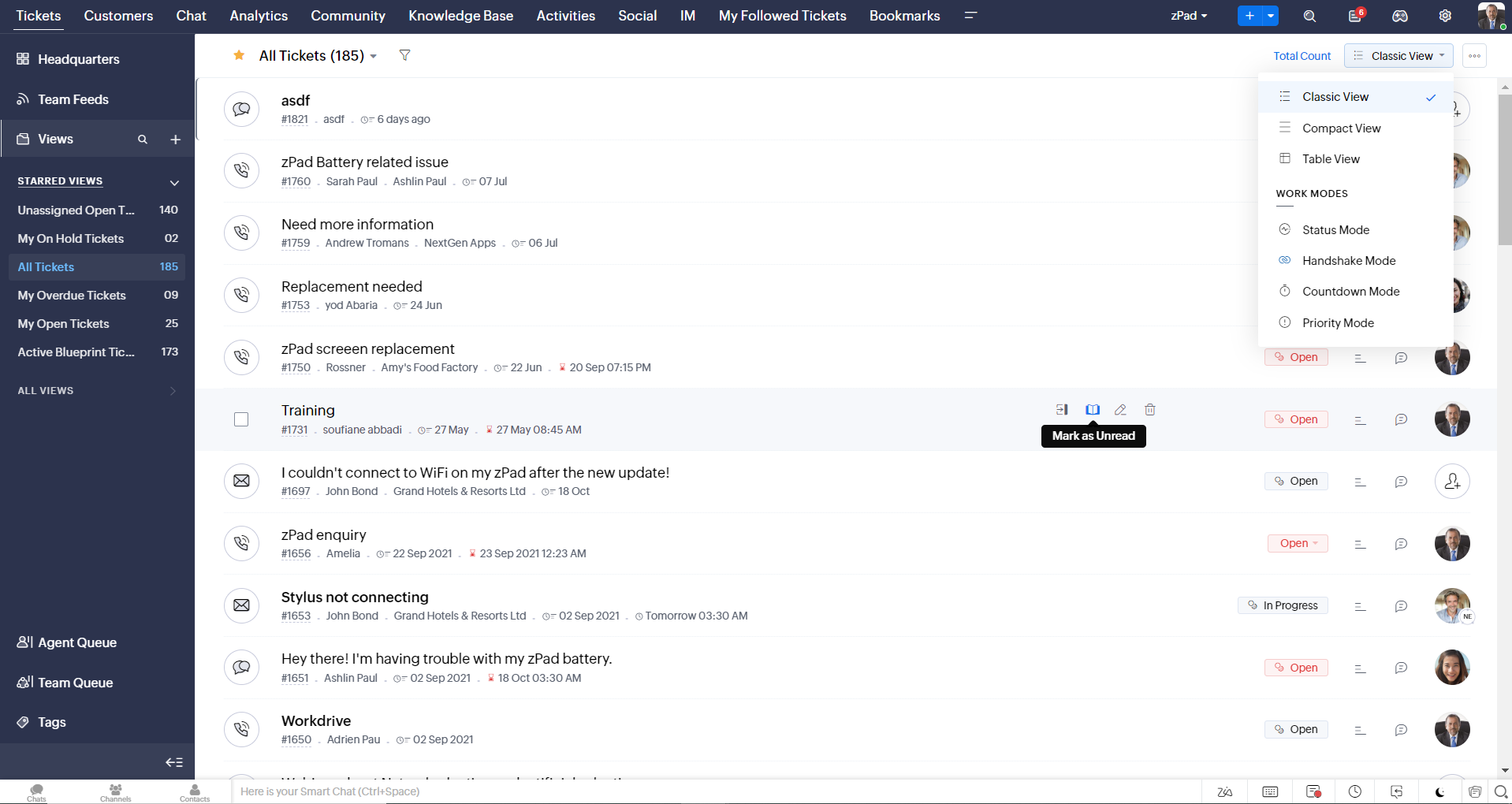
- Oneindig scrollen voor snellere ticket verkenning en navigatieknoppen om snel naar de bovenkant of onderkant van de pagina te gaan.
Nieuwe personaliseringsopties voor gebruikers
Personalisatie is zo'n gewoon onderdeel van ons dagelijks leven geworden dat we het in de meeste van onze productinteracties verwachten.
In Zoho Desk kun je al lay-outs, velden, rollen, sjablonen en je helpcentrum aanpassen. Nu kun je ook het uiterlijk van je portaal aanpassen, zodat je je meer verbonden voelt met je helpdesk. Dit is wat er nieuw is:
- Dark mode/nachtmodus voor een comfortabele kijk- en leeservaring bij weinig licht.
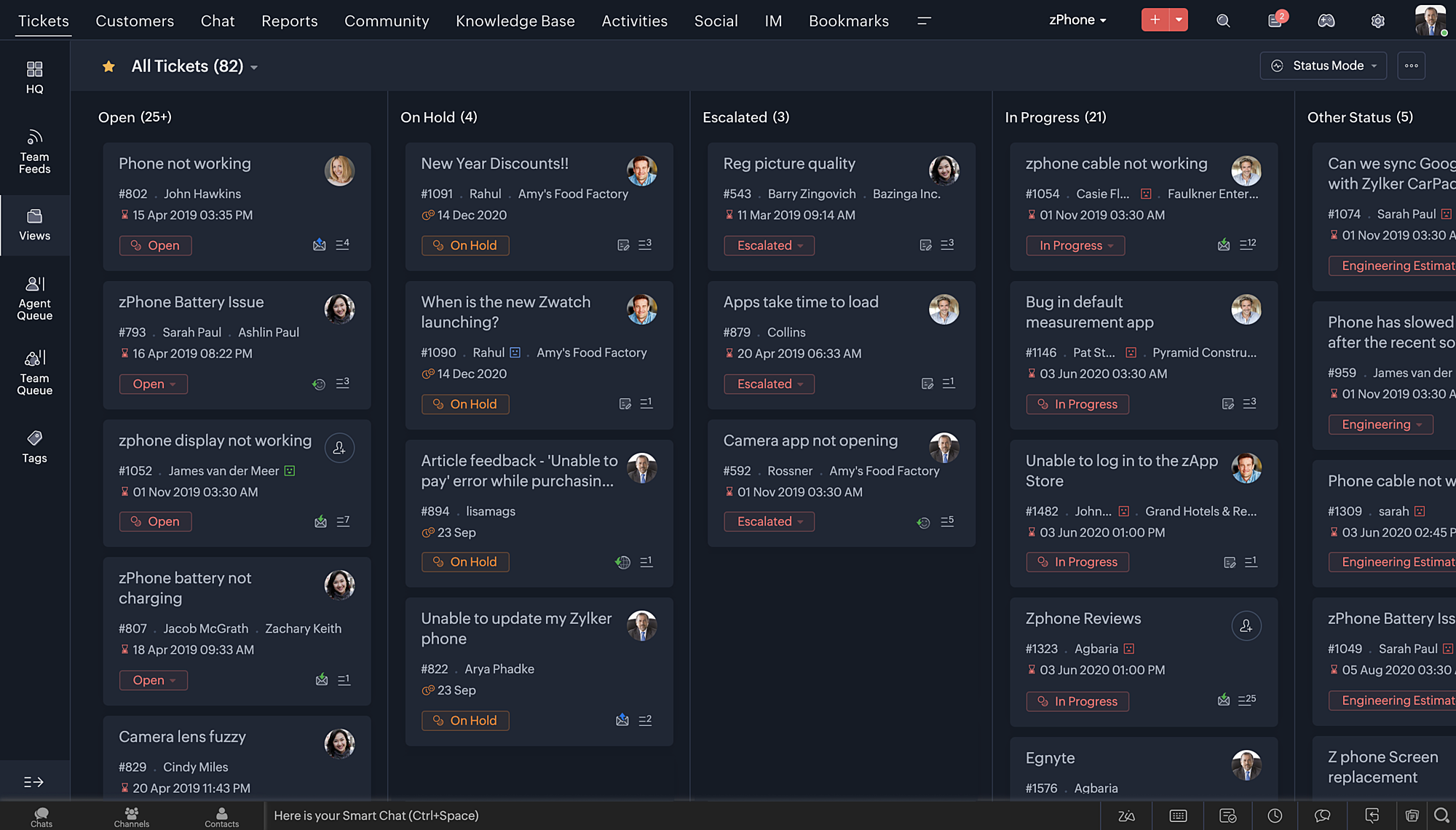
- Nieuwe thema's voor het bekijken van Desk in je favoriete kleur, of in kleuren die jouw merk vertegenwoordigen.
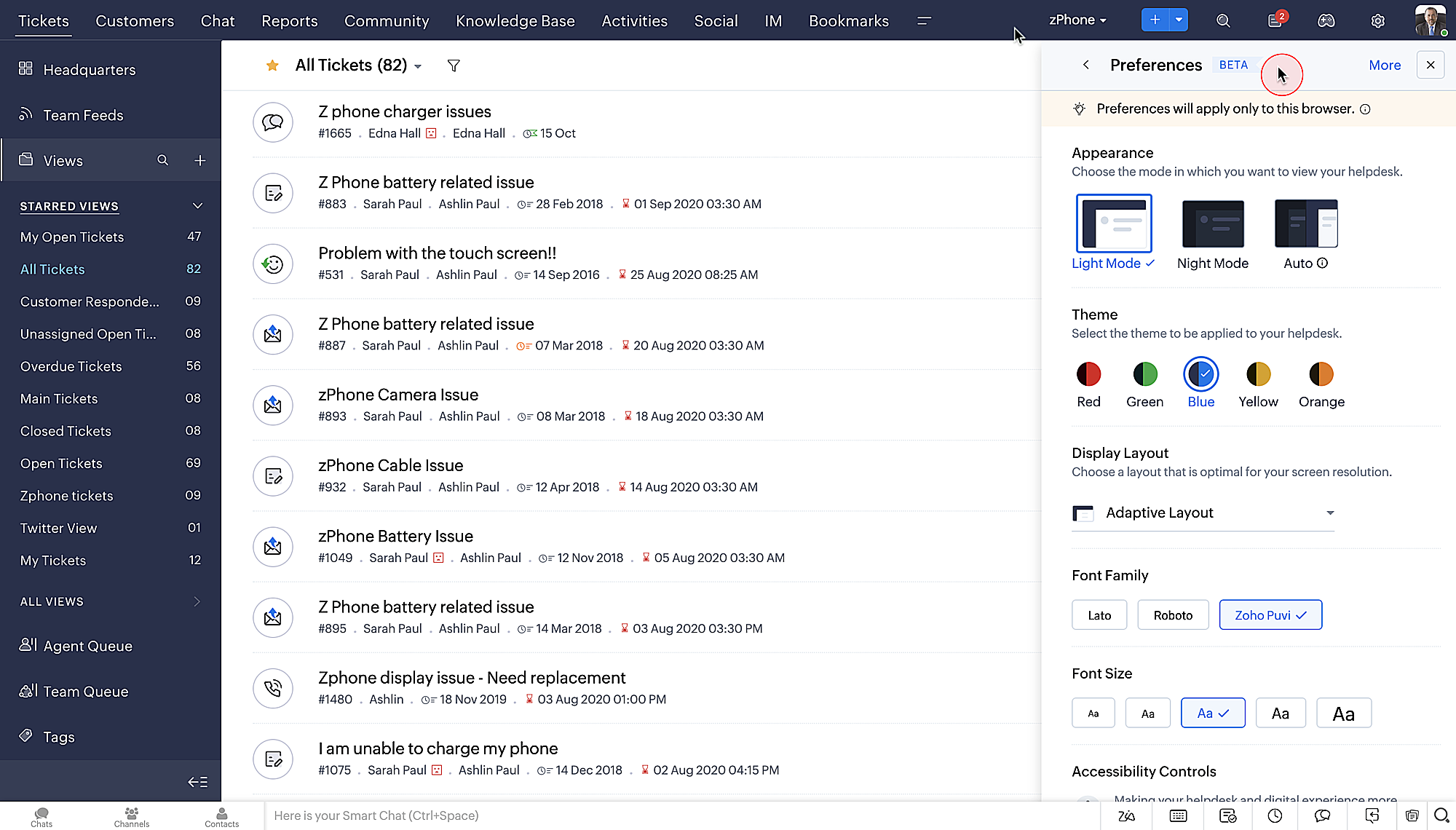
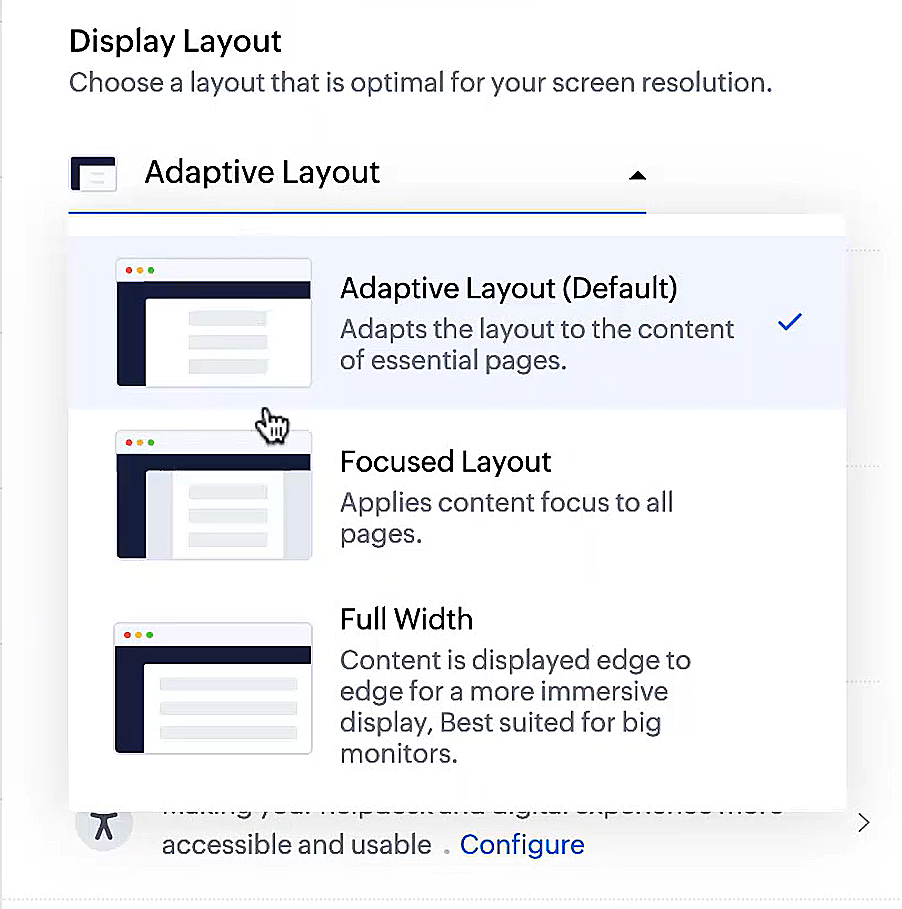
- Display lay-outs waarmee je kunt kiezen hoe je inhoud aan je wordt gepresenteerd.
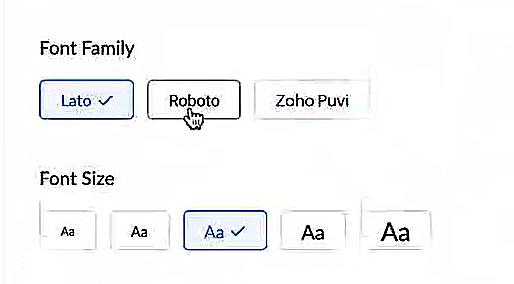
- Nieuwe lettertypes en -groottes zodat je tekst precies overeenkomt met je voorkeuren.
Toegankelijkheidscontroles
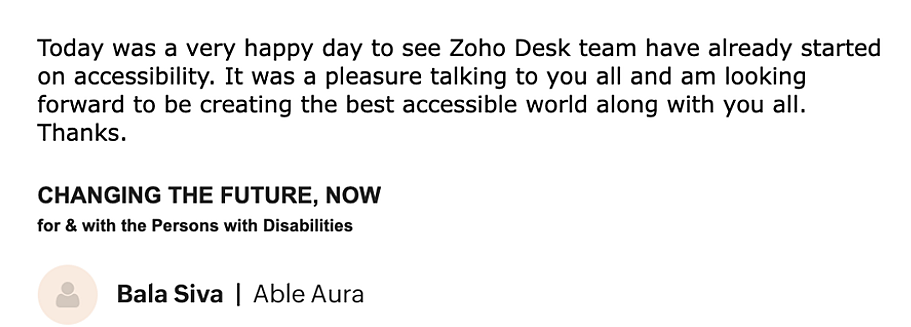
Het is altijd onze missie geweest om alle gebruikers toegang te geven tot onze producten, en met onze nieuwe toegankelijkheidscontroles komen we een stapje dichterbij. We hebben meerdere knoppen toegevoegd ter ondersteuning van je gezichtsvermogen, fysieke en motorische behoeften en leerbehoeften.
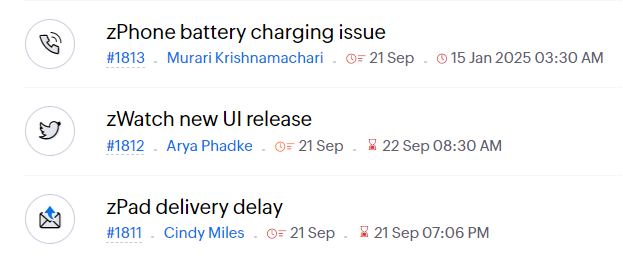
- Highlight Critical Information toont belangrijke informatie, zoals ticket ID, ticket eigenaar en contactgegevens in een opvallende kleur.
- Onderstreep Links verhoogt de zichtbaarheid van klikbare links.
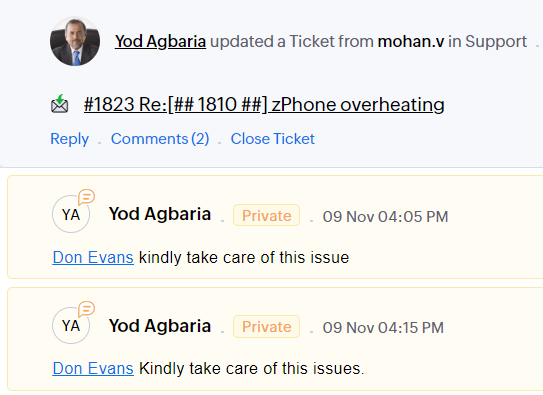
- Benadruk Focusgebied voegt een rand toe rond je focusgebied om de omvang en klikbaarheid aan te geven.
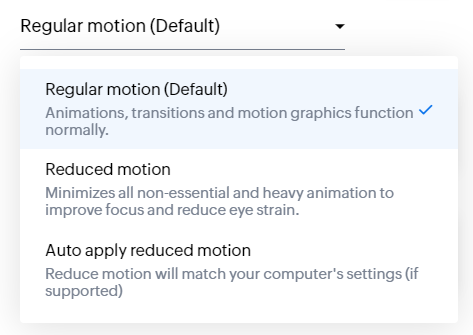
- Animatie regeling optimaliseert animaties en overgangen in je helpdesk.
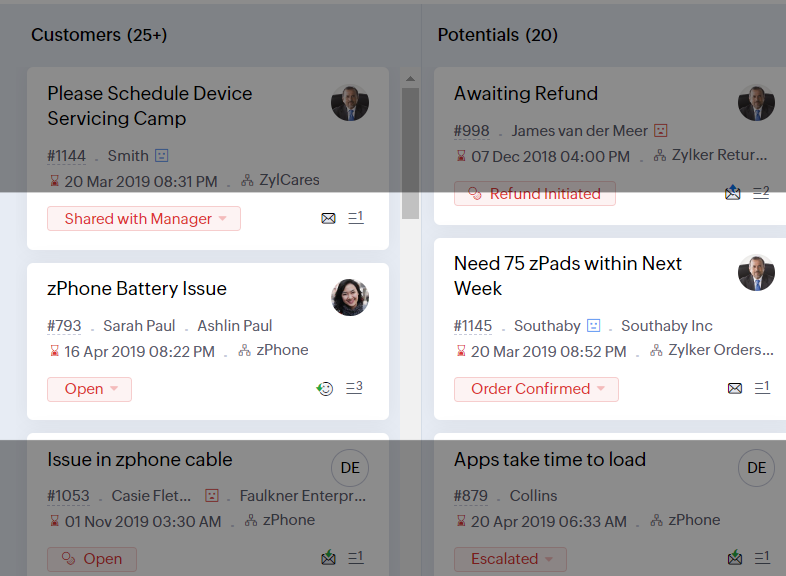
- Leesmasker elimineert afleiding door tekst te maskeren die je momenteel niet leest.
- Met Zoomniveau kun je in- en uitzoomen tot de pagina gemakkelijk te bekijken is.
- Toon lettergrootte past de lettergrootte aan tot de pagina goed leesbaar is.
Met alle nieuwe functies in de Zoho Desk 2022 editie hebben bedrijven nu meer mogelijkheden om te zorgen voor tevreden medewerkers en tevreden klanten.
We horen graag wat je van de nieuw toegevoegde functies vindt! Deel je feedback in onze comments of op social media.
Topic Participants
Sukhpreet Singh
Sticky Posts
Doe mee aan de Zoho Desk Meetup op 7 maart in Antwerpen
Beste Community leden, Wij nodigen jullie graag uit voor de Community Meetup van Zoho Desk! Op 7 maart komen we bij elkaar in Antwerpen, samen met een klant en de Zoho Experts van Brainsolutions. Onze experts zullen een live demo presenteren en jouw vragenDoe mee aan de Zoho Desk Meetup op 16 Februari in Utrecht
Beste Community leden, Wij nodigen jullie graag uit voor de Community Meetup voor Zoho Desk! Op 16 februari komen we bij elkaar in Utrecht, samen met Fleetkennis en de Zoho Expert van Mobile XL. Onze experts zullen een live demo presenteren en jouw vragenWat is er nieuw in Zoho Desk 2023
Beste Community leden, Hoeveel je ook van je klanten en je werk houdt, als klantenservice medewerker zul je zeker een aantal zware dagen tegenkomen. We hebben het dan over de dagen dat je een paar keer op de snooze-knop drukt, koffie morst op je favorieteTips & Tricks #10 Automatiseren met Zoho Desk Deel 2
In deel 1 van het automatiseren met Zoho Desk las je een use case over een probleem in een appartementencomplex en hoe dit door gebruik te maken van Zoho Forms en Zoho Desk kan worden opgelost. In deel 2 lees je meer over het integreren van Zoho FormsTips & Tricks #09 Automatiseren met Zoho Desk Deel 1
Beste Community leden, Zoals jullie weten hebben we in Nederland een woningtekort. Een oplossing hiervoor is de hoogbouw. Echter, om de de hoogte in te gaan moet er ook voor de juiste faciliteiten in flats worden gezorgd. Problemen kunnen we allemaal
Recent Topics
Process between CRM and Campaigns to ensure double opt-in contacts?
I would like to ask for a few clarifications to ensure we fully comply with best practices and legal requirements: According to the documentation (Zoho Campaigns CRM sync – Default option), the best and recommended way to sync contacts is by using theZoho Books - New Interface keep details with PDF View
Hello, The Zoho Books Interface has changed for estimates etc... One thing is causing issues though. Before the change, in PDF view you could see the detail information including custom fields entered for the estimate. Now, you have to switch betweenTip #52- Zoho Assist Downloads: Everything You Need in One Place- 'Insider Insights'
Looking to start remote support sessions faster, manage unattended devices effortlessly, or join sessions without any hassle? The Zoho Assist Downloads Center has all the tools you need—across desktop, mobile, IoT, and browser environments. With our rangeCondition based aggregate fields in subforms
Hello everyone, We're excited to inform you about the latest enhancements made to our aggregate field capabilities in subforms; create aggregate fields based on conditions! An aggregate field is a column on which a mathematical function has been applied.SalesInbox
Sorry for saying this but SalesInbox is a really mess. BIG FAIL. Bad UX and VERY bad IMAP sync. I don't know how can someone use this to be more productive. It's just the oposite. I'm trying to use SalesInbox for a while but sales people do not have just sales activities so we still have to came back to the mail app anyway. Folders of SalesInbox are not in sync with folders of mail server (wich syncs Ok to mobile) and vice-versa wich leads to double work as now you have to cleanup 3 inboxes (MailPrint labels on selected view
How can I print labels for select view. Always defaults to ALL contacts when I select View = Mailing Labels. Thanks!!Update CRM Price Books to include volume discounts as per Zoho Books/Inventory
Once again, Zoho has 3 great products that all store information in different ways (which is not helpful when you attempt to integrate the 3 products - one of the best features of Zoho). Zoho CRM Price Books are basic at best. Zoho Books/Inventory PriceTip #40- Strengthen Remote Support with IP-based Restrictions in Zoho Assist– ‘Insider Insights’
Protecting sensitive data and preventing unauthorized access is a top priority for any organization. With IP-based restrictions in Zoho Assist, you can ensure that only users from trusted networks can initiate remote support sessions. Say your IT teamPrinting Client Lists
I was looking for a way to print out client lists based on the account. For example if I want all my contacts from company A on one sheet, how would I do this. Moderation Update (3rd December 2025): There are two challenges discussed in this thread. 1.Qwen to be the default open source Generative AI model in Zoho Desk
Hello everyone, At Zoho Desk, we will make the latest Qwen (30B parameters) the default LLM for our Generative AI features, including Answer Bot, Reply Assistant, and others. As a subsequent step, we will discontinue support for Llama (8B parameters).ZOHO Blueprint and Workflow
Hi, Correct me if i'm wrong, Blueprint triggers when a record that meets the criteria is created. It follows a specific transition that you will be setting up. Does blueprint work if the first state was triggered by a workflow? For example, In my custom module 1, I have a field named status. The statuses are 1, 2, 3 and 4. As soon as I create a new record, a workflow triggers that updates the status field to 1. Can a blueprint start from 2? My other concern is, can blueprint transitions work at theZoho CRM Participants Automatic - Invite Using Deluge
Hi Zoho! Is there a way to make the invitations automatic via API? I'm using this one but it doesn't work or reflect in the CRM: participantUser = Map(); participantUser.put("type","email"); participantUser.put("participant",email); participantUser.put("invited",Work Order Assignment for Engineers Handling Their Own Requests
I’m setting up FSM for a business where there are multiple engineers, but each engineer handles their own process end-to-end receiving the service request, creating the work order, and completing the field service job. I noticed that I must create anExperience Zoho Show on Mac now!
Work today isn’t tied to a single place, time, or routine. It happens in cafes between meetings, on flights, or late at night when ideas strike. And when ins, your tools need to be ready, wherever you are. That’s why we built the Zoho Show app for Mac.【開催報告】東京 ユーザー交流会 Vol.4 | Zoho CRM 自動化のコツ ・Bookings のビジネス活用シーンとおすすめ機能を紹介
ユーザーの皆さま、こんにちは。コミュニティチームの藤澤です。 11月28日(金)に新橋で「東京 ユーザー交流会 Vol.4」を開催しました。ご参加くださったユーザーの皆さま、ありがとうございました。ユーザー交流会の年内開催は、今回が最後でした。 この投稿では、当日のセッションの様子や使用した資料を紹介しています。残念ながら当日お越しいただけなかった方も、ぜひチェックしてみてください😊 ユーザー活用事例セッション:関数やクライアントスクリプトまで、CRMをもっと便利に Zoho CRM には、ワークフローやブループリントなど、さまざまな自動化に役立つ標準機能が備わっています。さらに、関数(Deluge)のようにスクリプトを記述して高度な自動化を実現することもできます。Kiosk Button Actions
I need to add an action to a Kiosk Button to loop me back to start the kiosk again and I am not sure what that looks like (function, etc.).[Webinar] Automate generation of wills, trusts, POAs, and other estate planning documents with Zoho Writer
Managing the lifecycle of the estate planning documents such as wills, trusts, and POAs, from client intake to final storage, can be complex and time-consuming. Join our live webinar to learn how Zoho Writer transforms this process by automating documentDependent drop-downs... how?
Good day. I have 2 different situations where I need a dependent drop-down field. First is for a subform, where I want to show related fields for a specific customer on the main form. In my case it is a parent whose children make use of our school transportReporting Limitation on Lead–Product Relation in Zoho CRM
I noticed that Zoho CRM has a default Products related list under Leads. However, when I try to create a report for Lead–Product association, I’m facing some limitations. To fix this, I’m considering adding a multi-lookup field along with a custom relatedSeries Label in the Legend
My legend reads 'Series 1' and 'Series 2'. From everything I read online, Zoho is supposed to change the data names if it's formatted correctly. I have the proper labels on the top of the columns and the right range selected. I assume it's something inDynamic Signature - Record owner
Hi everyone, I’m using Zoho Writer merge templates from Zoho CRM and have two questions: Owner signature: How can I automatically insert the CRM record owner’s signature in the merged document? I’m not sure where this signature is stored or how to referenceSet Warehouse based on Vendor
Greetings. I would like to set automaticaly the Warehouse based on the Vendor. Context: I am working on an adaptation of a Purchase Order to be used as a Quotation. I have defined that when a user has to raise a quote the Vendor will be "PROCUREMENT" I would like to set the Warehouse to a predefined value when "PROCUREMENT" is set as Vendor. I have tried to do with the Automation feature using the Field Update option, but Warehouse does not is listed as a field. Can you help? Thanks in advance.Printing from Zoho Creator hosted on my own server to printers hosted on my clients local network
Hello. Fairly new to Zoho Creator and looking for best options to be able to print from my application hosted on my own server to any printer hosted on my clients own local network. Any advice is welcome. Thank you.Add System Pre-Defined Lookup Field to Subform?
Hi there! New to using Zoho, so this may already exist, but I'm having trouble figuring it out. Is there a way to get the system pre-defined Account Lookup field (in our case, renamed to Company Name), as the starting point for a subform? In our company,Numbered / bullet point List in Zho Cliq
Hi, is there a way to format chat messages in Cliq like this Topic 1 Hey, I finished this project yesterday etc... Topic 2 I am still working on this etc...Cannot Access Subform Display Order in Deluge
As highlighted in this community post, we still have to deal with the significant limitation of not being able to access the user-sorted order of subform rows through Deluge. This creates a major disconnect between the UI capabilities and backend automation,How many groups in Zoho Mail can I make?
I'm currently on the free plan, which has a limit of 10 users. Does that limit includes groups too? If not, what is the limit for groups? Thanks!Feature Suggestion for Zoho Social: Auto-reply to Comments or Keywords
Hi Zoho team, I'd like to suggest a very specific feature that would be extremely helpful for customer engagement: the ability to automatically send a reply to comments on posts — either all comments or those containing specific keywords. For example,My domain did not activate
Hi, my domain (apsaindustrial.com.ar) did not activate, and the phone verification message never arrived. Please would you solve this problem? Thanks.Already have Zoho account. Not letting me log in
I already have a Zoho account that is associated with my Google email and my phone number. Even though I'm already logged in to Zoho, when I click on the mail icon to access my email, it takes me to the pricing page. When I click on the free option, itZOHO Mail App Not working
There seems to be an issue with Zoho Mail App today. It is not connecting to server, internet is working fine, tried uninstalling app and reinstalling, loading circle keeps spinning round. Is there an update on the way?facing error 550 5.4.6 while sending emails
Please help me fix this issueAllow Itemization for Recurring Expenses
For whatever reason, one cannot itemize a Recurring Expense. This capability should be added. The use cases to support this are largely the same as what they were to allow for itemization in Expenses. Anything that would need to be itemized for a regularZoho reply to not working. just reply to my self
Hello. i using on my wordpress website a contact form from Wsform. i can set the reply to email there. normally it works. but since i am using your wordpress plugin zoho mail it doesn`t work. its not using the reply to (email from customer). I just canCan't receive any email from other platform
Hello,everyone, i'm just join zoho and create two email accounts for my own business. I was using it to get a verified email from stripe, but can't receive it. and I use my private gmail account to send test email twice, first time show below reply, butYour Incoming has been blocked and the emails will not be fetched in your Zoho account and POP Accounts
Can some on help me regarding our account . thank you so muchZoho Creator integration with Sage 50
Hi, Wondering if anyone has had any experience connecting Zoho to Sage 50 and could share any information on this matter. Thank you.Conditional Email Forwarding
How can I set conditional email forwarding of the users? For example: Mail should be forwarded to a address only if it comes from a particular sender. So, I want such email forwarding, which forwards mails based on particular conditions, like the incomingIncoming emails not appearing in Inbox
Hello, I have an issue with incoming emails sent from my website (domain: h2ostop.si). Emails are visible in the Sent folder, which means they are successfully sent through Zoho SMTP, but they never appear in my Inbox. Nothing arrives in Inbox, Spam,Automatic Matching from Bank Statements / Feeds
Is it possible to have transactions from a feed or bank statement automatically match when certain criteria are met? My use case, which is pretty broadly applicable, is e-commerce transactions for merchant services accounts (clearing accounts). In theseNext Page