Design & Print Data Directly using Canvas Print View
Hello Everyone,
We are excited to announce a new addition to your Canvas in Zoho CRM - Print View. Canvas print view helps you transform your custom CRM layouts into print-ready documents, so you can bring your digital data to the physical world with ease.
Whether you’re printing labels for shipping, creating personalized forms, or need to document one particular record's information, this feature gives you the control and flexibility to design, customize, and print right from your CRM.
What can you do with Print View?
With Canvas Print View, you can print out a single record's data or a few selected records' data or even the total number of records per page onto physical sheets directly from your CRM account to your hands. Simply :
- Design a custom layout using Canvas by pulling details automatically from your CRM modules
- Generate a clean, printable sheet of mailing labels
- Print information out on standard paper sizes like A4 or Letter from your selected module,
- Automatically display cutting lines to guide separation for
- Save time and reduce manual errors without leaving your CRM
Scenario 1: Print Shipping labels from your CRM Account
Imagine you’re running a shipping or courier service, and you manage all your customer data within Zoho CRM. Your team needs to generate address labels for daily deliveries. You can use the print view to :
- Create a custom mailing label layout using Canvas and get customer contact details automatically from your contact module.
- Generate a clean, printable sheet of mailing labels
- Choose to display cutting lines to guide label separation
- Finally, print them out on standard paper sizes like A4, Letter from your selected module
And, Voila! Your team now has all the address labels they need for daily deliveries.
Look at the GIF below to understand how Canvas Print View works for print mailing labels.
Scenario 2 : Print Service Report Forms in an Auto-shop Repair Firm
Say, you run an automobile service centre, and you use Zoho CRM to track customer vehicles, service requests, complaints, and repair details. After completing a repair job, the technician updates the service record in CRM with details such as the vehicle model, service type, parts replaced, labour cost, and total cost.
Using the Print View feature in Canvas, the service centre generates a Service Report that includes:
- Customer name, email, and phone number
- Service number and Service date
- Vehicle Name, Complaint, and Feedback
Now, you can hand this printed report to the customer as proof of service where both the technician and the customer can be signed for acknowledgment and stored in the customer’s file as part of their service history. This is any day better than giving customers a rough invoice or verbal update, and encourages repeat visits for future services.
The GIF below will help you understand how Canvas Print View works for such scenarios.
Other examples where you can use this feature
Similarly, you can use the Print View feature of Canvas to create printable sheets for other scenarios, such as :
- Create academic course sheets, promotion letters and more automatically from the courses module,
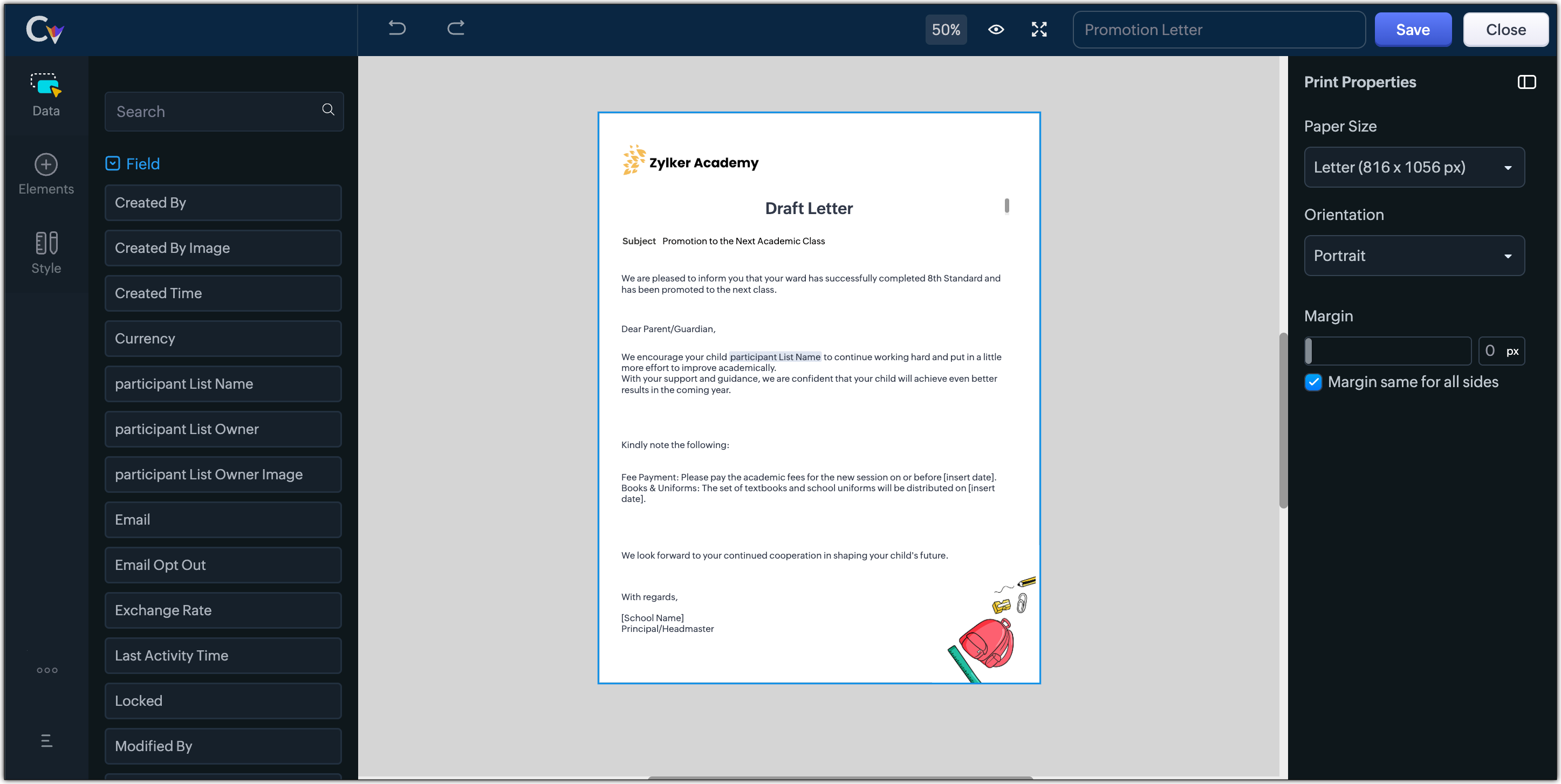
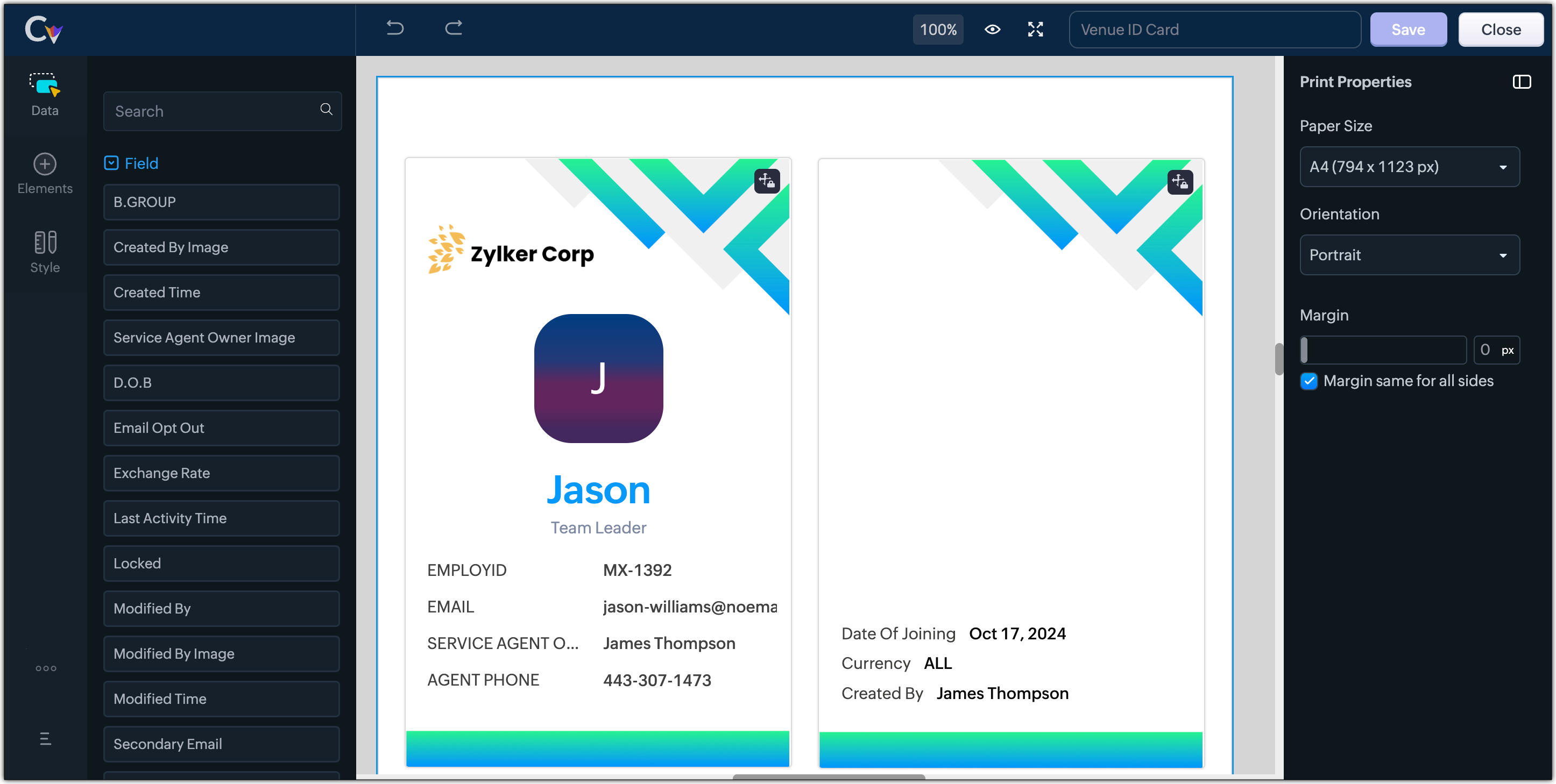
- Resume, id card, or other identification forms for marketing activities or related events,
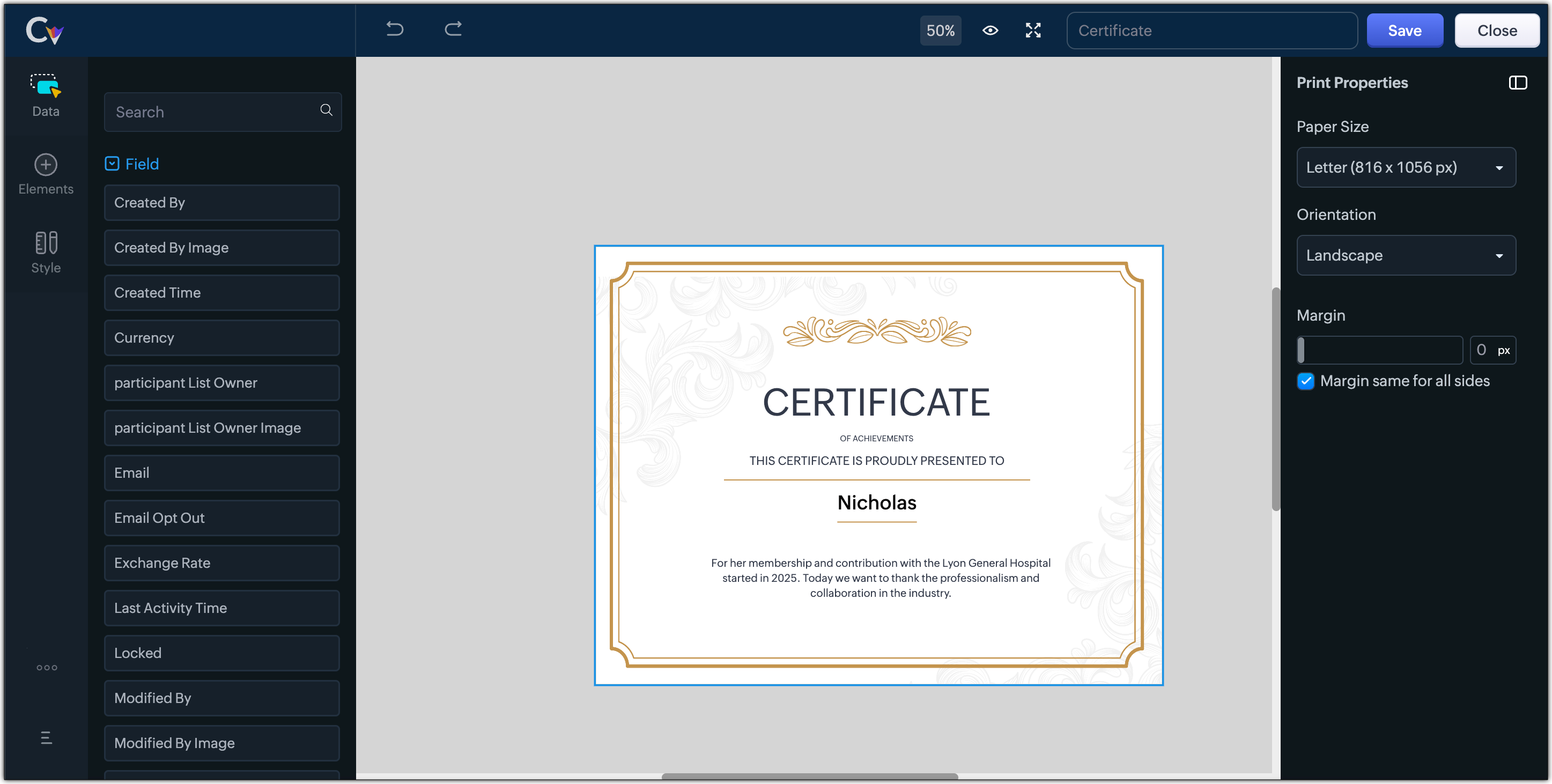
- Certificates, contracts, agreements, or guarantees that need to be manually attested by customers
Customization Options to print Mailing labels
Canvas Print View offers a wide range of customization options to help you design exactly how you want to print out your mailing labels. The options available are :
- Paper Sizes: Choose from Mailing Label formats based on your printing needs
- Orientation: Switch between Portrait or Landscape mode to suit your layout design
- Margins: Define precise margins for your printout or apply the same margin on all sides with a single click
- Print record in :
- Choose to print the mailing labels per page or in a list or in a Grid.
- To print mailing labels per page, users can choose the same margin for all sides and align center options.
- To print mailing labels in a list, users can choose the same margin for all sides, align center and cutting lines options.
- To print mailing labels in a grid, users can choose the same margin for all sides, align center, auto width, and cutting lines options.


Note :
- Align Center : Aligns your content to the center of the page or adjust freely
- Auto Width : Enable this setting to fit content dynamically within the layout
- Cutting Lines : Add visible cutting guides to clearly separate labels or sections on the page
Customization Options to print A4 or Letter format information
The customization options available for printing information in A4 or Letter paper sizes are :
- Margins: Define precise margins for your printout or apply the same margin on all sides with a single click.
- Print record in : Choose to print the information per page or in a list.
- To print information per page, users can only choose to apply the same margin for all sides.
- To print mailing labels in a list, users can choose to apply the same margin for all sides and enable cutting lines to guide separation.


Availability : This feature is available to all users except for IN DC users. It will be opened up for the Indian data centre users shortly.
No more exporting, formatting, or jumping between tools to generate print-ready documents. Canvas Print View can be your print-buddy that can let you tailor documents to suit your business requirements.
Head over to your Canvas builder, select the Print View option, and start creating beautifully customized templates that work on paper just as well as on screen.
Feel free to comment below if you need any assistance from us!
Thanks & Regards
Serena Woolridge
New to Zoho Recruit?
Zoho Campaigns Resources





Topic Participants
Serena Woolridge
Andres
Emily Verger
Zohoboy
Ishwarya SG
Sticky Posts
Good news! Calendar in Zoho CRM gets a face lift
Dear Customers, We are delighted to unveil the revamped calendar UI in Zoho CRM. With a complete visual overhaul aligned with CRM for Everyone, the calendar now offers a more intuitive and flexible scheduling experience. What’s new? Distinguish activitiesVoC in Zoho CRM is now data savvy: Explore response drilldown, summary components and participation in CRM criteria
VoC has all the goods when it comes to customer intelligence—which is why we're constantly enhancing it. We recently added the following: A customer drilldown component that shows you the list of prospects and customers behind a chart's attribute ExpandedWrapping up 2025 on a high note: CRM Release Highlights of the year
Dear Customers, 2025 was an eventful year for us at Zoho CRM. We’ve had releases of all sizes and impact, and we are excited to look back, break it down, and rediscover them with you! Before we rewind—we’d like to take a minute and sincerely thank youPresenting ABM for Zoho CRM: Expand and retain your customers with precision
Picture this scenario: You're a growing SaaS company ready to launch a powerful business suite, and are looking to gain traction and momentum. But as a business with a tight budget, you know acquiring new customers is slow, expensive, and often deliversCreate and populate a record in an instant: Introducing zero-shot field prompting to Zia's ICR
A couple of months ago, we upgraded our in-house AI image detection and validation tool, Zia Vision, with intelligent character recognition (ICR). By training Zia with sample images, you could create and enrich CRM records with data extracted from standard
Zoho CRM Plus Resources
Zoho Books Resources
Zoho Subscriptions Resources
Zoho Projects Resources
Zoho Sprints Resources
Zoho Orchestly Resources
Zoho Creator Resources
Zoho WorkDrive Resources


Zoho CRM Resources
Get Started. Write Away!
Writer is a powerful online word processor, designed for collaborative work.
Zoho CRM コンテンツ
-
オンラインヘルプ
-
Webセミナー
-
機能活用動画
-
よくある質問
-
Ebook
-
-
Zoho Campaigns
- Zoho サービスのWebセミナー
その他のサービス コンテンツ
ご検討中の方
Recent Topics
When Zoho Tables Beta will be open to EU data center
Hello all, We in EU are looking at you all using and testing and are getting jealous :) When we will be able to get into the beta also? We don't mind testing and playing with beta software. Thank you!Start Form on a different page (i.e., hide form pages)?
I have a Zoho form that uses the `Field Alias - Prefill URL` feature. My goal is to have a pre-filled field that directs the user to a specific starting page in the form. For example: The URL will have a field alias that will auto-populate a field withHow can we disable "My Requests"?
We are not using this functionality in our system at all and our users get confused.PayPal payment received recording problem
Hi, A little while back one of our customers used the PayPal payment option to pay an invoice For some reason though the payment is showing up twice within the Payments section of the invoice! Instead of setting the invoice value to ZERO, it now shows a negative value Anyone else face this problem? I've checked PayPal and there is only 1 payment in reality... A bug? Actonia ps: for anyone from Zoho Customer Service or tech team, its Invoice 785 in our accountserver response: 451.4.7.1
Good day. Some email clients of our domain receive an error about sending and receiving letters. while for the rest everything works fine. access to the mail made by pop protocol. Bless the mistakes: "server response: 451.4.7.1 System error".string(87) "{"code":"INVALID_TOKEN","details":{},"message":"invalid oauth token","status":"error"} " grtting this error
Using access token i am trying to add sales orders through api but it is throwing errors like the above i have mentioned. Please help me for thatHow to mute chat notification sound by default in Zoho SalesIQ?
We’ve recently embedded the Zoho SalesIQ chatbot on our website, and we’ve noticed that notification sounds sometimes play even when the visitor hasn’t interacted with the chat widget yet. We’re trying to understand two things: Why do these sounds occurKanban View for Projects.
At our organization, we describe active projects with various statuses like "In Proofing" or "Printing" or "Mailing". In the Projects view, one can set these project statuses by selecting from the appropriate drop-down. While this works, it's difficult to view and comprehend the progress of all of your projects relative to each other in a table. Creating a Kanban view for projects where I can move them from one status to another allows me to see where each project is in the order of our workflow.How to Hide Article Links in SalesIQ Answer Bot Responses
I have published an article in SalesIQ, and the Answer Bot is fetching the data and responding correctly. However, it is also displaying the article link, which I don’t want. How can I remove the link so that only the message is shown?Add RECURRING option when adding email to calendar events
When you add an email to a calendar event, there is no option to make that new calendar event into a recurring event. It is counterproductive to make an event from your email to then have to go to your calendar, find the event, and make it recurring.LINE Auto Message Connect to Zoho
When I integrated LINE into the CRM, I was prompted to disable “Chat,” “Auto Response,” and “Greeting Messages,” and to enable the webhook. However, since I have already set up some auto-reply features in LINE, including Rich Messages and greeting automation,Option to block bookings from specific email address or ip adresss in zoho booking
Sometime few of our client keep booking irrelevant booking service just to resolve their queries and they keep booking it again and again whenever they have queries. Currently its disturbing our current communication process and hierarchy which we haveThreaded conversations for emails sent via automation
Hi Guys, I hope you are doing well. Don't you guys think we should have an option in a workflow to notify users either as a new email or the previous email thread. For example, if you have one deal in the process and there are 10 different stages duringCreate folder is fetch fails
coming from zapier... zapier has a google drive task that searches for a specific folder in google drive, and if it fails to find the folder it will create a folder based on the search criteria, and contine along the singluar path of the flow. TryingMeetups de Usuarios de Zoho - Noviembre 2025
¡Hola, Comunidad! Durante el mes de noviembre celebraremos los Meetups de usuarios de Zoho, encuentros presenciales pensados para quienes queráis mejorar vuestras estrategias de lead nurturing y aprender a sacar el máximo partido a herramientas como ZohoIntroducing 8 New Connectors in Zoho DataPrep!
We’ve just made data management even easier - Zoho DataPrep now supports 8 new external connectors to help you build more robust, scalable ETL pipelines. Why it matters: ✅ Broader data access ✅ More automation, less manual work ✅ Smarter pipelines, betterFirst day of trying FSM in the field.
What we found. 1. with out a network connection we were unable to start a service call? 2. if you go to an appointment and then want to add an asset it does not seem possible. 3. disappointed not to be able to actually take a payment from within the appHow to Automate Email Sequence
I'm having trouble trying to set up a workflow to automate an email sequence. Once a group of emails in a Task has been tagged by a certain tag, I want an instant email template to be sent. After 7 days with no response, another email template would beZoho Sprints Android v2.0.4 app update: Item reminders, archive Epics, Kanban projects, Epic progress
Hello everyone! In the latest version(v2.0.4) of the Zoho Sprints Android app update, we have introduced various new features. Let's take a look at what's new! Item Reminder Stay organized and never miss an important date with the all-new Item ReminderCredit Management: #3 Setting Credit Limit for Customers
Think about that one familiar customer of yours who always buys on credit. They usually pay on time, maybe a little late here and there, but not alarming. So, you are fine saying, "Sure, pay later." Then, one day, they place a significantly bigger orderUpdate on the client portal URL for Guest users
We’re updating the way Guest users access their Connect network. As part of this change, all client organization portals used by Guest users will now be accessible through a dedicated domain specific to each data center. The access URLs mentioned hereUnable to see Zoho contacts in Zoho app on ios
Hi Support Team, I am a new user, I have created my account and installed zohomail app on iOS 16 which works. I was also able to import my Gmail contacts into Zoho Contacts, which I can see. The problem is that I can’t see these imported cobalts in ZohomailTask Due Date greater than 10 years.
We use recurring tasks in Projects where every week, month, year etc Some of our projects are greater than 10 years and we are unable to set a new due date because the difference between start date and due date is greater than 10 years. As an exampleExternal User onboarding for zoho connect is not really intuitive.
So the external user is sent an invite, which has a button that directs them to login to zoho to view the invite, but if they don't have a zoho account, they cannot access that invite, which seems kinda silly, as there is not real way on for them to createHosting external websites on Zoho?
How can I host my external website on zoho? Do we have that option? I am currently with hostinger and am looking to switch to zoho. Kindly help. Thanks.How to Add Time Formula Duration (hh:mm)
Hi everyone — I’m trying to create a formula field in Zoho CRM that calculates the difference between a “Call Start Time” and “Call End Time” and displays the duration in HH:MM format (for example: 1:04 for one hour and four minutes). My current setupHow can I calculate the physical stock available for sale?
Hey Zoho Team, I've tried to calculate the physical stock on hand in various ways - but always receive a mismatch between what's displayed in Zoho Inventory & analytics. Can you please let me know how the physical stock available for sale is calculated?Marketing Tip #4: Build your email list early
Email marketing has one of the highest returns on investment. Don’t wait until later; start collecting subscribers now. When you've got their attention, you can send them emails about offers, new product launches, seasonal greetings, and more. Try thisIs anyone else having trouble saving a custom image in their email signature, or is it just me?
When I try to save the image I get an error that says "Operation Failed" I opened a support ticket two weeks ago and received a response that it would be debugged, but it still isn’t workingImplementing Inventory Process
I am just starting to create an inventory system through Zoho for a nonprofit. We receive in-kind donations of items for kids, and utilize them in 2 or 3 different programs. Then families come in and take the items. I'm thinking of this structure: OurZoho Desk Domain mapping / Cloudflare CNAME not recognized
Hello, my website is behind Cloudflare and SSL. From the Cloudflare control panel I added a CNAME record such as support.mydomain.com pointing to desk.cs.zohohost.com but I'm stuck with the message "Make sure you've mapped the CNAME entry..."I want to add my other zoho account in same pc
why does zoho restrict me doing many things as i also want to add my second mail account bit its not allowing me to do thatSearch in Zoho Community Not Working
I realize this is a bit of a meta topic, but the search for the various Zoho Communities appears to not be working. I'm under the impression that they run on some version of the Zoho Desk platform, so I'm posting this here.Capture Stripe’s Customer ID
Does anyone know of a way to capture Stripe’s customer ID that is created when the form/payment is processed? I would like to have the customer ID stored in our CRM so we could utilize in some custom functions down the road.Custom Modules - Where are Comments??
In the standard ticket module and in the tasks module, we have an interactive comment box that we can post important details/notes and can tag others if needed. Where is this functionality for Custom Modules? Ideally, custom modules would have very similar,Zoho Mail will not set up in Thunderbird
I am using Thunderbird 13.0.1 in Linux Mint 13 64-bit. I cannot set up my Zoho IMAP email in this client. This is evidently a common problem as evidenced by these postings in the Thunderbird forum: thunderbird can't seem to "find the settings" I cannot configure it for my zoho.com email account I can not get ZOHO to configure. Any suggestions? The best T-bird seems to be able to do is to refer these users to the Zoho forum. I believe the instructions in the Zoho help wiki are correct, althoughZoho ShowTime: Certificates of Completion - Award your learners with a sense of achievement
In our increasingly competitive market, professional trainers need to differentiate themselves if they are to survive. One way to do this is to focus on innovation and deliver an ideal learning experience. By developing a renowned certificate program that provides learners with a specialized skill set for a particular industry, both trainees and future prospects will recognize the trainer's leadership in that field. This can help with long-term growth, revenue generation, and even marketing and branding.IMAP Migration from Gmail
I have been trying to import my email from a Gmail server and keep receiving the following error. I have reduced the security, activated imap and no improvement. The link to the Google support item has not helped. Unable to connect to your account. PleaseYour Incoming has been blocked and the emails will not be fetched in your Zoho account and POP Accounts Click here to get unblocked.
When entering my account, this error is thrown at me, and I deleted a good part of my deleted messages, but I still can not unblock it, I would appreciate your help. reservas@lineasperutravel.comRequest for Creating Multiple Email Accounts on One Mobile Number
Dear Zoho Team, I am planning to shift all my work-related communication to Zoho Mail because of its reliability and features. For my work, I need to create 3–4 separate email accounts for different purposes. Could you please confirm if it is possibleNext Page