Level up your data collection game with the intuitive Zoho Forms mobile app!
In today's fast-paced world, mobility is essential for staying competitive. When it comes to collecting data, you need a tool that helps you gather and analyze essential information on the go. That's where Zoho Forms' mobile app comes in. With native applications for both Android and iOS, you can create and edit forms, collect data offline, scan codes and cards, and more—all from your mobile device. In this article, we'll share some tips and tricks for unlocking the full potential of Zoho Forms' mobile app. Let's dive in!
Collect data offline
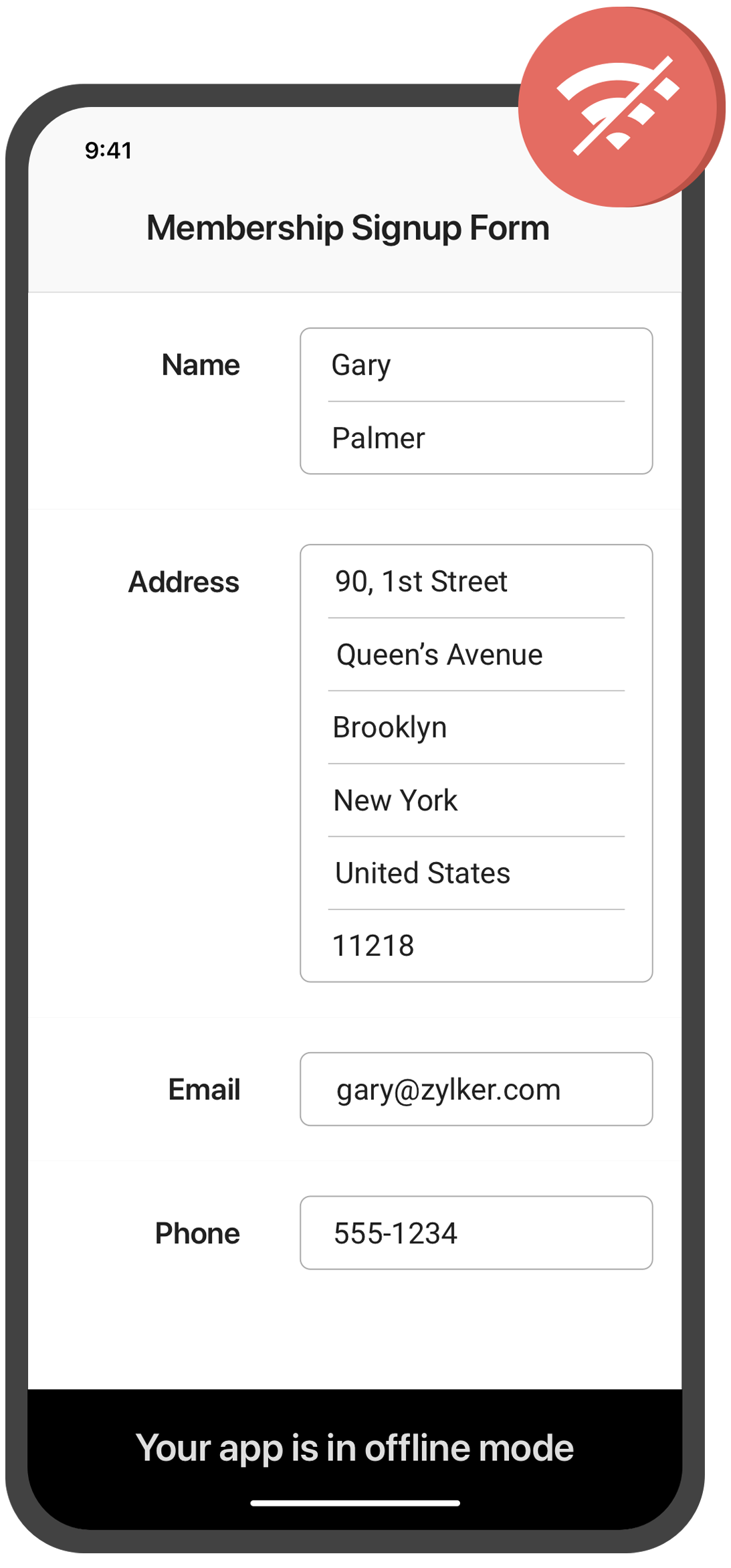
Need to collect data in remote locations with no internet connection? With the Zoho Forms mobile app, you can fill out forms and collect data even when you're offline. This feature is especially useful for field workers, surveyors, and other professionals who work in areas with poor or no connectivity. Once you're back online, your data will automatically sync with your account.
Create self-service kiosk
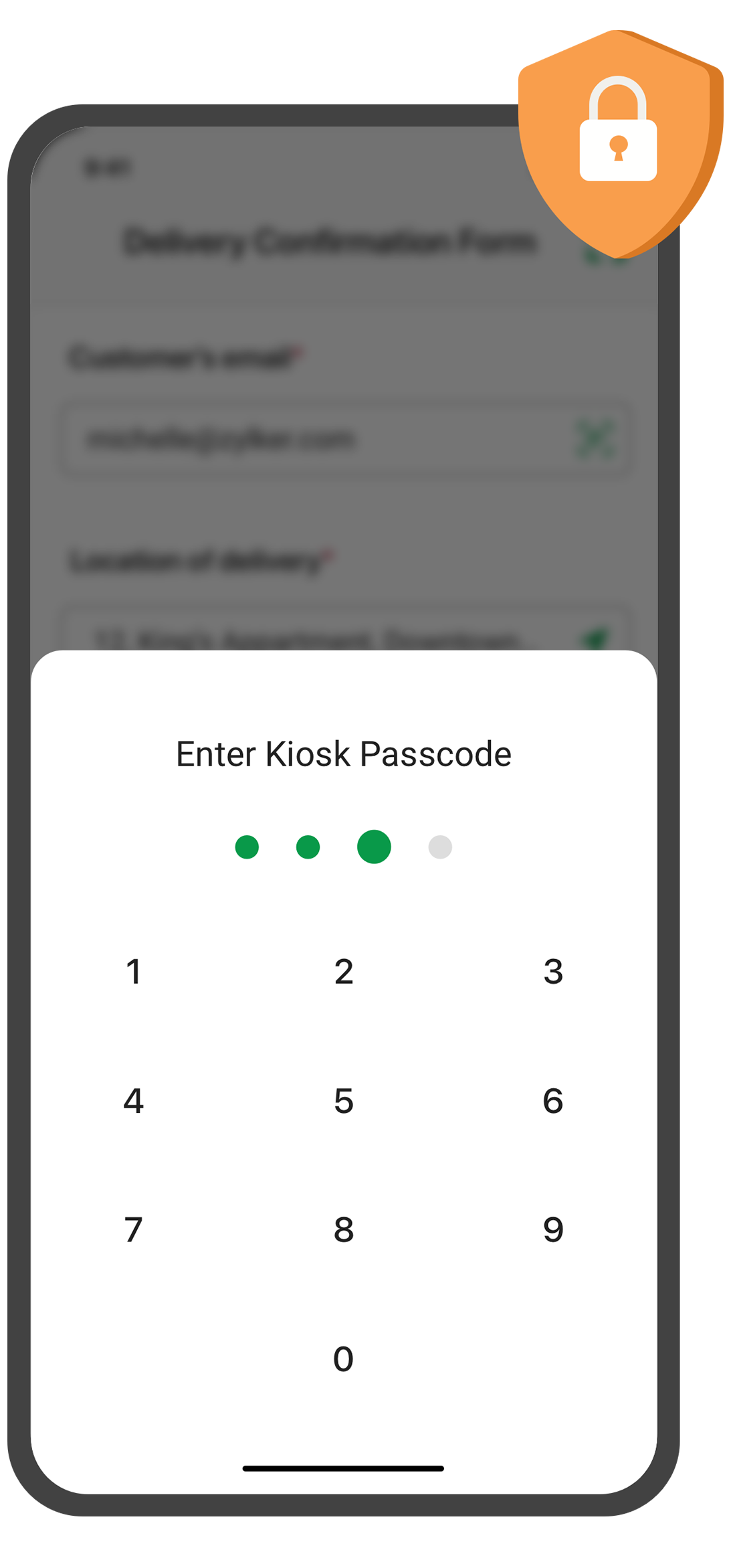
Looking for an easy way to collect data at events and trade shows, or in your store? With the Zoho Forms mobile app, you can turn your mobile device into a self-service kiosk with password protection. Effortlessly collect leads, contacts, and feedback!
Scan QR codes and barcodes
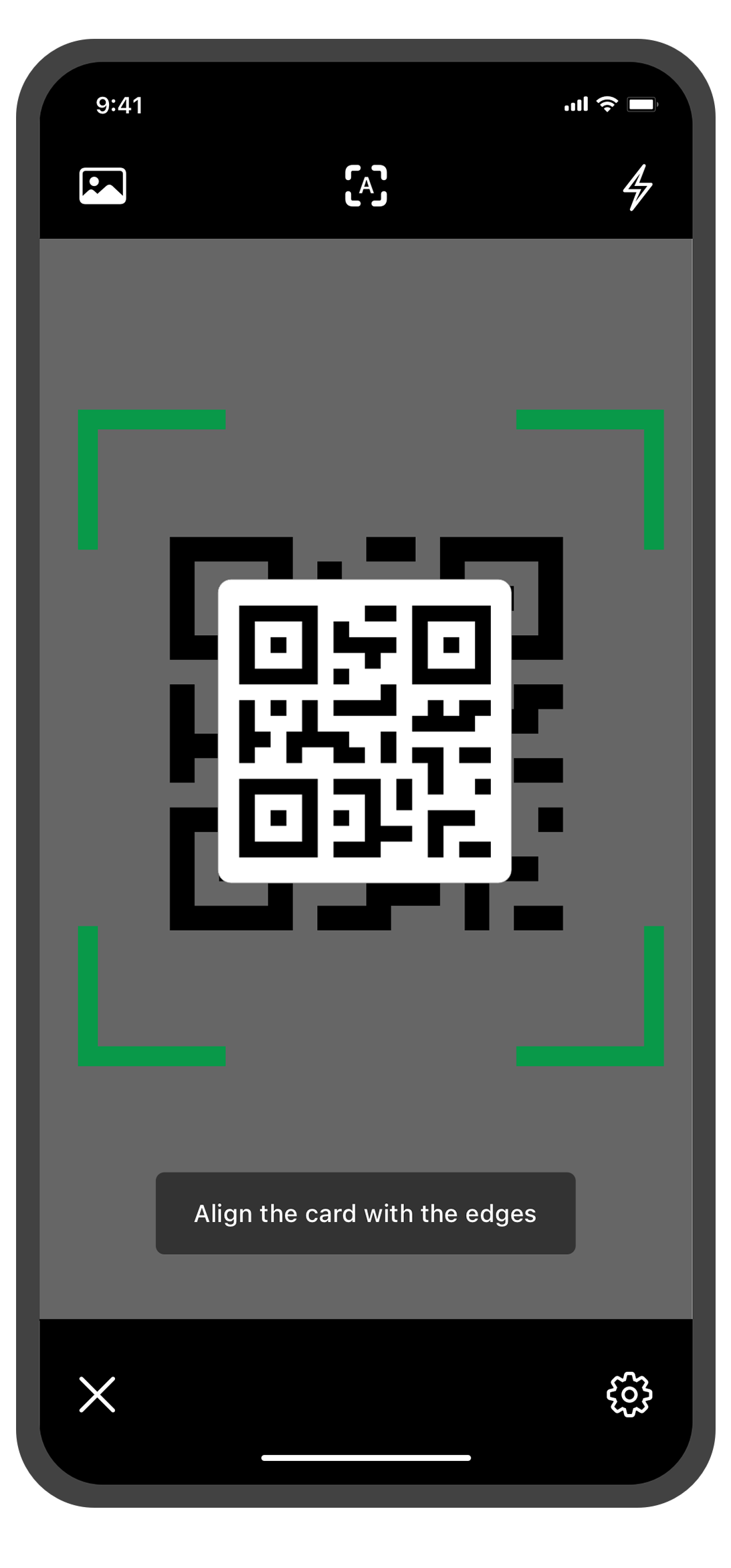
Need to enter data quickly and accurately? The Zoho Forms mobile app lets you use your device's camera to scan QR codes and barcodes. No more manual data entry errors or wasted time! This feature is especially useful for inventory management, event registration. You can customize the form fields to more accurately reflect the data you want to collect from the codes.
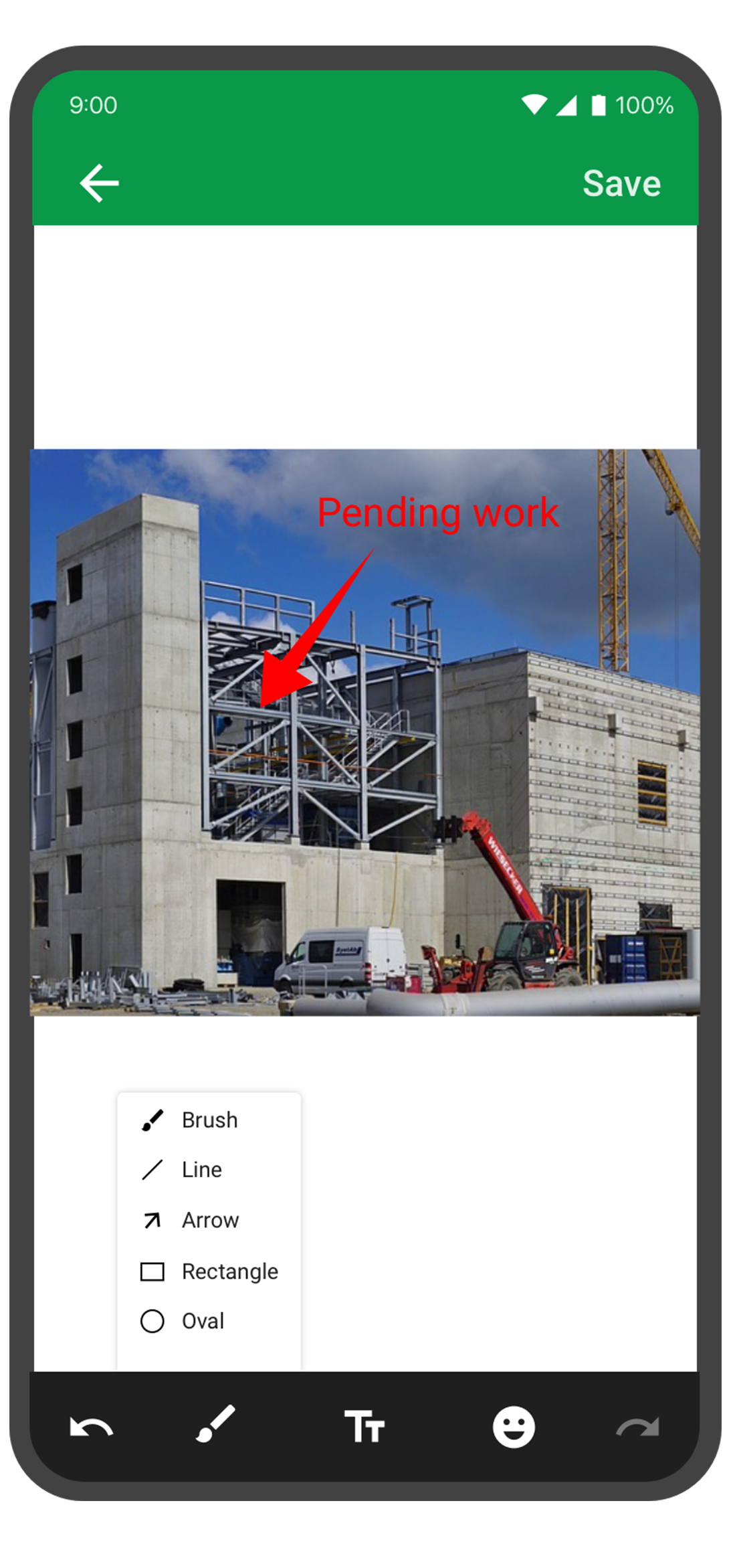
Annotate images
With the Forms mobile app, your team can capture and annotate images to make data collection more accurate and efficient. This feature is especially useful for field engineers, architects, and designers who need to capture and share information about a project. You can annotate images and mark areas of interest with text, arrows, shapes, and freehand drawings. Once the images are uploaded, you can view them under Form Submissions.
Draft entries
With this feature, you no longer have to worry about losing your progress if you need to pause or abandon filling in form. Should you experience an unexpected interruption, like a phone call or an app malfunction, the Zoho Forms app saves your progress as a draft entry. This way, you can easily pick up right where you left off at a later time without having to start from scratch. This feature can save you time and effort, and make the form-filling process more seamless and less stressful.
The Zoho Forms mobile app is a powerful tool that helps you collect data anytime, anyplace. With these tips and tricks, you can take full advantage of Forms' features and streamline your data collection process.
Try them out, and let me know how it goes! You can also send your thoughts and feedback to support@zohoforms.com.
Until next fortnight,
Niveditha
New to Zoho Recruit?
Zoho Campaigns Resources





Topic Participants
Niveditha Raghuram
Sticky Posts
Easily track referrals with Zoho Forms
Referral tracking can be a powerful way for businesses to understand where their leads are coming from. With Zoho Forms, tracking the referral sources of your leads is an easy and straightforward process. Here are some tips to help you make the most of9 Ways to use Zoho Forms this Navratri
Hello form builders!Navratri is almost here! It is a time for celebration and culture in the Indian community, and organizing such a grand event can be overwhelming. But with the right tools, you can streamline the process and focus on creating unforgettableThe secret to collecting data from valid users
Collecting accurate data is crucial for making informed decisions. Zoho Forms offers two efficient ways to validate user data and ensure that you collect entries exclusively from valid users. Double Opt-in: Double Opt-in is a privacy feature that ensuresStorage space in Zoho Forms: The ultimate guide to efficiently managing your data
Are you using Zoho Forms for data collection? As with any data-intensive application, understanding how storage space is calculated is essential. That's why we've created this guide— to show you everything you need to know about managing storage spaceLinking primary form submissions to a second form submission
Let's imagine you have a form that you use to request a minimal amount of data from your users. To collect additional information, you redirect them to another form either automatically or based on a condition. During the course of redirection, you can
Zoho CRM Plus Resources
Zoho Books Resources
Zoho Subscriptions Resources
Zoho Projects Resources
Zoho Sprints Resources
Zoho Orchestly Resources
Zoho Creator Resources
Zoho WorkDrive Resources


Zoho CRM Resources
Get Started. Write Away!
Writer is a powerful online word processor, designed for collaborative work.
Zoho CRM コンテンツ
-
オンラインヘルプ
-
Webセミナー
-
機能活用動画
-
よくある質問
-
Ebook
-
-
Zoho Campaigns
- Zoho サービスのWebセミナー
その他のサービス コンテンツ
ご検討中の方
Recent Topics
Unable to create embed code for resource of workdrive using API
Hello Team, I am trying to create embed code for a resource using workdrive api in powershell, however facing some issues with injecting data in body. Followed Doc: https://workdrive.zoho.com/apidocs/v1/filefoldersharing/shareeveryone Please help, belowFeature Request - Insert URL Links in Folders
I would love to see the ability to create simple URL links with titles in WorkDrive. or perhaps a WorkDrive extension to allow it. Example use case: A team is working on a project and there is project folder in WordDrive. The team uses LucidChart to createnot able to convert pdf to jpg and other forms and vice versa.
i want to change my pdf to jpg, word, etc and some times jpg to pdf. i don't know how to do in this.Enable / show scroll bar when Mega Menu is opened
Hey there I am using the mega menu add-on and experience a "flicker" whenever the mega menu opens. The reason is, that the scrollbar, which has a width of a few pixels, stops showing when the mega menu opens. As the scrollbar disappears the whole pageReports: Custom Search Function Fields
Hi Zoho, Hope you'll add this into your roadmap. Issue: For the past 2yrs our global team been complaining and was brought to our attention recently that it's a time consuming process looking/scrolling down. Use-case: This form is a service report withZoho Inventory - Composite Items - Assembly - Single Line Item Quantity of One
Hi Zoho Inventory Team, Please consider relaxing the system rules which prevent an assembly items from consisting of a single line item and outputting a quantity of 1. A client I'm currently working with sells cosmetics and offers testers of their productsHow can I transfer data from Production to Development environment?
Hi, I am using Creator V6 and would like to bring all the data in production to the Development and Testing environments? Is there an easy way of doing that or I have to export and import each table?New portal SAML authentication error: User not found
Dears, Has anyone else been experiencing this lately? I am creating a new portal authenticated by SAML (Entra ID). I followed the same process as I did with other portals, but any new portal created after this always encounters this error. I’ve been reportingDevis et facture multi page
Bonjour, je suis sur Zoho invoice et je rencontre un problème sur mes devis et factures lorsqu'ils dépassent 1 page. je me retrouve souvent avec des lignes coupées ou le sous total page 1 et le total page 2. j'aimerai savoir s'il existe une possibilitéHelp with Filtering Records, HTML Pages, and Automatic File Uploads in Zoho Creator
Hi Zoho Creator Community, I’m building a Zoho Creator application and need guidance on a few features I’ve been struggling with. I want to implement them safely and efficiently, and I’d appreciate any examples, tips, or best practices. I want users toConvert invoice from zoho to xml with all details
How to convert an Invoice to XML format with all detailsFeature Suggestion for Zoho Websites – Inspired by Squarespace Systems
Dear Zoho Team, I’m a Zoho user and also a Squarespace Platinum Circle member, and I recently noticed the launch of Zoho Websites in India. I wanted to share some ideas for features that could enhance the platform for professional users and agencies.Custom View - Sort by Custom Field
I created a custom field for our Engineering team to know which tickets to work first by numbering them. I created a custom view to general data which includes the Engineering Priority. However, I cannot sort the Engineering Priority column ascendingZoho Indeed Intergation not pulling candidate details
We have recently integrated zoho with indeed. Prior to this our candidates came into the candidates tab via the zoho.resumes email address from indeed and it pulled through the candidates mobile number, and majority of the time a postcode. However sinceCustom View of tickets created today
How can I create a custom view that list all my ticked created in the current date? Currently, if I select the "Created Time" criteria, the "Current Time" option does not work as today. Actually, I don't know how it works this "Current Time".Lifecycle Reports
From data to decisions: A deep dive into ticketing system reports A lifecycle report captures and visualises the sequential states that a ticket undergoes across its lifespan. For instance, when a customer submits a support ticket for a faulty product,Zoho Forms - Print Button on Forms
Hi Forms team, I'm replicating a form for a client which is currently based on JotForm. I noticed that at the end of the form there is a button to print the completed form. I thought this would be something worth sharing and a nice to have in Zoho Forms.Putting Watermark on Zoho Sheet
Can this be done?Validation function not preventing candidates under 18 or over 30 from submitting the web form
Hello everyone, I’m trying to create a validation rule for the Candidate Webform in Zoho Recruit. I added a custom field called “Date of Birth”, and I want to make sure that candidates cannot submit the form unless their age is between 18 and 30 years.Report to know the history of certain Tickets on Desk
Hi there guys, As the title implies we're wondering if there's any way to get some kind of Report that allows us to check the History of various Tickets at the same time since as of today if we want to know that we have to check them 1 by 1 which is notAdvanced Usage Billing: Prepaid with Drawdown
Picture yourself at your favourite coffee shop, Bean & Brew. You come by every morning for your usual cappuccino, and occasionally you get an extra cold brew and a muffin or two in the afternoon. Interestingly, Bean & Brew has a new idea of offering aZoho Commerce in multiple languages
When will you be able to offer Zoho Commerce in more languages? We sell in multiple markets and want to be able to offer a local version of our webshop. What does the roadmap look like?Urgent Zoho Creator down!!!???
Now my zoho creator faced this issue. Anyone has idea? Urgent!!!The Social Wall: September 2025
Hello everyone, As we step into the fall season, some major updates are on the horizon. Meanwhile, here are the exciting updates we rolled out this September. Approvals in iOS Managing approvals just got more seamless on mobile. With this update, theIntroducing Detailed View for Candidates in Vendor Portal
We’ve added a new Details sub-tab inside the Vendor Portal to help vendors easily view complete candidate information after submission. With this update, vendors can now access all candidate details, from personal information to associated job openings,Zoho One Down
Zoho Team, Checking if when the services up - currently Zoho One is downHow can I track which zoho users are actively using Zoho CRM
I have several licenses of Zoho CRM. We now need to add a new user. I could purchase a new license, but before I do, I would like to see if any of our existing users are not actively using the license assigned to them. How can I determine the activityAccess to Detail View From HTML Snippet
Zoho Creator displays a detail view that slides out from the right onClick of a record in a report. Am I able to access that detail view from an html snippet, e.g. click a record in a list and display the detail view? The zc_LoadIn dialog is a bit clunky,Billing Management: #10 Solving Common Mistakes in Billing
Over the past few weeks, we have explored different facets of billing, from the simplicity of traditional one-time billing to the evolving landscape of subscriptions, retainers, and usage-based models. We've unpacked how billing isn't just about sending【開催間近 - 10/17】東京 ユーザー交流会 Vol.3 参加登録 受付中!(参加無料)
ユーザーの皆さま、こんにちは。コミュニティチームの藤澤です。 10/17(金)に、東京・新橋で「東京 ユーザー交流会 Vol.3」を開催します! ZOHOLICSよりも小規模なイベントですので、「リアル開催はちょっと緊張する…」という方も、安心してご参加いただけます✨ 当日は、初公開の事例を2つご紹介予定です! なお、セッション映像のアーカイブ配信は予定していないため、会場にお越しいただいた方だけが、登壇者へ直接質問したり、リアルな声を聞いたりできる貴重な機会となっています。 ーーーーーーーーーーーーーーーーーーーーーーーーーーーーーーーーーーーーーーーーーーLoading CSS Stylesheets into HTML Snippet
Combining html/css into a single snippet can grow quite large for a UI that has a lot of functionality/styling. To keep things tidy, are we able to pull files into an html snippet using a <link> tag? If so, what are some best practices?Notes Attachments
Two things it would be nice to have the attachment size the same as the attachments sections and it would be nice to be able to attach links like you can in the attachments section. Thank youCanvas: empty images
Hello. If I add an image field like contact photo in a Canvas design, and the field is empty, there is an ugly placeholder in its place. This doesn't happen in the standard view. In the standard view, if the contact photo is empty, nothing appears inGoogle enhanced conversions not working
Hi guys, I've connected Zoho CRM through Google Ads interface with the goal to setup the enhanced conversion tracking in Google Ads. I have to Zoho related conversion goals which you can see in the images below: For the conversion goal above I've setupSync Contacts with iPhone
Is syncing the Zoho Personal Mail contacts with the iPhone (or other mobile devices) in the works? I just dumped Yahoo & then found out that contacts sync is missing. Importing is only a stop gap and a step backwards for me.MS Teams Meeting to Zoho CRM
Has anyone figured out a good way to push MS Teams meeting info on a trigger of "meeting end" to Zoho CRM? We're looking for a way to take attendees of a meeting and meeting duration and push it into Zoho CRM after the meeting has ended. If I can justHow do I move a section or element from one page to another in the NEW Zoho Sites UI
I have a section on my home page with numerous elements within it and I'd like to move the entire section to a different page on my site so I don't have to recreate it from scratch. Is there a way for me to do that easily? I could use a quick answer on this please.Zoho Projects app update: Global Web Tabs support
Hello everyone! In the latest version(v3.10.10) of the Zoho Projects app update, we have brought in support for Global Web Tabs. You can now access the web tabs across all the projects from the Home module of the app. Please update the app to the latestExport as MP4 or GIF
Hi, Just wondering if there's a way to export/convert a presentation to an MP4 video file or even a GIF. One use case would be to use the animation functionality to create social media graphics/charts/gifs/videos. Thanks for a great tool... Rgds JonPage Layout- Horizontal Rule
When editing the layout of, for instance, the Potentials page, is there a way to insert a horizontal rule or white space in between fields? I'd like to keep a group of fields in the same Section, but would like to create some seperation in order to further group together certain fields within the Section. If this is not possible, does anybody have any other suggestions on how to create this same effect? Thank you!Next Page