Zoho Developer Community Monthly Digest - February 2024
Hello everyone!
We're thrilled to share the highlights from February, including our recent in-person Bootcamp and exciting news about our growing extension library. Don't miss out on upcoming events, insightful resources and community discussions. Let's get started!
February Highlights
Zoho Developer Community Bootcamp (In-Person)
We had a blast hosting our very first in-person Developer Community Bootcamp at Zoho Campus in Chennai! It was exciting to see everyone dive into hands-on learning sessions, building extensions for Zoho products. Our goal was to empower developers of any skill level, help them learn the ropes, and potentially earn by listing their extensions on the Zoho Marketplace.
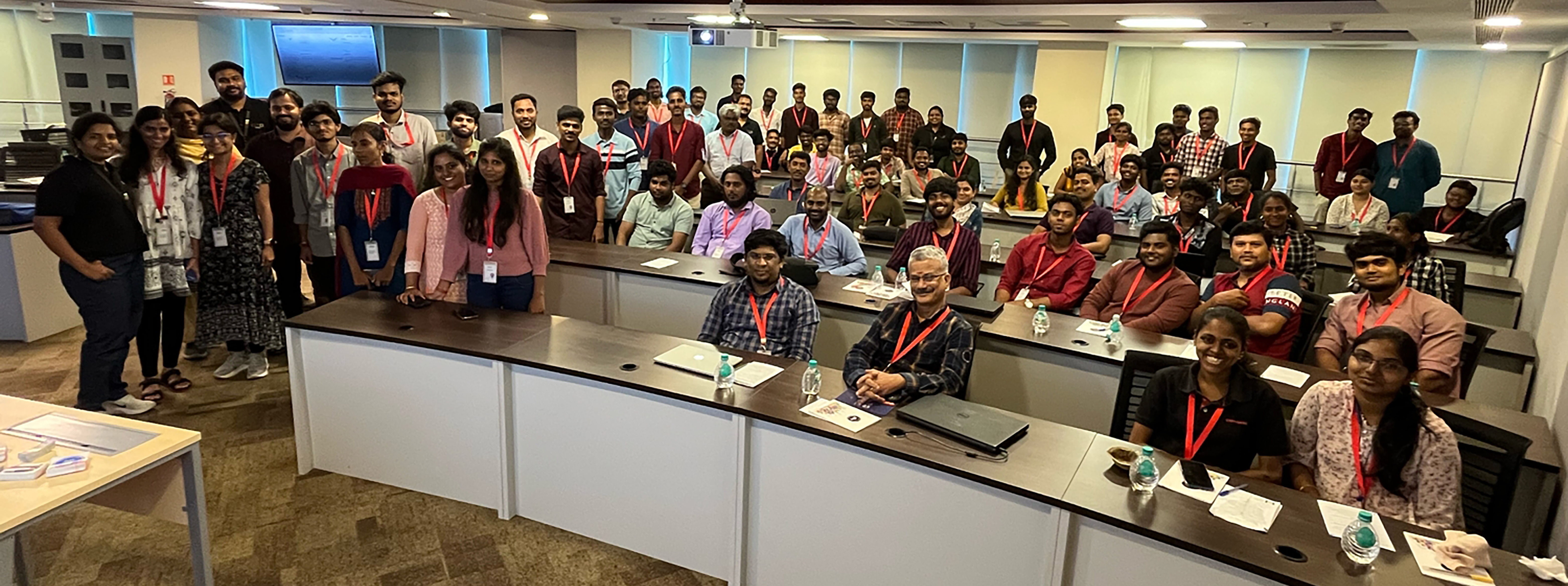 Zoho Extensions Chennai Bootcamp: A snapshot of radiant facesZoho Extensions
Zoho Extensions Chennai Bootcamp: A snapshot of radiant facesBig news! We're celebrating reaching 2000+ extensions in 40+ categories on Zoho Marketplace! 800,000+ Zoho users are using extensions to improve customer experiences, boost collaboration, break data silos, improve ROI, and much more. Learn more about this milestone here. If you're new to extensions and eager to explore, check out our Extensions 101 series.
Upcoming Events
- Zoho Developer Hangout 14: By serving as gateways for accessing and sharing functionalities and data across applications, APIs empower developers to tap into external resources and services that enrich their applications with enhanced features and solutions. Eric, a consistent top contributor in the Zoho Developer Community, says, "Zoho APIs can be fun to use. For core applications like CRM, Desk, and Books, there is an abundance of API endpoints to use and play with. Whether you are developing in or out of Zoho, there is a lot of commonality."In this episode, he will discuss the API documentation, limitations, and gotchas, using the API in Deluge, and then a demonstration of a use case outside of Zoho with a Ruby application. Registration and more details here.
- Zoho QEngine 101: We are happy to announce Zoho QEngine 101 series for the developer community consisting of five webinars in total. This webinar series aims to enable attendees to create test cases from scratch, manage them under modules, and execute them for three different platforms—web, mobile, and API—using Zoho QEngine. Registration and more details here.
- Zoho CRM APIs: In this series, you will learn about OAuth2.0 authorization used by Zoho CRM APIs, CRUD operations for retrieving, creating, updating, and deleting records, efficient search/query methods, data synchronization techniques for consistency across platforms, and working with SDKs for seamless integration of Zoho CRM functionality into applications. Registration and more details here.
- Creator Tech Connect: Creator's tech connect series would comprise of technical sessions that provide immersive training on the key essentials and technical nuances of building a solution in Zoho Creator. This is a great opportunity for our developer community to stay informed about Creator's new feature releases, product roadmap, best practices to follow while scripting in deluge, new deluge concepts, and cloud functions. We are conducting a three-month series on Custom widgets: Extension in Zoho Creator and its development process. The recent session of the series focused on widgets from Marketplace as Extensions in Zoho Creator, while the upcoming session will be about using Widget extension development for Zoho Creator.
Title: Widget extension development for Zoho Creator
Date: March 14, 2024
APAC & ANZ: 11 AM to 12 PM IST - Registration Link
EMEA: 4 PM to 5 PM IST - Registration Link
Americas: 9 PM to 10 PM IST - Registration Link - Application Development Bootcamp: Application Development Bootcamp is a three-day webinar on Zoho Creator features and the application-building process. During these sessions, users get to learn, how to turn their ideas into fully functional applications through live sessions and exercises. The webinars, each lasting an hour, cover sessions on ideating, structuring, developing, and managing solutions in Zoho Creator.
Title: Application Development Bootcamp 1.0
Date: March 19, 20 and 21, 2024
APAC & ANZ: 11 AM to 12 PM IST - Registration Link
EMEA: 4 PM to 5 PM IST - Registration Link
Americas: 9 PM to 10 PM IST - Registration Link - Streamline workflows with Zoho CRM Event Listeners in Catalyst: Join us for an exclusive deep dive into the revolutionary Zoho CRM Event Listener in Zoho Catalyst! As a tech enthusiast, you know the power of seamless integrations and real-time data updates. With Catalyst's Event Listeners, streamlining workflows and amplifying efficiency of your Zoho CRM events is a breeze. Uncover how Zoho Catalyst's Event Listeners empower your applications to scale effortlessly. Whether it's handling a surge in activity or adapting to changing business needs, Catalyst has you covered. Registration and more details here.
- Creator Learning Table Series: We designed this series to provide users with valuable insights and knowledge about Creator's capabilities in various business use cases and applications. This year, we have adopted the 12 Months 12 Industries concept. Every month, we will focus on a specific industry, illustrating its unique processes with real-time business scenarios and how to make best use of Creator for that industry. Our recent webinar on Creator for the Real Estate Industry was a success, and in the upcoming session we'll be exploring Creator for the Logistics Industry.
Title: Creator for the Logistics Industry
Date: Apr 4, 2024
APAC & ANZ: 11 AM to 12 PM IST - Registration Link
EMEA: 4 PM to 5 PM IST - Registration Link
Americas: 9 PM to 10 PM IST - Registration Link
Resource Spotlight
We've consolidated all the resources from the developer community learning series into a centralized hub for your convenient access. Consider bookmarking the Zoho Developer Community website to stay informed about the latest updates in the developer community.
- Zoho CRM Q1 2024 Update: We bring you a host of powerful features and interesting enhancements to help you get a head start in closing deals and offering great customer experiences. Here's the Q1 2024 update from Zoho CRM.
- Zoho Desk: We are thrilled to present Zoho Desk '24, with new and updated features that empower you to deliver customer service that never stops. Let's make 2024 the year you resolve faster, retain customers better, and make them happier. Here's everything that's new!
- Zoho Extensions: This post discusses the scope of Widgets in Zoho Projects extension development.
- Zoho Books: Zoho Books, as a platform, comes packed with powerful capabilities to help customize, automate, extend, and scale business processes for amazing efficiency. These powerful multi-functional platform features simplify complex financial processes, amplify productivity, and foster a more agile approach to financial management. This blog post and the next one will delve into Zoho Books's platform feature capabilities, starting with customizable functions.
- Zoho Catalyst: Check out our latest solution article on App Modernization that delves into why modernizing your legacy applications is important and how Catalyst can help with the same.
- Zoho Finance Applications: Until now, both the Zoho Finance apps and their APIs shared a common domain. We've recently introduced separate domains for APIs. You can now start using the new domains for API calls. The old domains will not work for API users starting April 1, 2024. More details here.
- Zoho Creator Webinar: Get access to the previous Zoho Creator Session Recordings below
- Previous Session Links (Youtube):
- Playlist Links (Youtube):
- Previous Session Links (Zoho Creator Studio):
- Playlist Links (Zoho Creator Studio):
- Zoho CRM Developer:
- Fetch the total number of users in your organization with the Users Count API, now available for versions 3 and above.
- You can now retrieve the count of purchased, active, and available user licenses in your organization using our User Licenses Count API, now available for v6.
- Upgraded CSharp SDK supporting v6 APIs to version 3.0.0.
- Upgraded JavaScript SDK to support v6 APIs and introduced support for the following new APIs: Unsubscribe Links, Find and Merge, Get Related, Records of Deleted Record, Features, Global Picklist, Unblock Email.
- Learn how to request specific resources, fields of the resources and relationships of the resources in a single query using GraphQL.
- Learn how to synchronize data from a third-party application to Zoho CRM using Bulk Write API and Insert/Upsert Records API through our Kaizen post.
- Check out our Kaizen post to learn how a subform works in Zoho CRM and how to manipulate it using Zoho CRM APIs.
Community Discussions
Zoho Developer Forum
- Here's a conversation that shows how to retrieve the contents of an uploaded file within a custom module in Zoho CRM. Check out the suggestion and code snippet shared by @Hugh Marshall.
- The hurdles encountered by developers often drive platform evolution. In this case, when one user sought a method to remove a relationship between a Contact and a Product in Zoho CRM via API, sparked a conversation that ultimately led to a solution. Here's another one with Client Script on the same premise. It's these interactions that keep us moving forward, shaping CRM to meet the evolving needs.
- Have you ever hit a snag while trying to add an item to a related list in Contacts module? Read through this discussion, where @Andres lays out the process in detail, offering valuable insights to navigate through the challenge.
- In this exchange, @Ken sought a Client Script code snippet with updating Picklist Field values during an onbeforeupdate event. @Haiku Technical Support lends a hand by providing concise code snippets along with clear explanations.
- Imagine the frustration of trying to join two names in Contacts module, only to hit a wall of bracket errors. Thankfully, @Sunderjan Siddharth swooped in with a fix using the Len function. Although successful, check out this discussion to find out the alternative and a much simpler solution shared by @Amanda.
Developers ZUG Cliq Channel
Note: These conversations are confined to the Developers ZUG Cliq channel members. If you're keen on becoming a part of this space, please fill in this onboarding form to receive your invitation to join the channel.
- Imagine you have set up a user portal with auto-populate using Client Script. However, it is taking time to load the data, and the end-user has already started to work around the application. That actually confuses the system, and the data is messed up. How do you address this? There may be many methods, but here is the suggestion by Jordan, a simple yet effective one. Read and share your approach too.
- This is the longest discussion and the highest community involvement yet! We had a great exchange of codes. Of course, we've taken in all the feedback and passed it along to our Zoho Books API documentation team. This thread is definitely worth checking out.
- There's no clear-cut solution to this situation, but it's definitely worth checking out the suggestions from the community's power users. Dealing with API limitations can be a nightmare for every developer. Take a peek at the suggestions, and if you've got an alternative solution in mind, feel free to jump in and continue the conversation or start a new discussion.
- Community is not just for exchanging code snippets but also for sharing the work opportunity.
- Here's a prime example of working smart with community support. There are a hundred ways to crack a problem, but bouncing your ideas off the community is a brilliant move. Zoho Developer Community has amazing developers who have been there and done that. In this case, Adam posted his query, and Mike promptly came through with a solution.
- Michel shared a use case about ways to hide a related list from certain users Zoho CRM without axing it entirely (since it's still needed for the RelatedRecords API). Dive into this discussion where our power users are brainstorming various options. If you have a better solution, post it in the Zoho Developer Forum along with your solution; we would love to feature it in our upcoming digest.
- Read through the detailed flow on writing a custom function to fetch details from CRM to Books. Our MVP @Bhoomi Joshi explained it very well by asking the right questions.
Community Spotlight
ZDH Speakers
The contributions of our ZDH presenters have been instrumental in the success of the this segment. We extend our heartfelt appreciation for their efforts.
As a continuation of featuring a ZDH presenter each month, this time, we would like to introduce our eighth presenter Jayesh Sonawane. Explore this post to discover the knowledge and insights he shared with the community.
Cliq Contributors
The Developers ZUG Cliq channel has consistently served as the primary hub for community members seeking technical assistance and engaging in savvy discussions. Here are our top contributors who have gone the extra mile to support and assist the Zoho Developer Community:

We want to express our sincere appreciation to all our community contributors. Your commitment, expertise, and the time you invest are invaluable to the community.
For those who are new to the Zoho Developer Community, check out this post to get started.
We appreciate you dedicating your time to peruse this month's digest. Make sure to follow the digest each month for the most recent updates and conversations. Stay connected and participate in the forums to be featured in the upcoming month's digest. Wishing you an amazing month ahead!
SEE ALSO
Topic Participants
Divya Krishnan
Sticky Posts
Zoho Developer Community Hackathon 2025 is LIVE!
Hey developers! It’s that time of the year again — the Zoho Developer Community Hackathon 2025 is officially open for registrations! If you’ve been waiting for a chance to stretch your skills, try something new, or finally bring that idea to life, thisExtensions 101 webinar series: Build, integrate, and monetize with extensions
Attention developers! Are you ready to take your extension development skills to the next level? We're excited to bring back the Extensions 101 webinar series with an expanded lineup of Zoho products and an introduction to more platform features. LastZoho Developer Community Monthly Digest – May 2025
Hello everyone, Welcome to this month’s Zoho Developer Community Digest! From fresh product insights to hands-on tech sessions and standout community threads, there's plenty here to keep your ideas flowing and your skills sharp. Be sure to explore ourZoho Developer Community Monthly Digest – April 2025
Hello everyone, Welcome to this month’s Zoho Developer Community Digest! We’ve lined up an exciting series of technical sessions, product deep-dives, and community conversations to keep you informed and inspired. Don’t forget to check out our resourceZoho Developer Hangout (ZDH) – Episode 18 | Zoho CRM Client Script for Efficient Sales Process
Hello everyone, A streamlined sales process isn’t just a nice-to-have—it’s the engine that powers lead generation, builds stronger customer relationships, and closes deals faster. But what if you could take your CRM beyond the basics to actually help
Recent Topics
Zoho CRM Queries Now Support Databases and Cloud Data Sources
Hello everyone! We're thrilled to announce a major enhancement to the Queries feature in Zoho CRM! Queries now support a broader range of external data sources, allowing you to fetch live data and combine it with CRM records, all using a unified querySalesforceに添付ファイルを格納したい
お世話になっております。 Salesforceに添付ファイルを格納したく、カスタムオブジェクトに連携し、 「ファイルのアップロード」項目を設けました。 実際、エラーもなく送信出来たのですが、実際生成されたカスタムオブジェクトのレコードを見ると、どこにも添付ファイルがありません。仕様として、この添付ファイルはSalesforceのどこに格納されるのでしょうか? 今回作りたいフォームは、複数の書類を添付するため、Zohoformのファイルアップロード項目「本人確認書類」「源泉徴収票」などの項目を、Salesforce側にも設けた「本人確認書類」「源泉徴収票」という各項目にURLリンクとして紐づけたいと思っておりました。Dynamic image in form works in the app but not on the customer portal.
img = frm_Fichas[ID == input.Nombre].Foto; imgno = Nophoto[ID2 = 1].Image; if(len(img) > 1) { img = img.replaceAll("/sharedBy/appLinkName/",zoho.appuri); img = img.replaceAll("viewLinkName","Fichas_de_personal_public"); img = img.replaceAll("fieldName","Foto");Is it possible to retrieve function (Deluge) code from Zoho CRM externally?
Hi Everyone, Is it possible to fetch or retrieve the Deluge function code from Zoho CRM using an external method (API or any other approach)? I would like to know if there is any way to access or extract the function script outside of Zoho CRM, or ifUplifted homepage experience
Editions: All editions. Availability update: 17th February 2026: All editions in the CA and SA DC | JP DC (Free, Standard and Professional editions) 23 February 2026: JP (All Editions) | AU, CN (Free, Standard, Professional editions) 27 February 2026:Allow Font Size 11 in Editors...
That is basic functionality...Where is the scheduled report in New UI?
Hi Team, Seems there is not such a field in New UI, hence I have to switch to old UI to handle request..Approval Workflow for Purchase Orders Abrir
The requirement is , that all purchase orders greater than or equal to 5000 go through an approval process from certain people, but within books I only see that the approvers can be by levels or any approver but we cannot enter a rule like these. CanWeTravel + Zoho CRM Integration - Has Anyone Built a Connector or Extension?
Hi all, I'm exploring options for integrating Zoho CRM with WeTravel (booking & payment platform for tour operators). Zapier seems to be the common method but seems limited. I'm wondering if anyone in the community has developed a more comprehensive solution,Option in pipeline deal to select which hotel or branch or store if client has more than one local store
Hi, I would like to know if there is an option in the deal pipeline to select which hotel, branch, or store a deal is related to—if the company has more than one location. For example, I have a client that owns several hotels under the same company, andUndo article like/dislike
It seems to be not possible to undo your like/dislike for an article. Would be great if you can. Kind regards, HelenNested notebooks
Dear Sir/Madam, I would like to know if it is possible to nest notebooks. It would be very helpful when there are too many, as it would improve organization. Thank you for your response. Best regards.Tax in Quote
Each row item in a quote has a tax value. At the total numbers at the bottom, there is also a Tax entry. If you select tax in both of the (line item, and the total), the tax doubles. My assumption is that the Tax total should be totalling the tax fromIssue with "Send Email" from Quotes not loading Email Template data
Hi everyone, I'm currently experiencing an issue when using the "Send Email" option from a Quote record in Zoho CRM. What’s happening: When I go to the Quotes module and select a record, then click Send Email, the attached file (Quote) correctly pullsDynamically Fetching Lookup Field Display Value
I have an audit trail form, Audit_Changes, that tracks old vs new values across different forms. For lookup fields, the old/new value is the ID, but I also need the display value. What's a best practice for dynamically fetching the display value of theStop Scrolling, Start Asking: Meet Zia for Your Files
Hey everyone 👋 The era of 'scrolling and searching' is officially over. Whether it's a dense legal contract or a long meeting recording, searching for specific details is a massive time-sink. We think you should be able to interact with your files, notIntroducing a smarter, faster, and more flexible charting experience
Hello Zoho Sheet users, We're delighted to share the latest news about a major update to charts in Zoho Sheet! The new version supports dynamic data ranges, granular styling options, faster loading, and other interesting enhancements that allow you toHow to create a new Batch and update Stock via Inventory?
Hi everyone, We are building an automation where a user enters batch details (Batch Number, Mfg Date, Expiry, and Quantity) into a Custom Module. I need this to trigger an API call to Zoho Inventory to: Create the new batch for the item. Increase theHow do I open MSG files in Microsoft Word?
If you want to open MSG files in Microsoft Word is not natively supported, as MSG is an email file format created by Microsoft Outlook. However, there are professional approaches to access MSG content in Word. First, open the MSG file in Outlook and copyUnable to charge GST on shipping/packing & Forwarding charges in INDIA
Currently, tax rates only apply to items. It does not apply tax to any shipping or packing & forwarding charges that may be on the order as well. However, these charges are taxable under GST in India. Please add the ability to apply tax to these charges.How to add packing & forwarding charge in purchase order & quotation???
Hello Zoho Team I have just started using Zoho for my company and I wanted to make purchase order. My supplier charges fix 2% as packing & forwarding on Total amount of material and then they charge me tax. For example, Material 1 = 100 Rs Material 2How to create a boxplot chart in Zoho Analytics?
Hi, I'm looking forward to making a boxplot in Zoho Analytics, either with all my data or with a time segmentation. No documentation or YouTube video explaining that was found. I guess this is a feature gap. How feasible would it be to add this to Analytics?What are the create bill API line item requiered fields
While the following documentation says that the line items array is requiered it doesn't say what if any files are requiered in the array. Does anyone know? API documentation: https://www.zoho.com/inventory/api/v1/bills/#create-a-bill I'm trying to addWorkDrive issues with Windows Explorer Not Responding
We are using WorkDrive to collaborate on editing video content. We have a lot of files and quite a few are a few gigs. Recently anytime I try and work with the files Explorer freezes for a couple minutes whether it's dragging the files into Premiere orConnecting Zoho Inventory to ShipStation
we are looking for someone to help connect via API shipStation with Zoho inventory. Any ideas? Thanks. UriWhere is the settings option in zoho writer?
hi, my zoho writer on windows has menu fonts too large. where do i find the settings to change this option? my screen resolution is correct and other apps/softwares in windows have no issues. regardsUsing IMAP configuration for shared email inboxes
Our customer service team utilizes shared email boxes to allow multiple people to view and handle incoming customer requests. For example, the customer sends an email to info@xxxx.com and multiple people can view it and handle the request. How can I configureWhen Does WorkDrive integrate with Books?
When Does WorkDrive integrate with Books?POP mailbox limits
If I am accessing a remote POP mail server using Zoho Mail is there a mailbox quota for the account or is it all related to my mail account storage limits?Warranty Service and Repair in Zoho FSM
Hi There, We are a retail store that sells products and also performs installations and repairs. Our field technicians handle this work. Some repairs are covered by manufacturers, who reimburse us for both parts and labour. In these cases, we performZoho Sheet for Desktop
Does Zoho plans to develop a Desktop version of Sheet that installs on the computer like was done with Writer?WhatsApp phone number migration
Hi @Gowri V and @Pheranda Nongpiur, Thanks for implementing the promised enhancements to the integration between Zoho CRM and WhatsApp. The previous discussion has been locked, so I'm opening this new one. I am copying below a specificWebDAV support
I need WebDAV support so that I can upload/download (and modify) documents from my local file system. Is anything planned in his direction?Suggestions for Improved Table Management and Dashboard Filter Controls in Zoho Analytics
Dear Zoho Analytics Community, I hope you are doing well. I would like to share a few suggestions based on issues I am currently experiencing while working with visualizations and dashboards. Firstly, when I create a new visualization using the Sales-OrderSPF: HELO does not publish an SPF Record
I am using Zoho mail. Completed all of the required prerequisites from the dashboard to avoid any issues with mail delivery. But when checking on mail-tester.com getting the following error. Can anyone help me solve this?How do I create an update to the Cost Price from landed costs?
Hi fellow Zoho Inventory battlers, I am new to Zoho inventory and was completely baffled to find that the cost price of products does not update when a new purchase order is received. The cost price is just made up numbers I start with when the productPrice Managment
I have been in discussions with Zoho for some time and not getting what I need. Maybe someone can help explain the logic behind this for me as I fail to understand. When creating an item, you input a sales rate and purchase rate. These rates are justActual vs Minimum
Hi all, I am sure I am not the only one having this need. We are implementing billing on a 30-minute increment, with a minimum of 30 minutes per ticket. My question is, is there a way to create a formula or function to track both the minimum bill vs theGenerate leads from instagram
hello i have question. If connect instagram using zoho social, it is possible to get lead from instagram? example if someone send me direct message or comment on my post and then they generate to leadKaizen #234 - Automating Deal Handoff with Zia Assistant API, Workflow, Deluge, and Widget in Zoho CRM
Hello all! Welcome back to a fresh Kaizen week. In this post, we will explore how to automate the deal handoff process in Zoho CRM using Zia Assistant API + Workflow + Deluge + Widgets. Here’s how the final output looks when a deal is reassigned 1. DealNext Page