Introducing the Submissions sub-module
The Submissions sub-module stores candidate submissions made to client-contacts as records, along with other key details. Designed to provide you with an eagle-eye view of all your candidate submissions, this sub-module makes it easier for you to stay organized and streamline your hiring process.
What is the Submissions sub-module?
The Submissions sub-module is a built-in tool in Zoho Recruit that tracks and stores every candidate submission you make. Each submission is stored as a unique record, and you can customize views and perform mass actions on them. This means you can easily keep track of the status of each submission and quickly access all relevant information associated with it.
Key Features
Centralized Tracking of Submissions
The Submissions Sub-module provides a centralized repository to track all candidate submissions made to clients. You can now easily monitor and manage the status of each candidate submission in one place. No more sifting through emails or spreadsheets to find submission details.
With a centralized tracking system, recruiters can efficiently manage their talent pipeline, stay organized, and prioritize follow-ups, leading to faster and more effective hiring decisions.
Review Status and Client Feedback
The Submissions Sub-module allows you to record client reviews and feedback for each submission. You can now easily assess candidate performance and suitability based on client ratings and comments. This valuable feedback enables you to fine-tune their candidate selection process.
Accessing client feedback directly within the submission record streamlines the review process and enhances collaboration between recruitment teams and clients, leading to better candidate matches and improved client satisfaction.
Workflow Automation for Efficiency
Zoho Recruit's Workflow automation can be applied to the Submissions Sub-module, allowing you to automate actions based on predefined criteria. You can set up automated reminders for follow-ups with clients, notifications for candidate reviews, or even color-coded tags for prioritizing submissions based on specific conditions.
Workflow automation saves time and ensures that critical tasks are not overlooked. It helps recruiters stay on top of their submission pipeline, leading to improved responsiveness and a smoother hiring process.
Easy Access from Related Records
To help you track candidate submissions better, Zoho Recruit offers multiple ways of accessing submission records, such as the Submissions List View page and the Related List section of associated records (Candidates, Job Openings, Applications, Clients ). You can quickly access submission details from the associated records, making it effortless to review the entire submission history of a candidate or a specific job opening.
This easy access to submission details from multiple views enhances visibility and makes it convenient for recruiters to navigate the submission history across different modules, promoting seamless collaboration between teams.
How Does it Work?
When you forward a candidate profile to a client, a submission record is automatically created in the Submissions Sub-module.
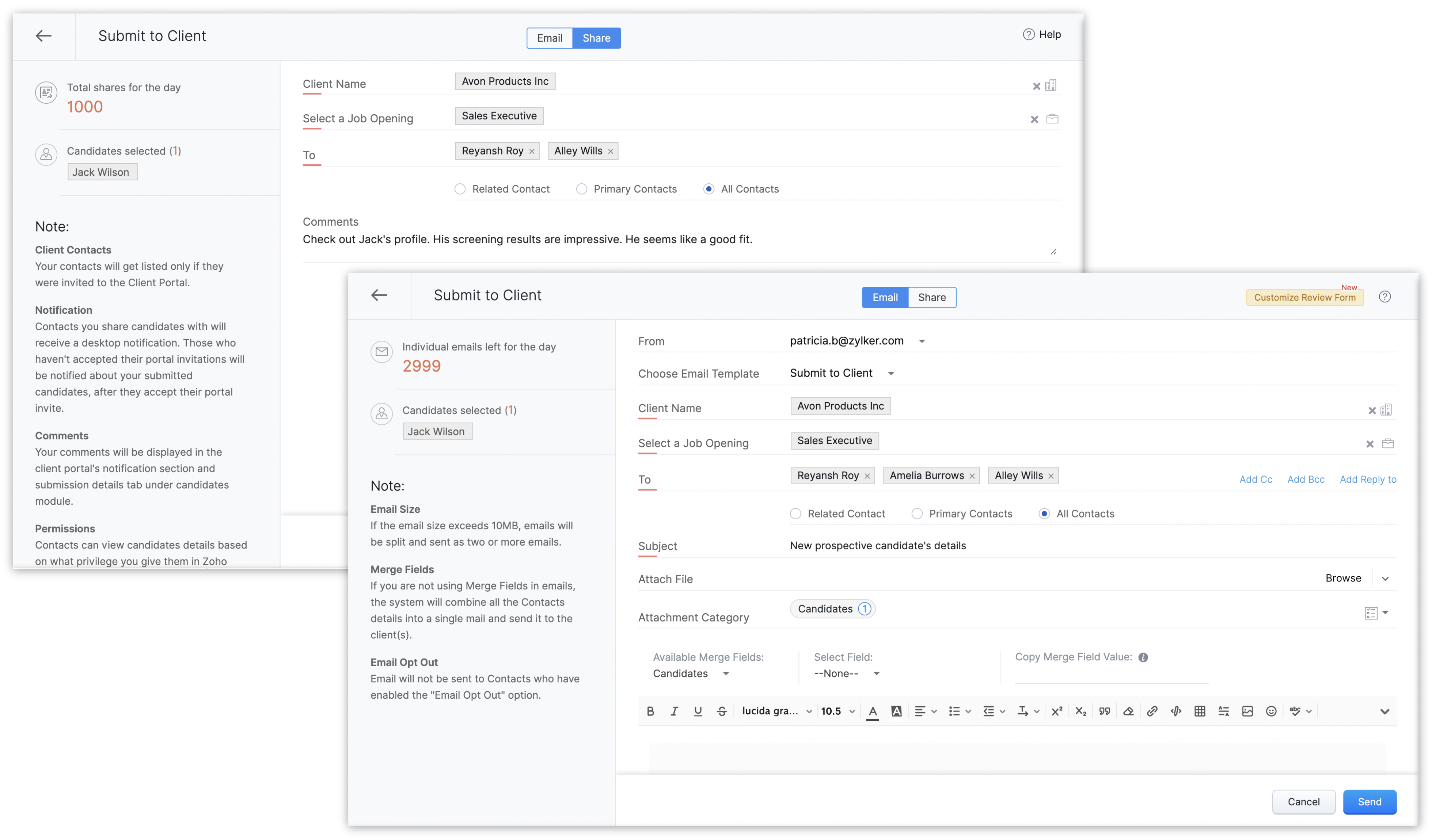
You can view and manage these records from the List View page or the Details Page. Plus, with customizable views, you can organize submissions based on your preferences.
How to Get Started?
Navigate to Submissions
In your Zoho Recruit account, hover over the Candidates module and click Submissions.
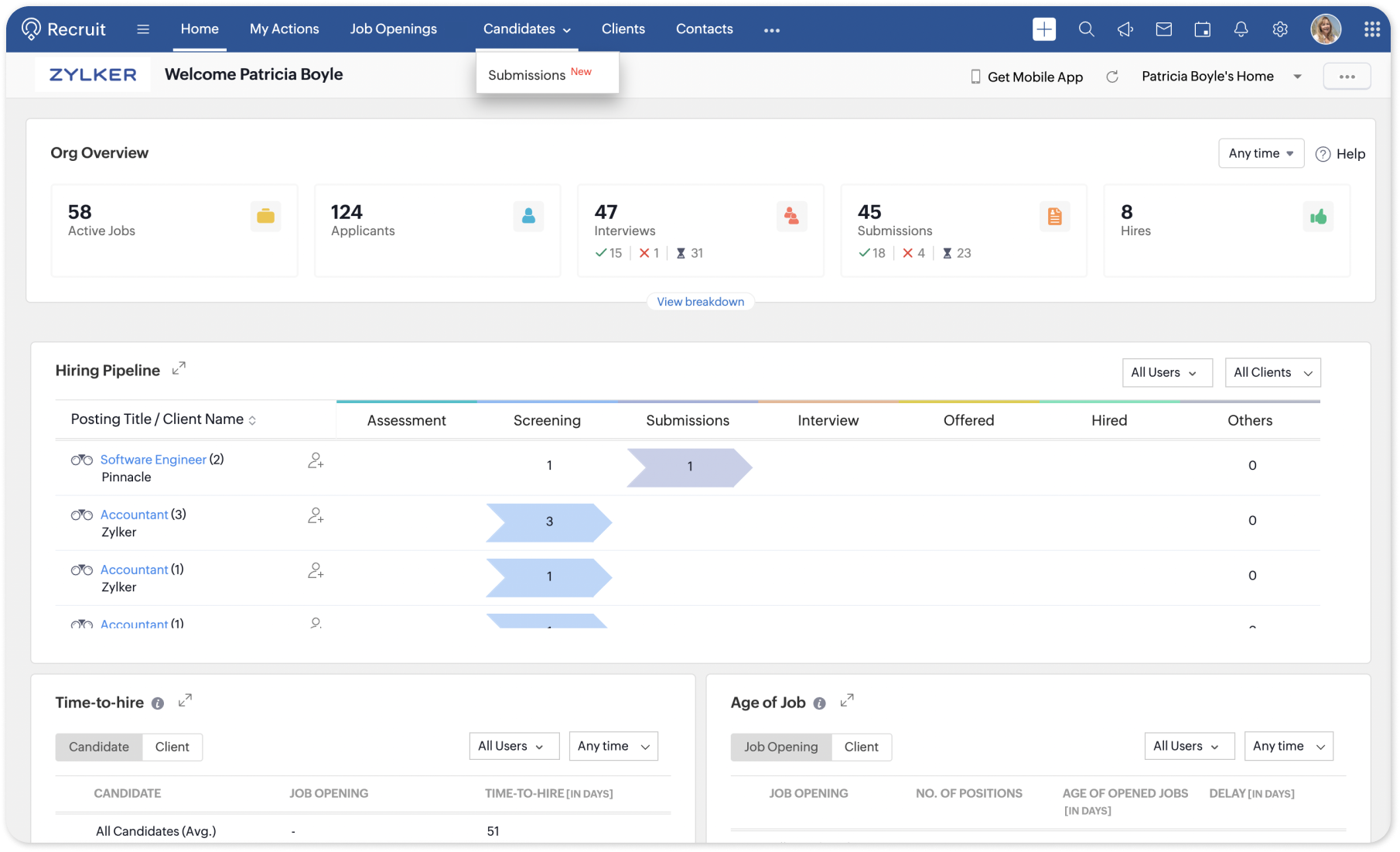
Explore List View
The List View page is where all your submissions will be listed as records. Take a moment to familiarize yourself with various default views and the options available, such as Quick View, Change Owner, Mass Transfer, Bulk Delete, etc.
Customizable Views
If you have a requirement to be able to view a certain field from the List View page in order to be on top of your work, then click the Edit icon near the Views drop-down. Add or remove fields as columns in your List View page, apply criteria based filters, and save custom views for quick access later.
Submission Details
In the Details Page of a submission record, you'll find comprehensive information about the submission, including the candidate's name, associated job opening, submission status, submission date, and more. When a client-contact submits their review for a submission, it is automatically added to the Review Status sub-tab of the submission's details page in real-time.
Enable Workflow Automation
To make the most of the new Submissions sub-module, consider setting up workflow alerts and actions such as configuring automatic follow-ups and replies to scheduling tasks and meetings. Navigate to Setup > Automation > Workflow Rules and create a new rule for the Submissions module. Define the criteria and actions you want to trigger for each submission that the rule is triggered for.
For more information, refer our help article or reach out to our customer support team at support@zohorecruit.com.
Regards,

Topic Participants
Pradyumn K
arthur
Tony
Mark Z R
AG Recruitment
Sticky Posts
An update to improve email delivery | Email Authentication & Relay
Update Rollout Latest Update: Enterprise users (8th July, 2025) This update is now live for Enterprise plan users in all regions. This includes People Plus, but not Zoho One, which will be covered in an upcoming update. Professional users (31st May 2025)Zoho Recruit User Group Meet-up | INDIA 2025 (Venue Finalised)
Hello Zoho Recruit users from India, We’re pleased and excited to announce our 2025 edition of Zoho user group meet-up in India in five cities! In this meet-up, our team of experts will help you understand the intricate nuances to use Zoho Recruit better,Zoho Recruit is coming to the UK | Zoho Community Learning Series
Customers from the United Kingdom, Exciting news: We will be in London for the Zoho Recruit user meet up. Our team will help you better understand the intricate nuances of Zoho Recruit to help you hire faster, inform about new and upcoming features, andAsk the experts - A live Q & A discussion on Zoho Recruit
We are delighted to come back with another edition of Ask the Experts community series. This edition, we'll be focusing on everything about Zoho Recruit. The topics will focus on the features that are used/asked by the majority of users and also basedRestriction on 'From' addresses with a public domain
Dear Zoho Recruit Community, We hope this message finds you well. This post is to inform you about some important updates regarding email restrictions within Zoho Recruit. Effective post 31st March 2025, we will be implementing changes to the use of email
Recent Topics
Directly Edit, Filter, and Sort Subforms on the Details Page
Hello everyone, As you know, subforms allow you to associate multiple line items with a single record, greatly enhancing your data organization. For example, a sales order subform neatly lists all products, their quantities, amounts, and other relevantZoho CRM for Gmail Extension Not Working in Brave Browser?
Is anyone able to get the Zoho CRM Chrome Extension working in the Brave browser? They're both built on the Chromium platform and every other Chrome Extension works with the exception of Zoho CRM for Gmail so any ideas here?Add Israel & Jewish Holidays to Zoho People Holidays Gallery
Greetings, We hope you are doing well. This feature request is related to Zoho People - please don't move it to zoho one! We are writing to request an enhancement to the Holidays Gallery in Zoho People. Currently, there are several holidays available,Schedule Zoho CRM reports only on Business Days
Hello, Is it possible to schedule reports only on business days ? We currently get daily sales reports on weekend which has no value since the sales team doesn't work on weekends. ThanksAny update on much requested feature, to delete attachments without deleting the e-mail body?
People have been requesting the ability to delete e-mail attachments without deleting the e-mail for more than ten years now. The latest I see is marked "Working On It" and a year ago it was supposedly being added, see here: https://help.zoho.com/portal/en/community/topic/is-there-a-way-to-delete-mail-attachments-without-deleting-the-textHow to delete attachments form Zoho mail accounts
I can't find a way to delete attachments from Zoho mail messages, either individually or in bulk. Searches here are providing conflicting results and often talk about workspace, whereas I am only interested in how to delete attachments that are seen withUnable to fetch ticket by custom field value
I'm trying to set up a Flow to fetch a ticket based on a custom field value. This seems like it should be pretty straightforward, but it's not working for me. I keep getting an error saying Zoho Desk says "Extra query parameter 'cf_creator_record_id'Client Portal ZOHO ONE
Dear Zoho one is fantastic option for companies but it seems to me that it is still an aggregation of aps let me explain I have zoho books with client portal so client access their invoice then I have zoho project with client portal so they can access their project but not their invoice without another URL another LOGIN Are you planning in creating a beautiful UI portal for client so we can control access to client in one location to multiple aps at least unify project and invoice aps that wouldIssues with Zoho Sheet in Mac
I have downloaded the Zoho App from App Store but It is failing to Save As, Open & Download Operations. App StoreRecent post analytics not very useful
Hi, I'm enjoying some aspects of the Zoho Social. like being able to schedule posts to multiple channels. However, the recent posts analytics is disappointing. For example, I put up a reel on Instagram and Facebook yesterday. Instagram insights showsZoho Inventory - Composite Items - Assembly - Single Line Item Quantity of One
Hi Zoho Inventory Team, Please consider relaxing the system rules which prevent an assembly items from consisting of a single line item and outputting a quantity of 1. A client I'm currently working with sells cosmetics and offers testers of their productsWhat's New in Zoho Inventory | Q2 2025
Hello Customers, The second quarter have been exciting months for Zoho Inventory! We’ve introduced impactful new features and enhancements to help you manage inventory operations with even greater precision and control. While we have many more excitingZoho POS App Hanging Issue – Sales Becoming Difficult
The Zoho POS app frequently hangs and becomes unresponsive during billing, making it very difficult to complete sales smoothly. This commonly happens while adding items, during checkout, or at payment time, especially during peak hours. These issues causeMake Camera Overlay & Recording Controls Visible in All Screen-Sharing Options
Hi Zoho WorkDrive Team, Hope you are doing well. We would like to request an improvement to the screen-recording experience in Zoho WorkDrive. Current Limitation: At the moment the recording controls are visible only inside the Zoho WorkDrive tab. WhenAllow Attaching Quartz Recordings to Existing Zoho Support Tickets
Hi Zoho Team, We would like to request an enhancement to how Zoho Quartz recordings integrate with Zoho Support tickets. Current Behavior: At the moment, each Quartz recording automatically creates a new support ticket. However, in many real-world scenarios:Add Israel & Jewish Holidays to Zoho People Holidays Gallery
Greetings, We hope you are doing well. We are writing to request an enhancement to the Holidays Gallery in Zoho People. Currently, there are several holidays available, but none for Israel and none for Jewish holidays (which are not necessarily the sameSync Issue
My Current plan only allows me with 10,000 rows and it is getting sync failure how to control it without upgrading my plan"Spreadsheet Mode" for Fast Bulk Edits
One of the challenges with using Zoho Inventory is when bulk edits need to be done via the UI, and each value that needs to be changed is different. A very common use case here is price changes. Often, a price increase will need to be implemented, andSyncing Bills in Zoho Books to Zoho CRM
Is there any way to sync the Bills in Zoho Books in Zoho CRMSAML in Zoho One vs Zoho Accounts
What is the difference between setting up SAML in Zoho Accounts: https://help.zoho.com/portal/en/kb/accounts/manage-your-organization/saml/articles/configure-saml-in-zoho-accounts ... vs SAML in Zoho One?: https://help.zoho.com/portal/en/kb/one/admin-guide/custom-authentication/setting-up-custom-authentication-with-popular-idps/articles/zohoone-customauthentication-azureZoho Inventory. Preventing Negative Stock in Sales Orders – Best Practices?
Dear Zoho Inventory Community, We’re a small business using Zoho Inventory with a team of sales managers. Unfortunately, some employees occasionally overlook stock levels during order processing, leading to negative inventory issues. Is there a way toDeactivated Zoho One account can sign in
I am concerned by the fact that deactivated users in Zoho One have the ability to sign in even after their account has been deactivated (not deleted). these inactive identities have no access to individual Zoho apps or data. based on my experience theyHow can I reset the password for a user in Zoho Projects
We need to reset the password for a user in Zoho Projects. I am the admin portal owner and there was nothing to be found to do this. very confusing.How can I add a comment to an existing ticket via API?
I need to add comments/notes to the history of an existing ticket using the API without overwriting the original ticket description. Thanks!Marketer's Space: Proven tips to improve open rates – Part III
Hello Marketers! Welcome back to another post in Marketer's Space! This is the final post in the "open rate series". In the first and second parts, we discussed topics ranging from sender domains to pre-headers—but we're not done yet. A few more importantMCP no longer works with Claude
Anyone else notice Zoho MCP no longer works with Claude? I'm unable to turn this on in the claude chat. When I try to toggle it on, it just does nothing at all. I've tried in incognito, new browsers, etc. - nothing seems to work.Zoho Social - Feature Request - Reviewer Role
Hi Social Team, I've come across this with a couple of clients, where they need a role which can review and comment on posts but who has no access to create content. This is a kind of reviewer role. They just need to be able to see what content is scheduledZoho Books/Inventory - Update Marketplace Sales Order via API
Hi everyone, Does anyone know if there is a way to update Sales Orders created from a marketplace intigration (Shopify in this case) via API? I'm trying to cover a scenario where an order is changed on the Shopify end and the changes must be reflectedZoho Inventory / Finance Suite - Add feature to prevent duplicate values in Item Unit field
I've noticed that a client has 2 values the same in the Unit field on edit/create Items. This surprised me as why would you have 2 units with the same name. Please consider adding a feature which prevents this as it seems to serve no purpose.Kaizen #224 - Quote-driven Deal Reconciliation Using Zoho CRM Functions and Automation
Hello everyone! Welcome back to another instalment in the Kaizen series. This post covers quote-driven deal reconciliation, emphasizing Functions and Automation to address practical sales challenges. Business Challenge Sales organizations often mark dealsBARCODE PICKLIST
Hello! Does anyone know how the Picklist module works? I tried scanning the barcode using the UPC and EAN codes I added to the item, but it doesn’t work. Which barcode format does this module use for scanning?Zoho Inventory - Allow Update of Marketplace Generated Sales Orders via API
Hi Inventory Team, I was recently asked by a client to create an automation which updated a Zoho Inventory Sales Order if a Shopify Order was updated. I have created the script but I found that the request is blocked as the Sales Order was generated byHow do I create an update to the Cost Price from landed costs?
Hi fellow Zoho Inventory battlers, I am new to Zoho inventory and was completely baffled to find that the cost price of products does not update when a new purchase order is received. The cost price is just made up numbers I start with when the productZoho OAuth Connector Deprecation and Its Impact on Zoho Desk
Hello everyone, Zoho believes in continuously refining its integrations to uphold the highest standards of security, reliability, and compliance. As part of this ongoing improvement, the Zoho OAuth default connector will be deprecated for all Zoho servicesVoC in Zoho CRM is now data savvy: Explore response drilldown, summary components and participation in CRM criteria
VoC has all the goods when it comes to customer intelligence—which is why we're constantly enhancing it. We recently added the following: A customer drilldown component that shows you the list of prospects and customers behind a chart's attribute ExpandedHow do I bulk archive my projects in ZOHO projects
Hi, I want to archive 50 Projects in one go. Can you please help me out , How can I do this? Thanks kapilPassing the CRM
Hi, I am hoping someone can help. I have a zoho form that has a CRM lookup field. I was hoping to send this to my publicly to clients via a text message and the form then attaches the signed form back to the custom module. This work absolutely fine whenCan I add Conditional merge tags on my Templates?
Hi I was wondering if I can use Conditional Mail Merge tags inside my Email templates/Quotes etc within the CRM? In spanish and in our business we use gender and academic degree salutations , ie: Dr., Dra., Sr., Srta., so the beginning of an email / letterZoho Browser??
hai guys, this sounds awkward but can v get a ZOHO BROWSER same as zoho writer, etc. where i can browse websites @ home and continue browsing the same websites @ my office, as v have the option in Firefox, once i save and close the browser and again when i open it i will be getting the same sites. If u people r not clear with my explanation, plz let me know. Thanks, SandeepLet’s Talk Recruit: LinkedIn Cheatsheet
Welcome to the first edition of Let’s Talk Recruit for 2026. We are kicking off the year by revisiting one of the most asked about topics in Zoho Recruit. How our LinkedIn integrations actually work and how recruiters can get the most value from them.Next Page