AI features in Zoho Forms
In Zoho Forms, Zia, Zoho’s proprietary AI, helps you in building smarter forms, generating content, translating form into different languages, and helps in in-app navigation assistant via chatbot to create smoother experience.
The following Zia powered features are available in Zoho Forms:
AI Form Creation
Building a form from scratch can be time consuming. You need to decide which fields to include, structure the layout, and make sure nothing is missed. With AI Forms, you can simply describe the purpose of your form, and Zia will instantly build a fully structured, ready-to-use form for you.
For example, entering "a registration form for a company marathon event" generates a form with fields for the participant’s name, contact details, team name, preferred race category, and more in seconds.
Image to Form
If you have an existing paper form, a screenshot, or a photograph of a form, Zia can read the image and automatically recreate it as a form. This eliminates the need to manually create every field and label from a visual source.
This feature is especially useful for organizations that are transitioning from paper-based processes to digital workflows, or for teams that need to quickly replicate an existing form.
Learn more on how to create form from image.
PDF to Form
Static PDF forms are widely used but difficult to share, submit, and track. With PDF to Form, Zia automatically scans an uploaded PDF, detects its fields, labels, and field type to rebuilds the document as a form.
Language Translation
Reaching a global audience often means managing separate form versions for each language, which is a time-consuming process. With Zia-powered Language Translation, Zoho Forms can automatically translate all your form’s field labels, placeholder text, instructions, and other visible content into multiple languages. A single source form can be translated and published in multiple languages, without the need for external translation tools or services.
Content Generation
After a form submission, the follow-up email you send can significantly impact your respondent experience. It can be a confirmation, a thank-you, or a next-steps message. Writing this content manually for every form or audience type can be time intensive. With Zia you can generate professional, contextually relevant content in seconds. You can regenerate the content until it fits and translate the content to different languages to reach a wider audience.
This feature is available within the Email Notifications and Thank you Page settings. Simply provide a prompt, and Zia drafts a complete email ready for you to use.
Choice Generation
Deciding what answer options to include in a dropdown, checkbox, or multiple-choice field can take more thought than expected. With Choice Generation, you can describe what you need and Zia generates a relevant set of choices for your field. You can regenerate or edit the suggestions until they fit your requirement.
Settings Chatbot
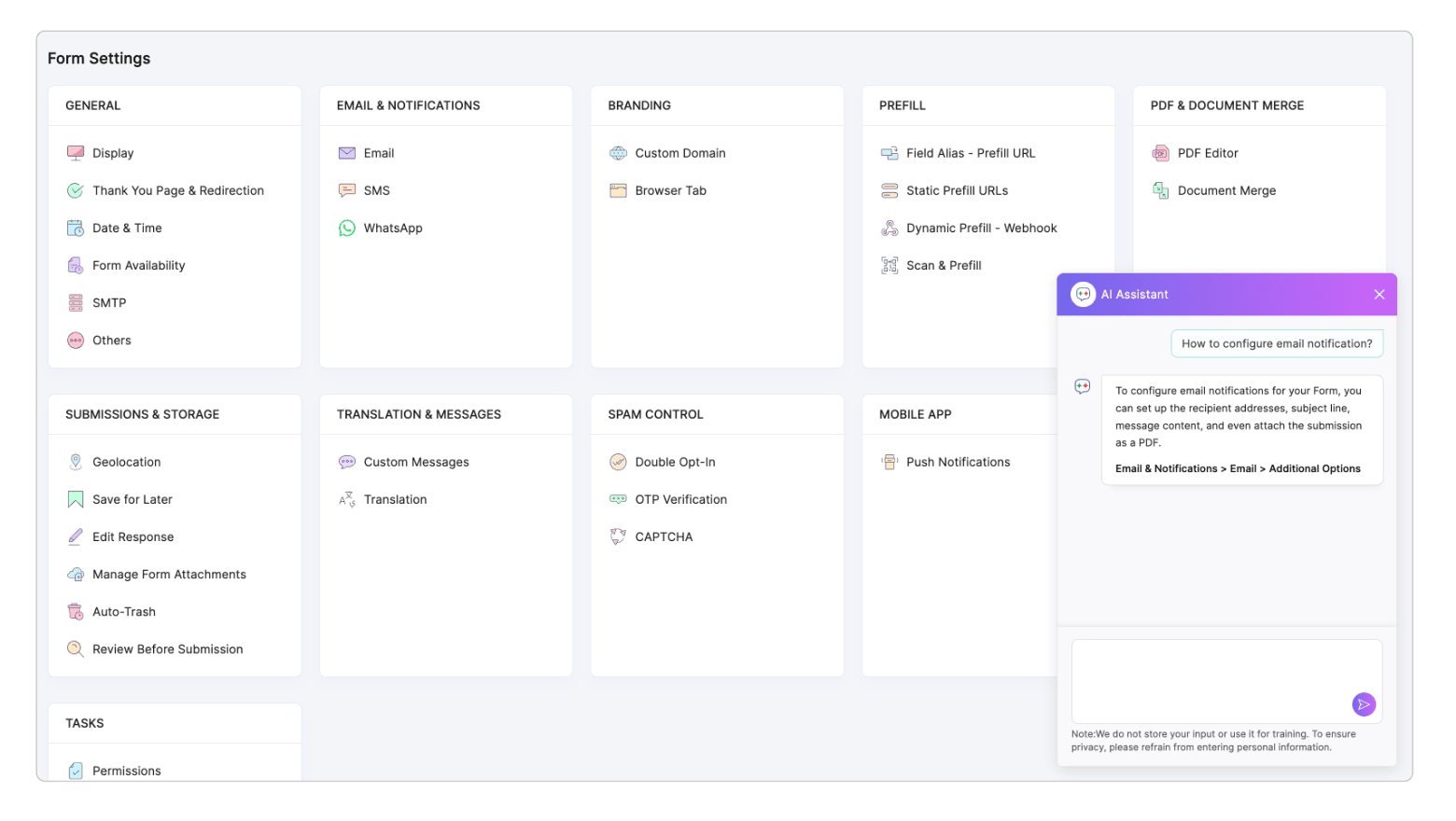
The Chatbot is a settings navigation assistant available on the form’s Settings screen. It helps you quickly find and configure specific settings. Simply ask a question about a setting, and the Chatbot will tell you exactly where to find it.
For example, you can ask "How do I limit the number of form submissions?" or "Where can I set up a redirect URL after submission?" and the chatbot will guide you to the relevant setting.
Smart Scan field
Smart Scan is an AI-powered OCR (Optical Character Recognition) field that you add directly to your form. When a respondent uploads an image of a document, Zia automatically extracts the relevant text from the image and populates the mapped form fields. Respondents can review and edit the extracted data before submitting.
This eliminates the need for manual data entry, reduces typing errors, and speeds up the submissions process.
Generate Themes with AI
Designing a form theme that matches your brand can take time. With AI Theme Generation, you can simply describe the look you want, and Zia will generate a theme for you. No manual design work required. You can preview it and further refine it using the theme builder.
This feature is available for Standard Forms and Spotlight Forms. Learn more about generating themes using AI.
Enabling AI Features for Your Organization
AI features in Zoho Forms are controlled at the organization level. A super admin or admin must enable these features in the Control Panel for users in the organization to access them. Learn more
Privacy and Data Security
All Zia AI features in Zoho Forms are powered by Zoho’s own GenAI framework and run on Zoho-owned infrastructure. Your form data and respondent submissions are never shared with or sold to third-party AI providers. Zia’s processing is aligned with Zoho’s GDPR-compliant, enterprise-grade data security standards.
Data used for AI prompts (such as form descriptions and email drafting requests) is processed in-session and is not stored for model training.