Building extensions #1: Creating, testing, and editing Zoho Projects extensions using the cloud editor

Building extensions #1: Creating, testing, and editing Zoho Projects extensions using the cloud editor

Hello!! We're happy to announce the beginning of a new series called "Building Extensions," which aims to help guide developers in creating and developing extensions for Zoho Projects. The goal of this series is to assist developers with the extension creation process, as well as to explore the features and functionalities that are available in the developer platform to build extensions for Zoho Projects.

Extensions are essentially plugins or add-ons that extend a Zoho product's existing functionality by either enhancing itsexisting features or integrating with other applications and performing third-party actions from within the Zoho product itself. Zoho offers a developer platform named Sigma, which is intended exclusively for building extensions for various Zoho products.

In our first post of this new series, we'll look at how to create, test, and edit a Zoho Projects extension. Let's take a look at each of these topics individually.

Creating an extension using the Sigma cloud editor
  • Go to Sigma and access your workspace.
  • Once you enter your workspace in Sigma, you will be taken to the Extensions section in Sigma.
  • You may either build a new extension entirely from scratch, or use one of Sigma's current templates to begin your extension development process.
  • To begin creating an extension using a template, simply select the Extensions Gallery option in your workspace.
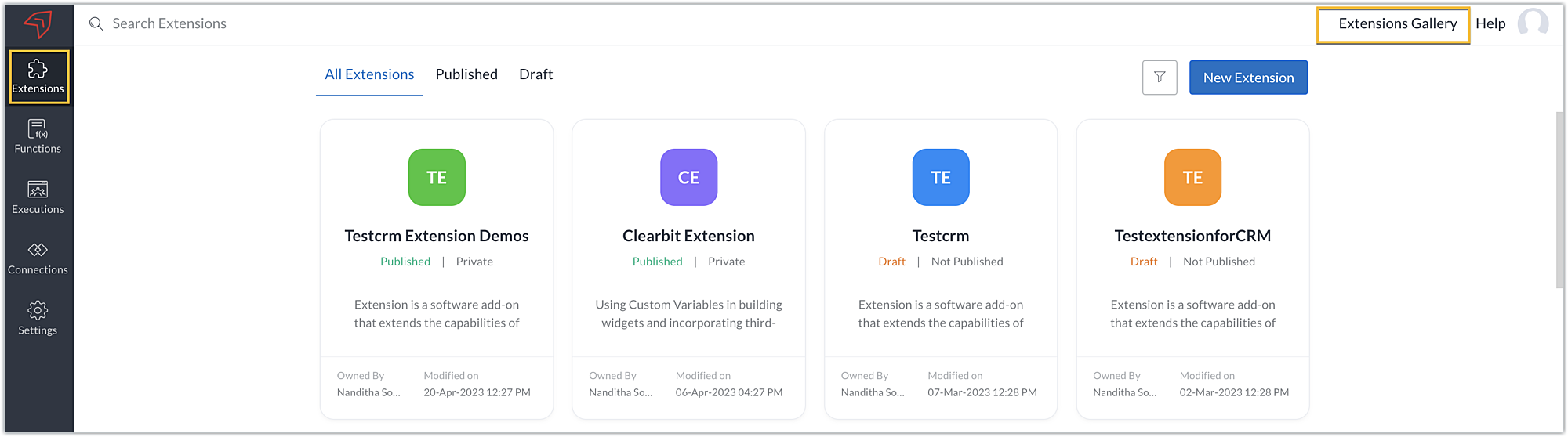
  • Choose an extension from the options available in Zoho Projects to begin creating one with a template. When you select an extension, you will be taken to the Sigma cloud editor, where you will find a template for that extension.
  • Alternatively, you can also start building an extension entirely on your own. To do this, click the New Extension button to start creating and building an extension.
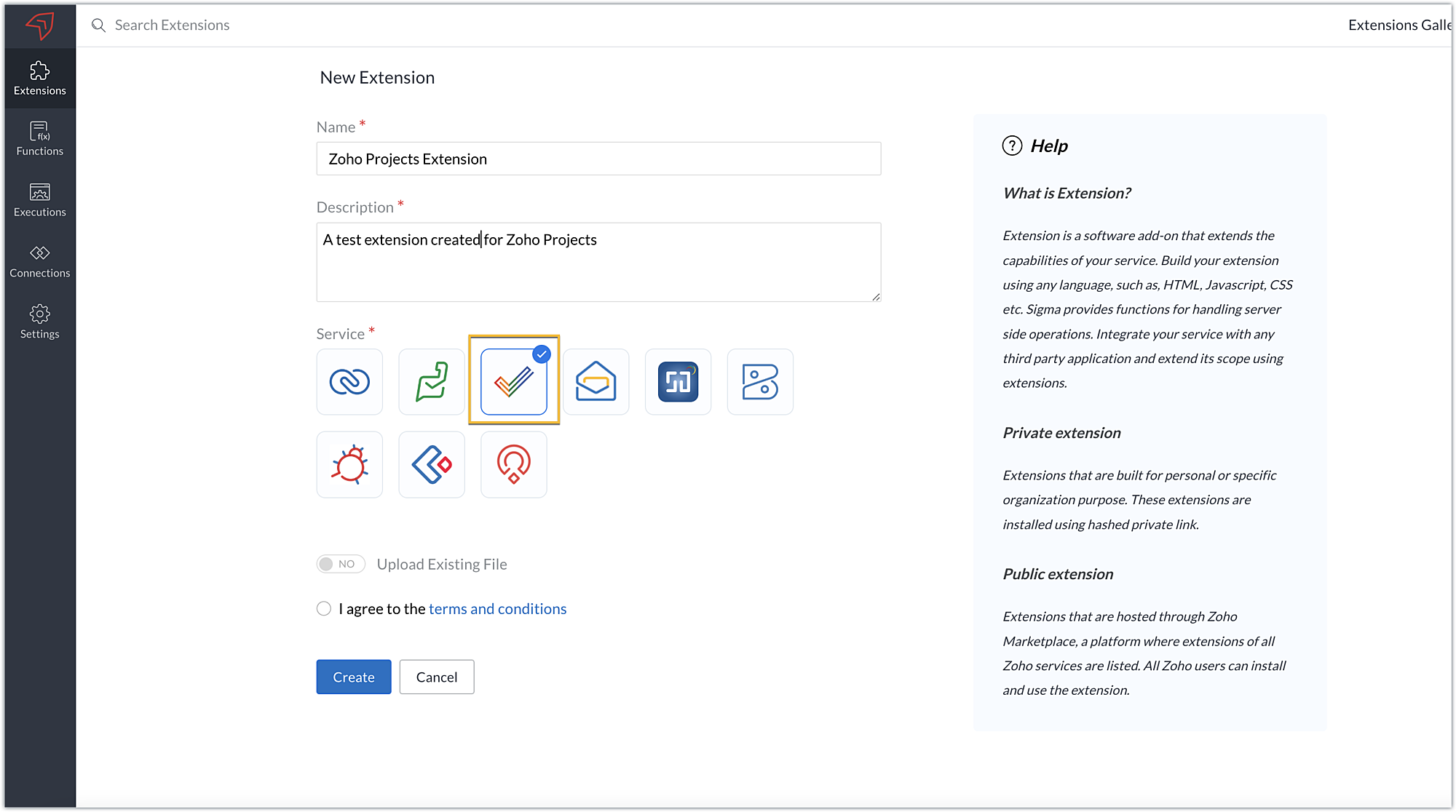
  • Enter a Name and Description for the extension. Choose the service as Zoho Projects.
  • There are two ways you can create an extension for Zoho Projects:
➤ Using the cloud editor
➤ Using the command line interface (CLI)
  • Toggle Upload Existing File to YES to build your extension using CLI, and NO to develop it using the cloud editor.
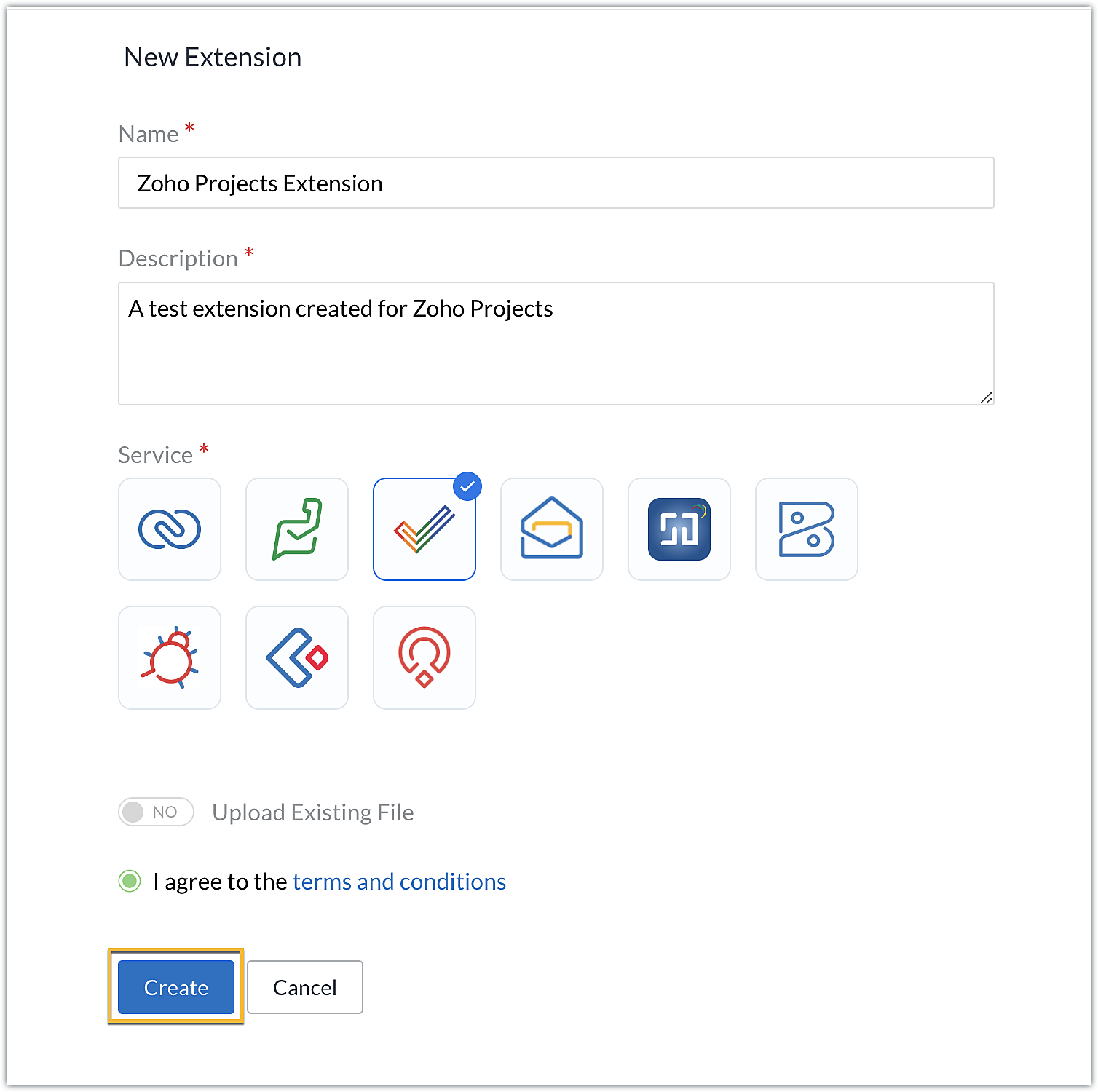
  • In this post, we'll look at how to create an extension with the cloud editor. So toggle to NO, accept the terms and conditions, then click Create.
Note: We'll be exploring building extensions using CLI in our next post.
  • You'll be redirected to the cloud editor for the extension you've created, where an app folder and a plugin-manifest.json file will be available by default.
  • The app folder will have a defined directory structure populated automatically for the sample Zoho Projects extension. This app folder can be used to manage all of the important resources that are required for your extension.
  • The plugin-manifest.json will help with the configuration of your extension. It contains a set of keys and values that determine your extension's settings.
Note: We'll go over most of these keys in detail when we get into the related feature and functionality in upcoming posts.
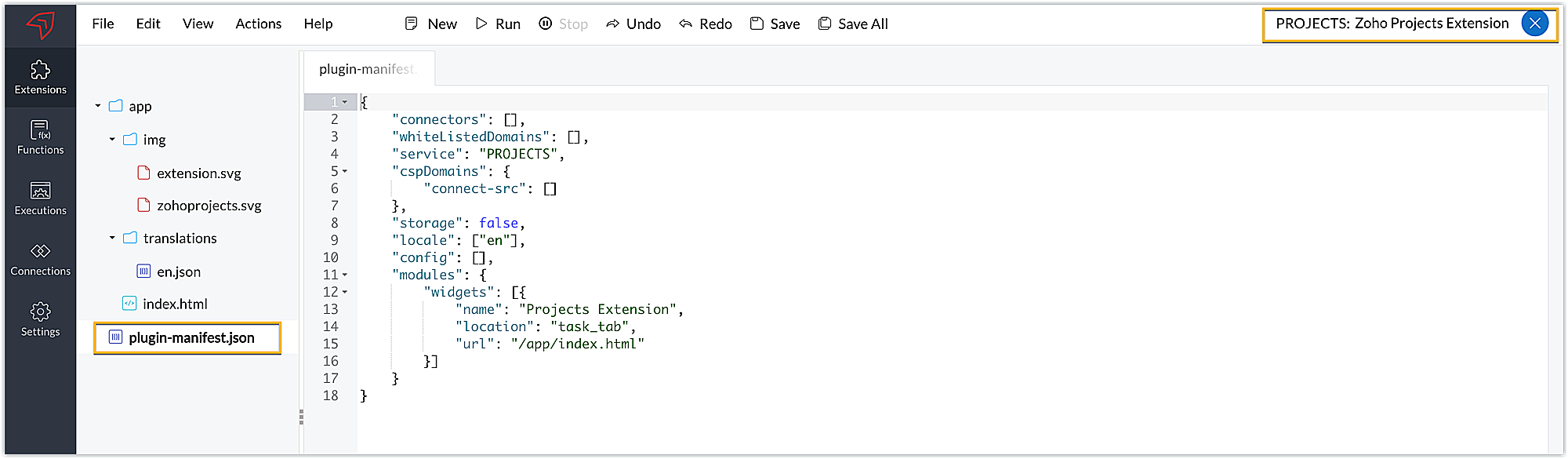
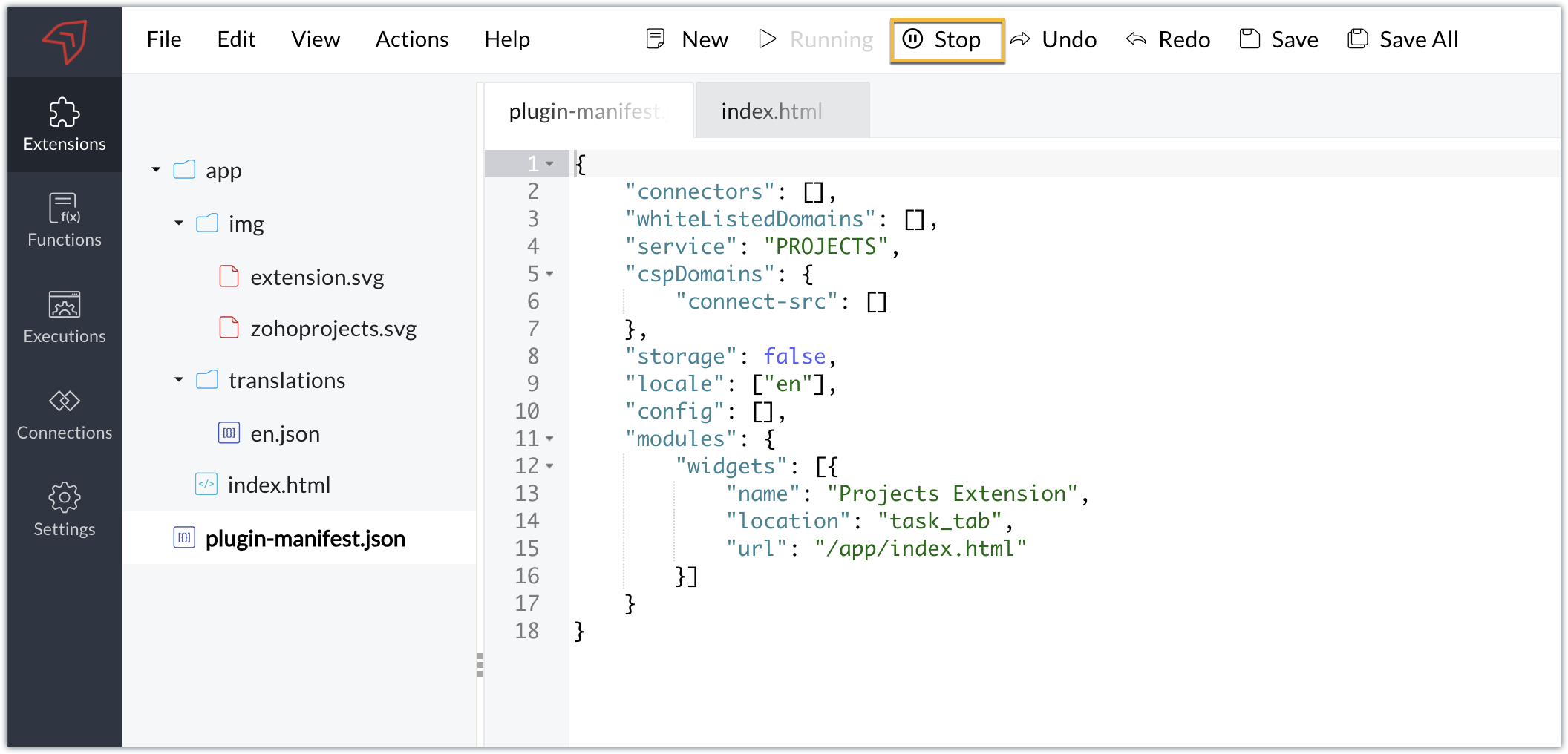
  • When you examine the default plugin-manifest json file populated in the cloud editor, you'll find the widgets key being configured with these details for a default sample widget:
➤ A name key mapped with the sample widget name as "Projects Extension."
➤ A location key mapped with the default location as "task_tab." This key determines the location to load thewidget. Zoho Projects supports multiple locations where you can load widgets. You can select the location based on your requirements; however, the default location is the task details tab.
➤ An URL key that holds the path or location of the HTML file that will be loaded as the widget UI. By default, the path is defined as: /app/index.html.
  • The cloud editor also includes a pre-populated index.html file in the app folder that will be loaded as the widget UI in the task details tab.
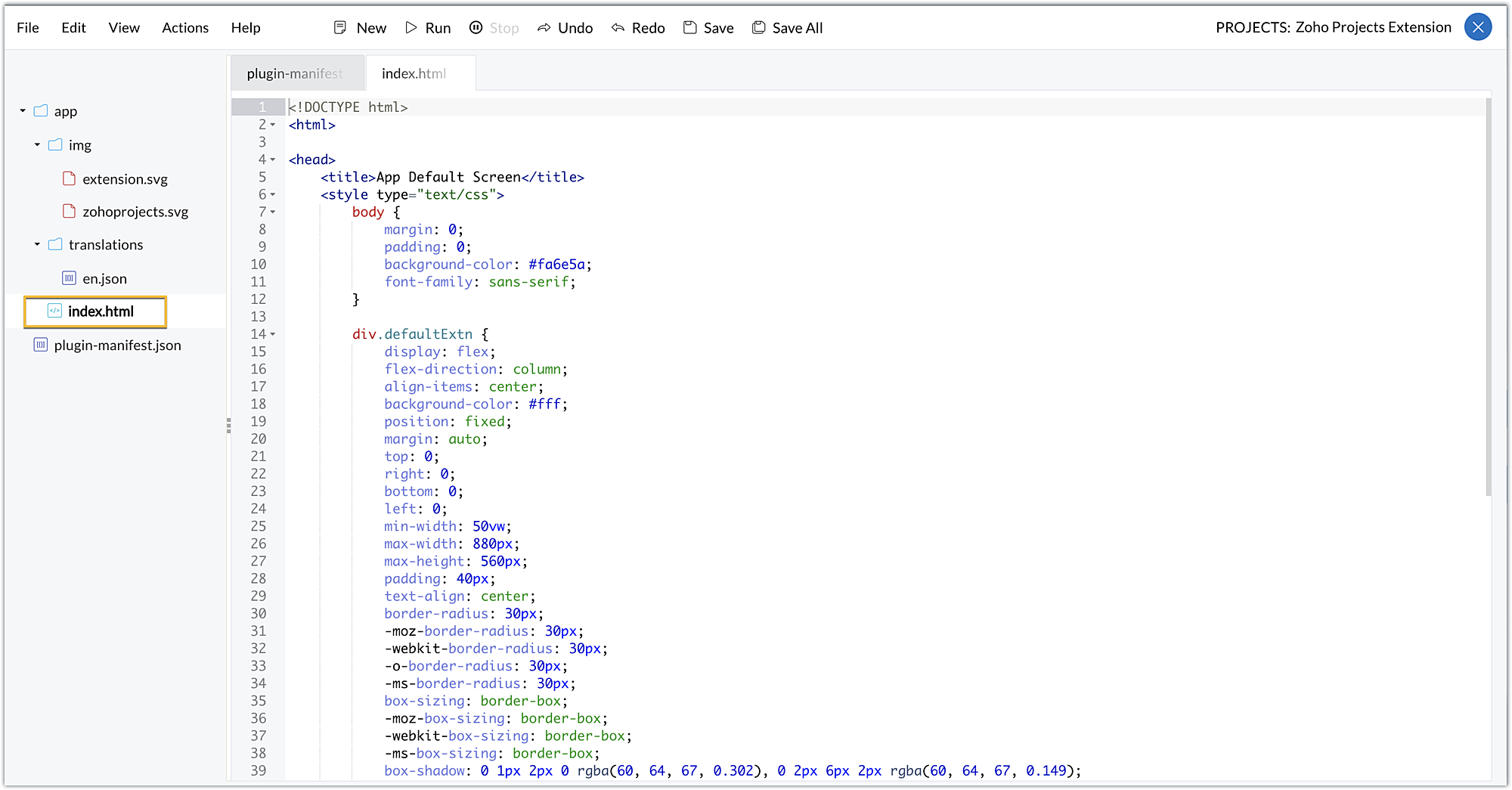

Now that we've looked at the folders and files that are created by default when an extension is created, let's now explore how you can test this extension in a testing environment.

Testing an extension using the cloud editor
  • The Sigma cloud editor allows you to test your extension functionalities in a testing environment before publishing the extensions and installing them in a Zoho Projects portal.
  • To test the extension, click Run in the cloud editor.
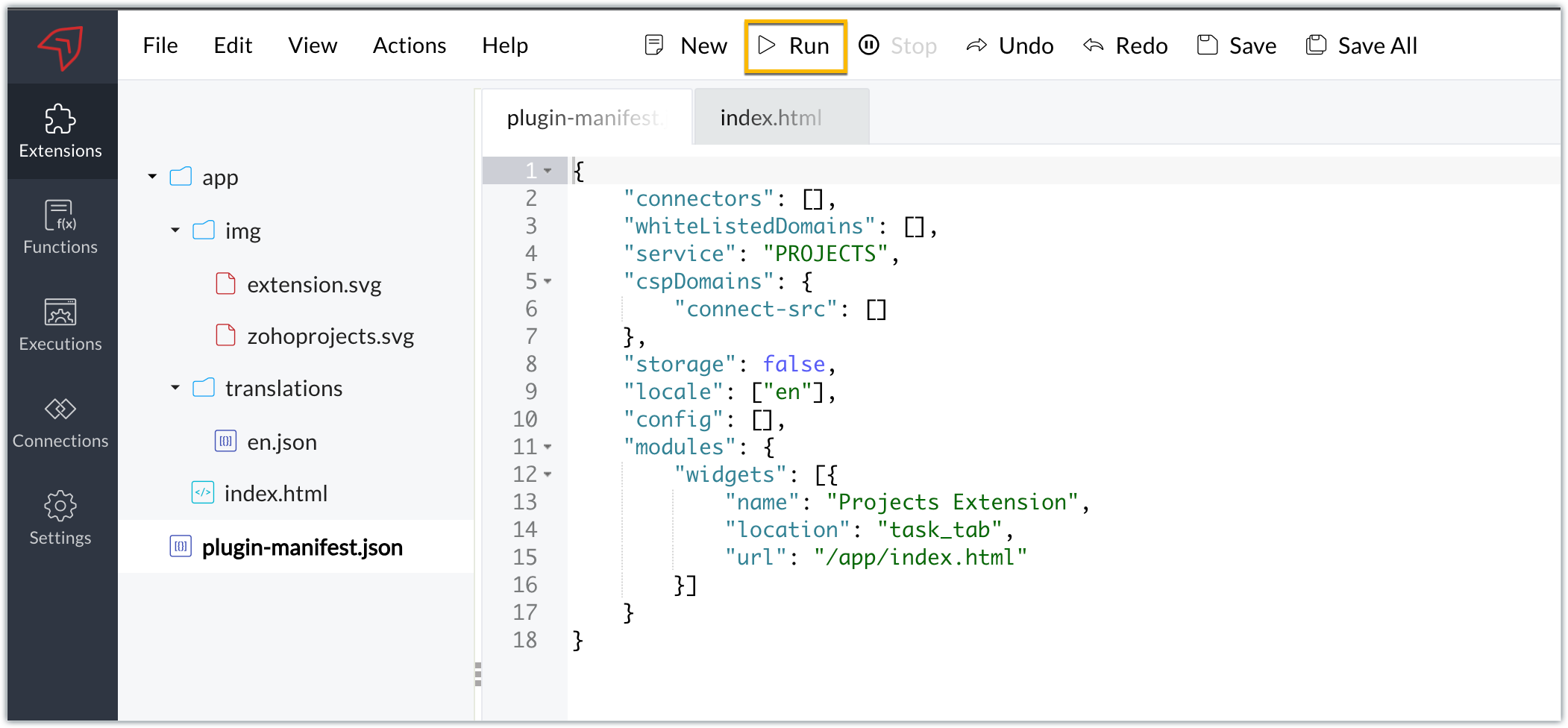
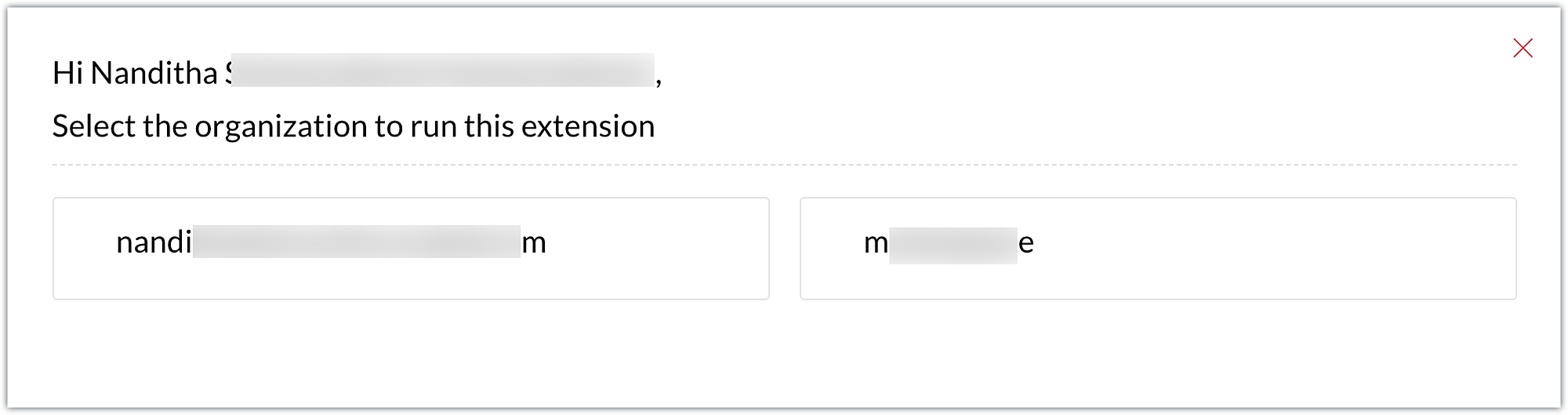
  • You'll be taken directly to a specific portal in your Zoho Projects account. If you only have one portal, you'll be landing directly in that portal. If you have multiple portals, you'll be prompted to select the portal where you wish to test your extension.
Note: The extension's components (for example, widgets) can be tested in the portal by selecting the Run option; however, no instance of the component will be reflected on the portal until the extension is published and installed in that portal.
  • Once you've entered the testing environment, click on a task to enter the task details page, because the extension you've created has a sample widget named Projects Extension in the task details tab.
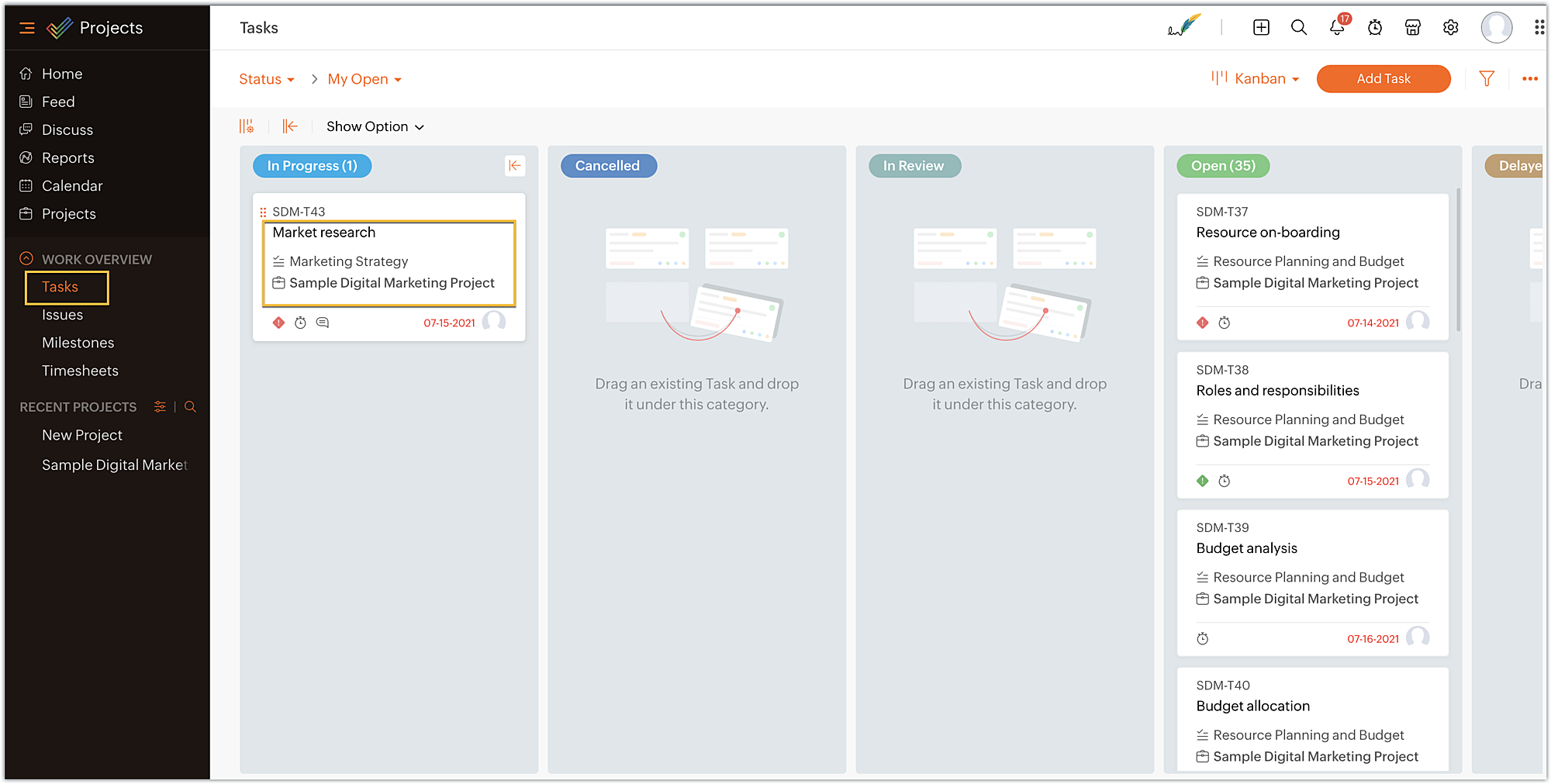
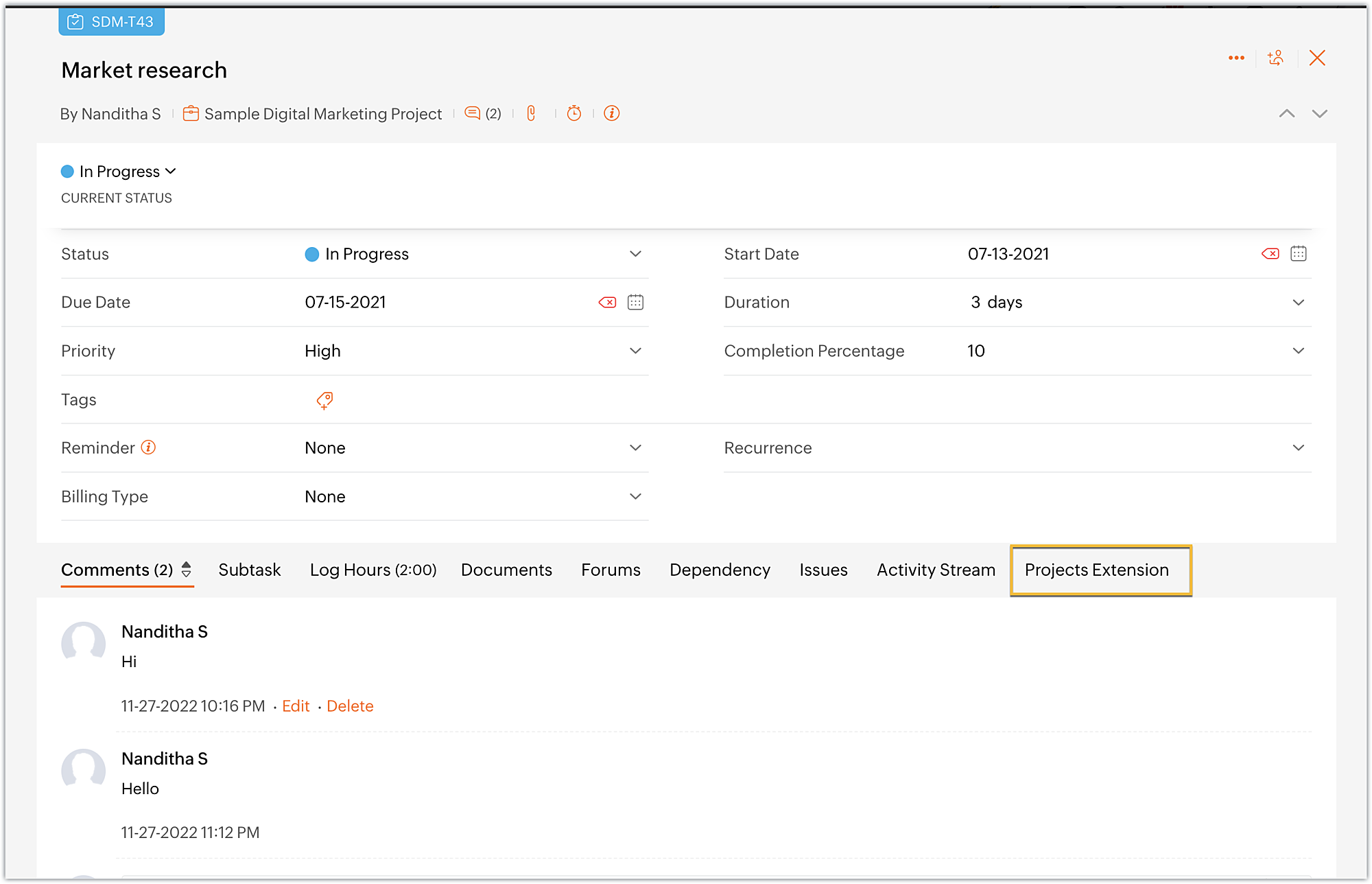
  • On the task details page, you can view the widget named Projects Extensions as an individual task tab. Click on the Projects Extensions tab.
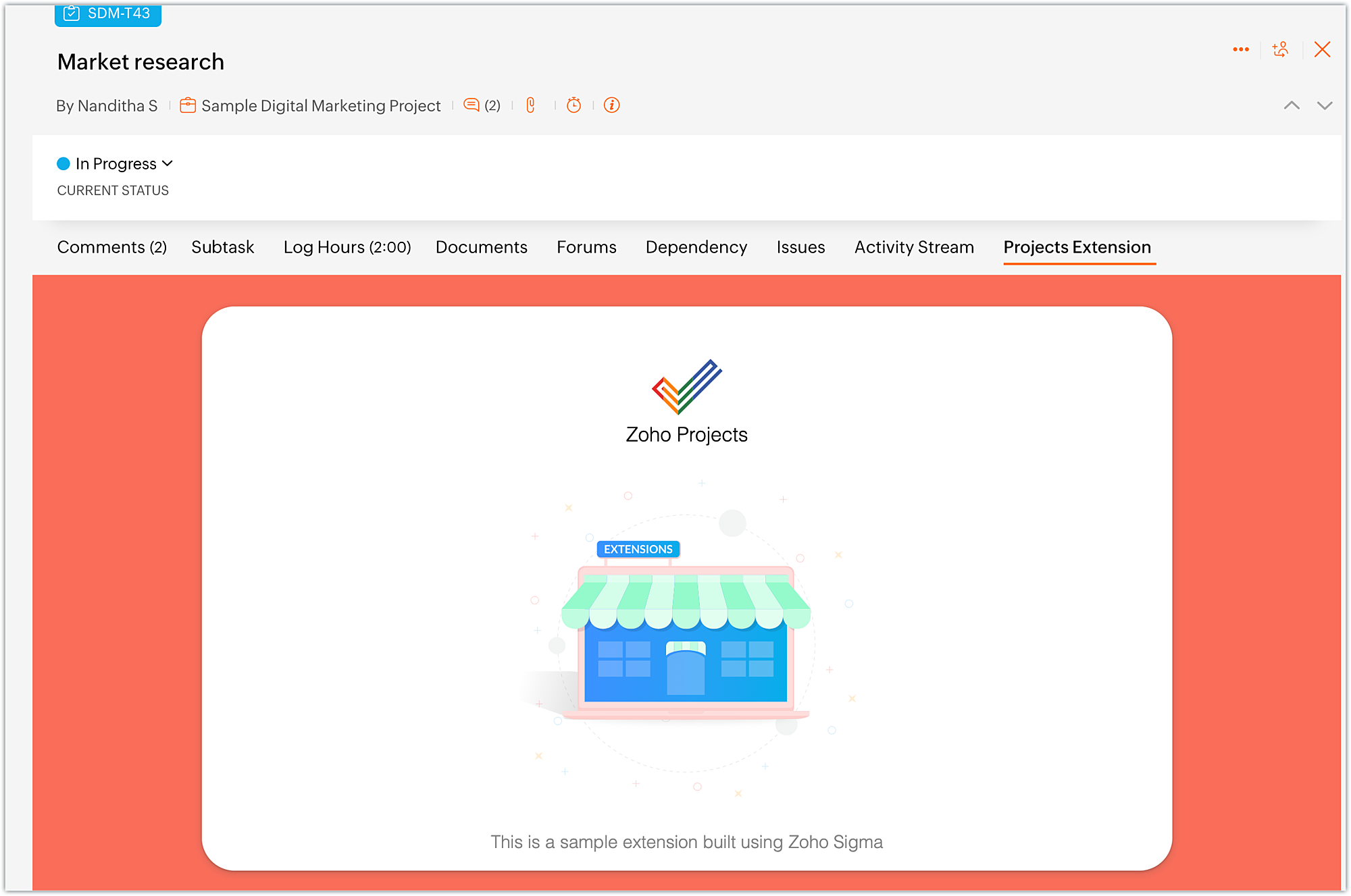
  • The widget will be loaded with the UI as available in the index.html file.
  • Once you are done with testing your extension functionalities, switch to the cloud editor tab and click Stop.
  • In what situations can we use the Run option?
➤ To run the extension for the first time in the testing environment.
➤ Whenever the plugin-manifest.json file is modified, you have to use the Run option again.
Note: If you make modifications to any other files, simply refresh the extension to see the changes; there's no need to use Stop and Run again.
➤ When you use the Stop option to end a test and then want to retest the extension, the Run option has to be used.
Editing an extension using cloud editor
  • Whenever you want to make changes to your extension code, choose the Extensions section in the left panel of your Sigma workspace.
  • Hover over the extension to which you want to make changes. Click on Edit Builder icon.
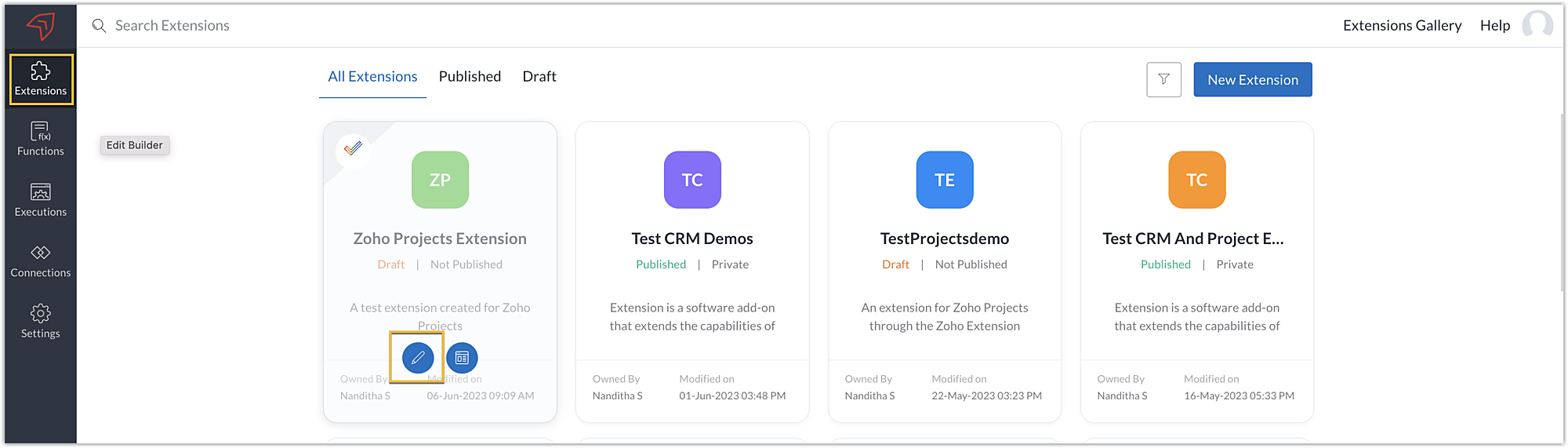
  • You'll be taken to the cloud editor of that particular extension, then you can go ahead and make your edits.
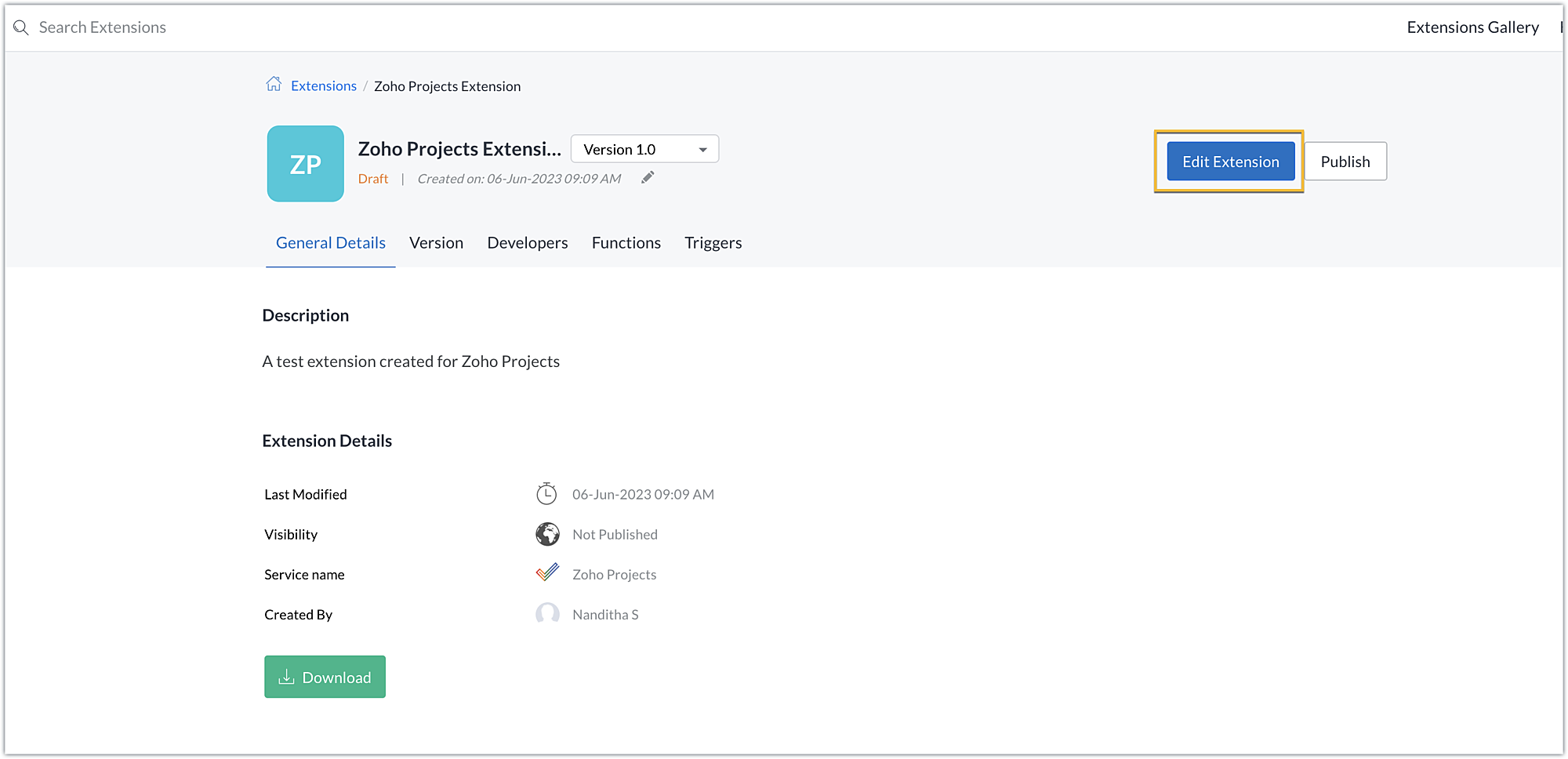
  • Alternatively, you can also click on the Extension Details icon.
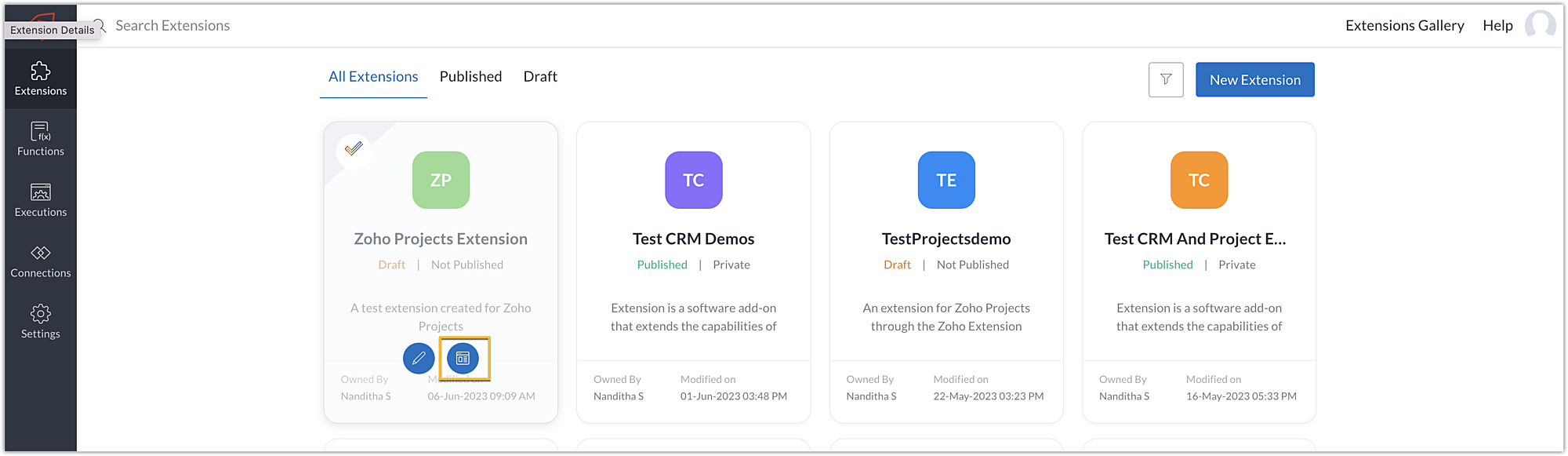
  • Then, click Edit Extension.
  • This method will also take you to the cloud editor of the extension where you can make necessary changes.
In this post, we've covered creating an extension, testing it, and making changes to it. We hope you found this information useful. Keep following us for more information!

Sign up for a Zoho Developer account ans start developing extensions for Zoho products using Sigma.


        • Recent Topics

        • Adding Comments Using Workflows - How to Change User Attributed

          We have worklflows in Desk where a comment is added to a ticket based on certain criteria. It seems that the comment added is always attributed to the user who last edited the workflow. This does not make sense for us because: - It's misleading to other
        • CRM gets location smart with the all new Map View: visualize records, locate records within any radius, and more

          Hello all, We've introduced a new way to work with location data in Zoho CRM: the Map View. Instead of scrolling through endless lists, your records now appear as pins on a map. Built on top of the all-new address field and powered by Mappls (MapMyIndia),
        • Report showing Bill Details with Project and Sales Invoice Number

          Hi There, I am hoping that someone can help, I am looking for report that can show the bill and expense details along with project its as assigned to and the invoice number that the sales has been raised in. The goal is I can filter a customer/project
        • Introducing Multi-Asset Support in Work Orders, Estimates, and Service Appointments

          We’re excited to announce a highly requested enhancement in Zoho FSM — you can now associate multiple assets with Work Orders, Estimates, and Service Appointments. This update brings more clarity, flexibility, and control to your field service operations,
        • Please can the open tasks be shown in each customer account at the top.

          Hi there This has happened before, where the open tasks are no longer visible at the top of the page for each customer in the CRM. They have gone missing previously and were reinstated when I asked so I think it's just after an update that this feature
        • [Product Update] Locations module migration in Zoho Books integration with Zoho Analytics

          Dear Customers, As Zoho Books are starting to support an advance version of the Branches/Warehouses module called the Locations module, users who choose to migrate to the Locations module in Zoho Books will also be migrated in Zoho Analytics-Zoho Books
        • Introducing Schedules for smarter availability management

          Greetings from the Zoho Bookings team! We’re excited to introduce Schedules, a powerful enhancement to manage availability across your workspace. Schedules are reusable working-hour templates that help you define and maintain consistent availability across
        • Why Zoho Contracts Prefers Structured Approvals Over Ad-hoc Approvals

          Approvals are one of the most important stages in a contract’s lifecycle. They determine whether a contract moves forward, gets revised, or needs further discussion. The approval process also defines accountability within the organization. Zoho Contracts
        • Whatsapp Connection Status still "Pending" after migration

          Hello, I migrated my WhatsApp API to Zoho from another provider a day ago. So far the connection status is still “Pending”. There is a problem? How long does it usually take?
        • Kaizen #226: Using ZRC in Client Script

          Hello everyone! Welcome to another week of Kaizen. In today's post, lets see what is ZRC (Zoho Request Client) and how we can use ZRC methods in Client Script to get inputs from a Salesperson and update the Lead status with a single button click. In this
        • Search Bar positioning

          Why is the Search bar on the far right when everything is oriented towards the left?
        • How to use Rollup Summary in a Formula Field?

          I created a Rollup Summary (Decimal) field in my module, and it shows values correctly. When I try to reference it in a Formula Field (e.g. ${Deals.Partners_Requested} - ${Deals.Partners_Paid}), I get the error that the field can’t be found. Is it possible
        • How to Filter timewise question to check uploaded one month or two months before in these community question ?

          i want to find the question that is asked some month or before any particular year, so how can i filter it ?
        • Send Whatsapp with API including custom placeholders

          Is is possible to initiate a session on whatsapp IM channel with a template that includes params (placeholders) that are passed on the API call? This is very usefull to send a Utility message for a transactional notification including an order number
        • Welcome to the Zoho ERP Community Forum

          Hello everyone, We are thrilled to launch Zoho ERP (India edition), a software to manage your business operations from end to end. We’ve created this community forum as a space for you to ask questions, comment answers, provide feedback, and share your
        • Proposal for Creating a Unique "Address" Entity in Zoho FSM

          The "Address" entity is one of the most critical components for a service-oriented company. While homeowners may change and servicing companies may vary, the address itself remains constant. This constancy is essential for subsequent services, as it provides
        • How to apply customized Zoho Crm Home Page to all users?

          I have tried to study manuals and play with Zoho CRM but haven't found a way how to apply customized Zoho CRM Home Page as a (default) home page for other CRM users.. How that can be done, if possible? - kipi Moderation Update: Currently, each user has
        • Workflow Down/Bug

          We have a workflow that sends an email to one of our internal departments 10 minutes after a record is created in a custom module. The workflow actually works correctly. However, we have now noticed that on January 8, between 3:55 p.m. and 4:33 p.m.,
        • Service Locations: Designed for Shared Sites and Changing Customers

          Managing service addresses sounds simple—until it isn’t. Large facilities, shared sites, and frequently changing customers can quickly turn address management into an operational bottleneck. This is where Service Locations deliver clarity and control.
        • Can I re-send the Customer Satisfaction Survey after a ticket closure?

          Hello, Some customers does not answer the survey right after closure, is it possible to re-send after a few days or weeks? Best Regards!
        • Filter contacts based on selected category in Zoho Desk ticket

          Hello community, I’m setting up the Tickets module in Zoho Desk and I need help implementing the following: When a category is selected in a ticket, I want the Contact field to be filtered so that it only displays contacts that are related to that category.
        • Mapping a new Ticket in Zoho Desk to an Account or Deal in Zoho CRM manually

          Is there any way for me to map an existing ticket in Zoho desk to an account or Deal within Zoho CRM? Sometimes people use different email to put in a ticket than the one that we have in the CRM, but it's still the same person. We would like to be able
        • Assign Income to Project Without Invoice

          Hello, Fairly new user here so apologies if there is a really obvious solution here that I am just missing... I have hundreds of small deposits into a bank account that I want to assign to a project but do not want to have to create an invoice every time
        • Tracking Non-Inventory Items

          We have several business locations and currently use zoho inventory to track retail items (sales and purchase orders). We were hoping to use zoho inventory to track our non-inventory items as well (toilet paper, paper towels, etc). I understand that we
        • Profile Page View Customization

          I need to change the fields, sections from the profile view of an emplyoyee.
        • Zoho Desk Android app update: Filter, Sort and Saved filters Enhancements

          Hello everyone! We are excited to introduce the below features on the Android version Zoho Desk mobile app: 1. Filter & Sort support has been introduced for the Contacts and Accounts modules. 2. Sort options is now available in Custom Modules as well.
        • Zoho CRM Meetings Module Issues

          We have a use-case that is very common in today's world, but won't work in Zoho CRM. We have an SDR (Sales Development Rep) who makes many calls per day to Leads and Contacts, and schedules meetings for our primary Sales Reps. He does this by logging
        • How to filter Packages in zoho inventory api

          Hi Team, I want to perform some tasks in a schedular on the packages which are in "Shipped" state. I tried to use filter_by in my api call but in return I get response as {"code":-1,"message":"Given filter is not configured"} My Api request is as follows
        • Accessing shared mailboxes through Trident (Windows)

          Hi, I have a created a couple of shared mailboxes. The mailboxes are showing up on the browser based Zoho workplace, but I cannot seem to figure out how to access my shared inboxes through Trident (Windows). Am I missing something or is this feature not
        • Issues Logging into ZOHO

          Hello, one of my coworkers is having issues logging into ZOHO, she has requested a code when entering and the email is correct but she has not received the code. can you help us with this?
        • Feature Request: Ability to set Default Custom Filters and apply them via URL/Deluge

          I've discovered a significant gap in how Zoho Creator handles Custom Filters for reports, and I'm hoping the Zoho team can address this in a future update. This limitation has been raised before and continues to be requested, but remains unresolved. The
        • Closing the Loop: Why Lookup Asymmetry is Harming Data Integrity in Creator

          TL;DR: Lookup fields allow users to add new related records inline via the "+" icon, but there's no equivalent ability to edit an existing related record without navigating away and losing form context. Adding a native "Edit" icon—with automatic User
        • Syncing with Google calendar, Tasks and Events

          Is it possible to sync Zoho CRM calendar, task and events with Google Calendar's tasks and events. With the increasing adoption by many major tool suppliers to sync seamlessly with Google's offerings (for instance I use the excellent Any.do task planning
        • filtering lookup field options based on information in another module.

          In our CRM system. We have the standard Accounts and Deals modules. We would like to introduce the ability to classify Accounts by Sector. Our desired functionality is to have a global list of all sectors that an Account can select, with the ability to
        • Really want the field "Company" in the activities module!

          Hi team! Something we are really missing is able to see the field Company when working in the activities module. We have a lot of tasks and need to see what company it's related to. It's really annoying to not be able to see it.🙈 Thx!
        • Cliq iOS can't see shared screen

          Hello, I had this morning a video call with a colleague. She is using Cliq Desktop MacOS and wanted to share her screen with me. I'm on iPad. I noticed, while she shared her screen, I could only see her video, but not the shared screen... Does Cliq iOS is able to display shared screen, or is it somewhere else to be found ? Regards
        • Service op locatie organiseren met Zoho FSM: waar lopen organisaties tegenaan?

          Bij organisaties met service teams op locatie merken we vaak dat de complexiteit niet zozeer in de planning zelf zit, maar in wat er rond die planning gebeurt. Denk aan opvolging na interventies, consistente servicerapporten, en het bijhouden van installaties
        • Introducing Assemblies and Kits in Zoho Inventory

          Hello customers, We’re excited to share a major revamp to Zoho Inventory that brings both clarity and flexibility to your inventory management experience! Presenting Assemblies and Kits We’re thrilled to introduce Assemblies and Kits, which replaces the
        • Automate pushing Zoho CRM backups into Zoho WorkDrive

          Through our Zoho One subscription we have both Zoho CRM and Zoho WorkDrive. We have regular backups setup in Zoho CRM. Once the backup is created, we are notified. Since we want to keep these backups for more than 7 days, we manually download them. They
        • Does the ability exist to make tax on the customer profile mandatory?

          I am reaching out to inquire about the possibility of making the "Customer Tax" field mandatory when creating a new customer in Zoho. We want to ensure that all customers have their tax information recorded to maintain compliance with our internal processes.
        • Next Page