Narrative 3 - Comprehending User Management
Behind the scenes of a successful ticketing system - BTS Series
Narrative 3 - Comprehending User Management
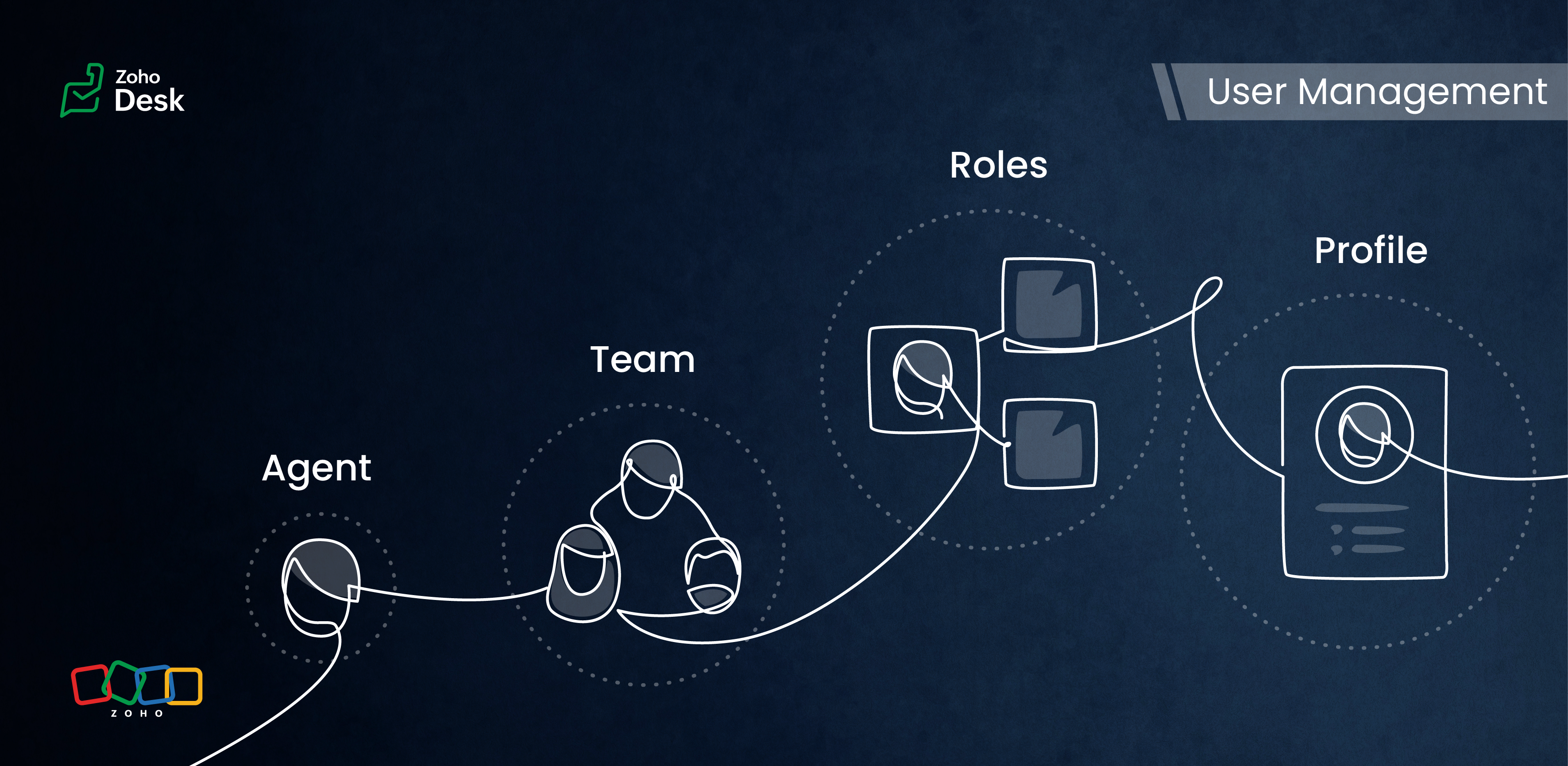
Managing Agents
Tasks
- Replying to tickets and tracking them.
- Answering customer calls.
- Offering live chat support or connecting with customers on social media platforms.
- Preparing a knowledge base of troubleshooting solutions for quick reference.
Actions
Inviting your team as agents in Zoho Desk with the correct permissions and access roles is the first step to getting them on board with the ticketing system. Each agent is assigned a role and a corresponding profile. The role follows the organisation’s hierarchy and can be set up in the Zoho Desk account. This defines access to the data in Desk. The profile, meanwhile, determines which features can be accessed and what actions a user can take in the Desk account.
Managing Teams
Teams consist of agents who allocate tasks based on traits, such as skills, job roles, locations, interests, and expertise. The makeup of these teams can change depending on business needs and support processes. They often include sub-teams and individual agents with specific roles.
Teams are essential for managing daily operations well. They help handle tickets and divide up tasks, events, and calls by routing them to the proper associates.
For example, a specialized team can include agents with extensive experience in meeting the needs of enterprise-level business customers. This dedicated team can manage all aspects of customer support, from onboarding and implementation to ongoing assistance after implementation. This ensures that inquiries from enterprise customers are addressed with skill and care.
By using team-based support services, organizations can ensure that their customers receive quick and focused responses.They can also provide tailored solutions that meet customers' specific needs and challenges. This approach improves the overall customer experience by promoting quick communication and delivering effective resolutions.

- Teams are designated for specific departments, meaning that only agents affiliated with a given department can join its teams.
- A team may include up to 100 agents and can comprise a maximum of 50 sub-teams or 20 roles.
- Every department is allowed to have up to 60 teams.
- Teams can encompass agents, sub-teams, agents assigned to a particular role, and the associates of those agents.
- It’s not required for every agent to be part of a team, and agents are permitted to belong to multiple teams, whether within the same or across different departments.
Roles & Profiles
Roles refer to the specific functions or responsibilities assigned to users within the system. They determine the level of access and the types of actions an agent can perform.
For example, a support manager needs access to all the tickets that their team agents work on, while support representatives typically only need access to their own tickets and, at times, their peers' tickets.
Profiles group agents with similar access levels and permissions. They define the settings and configurations that apply to each role. For example, a profile for agents might allow them to view all tickets but restrict access to sensitive customer data.
The system predefines the profiles listed, and they cannot be modified directly. However, you can adjust the permissions associated with these profiles to suit your needs better.
- Support Administrator
- Agent
- Light Agent
Conclusion
User management helps organize workflows by clarifying responsibilities and allowing users to concentrate on their tasks. By managing agents and teams and defining roles and profiles, you can make sure that sensitive information is only available to those who need it.
Overall, effectively managing roles and profiles in a ticketing system improves both security and operational efficiency.
Please stay tuned for more Desk behind-the-scenes series.
Regards,
Kavya Rao
The Zoho Desk Team

Also read:
Behind the scenes of a successful ticketing system (BTS Series)
- Narrative 1 - The significance of a business account
- Narrative 2 - Understanding Organizational Departments
The Wheels of Ticketing Series
- Eighth Insight - Oversee module relationships with Lookups
- Seventh Insight - Organize your data using Modules
- Sixth Insight - The Hidden C in Data
- Fifth Insight - Maximize the role of Departments
- Fourth Insight - The power of Multi-Layouts
- Third Insight - The Importance of Data Segregation
- Second Insight - Let's talk Layouts
- First Insight - Find your Fields
Topic Participants
Kavya Rao Addepalli
Recent Topics
How to hide or archive a blog post temporarily in Zoho commerce website builder?
I would like to temporarily hide or archive a blog post in zoho commerce website builder so that it doesnt appear on my website till I enable it again. I tried to look for this option but could not find it. It only allows me to permanently delete a blogHow to mix different types of inputs (such as dropdown list and textbox)
Hi, I'm creating a form called "Room Reservations" for a company. I created a "table" using "Matrix Choice". I created "Room 1", "Room 2" and "Room 3" with the "Questions". I would then like to create two columns with the "Answers", one called "Department"Zoho Commerce - Poor Features Set for Blogging
Hi Zoho Commerce team, I'm sure you will have noticed that I have been asking many questions about the Blogs feature in Commerce. I thought that it would be useful if I share my feedback in a constructive way, to highlight the areas which I feel needPass shipping info to payment gateway Zoho Books to Authorize.net
For some reason the integration from Zoho books to Authorize.net does not pass the shipping address. Authorize.net is ready to receive it, but zoho books does not send itMassive Zoho Books failure
We have not received any communication or notification from Zoho, but we have detected that Zoho Books is not working for all our users. We cannot access or use Zoho Books. This is critical. We are trying to contact Zoho on the Spain telephone number,Does the Customer “Company Name” field appear anywhere in the Zoho Books UI outside of PDFs?
Hi everyone, I’m trying to understand how the Company Name field is actually used in Zoho Books. There is a Company Name field on the customer record, but when viewing transactions like a Sales Order in the normal UI (non-PDF view), that field doesn’tEmail outbox is now available in the sandbox
Hello all! Testing emails without visibility has always been a blind spot in the sandbox. With the new Outbox, that gap is closed. You can now view and verify every email triggered from your sandbox, whether it’s through workflows, approvals, or massLooking For Recruit Developer
Hi everyone, I am looking for a Zoho Certified Developer to assist with a development project for MetalXpert. We are building a software system designed to bridge the gap between a candidate mobile app and an employer web portal using Zoho Recruit assales IQ issue on website
i integrated the zoho sales IQ code on the website but it is comming in distroted form i am sharing the screenshot below the website is bulit in wix platformI need to know the IP address of ZOHO CRM.
The link below is the IP address for Analytics, do you have CRM's? IP address for Analytics I would like to know the IP address of ZOHO CRM to allow communication as the API server I am developing is also run from CRM. Moderation Update: The post belowImportant Update: Google Ads & YouTube Ads API Migration
To maintain platform performance and align with Google's newest requirements, we are updating the Google Ads and YouTube Ads integrations by migrating from API v19 to the newer v22, before the official deprecation of v19 on February 11, 2026. Reference:Blocklist candidates in Zoho Recruit
We’re introducing Block Candidate, which helps recruiters to permanently restrict a candidate from applying to current/future job openings. Once the candidate is blocked, they will no longer be able to participate in the recruitment process. This willZoho Desk - Upsert Ticket
Hi Desk Team, It is common to request more information from end-users. Using forms is a great way to ensure all the required information is collected. It would be great if there were an "upsert" option on the Zoho Form -> Zoho Desk integration which wouldClient Side Scripts for Meetings Module
Will zoho please add client side scripting support to the meetings module? Our workflow requires most meeting details have a specific format to work with other software we have. So we rely on a custom function to auto fill certain things. We currentlyIntroducing Multiple Sandbox Types and Support for Module's Data Population
Register here for the upcoming Focus Group webinar on Multiple Sandbox | Help documentation to learn more about the new enhancements Hello everyone, Sandbox in CRM is a testing environment for users to create and test new configurations like workflowCreator Offline
We had online access setup and working on our iphones. We have just set it up on an 'Android Tablet' and it is not downloading all the images? We use it to show customers our catalogue. Any ideas. Offline components all setup on both devicesEnable or disable any Field Rule!
Hello Zoho Forms Community, We are excited to announce a powerful new enhancement to Field Rules that gives you greater control and flexibility in managing your form logic! Previously, if you wanted to temporarily deactivate a field rule, you had twoMarketing Tip #20: Increase traffic with strong meta titles and descriptions
Meta titles and descriptions are what people see first on search results before they ever click through to your website. If your pages use generic titles or basic descriptions, you miss the chance to stand out, and search engines may not know which pageKanban view on Zoho CRM mobile app!
What is Kanban? The name doesn't sound English, right? Yes, Kanban is a Japanese word which means 'Card you can see'. As per the meaning, Kanban in CRM is a type of list view in which the records will be displayed in cards and categorized under the givenNot able to delete a QC nor able to revert or create a cycle of manufacturing for QC failed Jobs
Not able to delete a QC nor able to revert or create a cycle of manufacturing for QC failed JobsDheeraj Sudan and Meenu Hinduja-How do I customize Zoho apps to suit my needs?
Hi Everyone, I'm Meenu Hinduja and my husband Dheeraj Sudan, run a business. I’m looking to tweak a few things to fit my needs, and I’d love to hear what customizations others have done. Any tips or examples would be super helpful! Regards Dheeraj Sudanis there any way to change the "chat with us now" to custom message?
is there any way to change the "chat with us now" to custom message? I want to change this textSubscriptions for service call
So we install products and we want to offer a service contract for the customers yearly service calls to be billed monthly. So ideally at some point we want to email them a quote for their needs. WE will choice it our end based on the equipment. It wouldConnection to other user
Zoho Cliq handles sharing of Custom OAuth Connections that require individual user logins.How to invite friends on other social media platforms to one of my group chats in arattai?
Hello, I have formed chat groups in arattai. I want to invite my friends on other social media platforms like WhatsApp/ FB to one of my groups. Different friends would be invited to different groups. How to share an invite link of one of my groups toZoho Books (UK) needs to be able to submit a CT600 CTSA return
As well as a VAT Return, most (if not all) small businesses have to submit a CT600 Corporation Tax Self-Assessment. There are many providers who do this (like Xero) bujt not Zoho. Can you add this to the request list please? Many thanks SteveCliq does not sync messages after Sleep on Mac
I'm using the mac app of Cliq. When I open my mac after it was in sleep mode, Cliq does not sync the messages that I received. I always have to reload using cmd + R, which is not what I want when using a chat application.Analytics : How to share to an external client ?
We have a use case where a client wants a portal so that several of his users can view dashboards that we have created for them in Zoho Analytics. They are not part of our company or Zoho One account. The clients want the ability to have user specific,Zoho Desk API - Send Reply to CUSTOMERPORTAL
Hello! I'll try to send a reply to Customer Portal, But the response is 500 (INTERNAL_SERVER_ERROR in service response). {"Error":"{\"errorCode\":\"INTERNAL_SERVER_ERROR\",\"message\":\"An internal server error occurred while performing this operation.\"}"}Issue with open-rate reporting in Zoho Campaigns
Hello, Since yesterday I’ve been experiencing an issue with the open-rate reports in Zoho Campaigns. The campaigns I send appear in the reports as if none of the emails have been opened, even though I know they have. To verify this, I replicated the campaignIs It Possible to Convert a Custom Module to a Quote?
I recently created a custom module in our CRM environment for RFQs so that our sales team can submit quote requests directly in Zoho rather than by email/phone. This allows for a cleaner overall process, minimizing potential errors and potentially encouragingProposal: Actionable API Error Messages to Reduce Support Ticket Volume
I've encountered a long-standing frustration with how Zoho Creator's API communicates errors to developers, and I'm hoping the Zoho team can address this in a future update. This issue has persisted for over 9 years based on community discussions, andClosing the Loop: Why Lookup Asymmetry is Harming Data Integrity in Creator
TL;DR: Lookup fields allow users to add new related records inline via the "+" icon, but there's no equivalent ability to edit an existing related record without navigating away and losing form context. Adding a native "Edit" icon—with automatic Userusing the Client script on the load of the form if service no is empty means then i want to make issue relate to is Service
using the Client script on the load of the form if service no is empty means then i want to make issue relate to field is Service if Purchae no is empty means then i want to make issue relate to is PurchaseWork Order wont mark as Completed
I have a couple of work orders that won't mark as completed even when I've marked the Service Appointments as completed fully.Item name special charaters <>
Im trying to input speical characters such as < and > into item name and item description but comes up with following error: Invalid value passed for Item Name and Invalid value passed for Item Description How do i allow speical characters?Zoho Analytics Dashboard - How to hide the user filter
I am using the same dashboard template across different external clients and applying a user filter to the data by site URL. How can I hide the user filter in View Mode so the external client won't see the list of other clients in the drop-down menu?Kaizen #229: Email-Deal Associations in Zoho CRM
Hi All, Welcome back to another week of Kaizen! Emails are a core channel for customer communication in any CRM system. In Zoho CRM, emails can be associated with records across multiple modules. In this post, we will focus on email associations withAction Required: Update Microsoft SQL Server Security Settings Before February 2026
Dear Users, We recently deployed security updates in Zoho Analytics that inadvertently caused connection failures for a few customers using Microsoft (MS) SQL Server hosted on older Windows versions (Windows Server 2012, 2012 R2, and 2014). To restoreContacts limit in basic vs standard - what counts? Are customers contacts?
I’ve been using books for a number years for my small business. I only ever work with 20 clients at any given time. I do purchase services from a number of vendors to run my business, so there are some comtacts there too. I used to use the basic package,Next Page