Function 56: Automatically enable the option for customers to pay via bank account

Hello everyone and welcome back to our series!
One of the key features of Zoho Books is its integration with multiple payment gateways, allowing you to receive online payments for your invoices. This ensures faster payments, automates payment tracking and bookkeeping, reduces the need for manual entry, and minimizes errors. Customers enjoy the convenience of paying invoices using credit cards or bank accounts (ACH), simplifying the payment process. To allow customers to pay via bank accounts, you must enable a specific option (see screenshot).

If you or your employees miss to enable this option when creating a customer, they will only be able to pay their invoices using credit cards. To make ACH payments, they will need to contact you to have the option enabled and then retry the payment, causing unnecessary delays in your cash flow. To prevent this and have an additional layer of verification, you can implement today's custom function. This function will automatically enable the ACH payment option every time a new customer is created. This way, even if it is initially missed, the function will ensure the option is enabled.
Prerequisites:
1. Create a Connection named "zbooks" to successfully execute the function. You can watch the GIF attached below to know how to create the connection.
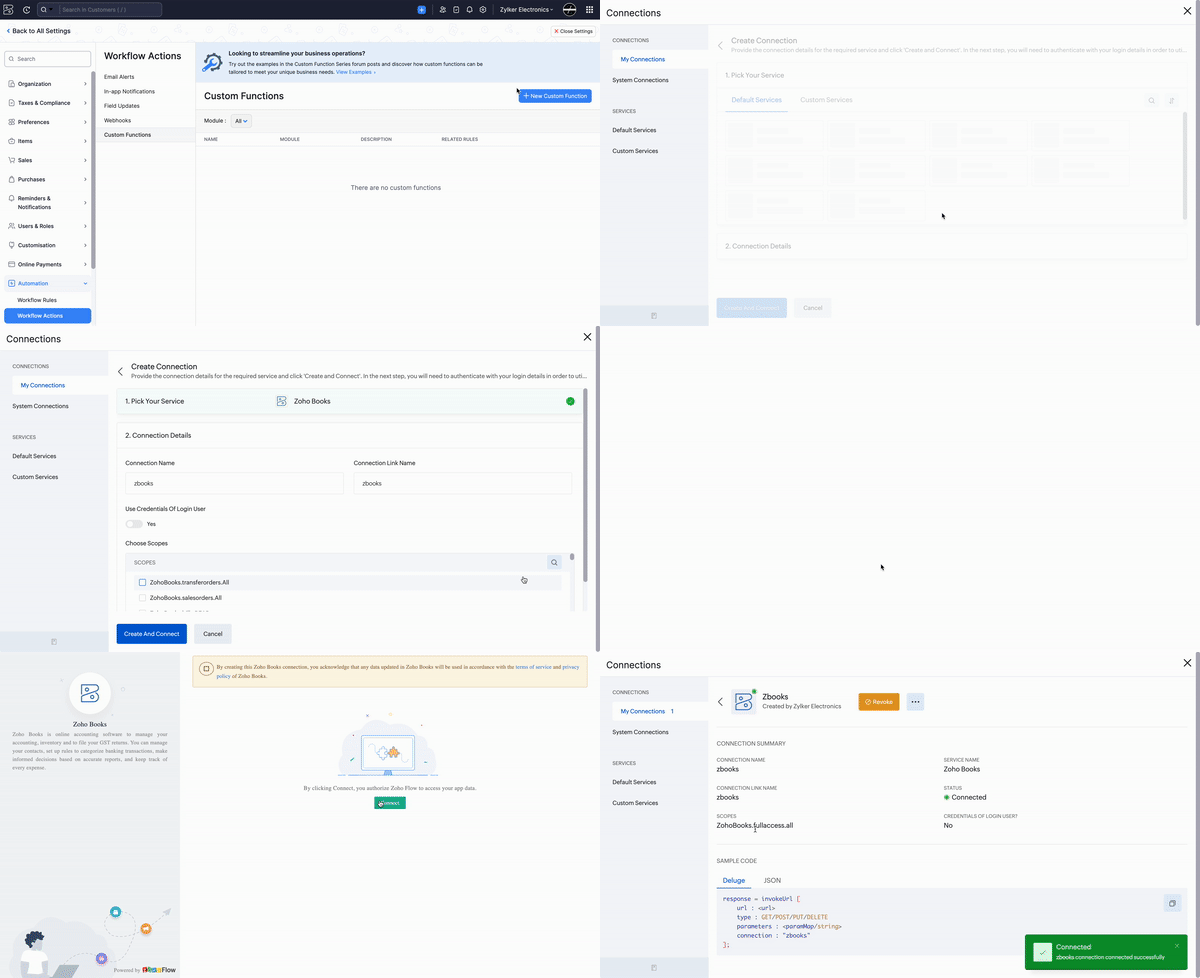
2. For the "Allow customers to pay via their bank account" option to appear, you need to integrate at least one payment gateway that supports ACH payments.
Custom Function:
Navigate to Settings -> Automation -> Workflow Actions -> Custom Functions -> +New Custom Function > Add the function code from this GitHub link -> Save.

Workflow Rule:
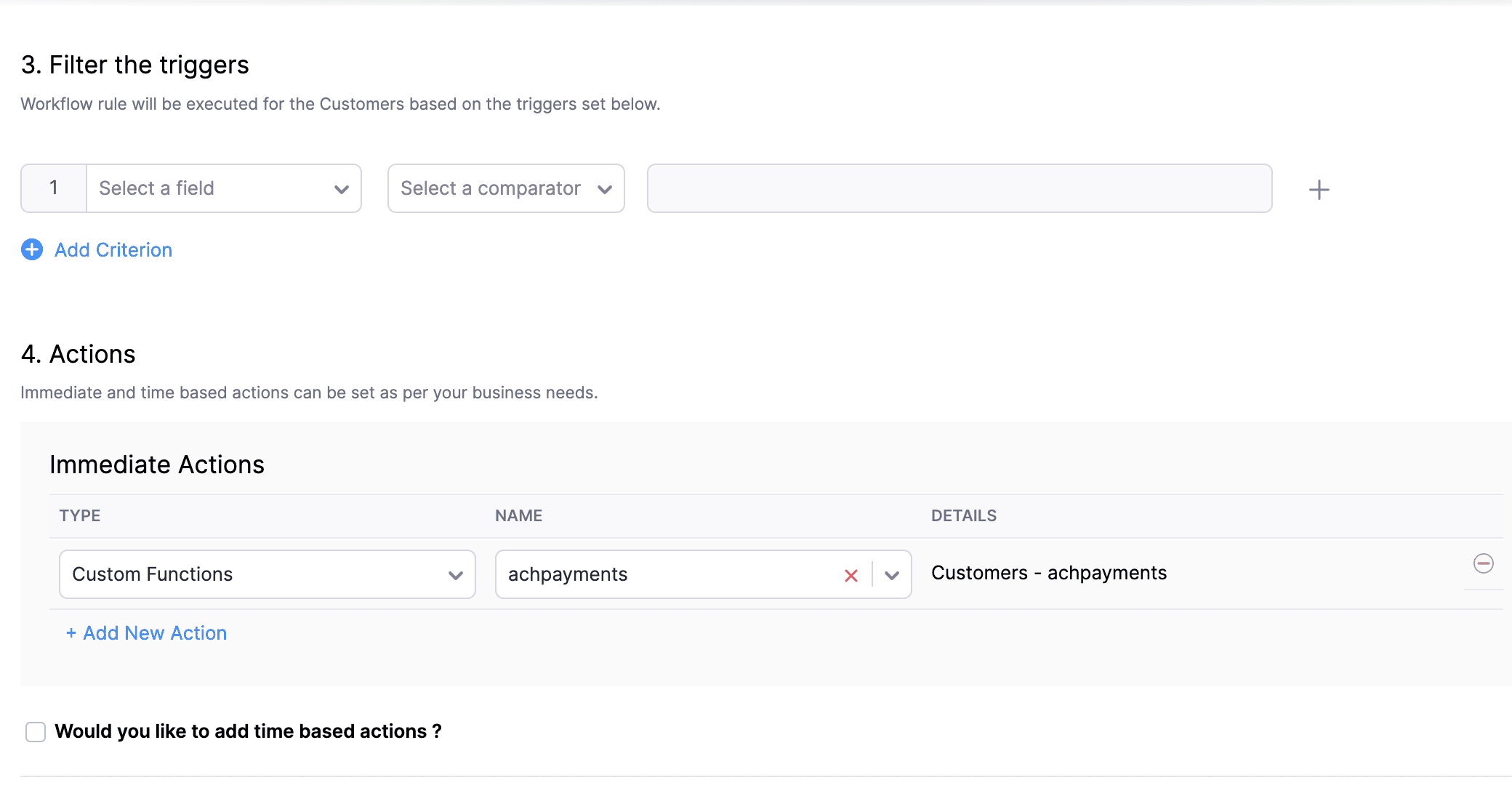
Go to Settings -> Automation -> Workflow Rules -> +New Workflow Rule and set up the workflow rule as shown below:-

This function can benefit all those businesses that receive ACH payments, as it automates the enabling of the ACH payment option for each new customer, reducing the potential for human error. If you need any help with implementing our functions, feel free to comment below or contact our Support team at support[at]zohobooks[dot]com. We're here to assist you!
In the final step of this workflow rule, associate the custom function you created and then hit Save.
This function can benefit all those businesses that receive ACH payments, as it automates the enabling of the ACH payment option for each new customer, reducing the potential for human error. If you need any help with implementing our functions, feel free to comment below or contact our Support team at support[at]zohobooks[dot]com. We're here to assist you!
Regards,
Shireen Farhana
Zoho Books