Level up your data collection game with the intuitive Zoho Forms mobile app!
In today's fast-paced world, mobility is essential for staying competitive. When it comes to collecting data, you need a tool that helps you gather and analyze essential information on the go. That's where Zoho Forms' mobile app comes in. With native applications for both Android and iOS, you can create and edit forms, collect data offline, scan codes and cards, and more—all from your mobile device. In this article, we'll share some tips and tricks for unlocking the full potential of Zoho Forms' mobile app. Let's dive in!
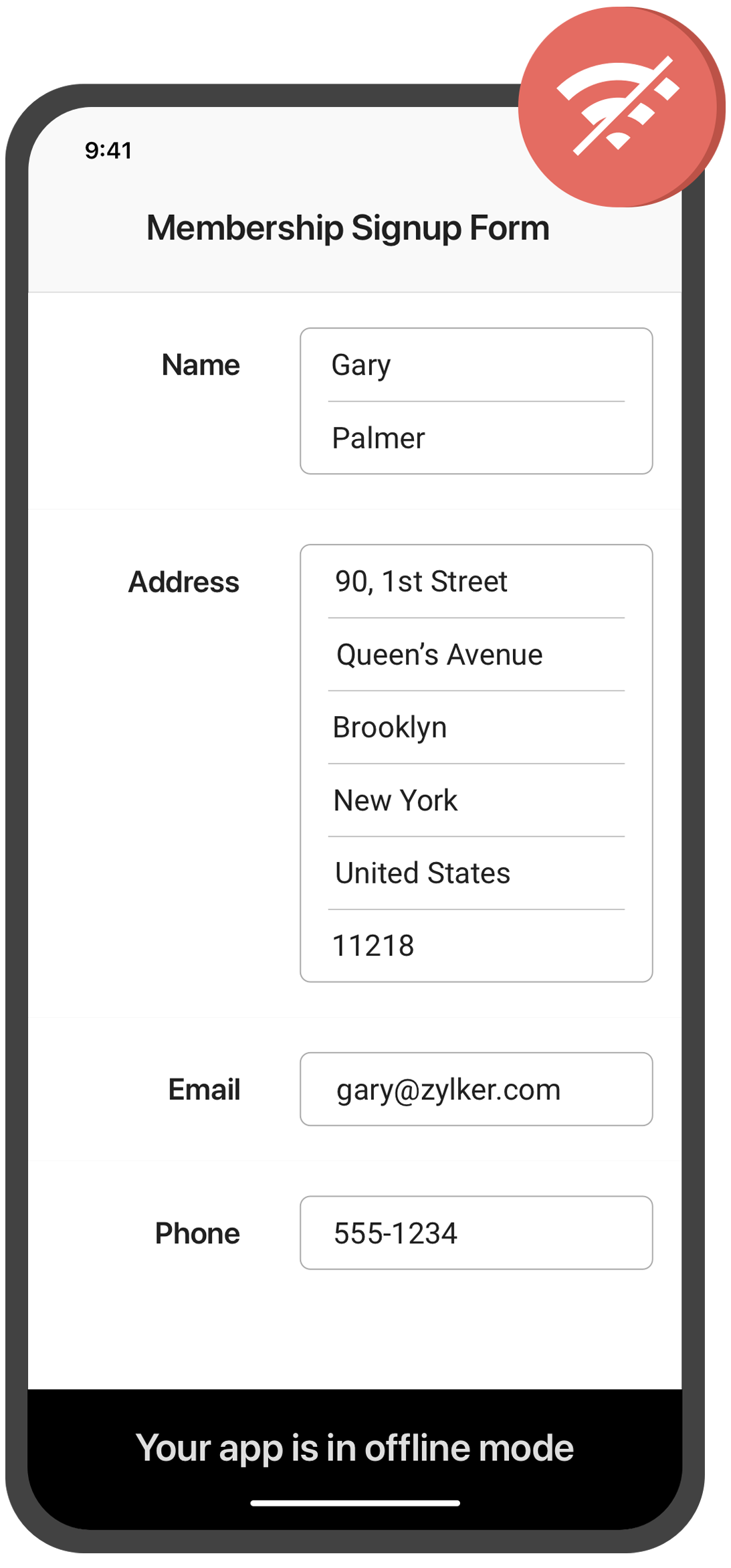
Collect data offline
Need to collect data in remote locations with no internet connection? With the Zoho Forms mobile app, you can fill out forms and collect data even when you're offline. This feature is especially useful for field workers, surveyors, and other professionals who work in areas with poor or no connectivity. Once you're back online, your data will automatically sync with your account.
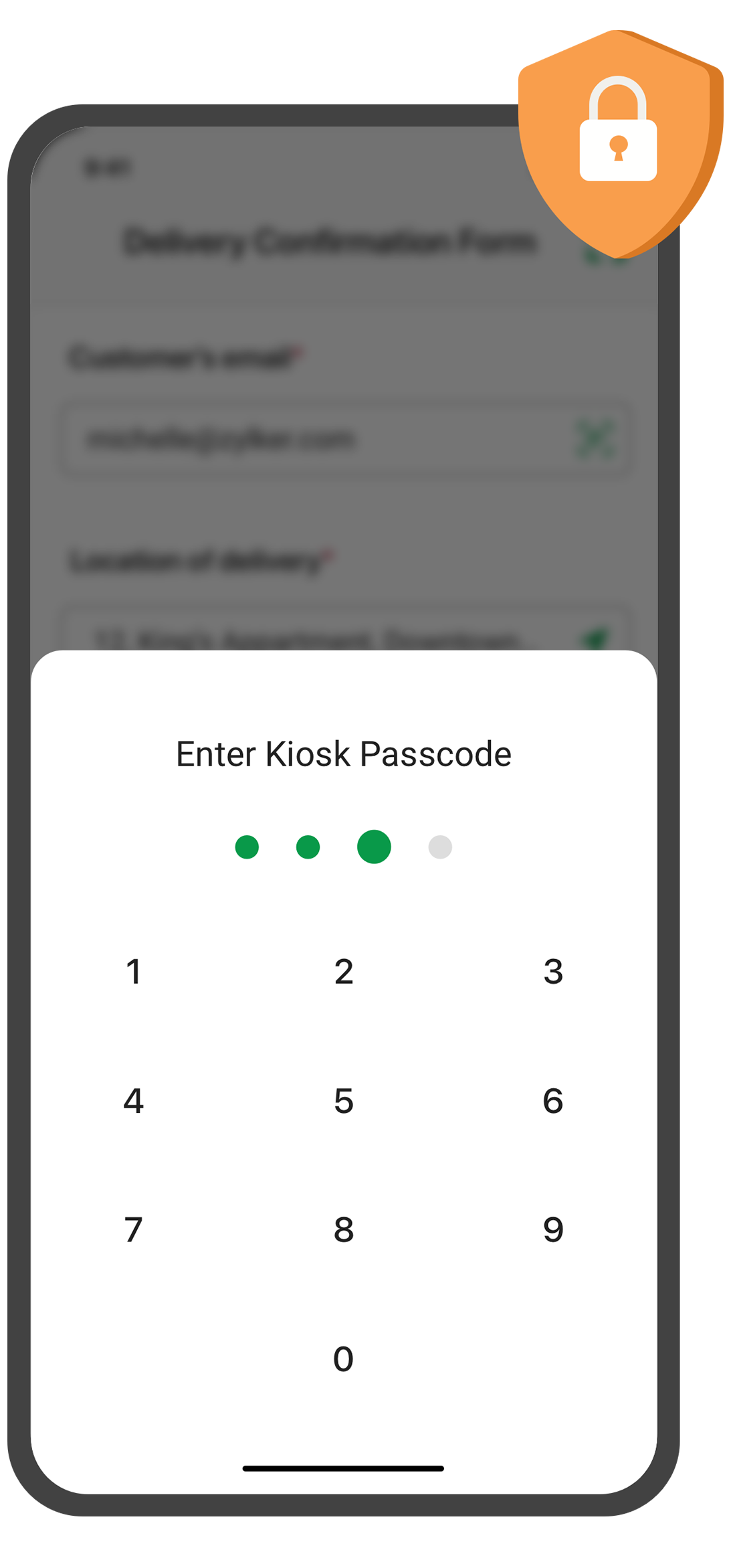
Create self-service kiosk
Looking for an easy way to collect data at events and trade shows, or in your store? With the Zoho Forms mobile app, you can turn your mobile device into a self-service kiosk with password protection. Effortlessly collect leads, contacts, and feedback!
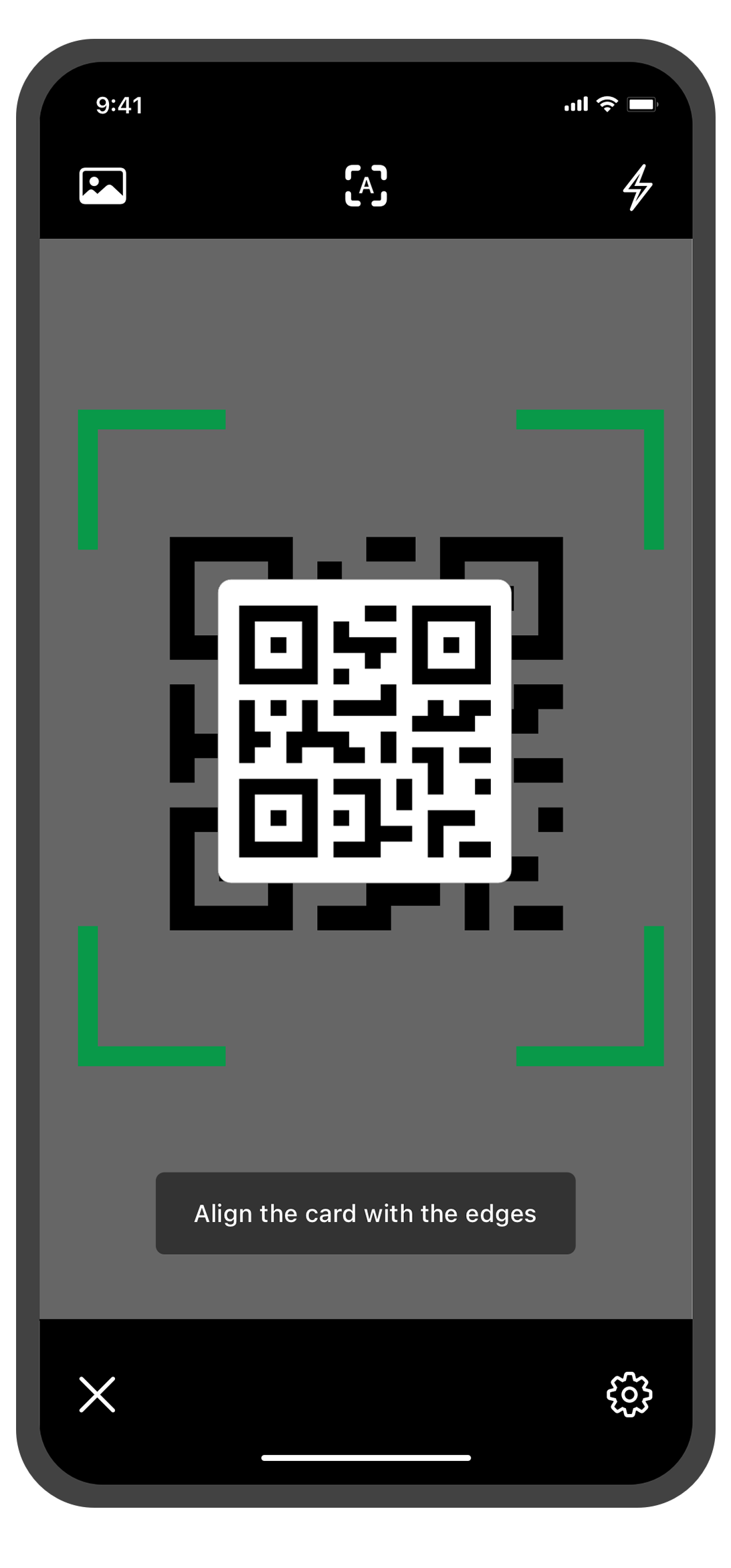
Scan QR codes and barcodes
Need to enter data quickly and accurately? The Zoho Forms mobile app lets you use your device's camera to scan QR codes and barcodes. No more manual data entry errors or wasted time! This feature is especially useful for inventory management, event registration. You can customize the form fields to more accurately reflect the data you want to collect from the codes.
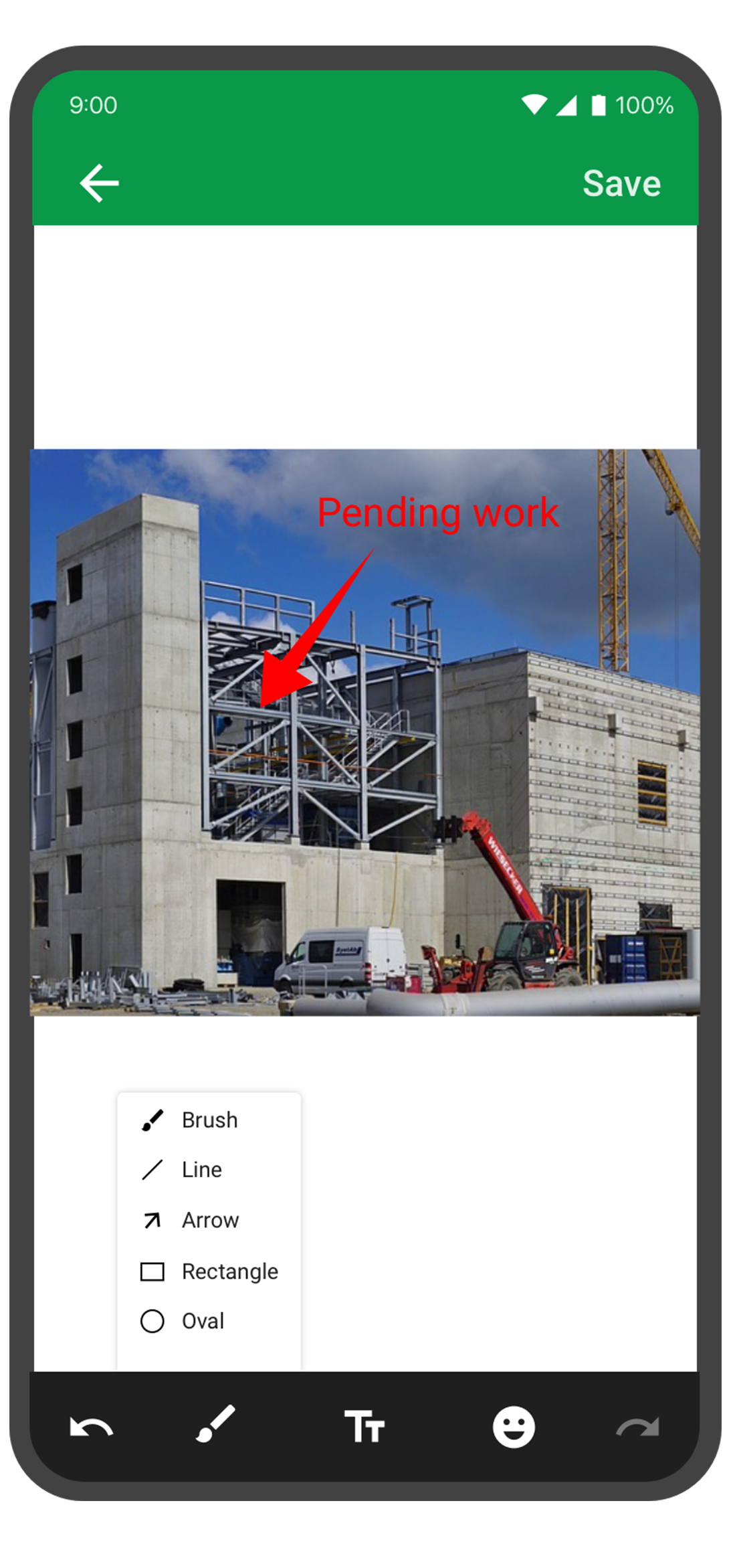
Annotate images
With the Forms mobile app, your team can capture and annotate images to make data collection more accurate and efficient. This feature is especially useful for field engineers, architects, and designers who need to capture and share information about a project. You can annotate images and mark areas of interest with text, arrows, shapes, and freehand drawings. Once the images are uploaded, you can view them under Form Submissions.
Draft entries
With this feature, you no longer have to worry about losing your progress if you need to pause or abandon filling in form. Should you experience an unexpected interruption, like a phone call or an app malfunction, the Zoho Forms app saves your progress as a draft entry. This way, you can easily pick up right where you left off at a later time without having to start from scratch. This feature can save you time and effort, and make the form-filling process more seamless and less stressful.
The Zoho Forms mobile app is a powerful tool that helps you collect data anytime, anyplace. With these tips and tricks, you can take full advantage of Forms' features and streamline your data collection process.
Try them out, and let me know how it goes! You can also send your thoughts and feedback to support@zohoforms.com.
Until next fortnight,
Niveditha
New to Zoho Recruit?
Zoho Campaigns Resources





Topic Participants
Niveditha Raghuram
Sticky Posts
Easily track referrals with Zoho Forms
Referral tracking can be a powerful way for businesses to understand where their leads are coming from. With Zoho Forms, tracking the referral sources of your leads is an easy and straightforward process. Here are some tips to help you make the most of9 Ways to use Zoho Forms this Navratri
Hello form builders!Navratri is almost here! It is a time for celebration and culture in the Indian community, and organizing such a grand event can be overwhelming. But with the right tools, you can streamline the process and focus on creating unforgettableThe secret to collecting data from valid users
Collecting accurate data is crucial for making informed decisions. Zoho Forms offers two efficient ways to validate user data and ensure that you collect entries exclusively from valid users. Double Opt-in: Double Opt-in is a privacy feature that ensuresStorage space in Zoho Forms: The ultimate guide to efficiently managing your data
Are you using Zoho Forms for data collection? As with any data-intensive application, understanding how storage space is calculated is essential. That's why we've created this guide— to show you everything you need to know about managing storage spaceLinking primary form submissions to a second form submission
Let's imagine you have a form that you use to request a minimal amount of data from your users. To collect additional information, you redirect them to another form either automatically or based on a condition. During the course of redirection, you can
Zoho CRM Plus Resources
Zoho Books Resources
Zoho Subscriptions Resources
Zoho Projects Resources
Zoho Sprints Resources
Zoho Orchestly Resources
Zoho Creator Resources
Zoho WorkDrive Resources


Zoho CRM Resources
Get Started. Write Away!
Writer is a powerful online word processor, designed for collaborative work.
Zoho CRM コンテンツ
-
オンラインヘルプ
-
Webセミナー
-
機能活用動画
-
よくある質問
-
Ebook
-
-
Zoho Campaigns
- Zoho サービスのWebセミナー
その他のサービス コンテンツ
ご検討中の方
Recent Topics
Desk fails to create a new ticket on Reply email
When I send a direct email to support@mysite.com, Desk will create a new ticket as expected. When I REPLY to an email sent from support@mysite.com, Desk will NOT generate a new ticket. This is very bad. How can I fix this? Use case: In a separate systemAsk the Experts 25: Experience the full spectrum of Zoho Desk’s autumn and spring releases for 2025
Hello Everyone, We’re on the 25th episode of our ATE series! It's a true milestone in our live community interactions! It’s been an amazing journey since we started in October 2018. Zoho Desk has come a long way, evolving with the support of a wonderfulAddin Support in Zoho Sheet
Is there any addin support available in zoho sheet as like google marketplace to enhance productivity by connecting with other apps, providing AI data analysis, streamlining business processes, and more?Function #61: Automatically add free item to the invoice based on item quantity
Hello everyone, and welcome back to another Custom Function Friday! During holiday seasons or special promotions, businesses offer deals like BOGO (Buy One, Get One), Buy 3 Get 1 Free, Buy 2 at 50% off, and much more to attract customers. These promotionsNotes for Items for Future Purchase Order
Next time when I order an item, tau have to make some changes in it, that order has to be placed after 4-5 months, I want to save those changes or points somewhere in the item, how will that be possible..Schemes of different tyoe
How can easily apply hourly, day wise or month wise schemes on Bill, Quantity, and other schemes. Like I want to apply a scheme Form today to next 7 days .where i can mention in zoho books so scheme will implement automatically to all customers andClients not receiving emails
I've been informed that my emails are not being received. Is there anything that I should look into to rectify this? Many thanks!Free Plan mail accounts details
In the zoho mail pricing there's a free plan that includes: FREE PLAN Up to 25 Users 5GB* /User, 25MB Attachment Limit Webmail access only. Single domain hosting. I need to make sure that I'm able to create multiple email accounts in the form of: name@domain.comNo more IMAP/POP/SMTP on free plans even on referrals with NO NOTICE
Outraged. Just referred a colleague to use her domain (not posting it publicly here) to Zoho, just as I have other colleagues, clients, friends. Expected the exact same free plan features as I have and as everyone else I ever referred got. I was helpingUnable to receive email - "5.3.0 - Other mail system problem 554-'5.2.3 MailPolicy violation Error delivering to mailboxes'"
My users are unable to receive emails from one particular domain, apparently. The domain known to be kicked back is whitelisted in the spam control. I sent an email to support earlier this morning but I have not received a reply. The error in the titleCaixa de saída bloqueada. Como desbloquear?
Olá, meu e-mail isabela.celli@sivirino.com está com a caixa de saída bloqueada. Não consigo enviar e-mails. Acredito que tenha sido porque mandei o mesmo e-mail para várias pessoas, pedindo uma cotação de serviço. Vocês podem desbloquear para mim? QuantosZoho Forms - Improve the CRM integration field to query data from more than one module
Hi Forms team, Something I get stuck on regularly is pre-populating a form with data when that data is spread across 2 or 3 modules. For example Contacts, Accounts and Deals. I don't want to duplicate the information in CRM so I end up writing a functiondesbloquear cuenta
Buenos dias Cordial saludo Tengo una cuenta libre en zoho mail asociado a un dominio, pero uno de los usuarios se bloquea el correo porque dice que ha excedido el límite de correo, por favor podrian desbloquearla y como hago para que esta persona debe enviar sus correos sin ningun probleama. Gracias de antemanoNot Receiving Incoming Mail
I can send emails from my account but I do not receive any. I originally set up forwarding and it worked for a while and then stopped. I turned off forwarding and now do not receive any emails. Could you please check what is causing this issue? Thank youWill zoho thrive be integrated with Zoho Books?
titleBARCODE PICKLIST
Hello! Does anyone know how the Picklist module works? I tried scanning the barcode using the UPC and EAN codes I added to the item, but it doesn’t work. Which barcode format does this module use for scanning?Making preview pane "stick"
Hello, Is it possible to fix/dock the preview pane so that it's always there? The modern monitors are all very wide so there's plenty of space horizontally. Having the preview pane disappearing and appearing again when you click on an email message inReason:554 5.1.8 Email Outgoing Blocked
I have been struggling to set up my email address for some time now; it's difficult to locate what I need. Additionally, I cannot send or receive any emails. I keep receiving the "Reason: 554 5.1.8 Email Outgoing Blocked" error. There doesn't seem toTrouble Connecting Zoho Mail via IMAP in n8n – Need Help
Hi everyone 👋, I'm trying to connect my Zoho Mail account to n8n using the IMAP Email Trigger node, but I'm facing issues getting it to work fully. ✅ Here's what I’ve done so far: ✅ IMAP access is enabled in my Zoho Mail settings ✅ I’m using the correctUnable to send message; Reason:554 5.1.8 Email Outgoing Blocked
Hi, I sent few emails and got this: Unable to send message; Reason:554 5.1.8 Email Outgoing Blocked And now I have few days since I cant send any email. Is there something wrong I did? Also can someone fix this pleaseChanges to the send mail Deluge task in Zoho CRM
Hello everyone, At Zoho, we continuously enhance our security measures to ensure a safer experience for all users. As part of our ongoing security enhancements, we're making an important update on using the send mail Deluge task in Zoho CRM. What's changing?Page Rules in Forms
🚀 Dynamic Page Navigation Implementation I successfully implemented dynamic page navigation based on a user's radio button selection. The goal was to direct users to a specific, corresponding page while ensuring they only interact with the flow determinedCancellation of written-off invoice
Hi, Can I know when we cancel the write off (write back), in which FY, the reversal is recorded. It doesn't ask as to when the write off should be cancelled to reflect!. It shouldn't reflect in the year in which the invoice was written off since the YearCreate Invoice automated with Package
Does anyone knows how to create an invoice from a SO when we have created the package? We do these manually. and validate that the product packed is the product invoiced (if the order is partially packed) Regards, JSI want to create a mailing list, NOT a group.
Can I create a mailing list in Zoho mail? I just want to be able to make a list of email addresses and give the list a name. Then when I type the list name, the list of email addresses will be automatically listed. When I create a group it sends an emailERROR CODE :554 - Your access to this mail system has been rejected due to poor reputation of a domain used in message transfer
This message was created automatically by mail delivery software. A message that you sent could not be delivered to one or more of its recipients. This is a permanent error. *****, ERROR CODE :554 - Your access to this mail system has been rejected dueExport Invoices to XML file
Namaste! ZOHO suite of Apps is awesome and we as Partner, would like to use and implement the app´s from the Financial suite like ZOHO Invoice, but, in Portugal, we can only use certified Invoice Software and for this reason, we need to develop/customize on top of ZOHO Invoice to create an XML file with specific information and after this, go to the government and certified the software. As soon as we have for example, ZOHO CRM integrated with ZOHO Invoice up and running, our business opportunitiesno me llegan los correos a Zoho mail
No puedo recibir correos pero sí enviarlos, ya hice la modificación de MX y la verificación de teléfonos, qué es lo que ocurre? graciasGroup Calendar as Default for adding new events, etc?
Hi, I want to make the group calendar (that I created, if that makes a difference) the default for anything new I add to the calendar. How can I do that? thanks.Bookmark Loading is Buffering
Hi, i clicked on the bookmark tab, around yesterday and since then it's been constantly buffering and doesn't allow me to access the mail's i have tried login in and out but of no help also trying to share a screenshot of the issue around 232 kb size,Zoho Webinar custom registration fields into Zoho CRM
I am pushing webinar registrations into zoho crm as leads and this is working fine. I have added a few custom fields to my webinar registration and I wish for these fields values to get mapped into the resulting CRM lead record. I am not seeing anywhereGitLab Extension for Zoho Desk: Connecting support and development for faster resolutions
Hello everyone! We’re excited to introduce the GitLab Extension for Zoho Desk, an integration that bridges the gap between support and development teams. This allows tickets to be converted into actionable GitLab issues for faster resolutions, betterDownload Google Drive Shared Image/File Using Deluge – Complete Guide
Download Google Drive Shared Image/File Using Deluge – Complete Guide When working with Google Drive share links inside Deluge, many developers face a common challenge: 👉 How can we download a Google Drive file directly using Deluge? This article explainsHow to update Acuity appointment fields from Zoho Flow?
Hi, I need help with Zoho Flow → Acuity Scheduling integration. What I’m doing Appointment created in Acuity Zoho Flow creates a Zoho Calendar event I want to send the Zoho Calendar Event UID back into Acuity (into a custom form field) This is so thatNo horizontal scroll bar in reports
Hi support team, I created a pivot table report which contains many columns (in my application about 15). The problem is that there is no bottom scroll bar to display colums that does not fit within the browser page. I saw that it was possible to resize colums, but colums sizes are not saved within the session. So could you add scroll bar, and eventually make colums sizes stored in the user session ? Best regards,Zoho Map integration tasks have changed - you need to "Locate all instances of Zoho Map integration tasks in your Deluge scripts by searching for the v1 marker... before 16 January 2026"
Details of an issue specific to Zoho CRM + Deluge Functions (originally posted in this forum) can be found here: https://help.zoho.com/portal/en/community/topic/zoho-map-integration-tasks-have-changed-you-need-to-locate-all-instances-of-zoho-map-integration-tasks-in-your-deluge-scripts-by-searching-for-the-v1-markerfilter broke my data
I uploaded a file recently from Sheets and it has top 2 rows frozen, with table headers in second row and each one is filterable. somehow my first 2 columns became unfiltered and no matter what I do I cannot reapply the filter?? also didn't realize theyRequest to remove domain "greentechcoatings.vn" from previous Zoho account
Hello Zoho Support, I would like to register the domain "greentechcoatings.vn" in my new Zoho Mail account, but I receive the message "This domain is already associated with another account". Please remove the domain from any previous/unknown accountTrigger actions in third-party apps using Zoho Flow
Greetings, I hope you're all doing well. We're excited to share an enhancement to Bigin's workflow capabilities. Zoho Flow Actions are now available in Bigin, enabling you to automate tasks across third-party applications directly from your workflow andEnroll, Script, Win: Hackathon 2025!
Hello CRM Developers! Are you ready to create some magic with Client Script, Widgets and Functions in Zoho CRM? Let’s make Hackathon 2025 an unforgettable adventure! The Zoho Developer Community Hackathon 2025 is here, and it’s your time to shine! REGISTERNext Page