Tips for using Zoho Forms to boost your sales this holiday season

Tips for using Zoho Forms to boost your sales this holiday season

With the holiday season quickly approaching, it's time to start using your forms to drive conversions. For many small business owners, this is the most crucial time of year. Customers always look forward to this time of year with great anticipation and are eager to begin shopping, while looking for great deals and special offers.


Firstly let's list out the 3 important dates coming up to connect with your customers:
  1. Christmas – December 25, 2022
  2. Kwanzaa – December 26, 2022
  3. New Year’s Eve – December 31, 2022
Know your customers

While there are numerous channels to market your products, it is critical to focus your marketing efforts where you believe potential customers will seek you out. Assessing the efficiency of your past holiday strategies can help you understand your target audience's behavior. To generate leadsshare your order forms directly on your social media channels.


Aside from conversions from your form embedded on website or AdWords campaigns, it's essential to comprehend your customers by knowing how they find you. This is where you can use the UTM tracking parameters to determine which of your marketing efforts is performing the best.
Geolocation tracking for mobile submissions can be helpful to learn where your visitors/customers are from.  
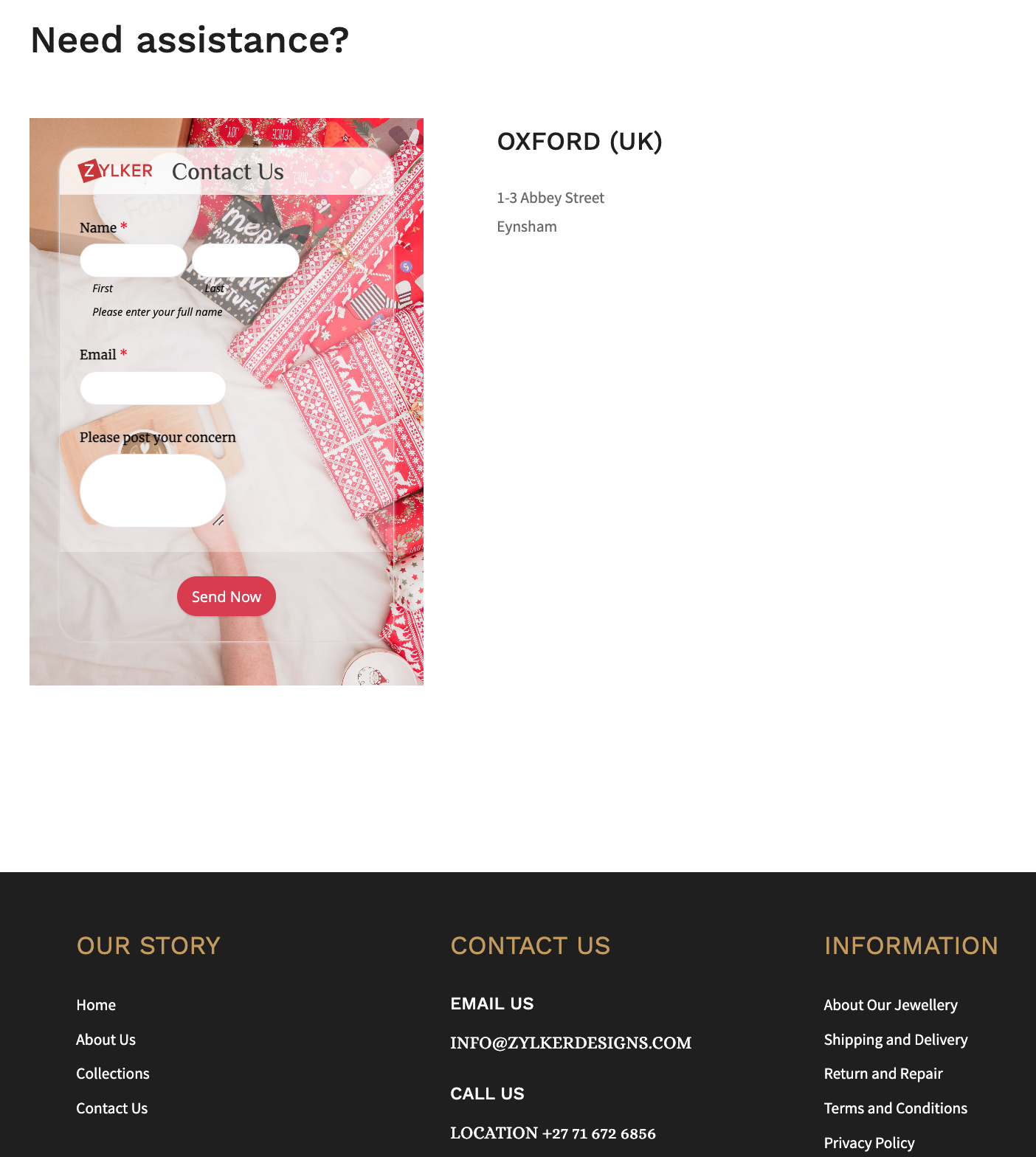
Show customers the different ways they can connect with you, by including social media links or embedding a  contact form at the end of your website footer.

Retain your loyal customers by making a list of your returning customers and create a buyer persona for them. This can help in your marketing success by getting you to foresee what they expect from you during the holiday shopping season. You can also use this information to customize the Thank you page, and the triggered emails, allowing you to create messaging that strikes a chord with your customers.


Revamp your forms and website

Add holiday flare to your website's home page and select a form background that reflects the holiday spirit, for example, a Christmas holiday theme featuring bells.


You can take behind-the-scenes photos of your business preparing for the holiday season and use them as wallpapers for your different forms to portray your realistic efforts for the customers. Use relevant images and include your brand logo wherever possible, such as in social media posts or email notifications. Choose festive CTAs (like SHOP NOW!) for your form to grab the attention of your online customers. 
To connect with each of your customers, use personalized holiday greetings while customers fill out your form with our dynamic field labels.


Offer your best deals and offers with a lightbox order form just when the website visitor is about to abandon your webpage. 


Use the form description to convey the perks that the customers will benefit from purchasing your products or services this holiday season. For example, reassure customers by announcing a free delivery or return policy and a 24/7 support in the form description to win the trust of your customers. 

Reach out to the global market with 
translated forms and sell your merchandise worldwide to earn new customers! What's more? You can trigger acknowledgement emails in the same translated language as well!


Offer multiple payment gateways to collect payments and streamline the payment process, allowing customers to choose their preferred transaction gateway.


If your store gets a lot of foot traffic, you could place the QR code of a donation form at the check out counters to collect any festive donations.

Share your story in short

Figure out what information you require, and avoid asking for information you don't need. Instead of having a long form with multiple unnecessary questions, segment the form into multiple pages, where each page focuses on different information.
Use the first page of your form to tell the story of your brand, and the reason why this holiday is special, making it easier for you to create an impact on people to connect with you, no matter where they're from. 


Following up your story with simple segmented questions will help closing the deals faster. You can also avoid showing up irrelevant questions or pages and customize the form filling experience for each customer based on the choices they make on your form with conditional rules. For example, if you have more than one event planned or you have different options to offer each attendee, you can avoid making multiple forms for each of them. Collect all the information you need in one form and customize the entry process with rules.


Customers are wary of advertisements that take advantage of the holiday season. Carefully use the holiday season to show appreciation to your customers, so that your message is heard and your actions are perceived as genuine, rather than as a ploy to make some easy money from them.

Send customized party invites to the participants

Share an event registration form or a custom RSVP form for any holiday event, say a Christmas party, or a game night.
As an attendee enters their data and submits the invite form, be sure to acknowledge them instantly. You can also send a personalized auto-generated party invite as an attachment to the acknowledgement email triggered.


Use the Document merge feature to merge form responses with document templates and generate personalized merged documents on each form submission.

Host virtual celebration with contests 

Hosting an Ugly Christmas Holiday Sweater contest is a beloved Christmas tradition and hosting it virtually is just so simple with Zoho Forms. Create a contest form with a tacky sweater background and fields asking for name and email. Ask your respondents to upload their picture with their sweater on using the Image Upload field. They can just take a snap with their phone's camera and instantly upload it to your mobile form.


The judge can view and analyze the images consolidated at one place in the All Entries section, which can make it simpler to select the winner. Offering your products as freebies to the winners can drive traffic to your website, regardless of the nature of your business.

Over to you!

The goal of holiday season sales is to reach a larger audience and outperform your competitors. Taking a few of these steps will get you on your way to higher conversions. As you gear up for your holiday events, remember to spread the holiday cheer along the way! We'd love to hear about what you do to make your forms more exciting and stand out for your audience in the comments.


      • Sticky Posts

      • Easily track referrals with Zoho Forms

        Referral tracking can be a powerful way for businesses to understand where their leads are coming from. With Zoho Forms, tracking the referral sources of your leads is an easy and straightforward process. Here are some tips to help you make the most of
      • 9 Ways to use Zoho Forms this Navratri

        Hello form builders!Navratri is almost here! It is a time for celebration and culture in the Indian community, and organizing such a grand event can be overwhelming. But with the right tools, you can streamline the process and focus on creating unforgettable
      • The secret to collecting data from valid users

        Collecting accurate data is crucial for making informed decisions. Zoho Forms offers two efficient ways to validate user data and ensure that you collect entries exclusively from valid users. Double Opt-in: Double Opt-in is a privacy feature that ensures
      • Storage space in Zoho Forms: The ultimate guide to efficiently managing your data

        Are you using Zoho Forms for data collection? As with any data-intensive application, understanding how storage space is calculated is essential. That's why we've created this guide— to show you everything you need to know about managing storage space
      • Linking primary form submissions to a second form submission

        Let's imagine you have a form that you use to request a minimal amount of data from your users. To collect additional information, you redirect them to another form either automatically or based on a condition. During the course of redirection, you can

        • Recent Topics

        • Separate Items & Services

          Hi, please separate items and services into different categories. Thank you
        • Scheduled sending of a poll and its results

          Is there a way to schedule sending a poll to all my users and have the results sent separately to the team?
        • How to list services on quote instead of products

          I need to create a customer facing estimate that displays our services. The default quote layout only allows products to be listed. Is there a way to correct this?
        • Customize Calendar view in Teamspaces Settings

          Right now every customization that happens inside of the calendar view inside of CRM is only visible for the specific user. We want to be able to set up calendar views as an admin for specific roles. I would suggest to do that inside of the settings of
        • CRM->INVENTORY, sync products as composite items

          We have a product team working in the CRM, as it’s more convenient than using Books or Inventory—especially with features like Blueprints being available. Once a product reaches a certain stage, it needs to become visible in Inventory. To achieve this,
        • Add an option to disable ZIA suggestions

          Currently, ZIA in Zoho Inventory automatically provides suggestions, such as sending order confirmation emails. However, there is no way to disable this feature. In our case, orders are automatically created by customers, and we’ve built a custom workflow
        • What's new in Zoho Sheet: Simplify data entry and collaboration

          Hello, Zoho Sheet community! Last year, our team was focused on research and development so we could deliver updates that enhance your spreadsheet experience. This year, we’re excited to deliver those enhancements—but we'll be rolling them out incrementally
        • Zoho Desk API - Send Reply to CUSTOMERPORTAL

          Hello! I'll try to send a reply to Customer Portal, But the response is 500 (INTERNAL_SERVER_ERROR in service response). {"Error":"{\"errorCode\":\"INTERNAL_SERVER_ERROR\",\"message\":\"An internal server error occurred while performing this operation.\"}"}
        • validation rules doesn't work in Blueprint when it is validated using function?

          I have tried to create a validation rule in the deal module. it works if I try to create a deal manually or if I try to update the empty field inside a deal. but when I try to update the field via the blueprint mandatory field, it seems the validation
        • Zoho Creator Developer Console | Improved Distribution and Lifecycle Management for apps

          Hello everyone, We're excited to introduce new enhancements now in the Zoho Creator Developer Console. These updates strengthen private app distribution through licensing controls and extend environment support across all installed apps, helping teams
        • CRM gets location smart with the all new Map View: visualize records, locate records within any radius, and more

          Hello all, We've introduced a new way to work with location data in Zoho CRM: the Map View. Instead of scrolling through endless lists, your records now appear as pins on a map. Built on top of the all-new address field and powered by Mappls (MapMyIndia),
        • WhatsApp IM in Zoho Desk always routes to Admin instead of assigned agent

          Hello Zoho Experts, I connected WhatsApp IM to my Zoho Desk account. I only assigned my Customer Service (CS) agent to the WhatsApp channel, and I did NOT include Admin in this channel. However, every new WhatsApp conversation automatically gets assigned
        • Zoho CRM for Everyone's NextGen UI Gets an Upgrade

          Hello Everyone We've made improvements to Zoho CRM for Everyone's Nextgen UI. These changes are the result of valuable feedback from you where we’ve focused on improving usability, providing wider screen space, and making navigation smoother so everything
        • [Webinar] Solving business challenges- Handling the challenge of transitioning to Zoho Writer from legacy tools

          Moving to Zoho Writer is a great way to consolidate your business tools and become more agile. With multiple accessibility modes, no-code automation, and extensive integration with business apps and content platforms, Zoho Writer helps solve your organization's
        • hide resolution from help centre

          to my surprise, i just found out that the resolution text is public in the helpcenter, even if 'notify customer' is off. is there a workaround to that? how do others deal with this? How zoho support does this and I don't think its used by Zoho in the first place. the resolution is meant to be private, not public
        • Feature Request - Gift Cards or Gift Voucher Capability in Zoho Commerce

          Hi Zoho Commerce team, I'm comming accross more and more retail businesses who sell gift cards. As there is currently no way to manage this in Zoho Commerce, it is a blocker to addoption. This is particularly popular in Europe and North America. I recently
        • Highlight a candidate who is "off limits"

          Hello: Is there a way to highlight a candidate who is "off limits"?  I would like to have the ability to make certain candidate and / or Client records highlighted in RED or something like that.   This would be used for example when we may have placed a candidate somewhere and we want everyone in our company to quickly and easily see that they are off limits.  The same would apply when we want to put a client or former client off limits so no one recruits out of there. How can this be done? Cheers,
        • Closing off tasks automatically based on project status

          Is there a way to close off all open tasks when a project is set as Cancelled?
        • CRM x WorkDrive: File storage for new CRM signups is now powered by WorkDrive

          Availability Editions: All DCs: All Release plan: Released for new signups in all DCs. It will be enabled for existing users in a phased manner in the upcoming months. Help documentation: Documents in Zoho CRM Manage folders in Documents tab Manage files
        • [Free webinar] Understanding connections and datasources in Zoho Creator - Creator Tech Connect

          Hello everyone, We’re excited to invite you to another edition of the Creator Tech Connect webinar. About Creator Tech Connect The Creator Tech Connect series is a free monthly webinar featuring in-depth technical sessions designed for developers, administrators,
        • Bridge the Gap Between your Service and Finance Teams

          In field service, the most expensive distance isn’t the drive to a customer’s home—it’s the gap between a finished job and a paid invoice. Zoho FSM leverages the power of Zoho Invoice to handle and manage billing operations. It enables you to: Instantly
        • Direct URL to "View Record"

          I would like to create a button (Deluge Script) to jump to the "view record" without passing by the record menu, but I can not aford to find the right url. I don't want the "view record" as a single page. I want the "view record" in the application like the picture below: Thanks in advance for your help
        • Live Chat for user

          Hi everyone, I’m new to Zoho Creator and wanted to ask if it’s possible to add a live chat option for all logged-in portal users so they can chat internally. I’m trying to create a customer portal similar to a service desk, but for vehicle breakdowns,
        • SalesIQ Chat Owner to CRM Lead Owner Mapping

          There is no proper mapping between the SalesIQ chat owner and the CRM lead owner. When a chat is assigned to an agent, the lead created in CRM is often assigned to a different user, forcing admins to manually change ownership every time. This creates
        • Does zoho inventory need Enterprise or Premium subsrciption to make Widgets.

          We have Zoho One Enterprise and yet we can't create widgets on inventory.
        • Product line search in quotes

          Is there a way to change the search setting when you add a product line to a quote. We have created a field in products called 'Part Number' and I would like when I'm adding a product line to the quote that I can search on that field. At the moment it only searches on product description. In products I can search on the 'Part Number' field Any help welcome.
        • Invoice status on write-off is "Paid" - how do I change this to "Written off"

          HI guys, I want to write off a couple of outstanding invoices, but when I do this, the status of the invoices shows as "Paid". Clearly this is not the case and I need to be able to see that they are written off in the customer's history. Is there a way
        • 🚀 WorkDrive 6.0 (Phase 1): Empowering Teams with Content Intelligence, Automation, Accessibility, and Control

          Hello, everyone! WorkDrive continues to evolve from a robust file management solution into an intelligent, secure, and connected content collaboration platform for modern businesses. Our goal remains unchanged: to simplify teamwork, strengthen data security,
        • Storage Limits

          Hello, What is the storage limitations for each user on professional edition?  Thanks, Mekki
        • Optimum CRM setup for new B2B business

          Can some advise the most common way to setup Zoho CRM to handle sales for a B2B company? Specifically in how to handle inbound/outbound emails. I have spent hours researching online and can't seem to find an accepted approach, or even a tutorial. I have
        • Dheeraj Sudan and Meenu Hinduja-How do I customize Zoho apps to suit my needs?

          Hi Everyone, I'm Meenu Hinduja and my husband Dheeraj Sudan, run a business. I’m looking to tweak a few things to fit my needs, and I’d love to hear what customizations others have done. Any tips or examples would be super helpful! Regards Dheeraj Sudan
        • Important Update: Google Ads & YouTube Ads API Migration

          To maintain platform performance and align with Google's newest requirements, we are updating the Google Ads and YouTube Ads integrations by migrating from API v19 to the newer v22, before the official deprecation of v19 on February 11, 2026. Reference:
        • Zoho Recruit Community Meetup - London 🇬🇧

          Hello Recruiters! We’re excited to announce that the Zoho Recruit team is coming to the UK for an in-person Zoho User Group (ZUG) Meetup in London! This is your chance to connect with fellow Zoho users, learn from experts, and walk away with actionable
        • Power Pivot and Data Modeling functionality in Zoho Sheet

          When will MS Excel functionalities like Power Pivot and Data Modeling functionalities be available in Zoho Sheet?
        • Sender Email Configuration Error.

          Hello Team, Hope you are all doing well. We are in the process of creating the Zoho FSM environment in the UAE. When we try to add the sender email address “techsupportuae@stryker.com”, we receive the error message: “Error occurred while sending mail
        • Canvas View bug

          I would like to report a bug. When clone a canvas view from an existing canvas view, if the original canvas view have canvas button with client script. Then the new create canvas view will have canvas button, it is make sense. But when I try to delete
        • Global Search placement in the new UI

          Having a hard time with the global search placement in the UI redesign. Surely I can't be the only one. Previously global search placement was perfect. A bar at the top/center of the page. Exactly where you would expect it to be. Since the new UI has
        • What's New - January 2026 | Zoho Backstage

          Welcome to 2026! If you thought last year was big, buckle up. We’re stepping into this year with a singular focus: unimaginable growth, elite scalability, and performance benchmarks that leave the old ways of event management in the rearview mirror. As
        • Cliq on your mobile phone

          Some of the employees in my company get their cliq on their mobile phones but it will not let them answer the call. The employee has to go to their laptop to access it. 
        • Bulk Delete Messages in Cliq

          Isn't it possible to bulk delete messages in Cliq? I have them delivered to me as notifications from another service but most of them need to be deleted as not of value. I get dozens of them per day, and deleting them is already difficult is the "Delete"
        • Next Page