Level up your data collection game with the intuitive Zoho Forms mobile app!
In today's fast-paced world, mobility is essential for staying competitive. When it comes to collecting data, you need a tool that helps you gather and analyze essential information on the go. That's where Zoho Forms' mobile app comes in. With native applications for both Android and iOS, you can create and edit forms, collect data offline, scan codes and cards, and more—all from your mobile device. In this article, we'll share some tips and tricks for unlocking the full potential of Zoho Forms' mobile app. Let's dive in!
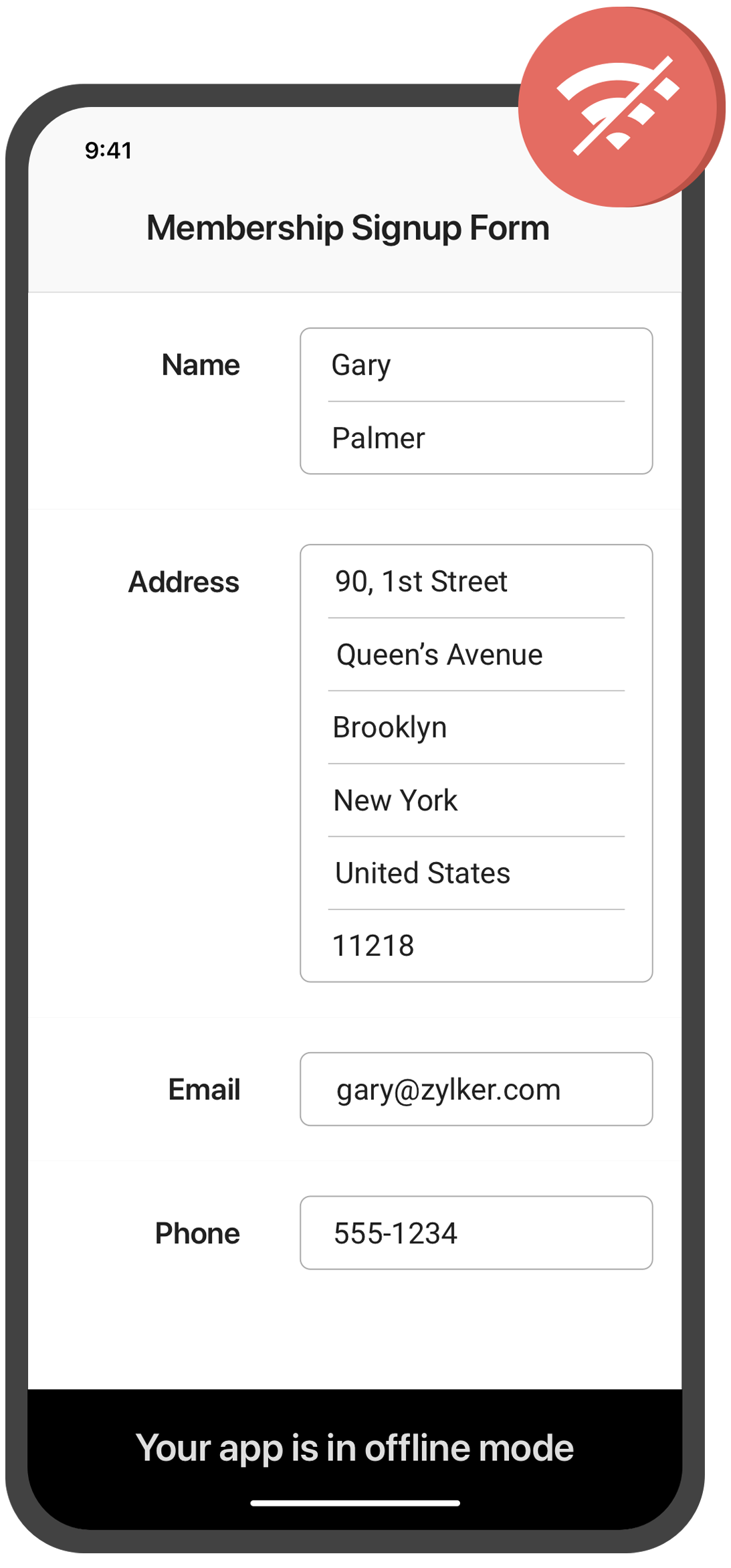
Collect data offline
Need to collect data in remote locations with no internet connection? With the Zoho Forms mobile app, you can fill out forms and collect data even when you're offline. This feature is especially useful for field workers, surveyors, and other professionals who work in areas with poor or no connectivity. Once you're back online, your data will automatically sync with your account.
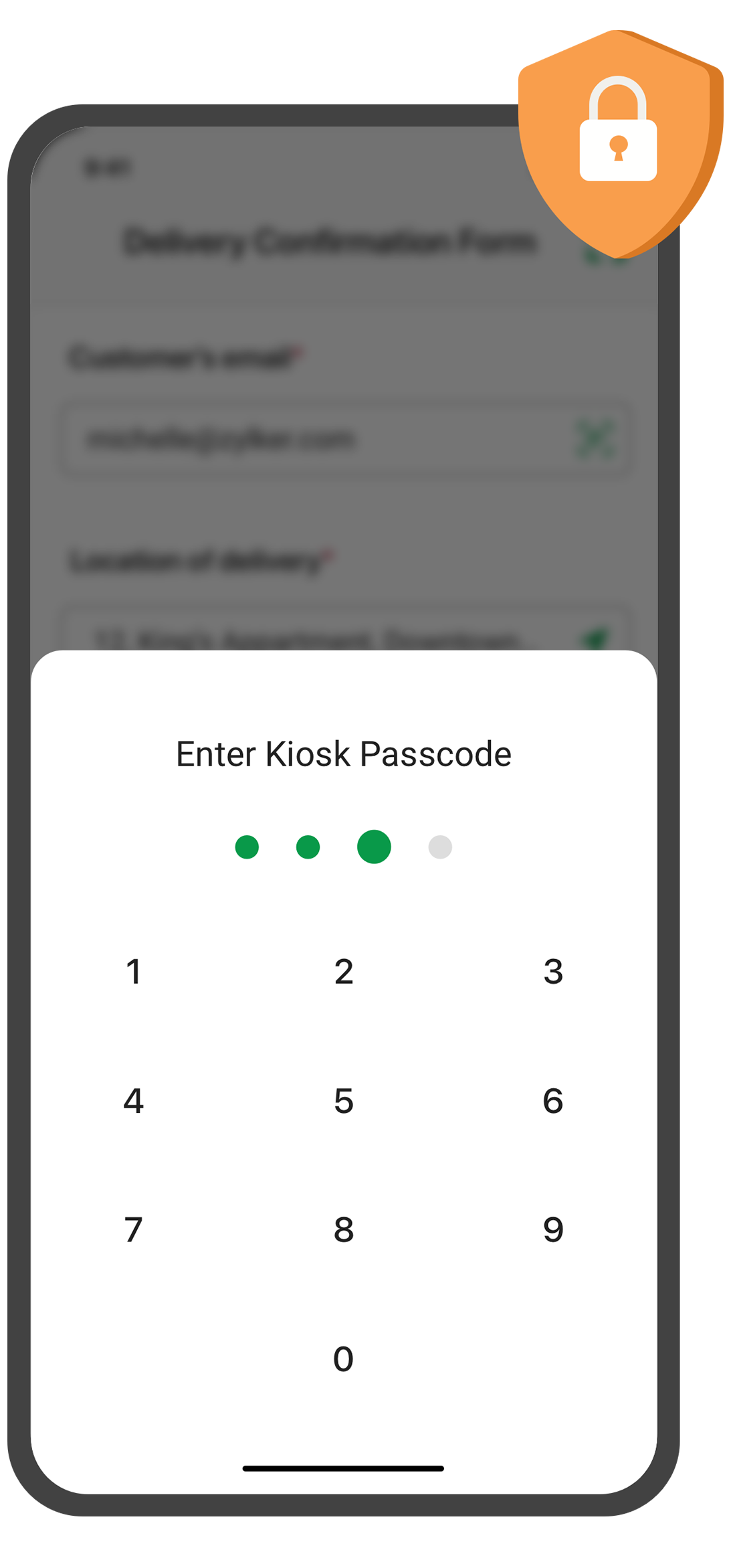
Create self-service kiosk
Looking for an easy way to collect data at events and trade shows, or in your store? With the Zoho Forms mobile app, you can turn your mobile device into a self-service kiosk with password protection. Effortlessly collect leads, contacts, and feedback!
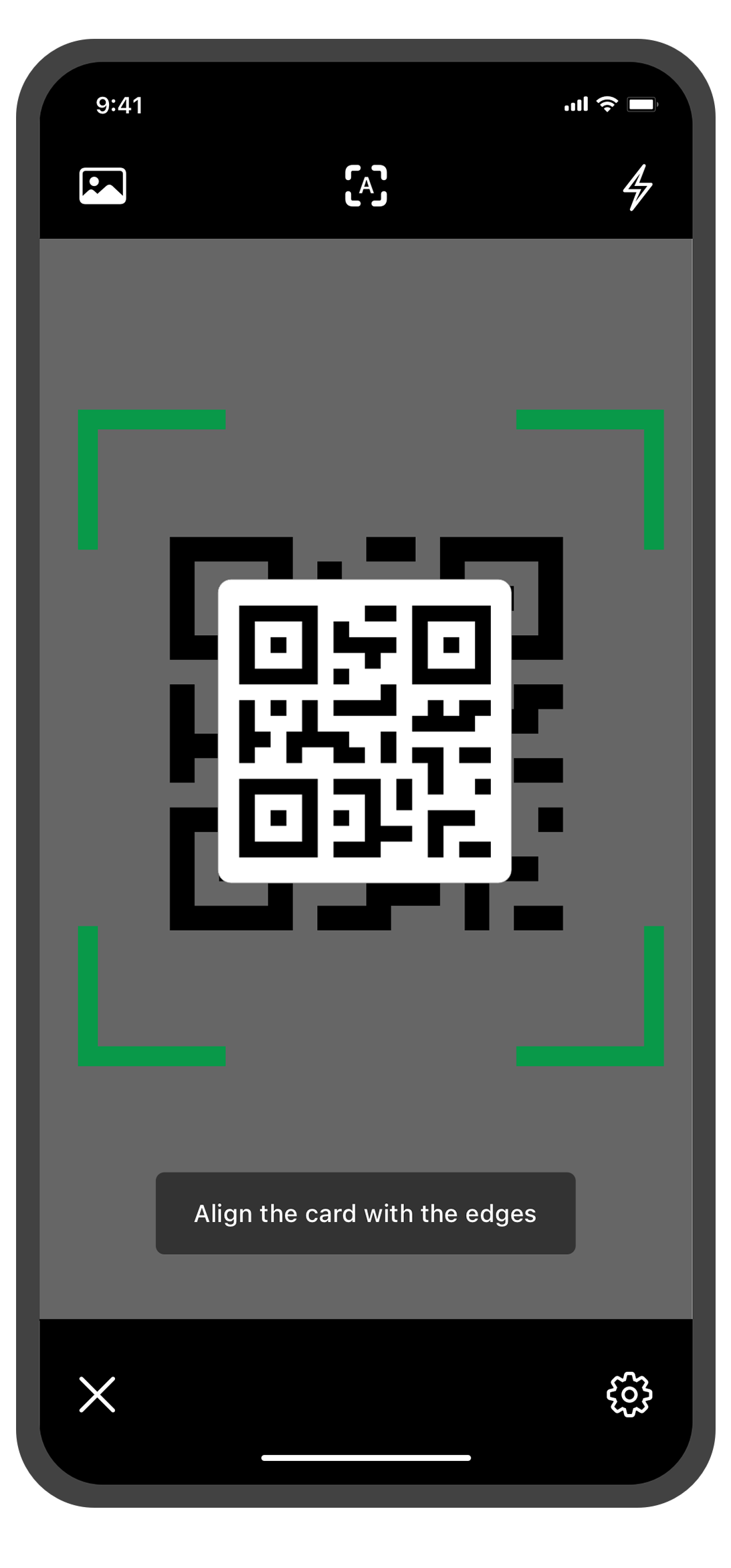
Scan QR codes and barcodes
Need to enter data quickly and accurately? The Zoho Forms mobile app lets you use your device's camera to scan QR codes and barcodes. No more manual data entry errors or wasted time! This feature is especially useful for inventory management, event registration. You can customize the form fields to more accurately reflect the data you want to collect from the codes.
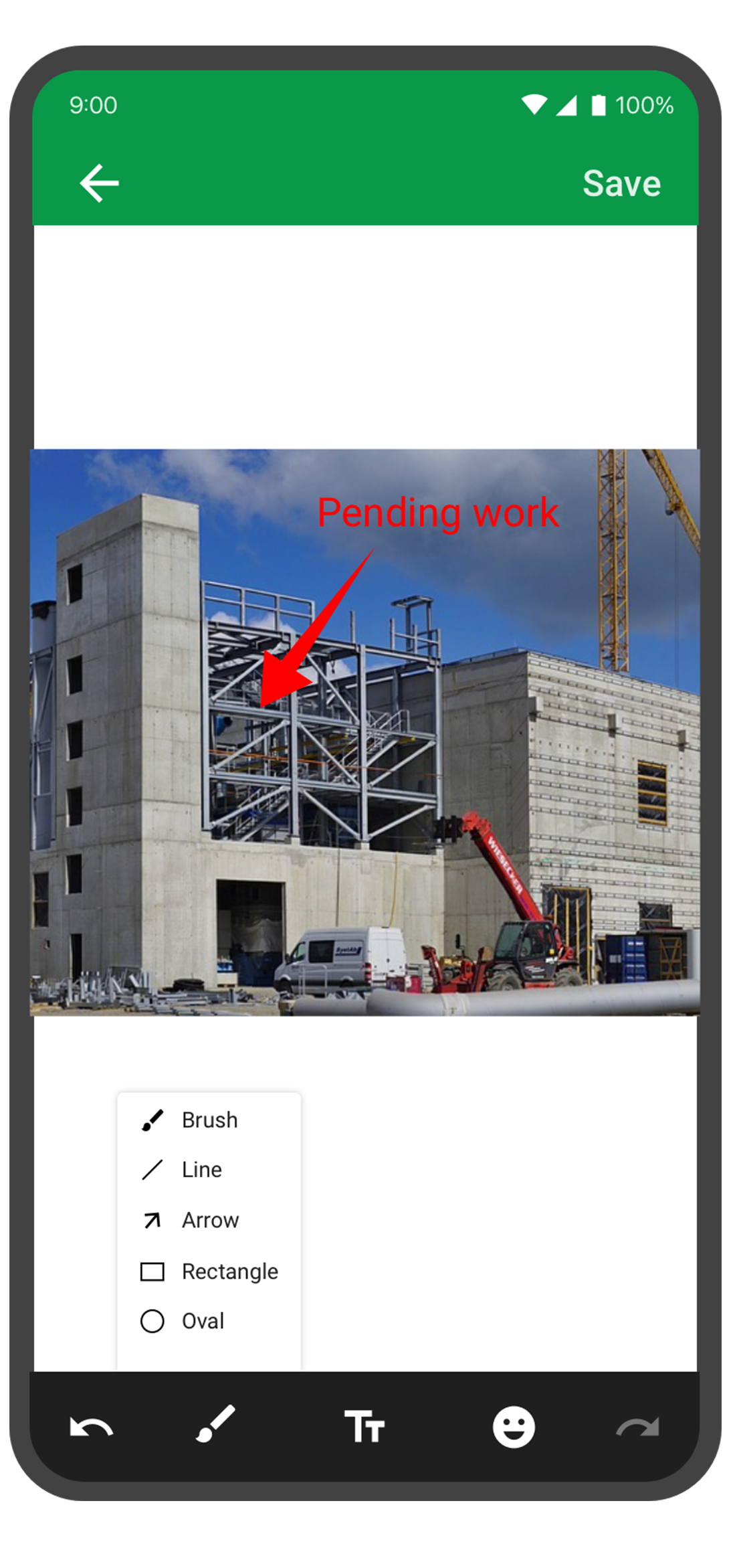
Annotate images
With the Forms mobile app, your team can capture and annotate images to make data collection more accurate and efficient. This feature is especially useful for field engineers, architects, and designers who need to capture and share information about a project. You can annotate images and mark areas of interest with text, arrows, shapes, and freehand drawings. Once the images are uploaded, you can view them under Form Submissions.
Draft entries
With this feature, you no longer have to worry about losing your progress if you need to pause or abandon filling in form. Should you experience an unexpected interruption, like a phone call or an app malfunction, the Zoho Forms app saves your progress as a draft entry. This way, you can easily pick up right where you left off at a later time without having to start from scratch. This feature can save you time and effort, and make the form-filling process more seamless and less stressful.
The Zoho Forms mobile app is a powerful tool that helps you collect data anytime, anyplace. With these tips and tricks, you can take full advantage of Forms' features and streamline your data collection process.
Try them out, and let me know how it goes! You can also send your thoughts and feedback to support@zohoforms.com.
Until next fortnight,
Niveditha
New to Zoho Recruit?
Zoho Campaigns Resources





Topic Participants
Niveditha Raghuram
Sticky Posts
Easily track referrals with Zoho Forms
Referral tracking can be a powerful way for businesses to understand where their leads are coming from. With Zoho Forms, tracking the referral sources of your leads is an easy and straightforward process. Here are some tips to help you make the most of9 Ways to use Zoho Forms this Navratri
Hello form builders!Navratri is almost here! It is a time for celebration and culture in the Indian community, and organizing such a grand event can be overwhelming. But with the right tools, you can streamline the process and focus on creating unforgettableThe secret to collecting data from valid users
Collecting accurate data is crucial for making informed decisions. Zoho Forms offers two efficient ways to validate user data and ensure that you collect entries exclusively from valid users. Double Opt-in: Double Opt-in is a privacy feature that ensuresStorage space in Zoho Forms: The ultimate guide to efficiently managing your data
Are you using Zoho Forms for data collection? As with any data-intensive application, understanding how storage space is calculated is essential. That's why we've created this guide— to show you everything you need to know about managing storage spaceLinking primary form submissions to a second form submission
Let's imagine you have a form that you use to request a minimal amount of data from your users. To collect additional information, you redirect them to another form either automatically or based on a condition. During the course of redirection, you can
Zoho CRM Plus Resources
Zoho Books Resources
Zoho Subscriptions Resources
Zoho Projects Resources
Zoho Sprints Resources
Zoho Orchestly Resources
Zoho Creator Resources
Zoho WorkDrive Resources


Zoho CRM Resources
Get Started. Write Away!
Writer is a powerful online word processor, designed for collaborative work.
Zoho CRM コンテンツ
-
オンラインヘルプ
-
Webセミナー
-
機能活用動画
-
よくある質問
-
Ebook
-
-
Zoho Campaigns
- Zoho サービスのWebセミナー
その他のサービス コンテンツ
ご検討中の方
Recent Topics
SalesIQとPageSenseの利用について
初めての投稿で場違いだったらすいません。 弊社ではSalesIQを運用しているのですが、追加でPageSenseの導入もしたいと現場からの声があります。 両サービスともクッキー同意バナーが必要なサービスなのですが 弊社では同意無しに情報はとりませんという方針なので 2つ入れると2つバナーを出す必要がでてきます・・・ 両サービスを運用されてる方があれば運用状況とか教えてほしいです。 PageSenseについては詳細まで機能を理解してないなかでの質問です。How to integrate Zoho Forms with Zoho CRM on Standard Plan
Hello Zoho Support Team, I am using the Standard Zoho Forms plan (USD 30/user) and I would like to integrate Zoho Forms with Zoho CRM so that certain fields in my forms can be automatically prefilled using data from Deals in CRM. Specifically, I wantExport PDF File Name
Is it possible to change the default Zoho .pdf naming scheme for inventory items like quotations? Would like to use the the Subject as the default quote name. Is this possible?How to change the from address from 'no reply' for an email template in CRM
Hi, We have our CRM set up with the from field as sales@XXX. I have just created a series of email templates and sent a test and they are sending from noreply@zoho I have tried searching for how to change the email template but don't have the optionsZoho CRM Client Script - SetCriteria in lookup Field
Hello All One More Zoho CRM Client Script Tips & Trick. Now you can Set the Criteria on Your lookup in zoho CRM, It Comes With a Create Page, Edit Page, and Details Page (Standard). Example:- We have a Room Module that includes Room Name, Status, Campus,Kaizen #71 - Client Script ZDKs for Detail (Canvas) Page
Hello everyone! Welcome back to another interesting Kaizen post. In this post, we can discuss Client Script ZDKs support for Detail (Canvas) Page. What is Detail (Canvas) Page? A Detail(Canvas) Page allows you to customize the record detail page to yourZoho Reports Duplicating Entries
I have a custom costing tab with a table where we entre invoices. These are under a Heading (PO Subject) and notes added in the form with different line items. In the reports, I have organised the report to group per PO Subject, with the total of theValidation Rule Not Working for Mandatory Field in Zoho Blueprint
As a Zoho user, we created a validation rule for a specific field. However, we noticed that when we made the same field mandatory within a Blueprint, the validation rule we defined did not work. When we reported this issue to Zoho Support, they statedNotes Issues
Been having issues with Notes in the CRM. Yesterday it wasn't showing the notes, but it got resolved after a few minutes., Now I have been having a hard time saving notes the whole day. Notes can't be saved by the save button. it's grayed out or not grayedExport from Contacts module to Products module in Zoho CRM
Good afternoon, I would like to send a number of contact info from the Contacts module into the customized module (tickets to an event) in one operation. I have selected several contacts in the Contact module (people who I have labelled as people I wantCan’t receive emailI c
I have generated a basic for but when I submit it I don’t get a email, I’ve been in the settings and tested me email, all appears correct, can you please help meData Capture for Historical Activity (Especially One Lead Downloading Variois reports without Overwriting the info)
Is there a better way in Zoho CRM to capture and archive a lead’s historical activity—specifically whenever they download reports—so that the data is stored without being overwritten?”Client Script - Updating Field Value in Detail Page of a Lead
Hello, I'm trying to use Client Script To enrich some data of the Lead when one of my User fill the "City" field in the detail page of the Lead. This is my Script: log (value); var response = ZDK.Apps.CRM.Functions.execute("getInfoCitta", { "nomeCitta":Auto shapes in Zoho sheet.
Does Zoho sheet supports inserting auto shapes (rectangle, circle...). I did not see any option to do so. If its not supported currently, is there any plans on bring in this features. Any timelines ?How to get the call recording external ID via desk API
I have enabled phonbridge integration with Zoom Call. I am trying to access the call recording in Zoom by calling Zoom API. I have built a Desk workflow to trigger on a new call, to call a custom function. when calling the API, the response doesn't containCan't View Project Names in Mobile App
I can't view project names on PO's in the app, nor can I add that as a viewable PDF field in inventory on the computer. I've attached screenshots showing that in the mobile version whether you are on the PO, editing the PO, or viewing the PO line items,Notebook
I have purchased the monthly pro subscription of Notebook. But it does not support my XP-Pen to write something in it. So it is not useful to me. Hence I am requesting you to help me to discontinue this subscription.Domain Mapping & Image Publishing Issues on Zoho Sites
Hello, I am facing two issues with my Zoho Sites account: 1. Images not visible after publishing. 2. Domain mapping error: "Domain already exists". I am a paid customer. Please connect me with Live Chat Support or Zoho Assist so I can show my issuePrevent duplicate with custom fields?
I was wondering something about custom field/custom modules in Zoho Desk. For some reason you can make a custom field mandatory but not unique? For example, if I create a custom module to manage equipment and renewal and make a field serial number noGenerate leads from instagram
hello i have question. If connect instagram using zoho social, it is possible to get lead from instagram? example if someone send me direct message or comment on my post and then they generate to leadWhere is the desktop app for Zoho Projects???
As a project manager, I need a desktop app for the projects I manage. Yes, there's the web app, which is AWESOME for cross browser and platform compatibility... but I need a real desktop app for Projects that allow me to enter offline information whereHow to Automate Monthly PDF Reports with Filters in Zoho Creator
Hi everyone, I’m trying to build an automated monthly reporting process in Zoho Creator and would appreciate suggestions or best practices from anyone who has done something similar. What I’m trying to do: I have a form called New_Customer with fieldsFeedback: Streamlining Note Management in Zoho Notebook
Dear Team/Support, I would like to share some feedback regarding the note management system that could help improve usability and accessibility for users like myself. Notebook 1 (screenshot attached): Currently, the system does not allow selecting andshowing Limit exceeded
Good afternoon...trust you're good. I've been having issues working with but it's not responding. it's showing Limit exceeded, sorry it seems like too many people are working on the sheet right now please try again later. meanwhile no one is working onUpload API
I'm trying to use the Upload API to upload some images and attach them to comments (https://desk.zoho.com/DeskAPIDocument#Uploads#Uploads_Uploadfile) - however I can only ever get a 401 or bad request back. I'm using an OAuth token with the Desk.tickets.ALLLosing description after merging tickets
Hello, We merge tickets when they are about the same topic from the same client. It happens sometimes. We recently noticed that after the merger only the description from the master ticket is left in a thread. And the slave-ticket description is erased.update linked contacts when update happens in account
Hi, I have a custom field called Licence in the Accounts module. When someone buys a licence, I’d like to update a custom field in the related Contacts. How can I achieve this? I noticed that workflows triggered on Accounts only allow me to update fieldsProblem Management Module
I am looking for a Problem Management module within Zoho Desk. I saw in some training videos that this is available, and some even provided an annual price for it. I want an official confirmation on whether this is indeed available. This is not a particularlyUnable to explore desk.zoho.com
Greetings, I have an account with zoho which already has a survey subscription. I would like to explore desk.zoho.com, but when I visit it while logged in (https://desk.zoho.com/agent?action=CreatePortal) I just get a blank page. I have tried differentOffline support for mobile app
Accessing your files and folders from your mobile devices is now quicker and simpler, thanks to the power of offline support. Whether on an Android or iOS device, you can use the Offline function to save files and folders, so you can review them evenZoho Desk KB article embedded on another site.
We embed KB articles from Zoho Desk on another site (our application). When opening the article in a new tab, there is no issue, but if we choose lightbox, we are getting an error "To protect your security, help.ourdomain.com will not allow Firefox toList of packaged components and if they are upgradable
Hello, In reference to the article Components and Packaging in Zoho Vertical Studio, can you provide an overview of what these are. Can you also please provide a list of of components that are considered Packaged and also whether they are Upgradable?Does Attari Messaging app have Bot option and APIB
Hi, Does Attari also have Bot and API as we use in WhatsApp??How to add application logo
I'm creating an application which i do not want it to show my organization logo so i have changed the setting but i cannot find where to upload/select the logo i wish to use for my application. I have seen something online about using Deluge and writingChange of Blog Author
Hi, I am creating the blog post on behalf of my colleague. When I publish the post, it is showing my name as author of the post which is not intended and needs to be changed to my colleague's name. How can I change the name of the author in the blogs?? Thanks, RamananDetails & Limitations of the Free Forever Plan
I cannot find any comparison/details about the Free Forever Plan. Can you please publish details of what are its limitations?how to differentiate if whatsapp comes from certain landing page?
I create a Zobot in SalesIQ to create a Whatsapp bot to capture the lead. I have 2 landing pages, one is SEO optimized and the other want is optimized for leads comes from Google Ads. I want to know from which landing page this lead came through WhatsAppHow to record company set up fees?
Hi all, We are starting out our company in Australia and would appreciate any help with setting up Books accounts. We paid an accountant to do company registration, TFN, company constitution, etc. I heard these all can be recorded as Incorporation Costs, which is an intangible asset account, and amortised over 5 years. Is this the correct way to do it under the current Australian tax regulations? How and when exactly should I record the initial entry and each year's amortasation in Books? GenerallyShow Payment terms in Estimates
Hi, we are trying to set up that estimates automatically relates payment terms for the payment terms we introduced on Edit contact (Field Payment terms). How can it be done? Our aim is to avoid problems on payment terms introduced and do not need to introduce it manually on each client (for the moment we are introducing this information on Terms and Conditions. Kind Regards,When dispatched to crew, assigning lead missing
Hello, For the past two or three weeks, whenever an officer assigns Service Appointment to a team, the lead person is missing from the assigned service list. Therefore, we have to reschedule the SA and then the lead person becomes visible in the assignedNext Page