Zoho Backstage January 2026 Updates: Lead Controls, Ticket Group Links & QR Enhancements
Welcome to 2026! If you thought last year was big, buckle up. We’re stepping into this year with a singular focus: unimaginable growth, elite scalability, and performance benchmarks that leave the old ways of event management in the rearview mirror.
As we entered 2026, we found ourselves asking familiar questions. Should we...
- Focus on building brand-new features?
- Refine what already exists?
- Double down on performance and scalability?
- Or quietly fix the things that slow you down?
The truth is, it isn’t a single choice.
Running events today demands all of it—powerful features, thoughtful enhancements, rock-solid performance, and the kind of reliability you only notice when everything just works. So instead of choosing one direction, we chose to move forward on all of them.
At Zoho Backstage, we refuse to let "good enough" be the status quo. We know you need a platform that evolves as fast as your vision does. January’s updates reflect that balance. And this is only the beginning of what 2026 has in store.
Lead Profile Settings
Expos generate valuable conversations—now you have more control over the data that supports them.
With Lead Profile Settings, event organizers can decide exactly what information exhibitor teams see when they scan attendee badges. This means exhibitors get only the details that matter while you stay in control of data visibility and privacy.
You can configure Lead Profile Settings from Exhibitors > Exhibitor Settings > Lead Profile.

Organizers can choose:
- Relevant basic fields such as phone number, company, or designation.
- Selected custom registration fields.
Default fields like first name, last name, and email are always included and can't be removed.
Once configured, these settings apply across all exhibitors for the event. When exhibitors scan a badge, they’ll see only the fields you’ve enabled—directly in the mobile app under Lead Scan > Lead Profile.
To ensure consistency and privacy:
- Hidden registration fields can’t be added to lead profiles.
- Any field removed from the registration form is automatically removed from the lead profile as well.
This is especially useful for events like education fairs, job expos, and industry exhibitions, where custom registration data plays a key role.

Plan availability: Included in the Essentials, Premium, and Ultimate plans.
Ticket group links and IDs
Sharing the right tickets just got easier.
You can now copy the Ticket Group ID or Ticket Group URL directly from the ticket group options.
- The Ticket Group URL takes registrants straight to a specific ticket group on the Select Tickets page—perfect for targeted sharing.
- The Ticket Group ID can be used with the embeddable widget to display tickets from a specific group. Support for this ID will also be extended to APIs once Ticket Group APIs are available.

Whether you’re embedding tickets on an external website or guiding attendees to a focused set of options, ticket group sharing is now simpler and more precise.
Plan availability: Included in the Free, Essentials, Premium, and Ultimate plans.
QR code support extended to more email types
Check-ins and access should feel effortless—for everyone involved.
We’ve expanded QR code support across more automated and scheduled emails, making event entry and session access smoother for every role.
In addition to the existing QR code widget in Send Registration Details, Welcome Assignee, and scheduled attendee emails, QR codes can now be added to emails sent to speakers, sponsors, exhibitors, and RSVP guests.
QR codes can also be added to emails sent to speakers, sponsors, exhibitors, and RSVP guests.
Newly supported automated emails include:
- Welcome Speaker and Session Updated emails for speakers
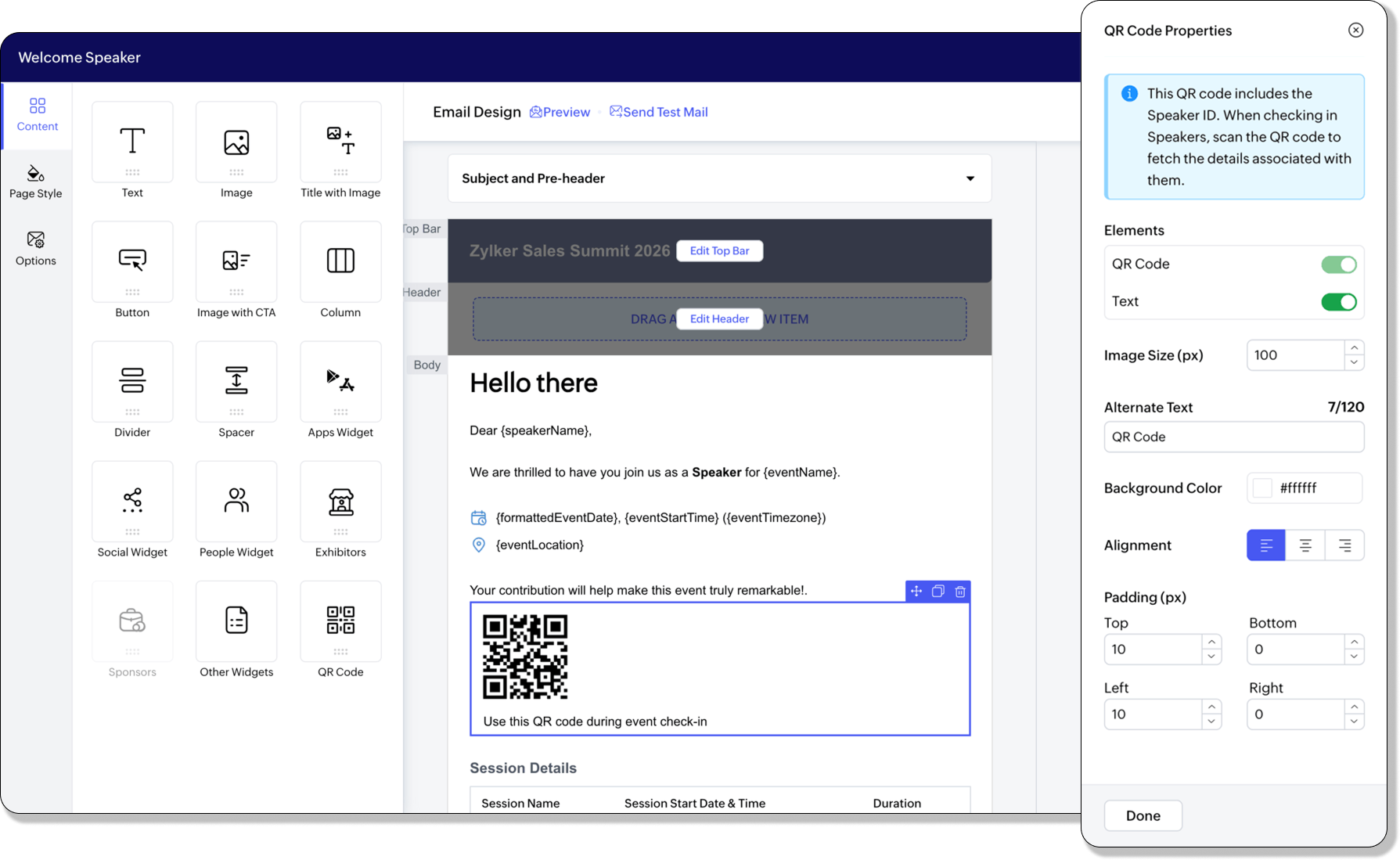
- Inform an early sponsor that the website is live and Welcome and thank a sponsor who contributes after the website is live emails for sponsors
- Exhibitor Request Approved and Invite Booth Member emails for exhibitors
QR code support has also been extended to scheduled emails sent to speakers, sponsors, exhibitors, and RSVP guests attending the event.
Plan availability: Included in the Free, Essentials, Premium, and Ultimate plans for automated emails. Included in the Essentials, Premium, and Ultimate plans for scheduled emails.The road ahead: 2026 & beyond
This January release is just the first spark. This year, Backstage is undergoing a massive transformation in capabilities and performance. We're engineering the platform to handle more data, more users, and more complexity than ever before without breaking a sweat.
We aren't just a tool; we’re your partner in scaling your impact. Let’s make 2026 the year your events become legendary.
All the features and enhancements mentioned in this article are available across all Zoho Backstage-supported data centers.
If you have any questions or need access to early access features, please contact support@zohobackstage.com.