Zoho Desk Autumn Release - 2024 — Post 3

Zoho Desk Autumn Release - 2024 — Post 3

Instant Messaging 

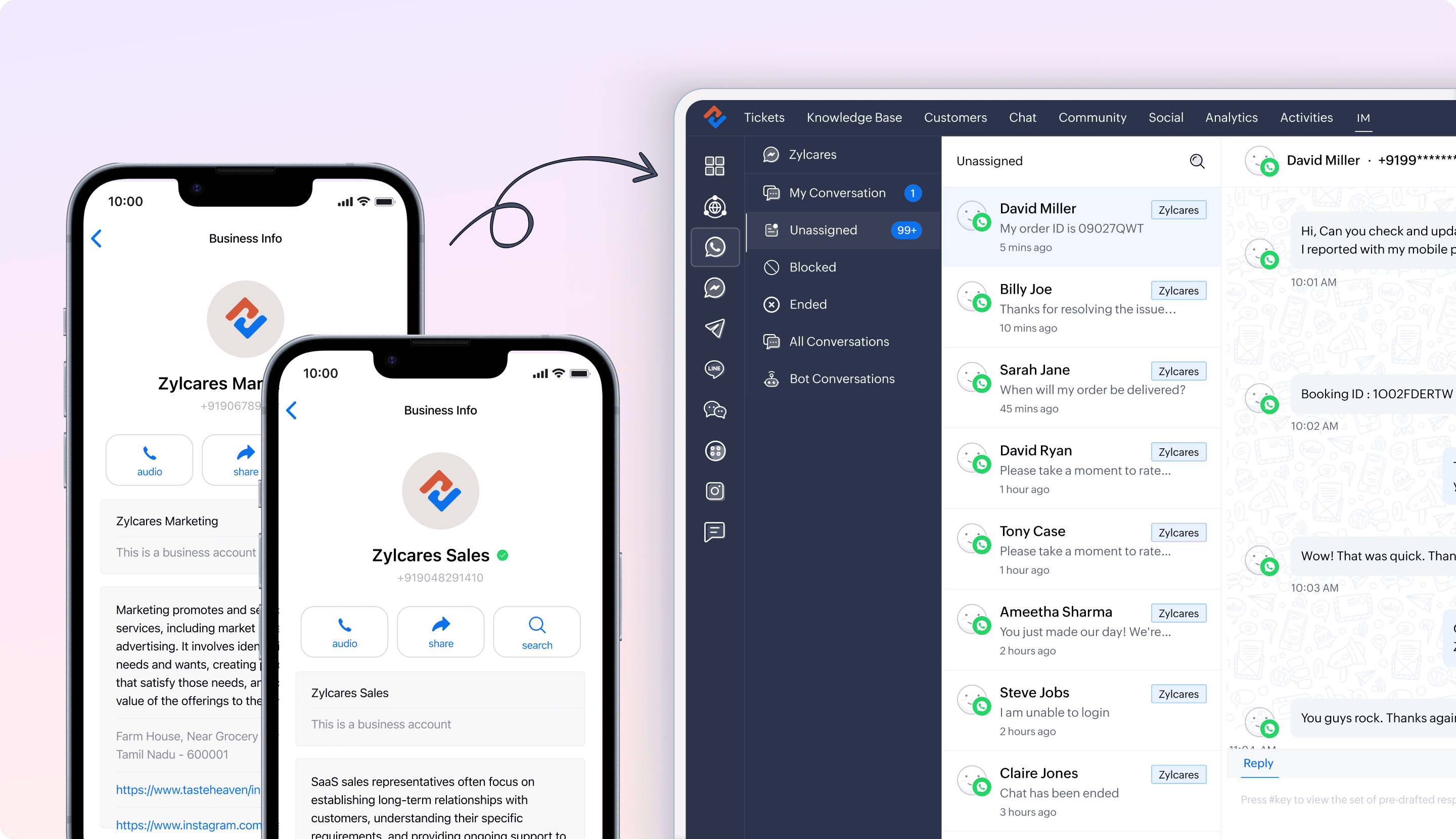
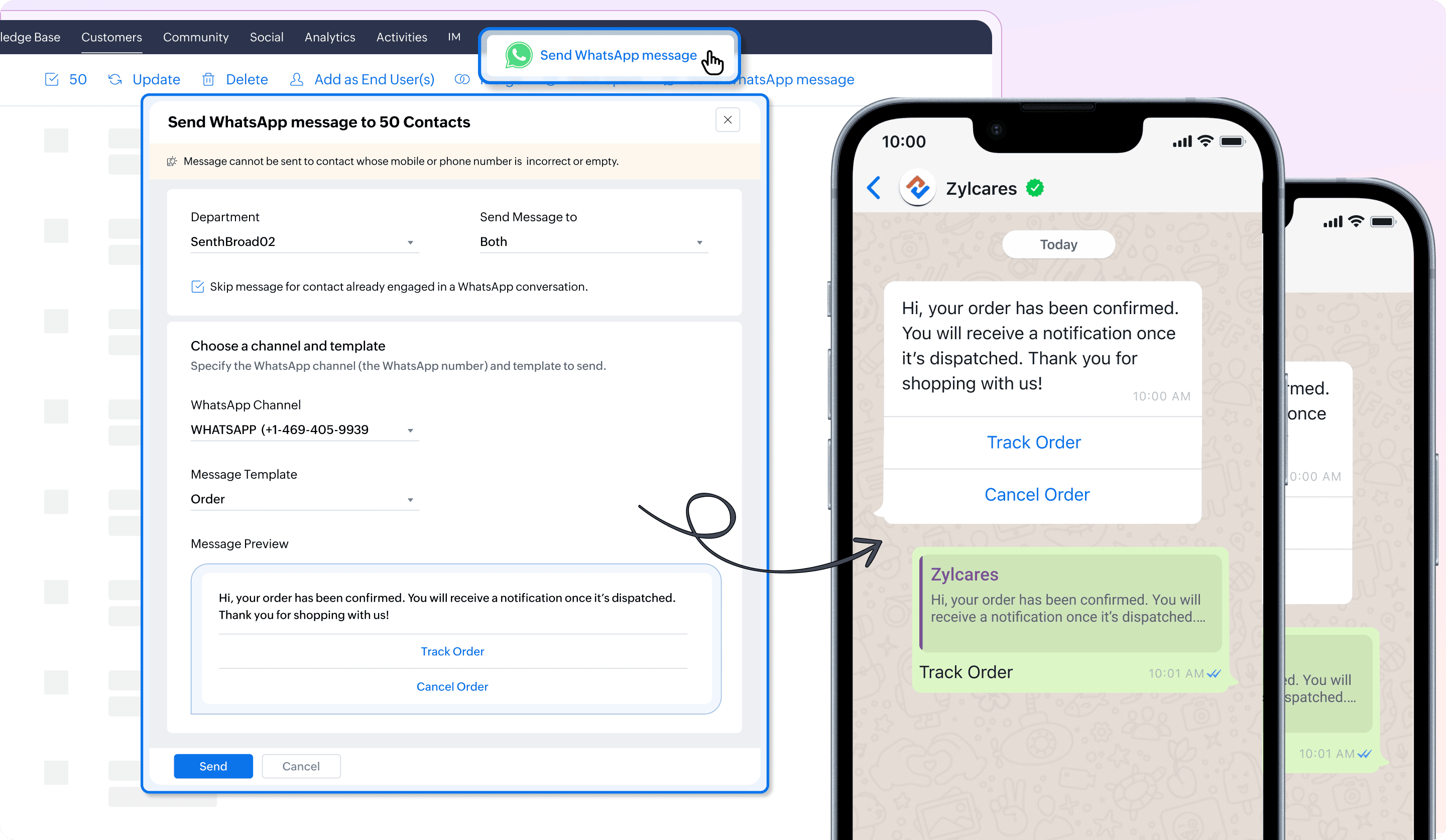
Mass WhatsApp messaging for efficient communication


Agents can send WhatsApp messages to multiple contacts at once, which is useful for various activities, such as onboarding and customer engagement programs. There’s also an option to skip sending messages to contacts who are already engaged in a conversation with another agent to avoid interruptions in the ongoing conversation.


Help document and availability

Sending mass WhatsApp messages to contacts | Standard and above


Add new contacts to Desk while sending WhatsApp messages and reply to IM tickets from the Tickets module


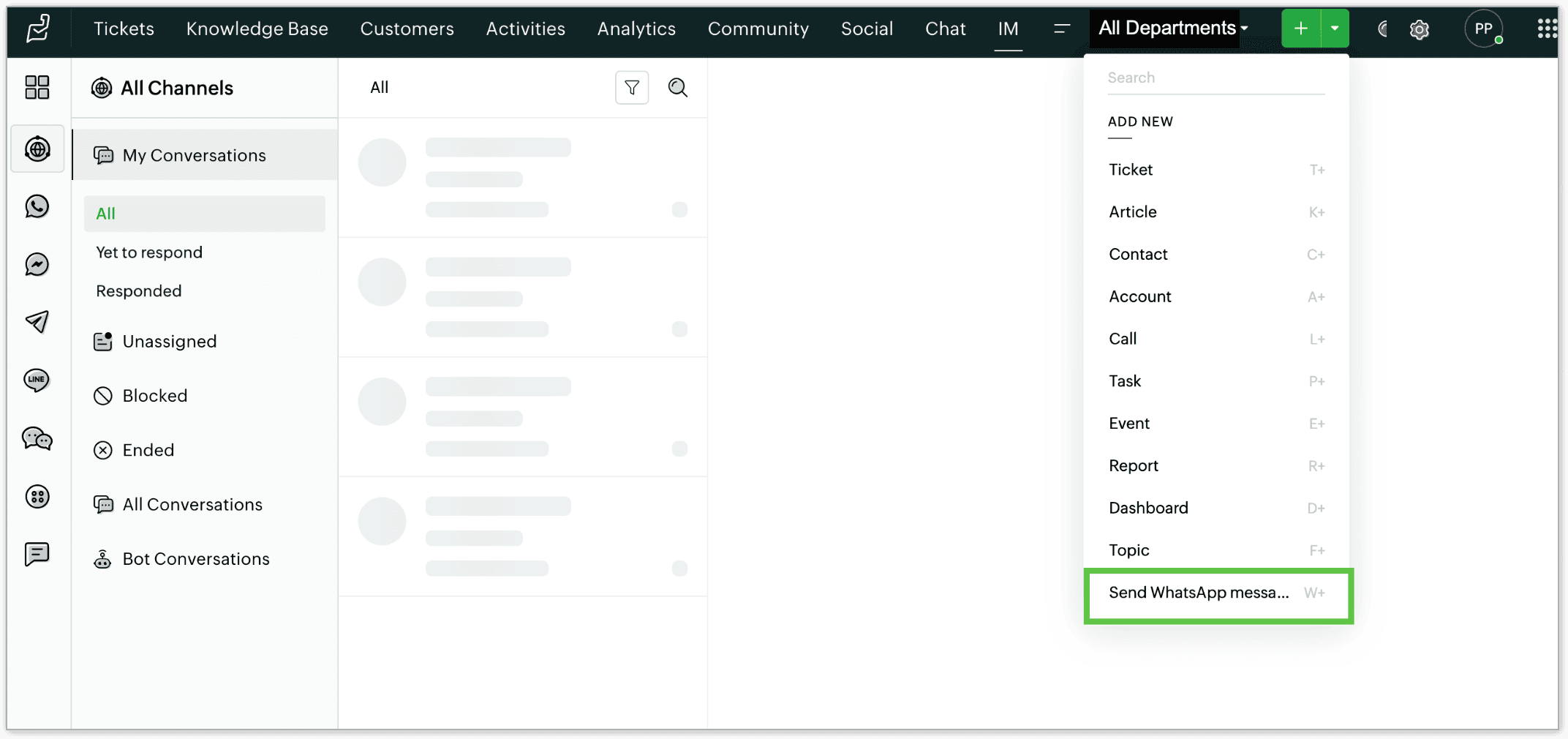
A new shortcut, +w, has been introduced to streamline sending WhatsApp messages directly from the Tickets module. When using +w, users can quickly initiate a WhatsApp message to the associated contact. If the message is being sent to a new contact, their details will be automatically recorded within the system, and autopopulated in the Contact's record. For example, if a new customer contacts the support via WhatsApp and their details are not yet in Zoho Desk, sending a reply will automatically create a new record in the Contacts module.


Help document and availability

Create a contact while sending WhatsaApp messages | Standard and above

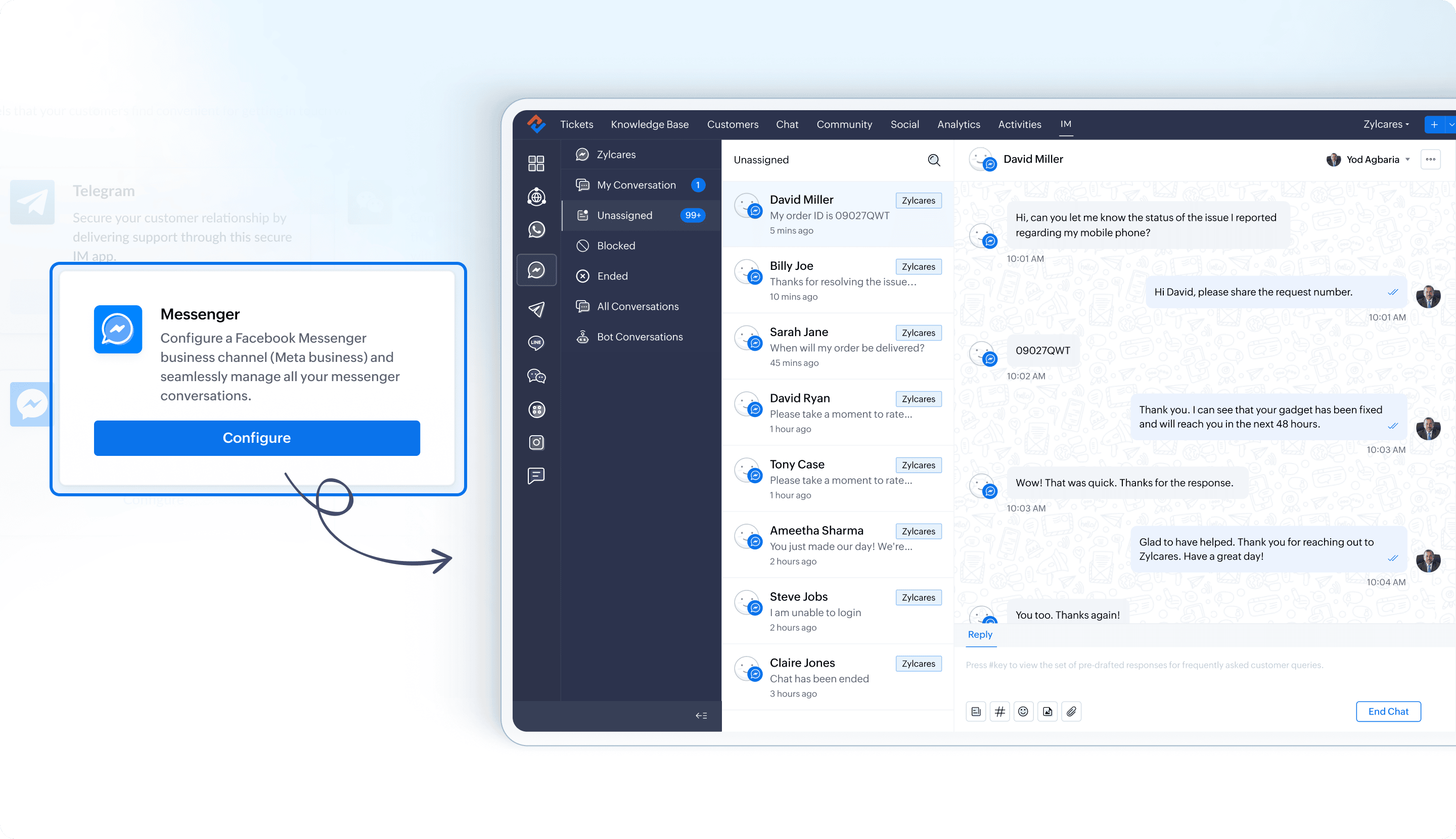
Integrate Facebook messenger with Zoho Desk


Integrating Facebook Messenger with Zoho Desk allows businesses to efficiently manage customer communication through Meta's Facebook business pages. Once set up, the Messenger platform enables seamless interactions between customers and the business via various entry points, including Facebook Posts, the Meta business page, and the business's website.


Help document and availability

Integrate Facebook messenger with Zoho Desk | Standard and above


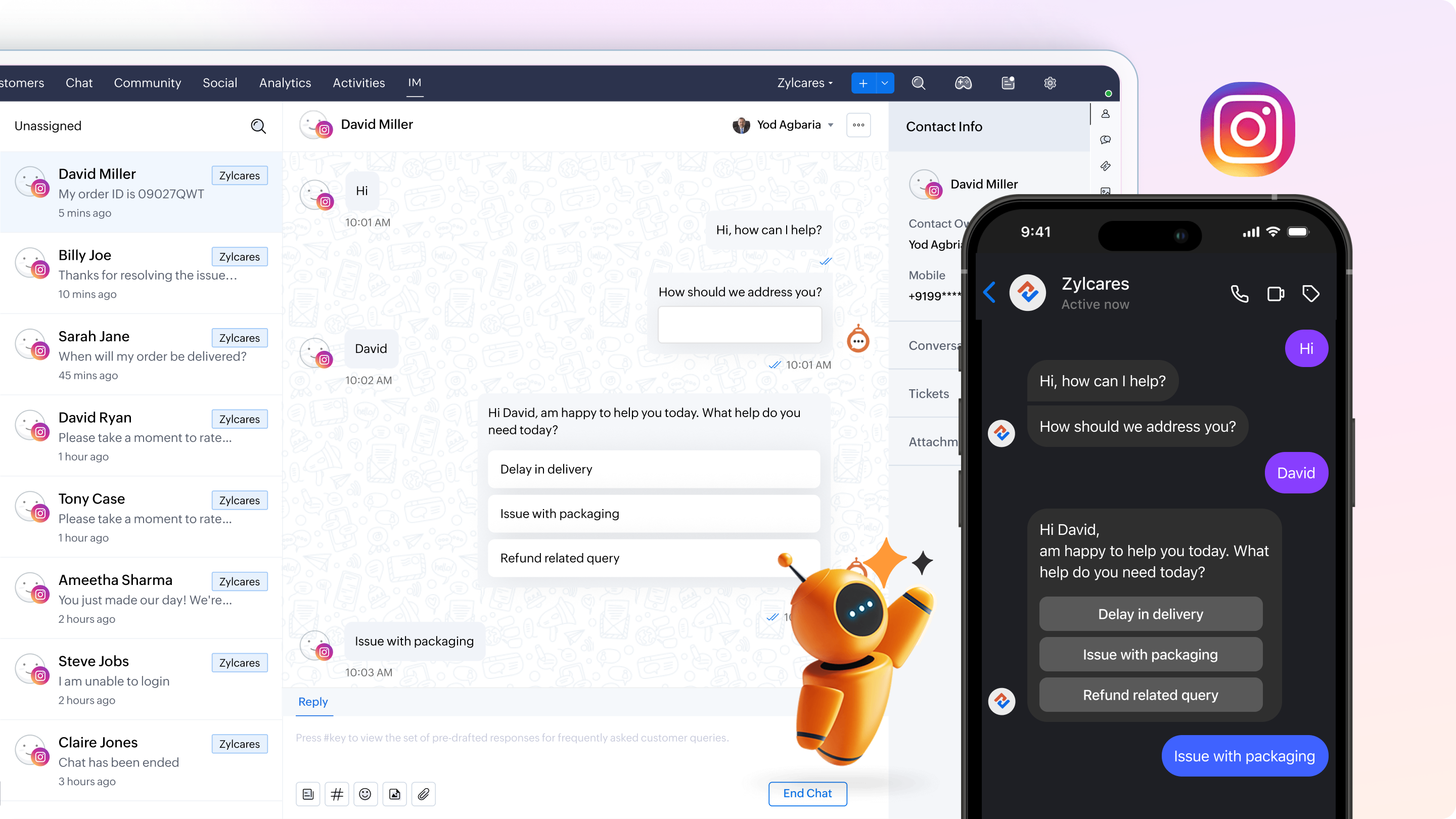
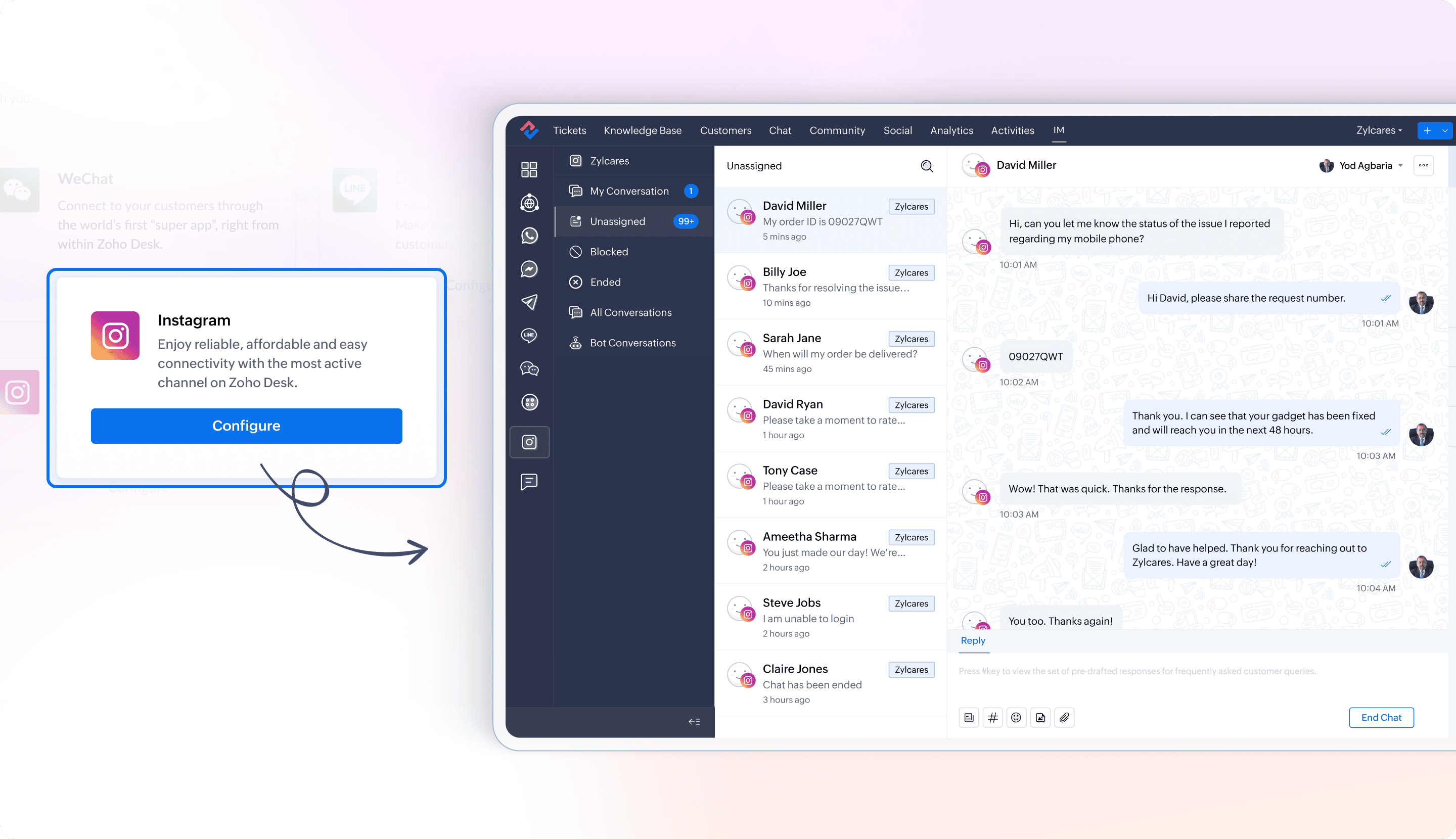
Integrate Instagram with Zoho Desk


Integrating Instagram with Zoho Desk enables businesses to manage customer communications through their Instagram business accounts. This integration allows seamless message exchanges between customers and businesses, with conversations originating from Instagram posts, the Meta business page, or a website widget. For example, a retail clothing brand can integrate its Instagram business account with Zoho Desk to manage customer inquiries directly from its Instagram posts or DMs.


Help document and availability

Integrate Instagram with Zoho Desk | Standard and above


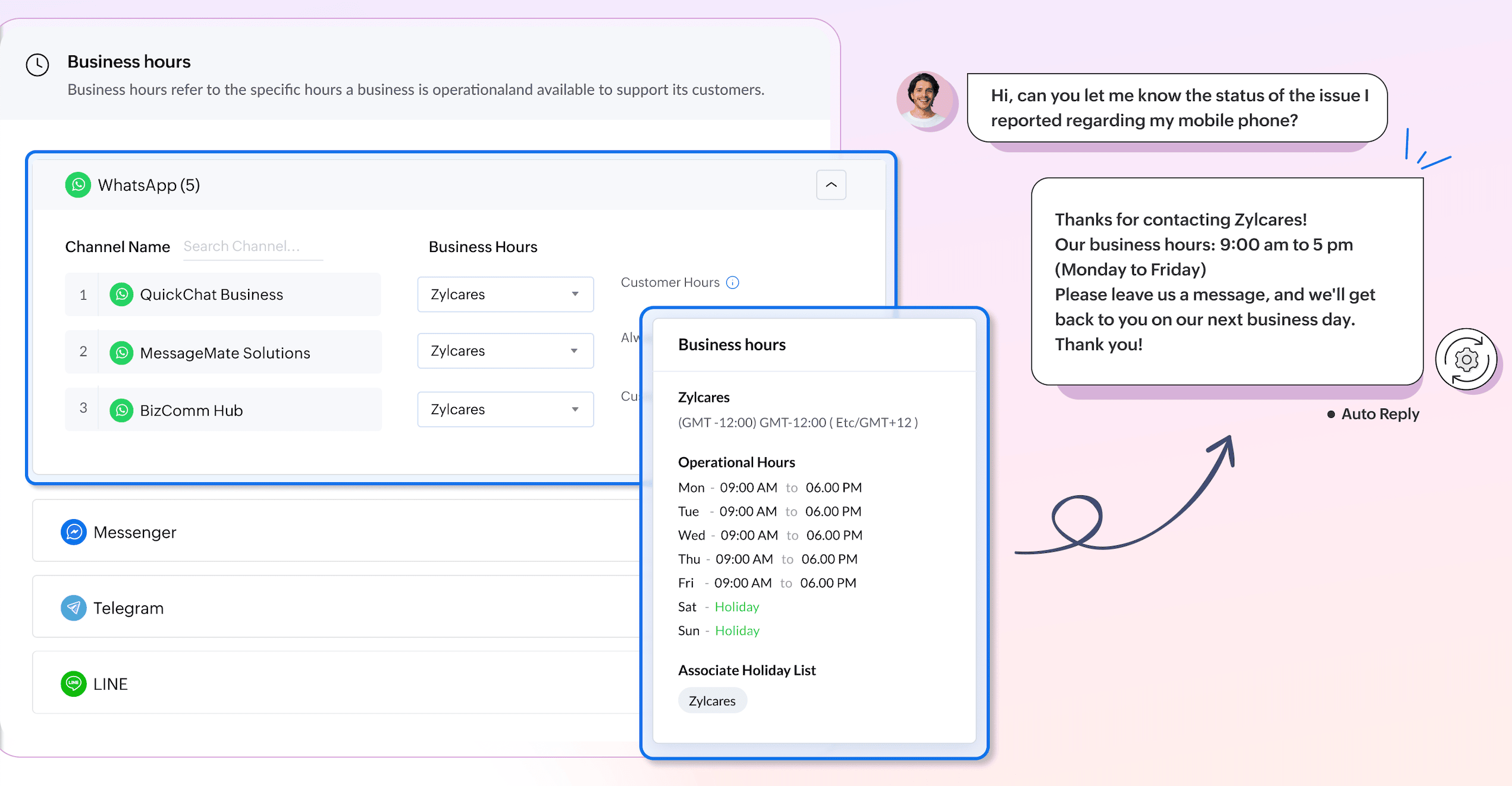
Configure business hours for your IM channels


Business hours can be configured for various IM channels, including WhatsApp, Messenger, Telegram, and Line, ensuring that customer inquiries are managed efficiently within the designated timeframes. Setting business hours involves defining the times when a business is open and available to assist customers. This ensures that the support team operates in alignment with these hours.


Help document and availability

Setting conversation rules in instant messaging | Standard and above


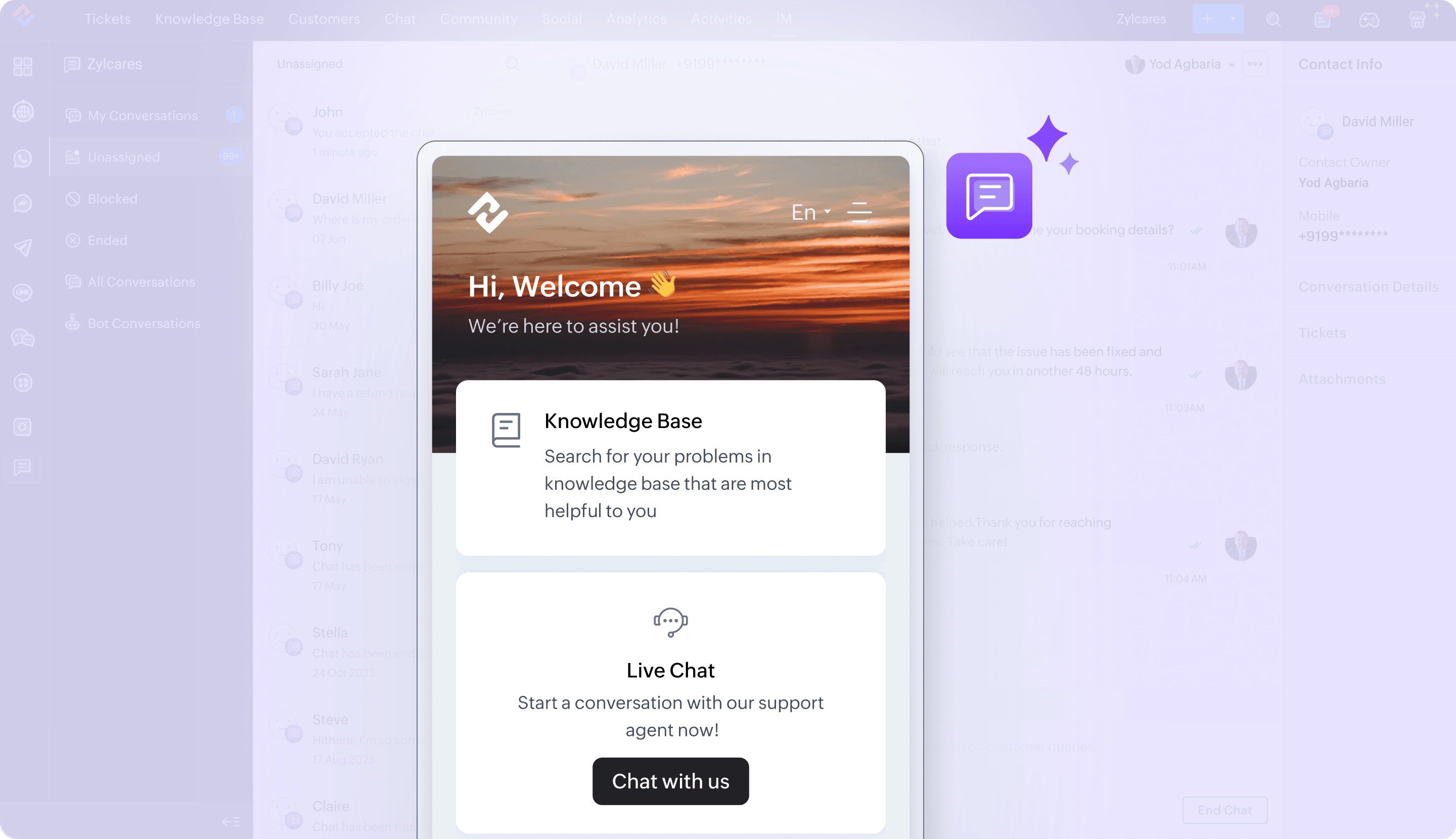
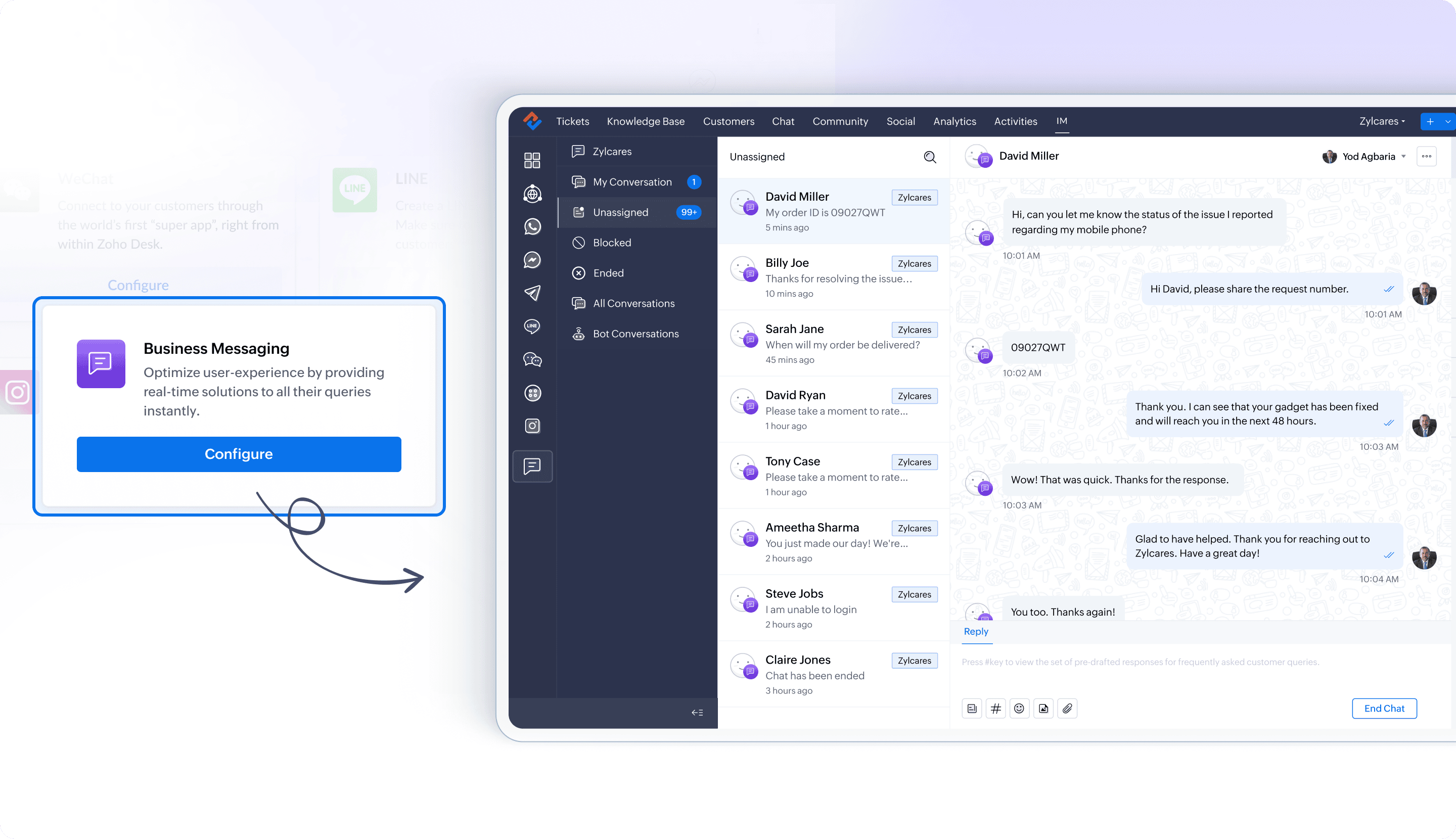
Implement a customizable business messaging widget


Business messaging offers another channel for engaging with customers through customizable widgets available for Web, iOS, and Android platforms. By integrating a fully customizable chat widget into a website, businesses can provide real-time support and interact with visitors seamlessly. The chat window’s appearance, including its color scheme and logo, can be tailored to match the website’s design, ensuring a cohesive brand experience.


Help document and availability

Adding a business messaging widget to your website | Standard and above


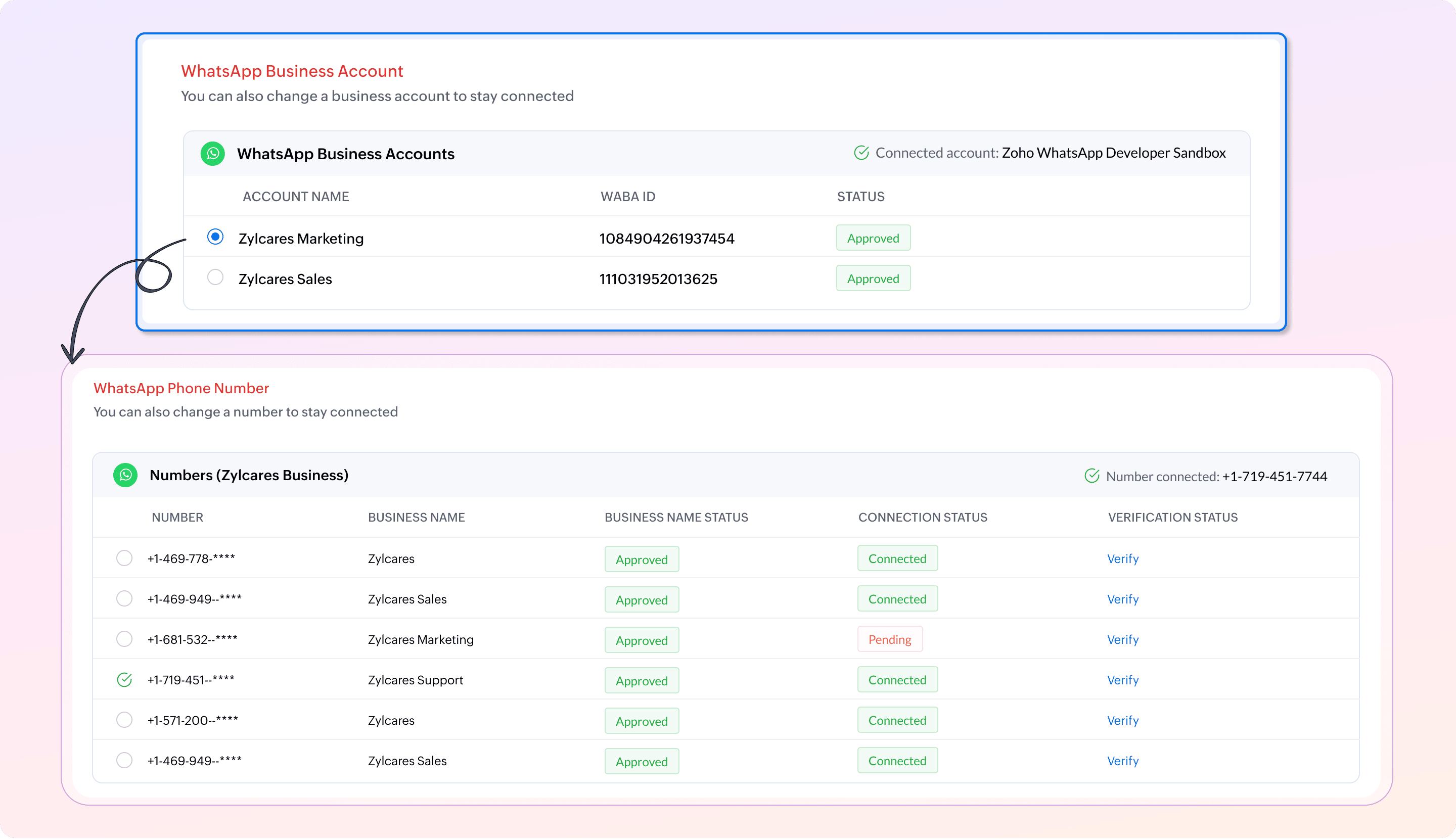
Multi-WABA support for WhatsApp business platform


Supported multiple WhatsApp Business Accounts (WABA), allowing businesses to create channels for different brands or departments. Each business unit can manage its communication channels with a dedicated WABA to ensure efficient operations. Businesses with multiple WhatsApp accounts can set up and link as many channels as needed to provide a centralized platform and shared access to customer data for seamless information flow and operations.


Help document and availability

Support multiple WhatsApp Business Accounts | Standard and above


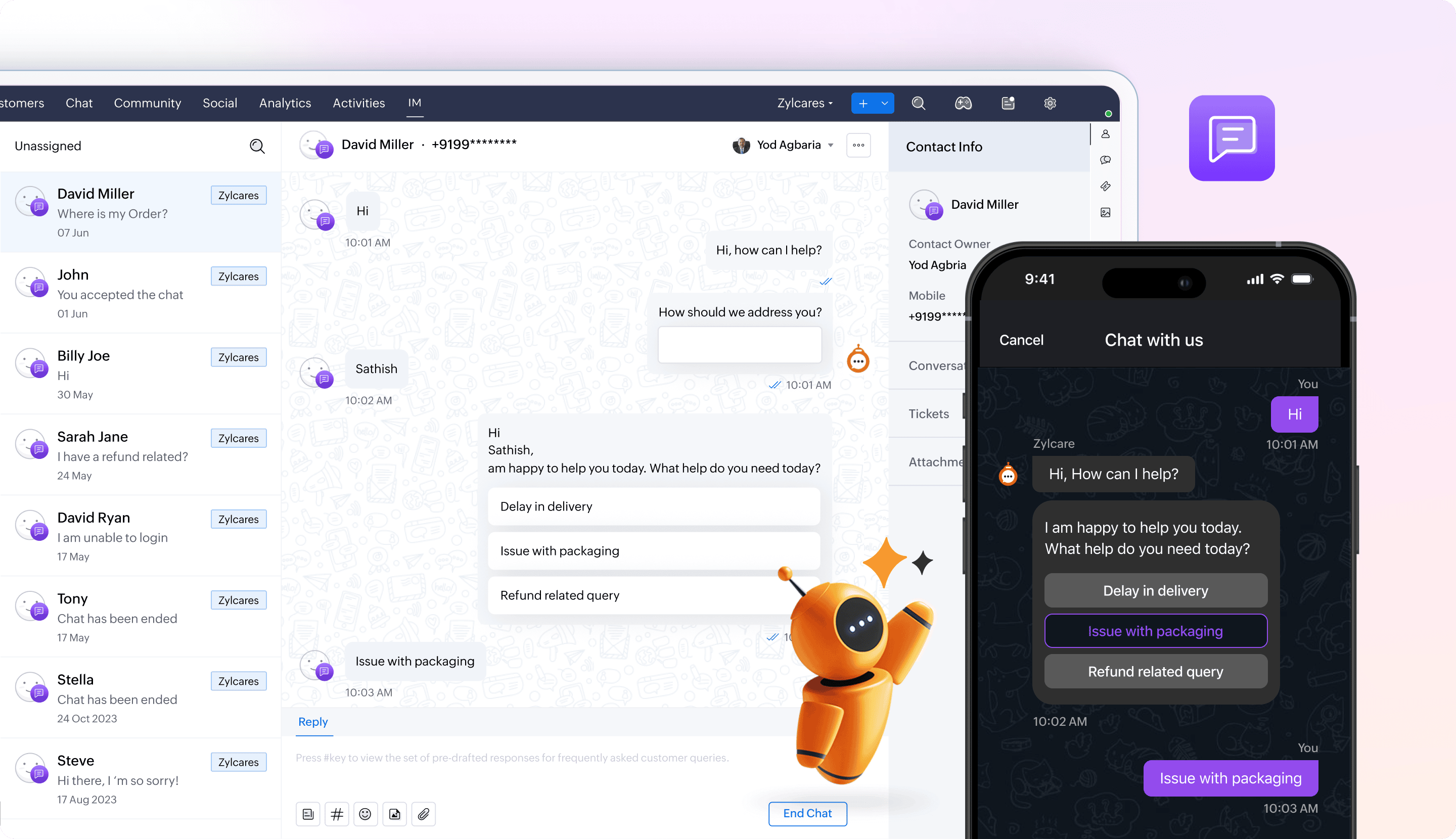
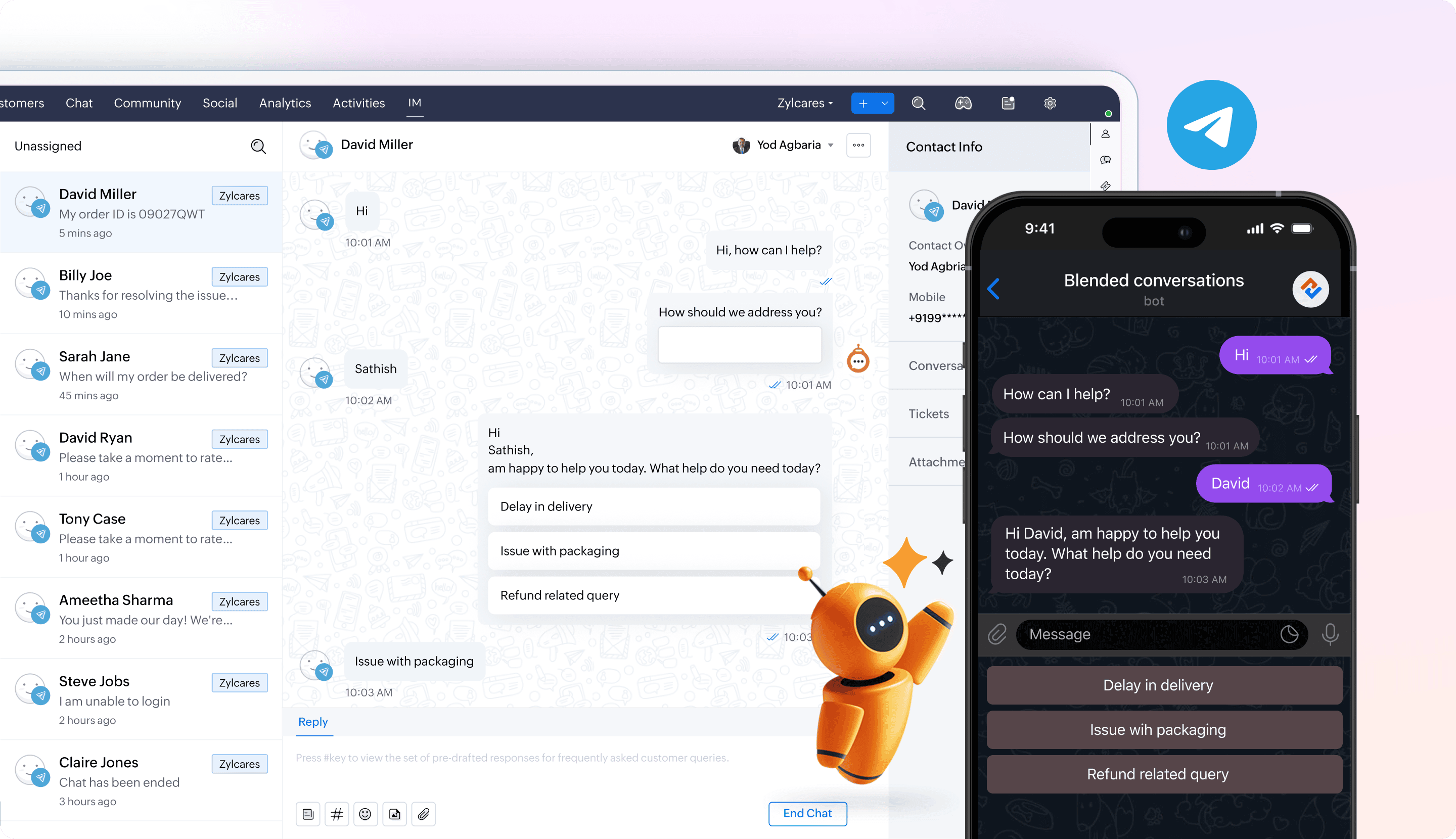
Add GC Bots to Telegram, FB Messenger, Line, Instagram, and Business Messaging channels  


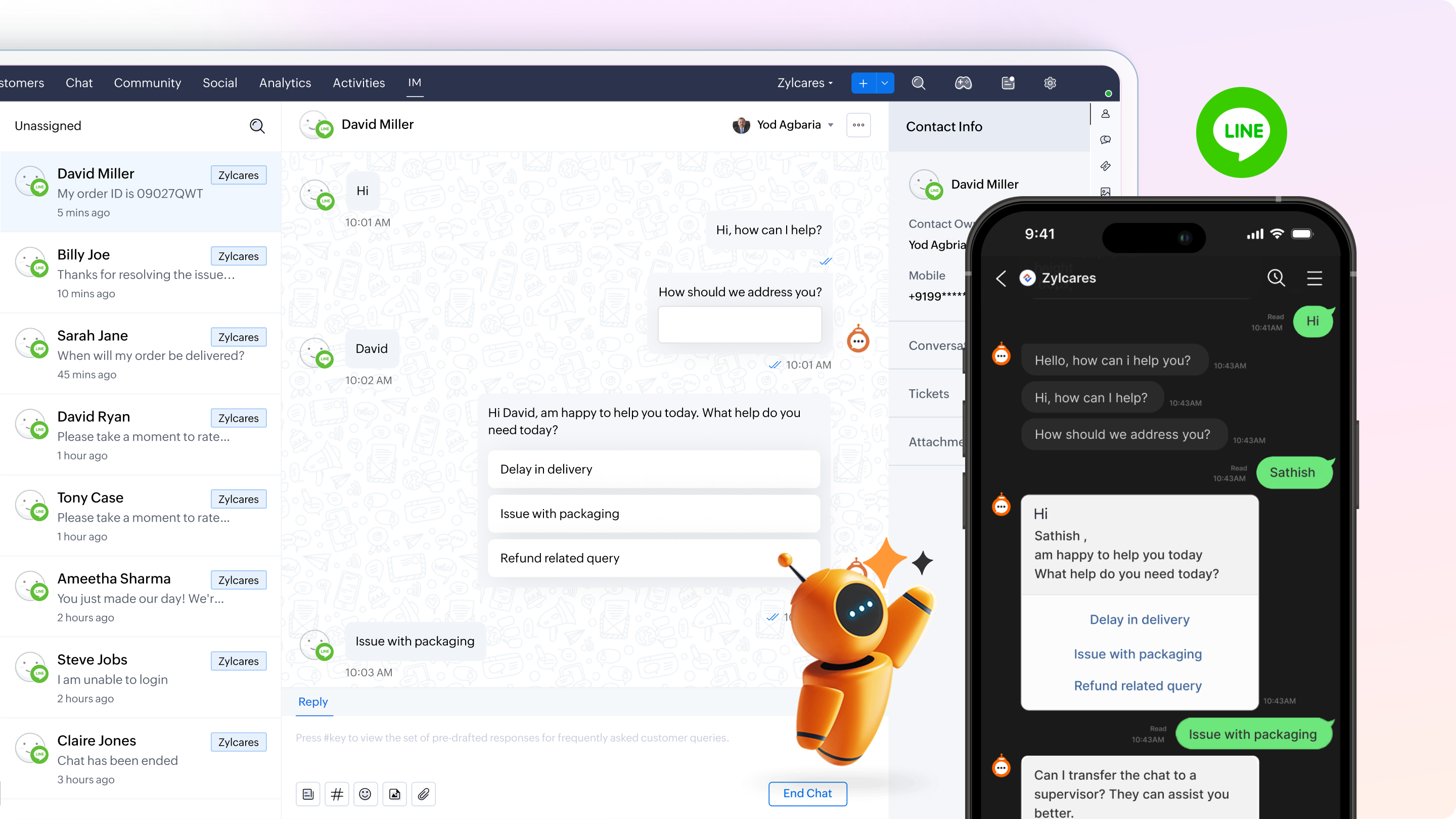
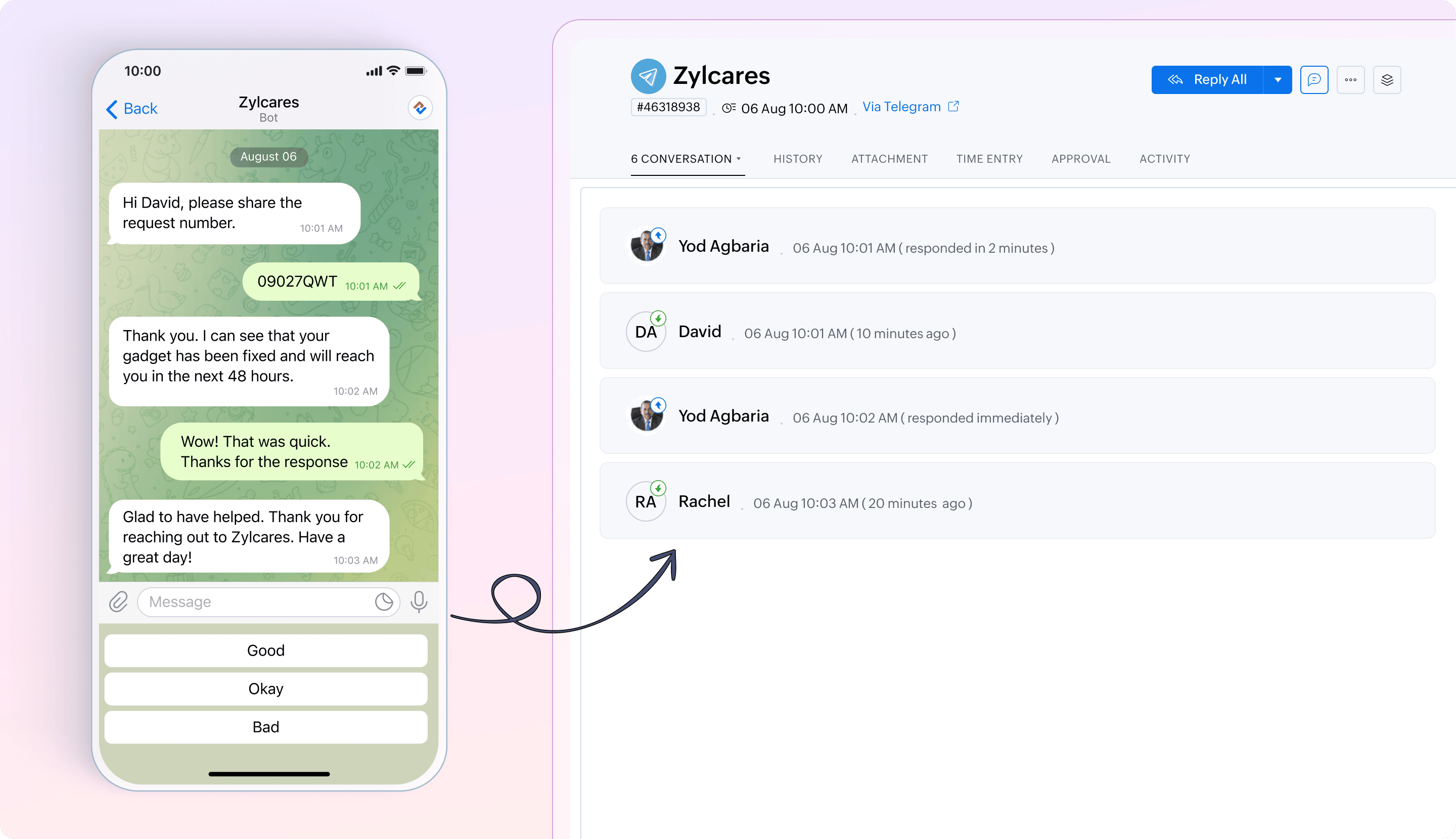
Guided Conversation (GC) bots can be deployed in a variety of IM channels such as Telegram, FB Messenger, Line, Instagram, and Business Messaging channels. This provides customers with a self-service platform where they can interact with bots and support agents when needed.


Help document and availability

GC Bots to Telegram | GC Bots to Line | GC Bots to Instagram | GC Bots to Business Messaging channels | GC Bots to FB Messenger | Enterprise
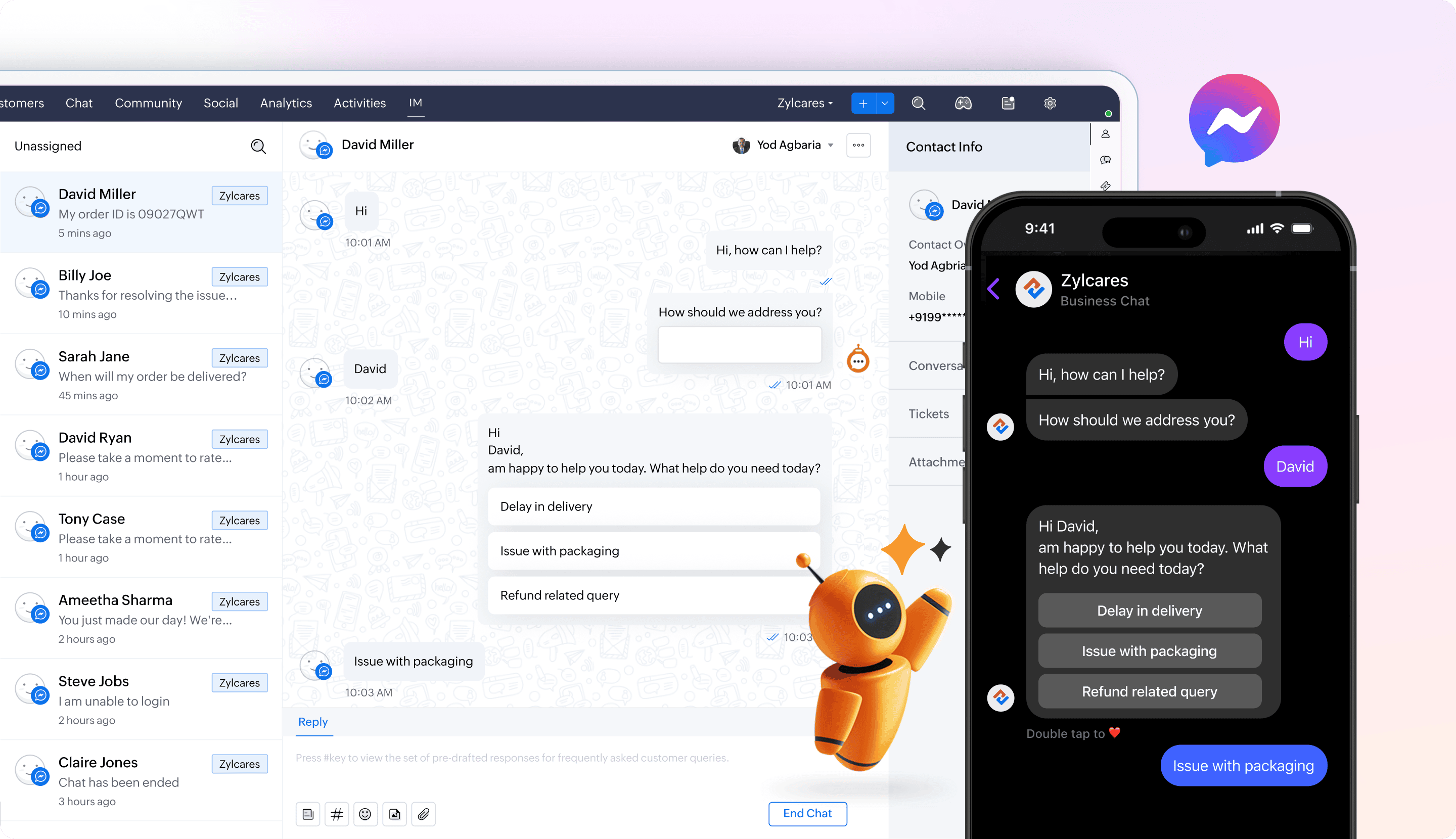

GC Bots in FB Messenger


GC Bots in Instagram


GC Bots in Telegram


GC Bots in Business Messaging


GC Bots in Line


Manage agent visibility and notifications for IM


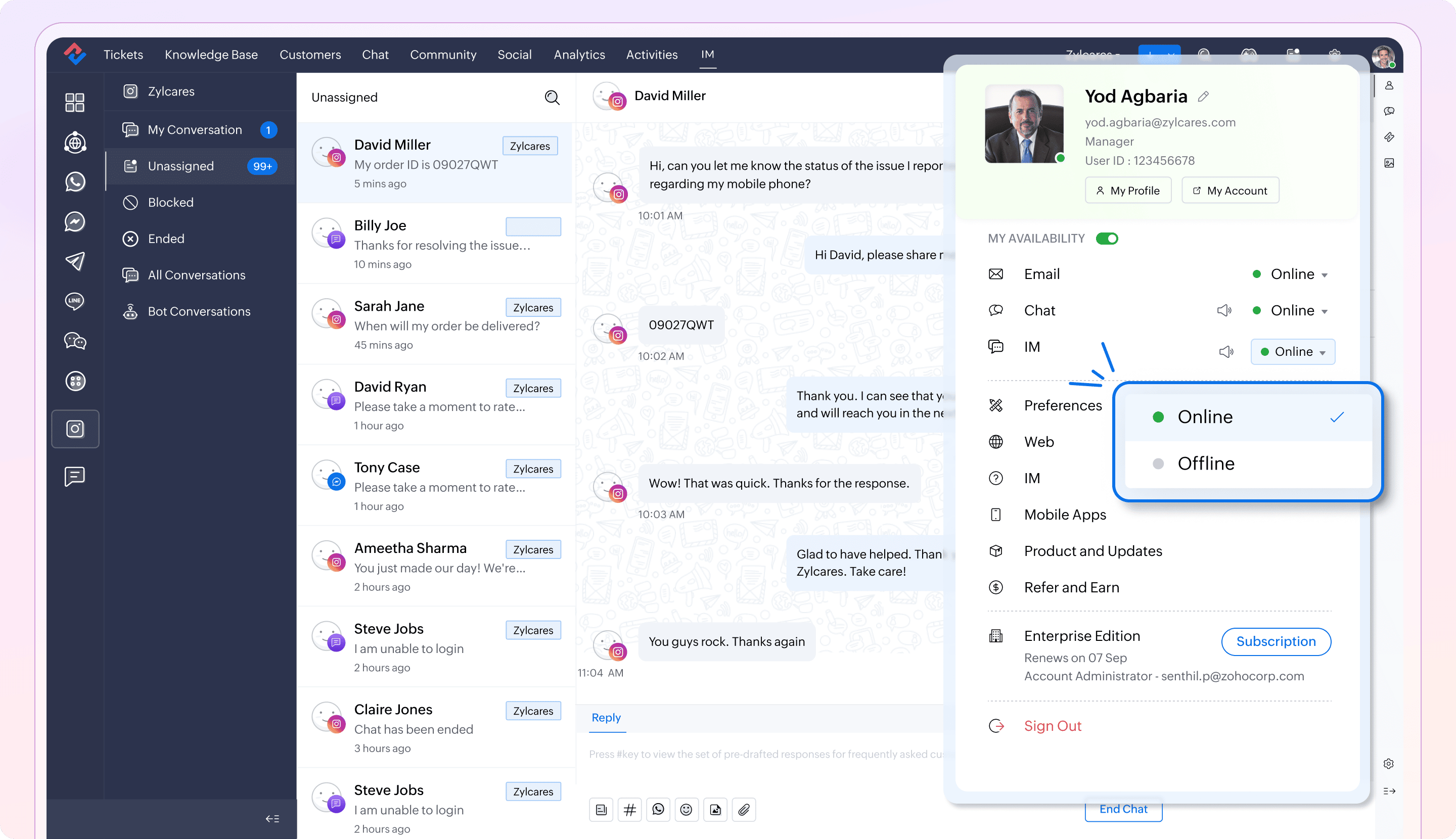
Agents can set their status as online or offline specifically for the Instant Messaging feature. This allows them to control their visibility and mute all IM notifications with a click, ensuring uninterrupted work during critical tasks.


Help document and availability

Managing user status in IM | Standard and above


Use webhooks in IM to automate tasks


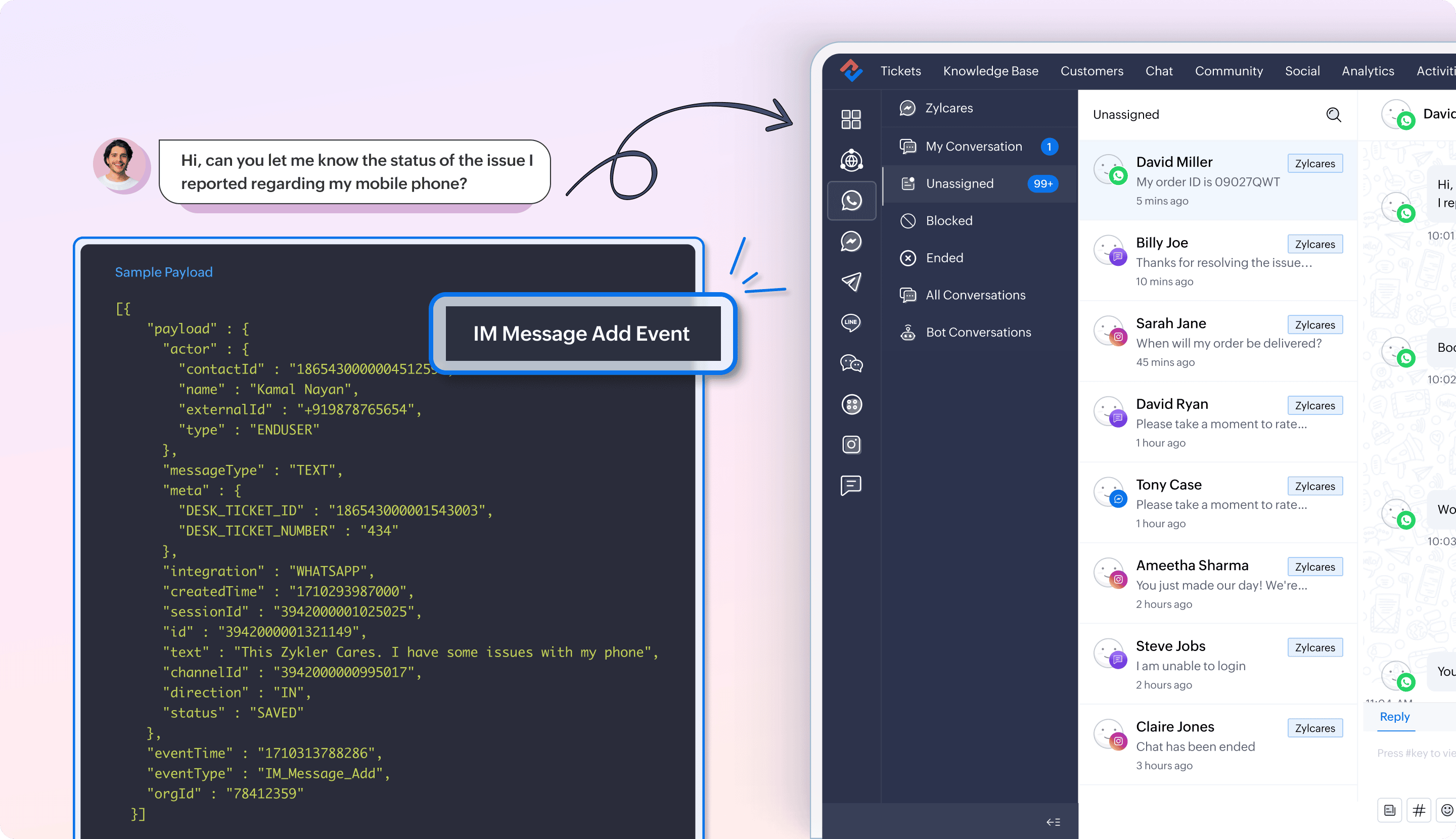
Zoho Desk's instant messaging webhooks enable automation of event-driven tasks between messaging apps and business workflows. By leveraging IM webhooks, businesses can integrate multiple channels into their business workflows, creating a seamless conversational ecosystem that enhances the customer journey and meets their preferences. For example, an ecommerce platform can automatically share package delivery OTPs via WhatsApp, an insurance provider can send payment reminders, and a travel agency can deliver booking details—all triggered through the webhooks in IM.


Availability

Professional and above


Measure customer happiness rating for IM Channels


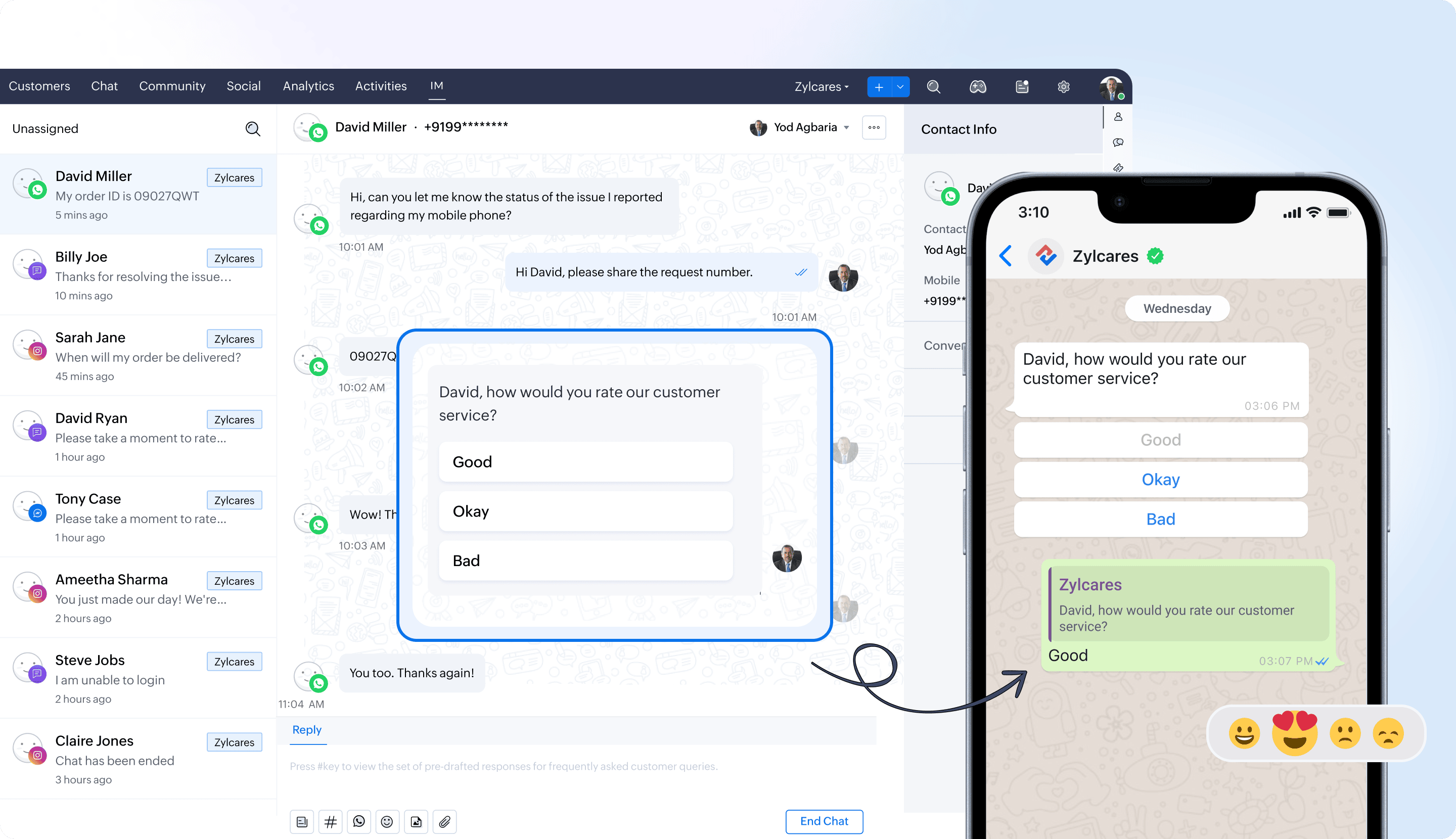
Collect feedback on customer satisfaction for interactions conducted through the IM channel. A customer's happiness rating helps to see what they think about the support they receive at the end of each response or after closing their ticket. The integrated analytics will also assist the business in monitoring the ratings received by the agents or given by their contacts and accounts across various time frames.


Help document and availability

Customer happiness rating for IM channels | Standard and above


Thread separation in IM tickets  

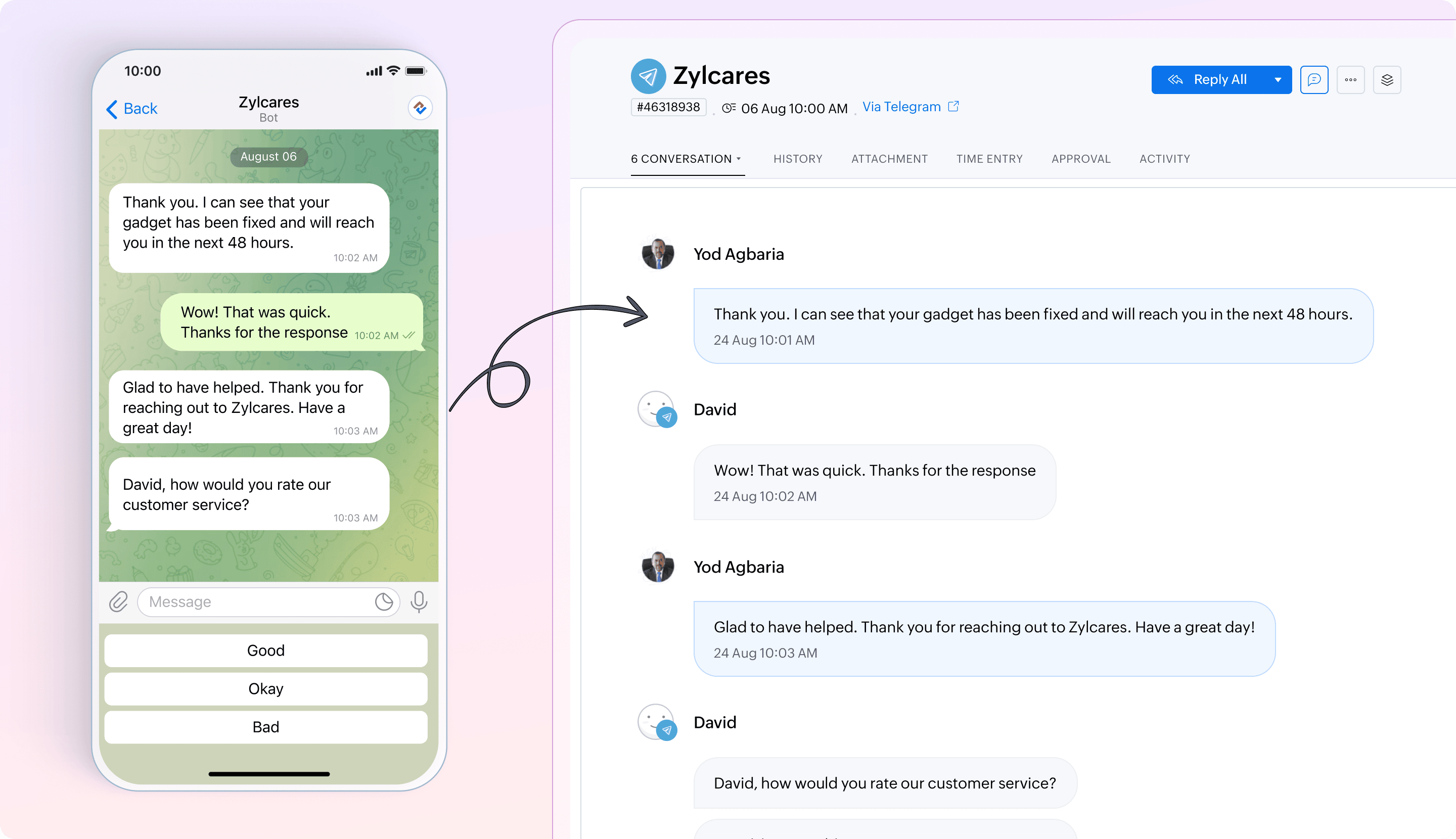
Users can enhance clarity in IM tickets with the help of thread separation. This feature distinguishes different conversation threads to make it easier for agents to manage and resolve issues effectively.


Availability
Standard and above


Integration 

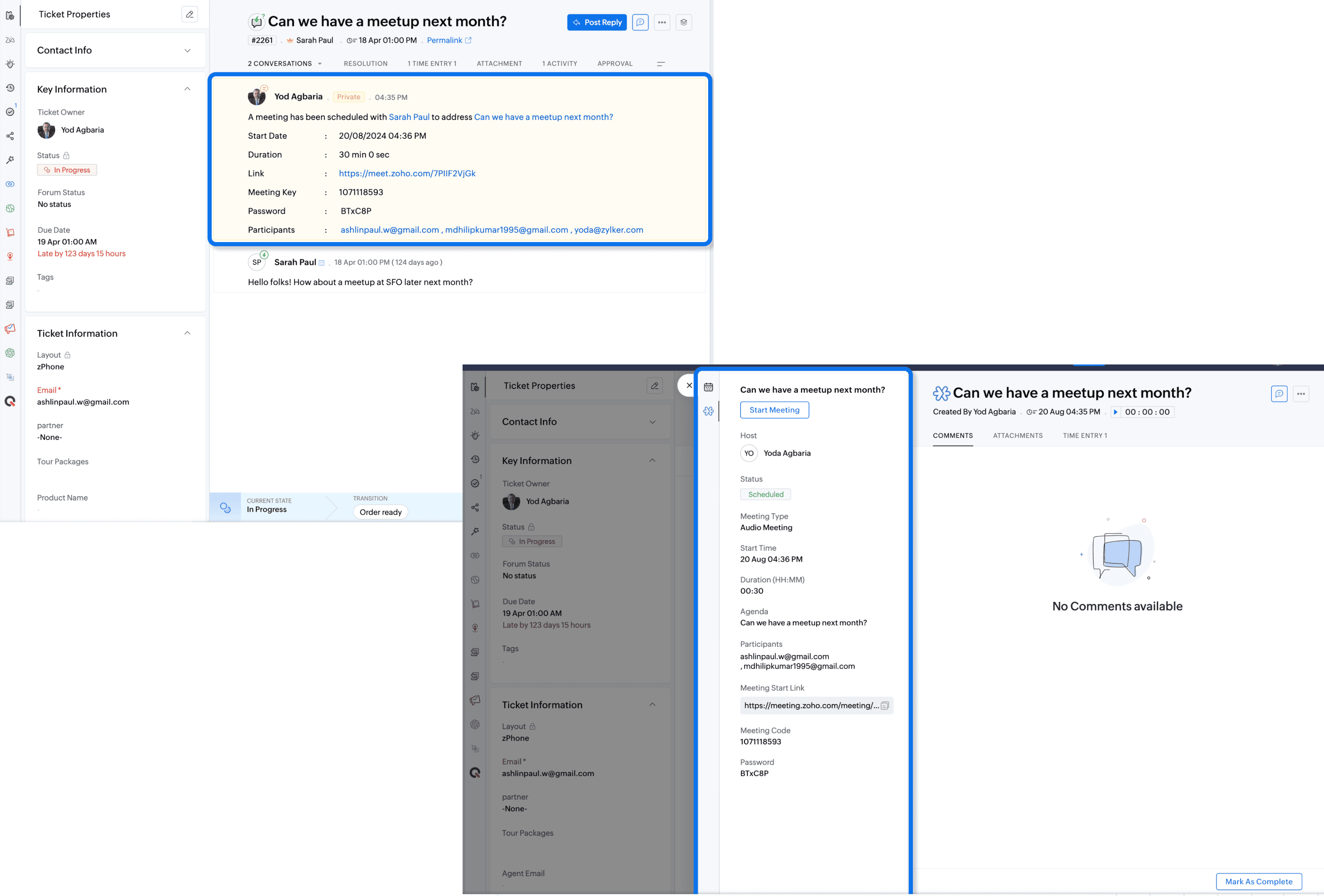
Scheduling meetings from the ticket interface with Zoho Meeting integration


The Zoho Meeting integration enables agents to schedule and conduct meetings directly from the ticket interface. For example, if a customer submits a ticket requesting a product demo, the agent can create the meeting from the ticket interface, invite the relevant stakeholders, and also have the meeting recording and meeting details such as link, date, time, and venue available inside the ticket for easy access.


Help document and availability

Integrate Zoho Meeting with Zoho Desk | Standard and above


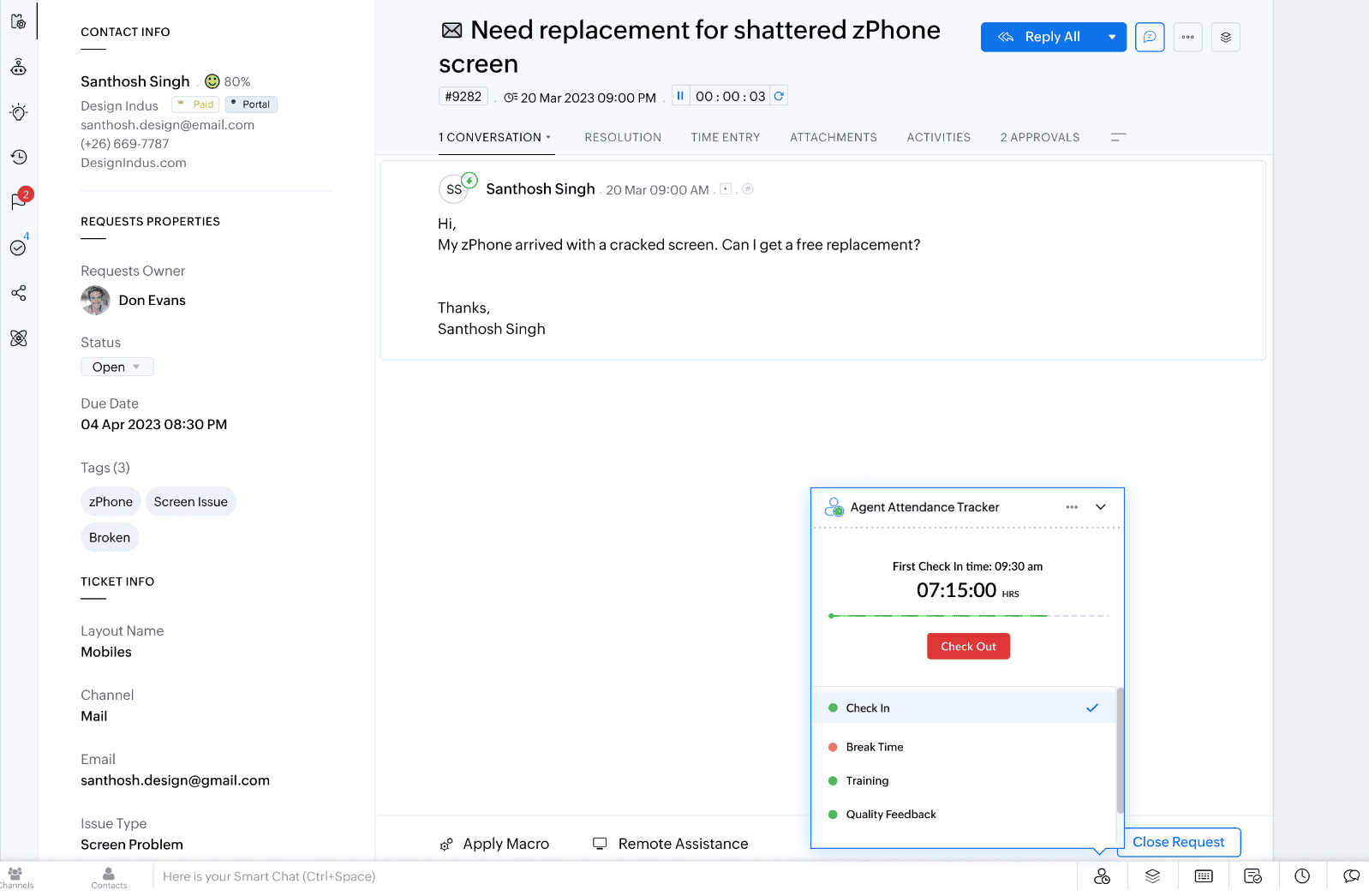
Track agent attendance and availability with the Agent Attendance Tracker extension

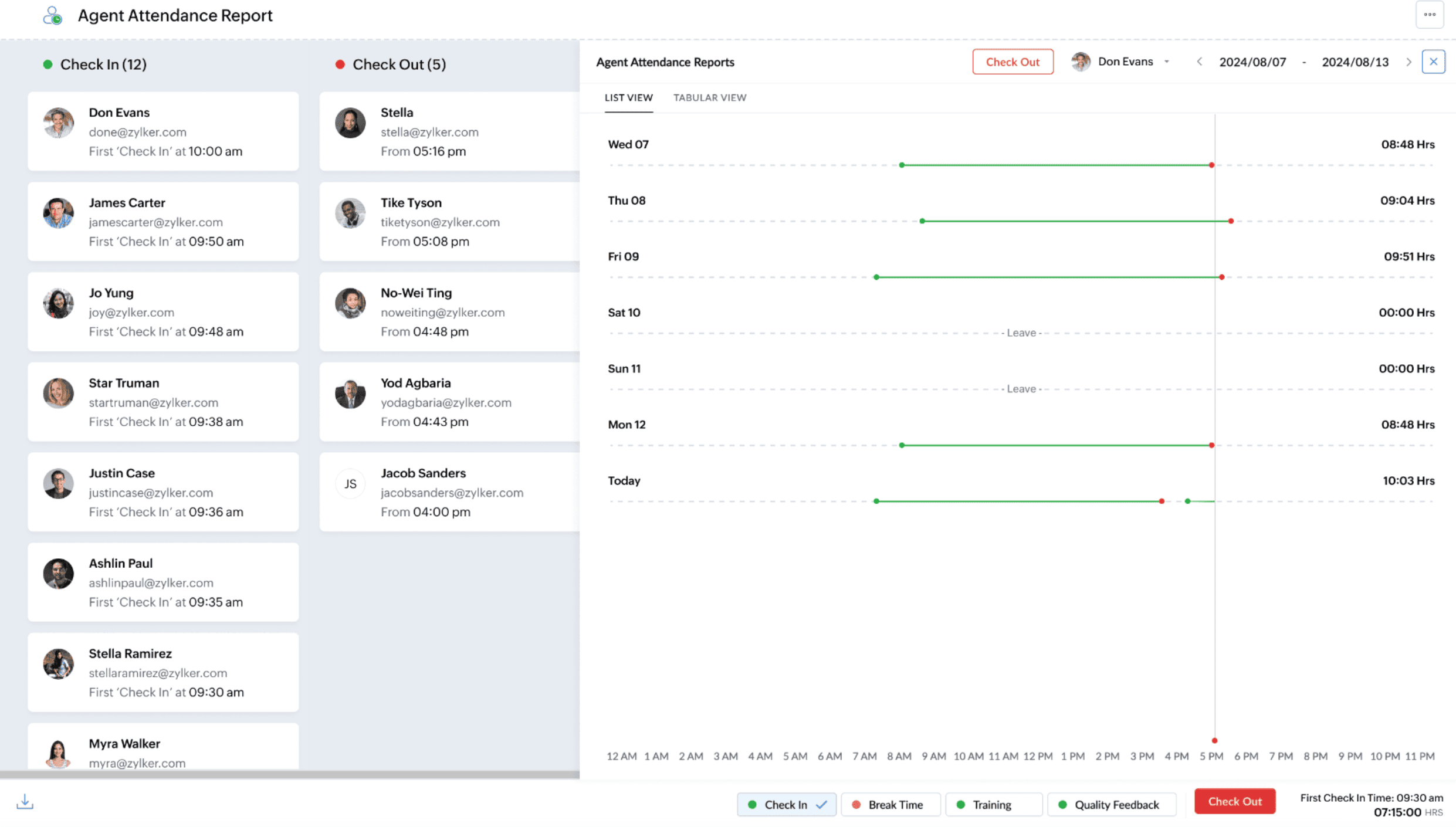
The Agent Attendance Tracker extension provides a comprehensive system for the support managers to monitor the agent's attendance. It addresses key operational challenges related to tracking and managing agents' break hours, attendance, and routine activities. Managers can track check-in and check-out timings and view detailed activity logs of their support agents. This is helpful in various ways:


  • Accurate break logging: Allows agents to define and log break times, maintain proper shift coverage, and ensure uninterrupted service for customers.
  • Streamlined check-in/out: Simplifies the process of checking in and out and enables precise tracking of work hours and real-time monitoring via the Agent Availability Report.
  • Custom statuses: Enables the creation of custom statuses for activities like training and meetings to provide detailed visibility into agents' time allocation and enhance accountability.


Help document and availability

Integrating Zoho Desk with agent attendance tracker | Standard and above


Also see our What's new page

Regards,
Varsha P | Zoho Desk - User Education
    • Sticky Posts

    • 2024 Email Authentication Standards: Elevating Security with Google and Yahoo

      In contemporary email communication, email authentication plays a pivotal role in mitigating email fraud, spam, and phishing attacks. Brace yourself for a new level of security. Starting February 2024, Gmail and Yahoo will be implementing robust email
    • Using Agent Email Address as From Address

      Currently, while replying to a ticket, it is possible for agents to choose their own email addresses as 'from' addresses. Although we built this just for that little extra flexibility, in hindsight, it hasn't figured much in conventional usage.  Almost all businesses prefer that responses to their customers' tickets be sent from the common support/service email address and NOT from those of individual agents. During personal interactions at events, some of you have even made passing mentions about
    • Edit and Delete options in Comments

      A lot of teams have been using ticket comments extensively to collaborate everyday. Notification Center further improved this experience by bringing real-time updates. As we continue to build more improvements to this experience, we've shipped a small-yet-important
    • Webinar 2: Supercharged customer support for growing business

      Join us for this webinar and learn how to step up your support game using a real-time communication platform to generate happier, more successful customers. In this live webinar, we will will discuss the importance of SalesIQ for your support team and how it can help you:  Understand your customers better and their journeys to proactively support and engage them even before they ask for help.  Integrating real time conversations into Zoho Desk’s Support, providing a conversational customer service
    • Customize Colors of your Customer Self Service Portal

      You asked for it. We heard you. We're happy to roll out the most sought after feature request, Customizing the Colors of your Customer Self-service Portal. Now you can set the color of your customer portal to mimic your company's web site, so that your customers visiting the portal will not feel alienated by the default theme.  Go ahead and configure the color of the header, tabs, fonts and background according to your needs. You can either choose between default color themes like Blue, Grey, Green

    Nederlandse Hulpbronnen


      • Recent Topics

      • [Important announcement] Zoho Writer will mandate DKIM configuration for automation users

        Hi all, Effective Dec. 31, 2024, configuring DKIM for From addresses will be mandatory to send emails via Zoho Writer. DKIM configuration allows recipient email servers to identify your emails as valid and not spam. Emails sent from domains without DKIM
      • Column letter from number

        Hello, I am trying to select a cell and i have the column number. How do i do this or is there a way of getting the letter from the number? Thank you
      • API credit COQL COUNT

        The docs describe API credits in COQL from the LIMIT perspective: https://www.zoho.com/crm/developer/docs/api/v8/COQL-Overview.html When using aggregate functions such as `COUNT` or `SUM`, is that billed as 1 API credit?
      • Trigger a Workflow Function if an Attachment (Related List) has been added

        Hello, I have a Case Module with a related list which is Attachment. I want to trigger a workflow if I added an attachment. I've seen some topics about this in zoho community that was posted few months ago and based on the answers, there is no trigger
      • Standard Description Field - Can I change label or add dd tooltip

        Is there a way fo you guys to allow the customer to change the label name for the description field in the customer portal when submitting tickets. Or at least allow us to add a tooltip to clarify what description we need from them. I know I can create my own separate multi line description field but if I do that, it doesn't have the nice toolbar with Bold, Italic, Underline, color, font, indent, etc. Can you please allow us to add a tooltip to the zoho standard description field?
      • Weekly Tips : Save Time with Saved Search

        Let's assume your work requires you to regularly check emails from important clients that have attachments and were sent within a specific time period. Instead of entering the same conditions every time—like sender, date range, and attachments included—you
      • Remove 'This is an automated mail from Zoho Sign' in footer

        Hi there, Is it possible to remove or change the text under the e-mail templates? I can't figure out how to do that: Would love to hear from you. Kind regards, Tristan
      • How can I link Products in a Deal Subform to the Products Module

        Hello, I have a pricing subform on our Deals page and use a lookup field to associate a product with each line. I want to be able to look at a product page within the Products module and see a list of the deals connected to that product. I have this working
      • Organize and manage PDFs with Zoho PDF Editor's dashboard

        Hello users, Zoho PDF Editor's dashboard is a one-stop place to upload, sort, share PDF files, and more. This article will explore the various capabilities that Zoho PDF Editor's dashboard offers. A few highlights of Zoho PDF Editor's dashboard: Upload
      • Updating records through Zoho Sheets View doesn't update timeline or trigger workflow rules

        I have noticed that when i update a series of record with the zoho sheets view (see here http://d.pr/i/ahnR) it doesn't update timeline history or trigger workflow rules. I am using it in the Deals module. Looking forward for some more info. Denis
      • Passing Info from Function to Client Script

        Hello, I have recently started making use of client script for buttons, allowing me to give the user information or warnings before they proceed. This is great. However, I have never quite managed to pass back any extra information from the function to
      • Automatically Update Form Attachment Service with Newly added Fields

        Hi, When I have a Form Setup and connected to a 3rd Party Service such as OneDrive for Form Attachments, when I later add a new Upload Field I have to remove and redo the entire 3rd Party Setup from scratch. This needs to be improved, such as when new
      • Cannot get code to work with v2.mergeAndStore!

        Please can someone help me pass subform items into a repeating mail merge table row using v2.mergeAndStore? I have a mail merge template created in Writer and stored in Workdrive. This template is referenced by a custom CRM function which merges all of
      • Drag 'n' Drop Fields to a Sub-Form and "Move Field To" Option

        Hi, I would like to be able to move fields from the Main Page to a Sub-Form or from a Sub-Form to either the Main Page or another Sub-Form. Today if you change the design you have to delete and recreate every field, not just move them. Would be nice to
      • Zoho Payroll for Canada

        Is anyone else having problems getting setup for Canada?
      • Passing the CRM

        Hi, I am hoping someone can help. I have a zoho form that has a CRM lookup field. I was hoping to send this to my publicly to clients via a text message and the form then attaches the signed form back to the custom module. This work absolutely fine when
      • Super Admin Logging in as another User

        How can a Super Admin login as another user. For example, I have a sales rep that is having issues with their Accounts and I want to view their Zoho Account with out having to do a GTM and sharing screens. Moderation Update (8th Aug 2025): We are working
      • One Contact with Multiple Accounts with Portal enabled

        I have a contact that manages different accounts, so he needs to see the invoices of all the companies he manage in Portal but I found it not possible.. any idea? I tried to set different customers with the same email contact with the portal enabled and
      • Reopen ticket on specific date/time

        Is there a way that we can close a ticket and setup a reopen of that ticket on a specific date and time? (without using the "on hold" ticket option)
      • User Automation: User based workflow rules & webhooks

        User management is an undeniable part of project management and requires adequate monitoring. As teams grow and projects multiply, manual coordination for updating users & permissions becomes difficult and can give way to errors. User automation in Zoho
      • Disable Zoho Contacts

        We don't want to use this app... How can we disable it?
      • Default Ticket View - Table?

        Guys, We mostly use the table view to queue tickets. Maybe I am missing it - but how can I set that view as 'default" for all our agents? Thanks JV
      • Zoho One IS BUGGY

        Here are some things that just don't work: - Disabling applications from certain Spaces - Adding users (probably only for me) - Renaming applications in Zoho One Portal (fixed by now) - Reordering applications in Spaces When I try to reorder: It feels
      • Paid Support Plans with Automated Billing

        We (like many others, I'm sure) are designing or have paid support plans. Our design involves a given number of support hours in each plan. Here are my questions: 1) Are there any plans to add time-based plans in the Zoho Desk Support Plans feature? The
      • Merge Fields that previously worked are now giving an Error!

        Saving a URL Link button on the Deal module. The below fields used to save without issue at all, but now produce an error of "URL contains unsupported merge field!" ${Contacts.Mailing Street} ${Contacts.Mailing City} ${Contacts.Mailing State} ${Contacts.Mailing
      • Move email between inboxes?

        Is it possible to move emails from one team inbox to another? We would like to be able to have a single "catch-all" inbox for incoming requests, and then move the email to the appropriate department inbox. I was hoping we would be able to accomplish this
      • Clarification on Zoho Forms 1-User Plan: Multiple Submitters and Approvers

        Question Content (Copy–Paste Ready) Hello Zoho Team, I would like clarification regarding Zoho Forms pricing and user limits. I am planning to subscribe to the ₹700/month (1 user) plan. My use case is as follows: Only 1 person (myself) will create and
      • CRM Cadences recognise auto-responses

        I have leads in a Cadence. I get an auto-responder reply "I'm out of the office..." Normally Cadences seems to know that isn't a real reply and keeps the lead enrolled in the cadence. However, today, Cadences has UNENROLLED a Lead who sent an auto-reponse
      • App for Mac OS X please!

        It would be awesome to have a mail app for Mac OS X that included all the cool features such as steams, calendar, tasks, contacts, etc. Most people prefer native apps, rather than running it through a web browser. I know that we can use the IMAP, CalDAV,
      • Ability to Edit Ticket Subject when Splitting a Ticket

        Often someone will make an additional or new request within an existing ticket that requires we split the ticket. The annoying part is that the new ticket maintains the subject of the original ticket after the split so when the new ticket email notification
      • Facing Issues with Sites Mobile font sizes

        my page renediaz.com is facing issues mobile view, when i try to lower font sizes in home page, instead of changing the size, it changes the line space
      • Zoho Books Payroll

        How am I supposed to do payroll and pay my employees with Zoho Books? I think it's pretty strange that an accounting software doesn't have the ability to perform one of the most common functions in business; paying your employees. Am I missing something,
      • Different Task Layouts for Subtasks

        I was wondering how it would be possible for a subtask to have a different task layout to the parent task.
      • 60 Days Into Zoho - Tiktok Branding Startup -7 Questions?!

        Wsp Everybody I co-own a TikTok Branding / Consulting Startup & have been using Zoho for the past 60 days - Am now looking to make our overall operations & processes more Efficient & Effective! Curious to know how others are using the platform & what's
      • Notifications in Cliq client for Linux

        If I got it right, Cliq desktop client for Linux does not use the generally accepted notification method via org.freedesktop.Notification interface. For this reason, Cliq notifications do not look and behave as all other notifications. Is it possible
      • Canvas templates can now be shared with different CRM organizations

        ----------------------------------------Moderated on 14th February, 2023------------------------------------------- Dear all, This feature is now open for all users in all DCs. To learn more about importing and exporting canvas templates, read our help
      • Unable to produce monthly P&L reports for previous years

        My company just migrated to Books this year. We have 5+ years financial data and need to generate a monthly P&L for 2019 and a monthly P&L YTD for 2020. The latter is easy, but I'm VERY surprised to learn that default reports in Zoho Books cannot create
      • Change Last Name to not required in Leads

        I would like to upload 500 target companies as leads but I don't yet have contact people for them. Can you enable the option for me to turn this requirement off to need a Second Name? Moderation update (10-Jun-23): As we explore potential solutions for
      • Reply to Email for SO/PO

        Hello, We are new to Zoho Books and running into an issue. Our support@ email is our integration user. When our team is sending out PO/SO's we are updating the sender email, but for some reason many of our responses are coming back to our support@ email
      • ZOHO Payroll Canada

        Any plans on the roadmap for Canada?
      • Next Page