LINE 公式アカウントへのメッセージをSalesIQ から確認・返信できるようになりました
本投稿は、本社のZoho SalesIQ コミュニティに投稿された以下の記事を翻訳したものです。
Now connect and engage with your LINE chat users right from SalesIQ!
SalesIQ のIMチャンネルファミリーに、新しい仲間が加わりました。LINE とSalesIQ の連携を紹介します。このチャンネルを利用すれば、SalesIQ の管理画面から、LINE ユーザーと便利につながり、交流することができます。
LINE は世界で最も人気のあるインスタントメッセージングプラットフォームの1つであるため、この連携によって新たな可能性が広がり、さまざまな地域の顧客が好みのメッセージングアプリで即座に貴社のビジネスにアクセスできるようになります。
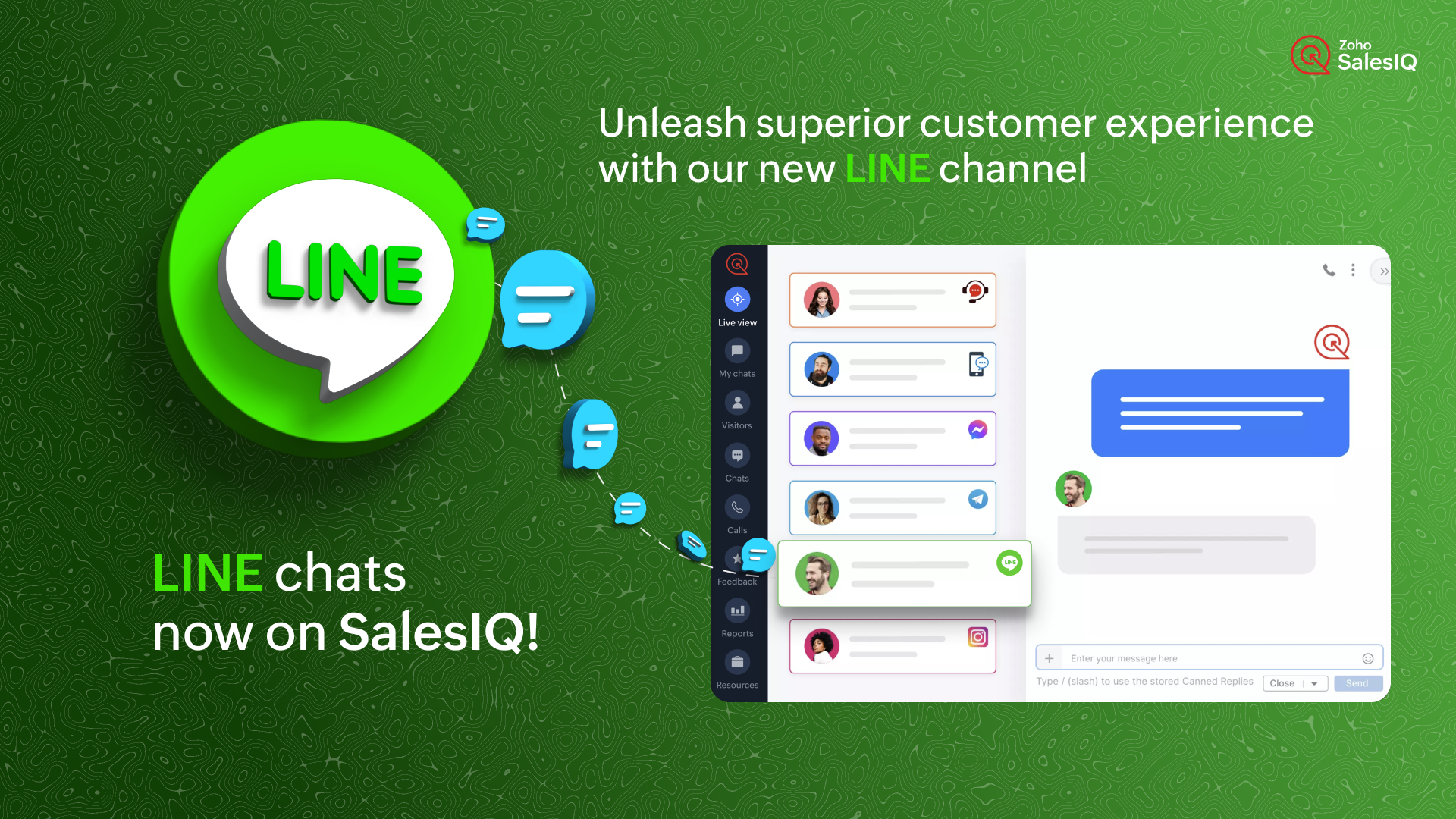
どのように機能するのでしょう?
SalesIQ のチャンネルにLINE を設定すると、LINE 公式アカウントで受信したすべてのチャットを、SalesIQ の管理画面に直接取り込むことができます。これにより、SalesIQ から簡単にメッセージを送受信することができます。
ビジネスでの利用例
ソーシャルメディアにビジネスプロフィールをアップしている場合、LINE や他のソーシャルメディアアプリからのチャットを担当する特定の担当者がいる可能性があります。
インスタントメッセージングアプリからすべてのチャットに対応し、合理的なカスタマーサポートを提供することは、控えめに言っても面倒なことです。それはなぜでしょうか?
- 顧客に最高のサービスを提供するために設計された追加サポート機能はありません。
- また、このような場合、かなりの確率でチャットが見逃されるおそれがあります。
インスタントメッセージングプラットフォームは個人的な使用には適していますが、ビジネス目的、特にカスタマーサポートに活用するには限界があります。顧客のニーズに真に応え、卓越したエンゲージメントとサポートを提供するには、これらのタスクのために特別に設計された堅牢なプラットフォームが不可欠です。
SalesIQ のような強力なツールにLINE のチャットを組み込むことで、既存のオペレーターが使い慣れた、卓越したカスタマーアシスタンスを提供するために必要なすべてのツールを装備することができます。このシームレスな組み合わせは、通常のサポートにとどまらず、カスタマーサービスをまったく新しいレベルに引き上げます。
SalesIQ のLINE チャネルを活用したカスタマージャーニー
ジャックはあなたのビジネスにコンタクトしようとしており、あなたのビジネスのLINE 公式アカウントにメッセージを送信しています。SalesIQ のオペレーターであるあなたには、SalesIQ のダッシュボード上ですぐにチャットの招待が届きます。
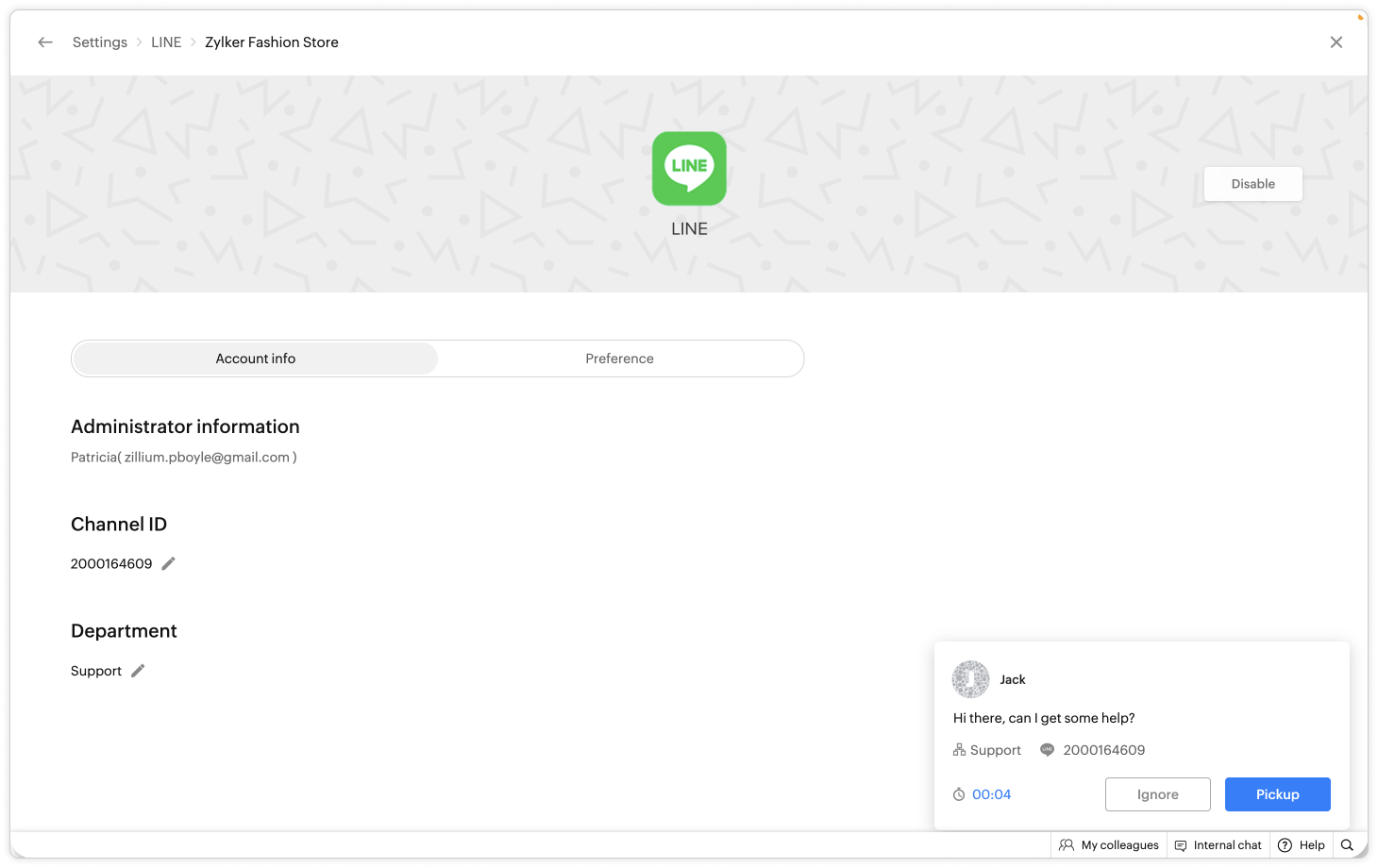
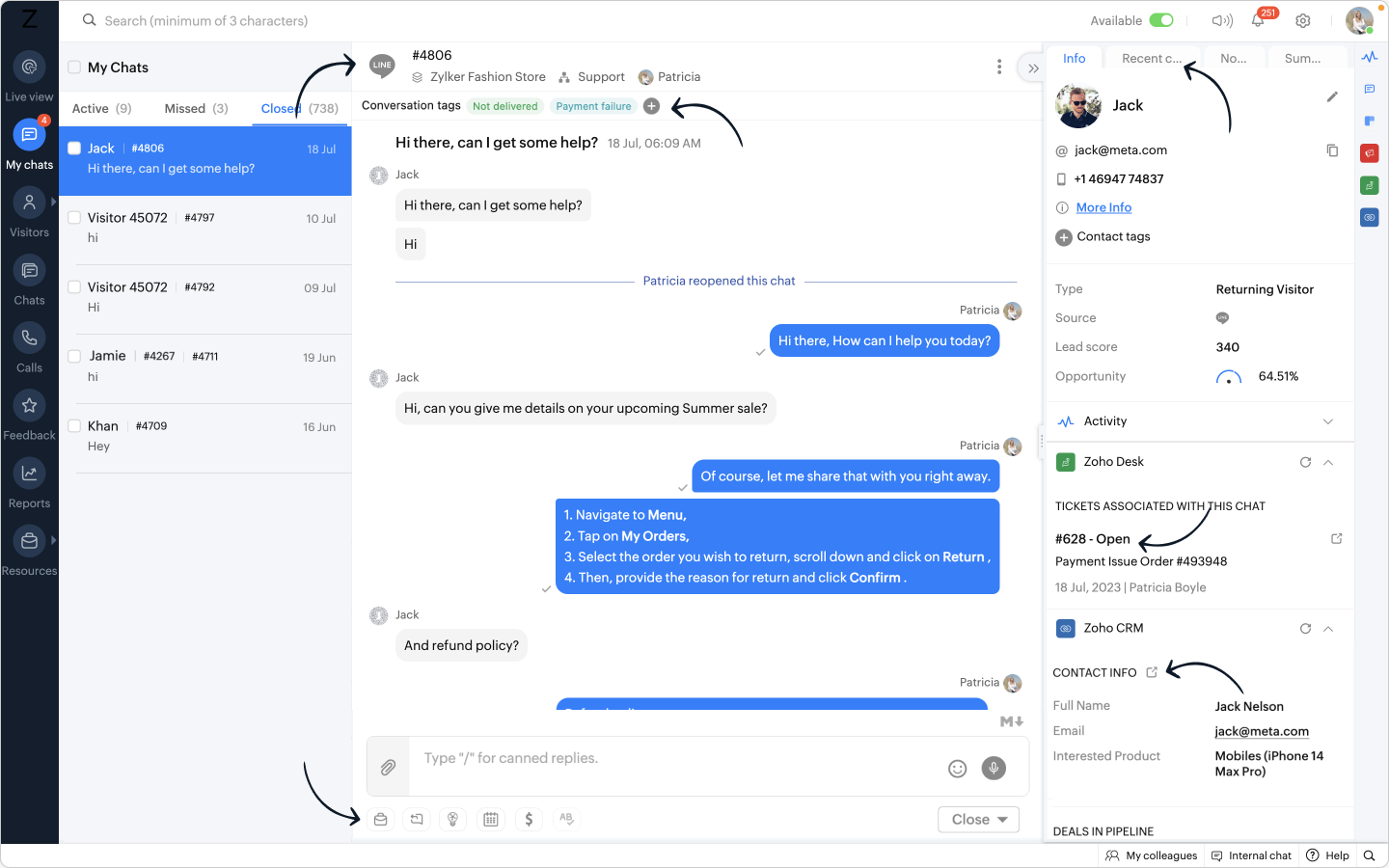
- あなたはジャックにお気に入りの定型文を使ってあいさつし、会話した後、ジャックが返金に関して問題を抱えていることを知りました。
- あなたはすぐに、自社の返金ポリシーに関するFAQ をジャックに伝えました。
- さらに、別のウィンドウに移動することなく、SalesIQ オペレータチャットウィンドウから Zoho Desk ウィジェットを利用し、ヘルプデスクソフトウェア上に即座にチケットを作成することができます。
- また、関連するタグを会話に追加することで、将来簡単にフィルタリングできるように効果的に分類できます。
おまけ:
- LINE からあなたのビジネスに新しい訪問者が近づいた場合、彼らの名前は自動的にオペレータのチャットウィンドウに入力され、簡単にあなたの会話をパーソナライズすることができます。
- 相手の連絡先情報を取得し、Zoho CRM ウィジェットを使用して CRM 上ですぐにリードを作成し、SalesIQ のオペレータチャットウィンドウから CRM に相手の詳細をプッシュすることができます。
このような顧客が、LINE から数日後に再びコンタクトしてきた場合、
- CRM に格納された顧客の詳細情報は、Zoho CRM ウィジェットで利用できるようになります。
- デスクチケットはZoho Desk ウィジェットで利用できるようになります。
- 過去の会話は「最近のチャット」に保存されます。
ここに可能性を感じませんか?
- LINE アカウントとSalesIQ を連携させることで、SalesIQ のダッシュボードにLINE のトークが表示されます。
- SalesIQ のダッシュボードには重要な訪問者/顧客情報がすべて保存され、後で参照することができます。
- SalesIQ のオペレータチャットウィンドウの強力な機能を利用し、生産性と効率を最大化することができます。

追加されたメリット:
リーチの拡大:LINE との連携により、膨大なユーザーベースを活用し、LINE を好みのメッセージングプラットフォームとして使用する顧客とつながることができます。この連携により、より多くのユーザーにリーチし、リアルタイムでエンゲージすることができます。
SalesIQ の機能の使用:ウィジェット、返信定型文、FAQ、OpenAI 連携などの機能をオペレーターが活用することで、健全なサポートとエンゲージメントを実現し、より有意義で文脈に即した会話が可能になります。
効率的なサポート:特定のオペレーターや専門部署をLINE チャネルのチャット管理のみに割り当てる柔軟性があり、お客さま独自のニーズに応じて効率性を最適化できます。
簡単なセットアップ:LINE との連携設定はとても簡単で、いくつかのステップを踏むだけでSalesIQ 内でLINE 公式アカウントへのメッセージを受信できるようになります。
注:Zobotは他のIMプラットフォームと同様、LINE チャンネルに近日登場する予定です。お客さまのカスタマーエクスペリエンスを向上させるシームレスな連携にご期待ください。待ち時間はそう長くありませんし、その価値は十分にあります!
LINE チャンネル設定手順
SalesIQ のLINE チャンネルでは、簡単なステップでLINE 公式アカウントとSalesIQ を連携させ、シームレスにコンタクトとつながることができます。LINE 公式アカウントの管理画面からチャンネルID とチャンネルシークレットを取得し、SalesIQ のLINE チャンネルページに貼り付けるだけです。
連携の手順については、以下のビデオをご覧ください。
SalesIQ は、Whatsapp、Facebookメッセンジャー、Instagram、Telegram など他のIMプラットフォームとの連携も行っており、幅広く利用されています。
Topic Participants
Junya Nakano
VEMULA MANEESH
Recent Topics
OAuth integration issues
I'm experiencing persistent OAuth errors when trying to connect Make with Zoho API. I've tried multiple approaches but keep encountering the following issues: First error: 'Invalid Redirect Uri - Redirect URI passed does not match with the one configured'Marketing Tip #16: Ideal sizes and formats for adding images to your online store
Images can make (or break) your storefront experience. When your banners and product photos follow the right sizes and aspect ratios, your store looks cleaner, loads faster, and feels more trustworthy—especially on mobile. Here are recommended image sizesImprove WhatsApp Module in Zoho CRM
The current WhatsApp module UI in Zoho CRM feels cluttered and complex, especially when handling high volumes of conversations. It would be great to enhance the WhatsApp module UI/UX by adopting a clean and simplified interface similar to Bigin CRM’sBlueprint transitions on locked records
We use the ability to automatically lock records (quotes, sales orders, etc.) based on criteria, such as stage. For instance, if a quote has been sent to a client, the quote is then locked for further edits. Our ideal quote stage process is: Draft>Sent>Won.Enhance productivity with the revamped Zoho Sheet View
Hello folks, For some time now, you've been able to use the Zoho Sheet View to quickly edit multiple records or to insert a batch of new records. Its tabular interface allows users to engage in these tasks productively. Despite this, the existing SheetNo OR Filter for Views with a Related Modules Criteria
We would like to create a Deal View where the User can see all their deals. For that, we would need an OR to connect the criteria. One of the Fields is a "multiselect User", these (Related Modules Criteria) can only be Filter with an AND. Even betweenGood news! Calendar in Zoho CRM gets a face lift
Dear Customers, We are delighted to unveil the revamped calendar UI in Zoho CRM. With a complete visual overhaul aligned with CRM for Everyone, the calendar now offers a more intuitive and flexible scheduling experience. What’s new? Distinguish activitiesLimit maximum entries for subform - depending on fields entry
Hi Zoho! I have a form with a subform in it. I'd like to have limitation for the row number depending on an entry in a drop-down field in the main form (If the field in the main form is marked "Answer1" - Limit the entries to 1 row, if the field is "Answer2" to have 2 rows limitation, "Answer3" = no limitation at all) Can this be done? Thanks RavidSave HTML Snippet Page as PDF with Dynamic Data in Zoho Creator (Working Solution)
Hi Zoho Creator Community 👋, I faced a common challenge while working with HTML Snippet Pages — I needed to generate a PDF with dynamic data and save it back into the record automatically. Here’s the working solution that might help others. Use CaseMake Camera Overlay & Recording Controls Visible in All Screen-Sharing Options
Hi Zoho WorkDrive Team, Hope you are doing well. We would like to request an improvement to the screen-recording experience in Zoho WorkDrive. Current Limitation: At the moment the recording controls are visible only inside the Zoho WorkDrive tab. WhenCannot connect to imap.zoho.eu on iOS26
Hey, I recently migrated to another iPhone and since then use iOS26. Every since then, I was not able to connect to "imap.zoho.eu" from Apple Mail. I tried deleting the account and adding it again, did not work. I tried creating an app password, didn'tRebranding Options for Zoho One
We need the addition of rebranding and white-labeling settings directly within the Zoho One Admin Panel. This feature should allow organizations to customize the unified portal with their own logo, brand colors, and custom domain mapping (e.g., portal.company.com).Tip #57- Accessibility Controls in Zoho Assist: Mobility- 'Insider Insights'
Remote support should be easy to navigate for everyone. For users with mobility-related accessibility needs, long sessions and complex navigation can be challenging. Zoho Assist’s Mobility Accessibility Controls simplify interaction through keyboard-basedTo print Multiple delivery notes in batches
In Zoho Books, we can print a Delivery Note from an Invoice using the Print Delivery Note option, but it is non-editable and always prints all line items from the invoice. Our requirement is to deliver invoiced items in batches and print delivery notesUPLOAD A CREATED PDF AUTOMATICALLY
Using the html header pdf+print button, I have managed to find a way to have a user create a pdf using entered form data. Using the schedule button, I can have a "file uploaded" pdf mailed to someone as an attachment. The missing piece is to be able to add the pdf, created in that html page to a file upload field automatically? Right now one has to save it to computer and then upload it in a FILE UPLOAD FIELD. Any help would appreciated !Consolidated Department-wise Payroll Cost Summary Report
Hello Zoho Payroll Team and Community, I am writing to discuss a reporting requirement regarding department-level expense tracking within Zoho Payroll. As we scale and manage salary distribution for employees across multiple departments, such as Accounts,Write-Off multiple invoices and tax calculation
Good evening, I have many invoices which are long overdue and I do not expect them to be paid. I believe I should write them off. I did some tests and I have some questions: - I cannot find a way to write off several invoices together. How can I do that,How to remove chat icon from knowledge base?
I have set up a knowledge base to hold FAQs and documentation. It is currently standalone, and not integrated into our website. On every page there is a chat button in the bottom left corner that says "We're offline, please leave a message." How can I[ZohoDesk] Improve Status View with a new editeble kanban view
A kanban view with more information about the ticket and the contact who created the ticket would be valueble. I would like to edit the fields with the ones i like to see at one glance. Like in CRM where you can edit the canvas view, i would like to editAutomated Dismissal of Specific Notifications and Centralized Control of Toast Notification Settings
Dear Zoho Team, I hope this message finds you well. We would like to request two enhancements related to notification handling within Zoho Desk: Automatic Dismissal of Specific Notifications: Currently, when certain actions are taken in the ticket listShow field in spreadsheet view depending on other field value
Hello. Not sure if this is possible but let's say i have spreadsheet view in Creator with four different fields Field A, B, C and D Then i have a field named Response which for one record could contain only one of the pre-definde choices below A, B, CIntergrating multi location Square account with Zoho Books
Hi, I have one Square account but has multiple locations. I would like to integrate that account and show aggregated sales in zoho books. How can I do that? thanks.Zoho Learn Zapier Integration
Hello all, Is there any plan to integrate Zoho Learn with Zapier? It seems almost all Zoho products are in Zapier, with the exception of Learn and Marketing Automation.Notice: SalesIQ integration paused on Zoho Sites
I have this notice on my Zoho Sites in the SalesIQ integration setup. Can someone assist? "This integration has been temporarily paused for users. Reconnecting SalesIQ after disconnection will not be possible until we provide further updates." thankDifferences between Zoho Books and Zoho Billing
Without a long drawn out process to compare these. If you were looking at these Books and Billing, what made you opt for one and not the other. ThanksNew Feature : Copying tickets with all the contents such as conversations/history/attachments etc
Sometimes our customers and distributors do create tickets (or send emails) which contain more than one incident in them and then also some of the further conversations which are either created by incorrect new tickets or replies to old tickets are being created as combined tickets. In such cases we require to "COPY" the contents of the tickets into separate tickets and merge them into their corresponding original tickets. The "CLONE" feature doesn't copy the contents (especially the conversationsComo se agregan los empleados
Necesito saber si para agregar empleados los mismos necesitan tener licenciasDeluge Error Code 1002 - "Resource does not exist."
I am using the following script in a Custom Button on a Sales Return. Basically, the function takes the information in the sales return (plus the arguments that are entered by the user when the button is pushed) and creates a return shipping label viaAdding multiple Attendee email addresses when adding a Zoho Calendar event in Zoho Flow
I am trying to integrate Notion and Zoho Calendar via Zoho Flow. However, the Attendee email address supported by Zoho Calendar - Create event only supports one email address, so I am having difficulty implementing automation to automatically registerGraceful Handling of Exceeded Option Limits
Hi Zoho SalesIQ team. I would like to submit a feature request to deal with a bug in salesIQ Current Behavior (Bug): When a dynamic list passed to the Single Select Option Card contains more than 20 options, the Zobot stops responding (freezes/hangs)System default SLA descriptions can't be modified
The system default SLAs have identical descriptions for all SLA levels, but their settings differ. However, I am facing an issue where I cannot modify these descriptions and save the changes. The content of the description box can be edited but the changesAdding non-Indian billing address for my Zoho subscription
Hey Need help with adding a non-Indian billing address for my Zoho subscription, trying to edit the address to my Singapore registered company. Won't let me change the country. Would appreciate the help. Regards, RishabhHow to create one ZohoCRM organisation out of a multi-organization?
Hi, we have a multi-org including two different Zoho CRM organizations for two companies using respectively EUR and USD as default currency. I was wondering if there is any easy way to merge the two organizations into just one, so that users may accessGray screen while signing documents
We are all getting a "gray" screen when trying to sign documents in Zoho sign. Anyone else having issues?Designing a practical Zoho setup for a small business: lessons from a real implementation
I recently finished setting up a Zoho-based operating system for a small but growing consumer beauty business (GlowAtHomeBeauty), and I wanted to share a practical takeaway for other founders and implementers. The business wasn’t failing because of lackLink Purchase Order to Deal
Zoho Books directly syncs with contacts, vendors and products in Zoho CRM including field mapping. Is there any way to associate vendor purchase orders with deals, so that we can calculate our profit margin for each deal with connected sales invoicesProjects custom colors replaced by default orange
Since yesterday, projects uploaded to Zoho, to which I had assigned a custom color, have lost the customization and reverted to the default color (orange). Has anyone else had the same problem? If so, how did you resolve it?Interview booked through Invite but no Notifications
We have a workflow that was developed through a developer/partner that was tested and worked. Today, we pushed a candidate through the process and invited them to an in-office interview. They were sent the booking link (as usual and as tested before successfully)WebDAV support
I need WebDAV support so that I can upload/download (and modify) documents from my local file system. Is anything planned in his direction?Automatiser la gestion des SLA dans Zoho Desk avec Zoho Contracts
Les équipes du service client s’efforcent d’assurer un support rapide, régulier et fiable pour garantir la satisfaction de chaque client. Les accords de niveau de service (SLA) permettent de clarifier les engagements en définissant les termes et conditionsNext Page