LINE 公式アカウントへのメッセージをSalesIQ から確認・返信できるようになりました
本投稿は、本社のZoho SalesIQ コミュニティに投稿された以下の記事を翻訳したものです。
Now connect and engage with your LINE chat users right from SalesIQ!
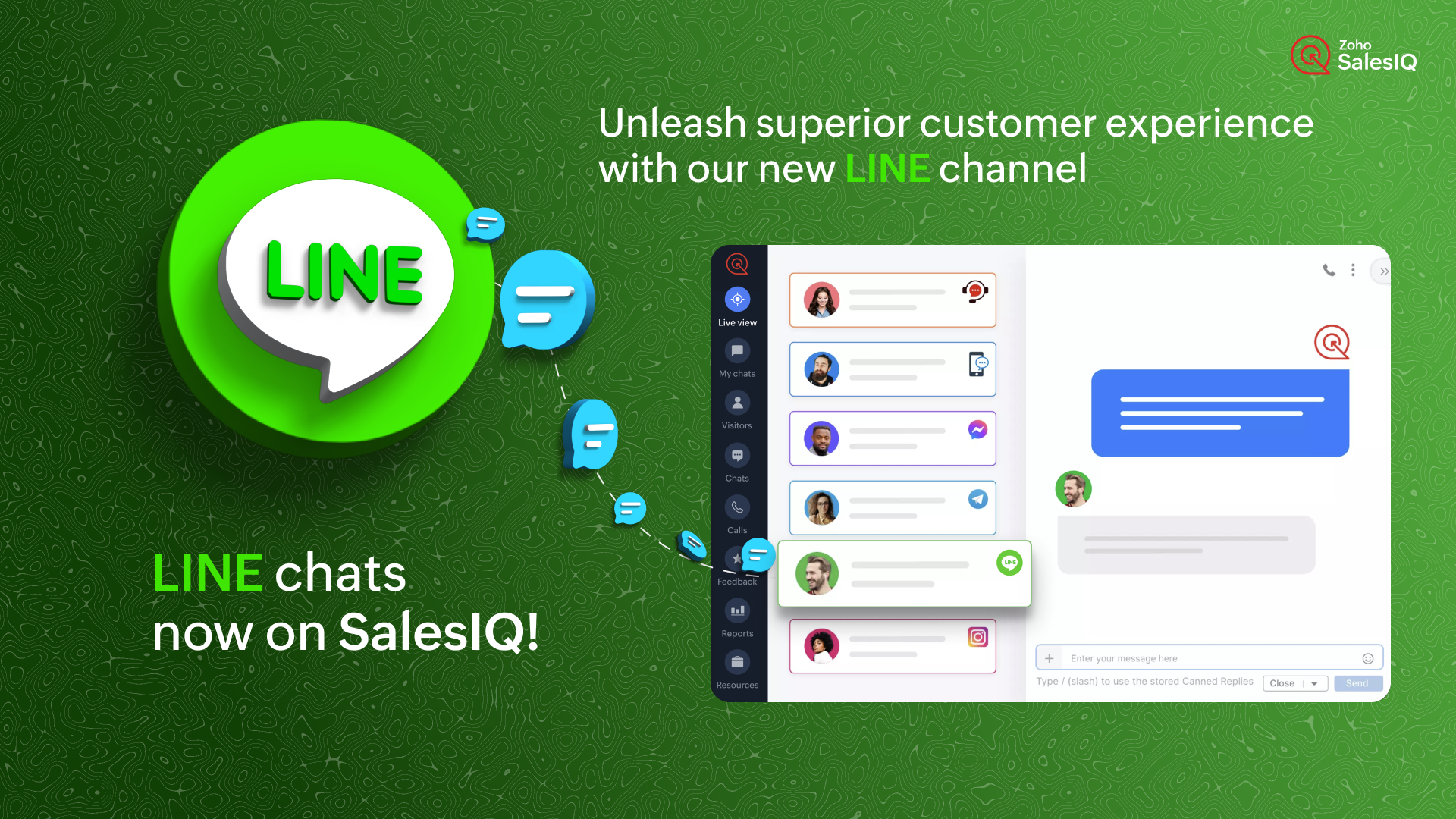
SalesIQ のIMチャンネルファミリーに、新しい仲間が加わりました。LINE とSalesIQ の連携を紹介します。このチャンネルを利用すれば、SalesIQ の管理画面から、LINE ユーザーと便利につながり、交流することができます。
LINE は世界で最も人気のあるインスタントメッセージングプラットフォームの1つであるため、この連携によって新たな可能性が広がり、さまざまな地域の顧客が好みのメッセージングアプリで即座に貴社のビジネスにアクセスできるようになります。
どのように機能するのでしょう?
SalesIQ のチャンネルにLINE を設定すると、LINE 公式アカウントで受信したすべてのチャットを、SalesIQ の管理画面に直接取り込むことができます。これにより、SalesIQ から簡単にメッセージを送受信することができます。
ビジネスでの利用例
ソーシャルメディアにビジネスプロフィールをアップしている場合、LINE や他のソーシャルメディアアプリからのチャットを担当する特定の担当者がいる可能性があります。
インスタントメッセージングアプリからすべてのチャットに対応し、合理的なカスタマーサポートを提供することは、控えめに言っても面倒なことです。それはなぜでしょうか?
- 顧客に最高のサービスを提供するために設計された追加サポート機能はありません。
- また、このような場合、かなりの確率でチャットが見逃されるおそれがあります。
インスタントメッセージングプラットフォームは個人的な使用には適していますが、ビジネス目的、特にカスタマーサポートに活用するには限界があります。顧客のニーズに真に応え、卓越したエンゲージメントとサポートを提供するには、これらのタスクのために特別に設計された堅牢なプラットフォームが不可欠です。
SalesIQ のような強力なツールにLINE のチャットを組み込むことで、既存のオペレーターが使い慣れた、卓越したカスタマーアシスタンスを提供するために必要なすべてのツールを装備することができます。このシームレスな組み合わせは、通常のサポートにとどまらず、カスタマーサービスをまったく新しいレベルに引き上げます。
SalesIQ のLINE チャネルを活用したカスタマージャーニー
ジャックはあなたのビジネスにコンタクトしようとしており、あなたのビジネスのLINE 公式アカウントにメッセージを送信しています。SalesIQ のオペレーターであるあなたには、SalesIQ のダッシュボード上ですぐにチャットの招待が届きます。
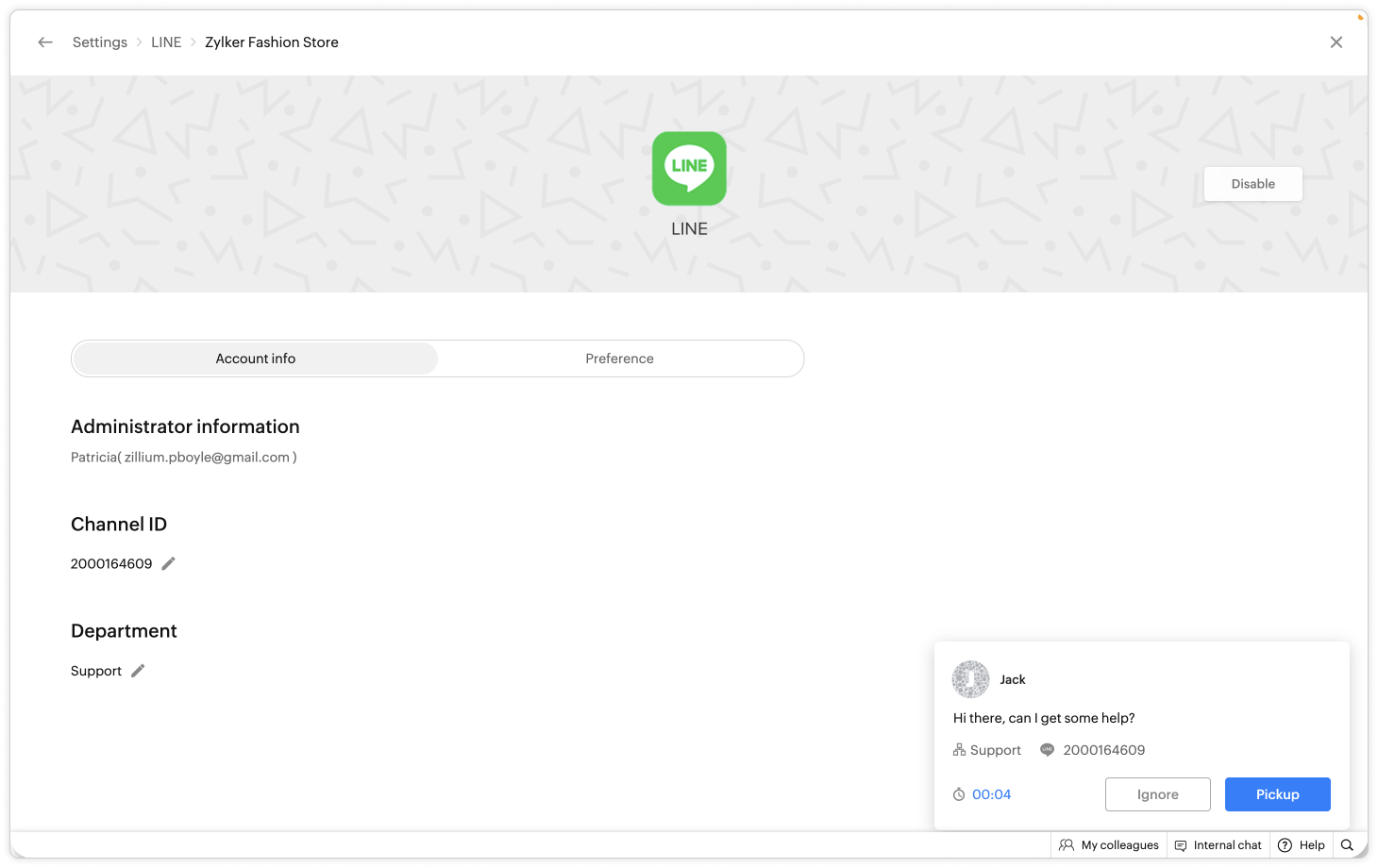
- あなたはジャックにお気に入りの定型文を使ってあいさつし、会話した後、ジャックが返金に関して問題を抱えていることを知りました。
- あなたはすぐに、自社の返金ポリシーに関するFAQ をジャックに伝えました。
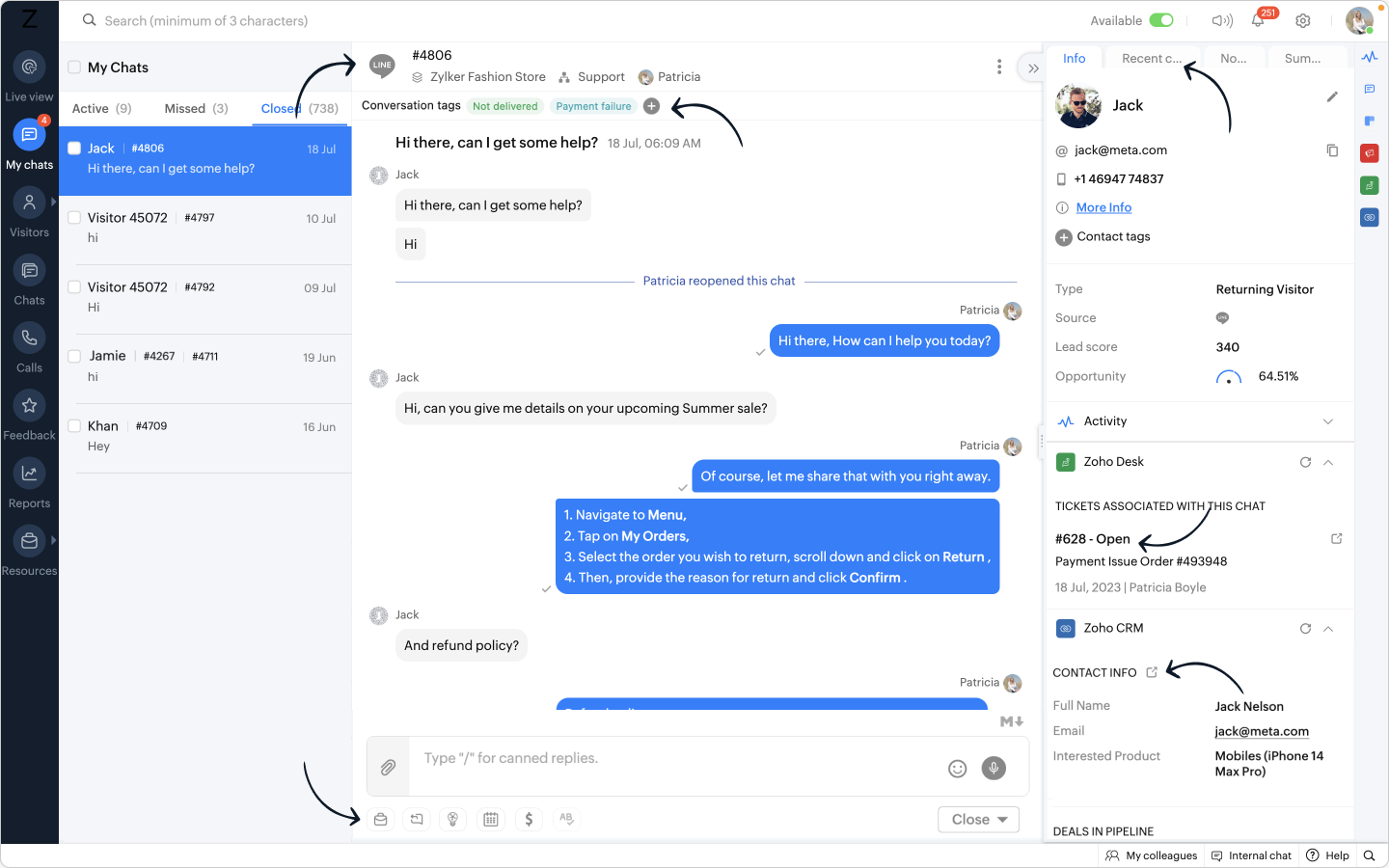
- さらに、別のウィンドウに移動することなく、SalesIQ オペレータチャットウィンドウから Zoho Desk ウィジェットを利用し、ヘルプデスクソフトウェア上に即座にチケットを作成することができます。
- また、関連するタグを会話に追加することで、将来簡単にフィルタリングできるように効果的に分類できます。
おまけ:
- LINE からあなたのビジネスに新しい訪問者が近づいた場合、彼らの名前は自動的にオペレータのチャットウィンドウに入力され、簡単にあなたの会話をパーソナライズすることができます。
- 相手の連絡先情報を取得し、Zoho CRM ウィジェットを使用して CRM 上ですぐにリードを作成し、SalesIQ のオペレータチャットウィンドウから CRM に相手の詳細をプッシュすることができます。
このような顧客が、LINE から数日後に再びコンタクトしてきた場合、
- CRM に格納された顧客の詳細情報は、Zoho CRM ウィジェットで利用できるようになります。
- デスクチケットはZoho Desk ウィジェットで利用できるようになります。
- 過去の会話は「最近のチャット」に保存されます。
ここに可能性を感じませんか?
- LINE アカウントとSalesIQ を連携させることで、SalesIQ のダッシュボードにLINE のトークが表示されます。
- SalesIQ のダッシュボードには重要な訪問者/顧客情報がすべて保存され、後で参照することができます。
- SalesIQ のオペレータチャットウィンドウの強力な機能を利用し、生産性と効率を最大化することができます。

追加されたメリット:
リーチの拡大:LINE との連携により、膨大なユーザーベースを活用し、LINE を好みのメッセージングプラットフォームとして使用する顧客とつながることができます。この連携により、より多くのユーザーにリーチし、リアルタイムでエンゲージすることができます。
SalesIQ の機能の使用:ウィジェット、返信定型文、FAQ、OpenAI 連携などの機能をオペレーターが活用することで、健全なサポートとエンゲージメントを実現し、より有意義で文脈に即した会話が可能になります。
効率的なサポート:特定のオペレーターや専門部署をLINE チャネルのチャット管理のみに割り当てる柔軟性があり、お客さま独自のニーズに応じて効率性を最適化できます。
簡単なセットアップ:LINE との連携設定はとても簡単で、いくつかのステップを踏むだけでSalesIQ 内でLINE 公式アカウントへのメッセージを受信できるようになります。
注:Zobotは他のIMプラットフォームと同様、LINE チャンネルに近日登場する予定です。お客さまのカスタマーエクスペリエンスを向上させるシームレスな連携にご期待ください。待ち時間はそう長くありませんし、その価値は十分にあります!
LINE チャンネル設定手順
SalesIQ のLINE チャンネルでは、簡単なステップでLINE 公式アカウントとSalesIQ を連携させ、シームレスにコンタクトとつながることができます。LINE 公式アカウントの管理画面からチャンネルID とチャンネルシークレットを取得し、SalesIQ のLINE チャンネルページに貼り付けるだけです。
連携の手順については、以下のビデオをご覧ください。
SalesIQ は、Whatsapp、Facebookメッセンジャー、Instagram、Telegram など他のIMプラットフォームとの連携も行っており、幅広く利用されています。
Topic Participants
Junya Nakano
VEMULA MANEESH
Recent Topics
Zoho Inventory - Composite Items - Assembly - Single Line Item Quantity of One
Hi Zoho Inventory Team, Please consider relaxing the system rules which prevent an assembly items from consisting of a single line item and outputting a quantity of 1. A client I'm currently working with sells cosmetics and offers testers of their productsWhat's New in Zoho Inventory | Q2 2025
Hello Customers, The second quarter have been exciting months for Zoho Inventory! We’ve introduced impactful new features and enhancements to help you manage inventory operations with even greater precision and control. While we have many more excitingZoho POS App Hanging Issue – Sales Becoming Difficult
The Zoho POS app frequently hangs and becomes unresponsive during billing, making it very difficult to complete sales smoothly. This commonly happens while adding items, during checkout, or at payment time, especially during peak hours. These issues causeWriting by Hand in "Write" Notes
Hi there! I just downloaded this app a few moments ago, and I was wondering if there was a way to write things by hand in "Write" mode instead of just typing in the keyboard. It would make things a bit more efficient for me in this moment. Thanks!"Spreadsheet Mode" for Fast Bulk Edits
One of the challenges with using Zoho Inventory is when bulk edits need to be done via the UI, and each value that needs to be changed is different. A very common use case here is price changes. Often, a price increase will need to be implemented, andSAML in Zoho One vs Zoho Accounts
What is the difference between setting up SAML in Zoho Accounts: https://help.zoho.com/portal/en/kb/accounts/manage-your-organization/saml/articles/configure-saml-in-zoho-accounts ... vs SAML in Zoho One?: https://help.zoho.com/portal/en/kb/one/admin-guide/custom-authentication/setting-up-custom-authentication-with-popular-idps/articles/zohoone-customauthentication-azureZoho Inventory. Preventing Negative Stock in Sales Orders – Best Practices?
Dear Zoho Inventory Community, We’re a small business using Zoho Inventory with a team of sales managers. Unfortunately, some employees occasionally overlook stock levels during order processing, leading to negative inventory issues. Is there a way toDeactivated Zoho One account can sign in
I am concerned by the fact that deactivated users in Zoho One have the ability to sign in even after their account has been deactivated (not deleted). these inactive identities have no access to individual Zoho apps or data. based on my experience theyHow can I reset the password for a user in Zoho Projects
We need to reset the password for a user in Zoho Projects. I am the admin portal owner and there was nothing to be found to do this. very confusing.How can I add a comment to an existing ticket via API?
I need to add comments/notes to the history of an existing ticket using the API without overwriting the original ticket description. Thanks!Marketer's Space: Proven tips to improve open rates – Part III
Hello Marketers! Welcome back to another post in Marketer's Space! This is the final post in the "open rate series". In the first and second parts, we discussed topics ranging from sender domains to pre-headers—but we're not done yet. A few more importantMCP no longer works with Claude
Anyone else notice Zoho MCP no longer works with Claude? I'm unable to turn this on in the claude chat. When I try to toggle it on, it just does nothing at all. I've tried in incognito, new browsers, etc. - nothing seems to work.Attention Deluge Developers: Important Update Regarding "Send Email Deluge Task"
Hi Deluge Users, We hope this message finds you well. We would like to inform you about a recent update on the Send emails deluge task. If you are using this deluge task (SalesIQ Scripts) for your Zobot, widgets, or form controllers to send emails, pleaseZoho Social - Feature Request - Reviewer Role
Hi Social Team, I've come across this with a couple of clients, where they need a role which can review and comment on posts but who has no access to create content. This is a kind of reviewer role. They just need to be able to see what content is scheduledZoho Books/Inventory - Update Marketplace Sales Order via API
Hi everyone, Does anyone know if there is a way to update Sales Orders created from a marketplace intigration (Shopify in this case) via API? I'm trying to cover a scenario where an order is changed on the Shopify end and the changes must be reflectedZoho Inventory / Finance Suite - Add feature to prevent duplicate values in Item Unit field
I've noticed that a client has 2 values the same in the Unit field on edit/create Items. This surprised me as why would you have 2 units with the same name. Please consider adding a feature which prevents this as it seems to serve no purpose.Kaizen #224 - Quote-driven Deal Reconciliation Using Zoho CRM Functions and Automation
Hello everyone! Welcome back to another instalment in the Kaizen series. This post covers quote-driven deal reconciliation, emphasizing Functions and Automation to address practical sales challenges. Business Challenge Sales organizations often mark dealsBARCODE PICKLIST
Hello! Does anyone know how the Picklist module works? I tried scanning the barcode using the UPC and EAN codes I added to the item, but it doesn’t work. Which barcode format does this module use for scanning?Zoho Inventory - Allow Update of Marketplace Generated Sales Orders via API
Hi Inventory Team, I was recently asked by a client to create an automation which updated a Zoho Inventory Sales Order if a Shopify Order was updated. I have created the script but I found that the request is blocked as the Sales Order was generated byHow do I create an update to the Cost Price from landed costs?
Hi fellow Zoho Inventory battlers, I am new to Zoho inventory and was completely baffled to find that the cost price of products does not update when a new purchase order is received. The cost price is just made up numbers I start with when the productZoho OAuth Connector Deprecation and Its Impact on Zoho Desk
Hello everyone, Zoho believes in continuously refining its integrations to uphold the highest standards of security, reliability, and compliance. As part of this ongoing improvement, the Zoho OAuth default connector will be deprecated for all Zoho servicesVoC in Zoho CRM is now data savvy: Explore response drilldown, summary components and participation in CRM criteria
VoC has all the goods when it comes to customer intelligence—which is why we're constantly enhancing it. We recently added the following: A customer drilldown component that shows you the list of prospects and customers behind a chart's attribute ExpandedHow do I bulk archive my projects in ZOHO projects
Hi, I want to archive 50 Projects in one go. Can you please help me out , How can I do this? Thanks kapilPassing the CRM
Hi, I am hoping someone can help. I have a zoho form that has a CRM lookup field. I was hoping to send this to my publicly to clients via a text message and the form then attaches the signed form back to the custom module. This work absolutely fine whenCan I add Conditional merge tags on my Templates?
Hi I was wondering if I can use Conditional Mail Merge tags inside my Email templates/Quotes etc within the CRM? In spanish and in our business we use gender and academic degree salutations , ie: Dr., Dra., Sr., Srta., so the beginning of an email / letterZoho Browser??
hai guys, this sounds awkward but can v get a ZOHO BROWSER same as zoho writer, etc. where i can browse websites @ home and continue browsing the same websites @ my office, as v have the option in Firefox, once i save and close the browser and again when i open it i will be getting the same sites. If u people r not clear with my explanation, plz let me know. Thanks, SandeepLet’s Talk Recruit: LinkedIn Cheatsheet
Welcome to the first edition of Let’s Talk Recruit for 2026. We are kicking off the year by revisiting one of the most asked about topics in Zoho Recruit. How our LinkedIn integrations actually work and how recruiters can get the most value from them.Zoho Forms API
Is there any way to get all form entry list using API? Looking forward to hear from youAbility to Set Client Name During Portal Invitation
Hi Zoho Team, We would like to suggest an important enhancement to the Zoho Creator Client Portal functionality. Zoho Creator recently introduced the option to set a client’s display name in the Client Portal settings, which is very helpful for creatingMove email between inboxes?
Is it possible to move emails from one team inbox to another? We would like to be able to have a single "catch-all" inbox for incoming requests, and then move the email to the appropriate department inbox. I was hoping we would be able to accomplish thisPDF Attachment Option for Service Reports
Hello Team, I would like to check with you all if there is an option to attach PDF documents to the service reports. When I try to attach a file, the system only allows the following formats: JPEG, JPG, and PNG. Could you please confirm whether PDF attachments【Zoho CRM】データ一覧画面でのメモのバッジ機能リリースのお知らせ
ユーザーの皆さま、こんにちは。コミュニティチームの藤澤です。2026年度もゾーホーユーザーコミュニティをどうぞよろしくお願いいたします! 今回は「Zoho CRM アップデート情報」の中から、新機能のデータ一覧画面でのメモのバッジ機能をご紹介します。 目次 概要 メモのバッジ機能について メモの作成について メモに関する様々な処理について 最近追加したメモについて メモのバッジの非表示について クライアントスクリプトの対応 概要 メモのバッジ機能について 既存の活動バッジに加えて、すべてのタブのデータ一覧表示画面に、各データごとに利用できる「メモのバッジ」(キャプチャ内の赤枠部分)が新たに導入されました。is it possible to add more than one Whatsapp Phone Number to be integrated to Zoho CRM?
so I have successfully added one Whatsapp number like this from this User Interface it seems I can't add a new Whatsapp Number. I need to add a new Whatsapp Number so I can control the lead assignment if a chat sent to Whatsapp Phone Number 1 then assignCan’t find fsm in zoho one
Every other app is available to me in Zoho one except fsmPosibility to add Emoticons on the Email Subject of Templates
Hi I´ve tried to add Emoticons on the Subject line of Email templates, the emoticon image does show up before saving the template or if I add the Emoticon while sending an Individual email and placing it manually on the subject line. Emoticons also showTask Deletion Restriction & Strict Stage Control
Hello Zoho Community, We have the following two issues currently pending and under testing, for which we require a workable and reliable solution: 1. Task Deletion Restriction We are testing ways to ensure that staff users are not able to delete tasksUnable to mass update a picklist field
Hello, I have the records within our Accounts module divided between two account types: Parent Accounts & Member Accounts. I am attempting to mass update accounts from one picklist value to the other (within other specific criteria in our custom fields)Process checklist in CRM
Hi We've created a new sales process that I'm mapping into the CRM - issue I have is that some of the tasks / milestones I would like to capture require very simple tick box responses but there are quite a few under a variety of sub categories so I don'tCRM project association via deluge
I have created a workflow in my Zoho CRM for closing a deal. Part of this workflow leverages a deluge script to create a project for our delivery team. Creating the project works great however, after or during the project creation, I would like to associateHolidays - Cannot Enter Two Holidays on Same Day
I have a fairly common setup, where part-time employees receive 1/2 day's pay on a holiday and full-time employees receive a full day's pay. Historically, I've been able to accommodate this by entering two separate holidays, one that covers full-timeNext Page