What's New in DataPrep 2.0?
We're thrilled to announce DataPrep 2.0! With our new version, it is easy to build an end-to-end pipeline and have a complete control on the data quality and manage data movement. DataPrep 2.0 also enhances data integration across multiple sources and destinations, making your entire ETL process more efficient. Here's everything you need to know about what's new with DataPrep 2.0.
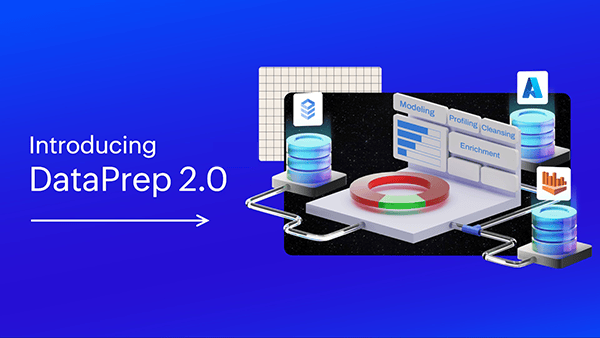
What's new with Zoho DataPrep 2.0?
We focused on developing a complete data pipeline platform for enterprises and small organizations alike, addressing both complex and simple use cases alike with little training and learning curve as possible.
Based on these values, these are the five focus areas that we worked on for the new major release of Zoho DataPrep.
- Enhanced fundamentals and simplified complexity.
- Platform extensibility.
- Monitoring and Lineage.
- Improved user experience.
Fundamentals of data pipelines
The focus on enhancing the fundamentals of Zoho DataPrep addresses the evolving needs of our customers. Zoho DataPrep has a solid foundation with a transformation engine that can scale to billions of rows, 250+ in-built transformations that are driven completely via point-and-click interface without the need for any coding.
Advanced Data Preparation in Zoho DataPrep
In 2.0, we are pushing some major updates to how data preparation is performed, orchestrated and run within Zoho DataPrep.
You can now manage the data pipeline as a single entity instead of dealing with the preparation stages as datasets on their own.
Import, processing, and export can now be scheduled to run in a single schedule process without having to sequence them separately and make schedule time adjustments manually.
Data fetched in an incremental fetch scenario is based on the schedule interval in 2.0 rather than previous import; this simplifies the process of data movement and makes it easier to resume failed jobs.
Zoho DataPrep 2.0 brings all of the above changes and more with the following features.
Visual Pipeline Builder
The all-new pipeline canvas lets you design the end-to-end data flow seamlessly. Earlier, there was a limitation of working with a single dataset at a time, but in 2.0, data can be fetched from multiple sources, more than one dataset can be prepared and used simultaneously as well as the data can be exported to multiple destinations. This helps business visualize data better, simplify complex workflows and data integration, and work on data with more confidence. Learn more

Advanced Scheduling
In DataPrep 1.0, the sources and destinations had separate scheduling which had to be managed manually by staggering the schedule timing, which was hard. But with 2.0, the scheduling is now at the pipeline level. A single schedule can be used to manage imports, processing, and exports for all sources and destinations in the pipeline at once. Learn more
Incremental Fetch for All Sources
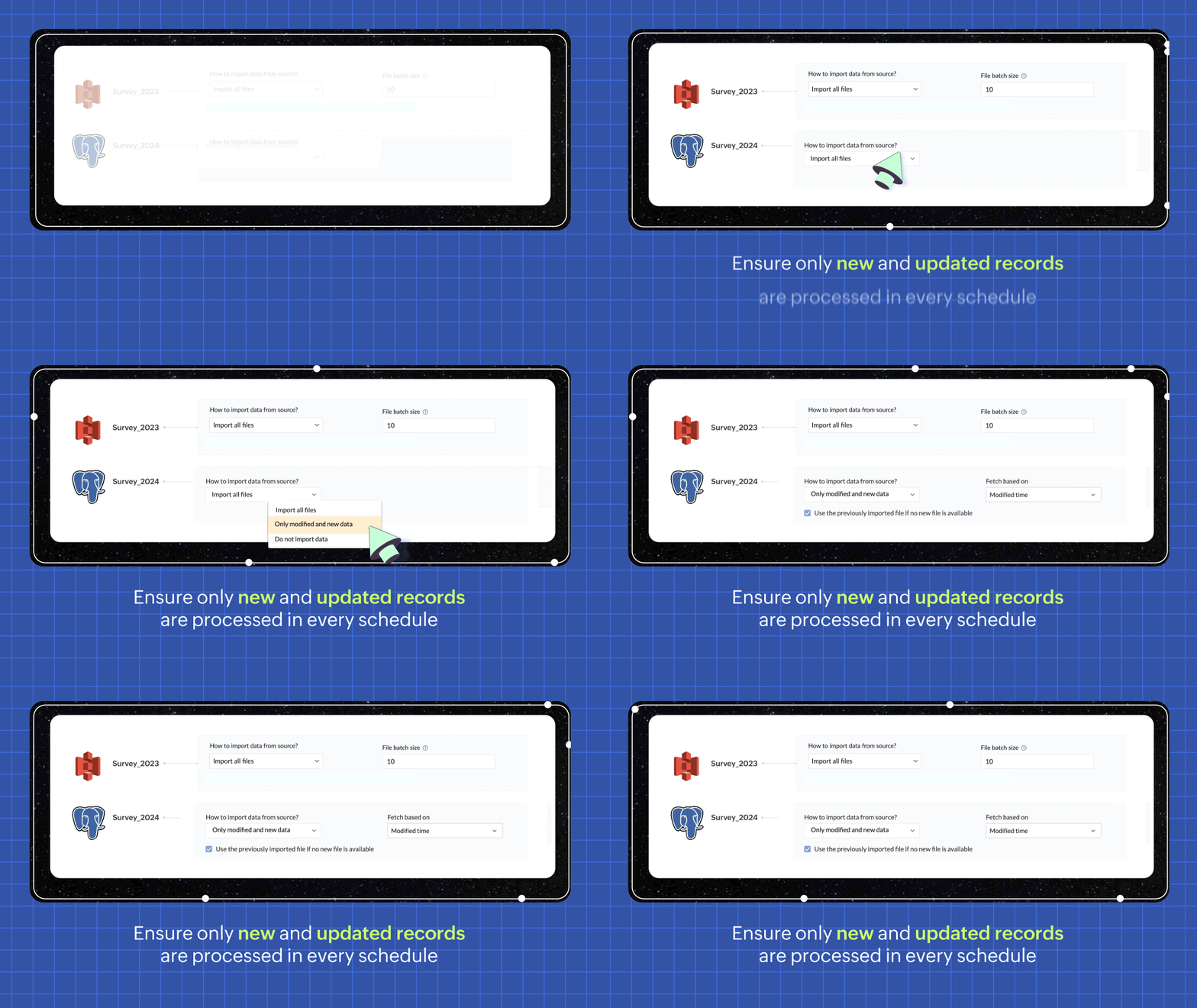
In every pipeline run, choosing the incremental fetch option only fetches the new and updated data from the source and sends it to DataPrep for processing. Now, only the newly added rows are processed making each incremental fetch run faster. Thus making the job run more productive and cost effective. Learn more
Data BackFill
Process data that was missed in previous schedules due to a change in data models or data preparation workflows. You can achieve this without having to perform all of the data processing one by one, especially in the case of file-based data pipelines. Learn more
Reusable Pipeline Templates
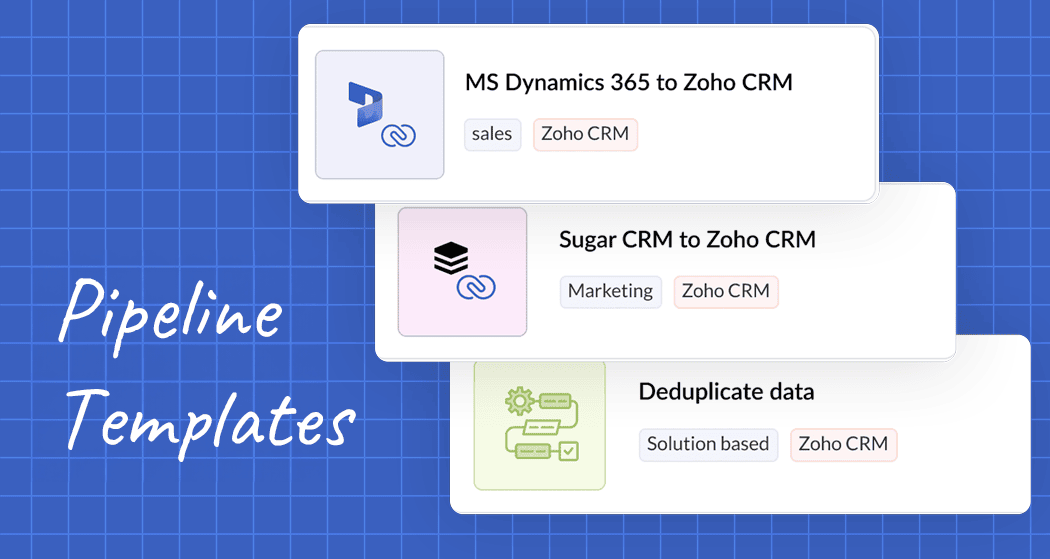
Data pipelines you build can now be saved as pipeline templates, making reusability and replication of data pipelines quite easy. Learn more
Templates Gallery
We are also publishing various pipelines and rulesets in a gallery with pre-built templates that solves for various use cases around data preparation and cleansing. Users can use these pre-built templates to kick start their data preparation journey. Learn more
Macros
You can now save only selected rules as templates instead of saving the entire ruleset, and now you have the added flexibility of saving macros with specific functionality.
Expanded Connector Support
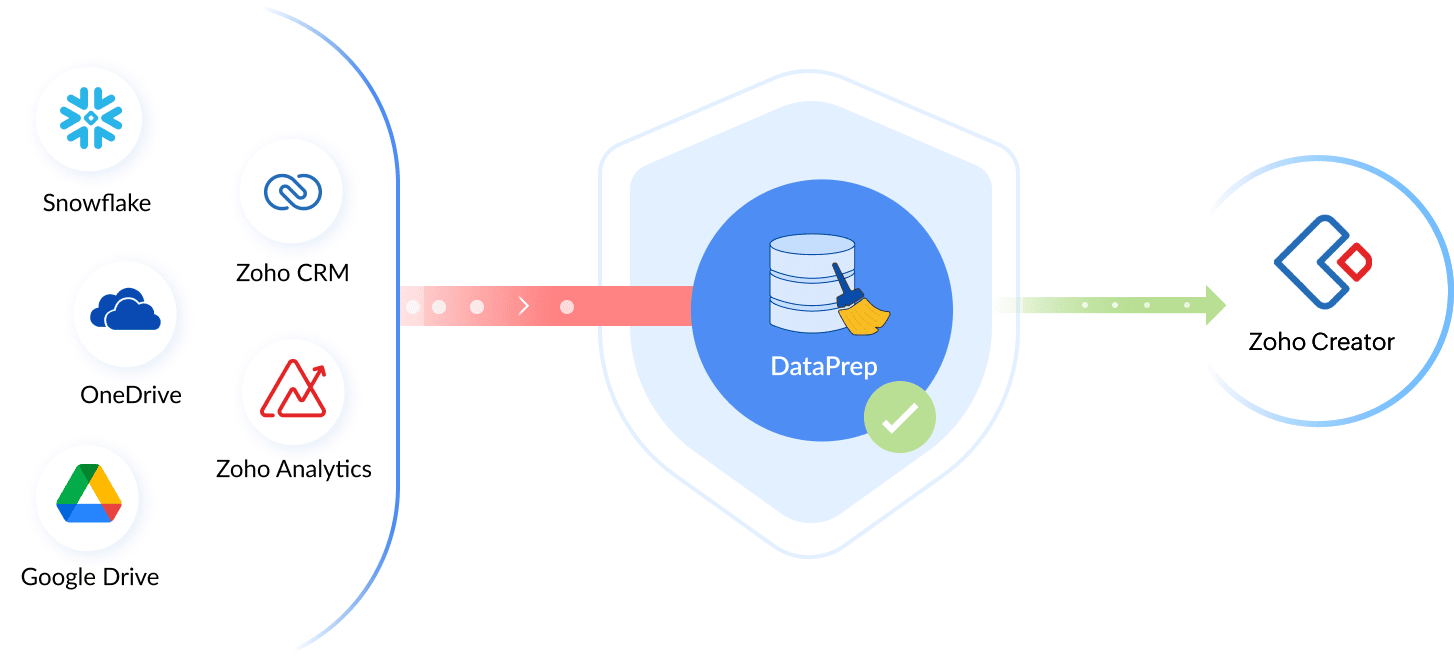
Ability to build automated data pipelines entirely depends on the platform's capability to connect to a variety of sources and destinations. With this in mind, we are adding a bunch of connectors to Zoho DataPrep. After we have added Zoho Creator connector, these are the connectors that are planned to be rolled out within the GA of DataPrep 2.0 version.
- Salesforce connector for DataPrep
- Zoho Bigin connector for DataPrep
- Zoho Forms connector for DataPrep
Enhanced Resiliency
Data pipelines could fail during the sync process; but we need the data pipelines to be as resilient as possible. We have made enormous strides with improving the resiliency of the data pipelines in Zoho DataPrep by implementing automatic retries within the processing infrastructure as well as during import and export processes to the data sources and destinations.
5x Performance
The platform performance capability has been enhanced 5x; this is evident with the amount of data that DataPrep can now process at a time, per batch. We launched the product back in 2021 with the capacity to process 1M rows per batch, and quickly followed up with an increased capacity of 5M.
With the 2.0 version, we are now able to support up to 25M rows per batch out of the box, and we can scale it upto 100M with special deployments done on request.
New AI-Powered Transforms
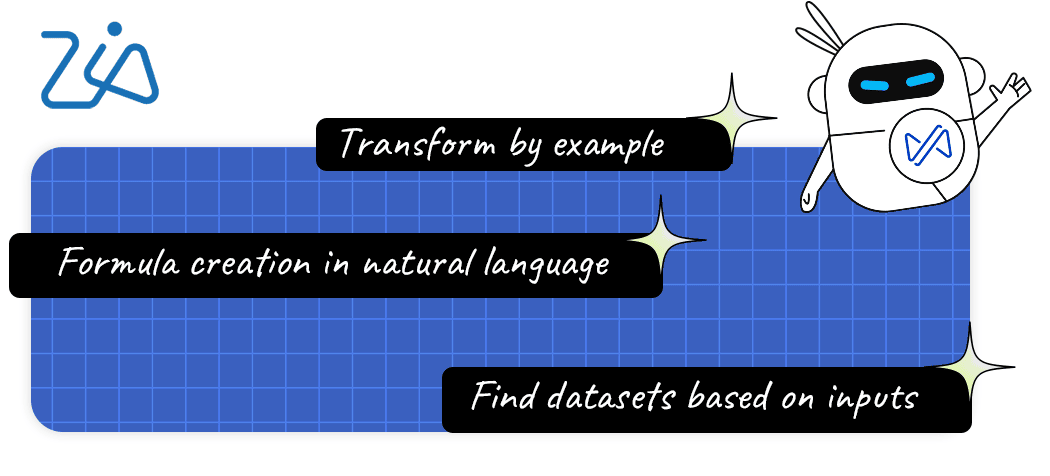
DataPrep now integrates with OpenAI's ChatGPT APIs to enable smarter data transformations and enrichment. We are now offering features like Transform by Example, Formula Generator, and Dataset Finder using this integration.
Auto Schema Validation
When pushing data to your data destinations, there might be data model mismatches causing the export to fail partially, making it tough to resume the data exports and maintain data integrity. To avoid this, we provide schema validation automatically for all destinations that have data type support, such as databases and applications.
Monitoring and Lineage
We have drastically improved the observability of the Zoho DataPrep platform with new monitoring and audit capabilities. Let us look at what's improved in this front one by one.
Jobs History and Audit
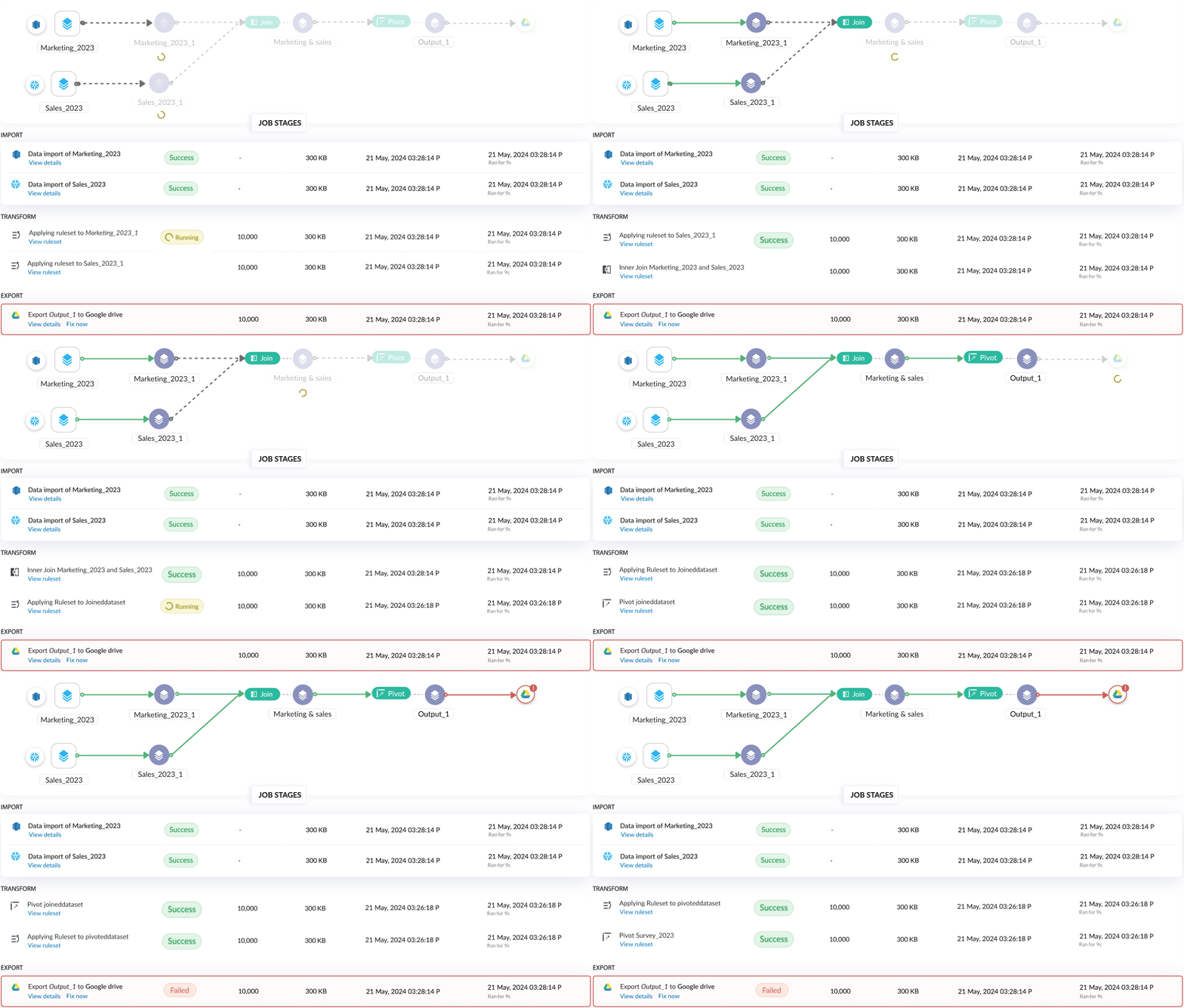
Every pipeline execution is now tracked as a job with the status of each stage tracked individually. the list of jobs is now listed for each pipeline and categorized by how it was triggered, whether it was a manual run, scheduled run, back fill run, etc. Learn more
Granular Debugging
Each job has three sections, the first section showing the status of each stage visually and the overview of the pipeline run with overall stats like rows processed, storage, time consumed, and the data interval of the particular job.
The second section shows a list view of all the processing stages, with individual status of each stage including details such as the rows processed and time consumed for processing the data. Learn more
Monitoring Dashboard
All jobs in Zoho DataPrep can now be monitored from our new home page, the Monitoring Dashboard. The new dashboard has information about successful and failed data pipelines in the system. Learn more

In-Built Versioning
All changes done during data preparation in the data pipeline are tracked and saved as versions; you can always navigate to any version and revert the pipeline to that version at any time. In other words, this brings in unlimited undo/redo to your data pipeline throughout the entire life cycle. Learn more
Staging and Production Environments
When working with pipelines, after you have reached a certain milestone and are ready to schedule the pipeline, you can mark the pipeline as ready. When marked as ready, that pipeline version is marked as the live version. When making additional changes, it will all be tracked as the draft versions and will not affect the scheduled jobs. When you're done with the changes, you can once again mark the pipeline as ready for the changes to take effect in the scheduled jobs. This way you can keep testing and experimenting with your data without affecting the production pipeline. Learn more
Access & Activity Audit Tracking
When an organization's data is made accessible to multiple stakeholders, it is crucial to be in the know as to who accesses which data. This feature helps you monitor which user has accessed which part of the data workflow within Zoho DataPrep; thus improving data security and accountability with access and activity audit logs. Learn more
Platform Extensibility
Seamless integration with various data sources and destinations is essential for an efficient data preparation solution. To help organizations be flexible with their tailored data solutions for their ever-evolving business needs, we have extended our platform capabilities.
Workflow automation with Zoho Flow
With a tight Zoho Flow integration, connect Zoho DataPrep to numerous other software and solutions to automate your data workflow without having the need to code. It is a simple integration that lets you orchestrate data pipelines from Zoho Flow. You can now run data pipelines as an action within Zoho Flow and will have the option to trigger a flow using DataPrep triggers such as job success, job failure, job completion.
Whitelabel DataPrep
Enhance your data offerings effectively with your own completely rebranded version of Zoho DataPrep. Our DataPrep white labeling offering can help you provide professional data services for a fraction of a cost. Without IT experts or data analysts, easily mine data and prepare them with ease.
REST API
To build integrations faster, we are publishing Rest API end points for Zoho DataPrep, which will soon be available to all users. You can now orchestrate data pipelines built within Zoho DataPrep via REST APIs integrated with any other applications or processes. This will provide you with options to start and stop data pipelines and allow you to get status information about jobs.
Other Updates
Real-time Data Quality Monitor
You can now monitor the data quality without opening up the dataset details panel, the data quality is always available at the top of the DataPrep Studio page and is updated live for every change made to the data.
Column explorer
When dealing with datasets that have more than 100 columns, it is often difficult to find the ones you want or navigate to the few columns that you wish to work on. The column explorer gives you an easy way to look for the columns, allows you to filter columns by data quality, so you can get to the columns with data quality issues first. You can also hide unwanted columns temporarily in the studio page and focus on the columns that matter the most while preparing your data. Learn more
Bulk actions on ruleset
You can now perform bulk actions on ruleset, allowing you to select multiple rules at once to either delete, disable, or enable. This also allows to clear all the rules applied and start from scratch. Learn more
Ruleset template export as file
Instead of only saving the ruleset template as an entity, and sharing them within your DataPrep organization, you can now export the ruleset as a file. You can use the file to share the template to users in a different organization, provide professional services to clients, or store it to an external version control system for tracking. Learn more
Multi-file batch imports
When importing files into the system, you can now merge multiple files together as a single dataset. In the advanced import flow for file imports from local file system and cloud storage solutions, you can choose to merge the files during import. You can merge up to 10 files at a time. Learn more
Enhanced target matching for Apps
Target matching is not only available for databases, but also for all the application destinations that are available Zoho DataPrep. This allows you to better manage the data types and constraints that are expected by the target application and avoid any partial export errors which are hard to recover from. Learn more
Filter and Sort enhancements
Filter and sort panels are added as tabs to all the transforms in Zoho DataPrep, you can now combine your transformations with filters and sort functionality as well, saving you the trouble of performing these actions separately.
Automated file imports from local file systems
You can now setup live pipelines by importing files from your local machines without having to push data into a cloud or FTP system. We can fetch files in a local machine with the help of Databridge which interfaces local machine and the cloud DataPrep service. This also supports the incremental fetch capability similar to how it works with other cloud storage solutions like S3, Google Drive, etc. Learn more
Manage data sources and destinations better
You can now change a data source for a dataset without having to import and recreate the data flow. It also allows you to change granular details of the import or export flow, including changing the connection details for a database or application.
Auto data and model change propagation
Data pipelines are complex, and you have to go back and forth between changes done to different parts of the same pipeline. When you setup a pipeline to have many parent-child relationships, it is frustrating when a data change made in a parent dataset does not automatically flow to the child dataset. In 2.0, the data and model changes are automatically propagated to the child stages in a pipeline. The changes flow when you open a child stage, allowing you to retain performance and speed when working with a parent dataset and still allowing you to see the latest data and model when opening a child dataset.
Granular notifications control
Newly introduced notifications settings allow you to control what notifications you receive and what you do not want to see. For each notification, you can control if you want to receive either an email notification, or an in-product notification, both, or none. Learn more
Simplified sharing
When working for the new version of DataPrep, we found that most of our users do not actually use the data-consumer only user role, it was also confusing for certain users. Most of the sharing was done to users who worked on the pipeline for developing the data preparation flow. Based on this research, we have simplified sharing to allow data pipelines to be shared without the hassles of figuring out the roles and permissions. For advanced users, we are working on a feature that will allow users to create their own custom roles based on their unique needs. Learn more
Combined personal data audits
PII and ePHI columns marked across all workspaces are now listed in the settings for the administrator to have an overview all the personal data that are flowing through the DataPrep data pipelines. You can effectively manage personal and health data from this panel by jumping into the required pipelines and making sure such data is secured either by masking, tokenization, or removal. Learn more