Featurecast Story 12 - Auto response
IM'ing (Instant Messaging) Feature Story Series
Featurecast Story 12 - Auto response
Provide prompt, clear communication
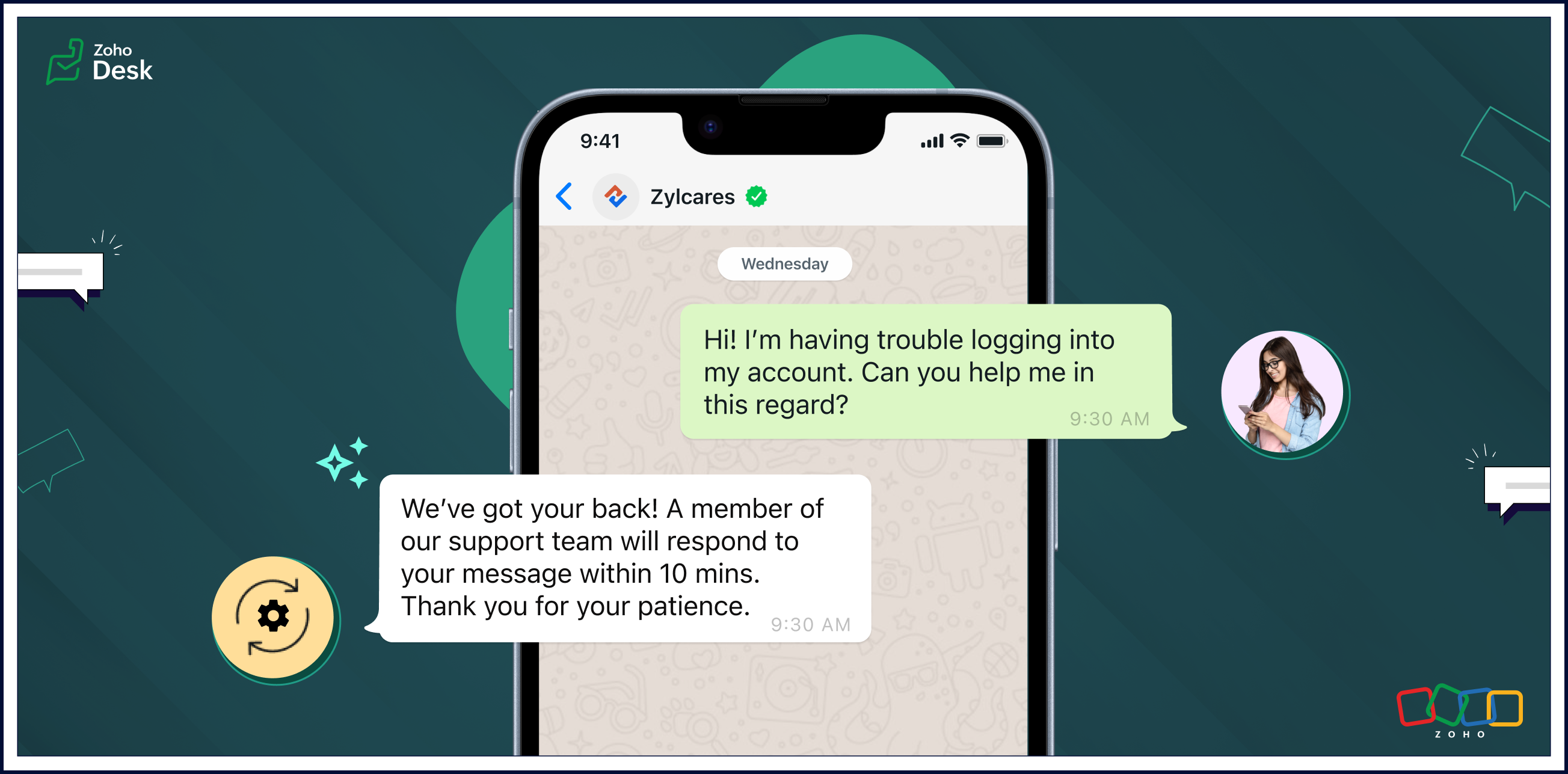
Auto response ensures that users receive an immediate confirmation of their message, setting a positive tone for their interactions with your organization.
Automatic replies enable businesses to streamline routine interactions, freeing up agents to focus on more complex issues and requests. The strategic use of auto-response messages enhances customer satisfaction, optimizes workflow efficiency, and contributes to cost savings.
Pros of auto-response messages
Prompt, clear communication
Automatic responses help maintain clear and uniform communication. These messages can include essential information, such as expected response times, alternative contact details, or links to relevant resources.
Fast response times
Auto-response messages excel in expediting response times. Customers appreciate swift acknowledgements of their questions or concerns and will be more willing to wait patiently if they know help is coming soon.
Reduced burdens on support reps
One of the primary advantages of auto-response messages is the time-saving benefit for agents. Routine inquiries or frequently asked questions can be addressed automatically, allowing agents to focus on more complex issues. This efficiency contributes to improved overall customer service.
Cons of auto-response messages
Limited capabilities compared to a human agent
Given a choice, customers often prefer to interact with human agents despite the convenience of automated replies. Even though auto replies are efficient, they lack the personal touch and empathy that human communication can provide. Also, auto responses may struggle to meet customer expectations in situations requiring emotional understanding.
Potential customer frustration
Auto replies can lead to customers becoming frustrated in some scenarios. They may need help with urgent or sensitive issues and be upset about not being able to reach an agent immediately. Standardized messages might not be able to address unique concerns adequately, leaving customers feeling unheard. Striking the right balance between automation and personalization is essential to mitigate frustration and provide a positive experience.
Uses of auto-response messages
• Sending out-of-office notifications
• Managing high volumes of incoming messages
• Providing information outside of business hours
• Handling customer interactions during events
• Saving time and making support teams more cost-efficient
• Managing high volumes of incoming messages
• Providing information outside of business hours
• Handling customer interactions during events
• Saving time and making support teams more cost-efficient
Auto-reply messages are quickly becoming an essential tool for providing effective customer support. Here are a few examples of auto-reply messages that you can use in different situations.

• Hi there! Thank you for contacting us. A support agent has already received your request and will reply soon.
• Hi there! You've reached [company name], and one of our support reps will get back to you shortly.
• Thank you for your message. We are currently unavailable, but a service agent will contact you as soon as possible.
• Welcome aboard! We can't wait to start working with you. Our team is always here for you if you have any questions or need support. Thank you for joining us!
• Thank you for reaching out to us. We're aware of the issue, and we're working on it. We'll update you as soon as we have more information.
• We're closed, but our support team will be available at [time] to get back to you and address your concerns. Thanks for your patience.
• Hi there! Thank you for opting into our newsletter. You'll start receiving exclusive content and updates from us soon.
• Sorry for the late delivery. We're on it and doing our best to get your order to you as quickly as possible. We appreciate your patience.
• Thank you for your message. We are currently unavailable, but a service agent will contact you as soon as possible.
• Welcome aboard! We can't wait to start working with you. Our team is always here for you if you have any questions or need support. Thank you for joining us!
• Thank you for reaching out to us. We're aware of the issue, and we're working on it. We'll update you as soon as we have more information.
• We're closed, but our support team will be available at [time] to get back to you and address your concerns. Thanks for your patience.
• Hi there! Thank you for opting into our newsletter. You'll start receiving exclusive content and updates from us soon.
• Sorry for the late delivery. We're on it and doing our best to get your order to you as quickly as possible. We appreciate your patience.
Closing thoughts
Automated replies save time, ensure prompt acknowledgement of customer requests, and help manage expectations when agents are unavailable or busy due to high communication volumes.
They enhance the transparency of business communication by providing immediate responses, even outside regular business hours. This helps foster a positive support experience and nurture long-term relationships with customers.
Clarity in communication improves customer satisfaction by setting appropriate expectations and reducing uncertainty in the support process. It's a win-win for customers and businesses.
I hope you found this article helpful and start using auto responses to help deliver great service to your customers. There's more to come, so please watch this space for more IM feature stories.
Until next time,
Kavya Rao
The Zoho Desk Team
New to Zoho Recruit?
Zoho Campaigns Resources





Topic Participants
Kavya Rao Addepalli
Antonio
Shivani | Zoho Desk
Sticky Posts
Register for Zoho Desk Beta Community
With the start of the year, we have decided to take a small step in making the life of our customers a little easier. We now have easy access to all our upcoming features and a faster way to request for beta access. We open betas for some of our featuresShare your Zoho Desk story with us!
Tell us how you use Zoho Desk for your business and inspire others with your story. Be it a simple workflow rule that helps you navigate complex processes or a macro that saves your team a lot of time; share it here and help the community learn and grow with shared knowledge.Tip #1: Learn to pick the right channels
Mail, live chat, telephony, social media, web forms—there are so many support channels out there. Trying to pick the right channels to offer your customers can get pretty confusing. Emails are most useful when the customer wants to put things on record. However, escalated or complicated issues should not be resolved over email because it's slow and impersonal. When you need immediate responses, live chat is more suitable. It's also quick and convenient, so it's the go-to channel for small issues.Welcome to Zoho Desk Community - Say hello here!
Hello everyone! Though we have been here for a while, it’s time to formally establish the Zoho Desk Community; we’re really happy to have you all here! This can be the place where you take a moment to introduce yourself to the rest of the community. We’d love to hear all about you, what you do, what company or industry you work for, how you use Zoho Desk and anything else that you will like to share! Here’s a little about me. I am Chinmayee. I have been associated with Zoho since 2014. I joined hereWebinar 1: Blueprint for Customer Service
With the launch of a host of new features in Zoho Desk, we thought it’ll be great to have a few webinars to help our customers make the most of them. We’re starting off with our most talked about feature, Blueprint in Zoho Desk. You can register for the Blueprint webinar here: The webinar will be delivered by our in-house product experts. This is a good opportunity to ask questions to our experts and understand how Blueprint can help you automate your service processes. We look forward to seeing
Zoho CRM Plus Resources
Zoho Books Resources
Zoho Subscriptions Resources
Zoho Projects Resources
Zoho Sprints Resources
Zoho Orchestly Resources
Zoho Creator Resources
Zoho WorkDrive Resources


Zoho CRM Resources
Get Started. Write Away!
Writer is a powerful online word processor, designed for collaborative work.
Zoho CRM コンテンツ
-
オンラインヘルプ
-
Webセミナー
-
機能活用動画
-
よくある質問
-
Ebook
-
-
Zoho Campaigns
- Zoho サービスのWebセミナー
その他のサービス コンテンツ
ご検討中の方
Recent Topics
Keep Zoho People Feature Requests in the Zoho People Forum
Hello Zoho People Product Team, Greetings. We would like to submit a feature request regarding the handling of feature requests themselves, specifically for Zoho People. Issue: Feature Requests Being Moved to Zoho One Zoho People feature requests areCan I write a check in Zoho Books with no associated bill?
This currently does not seem possible, and I have a client that desperately needs this function if I am able to convert them with Quickbooks. Thank you in advance for your reply.Finding text within a ticket: Expand All or Search this Ticket
The auto-collapse feature within a ticket is nice for screen scrolling, however it makes it difficult to find text within the ticket if the email is collapsed. In fact you cannot find text if it is collapsed. I would like to propose a feature that allowsBooks & Desk. Client mapping
Hi, I’ve been using Zoho Books for several years and am now looking to improve my customer service. I'm experimenting with Zoho Desk and want to sync and map my client data from Zoho Books. However, it seems that mapping requires both contacts to haveString handling
If I cut a currency string from a quote and try and paste it into the Deal "Amount", it will fail unless I manually delete any commas. Dollar signs are no problem, but comma's seem to fail. Please correct this Input Validation error.Allow Stripe Credit Card and Stripe ACH payment methods to be enabled separately on an invoice.
I need to be able to pick at the invoice level whether Stripe Credit Card and/or Stripe ACH payment methods are available. Currently, I'm not able to select from the two Stripe payment methods individually on an invoice. However, there are some largerYouTube Live streaming? how to? Zoom has this feature, built-in. Can't find it on zoho meetings.
YouTube Live streaming? how to? Zoom has this feature, built-in. Can't find it on zoho meetings.Feature Request - A Way To Search Item Groups
Hi Inventory Team, I can't find any way to filter or search by fields of Item Groups. It would be great to see that functionality added. I have a use case where a single product might come from 5 or more suppliers and each supplier's item is an Item inFeature Reqeust - Include MPN In Selectable FIelds
I have noticed that the MPN is not available to show in the list view of Items. Please consider adding it as EAN, UPC and ISBN are all available, so it doesn't make much sense to exclude this similar option. Thanks for considering my feedback.Feature Request - Option To Hide Default System Fields on Items
Hi Zoho Inventory Team, As far as I know it is not possible to hid some of the defult system fields on Items, such as UPC, MPN, EAN, ISBN. A good use case is that in many cases ISBN is not relevant and it would be an improved user experience if we couldCampaigns does not work!
I am running into so many problems trying to use Zoho Campaigns, that I am seriously considering dropping the app from my (shrinking) list of Zoho applications I actually use. Apart from having to fight the software trying to create a design and email,Feature Request - Make Available "Alias Name" Field In Item List View
Hi Zoho Inventory Team, I have noticed that the "Alias Name" field does not appear on the list of selectable columns in the Customise Columns feature in the Items module. This would be very useful to see for businesses who are using the Alias Name fieldproduct name field issue-n8n
Hey guys, I have a question. I want to create a new product using the workflow. The problem is with the product name field; I don't know how to fill it in. The workflow starts with retrieving information from the leads table, retrieving links to scrapeHow to filter Packages in zoho inventory api
Hi Team, I want to perform some tasks in a schedular on the packages which are in "Shipped" state. I tried to use filter_by in my api call but in return I get response as {"code":-1,"message":"Given filter is not configured"} My Api request is as followsCRM
Is anyone else experiencing this issue? Our company is not moving out of using Gmail's web app. It just has more features and is a better email program than Zoho Mail. Gmail has an extension (Zoho CRM for Gmail) that we're using but we've found some seriousSyncing with Google calendar, Tasks and Events
Is it possible to sync Zoho CRM calendar, task and events with Google Calendar's tasks and events. With the increasing adoption by many major tool suppliers to sync seamlessly with Google's offerings (for instance I use the excellent Any.do task planningHow can i view "Child" Accounts?
It can be very useful in our field of business to know the parent-child account relationship. However, there seems to be a shortcoming in the parent account view: no child account list. How can we view the child accounts per each account?Easily perform calculations using dates with the new DATEDIF function
Hey Zoho Writer users! We've enhanced Zoho Writer's formula capabilities with the new DATEDIF function. This allows you to calculate the difference between dates in days, months, and years. Function syntax: =DATEDIF(start_date, end_date, unit) Inputs:Adding Comments Using Workflows - How to Change User Attributed
We have worklflows in Desk where a comment is added to a ticket based on certain criteria. It seems that the comment added is always attributed to the user who last edited the workflow. This does not make sense for us because: - It's misleading to otherAdd Attachment Support to Zoho Flow Mailhook / Email Trigger Module
Dear Zoho Support Team, We hope you are well. We would like to kindly request a feature enhancement for the Mailhook module in Zoho Flow. Currently, the email trigger in Zoho Flow provides access to the message body, subject, from address, and to address,Conect chat of salesiq with zoho cliq
Is there any way to answer from zoho cliq the chat of salesiq initiated by customers?Les dernières avancées en saisie de données et collaboration
Après une année dédiée à la recherche et au développement, notre équipe est prête à dévoiler des améliorations majeures pour Zoho Sheet. Ces nouveautés seront lancées par étapes afin d’en assurer une prise en main optimale. Nous commençons avec des fonctionnalitésRich Text For Notes in Zoho CRM
Hello everyone, As you know, notes are essential for recording information and ensuring smooth communication across your records. With our latest update, you can now use Rich Text formatting to organize and structure your notes more efficiently. By usingImplement Meeting Polls in Zoho Bookings
Dear Zoho Bookings Support Team, We'd like to propose a feature enhancement related to appointment scheduling within Zoho Bookings. Current Functionality: Zoho Bookings excels at streamlining individual appointment scheduling. Users can set availabilityService Account Admin for API Calls and System Actions
Hello, I would like to request the addition of a Service Account Admin option in Zoho product. This feature would allow API calls and system actions to be performed on behalf of the system, rather than an active user. Current Issue: At present, API callsPlease can the open tasks be shown in each customer account at the top.
Hi there This has happened before, where the open tasks are no longer visible at the top of the page for each customer in the CRM. They have gone missing previously and were reinstated when I asked so I think it's just after an update that this featureHow to Customize Task Creation to Send a Custom Alert Using JavaScript in Zoho CRM?
Hello Zoho CRM Community, I’m looking to customize Zoho CRM to send a custom alert whenever a task is created. I understand that Zoho CRM supports client scripts using JavaScript, and I would like to leverage this feature to implement the alert functionality.Send Whatsapp with API including custom placeholders
Is is possible to initiate a session on whatsapp IM channel with a template that includes params (placeholders) that are passed on the API call? This is very usefull to send a Utility message for a transactional notification including an order numberZO25: The refreshed, more unified, and intelligent OS for business
Hello all, Greetings from Zoho One! 2025 has been a remarkable year, packed with new features that will take your Zoho One experience to the next level! From sleek, customizable dashboards to an all-new action panel for instant task management, we’veIntroducing Multi-Asset Support in Work Orders, Estimates, and Service Appointments
We’re excited to announce a highly requested enhancement in Zoho FSM — you can now associate multiple assets with Work Orders, Estimates, and Service Appointments. This update brings more clarity, flexibility, and control to your field service operations,[Product Update] Locations module migration in Zoho Books integration with Zoho Analytics
Dear Customers, As Zoho Books are starting to support an advance version of the Branches/Warehouses module called the Locations module, users who choose to migrate to the Locations module in Zoho Books will also be migrated in Zoho Analytics-Zoho BooksIntroducing Schedules for smarter availability management
Greetings from the Zoho Bookings team! We’re excited to introduce Schedules, a powerful enhancement to manage availability across your workspace. Schedules are reusable working-hour templates that help you define and maintain consistent availability acrossWhy Zoho Contracts Prefers Structured Approvals Over Ad-hoc Approvals
Approvals are one of the most important stages in a contract’s lifecycle. They determine whether a contract moves forward, gets revised, or needs further discussion. The approval process also defines accountability within the organization. Zoho ContractsWhatsapp Connection Status still "Pending" after migration
Hello, I migrated my WhatsApp API to Zoho from another provider a day ago. So far the connection status is still “Pending”. There is a problem? How long does it usually take?Kaizen #226: Using ZRC in Client Script
Hello everyone! Welcome to another week of Kaizen. In today's post, lets see what is ZRC (Zoho Request Client) and how we can use ZRC methods in Client Script to get inputs from a Salesperson and update the Lead status with a single button click. In thisHow to Filter timewise question to check uploaded one month or two months before in these community question ?
i want to find the question that is asked some month or before any particular year, so how can i filter it ?Proposal for Creating a Unique "Address" Entity in Zoho FSM
The "Address" entity is one of the most critical components for a service-oriented company. While homeowners may change and servicing companies may vary, the address itself remains constant. This constancy is essential for subsequent services, as it providesWorkflow Down/Bug
We have a workflow that sends an email to one of our internal departments 10 minutes after a record is created in a custom module. The workflow actually works correctly. However, we have now noticed that on January 8, between 3:55 p.m. and 4:33 p.m.,Service Locations: Designed for Shared Sites and Changing Customers
Managing service addresses sounds simple—until it isn’t. Large facilities, shared sites, and frequently changing customers can quickly turn address management into an operational bottleneck. This is where Service Locations deliver clarity and control.Can I re-send the Customer Satisfaction Survey after a ticket closure?
Hello, Some customers does not answer the survey right after closure, is it possible to re-send after a few days or weeks? Best Regards!Next Page